

Precision SMB Reconnaissance
One sloppy CrackMapExec run can rack up dozens of failed logons in under a minute. The terminal looks “productive,” but the target logs look like a bonfire.
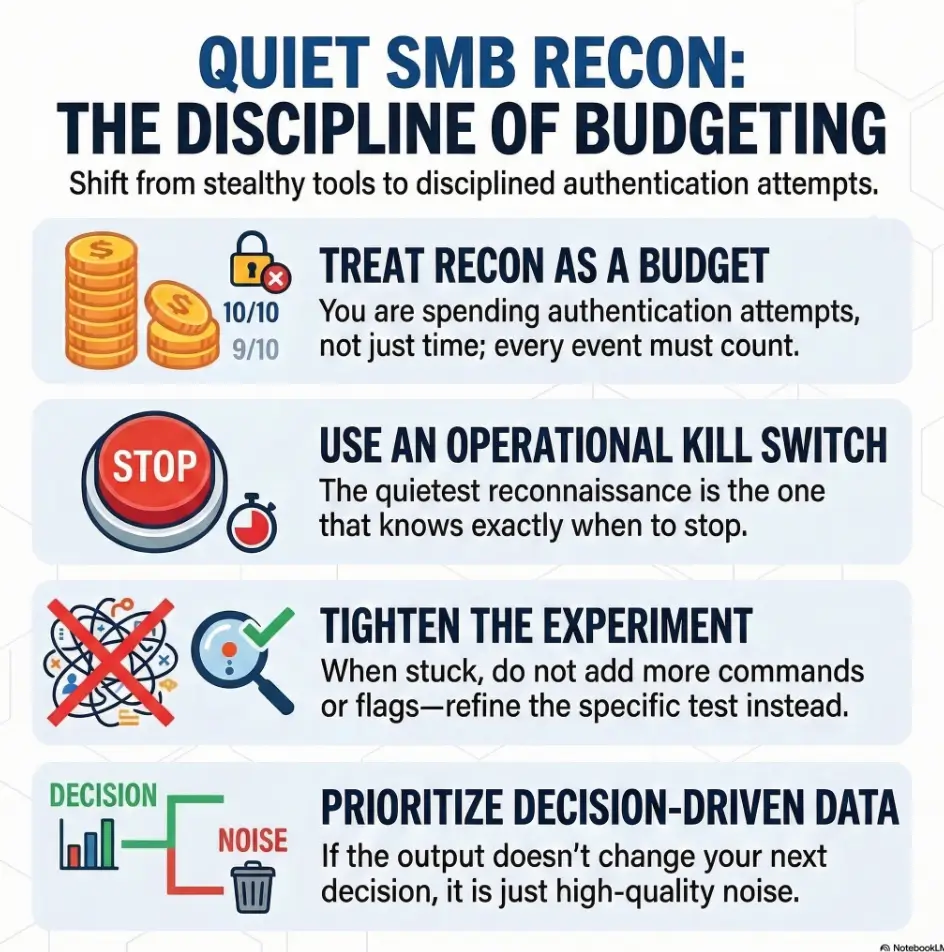
Real pain is modern and specific: credential churn, thread storms, and timeouts. Kioptrix-style SMB recon is safest when you treat attempts like currency.
The Operational Rhythm
- • No supplied credentials first: Front-load negotiation (dialect, identity, signing posture).
- • One-credential proof only: Use known-good credentials only when it changes the next decision.
- • Label and Pivot: Stop, identify the blocker, and move on.
Silent Signal
Collect host clues without supplying account credentials; session setup can still be logged.
Reliable Narrator
Control concurrency to keep the VM stable.
Hard Caps
Reduce concurrency and cap counted failures; neither flag guarantees zero lockout risk.
Fast Answer: Start with one target and no supplied credentials, but remember that CME can still attempt an empty-user SMB login while collecting host information. Check cme --help and cme smb --help for your installed version. Put global thread options before smb, use --smb-timeout for SMB connections, and choose one supported failure-limit flag. Limits count selected failures within a run; they do not guarantee safety when account lockout state is unknown.
Table of Contents
Who this is for / not for
For you if…
- You’re running Kioptrix or similar CTF VMs in a local, authorized lab.
- You want clean recon notes instead of a fog of “maybe” output.
- You’re trying to minimize authentication attempts to avoid lockouts and false positives.
- You care about learning the “why,” not just collecting screenshots.
Not for you if…
- You don’t have explicit permission to test the target network.
- You’re trying to hide activity on real systems (wrong place, wrong goal).
- You want exploitation walkthroughs; this stays recon-only.
I learned this the itchy way: my first “serious” SMB run in a CTF was basically a talent show of bad habits. I pointed CME at a single fragile VM with default threads, fed it a username list, and then spent 30 minutes wondering why the VM acted like it had emotional trauma. Spoiler: it did. It was my traffic.
Quick promise: This guide won’t teach you to “be stealthy.” It teaches you to be disciplined, so you create fewer auth events and clearer conclusions.
Safety/Disclaimer
Lab-only boundaries, read like a pre-flight checklist. CrackMapExec (and its modern cousin NetExec, often invoked as nxc) are powerful because they automate what humans would otherwise do slowly. That power cuts both ways. Everything below assumes a local, authorized environment and the goal is fewer auth attempts, not “evasion.”
- Use CME only against machines you own or have written permission to test.
- “Less noise” here means fewer logon attempts, not sneaking around.
- Prefer single-target recon and clear scope over wide scans.
- If a lab is shared (classroom, Hack The Box Academy, etc.), treat lockout risk as real.
- If you’re unsure whether your command causes authentication, assume it does and back up.
One practical reason this matters: Windows systems can generate security events for failed logons (a classic example is Event ID 4625). Even in a lab, those events are a signal that your recon is turning into guessing. Minimizing auth attempts is simply good hygiene, and it keeps your learning loop honest.
Define the “safe” win: fewer auth attempts, better signal
Safe recon goals (what you’re optimizing for)
- No speculative account guesses; record empty-user session setup separately.
- Host truth: OS hints, domain/workgroup, SMB signing posture, dialect support.
- Evidence you can paste into a report: deterministic, repeatable outputs.
- Confidence you can defend: “I stopped because X,” not “I got bored.”
Metrics that matter (and the ones that lie)
- Auth attempts per minute (lower is better).
- Failure counts (failures create both noise and confusion).
- Concurrency (high threads can turn a VM into a liar).
- “Host up” does not mean “SMB enumerable.” That’s a different sentence.
- “Credential valid” does not mean “share listing allowed.” Also a different sentence.
- Start with no-credential negotiation and identity clues.
- Only authenticate when it changes your next decision.
- Cap failures so your tool can’t outrun your judgment.
Apply in 60 seconds: Write “attempt budget: 1” at the top of your notes before you run anything else.
Money Block: Eligibility checklist (yes/no + next step)
Eligibility checklist (answer fast, don’t overthink):
- Authorized scope? Yes/No → If No, stop.
- Single target? Yes/No → If No, narrow first.
- Known lockout policy? Yes/No → If No, pause supplied-account testing.
- Known-good credential? Yes/No → If No, do not “test lists.”
- Snapshot available? Yes/No → If No, lower threads and keep retries tight.
Next step: If lockout policy or existing account failures are unknown, pause supplied-account testing. Collect protocol facts and obtain the account context before resuming.
Small confession: my best recon days are the ones where I stop early. Not because I’m lazy, but because the evidence tells me SMB is a dead end without creds. The trick is noticing that moment before your fingers decide to audition for “just one more command.”
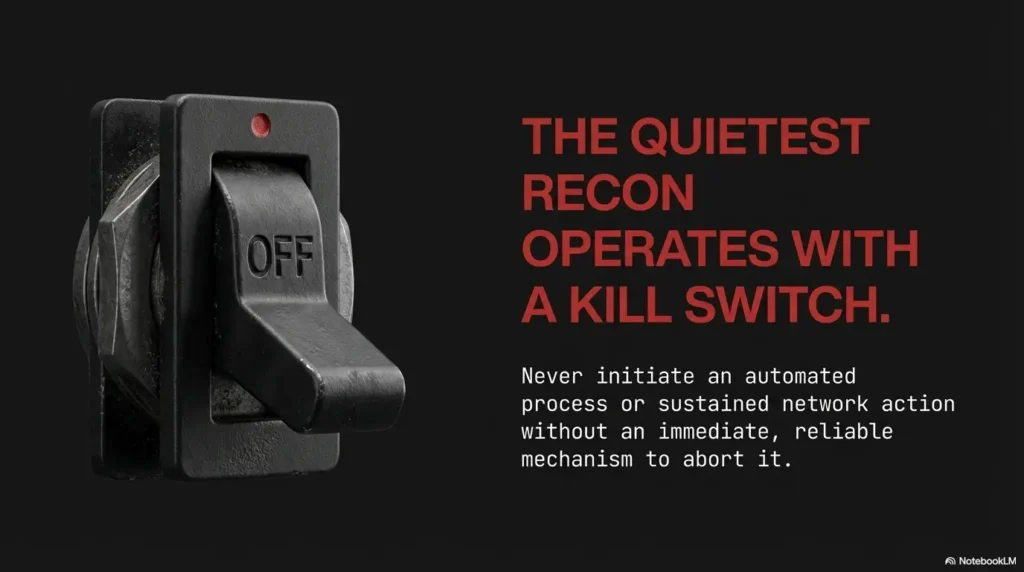
Grab no-credential signal first: SMB facts without credential churn
Start with “read-only” host discovery
A command without -u/-p avoids testing a supplied account, but CME is not a negotiation-only client: its host-information routine can attempt an empty username/password login and additional RPC checks. Record that distinction. For a narrower dialect or signing question, use a dedicated Nmap SMB negotiation script and document its behavior.
cme smb 192.168.56.101
# or: crackmapexec smb 192.168.56.101
- What you’re looking for: dialect clues, SMB signing notes, host/workgroup strings, OS hints.
- What you’re avoiding: speculative supplied-account tests; the empty-user setup remains a separate authentication event.
- What you’re building: a decision: “SMB is worth a single credential test” vs “pivot now.”
A required-signing result describes message-integrity policy, not whether SMB is enumerable with a valid account. Use it to select compatible clients; make the pivot decision from actual access results and available credentials.
SMB negotiation clues: dialect, signing required, “access denied” patterns
- Signing required? A signing-capable client with an accepted account can still enumerate permitted resources. Required signing can prevent Guest access on modern Windows, but it is not a general enumeration block. Check signing posture separately.
- Dialect hints (SMBv1 vs SMB2/3)? Useful for choosing compatible tooling and interpreting older writeups.
- Consistent “access denied”? That’s not an invitation to guess. It’s a classification.
- Port behavior (139 vs 445)? If one is flaky, be explicit about which you’re targeting. (This is a classic rabbit hole in old labs, so it helps to keep the port 139 vs 445 null-session behavior straight.)
Show me the nerdy details
SMB negotiation precedes authenticated operations, but a CME host probe can proceed into session setup without explicit credentials. An empty-user attempt may succeed, be rejected, or map to Guest. Do not equate “no credentials supplied” with “no authentication events.”
When to stop: unknown lockout state or no authorized account
If no account is available, collect the advertised protocol facts and avoid speculative login attempts. Required signing alone is not a reason to declare SMB unusable; an actual policy denial or lack of useful permitted access is the evidence for pausing.
Operator note: “Stop” is a recon skill. It keeps your notes honest and your timeline clean.
Choose “quiet modes”: knobs that reduce log spam and lockout risk
Concurrency controls (the loudness dial)
CrackMapExec defaults can be spicy. The general help output shows a default thread count designed for broad assessments, not fragile single-VM labs. For Kioptrix, your goal is serial confidence, not parallel chaos.
cme -t 1 smb 192.168.56.101 --smb-timeout 5
# Optional: add a small jitter if your lab VM is flaky
cme -t 1 --jitter 2-4 smb 192.168.56.101 --smb-timeout 5
-tlowers concurrent threads.--smb-timeoutsets the SMB connection timeout. Global--timeoutis a separate thread setting and is not a retry budget.--jitterdelays connection startup; it does not space every authentication attempt. Check the version’s range syntax.- If you’re testing a single VM, 1 thread is a feature, not a weakness.
I once ran a default-thread CME command against a Windows VM that was also running on a laptop doing a video call. The VM didn’t just slow down, it started returning inconsistent info, like a witness who keeps changing their story. Low threads turned it back into a reliable narrator.
Failure handling: hard caps that stop credential churn
If you do authenticate later, CME gives you failure limit flags that act like “adult supervision”:
--fail-limit: max failed logins per host--ufail-limit: max failed logins per username--gfail-limit: global max failed logins across the run- Select one: the archived CME parser makes these three limits mutually exclusive. Counts reset per run, omit some error classes, and do not track earlier failures on the server.
In a lab, these limits are not just “safety,” they’re debuggability. If your run produces 200 failures, you can’t explain what happened. If it produces 2 failures, you can.
- Set
-tlow for single-host labs. - Use timeouts to avoid accidental pileups.
- Use one failure-limit flag as a secondary guardrail; unknown lockout state still requires pausing.
Apply in 60 seconds: If credential validity or account lockout state is uncertain, pause testing rather than rely on a failure-limit flag.
Attempt budget: when to pause
Attempt budget: A lockout threshold alone cannot establish a safe number of guesses. Existing failures, the reset window, and other clients matter. If these are unknown, stop credential testing and obtain account context first.
Next step: Choose one supported failure-limit flag as a secondary guardrail; do not combine the mutually exclusive CME limits or use them as a lockout calculator.
Output discipline (your future self will thank you)
Noise isn’t only the target’s logs. It’s also your notes. A simple discipline keeps your brain from turning into soup:
- One host, one block of notes, one conclusion.
- Redirect output to a file when you need it, but summarize the decision in plain English. (If you want that “report voice” to feel effortless, keep a small reference on how to read a penetration test report so your phrasing matches real-world structure.)
- If output looks inconsistent, reduce threads before you assume “weird vuln.”
- If you changed two variables at once, assume your conclusion is junk.
Micro-rule: When you feel “stuck,” don’t add more commands. Tighten the experiment.
The “one credential” rule: prove before you try more
Test a single known-good credential (if you have one)
If you have a credential you believe is correct (from the lab instructions, a prior step, or an intentionally provided account), test it once. Not “user list once.” Not “three passwords just to see.” One.
cme -t 1 smb 192.168.56.101 -u 'user' -p 'LAB_PASSWORD' --smb-timeout 5 --gfail-limit 1
If authentication succeeds, you still haven’t earned the right to run every module. Add a single follow-up that answers a specific question, such as share visibility:
cme -t 1 smb 192.168.56.101 -u 'user' -p 'LAB_PASSWORD' --shares --smb-timeout 5 --gfail-limit 1
Verify what “success” means before you celebrate
- Success #1: credential is accepted.
- Success #2: you can enumerate shares.
- Success #3: you can access something useful.
- These are different steps. Treat them like different receipts.
Avoid the auth amplification spiral
- Username file + password file can become accidental spraying, even in a lab.
- Modules like
--users,--rid-brute, or aggressive spidering can multiply requests fast. - Flags like
--continue-on-successand--no-bruteforceexist, but the safest move is not needing them. - If your command reads like a shopping list, it will behave like one.
- Confirm what you can access, not what exists. (If the credential works but listing fails, the fastest sanity check is usually understanding why smbclient can list “without access” or show partial results.)
- Prefer one targeted query over five broad modules.
- Keep failure limits even after success.
Apply in 60 seconds: Pick exactly one post-auth question: “Can I list shares?” and stop there.
Money Block: Decision card (when A vs B)
Decision card: When to use CME vs simpler tools in a lab
| If your question is… | Prefer… | Why |
|---|---|---|
| “Is SMB up and what does it advertise?” | CME no-credential probe | Fast identity + signing/dialect hints with minimal churn. |
| “Which dialects are supported?” | Nmap smb-protocols script |
Clear protocol list without credential guessing. |
| “What can this credential actually do?” | CME with strict caps + one module | You’re testing access boundaries, not hunting surprises. |
Neutral next step: Write your question first, then choose the tool. Not the other way around.
Show me the nerdy details
Even a “simple” authenticated check can generate multiple SMB requests: session setup, tree connects, enumeration calls, and sometimes extra lookups. That’s why post-auth modules can feel like “one command” but behave like “dozens of operations.” Keeping modules targeted and threads low preserves causality.
Quick human moment: I’ve watched people mistake “shares not listed” for “credential invalid.” It’s not the same. Permissions and policies can block listing while still allowing other operations. In a lab, that distinction can save you an hour of re-trying passwords that were never the problem.
Spot the “auth trap”: when CME results look useful but aren’t
Common trap patterns in Kioptrix-style labs
- Guest/anonymous behavior: you get partial host info, then share listing is blocked. (If you’re seeing “hostname looks right, but nothing else moves,” compare it against the pattern in nbtscan shows hostname but no shares.)
- Signing required: CME can observe policy before account access is established. A compatible client with an accepted account can still enumerate permitted resources.
- VM fragility: high concurrency makes responses inconsistent and misleading.
- “Success” without access: auth succeeds, but everything interesting is permissioned.
- Tool mismatch: old assumptions about SMB1-era behavior applied to SMB2/3 reality.
How to interpret without escalating
Every denial is a classification. Treat it like a label you stick on the host, not a dare.
- Access denied on shares: “This enumeration operation was denied for the current session.” This alone does not prove the supplied identity was accepted; distinguish session setup, Guest mapping, and the denied RPC/share operation. Compare the failure stage.
- Login failure: “Credential likely wrong or policy blocks logon type.” Next move: stop. Don’t iterate without new evidence. (For SMB tooling that often surfaces the same failure class, see SMBMap NT_STATUS_LOGON_FAILURE.)
- Timeouts: “Transport unstable.” Next move: reduce threads, increase timeout slightly, or verify which port you’re actually hitting.
- Partial info only: “Anonymous gives banners but no browsing.” Next move: treat banners as context, not progress.
- Label the blocker (policy vs creds vs transport).
- Change one variable at a time.
- Stop when you’re guessing instead of testing.
Apply in 60 seconds: When you see “access denied,” write what it implies in one sentence before running anything else.
I once chased “weird SMB behavior” for 45 minutes, only to realize my network was intermittently dropping packets. The box wasn’t weird. My setup was. Quiet recon forces you to notice those boring causes sooner.
Don’t do this: the fastest ways to get noisy, misleading output
Mistake #1: Credential lists “just to see what happens”
- High-volume failures can trigger lockouts (or lockout-like behavior) even in toy labs.
- You lose causality: which attempt caused which response?
- You train yourself to ignore signal, because the terminal becomes a firehose.
- You can’t explain your own results, which is the opposite of learning.
Mistake #2: High threads on a single fragile VM
- VM SMB stacks can behave oddly under burst load.
- Results become non-repeatable, which kills learning and write-ups.
- You accidentally DoS your own lab and call it “enumeration.”
Mistake #3: Turning on modules because they exist
CME can do a lot: sessions, logged-on users, password policy, RID brute, share spidering. In a lab, the fastest way to get “busy output” is also the fastest way to get lost. Choose one question, run one thing, record one conclusion.
Pattern interrupt: If your command line has more than two “extra” flags, pause. You’re probably decorating, not investigating.
Common mistakes
Mistake #3: Treating “SMB up” as “SMB enumerable”
- Open port ≠ listable shares.
- Listable shares ≠ readable content.
- Readable content ≠ writable access.
- Writable access ≠ meaningful impact (especially in CTF logic).
Mistake #4: Skipping SMB signing/dialect checks
If signing is required, many “classic SMB moves” won’t behave the way older writeups suggest. This isn’t the lab being unfair. It’s you reading a different decade’s playbook. Keep your recon anchored in what the host advertises now, not what a 2015 tutorial promised.
Mistake #5: Letting modules auto-chain requests
“One command” can become dozens of authenticated calls per host. That’s why your failure limits and low thread count are still relevant even after one success. If your goal is “reduce unnecessary auth,” treat request multiplication as the enemy.
My favorite mistake (because I keep making it): forgetting that I’m learning, not speedrunning. The moment I start acting like output volume equals progress, I’m basically paying tuition to my own impatience.
Build the “quiet recon” checklist (copy-paste into your notes)
Phase 1: No-credential truth (stop if uncertain)
- Confirm 445/139 reachability.
- Run CME no-credential probe for signing/dialect/identity hints.
- If access is denied or no justified credential test is available: record the limit and rank another exposed service.
- Record your stop reason immediately (before you forget and “just try one thing”).
Phase 2: Minimal-auth validation (only if justified)
- One credential only,
-t 1, timeouts set. - Set
--gfail-limit 1(or stricter) before you run. - Ask one post-auth question (e.g.,
--shares) and stop. - If you need a second question, justify it in notes first.
Phase 3: Evidence + pivot decision
- Record what was learned, what was blocked, and why.
- Choose the next protocol based on evidence (HTTP, SSH, RPC, etc.).
- Snapshot the VM state if you’ll try anything more intrusive later.
- Keep a “What I will not do” line (it prevents relapse into list-testing).
Money Block: Quote-prep list (what to capture)
Quote-prep list: What to capture so your recon is repeatable
- Target IP + timestamp (local time).
- Ports tested (139/445) and which one responded.
- Signing posture and dialect hints observed.
- Your thread count and fail limits used.
- Your stop reason (“no creds,” “policy gate,” “transport unstable”).
Neutral next step: Paste these five bullets into your notes template once, then reuse forever.
Infographic: “Quiet CME SMB Recon” in 3 phases
1) No-credential truth
Probe SMB. Note signing + dialect. No -u/-p.
Stop condition: no useful permitted access or no justified credential test.
2) Minimal auth
One credential. -t 1. --gfail-limit 1.
Stop condition: any failure without new evidence.
3) Evidence + pivot
Write your conclusion. Pick next service. Move on.
Stop condition: you’re guessing, not testing.
Short Story:
I once had a Kioptrix-ish VM that “refused” to show shares. I did what every impatient learner does: I threw more commands at it. Threads up. Passwords swapped. Modules stacked. The output looked impressive and meant nothing. Then I reset, ran a single no-credential probe, and noticed something I’d ignored: the host name and workgroup were stable, but every time I added a username, the behavior changed sharply.
That was my clue. It wasn’t “SMB is broken.” It was “auth changes the conversation.” I tried one credential I was confident about, capped failures at 1, asked one question (shares), got an access denial, and stopped. Ten minutes later I pivoted to HTTP, found the real foothold, and came back to SMB with actual context. The lesson wasn’t a trick. It was restraint.
If you want a copy-paste notes block, here’s a minimal template you can drop into your writeup:
Target:
Ports:
CME no-credential output (summary):
Signing / dialect notes:
Decision:
Auth attempt budget:
If authenticated: credential source (lab-provided / derived):
Post-auth question asked:
Result:
Pivot:
FAQ
1) Can CrackMapExec do SMB recon without authenticating?
A basic cme smb <target> command supplies no account credentials, but CME can attempt an empty-user SMB login during host-information collection. It is not guaranteed to be authentication-free.
2) What creates the most “noise” in SMB recon: scanning or auth attempts?
Authentication attempts. They can produce failed logon events, trigger lockout policies, and flood your notes with outcomes that don’t explain root cause.
3) How do I avoid account lockouts while testing SMB credentials in a lab?
If lockout policy or existing failures are unknown, pause credential testing. One known account and one supported failure limit reduce accidental retries, but cannot guarantee that even one failure is safe.
4) Why does authentication succeed but share listing still fail?
Because “valid credential” and “permission to enumerate shares” are different. Share listing can be blocked by policy, permissions, or server configuration. If you want a concrete example of this exact failure mode, compare it to smbclient tree connect failed and how “valid session” and “usable tree connect” don’t always line up.
5) What’s the difference between SMB signing “enabled” vs “required” for recon?
Enabled means signing is supported; required means applicable sessions must sign. Compatible clients with valid accounts can enumerate allowed resources. Guest access is separate and may be incompatible with required signing on modern Windows.
6) Should I use username/password lists in a CTF lab?
Only if the lab explicitly calls for it and you can control lockout risk. Otherwise, lists create accidental spraying and wipe out causal clarity.
7) How many threads is “too many” for a single Kioptrix VM?
Anything that makes results inconsistent. In practice, 1–3 threads is usually plenty for a single target VM, especially on a laptop-hosted lab.
8) What should I capture in my notes to make recon repeatable?
Target IP, ports, signing/dialect hints, thread count, fail limits, and your stop reason. The “stop reason” is often the most valuable line.
9) If SMB is blocked, what’s the best pivot protocol to enumerate next?
Whichever service is actually giving you traction: HTTP is common in labs, then SSH, then RPC-based paths if they’re exposed. Let the evidence choose. If your pivot is RPC-heavy, it helps to have quick references for common dead-ends like rpcclient NT_STATUS_ACCESS_DENIED and rpcclient enumdomusers failing so you don’t mistake “policy wall” for “wrong tool.”
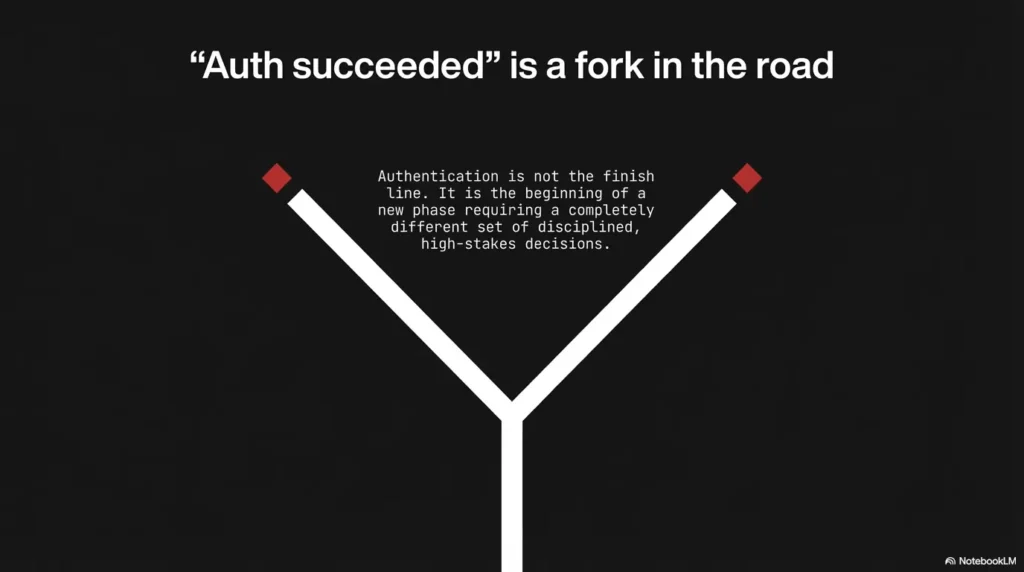
Next step
One concrete action
Create a one-page “Quiet CME SMB Recon” runbook with three rules: no-credential first, one-credential proof, hard caps on threads and failures. Then run it once on your next Kioptrix target and compare your logs. If the output is smaller but your conclusions are sharper, you’re doing it right.
To close the curiosity loop from the intro: the “safest flags” aren’t secret stealth switches. They’re the boring guardrails that keep you from turning recon into guessing. The moment you feel the urge to add more flags, add fewer. Your future self (and your lab VM) will quietly thank you.
PAA questions
- How do I use CrackMapExec for SMB recon without spraying credentials?
- What’s the safest way to test one SMB credential with CME in a lab?
- Why does CME show a host but not list shares?
- What SMB settings (dialect/signing) should I check before authenticating?
- How do I reduce failed login events when running CME against a VM?
- How many authentication attempts are reasonable in a CTF lab?
- What causes inconsistent CME results when threads are high?
- Can SMB be reachable but still block enumeration without valid creds?
- What should I log from CME output for a clean write-up?
- When should I stop SMB recon and pivot to HTTP/SSH/RPC?
Differentiation map
What competitors usually do
- Dump a giant command list of “stealthy flags” and call it “safe.”
- Teach speed-first scanning (threads up, retries up) that creates junk signal.
- Blur recon vs exploitation and blur lab vs real-world scope.
- Skip interpretation, so you get output but not understanding.
How this approach avoids it
- Frames “safe” as fewer auth attempts + clearer evidence, not evasion.
- Uses a phase workflow: no-credential truth → minimal-auth proof → pivot.
- Emphasizes decision points and stop conditions to prevent log storms.
- Teaches interpretation traps (signing gates, VM fragility, permission walls).
If you want an extra dial for “protocol truth” without touching credentials, Nmap’s SMB scripts (like smb-protocols) are a clean complement in labs. They answer “what dialects are supported?” without turning your terminal into a login slot machine.
Original review: 2026-03
Technical guidance updated: 2026-10-13. Corrected probe behavior, option placement, failure-limit assumptions, and signing interpretation.