
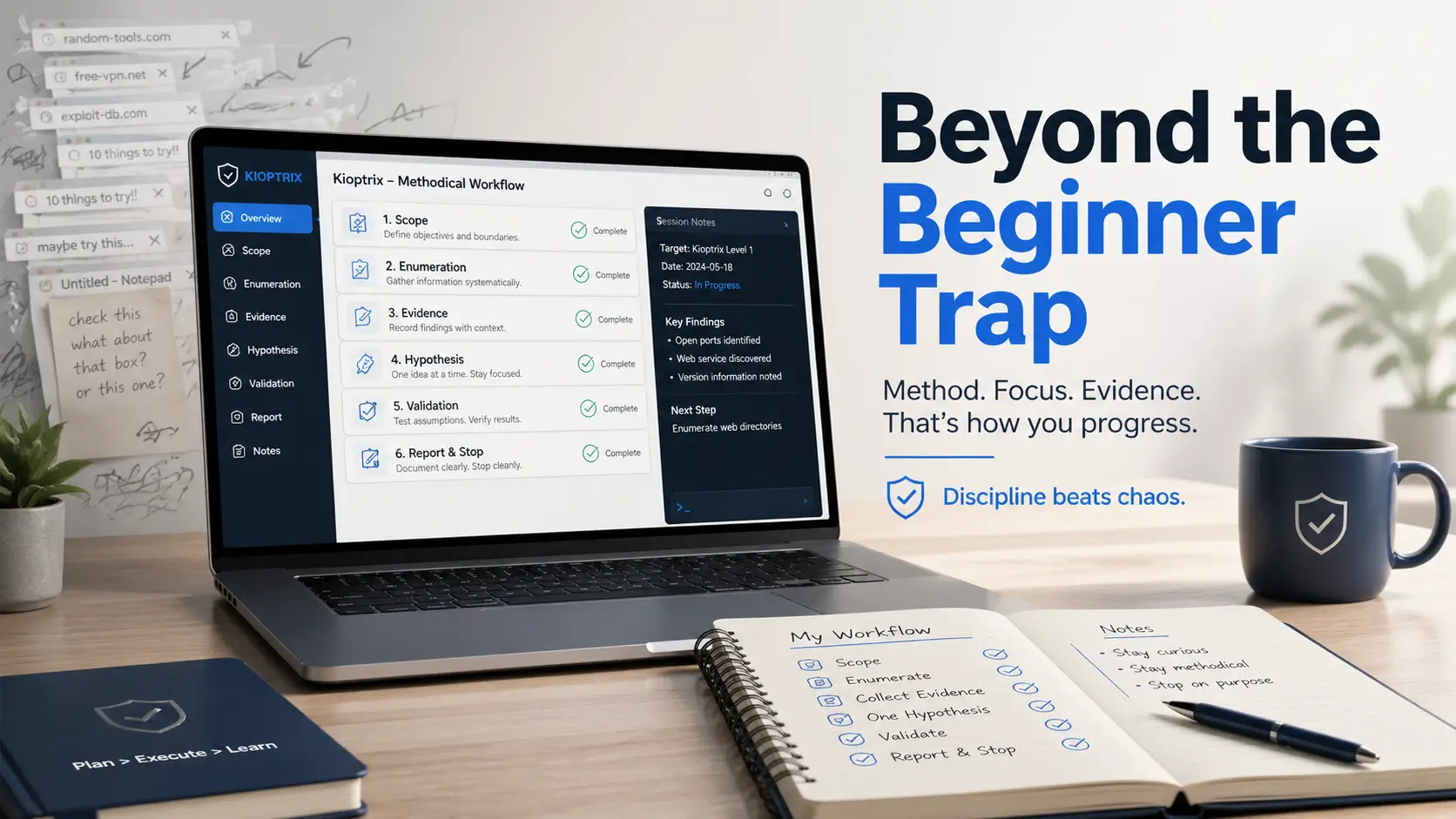
Mastering the Method: Beyond the Kioptrix Beginner Trap
“Less heroic spirals. More signal. A calmer path from execution to understanding.”
You can lose an entire evening to Kioptrix Level and still come away with nothing sturdier than browser tabs, terminal clutter, and a headache with root privileges. That is the beginner pentesting trap: too much motion, not enough method.
This guide transforms the chaos into a repeatable lab rhythm. By treating Kioptrix as a discipline trainer rather than a trophy machine, you will develop the judgment necessary for real-world environments.
- Legal Scope & Enumeration
- Evidence-Based Notes
- Hypothesis-Driven Testing
- Clean Stopping Points
- Zero Tab-Hoarding
- Field Notebook Mentality
Table of Contents
Fast Answer: Kioptrix Level helps beginners build realistic pentesting discipline by forcing them to slow down, enumerate carefully, document evidence, test one hypothesis at a time, and stay inside a legal home-lab environment. Its value is not modern exploit freshness. Its value is process: learning how to think, record, verify, and recover when a path fails.
Legal Lab Boundary: Practice Without Crossing the Line
The first discipline Kioptrix teaches is not technical. It is behavioral. You practice only where you have permission. That sounds obvious until a beginner discovers a scanner, feels the little electricity of possibility, and starts wondering what else might answer back.
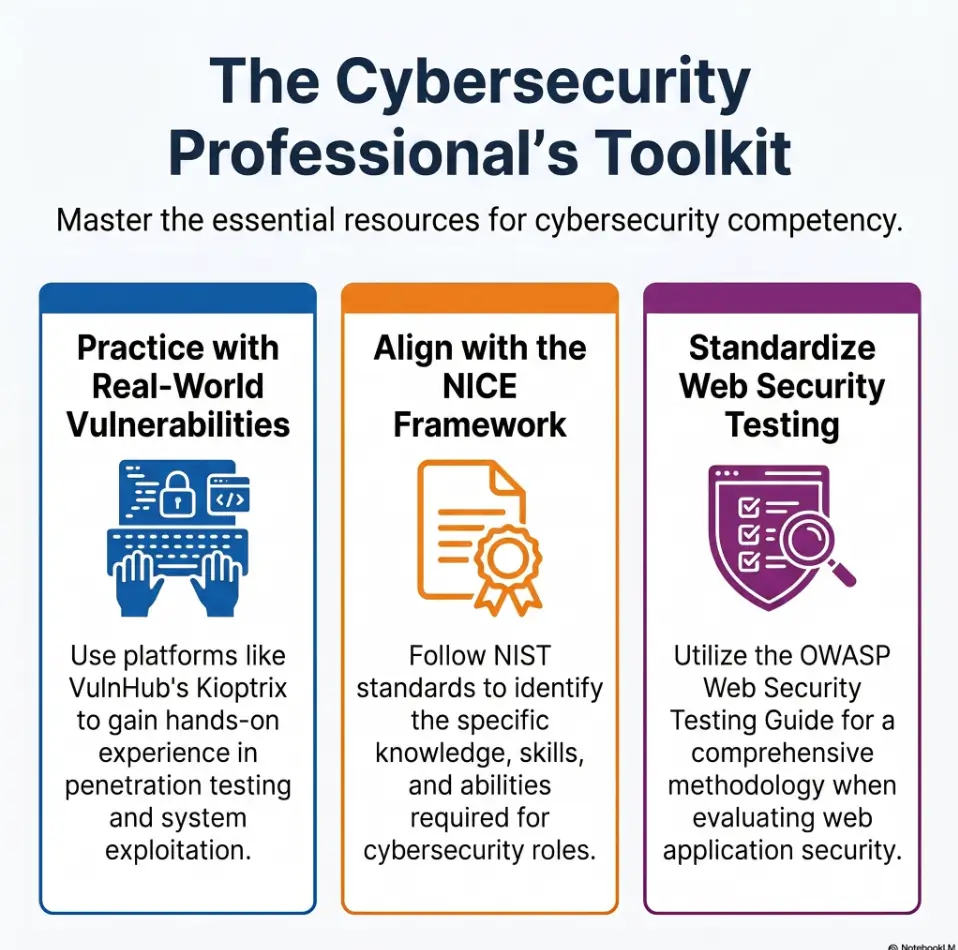
Keep Kioptrix inside a private lab. That means your own virtualization setup, your own downloaded vulnerable machine, your own isolated network, and systems you are explicitly authorized to test. VulnHub describes Kioptrix as a VM challenge for learning basic tools and techniques in vulnerability assessment and exploitation, with the goal of getting root access inside the challenge environment.
Keep Kioptrix Inside a Private Lab
A beginner lab should feel a little like a practice room for music. The walls matter. You can play badly, repeat scales, break rhythm, and start again because the room is yours. A random network is not a practice room. It is someone else’s house with the lights on.
I have seen learners make their biggest jump not after “getting root,” but after writing one clean sentence: “I am only testing this VM in my local lab.” It calms the hands. It shrinks the chaos.
Realistic Discipline Starts With Permission
Professional pentesting begins with scope, consent, boundaries, and documentation. Not clever commands. Not vibes in a hoodie. Real operators know where they are allowed to test, what systems are included, what time window applies, what techniques are restricted, and who receives the report.
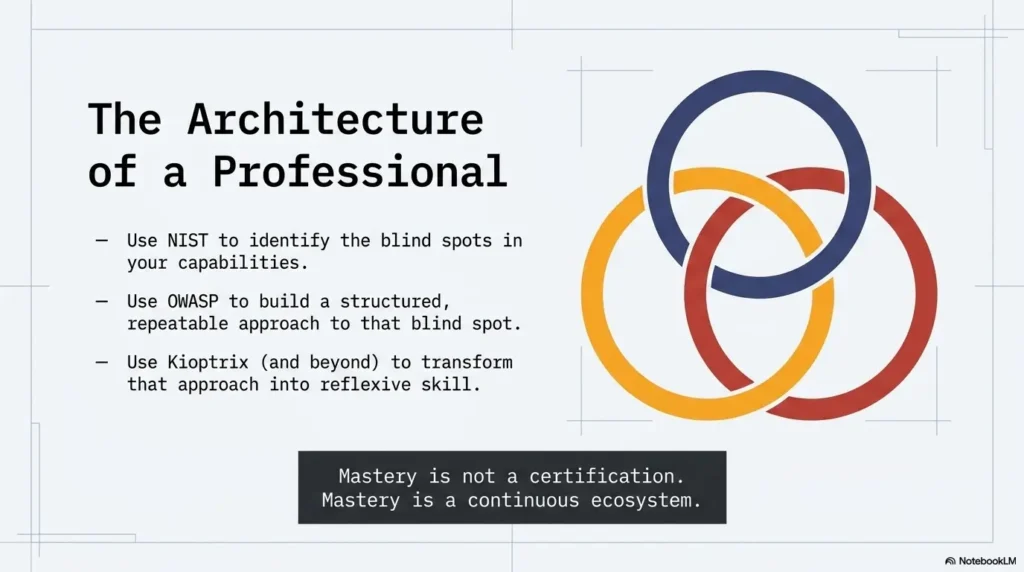
NIST’s NICE Framework gives cybersecurity work a shared language around tasks, knowledge, and skills, which is a useful reminder that security is work performed in a real context, not just a pile of tools.
Don’t Confuse “I Can” With “I’m Allowed To”
This is one of the first ethical muscles worth training. The fact that a system responds does not mean it is yours to probe. The fact that a command exists does not mean it belongs in your terminal today.
- Use Kioptrix only in your own authorized lab.
- Write the target IP and lab boundary before testing.
- Never test public, school, work, or neighbor systems without written permission.
Apply in 60 seconds: Open your notes and write: “Authorized target: local Kioptrix VM only.”
Who This Is For, and Who It Is Not For
Kioptrix Level is for the learner who needs a process more than a trophy. That includes beginner cybersecurity students, IT support people, help desk career-switchers, and self-study pentesting learners who want to learn how to investigate without flailing.
It is not for people searching for modern exploit recipes to reuse somewhere else. That is the wrong lane. Kioptrix is older, intentionally vulnerable, and valuable because it slows you down enough to watch your own thinking.
For Beginners Who Need Process More Than Speed
If you are new, your first problem is rarely “I do not know enough exploits.” More often, it is this: you cannot yet tell the difference between a clue, a guess, a dead end, and a shiny distraction wearing tap shoes.
Kioptrix gives you a controlled place to practice the basics:
- Finding open services
- Recording versions and banners
- Reading web pages and directory behavior carefully
- Testing one idea at a time
- Writing down what failed without feeling personally insulted
For IT Support, Help Desk, and Career-Switchers
Help desk experience translates better than many beginners realize. You already know how to ask: What changed? What is visible? What is misconfigured? What does the error actually say? Pentesting uses similar muscles, but the questions become sharper.
I once watched a support technician outperform a more “flashy” beginner because she wrote better notes. She did not sprint. She built a small map, checked it twice, and let the evidence lead. It was beautifully unglamorous. For readers coming from support roles, Kioptrix for help desk workers can make that bridge feel less mysterious and more like a usable path.
Not For People Looking for Modern Exploit Recipes
Kioptrix should not be treated as a menu of current attacks. Its exact weaknesses belong to a beginner learning context. The professional habit is not “copy this exploit.” The professional habit is “understand why this path was plausible, what evidence supported it, and what would change in a modern environment.”
Not For Testing Random Networks
Public IPs, coffee-shop networks, school networks, workplace systems, and neighbor Wi-Fi are not practice targets. Even “just checking” can create legal, ethical, and professional trouble. Curiosity without boundaries is not ambition. It is a shopping cart with one bad wheel.
Eligibility Checklist: Are You Ready to Practice?
| Question | Yes/No | Next Step |
|---|---|---|
| Is the target a VM you control? | Yes required | Confirm the VM name and IP in your notes. |
| Is the lab isolated from real systems? | Yes preferred | Use a private lab network where possible. |
| Do you have a note file ready? | Yes | Create headings before running tools. |
| Are you avoiding third-party systems? | Yes required | Do not scan anything outside your lab. |
Neutral action: Complete the checklist before every practice session, even if it feels repetitive.
Start With Enumeration: The Habit That Separates Guessing From Testing
Enumeration is where beginners either become investigators or become button collectors. It is the quiet part of the work: listing what exists, what responds, what looks old, what looks strange, and what deserves a closer look.
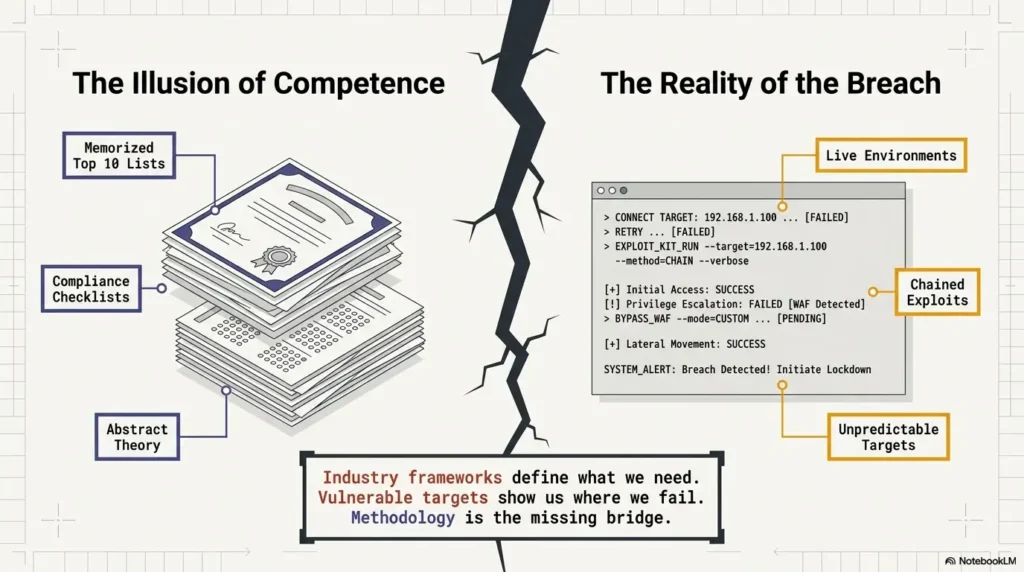
Beginners often want to jump straight to exploitation because that is where the confetti seems to fall. But Kioptrix rewards the person who reads the room before kicking the door.
Enumeration Is the First Discipline Test
Good enumeration asks: What is open? What is exposed? What version is visible? What service is speaking? What does the web server reveal? What path returns a useful response?
Bad enumeration says: “I ran something. It printed a lot. Surely learning occurred.” This is the cybersecurity version of buying vegetables and calling it dinner. A grounded Kioptrix enumeration habit keeps the learner close to visible facts instead of drifting into tool-shaped theater.
Services Tell a Story Before Exploits Do
Ports, service names, versions, headers, robots files, login pages, directory responses, and error messages are not random trivia. They are the opening pages of the target’s story. The learner’s job is to read before guessing the ending.
OWASP’s Web Security Testing Guide is built around structured testing areas and is widely used as a web application testing resource, which aligns with the habit Kioptrix can train: organized investigation before conclusion.
The First Win Is a Clean Map
Your first win may not be a shell. It may be a five-line scan summary that future-you can understand tomorrow morning with coffee and a slightly less dramatic brain.
- Target IP confirmed
- Open services listed
- Visible versions recorded
- Web paths noted
- Most promising clue identified
That is not “slow.” That is how you stop guessing.
The Hidden Skill: Writing Notes That Future You Can Trust
Your notes are not a side dish. They are part of the pentest. In a beginner lab, notes are where your thinking becomes visible enough to improve.
A strange thing happens when learners start writing clean notes: they stop repeating themselves. They catch false assumptions earlier. They notice that yesterday’s “maybe” was never actually tested. The room gets quieter.
Your Notes Are Part of the Pentest
Useful notes include timestamps, commands or tools used in general terms, key outputs worth preserving, failed ideas, and next actions. You do not need a novel. You need a trustworthy trail. If your note system keeps collapsing into scattered fragments, a dedicated Kioptrix technical journal can turn the lab from a blur into a record you can actually reuse.
Try this simple structure:
- Observed: What did the target show?
- Question: What might this mean?
- Tested: What did I check?
- Result: What changed or did not change?
- Next: What is the next sane move?
Capture Evidence, Not Vibes
“Looks vulnerable” is a vibe. “Service version displayed on scan output” is evidence. “Login page behaves differently after a certain input pattern” is evidence. “Directory returns 403 rather than 404” is evidence worth tracking.
I learned this the embarrassing way years ago: I once wrote “interesting web thing” in my notes. The next morning, I had no idea what the interesting thing was. A professional report cannot be built from haunted breadcrumbs.
Let’s Be Honest: Memory Lies Under Pressure
When you are tired, excited, or stuck, memory becomes a tiny unreliable narrator. It insists you already tested something. It swears a port was open. It tells you a failed path was “probably nothing” because it wants snacks and closure.
- Write observations as facts, not moods.
- Record failed paths so you do not loop.
- End each session with one next action.
Apply in 60 seconds: Add the headings Observed, Question, Tested, Result, and Next to your lab notes.
Show me the nerdy details
A useful beginner note system separates raw output from interpretation. Keep raw findings short but specific, then write your hypothesis in a separate line. This prevents a common mistake: treating your first explanation as if it were the evidence itself. In professional work, that separation matters because another person may need to reproduce, validate, or challenge your conclusion.
One Hypothesis at a Time: The Anti-Chaos Rule
The most underrated beginner rule is brutally simple: test one hypothesis at a time. Not six. Not “whatever looks spicy.” One.
Kioptrix can make this painfully obvious. When you bounce between services, browser paths, old notes, half-read walkthroughs, and three tools you barely understand, the session starts to feel productive. It is not productive. It is a raccoon in a server closet.
Stop Testing Six Things at Once
Scattered testing produces weak conclusions. You do not know what worked, what failed, what changed, or what deserves follow-up. Worse, you may accidentally skip the clue that would have made the next step obvious.
A focused hypothesis sounds like this:
- “Is this visible service version relevant?”
- “Does this web path expose useful information?”
- “Does this login page reveal behavior worth documenting?”
- “Is this error message pointing to a technology choice?”
Turn Each Guess Into a Question
Questions slow you down in the best way. A guess wants to be right. A question wants to be tested.
Instead of writing “exploit service,” write: “What evidence suggests this service is outdated, misconfigured, or worth deeper review?” That one sentence shifts the brain from performance mode to investigation mode. For learners who need a repeatable thinking scaffold, a Kioptrix decision process can help turn noisy guesses into orderly next moves.
The Boring Rule That Saves the Session
Use the loop: observe → write hypothesis → test → record result → decide next action.
Infographic: The Kioptrix Discipline Loop
List what the target actually shows.
Turn one clue into one testable question.
Check one path without tool-hopping.
Write the result, including failure.
Choose the next action or stop cleanly.
Common Mistakes That Make Kioptrix Feel Harder Than It Is
Kioptrix is not always hard because the machine is hard. Sometimes it feels hard because the learner’s workflow is leaking energy from every seam.
That is good news. Workflow can be fixed. You do not need a new personality, a secret Discord, or a dramatic keyboard. You need fewer tabs and better sequencing.
Mistake: Running Tools Before Reading Output
Many beginners stack scans like pancakes and never taste them. They run one tool, then another, then another, then stare at a mountain of output with the spiritual posture of someone assembling furniture without opening the manual.
Read first. Highlight only what matters. Summarize. Then decide.
Mistake: Copying Walkthroughs Too Early
Walkthroughs can help, but early spoilers steal the most valuable part of the lab: the moment where you learn how your own mind handles uncertainty.
A better rule: make one real attempt first. Write what you tried. Write where you got stuck. Then use the walkthrough to compare reasoning, not just commands. This is also why copy-paste commands fail in Kioptrix as a learning strategy: they can move the terminal without moving your judgment.
Mistake: Treating Exploitation as the Whole Lesson
Exploitation is only one chapter. A realistic workflow includes setup, scope, discovery, validation, documentation, exploitation, cleanup notes, and reporting. Root access without understanding is a souvenir. Nice to look at, easy to overvalue.
Mistake: Keeping No Failure Log
Failed paths are not wasted if they prevent repeated confusion. A failure log can be short:
- What I tested
- Why I tested it
- What result I got
- Why I am pausing or abandoning it
Decision Card: Deep Session vs. Small Session
| Choose This | When It Fits | Trade-Off |
|---|---|---|
| 20–40 minute small session | Before work, during study blocks, or when tired | Less depth, better consistency |
| 90 minute deep session | Weekend or planned lab time | More continuity, higher fatigue risk |
Neutral action: Pick the shortest session that still lets you produce a written summary.
The Walkthrough Trap: Why “Following Along” Can Feel Like Learning
Walkthroughs are seductive because they remove uncertainty. The page knows what to do. The writer sounds calm. The steps line up. Your terminal obeys. It feels like learning because motion is happening.
But following a walkthrough too early can become karaoke pentesting. You are making the right sounds at the right time, but the song is not yours yet.
Walkthroughs Should Be Mirrors, Not Steering Wheels
Use a walkthrough after you have made a real attempt. Let it reflect your thinking back to you. Where did the author notice something you missed? Where did they validate a clue before acting? Where did they avoid a rabbit hole?
This is where growth hides. Not in the copied step, but in the gap between your reasoning and theirs.
Pause Before Every Spoiler Step
Before copying a step, ask: “What clue would have led me here?”
If you cannot answer, stop. Go back to your enumeration notes. Find the bridge. The goal is not to punish yourself. The goal is to train your eyes to see the bridge next time.
Here’s What No One Tells You About Easy Boxes
Easy machines often reveal weak process faster than hard machines do. A hard box can hide your habits behind complexity. An easy box says, with alarming politeness, “No, friend. You skipped the obvious thing.”
I keep a tiny rule for labs: if a walkthrough surprises me, I write the missed clue in plain English. Not the command. The clue. That is the part that transfers.
- Try first without spoilers.
- Compare reasoning, not just steps.
- Write down the clue you missed.
Apply in 60 seconds: Before opening a walkthrough, write: “I am stuck because…” and finish the sentence.
Realistic Pentesting Discipline Means Knowing When to Stop
Stopping is a skill. Not quitting. Stopping. There is a difference.
A clean stopping point preserves your work. A messy stopping point leaves tomorrow-you wandering through terminal scrollback like an archaeologist with no map and mild resentment.
Clean Stopping Points Prevent Lab Fog
Good stopping points are concrete. End after one completed scan summary, one web path review, one hypothesis test, or one written next step. Do not end with “figure it out later.” That is not a plan. That is a fog machine.
Try this closing note:
Next action: Review the web service findings and test whether the most suspicious path reveals additional information.
Fatigue Creates Fake Progress
Late-night clicking can produce screenshots, tabs, and noise without durable skill. Fatigue makes everything look equally important. It also makes bad notes look acceptable, which is how tomorrow inherits a drawer full of cables and no labels.
A 20–40 minute session can be enough when the goal is narrow. One clear map beats three blurry hours. When that rhythm needs guardrails, Kioptrix practice sessions without burnout can help you keep the lab useful instead of turning it into another endurance contest.
Leave Tomorrow a Breadcrumb
The last sentence in your notes should be a breadcrumb. Not a paragraph. Not a confession. One plain action.
- “Check service version relevance.”
- “Review web directory responses.”
- “Compare failed login behavior.”
- “Write mini-report summary.”
Build a Beginner Pentest Routine Around Kioptrix
A good routine removes drama. It tells you what to do when motivation is high, low, or pretending to be both. Kioptrix works well as a routine box because it is bounded, old enough to be forgiving, and still rich enough to expose sloppy habits.
Here is a four-session structure that keeps the learning practical.
Session 1: Set Scope and Confirm the Target
Start with lab-only target confirmation, VM notes, snapshot readiness, and workspace organization. Write down the target IP, your host setup, and the boundary: local lab only. If your first obstacle is simply getting the environment ready, a Kioptrix first lab setup path can keep the opening session from becoming a hardware-and-network fog bank.
This is not busywork. This is the first page of your report.
Session 2: Enumerate and Summarize
Focus on open services, visible versions, web discovery, headers, and suspicious paths. At the end, write a short summary. Not every detail. Just the facts that shape your next decision.
Session 3: Test One Path Deeply
Choose one likely path and test it carefully. Do not bounce between ten maybes. If the path fails, write why. If it produces a clue, write what changed.
Session 4: Write the Mini-Report
Your mini-report should include what was found, what was attempted, what worked, what failed, and what should be reviewed. This is where the lab becomes career-relevant.
Mini Calculator: How Many Sessions Do You Need?
Use this simple planning formula. No storage, no tracking, no wizard hat required.
Neutral action: Use the number to plan study blocks, not to pressure yourself into rushing.
From Lab Box to Professional Mindset
The best thing Kioptrix can give you is not a victory screenshot. It is calm sequence. That means you can enter an uncertain technical situation and move in order: scope, observe, document, test, verify, report.
That habit travels. Exact vulnerabilities age. Tools change. Interfaces mutate. But calm sequence keeps earning rent.
Discipline Travels Better Than Exploits
Old exploit details are not the treasure. The transferable treasure is how you got from observation to conclusion. Did you identify the exposed surface? Did you validate the clue? Did you avoid overclaiming? Did you write enough for someone else to follow?
NIST’s NICE Framework current materials emphasize cybersecurity work in terms of work roles, competency areas, and task, knowledge, and skill statements, which is a useful professional lens for beginners: skill is not just knowing a trick, but performing work reliably in context.
Reports Matter More Than Victory Screens
A screenshot may prove you reached a point. A report proves you understood the path. In real work, your value often appears in your explanation: what was tested, what was found, why it matters, what the limitation is, and what should happen next.
That is why Kioptrix notes should end in a mini-report. Even a small one. Especially a small one. A practical Kioptrix lab report can turn scattered findings into the kind of explanation another human can follow without reading your mind.
The Real Skill Is Calm Sequence
Calm sequence sounds boring until you need it. Then it becomes a lantern. When the lab feels noisy, you return to the loop: observe, question, test, record, decide.
Quote-Prep List: Before You Compare Courses, Labs, or Training Platforms
If you later compare paid cybersecurity courses or lab platforms, gather these items first so you do not buy glitter when you need structure.
- Your current skill level: help desk, student, developer, or total beginner
- Your weekly study time: 2, 4, or 6+ hours
- Your goal: job readiness, certification support, or practical confidence
- Your preferred feedback style: walkthroughs, reports, hints, or mentor review
- Your budget ceiling and renewal tolerance
Neutral action: Compare training options against your workflow needs, not just their most dramatic marketing screenshot.
FAQ
Is Kioptrix Level still useful for beginners?
Yes. Kioptrix Level is useful because it teaches process: enumeration, note-taking, hypothesis testing, and disciplined lab practice. Its age is part of the point. You are not studying it because every detail is modern. You are studying it because your beginner workflow needs a safe place to become less chaotic.
Is Kioptrix realistic enough for pentesting practice?
It is realistic as a beginner process trainer, not as a perfect model of modern enterprise environments. Treat it as a lab for learning sequence, evidence, documentation, and careful testing. Do not treat it as a complete picture of current professional pentesting.
Should I use walkthroughs while learning Kioptrix?
Use walkthroughs after you have made a real attempt, written notes, and identified where you got stuck. The best walkthrough use is reflective: compare your reasoning to the author’s reasoning and write down the clue you missed.
How long should a Kioptrix practice session be?
A focused 20–40 minute session is often enough if you set one goal and write a clear next action. Longer sessions can work, but they should have planned checkpoints. Fatigue creates fake progress, especially when you start collecting tabs instead of conclusions. For planning the right container around your attention, see this guide to Kioptrix session length.
What should I write down during Kioptrix practice?
Write down target details, open services, versions, web paths, commands or tools used in general terms, useful output, failed guesses, and next steps. Keep the notes plain enough that you can understand them tomorrow without reconstructing your entire emotional weather system.
Can Kioptrix help me prepare for cybersecurity work?
Yes, especially if you treat it as practice for investigation, documentation, scope awareness, and clear technical reasoning. Professional credibility comes from explaining what you found and how you validated it, not only from reaching the end of a lab. If you are changing careers, Kioptrix for career changers can help connect lab habits to a more believable professional story.
What is the biggest beginner mistake with Kioptrix?
The biggest mistake is rushing to exploitation before understanding what the target is actually showing you. Beginners often skip careful enumeration, ignore output, open walkthroughs too soon, or fail to record failed paths.
Is it legal to practice Kioptrix?
It is legal when practiced in your own authorized lab environment. Do not test systems you do not own or have explicit permission to assess. Scope and consent are part of the skill, not an afterthought.
Next Step: Run One Disciplined 30-Minute Session
Remember the opening problem: an evening full of tabs, tools, and terminal confetti, but no clear learning? The cure is not more noise. It is one disciplined session.
Set up Kioptrix in a private lab. Confirm the target IP. Run one enumeration pass. Then write a five-line summary: target, open services, strongest clue, one rejected guess, and one next action.
Your Concrete Action
Here is the whole 30-minute plan:
- Minutes 0–5: Confirm scope, target, and notes.
- Minutes 5–15: Enumerate and collect visible facts.
- Minutes 15–25: Choose one clue and form one hypothesis.
- Minutes 25–30: Write the summary and next action.
The Goal Is Not Root Yet
The goal is better notes than you started with. That is the quiet hinge where realistic pentesting discipline begins. Root can wait. Calm sequence cannot. If you want that hinge to become a repeatable calendar habit, a 30-day Kioptrix practice routine can turn one careful session into a longer learning arc.
- Stay inside your legal lab.
- Use one hypothesis at a time.
- Leave a breadcrumb for tomorrow.
Apply in 60 seconds: Create a note titled “Kioptrix 30-Minute Session” and add your target, scope, and next action fields.
Last reviewed: 2026-04.