Master the Kioptrix Session: From Fog to Focus
Stop restarting from memory. Build a repeatable routine that turns chaotic lab work into disciplined cybersecurity practice.
“Good lab work is not more commands. It is better handoffs.”
The Goal
- Confirm legal lab boundaries
- Separate facts from guesses
- Reduce terminal tab sprawl
- Create followable documentation
The Routine
- Define the specific scope
- Set one primary goal
- Execute one enumeration step
- Log one clean next action
Table of Contents
Fast Answer: A repeatable Kioptrix start-of-session routine helps beginners stop wasting the first 20 minutes wondering what to do next. Before touching tools, confirm the lab scope, review yesterday’s notes, write one goal, run only the next useful check, and end with a clean “next action.” The routine turns Kioptrix from a guessing game into structured cybersecurity practice.
Start Here: Your First 10 Minutes Decide the Whole Kioptrix Session
The first 10 minutes of a Kioptrix session are not warm-up fluff. They are the hinge. Swing them well, and the whole study block opens smoothly. Swing them badly, and suddenly you are testing three ideas, reading four walkthroughs, and pretending that terminal noise equals progress.
I have watched beginners lose more time before the first scan than during the actual technical problem. Not because they are lazy. Not because they lack talent. Because the beginning of a session has too many tiny decisions: What was the target IP? What ports were open? What did I try last time? Did I already check that directory? Why do I have seven tabs named “Kioptrix walkthrough”?
Why beginners lose time before they even run a scan
Beginners often begin with a tool because tools feel concrete. A command gives you something to do. But Kioptrix punishes vague motion. If you start by running whatever command comes to mind, you may create fresh output without understanding where it fits.
The cost is not just wasted time. The real cost is cognitive clutter. One unplanned scan becomes three unplanned guesses. Three guesses become a swamp. Soon your notes look like a kitchen drawer where batteries, receipts, and one mysterious screw have formed a tiny civilization.
The start-of-session routine that prevents tab chaos
A start-of-session routine gives your brain a runway. It does not need to be dramatic. In fact, dramatic routines usually collapse by Wednesday. You need five predictable moves:
- Confirm the lab target and scope.
- Read the last note before running a command.
- Write one goal for today’s session.
- Choose one next technical check.
- End with one next action for the future.
That is it. Not a productivity shrine. Not a 14-step ceremony involving special tea and a mechanical keyboard that sounds like a bag of crabs. Just enough structure to stop the first 10 minutes from leaking away. If your available time is usually squeezed between work, classes, family, and sleep, a focused Kioptrix routine for busy adults can help this habit feel realistic instead of ornamental.
What “repeatable” means when you are still learning
Repeatable does not mean perfect. It means you can come back tomorrow and recognize your own trail. When you are still learning, your routine is not there to make you look advanced. It is there to make your thinking visible.
A good beginner routine answers three questions quickly:
- Where am I?
- What do I know?
- What is the next smallest useful move?
- Start by reading, not typing.
- Choose one test, not five.
- Leave a note that future-you can actually use.
Apply in 60 seconds: Before your next Kioptrix session, write: “Today I will test only ______.”
Know the Lab Boundary Before You Touch a Tool
Before a single packet leaves your machine, define the boundary. This sounds boring until you realize it is the line between useful cybersecurity practice and behavior that can get you in trouble. Kioptrix is designed for learning in a controlled lab. That permission does not float out into the wider internet like a paper lantern.
Kioptrix is practice, not permission
Kioptrix boxes exist so learners can practice vulnerability assessment and exploitation techniques against deliberately vulnerable virtual machines. That is a good thing. It gives beginners a safe place to learn how services expose information, how enumeration works, and how assumptions break.
But the skill you are building is not “try commands on anything that responds.” The skill is disciplined assessment inside a defined scope. Real cybersecurity work depends on authorization, documentation, and careful boundaries. Your lab routine should train that from day one.
Keep the target inside your own legal lab
Use your own virtual network. Confirm the target IP belongs to the Kioptrix VM. Avoid scanning your home router, workplace systems, school networks, cloud assets, or public IPs unless you have clear written permission. “I was just practicing” is not a magic cloak. It is usually the beginning of an uncomfortable conversation.
My own rule for labs is simple: if I cannot explain the target, owner, and permission in one sentence, I do not run the command. It has saved me from sloppy habits more than once. If the network side feels fuzzy, pause and review a safer Kioptrix home lab network layout before treating any IP address as fair game.
One sentence to write at the top of every session note
Place this at the top of your note:
Scope: I am practicing only against my local Kioptrix VM at the target IP I confirmed today.
That sentence looks small. It is not. It frames the entire session. It reminds you that cybersecurity is not just technical curiosity. It is technical curiosity with fences.
Mini Infographic: The Safe Kioptrix Session Gate
Confirm
Target IP belongs to your local lab VM.
Limit
No public systems. No workplace networks. No guessing.
Write
Record scope before commands, not after excitement.
Who This Is For, and Who Should Use a Different Study Plan
This routine is not for everyone. Some learners want a full walkthrough. Some want a speedrun. Some want the dopamine fireworks of “rooted it” more than the slower satisfaction of understanding why the path worked. That is fine. But this article is for the learner who needs rhythm.
Good fit: beginners who need rhythm more than speed
You are a good fit if you have ever opened Kioptrix, stared at your terminal, and thought, “I know I did something useful last time, but apparently I stored that memory in a locked filing cabinet at the bottom of the sea.”
This routine helps when you can spare 25 to 45 minutes but cannot afford to restart mentally every session. It is especially useful for people studying before work, between classes, after putting kids to bed, or during that fragile weekend window before errands begin multiplying like gremlins. If you are still shaping your first study rhythm, a broader 30-day Kioptrix practice routine can give this article’s daily handoff system a longer runway.
Good fit: help desk and IT learners building security habits
If you come from help desk, systems administration, networking, or general IT support, this approach may feel familiar. You already know the value of tickets, notes, reproduction steps, and careful troubleshooting. Kioptrix simply gives those habits sharper teeth.
In security, the question is not only “Can I run a tool?” It is “Can I explain what the tool showed, what I tested next, and why?” That is the bridge from hobby practice to professional judgment. For learners already working support queues, the bridge gets sturdier when you connect lab notes to the way help desk workers can use Kioptrix practice to build evidence-first habits.
Not ideal: learners looking for copy-paste exploit recipes
This is not a spoiler-first Kioptrix walkthrough. You will not find a paint-by-numbers exploit path here. That is intentional. Copying a command can get you to an answer, but it often leaves the learning behind like a suitcase on the wrong carousel.
Not ideal: anyone testing systems they do not own or have permission to assess
If your goal is to test real systems without authorization, this is the wrong path. Practice belongs inside controlled labs, capture-the-flag environments, intentionally vulnerable VMs, or systems where you have explicit permission. Curiosity is valuable. Unauthorized testing is not a study strategy.
Eligibility Checklist: Is This Routine Right for You?
| Question | Yes / No | Next step |
|---|---|---|
| Are you practicing inside your own legal lab? | Yes required | Write the scope line before starting. |
| Do you struggle to remember what you tested last time? | Yes helpful | Use the five-line warmup. |
| Are you chasing walkthroughs before forming hypotheses? | Yes common | Limit yourself to one test first. |
Neutral action: Decide whether your next session is for learning the method or finishing the box.
The Five-Line Warmup That Clears the Fog
The five-line warmup is the small hinge that keeps your study door from squeaking. It takes about two minutes. It prevents most beginner drift. And it gives your session a clean starting point without requiring a beautiful note system, a paid app, or a stationery habit that becomes its own side quest.
Line 1: What box am I working on?
Write the lab name and target IP after confirming it. Do not rely on memory. Virtual lab IPs can change, especially if you restart networking or move between environments.
Example: Kioptrix Level 1, target confirmed today: 192.168.x.x.
Line 2: What did I already prove?
Use the word “prove” on purpose. It keeps you honest. “Web seems interesting” is not proof. “Port 80 is open and the HTTP title says Apache test page” is closer. Evidence has edges.
Line 3: What am I guessing?
Guesses are allowed. They are part of learning. The trick is labeling them as guesses so they do not sneak into your notes wearing a fake mustache and calling themselves facts.
Example: Guess: old Apache service may have a known weakness, but I have not verified version details yet.
Line 4: What is today’s one test?
One test. Not a buffet. Not “enumerate everything forever.” Pick the next smallest step that could reduce uncertainty. When you are unsure how to choose, a simple Kioptrix decision process can keep the session from turning into a hallway of shiny doors.
Line 5: What would make me stop?
This line matters more than beginners expect. A stop condition protects you from the sticky trance of “just one more command.” Examples include: stop after documenting service versions, stop after testing one web path, stop after reading one scan result carefully.
Show me the nerdy details
A good warmup separates observation from inference. Observation is what the system returned. Inference is what you think it might mean. In early cybersecurity practice, beginners often blur those two, which makes later troubleshooting harder. The five-line format forces a lightweight chain: target, evidence, uncertainty, test, stop condition.
- Name the box and target.
- Separate facts from guesses.
- Choose one stop condition before you begin.
Apply in 60 seconds: Copy the five lines into a plain text file and reuse them every session.
Don’t Start With Tools: Start With the Last Known Fact
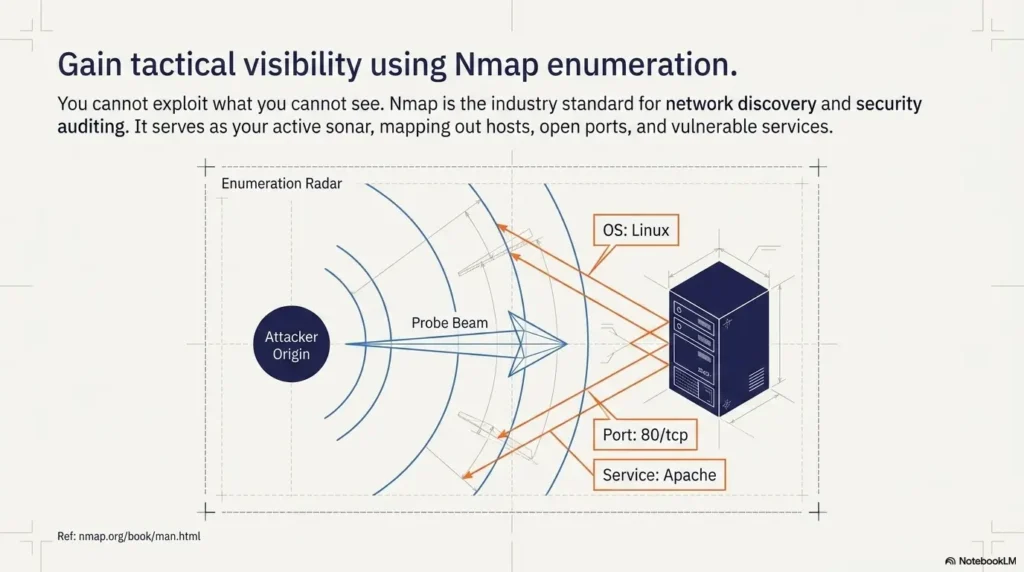
Tools are seductive because they answer quickly. Notes are humbler. They sit there in plain clothes, waiting to save you from yourself. The better Kioptrix habit is to begin with the last known fact, not the loudest command.
The difference between evidence and vibes
Evidence is something the machine actually showed. Vibes are the foggy interpretations your brain produces when it wants a shortcut. In Kioptrix, both appear constantly.
Evidence sounds like this:
- Port 22 is open.
- Port 80 is open.
- The web server returned a default page.
- A directory scan found a specific path.
Vibes sound like this:
- This probably has an easy web exploit.
- SSH might be weak.
- I think I saw this in a walkthrough once.
Vibes are not evil. They are sparks. But sparks need a fireplace, not a dry forest.
Why “I saw port 80” is better than “maybe web is vulnerable”
“I saw port 80” gives you a stable next step. You can identify the service, inspect headers, browse the page, check robots.txt, look for default files, or note the server version. “Maybe web is vulnerable” is too wide. It opens the trapdoor beneath your attention.
The smaller sentence is more useful because it points to action. Cybersecurity learning improves when your notes are specific enough to support the next test. If the “what now?” moment happens right after discovery, a guide on what to do after finding the Kioptrix Level 1 IP can help you keep that first evidence trail orderly.
Let’s be honest: screenshots are not notes
Screenshots can be useful proof. They are terrible substitutes for thinking. A folder full of screenshots without labels is just a museum of past confusion.
When you take a screenshot, add one sentence:
Why this matters: This screenshot shows ______, which supports my next step of ______.
I learned this the mildly embarrassing way after collecting 30 screenshots from a lab and later realizing I could not remember why half of them existed. It was less “forensic archive” and more “digital attic.”
Decision Card: Screenshot vs. Written Note
| Use this | When it helps | Trade-off |
|---|---|---|
| Screenshot | You need visual proof of a page, error, or result. | Fast capture, weak explanation. |
| Written note | You need to remember why the result matters. | Slower capture, stronger learning. |
Neutral action: For every screenshot, add one sentence explaining the next move.
Build a Tiny Enumeration Ritual You Can Repeat Half-Asleep
Enumeration is where many beginners either grow calm or become a confetti cannon. The goal is not to enumerate everything. The goal is to enumerate enough, in a sequence you can explain.
Confirm target IP before every session
Start with the target. Always. It feels painfully basic until the day it saves you from scanning the wrong host. In a lab, target confirmation is the cybersecurity version of checking whether the stove is off before leaving home. You do it because mistakes are expensive.
Write the target IP in your notes with the date. If it changed from last time, mark it. If you are using a host-only or NAT network, note that too.
Re-read open ports before chasing exploits
Open ports are not decorations. They are doors. Before searching for exploit ideas, re-read what is open and what service appears to be listening. A beginner-friendly ritual might look like this:
- Confirm target IP.
- Review previous port scan summary.
- Identify one service to understand better.
- Check version or behavior.
- Write what changed in your understanding.
If your scan output already feels like a bowl of alphabet soup, slow down and revisit the basics of reading Kioptrix open ports before you start hunting for exploits.
Check service versions without turning the session into a buffet
Service versions matter because they shape your next question. But version checking can also become a buffet where every dish looks interesting and you leave with a plate full of chaos. Choose one service. Ask what you need to know about it. Then stop and interpret.
Save the command, the result, and the reason you ran it
A useful command note has three parts:
- Command: What you ran.
- Result: What mattered in the output.
- Reason: Why this was the next useful move.
The reason is the golden bit. Without it, your notes become a command graveyard. With it, they become a map. A reusable Kioptrix recon log template can make that map easier to keep, especially when your session is short.
Short Story: The Session That Finally Stuck
A learner I once coached had been “working on Kioptrix” for three weekends. That phrase meant he had run scans, opened tabs, copied commands, and ended each session feeling oddly busy but empty-handed. We changed only one thing. Before each command, he had to write why he was running it. The first session felt slow.
He complained, politely, which is the official dialect of frustrated adults. By the second session, something shifted. He stopped repeating scans. He noticed that he had already confirmed a service version. He wrote one hypothesis and tested it. He did not magically become advanced. Better: he became oriented. The box was no longer a haunted house. It was a set of rooms with labels on the doors.
One Hypothesis Only: The Anti-Spiral Rule for Kioptrix Beginners
The anti-spiral rule is simple: carry one hypothesis at a time. Not because the other ideas are worthless, but because beginners need attention more than they need options. Too many options turn Kioptrix into a carnival mirror hallway.
Why six open tabs can feel productive while teaching nothing
Six tabs feel like research. Sometimes they are. Often they are a fear response wearing academic glasses. You are not sure what to do, so you gather possibilities until possibility itself feels like progress.
The problem is that each tab creates a new path. If you follow all of them, you stop testing and start wandering. The lab becomes less technical challenge and more browser archaeology.
Turn “try everything” into “test this one path”
A hypothesis has a shape:
Because I observed ______, I think ______ might be true, so I will test ______.
Example:
Because I observed an exposed web service on port 80, I think there may be default files or directories, so I will check basic web paths before researching exploits.
This is not glamorous. It is better than glamorous. It is usable. When you need a stricter branch-by-branch way to avoid wandering, a Kioptrix decision tree can turn “maybe” into a small sequence of testable choices.
Here’s what no one tells you: narrowing down is a skill
Beginners often think skill means knowing more commands. It does, eventually. But early on, skill often means refusing to chase every shiny possibility. Narrowing down is not a lack of imagination. It is imagination with a steering wheel.
Mini Calculator: Your Tab-Sprawl Risk
Use this score only as a personal reflection prompt; it is not a validated measure of focus, risk, or skill. The threshold of 6 is illustrative. Pause when you cannot explain how the open tabs support your current hypothesis, regardless of the total.
Neutral action: Close any tab that does not support today’s one test.
Common Mistakes That Make Kioptrix Feel Harder Than It Is
Kioptrix can be challenging, but beginners often add extra difficulty without noticing. The box is already a puzzle. You do not need to sprinkle thumbtacks on the floor.
Mistake 1: restarting the whole lab in your head every time
If every session begins with “What was I doing again?” your notes are not doing their job. A good note should let you resume in under three minutes. If it cannot, simplify the format. When the whole box feels mentally scrambled, use a Kioptrix Level restart guide to reset the workflow without throwing away everything you already learned.
Mistake 2: running scans you do not know how to read
There is no shame in using a command you are still learning. There is danger in treating output as decoration. If a scan gives you five lines you do not understand, pick one line and investigate it. Reading one result well beats collecting 200 lines badly.
Mistake 3: jumping to exploits before understanding the service
Exploit searching too early is like trying to pick a lock before checking whether the door is open, painted on, or actually a cupboard. Understand the service first. Version, behavior, default pages, authentication, exposed paths, and banners can all matter.
Mistake 4: writing notes only after something exciting happens
Quiet findings are still findings. “Nothing useful found here” can be valuable if it prevents you from retesting the same thing tomorrow. Boring notes are the unsung accountants of good security practice.
Mistake 5: confusing “I followed a walkthrough” with “I learned the method”
Walkthroughs can be useful when you are stuck, but they should not replace your thinking. If you use one, pause after each step and ask: What did this step prove? What would have told me to try this without the walkthrough? If this pattern keeps returning, the deeper issue may be one of the classic reasons copy-paste commands fail in Kioptrix: the command worked once, but the reasoning never moved in.
- Do not restart mentally every session.
- Do not collect output you cannot interpret.
- Do not let walkthroughs become autopilot.
Apply in 60 seconds: Add a “What did this prove?” line under your next command result.
The 25-Minute Session Template for Before Work or School
A 25-minute Kioptrix session is not a compromise. For many learners, it is the sweet spot. Long enough to make progress. Short enough to avoid becoming a midnight goblin with seven terminals and no memory of dinner.
Minutes 0–5: reset the target, scope, and notes
Use the first five minutes to land the plane before you fly it. Confirm the target IP. Write the scope line. Read yesterday’s final note. Copy your five-line warmup.
This is the part that feels too slow until you skip it and lose 15 minutes to preventable confusion.
Minutes 5–15: run one focused enumeration step
Choose one service or path. Run the next useful check. Keep the command tied to a reason. If you are checking a web service, decide whether you are looking for headers, directories, default files, or application behavior. Do not try to do all of them at once.
Minutes 15–22: interpret before adding another command
This is where real learning happens. Read the output. Pull out the two or three lines that matter. Update your fact list. Add one guess if the evidence supports it.
Interpretation is the quiet concert hall of cybersecurity learning. The music is not loud, but this is where your ear gets trained.
Minutes 22–25: write the next action for future-you
End before your brain turns to porridge. Write the next action in plain English. Not “continue enum.” That is a fog machine. Write something specific:
- Check HTTP headers and note server version.
- Review scan output for SMB-related services.
- Test one discovered web directory manually.
- Research one service version only after documenting current evidence.
If you keep overloading the schedule, calibrate the time box with a more detailed look at how long a Kioptrix session should be before adding more commands to the ritual.
Time Budget Table: What a Short Session Can Actually Cover
| Session length | Best use | Risk if overloaded |
|---|---|---|
| 15 minutes | Review notes and run one very small check. | Too many goals create fake progress. |
| 25 minutes | Warmup, one enumeration step, interpretation, next action. | Skipping the final note ruins tomorrow. |
| 45 minutes | Deeper service review or controlled research. | Tab sprawl if no hypothesis is chosen. |
Neutral action: Pick the shortest session length that still lets you write a final next action.
The Note Format That Makes Tomorrow Easier
Good Kioptrix notes are not pretty. They are useful. They do not need perfect grammar, color coding, or a dashboard that looks like mission control. They need to help you resume without performing an archaeological dig through your own brain.
Facts: what the machine actually showed you
Facts are the bones of your note. Keep them short and concrete. A fact should be something another learner could verify by looking at the same output.
Examples:
- Target confirmed on local lab network.
- Port scan showed specific open services.
- Web page returned a default or identifiable response.
- Manual check found no useful result at a tested path.
Guesses: what might be true, but needs proof
Guesses are allowed only if they wear name tags. Mark them clearly. This protects you from accidentally building your next session on sand.
Example: Guess: service version may be old enough to research, but version details need confirmation.
Next action: the smallest useful move
The next action is the whole gift. It should be small enough that you can begin tomorrow without warming up your entire personality.
Bad: Do more enumeration.
Better: Check the web server headers and compare them with the service summary.
Don’t write a diary, write a breadcrumb trail
A diary says, “I got stuck and felt annoyed.” Fair, deeply human, occasionally poetic. A breadcrumb trail says, “I tested X, got Y, and will try Z next.” That is what gets you moving again. For a deeper system, use a Kioptrix technical journal to turn scattered lab fragments into a searchable learning record.
Show me the nerdy details
The fact-guess-next-action format mirrors basic troubleshooting discipline. It reduces working memory load, preserves evidence, and supports later review. For learners moving toward security roles, this habit resembles the structure behind incident notes, change records, and technical handoffs: what happened, what it may mean, and what should happen next.
Quote-Prep List: What to Gather Before Comparing Training Options
If you later compare paid courses, books, labs, or exam prep, collect these first so you do not buy based on panic:
- Your current comfort level with Linux commands.
- Your weekly study time in realistic minutes.
- Your goal: hobby, help desk growth, SOC path, or certification prep.
- Your preferred format: guided course, lab platform, book, or local VM practice.
- Your budget range before discounts start whispering.
Neutral action: Write your goal and weekly time limit before comparing any paid resource.
Connect the Routine to Real Cybersecurity Learning
Kioptrix is not just a box. Used well, it is a small workshop for larger professional habits. You learn to define scope, gather evidence, test carefully, document decisions, and explain what changed. Those habits matter far beyond one vulnerable VM.
Why this routine trains task discipline, not just CTF progress
A lot of cybersecurity learning gets packaged as conquest: root the box, pop the shell, finish the challenge. That can be motivating, but it can also train impatience. A repeatable routine trains the less flashy muscles: task discipline, evidence tracking, and controlled testing.
Those muscles show up in real work. Help desk tickets, vulnerability triage, system hardening, log review, incident response, and change management all reward clear notes and careful reasoning.
How repeatable notes support skill growth over time
Notes let you see your own learning curve. After four or five sessions, patterns appear. Maybe you skip interpretation. Maybe you overuse scans. Maybe you jump to search engines too soon. Maybe you are stronger at networking than web review.
This is where the quiet magic happens. You stop asking, “Am I good at cybersecurity?” and start asking, “Which part of the workflow needs practice?” That question is kinder and more useful. A periodic Kioptrix self-assessment can make those patterns visible before they become permanent habits.
What the NICE Framework can teach beginners about tasks, knowledge, and skills
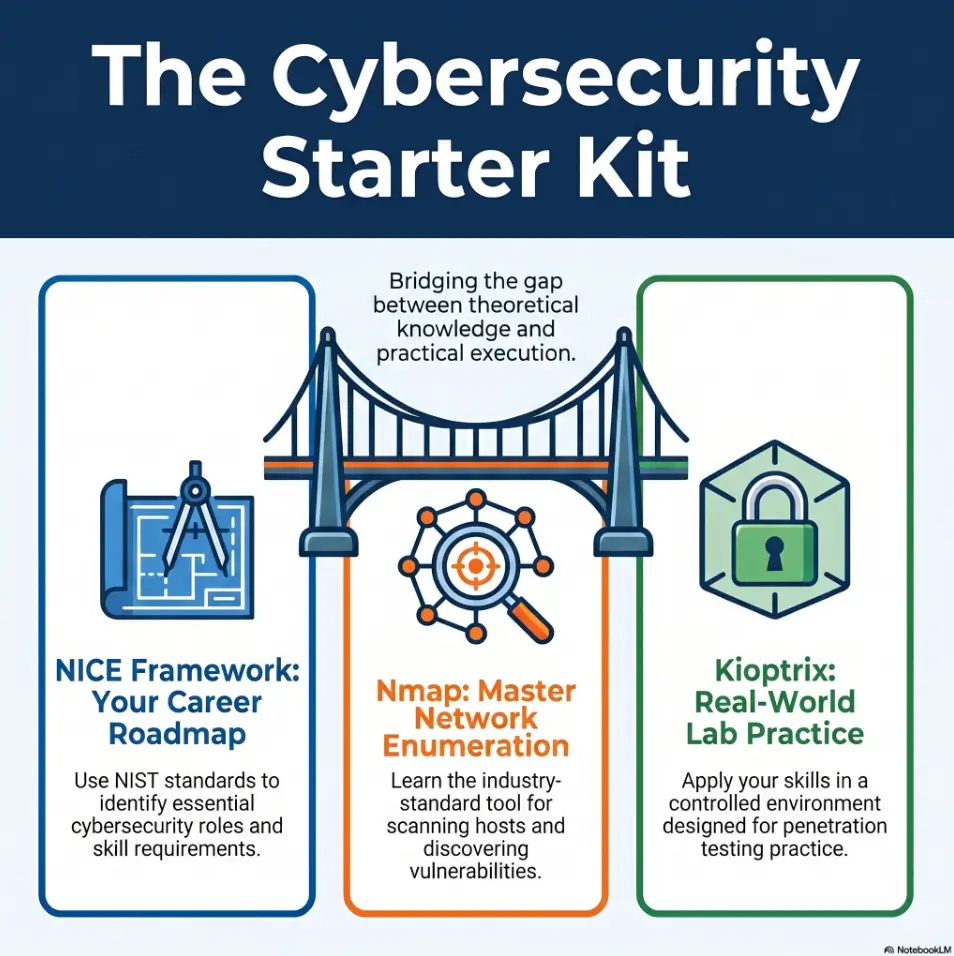
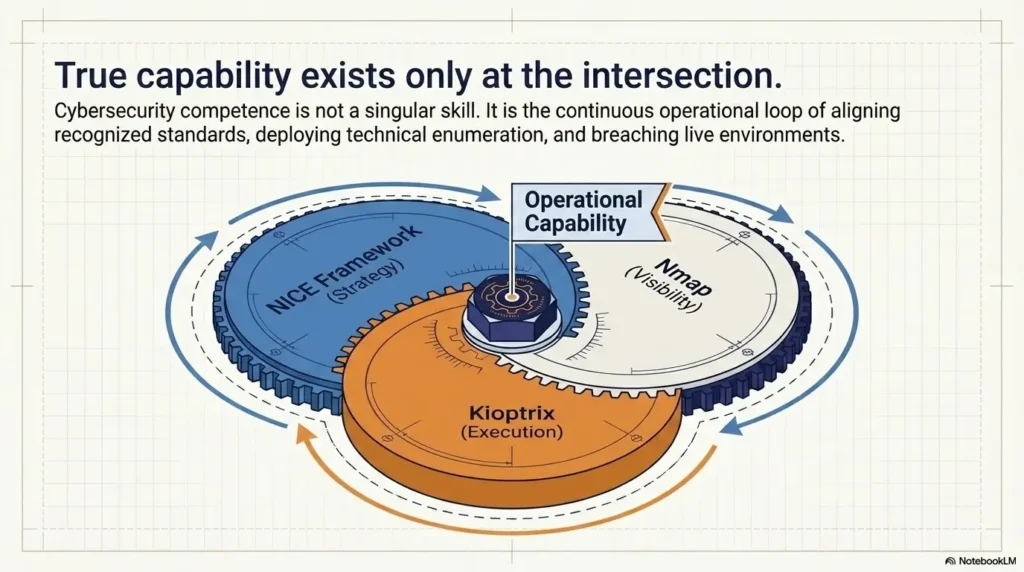
NIST’s NICE Framework is useful because it describes cybersecurity work through tasks, knowledge, and skills. That lens fits beginner lab practice beautifully. Kioptrix is not just about knowing a command. It is about performing a task, using relevant knowledge, and building a skill you can repeat under slightly different conditions.
Think of your session note this way:
- Task: Identify exposed services on the lab target.
- Knowledge: Understand what common ports and service banners can reveal.
- Skill: Interpret output and choose a reasonable next test.
Coverage Tier Map: From Casual Lab Time to Career-Useful Practice
| Tier | Practice style | What changes |
|---|---|---|
| Tier 1 | Random commands | Fun, but hard to repeat. |
| Tier 2 | Basic notes | You remember what happened. |
| Tier 3 | Fact, guess, next action | You can resume cleanly. |
| Tier 4 | Hypothesis-led testing | You can explain your reasoning. |
| Tier 5 | Reusable workflow | Your practice starts resembling professional discipline. |
Neutral action: Move up one tier by improving your notes, not by adding another tool.
FAQ
How long should a beginner Kioptrix session be?
A beginner Kioptrix session can be useful in 25 to 45 minutes if it has a narrow goal. A short, focused session with clean notes is often better than a long session where you run commands without understanding the output. For pre-work practice, 25 minutes is enough for a warmup, one focused check, interpretation, and a next action.
Should I restart from scratch every time I practice?
No. Restarting from scratch every time can feel thorough, but it often wastes energy. Instead, review your last known facts, confirm the target, and continue from your documented next action. Restart only when your notes are unreliable, your lab state changed, or you deliberately want to practice the full workflow again.
What should I write down before running Nmap?
Write the target IP, lab scope, what you already know, and why you are running the scan. After the scan, write the few results that matter instead of pasting output blindly. The most useful note is not just the command. It is the reason you ran it and what the result changed. If the scan itself still feels intimidating, begin with how to use Nmap in Kali Linux for Kioptrix before expanding into faster or noisier workflows.
Is it okay to use walkthroughs while learning Kioptrix?
Yes, but use walkthroughs carefully. Try your own hypothesis first. When you read a walkthrough, pause after each step and ask what evidence would have led you there. A walkthrough should become a teacher, not a steering wheel that drives the whole session for you.
What should I do if I do not understand a scan result?
Pick one line from the scan result and research that specific item. Do not try to understand the entire output at once. Write what the line appears to mean, what you still do not understand, and one safe next step. Slow interpretation builds stronger skill than fast collecting.
How do I know whether I am learning or just copying commands?
You are learning when you can explain why you ran a command, what the result showed, and what you would try next without looking at the walkthrough. You are probably copying when the command works but you cannot explain what it tested. The fix is not shame. The fix is better notes.
Can Kioptrix help if I work in help desk or IT support?
Yes. Kioptrix can help IT learners practice structured troubleshooting, service recognition, evidence collection, and careful documentation. Those habits connect well to help desk, junior admin, SOC, and security-adjacent work. The goal is not to become flashy overnight. It is to become more methodical.
What is the safest way to practice Kioptrix legally?
Practice only in your own controlled lab, using intentionally vulnerable machines you are authorized to run. Confirm the target IP before scanning, keep activity inside your virtual network, and never test public systems, workplace systems, school systems, or third-party networks without explicit permission.
Next Step: Write Tomorrow’s First Command Before You Stop Today
Remember that opening scene: coffee, terminal, disappearing time, the soft panic of not knowing where to begin? The cure was never more tabs. It was a cleaner handoff.
Before you stop today, write tomorrow’s first command or first manual check in plain English. Not a heroic plan. Not a grand declaration. One small move. One crumb on the trail.
End every session with one plain-English next action
Your final line should be so clear that a tired version of you can obey it. Future-you is not a mythical productivity beast. Future-you is probably under-caffeinated and wearing one sock slightly wrong. Be kind to that person.
Use this format:
Next time: I will ______ because ______.
Example:
Next time: I will check the HTTP headers because port 80 is open and I need more detail before researching web vulnerabilities.
Make the next session frictionless, not heroic
Heroic study plans collapse easily. Frictionless next steps survive real life. The best Kioptrix routine is not the one that looks impressive in a notebook. It is the one you actually repeat when time is short.
The 60-second shutdown note: fact, guess, next move
End with three bullets:
- Fact: What did I prove?
- Guess: What might be true?
- Next move: What will I do first next time?
That shutdown note turns the next session from a cold start into a warm handoff. It is the difference between walking into a dark room and finding the lamp already switched on.
- End with one fact.
- Label one guess.
- Write one next move before closing the lab.
Apply in 60 seconds: Open your note now and add: “Next time, I will ______ because ______.”
Conclusion: Kioptrix becomes less intimidating when the beginning and ending of each session are no longer improvised. Confirm the boundary. Read the last known fact. Choose one hypothesis. Run one useful check. Write the next action. That rhythm is small, but small rhythms compound. Within 15 minutes, you can create the note template, write your scope sentence, and prepare tomorrow’s first move. The lab will still challenge you. Good. Now it will challenge your method instead of your memory. When that rhythm starts to feel natural, you can deepen it into a broader Kioptrix methodology that carries from one box, one report, and one learning season to the next.
Original review: 2026-04.
Technical guidance updated: 2026-10-13. Clarified that the tab-sprawl score and cutoff are informal reflection aids, not validated measures.