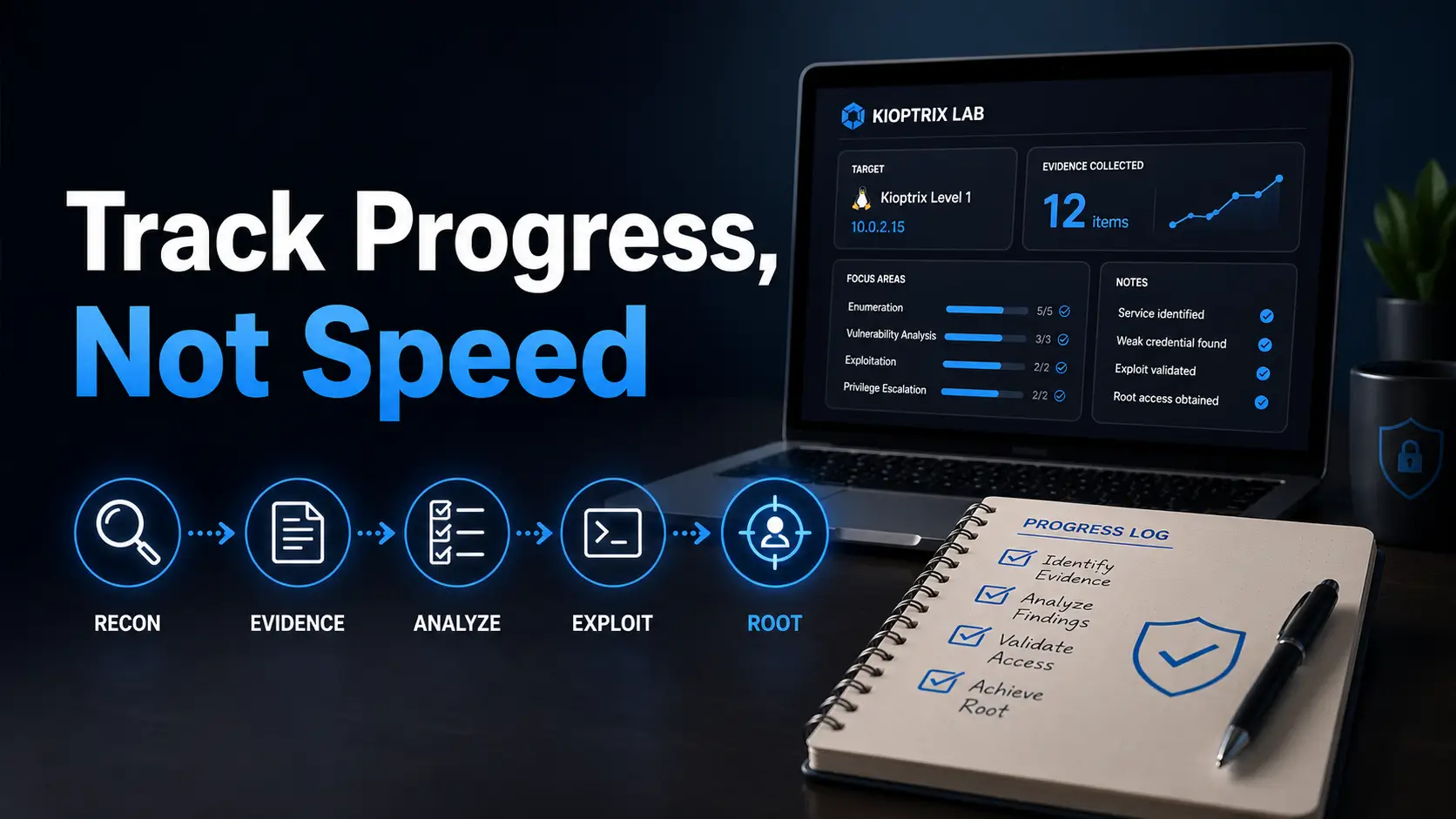
The Evidence-Based Path to Root
Most beginners do not fail Kioptrix because they are slow. They stall because their notes, guesses, scans, and “wait, why did I run that?” moments dissolve before the next session begins.
Learning how to track progress with Kioptrix without obsessing over speed means replacing the stopwatch with something more useful: evidence. Cleaner enumeration, sharper hypotheses, and shorter dead ends tell you far more than whether you got root by midnight.
This guide provides a practical framework for your legal home lab: what you confirmed, what you still need to test, and where you got stuck. No spreadsheet dungeons, no ego theater, and no speedrunner cosplay.
Table of Contents
Fast Answer
To track progress with Kioptrix Level without obsessing over speed, measure the quality of your process: cleaner notes, better enumeration, fewer repeated mistakes, stronger hypotheses, and clearer post-session writeups. Speed can improve later, but beginners grow faster when they track what they noticed, what they tested, what they misunderstood, and what they would do differently next time.
- Track what you confirmed, not just what you ran.
- Write down why each command mattered.
- End each session with one next action.
Apply in 60 seconds: Open a note and write: “Today I am measuring understanding, not speed.”
That sentence may feel too soft for a cybersecurity lab. It is not. It is a small hinge that swings open a better way to practice.
Kioptrix can tempt beginners into a strange little race. You see someone online finish a level in one sitting, maybe with a crisp walkthrough, three commands, and the relaxed confidence of a person who has already been lost in the maze for years. Then you look at your own screen. You have six tabs open, two scans you forgot to label, a terminal history that looks like raccoon footprints, and a creeping suspicion that everyone else received a secret map.
They did not. More likely, they practiced the boring parts long enough that the boring parts became visible to them.
Progress in Kioptrix is not merely technical. It is procedural. It is emotional. It is ethical. It is the slow conversion of panic into method. The first time you enumerate a target, you may collect output like seashells in a storm. Later, you begin to sort: ports, services, versions, web clues, credentials, assumptions, dead ends. Later still, you start predicting what you should look for before the tool finishes talking.
That is progress. It just does not always clap for itself.
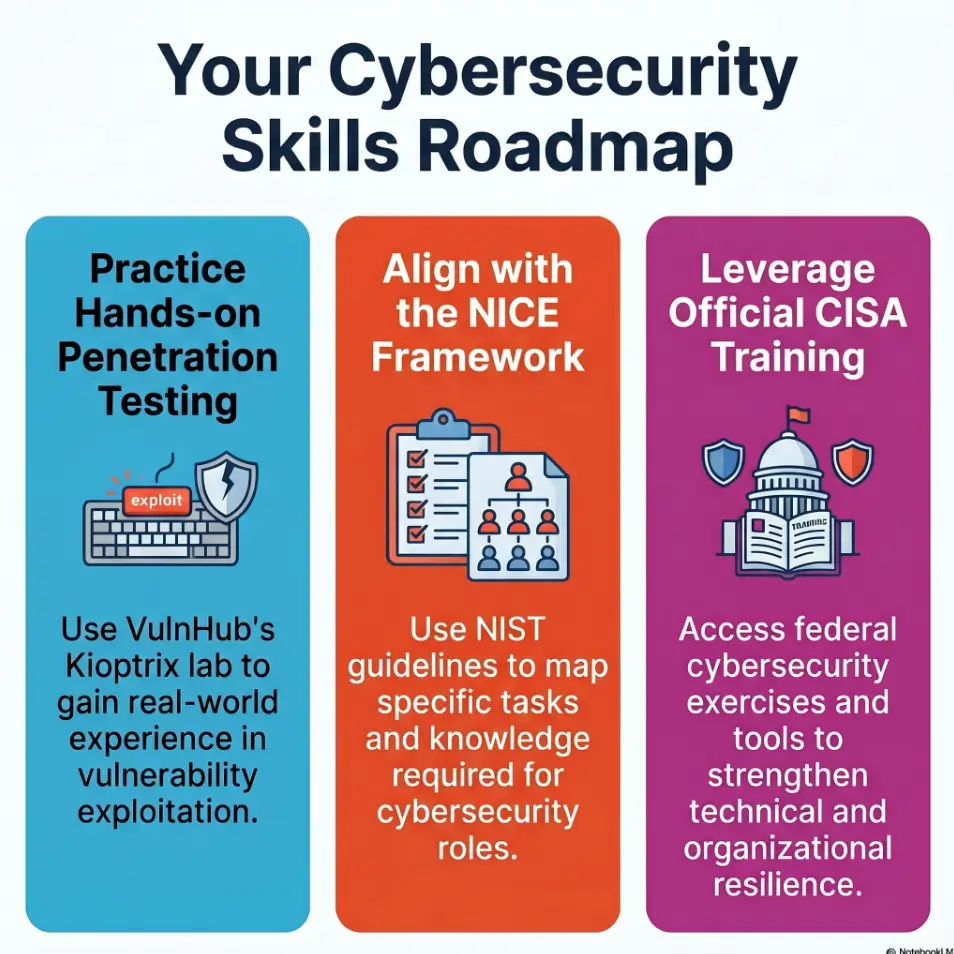
Start Here: Progress Is Not the Stopwatch
The stopwatch is a seductive liar. It gives you a number, and numbers feel honest. Thirty minutes. Two hours. Three evenings. One weekend. Numbers sit there with accountant faces, pretending they understand your learning.
But beginner cybersecurity practice is not a footrace. It is closer to learning how to read a city at night. At first, every window looks important. Every alley seems suspicious. Every blinking sign may be a clue or just a vending machine with theatrical ambitions.
Why Kioptrix Rewards Slow Thinking Before Fast Wins
Kioptrix levels are beginner-friendly in the sense that they are intentionally built for learning, not because they are effortless. The early value is not just “can you exploit this?” The early value is “can you observe a system, describe what is exposed, decide what matters, and test one idea without turning the session into soup?”
I have watched beginners improve dramatically without finishing the box. One learner spent a full session only organizing scan output and writing what each open port might imply. No shell. No dramatic victory. But the next week, their work looked different. They stopped jumping from result to result. They began using evidence as a handrail.
That is the hidden curriculum: Kioptrix teaches technical moves, but it also teaches sequencing.
- Look first.
- Name what you see.
- Separate facts from guesses.
- Test one guess at a time.
- Write enough that tomorrow-you can continue.
The Better Question: “What Did I Understand Today?”
“How fast did I finish?” is a thin question. It measures the end of the trail, not whether you learned how to walk.
A better question is: What did I understand today that I did not understand yesterday?
That question has muscle. It lets you count small but real gains. Maybe you finally understood why banner grabbing matters. Maybe you recognized that a web server version is not automatically an exploit invitation. Maybe you noticed that a default page, robots file, login form, or odd redirect deserves a calm note before a frantic search.
Those moments matter because they compound. A beginner who collects ten small understandings becomes less dependent on walkthroughs, less dazzled by tool output, and less likely to mistake motion for progress. If you need a broader learning frame before these signals make sense, a Kioptrix learning path can help turn scattered practice into a visible sequence.
What Speed Hides From Beginners
Speed hides three things beginners need to see.
First, it hides uncertainty. Fast walkthroughs often compress hours of confusion into one neat paragraph. The ugly part of learning, the wrong turn, the forgotten flag, the typo, the misread output, disappears behind polished glass.
Second, speed hides decision quality. A command can be correct for the wrong reason. If you cannot explain why you ran it, your future self may not be able to repeat the logic on a different target.
Third, speed hides ethical restraint. Legal home labs are safe places to practice because the target is intentionally vulnerable and authorized. The habit you want is not “try this anywhere.” The habit is “confirm permission, define the boundary, then test.”
Kioptrix Progress Loop
Confirm this is your legal lab target.
Record ports, services, versions, clues.
Turn guesses into testable ideas.
Run one controlled action at a time.
Write what changed and what comes next.
Who This Is For, and Who Should Not Use This Approach
This approach is for the learner who wants durable skill, not a trophy screenshot with no memory attached. It is for the person who has a small window before work, after class, or between family obligations, and wants those 30 minutes to become something more than “I poked around and felt vaguely doomed.”
For Beginners Building Method, Not Bragging Rights
If you are new to cybersecurity labs, your first job is not to look impressive. Your first job is to become reliable.
Reliable means you can start a session without chaos. You can identify the target. You can capture your scan results. You can write down the difference between a confirmed fact and a hunch. You can stop before fatigue turns your terminal into a confetti cannon.
I once kept a lab note titled “things I thought I understood but did not.” It was not glamorous. It was also one of the best training documents I ever made. A page like that turns embarrassment into compost. Later, things grow there.
For learners still setting up their first rhythm, Kioptrix for beginners can be a useful companion because it keeps the early goal modest: learn the lab, learn the process, and avoid pretending confusion is a character flaw.
For Career-Changers Who Need Evidence of Skill Growth
Career-changers often need more than confidence. They need artifacts. A hiring manager, mentor, study group, or future teammate cannot inspect your vague feeling of improvement. They can inspect a clean writeup.
That does not mean publishing exploit recipes or pretending to be a senior penetration tester after two weekends. It means building a portfolio of learning evidence:
- Clear lab boundaries.
- Sanitized notes that explain your process.
- Before-and-after examples of how your enumeration improved.
- Short debriefs that admit mistakes without melodrama.
- Reflections tied to recognized skill language, such as tasks, knowledge, and skills.
The NICE Framework from NIST is useful here because it frames cybersecurity work around tasks, knowledge, and skills rather than vibes. You do not have to force Kioptrix into a corporate spreadsheet costume, but you can borrow the idea: track what you did, what you learned, and what you can now do with less help. If you are changing fields, a focused guide to using Kioptrix for career changers can help you translate private practice into clearer evidence of growth.
Not For People Chasing Unauthorized Targets
This guide is not for testing random websites, neighbor networks, school systems, employer assets, public IPs, or anything you do not own or have explicit permission to assess. A lab is not a magic passport. Learning offensive-security concepts does not remove the need for authorization.
The boundary is simple enough to write on a sticky note: If you do not own it or have clear permission, do not test it.
Not For Anyone Turning Labs Into Ego Theater
There is a version of lab culture where every session becomes a tiny stage play about being clever. That version gets tiring fast. It also damages learning because the learner starts protecting their image instead of inspecting their process.
If you are afraid to write “I do not understand this output,” you have found the exact sentence that belongs in your progress log.
Eligibility Checklist: Is This Tracking Method Right for You?
| Question | Yes or No | Next Step |
|---|---|---|
| Are you practicing only in a legal home lab? | Yes required | Write the lab boundary at the top of your notes. |
| Are you willing to track process, not just completion? | Yes preferred | Use the three facts, two guesses, one next action template. |
| Are you comparing yourself to polished walkthroughs? | Common | Compare this week’s notes to last week’s notes instead. |
Neutral action: Before your next session, confirm the lab boundary and choose one process metric to watch.
Track the Right Clues: The Five Signals That Actually Matter
Good tracking is not a scrapbook of every command you typed. It is a small dashboard for learning. Five signals matter more than raw speed: enumeration, notes, hypotheses, dead ends, and explanation quality.
Signal 1: Your Enumeration Gets Less Random
At the beginning, enumeration often feels like dumping puzzle pieces onto the floor. You run a scan, then another scan, then a directory search, then a version lookup, then somehow you are reading a 9-year-old forum thread at 1:13 a.m. while your tea goes cold beside you.
Less random enumeration means you know what you are trying to learn from each step. You are not just “running nmap.” You are identifying exposed services. You are not just “checking the website.” You are looking for pages, headers, technologies, login points, default content, odd paths, and clues that may shape your next test.
Track this by asking:
- Did I know what question this scan was supposed to answer?
- Did I record the result in a way I can understand tomorrow?
- Did the result change my next action?
- Did I chase fewer shiny objects than last time?
If this is the part of practice that keeps becoming soup, a separate Kioptrix enumeration guide can help you slow the work into a repeatable sequence.
Signal 2: Your Notes Become Useful Tomorrow
Bad notes are not a moral failure. They are usually a sign that the session moved faster than your understanding. Beginner notes often look like a grocery list written during turbulence: commands, fragments, “maybe web??”, “try exploit,” and one heroic typo preserved forever.
Useful notes have three qualities: context, evidence, and next action.
Context tells you what you were doing. Evidence tells you what you found. Next action tells you where to resume. Without those three, tomorrow-you has to become an archaeologist in your own ruins. A dedicated Kioptrix technical journal can make that handoff calmer because it gives your notes a home instead of letting them scatter across tabs and terminal history.
Signal 3: Your Guesses Become Testable Hypotheses
A guess says, “Maybe this service is vulnerable.” A hypothesis says, “This exposed service and version may be relevant because X, so I will verify Y before attempting Z.”
That shift sounds small. It is not. It is the difference between wandering and investigating.
You do not need fancy language. You can write simple lines:
- “Fact: Port 80 is open and serves a default-looking page.”
- “Guess: There may be hidden directories.”
- “Test: Run a controlled directory enumeration and record interesting paths.”
That is enough. The goal is not to sound like a courtroom expert. The goal is to stop confusing a hunch with evidence. For a deeper version of that habit, study the Kioptrix decision process and notice how it keeps each next move attached to a reason.
Signal 4: Your Dead Ends Get Shorter
Dead ends are normal. The improvement is not “never get stuck.” The improvement is “notice sooner when a path is not paying rent.”
A short dead end has a beginning, a test, and a stop condition. For example: “I will spend 10 minutes checking whether this web path contains useful clues. If I find only generic content, I will return to the service list.” That kind of boundary keeps curiosity from becoming a swamp.
Signal 5: Your Writeup Explains the Why, Not Just the Commands
A command-only writeup is a recipe. A learning writeup is a map. Recipes are useful, but maps travel better.
When reviewing a session, write one sentence for each meaningful command or manual check: “I did this because…” If that sentence feels impossible, you found a learning gap. Good. That gap is now visible.
If you want the finished artifact to read like more than a command diary, these Kioptrix report writing tips can help you turn session fragments into a cleaner learning record.
Show me the nerdy details
For beginner lab tracking, the most useful distinction is between action logs and reasoning logs. An action log records what happened. A reasoning log records why it happened, why it mattered, and what it changed. In security work, the reasoning layer is what transfers across targets. Tool syntax changes, versions change, lab machines change, but the habit of moving from evidence to hypothesis to controlled test remains valuable.
The Progress Log: A Simple Template That Keeps You Honest
Your progress log should be boring enough to use on a tired Tuesday. If it requires perfect formatting, seventeen tags, and the spiritual discipline of a monastery librarian, you will abandon it by Thursday.
Use this structure:
Kioptrix Progress Log Template
- Session date and time box: When did you practice, and for how long?
- Lab boundary: What machine or isolated environment did you work on?
- Three facts confirmed: What do you know from evidence?
- Two guesses unproven: What might be true, but still needs testing?
- One next action: What should tomorrow-you do first?
- What would I repeat? Which part of your process helped?
Neutral action: Copy this template into your notes before opening any tools.
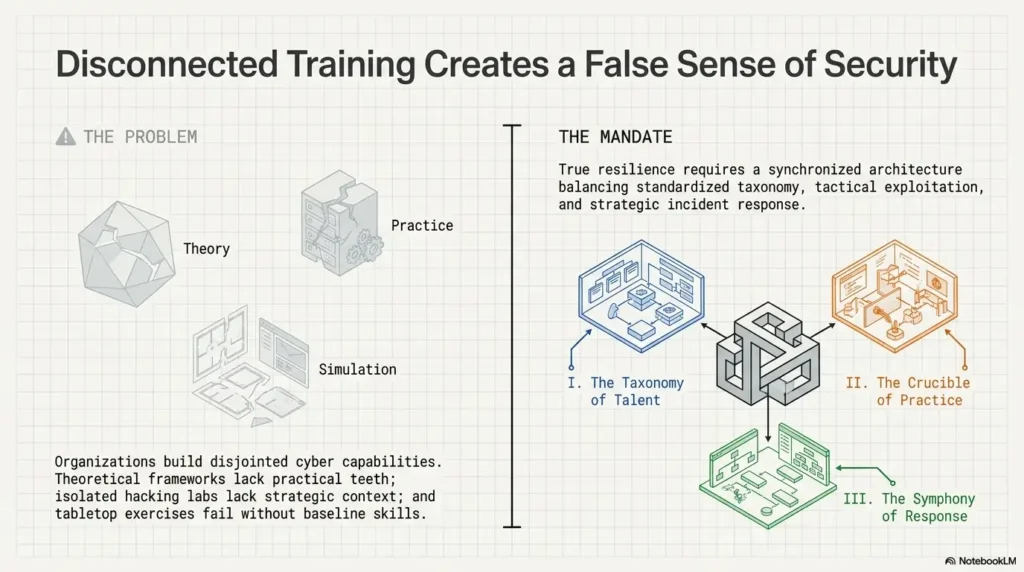
Session Date, Time Box, and Lab Boundary
Start with the date, the planned duration, and the authorized lab target. This sounds almost too basic. It is not. It turns a vague practice cloud into a defined session.
Example:
2026-04-28, 30 minutes. Target: Kioptrix VM in isolated local lab network. Goal: enumeration only.
That line does three useful things. It records time, confirms authorization, and prevents scope creep. Scope creep is when you planned to practice enumeration and somehow ended up reinstalling tools, watching three videos, checking Discord, and reorganizing your desktop wallpaper “for productivity.” We have all met this goblin.
If you are trying to fit labs into a crowded calendar, a guide to Kioptrix Level for busy adults can help you define sessions that respect real life instead of pretending every learner has a silent weekend and unlimited tea.
Three Facts You Confirmed
A fact is something your evidence supports. It is not a feeling, not a rumor, not a forum post, and not “I think this is probably old.”
Good facts look like this:
- “Port 22 is open.”
- “The web server responds on port 80.”
- “The homepage contains a specific server or application clue.”
The discipline of writing three confirmed facts slows down your hands just enough for your mind to catch up.
Two Guesses You Have Not Proven Yet
Guesses are allowed. They are the little campfires of investigation. The trouble begins when guesses dress up as facts and start giving orders.
Write guesses clearly:
- “There may be hidden web paths worth checking.”
- “This service version may have known issues, but I have not verified applicability.”
This keeps your notes honest. It also makes walkthrough use healthier, because you can compare your guesses to the path others took without pretending you already knew.
One Next Action for Your Future Self
End every session with one next action. Not five. Not a majestic battle plan. One.
Tomorrow-you is not a machine. Tomorrow-you may be sleepy, distracted, or holding coffee like a sacred object. Give that person a clean doorway.
Examples:
- “Review web paths found during directory enumeration.”
- “Research this service version and record applicability, not exploit code.”
- “Re-run a scan when the target or network state changed, an earlier check was incomplete, or a revised question requires a justified scope or flag change.”
Tiny but Powerful: “What Would I Repeat?”
This question protects you from only tracking mistakes. Beginners often become expert prosecutors of their own flaws. Useful, up to a point. Exhausting, after that.
Ask: What did I do today that I should repeat?
Maybe you paused before chasing an exploit. Maybe you labeled output clearly. Maybe you stopped after 30 minutes instead of practicing until your judgment turned into mashed potatoes. Those wins are part of the method.
- Record facts separately from guesses.
- Time-box the session before tools begin.
- End with one next action, not a sprawling wish list.
Apply in 60 seconds: Add the line “One next action:” to the bottom of your current lab notes.
Don’t Track Root First: The Mistake That Distorts Everything
“Did I get root?” is a tempting metric because it feels final. It has ceremony. It has a little crown. It also distorts beginner learning when it becomes the only thing you measure.
Why “Got Root” Is Too Crude as a Beginner Metric
Root access may be the endpoint of a lab, but it is not the whole skill. A beginner can reach the endpoint by copying steps without understanding the route. Another beginner can fail to reach the endpoint while improving dramatically in enumeration, note-taking, and reasoning.
If you only track root, you flatten all that difference into pass or fail. That is too crude, like reviewing a concert by saying only whether the last note happened.
Track root as one artifact, not the whole story.
The Hidden Skill Gap Between Running a Command and Knowing Why It Worked
A command can succeed while your understanding remains fragile. This is not shameful. It is common. Tools are powerful, and labs are designed to make certain paths discoverable.
The question is whether you can explain:
- What condition made the command relevant?
- What evidence suggested it was worth trying?
- What output confirmed or denied your hypothesis?
- What risk or boundary would apply outside the lab?
If you cannot answer those yet, the command is not useless. It is a bookmark. Return to it and attach reasoning. When copied commands keep producing shallow wins, it may be worth reading why copy-paste commands fail in Kioptrix and how to turn imitation into actual understanding.
Let’s Be Honest: A Win You Cannot Explain Is Still Homework
This is the line that stings a little, then helps.
If you finished the level but cannot explain the chain, you have not failed. You have created homework. That is all. The lab gave you a thread, and now you can follow it backward. What did enumeration reveal? What did you overlook? Which clue mattered? Which action was copied without context?
I have had sessions where the “win” felt strangely hollow because I knew I had borrowed too much from a walkthrough. The repair was not self-scolding. The repair was rewriting the path in my own words until the borrowed parts became understood parts.
Decision Card: Track Root or Track Understanding?
| Use This Metric | When It Helps | Risk If Overused |
|---|---|---|
| Root / completion | You want to mark the endpoint of a lab attempt. | You may ignore weak reasoning that got lucky. |
| Explanation quality | You want durable skill across future labs. | It takes more reflection after the session. |
| Process consistency | You are building a repeatable beginner method. | It can become fussy if you track too much. |
Neutral action: Track completion once, then write three sentences explaining how you got there.
Measure Enumeration Quality Before Exploitation Speed
Enumeration is where beginners become investigators. It is also where many sessions quietly go sideways. If exploitation is the dramatic door, enumeration is the hallway lighting, the floor plan, and the note that says the door might not even be locked.
Did You Identify Services Before Chasing Exploits?
A healthy Kioptrix session begins with identifying what is exposed. Ports, services, versions, web technologies, shares, banners, and odd responses all matter because they shape the next question.
Beginners often jump too quickly from “I see a service” to “I need an exploit.” Slow down. A service is not a permission slip for chaos. It is a clue. Ask what it is, what version it appears to be, how confident you are, and what non-invasive checks make sense inside the lab.
The first time I forced myself to write “service identified, applicability unknown,” I felt slightly ridiculous. Then it saved me from chasing three irrelevant paths. Ridiculous little phrases can have excellent posture. If you need help choosing where to look after the scan, a guide to the first Kioptrix service to investigate can keep that choice evidence-based instead of frantic.
Did You Record Versions, Ports, Banners, and Weird Clues?
Write down the raw details that influence decisions. You do not need to paste every line of output. In fact, pasting too much can make notes harder to read.
A simple table works:
| Port or Area | What I Saw | Why It Might Matter | Next Check |
|---|---|---|---|
| Port 80 | Web service responds | May expose pages, versions, or forms | Manual browse and note visible clues |
| Port 22 | SSH visible | May matter later if credentials are found | Do not brute force; record presence |
| Web content | Default or unusual page | Could hint at technology or paths | Check page source and common files |
For scan-heavy learners, a structured Kioptrix recon log template can keep ports, banners, web clues, and next checks in one readable place.
Did You Separate Evidence From Excitement?
Excitement is part of learning. It gives energy. It also likes to grab the steering wheel.
When you find something interesting, write it in two lines:
- Evidence: What did I actually observe?
- Interpretation: What might it mean?
This habit prevents the classic beginner leap: “I found a version number, therefore exploit.” Sometimes the version matters. Sometimes the exploit does not apply. Sometimes the lab is nudging you toward a completely different clue while you are busy trying to make one result sing opera.
The Quiet Win: Fewer Tabs, Better Reasoning
One underrated progress signal is fewer tabs. Not zero tabs. Research is part of learning. But if you used to open 19 pages and now you open 4 with a purpose, congratulations. Your attention is getting trained.
Better reasoning often feels quieter than faster exploitation. It looks like pausing before copying. It looks like writing “not enough evidence yet.” It looks like closing a tab because it does not match your target conditions.
Common Mistakes That Make Kioptrix Progress Feel Slower Than It Is
Sometimes progress feels slow because it is slow. Learning technical work takes time. But sometimes it feels slow because your measurement system is unfair, blurry, or secretly designed by a tiny inner heckler with a clipboard.
Mistake 1: Comparing Your First Attempt to Someone’s Polished Walkthrough
A walkthrough is not a live recording of confusion. It is usually the cleaned-up version. The dead ends are trimmed. The false starts are hidden. The “I stared at this for two hours and then realized I missed a clue” becomes one elegant sentence.
Use walkthroughs as mirrors, not rulers. A mirror helps you see what you missed. A ruler hits your knuckles and makes learning unpleasant.
Mistake 2: Restarting Every Time You Feel Lost
Restarting can feel refreshing, but it can also erase the most useful part of practice: learning how to recover from confusion.
Before restarting, write:
- Where exactly did I lose the thread?
- What facts do I still trust?
- What assumption may be wrong?
- What is the smallest next check?
If you still need to restart after that, fine. But now the restart has a reason. When the restart itself becomes a pattern, use a Kioptrix Level restart guide to decide whether you are resetting wisely or just escaping the fog too early.
Mistake 3: Copying Commands Without Writing the Purpose
Copying commands is not automatically bad. Beginners learn by imitation. The danger is imitation without digestion.
Add one purpose sentence before or after any borrowed command. For example: “Purpose: check whether this web path reveals useful content.” That one sentence turns copying into study.
Mistake 4: Treating Tool Output Like a Treasure Map With No Legend
Tools produce output, not understanding. The output may contain valuable clues, but you still need to interpret them.
When output overwhelms you, do not try to understand everything at once. Circle three items:
- One confirmed service.
- One version or banner clue.
- One unknown you need to research.
That is enough for a beginner session. The goal is not to swallow the ocean. The ocean has terrible table manners. If version and banner clues keep misleading you, a note on banner grabbing mistakes can help you treat banners as clues rather than verdicts.
Mistake 5: Skipping the Debrief Because the Session Felt “Unproductive”
The sessions that feel unproductive often need the debrief most. If you got stuck, chased the wrong clue, misread output, or wasted 20 minutes on a dead end, that is not nothing. That is data with mud on its shoes.
Write the debrief anyway. Especially then.
- Dead ends reveal weak assumptions.
- Messy notes show where structure is needed.
- Confusion points to the next study target.
Apply in 60 seconds: Write one sentence beginning, “The confusion started when…”
The “Stuck” Metric: What Your Confusion Is Trying to Teach You
Getting stuck is not the opposite of progress. It is often the doorway to progress, though admittedly one with poor lighting and a suspicious smell.
The trick is to track stuckness without dramatizing it. You are not “bad at cybersecurity” because you got stuck. You are encountering a gap. Name the gap and it becomes workable.
Where Did the Confusion Begin?
Do not write “I got stuck.” That is too large to be useful.
Write where it began:
- “I got stuck interpreting scan output.”
- “I got stuck deciding whether the web clue mattered.”
- “I got stuck after a command failed and I did not know how to validate the error.”
- “I got stuck because I had too many possible next steps.”
The more specific the stuck point, the easier it is to study.
What Evidence Would Change Your Mind?
This is a powerful question because it forces your guess to become testable.
If you think a service version matters, what evidence would support that? What evidence would weaken it? If you think a web path is promising, what would you expect to find there? If a login page appears, are you assuming credentials exist, or do you have evidence?
Good learners do not merely collect guesses. They create conditions under which a guess can be updated. A practical Kioptrix decision tree can help you move from “maybe” to “what would prove or disprove this?” without turning every lead into a rabbit hole.
Which Step Became a Fog Machine?
Sometimes confusion is not about the target. It is about your workflow. Maybe your notes are scattered. Maybe you forgot which scan produced which result. Maybe you copied output into a note but removed the command that generated it. Suddenly the session fills with fog.
Track the fog machine. Was it:
- Unlabeled output?
- Too many simultaneous leads?
- Fatigue?
- Tool syntax confusion?
- Reading a walkthrough too early?
Once you know the machine, you can unplug it.
Here’s What No One Tells You: Getting Stuck Is Data
Stuck moments are diagnostic. They reveal what your current method cannot yet handle. That may sound unpleasant, but it is actually generous. The lab is showing you the next piece of skill.
Mini Calculator: Is This a Useful Stuck Point?
Use this quick manual check after a stalled session. No storage, no drama, just a tiny flashlight.
| Input | Your Number | Interpretation |
|---|---|---|
| Minutes stuck on one path | 10 to 20 | Healthy if you wrote the hypothesis and evidence. |
| Number of untested guesses | 3 or more | Pause and choose one testable next step. |
| Notes you can understand tomorrow | 0 to 1 clear line | Debrief before continuing. |
Neutral action: If you are stuck longer than 20 minutes without new evidence, stop and write the exact question you are trying to answer.
Build a Weekly Scorecard Without Turning Practice Into a Spreadsheet Dungeon
A scorecard should help you see patterns. It should not become a second lab, a productivity shrine, or a spreadsheet dungeon where your motivation goes to wear a tiny helmet and disappear.
Use a 1 to 3 scale. That is enough.
Rate Process Quality, Not Personal Worth
Your score is not your identity. It is not a prophecy. It is not a judgment from the cybersecurity mountain.
It is a snapshot of process quality for one week.
Rate the session, not yourself:
- 1: I did this inconsistently or could not explain it yet.
- 2: I did this partly and can identify what was missing.
- 3: I did this clearly enough that future-me can reuse it.
Use a 1–3 Scale for Notes, Enumeration, Hypothesis, and Debrief
Track four categories:
| Category | Score 1 | Score 2 | Score 3 |
|---|---|---|---|
| Notes | Scattered or unclear | Mostly readable | Reusable tomorrow |
| Enumeration | Random tool use | Some structure | Clear service-first process |
| Hypothesis | Mostly guesses | Some testable ideas | Facts and guesses separated |
| Debrief | Skipped | Brief summary | Clear lesson and next action |
If you want a more formal mirror for these categories, a Kioptrix self-assessment can help you judge progress without turning every session into a personality trial.
Keep One Sentence of Proof for Each Score
A number without proof becomes decoration. Add one sentence.
Example:
Enumeration: 2. I identified open services and recorded versions, but I jumped to web paths before finishing my service table.
That sentence is more valuable than the score. The score helps you compare. The sentence helps you improve.
Stop Before the Tracker Becomes the Hobby
Tracking should take 5 minutes at the end of a session. If it takes longer than the lab, something has gone sideways.
Use the scorecard once per week, not after every tiny action. You are building awareness, not running a miniature bureaucracy in a hoodie.
- Use a 1 to 3 scale.
- Track only four categories.
- Require one sentence of proof for each score.
Apply in 60 seconds: Create four lines: Notes, Enumeration, Hypothesis, Debrief.
Compare Sessions Like a Learner, Not a Speedrunner
Comparison is not always bad. The problem is choosing the wrong comparison. Comparing your first messy session to an expert’s clean walkthrough is like comparing a rehearsal room to a finished album. Of course yours has chair squeaks and someone dropping a cable.
Compare yourself across time.
Week 1: “I Ran Tools”
In Week 1, many beginners mostly run tools and collect output. That is normal. The goal is to notice what each tool is for and what kinds of information it returns.
A Week 1 note might say:
“I ran a port scan and found several open ports. I do not fully understand what each service implies yet.”
That is a fine beginning. Honest notes beat confident fog.
Week 2: “I Understood More Output”
By Week 2, you may begin grouping output. You notice that port numbers are not random decorations. You recognize that services, versions, and web responses create different next questions.
Your notes may become less like a junk drawer and more like a workbench. Still messy, but now there is a screwdriver where the screwdriver should be.
Week 3: “I Predicted Better Next Steps”
Prediction is a major sign of growth. Before running the next check, you can say what you expect to learn.
For example:
- “If directory enumeration finds admin paths, I will inspect them manually before assuming exploitability.”
- “If this version appears old, I will verify whether known issues match the target conditions.”
- “If the scan result is unclear, I will rerun with a narrower purpose, not a larger panic.”
Week 4: “I Could Teach My Past Self”
This is the sweet spot. You may not be fast. You may not finish every lab. But you can explain something to your past self that would have saved time and stress.
That is real progress.
Try writing a note titled: What I would tell myself four weeks ago. Keep it short. Five bullets. No grand speech. Your past self does not need fireworks. They need a handrail. If you want this comparison to become a month-long rhythm, a 30-day Kioptrix practice routine gives you a wider runway without forcing every day to be heroic.
Coverage Tier Map: What Changes From Week to Week
| Tier | What It Looks Like | Best Next Move |
|---|---|---|
| Tier 1 | You run tools but cannot explain much output. | Write one purpose sentence per tool. |
| Tier 2 | You identify services but chase too many leads. | Limit yourself to one hypothesis at a time. |
| Tier 3 | Your notes separate facts and guesses. | Add evidence that would change your mind. |
| Tier 4 | You can resume sessions cleanly. | Improve debrief quality. |
| Tier 5 | You can teach your process without exposing harmful details. | Create a sanitized learning artifact. |
Neutral action: Pick the tier that describes your current notes, then choose only the next move in that row.
Ethical Boundary Check: Keep the Lab Door Closed
Cybersecurity learning has a boundary problem if you do not build one on purpose. A home lab is a sandbox. The point of the sandbox is that the sand stays there.
Practice Only on Machines You Own or Have Permission to Test
Authorization is not a technical footnote. It is the foundation. Practice only on machines you own, lab environments designed for training, or systems where you have explicit written permission.
Do not test random public targets because they “look vulnerable.” Do not scan systems at school, work, coffee shops, hotels, libraries, or your neighbor’s network. Curiosity without permission is not research. It is trouble wearing a clever hat.
Keep Kioptrix Inside an Isolated Home Lab
Use an isolated network for vulnerable machines. The exact setup depends on your virtualization tools, but the principle is stable: intentionally vulnerable systems should not be casually exposed to your main network or the internet.
Record your lab boundary at the top of your notes:
Target: Kioptrix VM. Scope: local isolated lab only. No public systems. No third-party systems.
This small line trains the habit of defining scope before action. That habit matters far beyond beginner labs. For the technical side of that boundary, a Kioptrix home lab network layout can help you think through isolation before vulnerable machines start wandering where they should not.
Never Reuse Lab Techniques on Real Systems Without Authorization
A lab technique is not automatically safe outside the lab. Real systems have owners, users, logs, policies, legal constraints, and business impact. Even a scan can be unwelcome or disruptive depending on context.
Keep your learning framed as authorized practice. If you later work in IT, security operations, auditing, or penetration testing, you will still need scope, permission, rules of engagement, and reporting channels.
Progress Includes Restraint
Restraint is a skill. It may not feel as exciting as popping a shell, but it is one of the traits that separates responsible practitioners from reckless ones.
Progress means you know when not to test. It means you can close the lab. It means you can say, “I do not have permission,” and let that be the end of the sentence.
FAQ
How long should a beginner spend on one Kioptrix session?
For many beginners, 30 to 60 minutes is enough for one focused session. Short sessions work especially well if you define one goal before starting: enumerate, inspect web clues, research one version, clean notes, or debrief. Long sessions are not automatically better. After fatigue arrives, your notes often get worse, your guesses get louder, and your judgment starts wearing socks on its hands. For a more detailed time-boxing approach, see this guide to choosing a practical Kioptrix session length.
Should I use walkthroughs when I get stuck?
Yes, but use them carefully. Try to identify your exact stuck point before opening a walkthrough. Then read only enough to get unstuck. Afterward, close it and rewrite the missing idea in your own words. A walkthrough should become a tutor, not a steering wheel.
What should I write down after each scan?
Write the command or tool purpose, the main findings, and what those findings changed. You do not need to paste every line of output. At minimum, record open ports, identified services, versions or banners when visible, web clues, and one next action. The key question is: can you understand this note tomorrow without rerunning everything?
Is it bad if I need several days to finish one level?
No. Several days can be perfectly normal, especially if you are learning after work, school, caregiving, or other obligations. The better question is whether each session leaves a cleaner trail. If your notes, hypotheses, and explanations improve, the timeline is doing its job. That is exactly where patience with Kioptrix Level becomes a learning strategy rather than an excuse.
How do I know whether I am actually improving?
Look for process evidence. Are your notes more readable? Are your scans more purposeful? Are your guesses easier to test? Are your dead ends shorter? Can you explain why a step mattered? Can you teach your past self one useful thing? Those are stronger beginner signals than speed alone.
Should I track commands, concepts, or both?
Track both, but do not treat them equally. Commands show what you did. Concepts explain why it mattered. A good note pairs them: “I used this check to answer this question.” Over time, concepts transfer better than memorized syntax. If your notes keep separating commands from meaning, a Kioptrix note-taking tool setup can make the pairing easier to maintain.
What is a healthy stopping point for a practice session?
A healthy stopping point is a clean handoff to your future self. Stop after one scan summary, one tested hypothesis, one debrief, or one clarified stuck point. Before closing the lab, write one next action. That final sentence is the little bridge between sessions.
How can I compare progress without comparing myself to other learners?
Compare your current notes to your older notes. Compare this week’s enumeration to last week’s enumeration. Compare how quickly you notice confusion. Compare whether your writeups explain more “why” than before. Other learners can inspire you, but your own paper trail is the fairer mirror.
Next Step: Run One 30-Minute Session and Save One Clean Artifact
The best way to close the loop is not to promise a heroic weekend. It is to run one bounded session and save one clean artifact. Small enough to do. Serious enough to matter.
Choose One Goal: Enumerate, Test, or Debrief
Before you start, choose one goal. Not “work on Kioptrix.” That is too vague. Choose:
- Enumerate: Identify exposed services and record clues.
- Test: Choose one hypothesis and verify it safely inside the lab.
- Debrief: Review what happened and write the next action.
One goal makes the session lighter. It also makes success more honest. You can complete an enumeration session without finishing the level. You can complete a debrief session without touching the target. This is not lowering the bar. It is naming the bar correctly. For learners who practice early in the day, Kioptrix before work can help turn one small morning block into a clean, repeatable habit.
End With One Screenshot or Note That Proves Learning
Save one artifact. It might be a screenshot of organized scan results, a table of services, a sanitized note explaining a hypothesis, or a short debrief. Do not save sensitive details from real systems. Keep this inside your lab practice.
The artifact should answer one question: What did I understand better after this session?
Write Tomorrow’s First Question Before You Close the Lab
This is the final habit. Before you close everything, write tomorrow’s first question.
Examples:
- “Which web paths deserve manual review?”
- “Which service version needs applicability research?”
- “What assumption led me into the dead end?”
- “Can I explain this step without looking at the walkthrough?”
That question is your bookmark. It lets your next session begin with direction instead of fog.
- Pick one goal before opening tools.
- Save one note or screenshot that proves learning.
- Write tomorrow’s first question before stopping.
Apply in 60 seconds: Create a note titled “Kioptrix 30-minute session” and add one goal.
Differentiation Map
Many Kioptrix articles become walkthroughs. Walkthroughs can be useful, but they often answer a different question: “What path solved this level?” This article answers the quieter beginner question: “How do I know I am getting better when I am still slow?”
| What Competitors Usually Do | How This Approach Avoids It |
|---|---|
| Focus on how fast someone can finish Kioptrix | Reframes progress around reasoning, notes, enumeration, and repeatable method |
| Turn the topic into a walkthrough | Keeps the article about learning measurement, not exploit steps |
| Use generic headings like “Benefits” or “Tips” | Uses specific, intent-rich sections with standalone value |
| Encourage root access as the main success metric | Separates technical completion from beginner skill development |
| Ignore emotional friction and comparison anxiety | Addresses speed obsession, stuck moments, and walkthrough shame directly |
| Treat note-taking as optional | Makes notes the core progress artifact |
| Skip ethical boundaries | Includes a clear lab-only safety section |
| Overload readers with tools and jargon | Centers simple tracking questions beginners can actually use |
| Assume every session must end in a win | Makes confusion, dead ends, and better hypotheses measurable |
| Offer vague motivation | Ends with one concrete 30-minute action step |
Conclusion: Let the Stopwatch Retire
The hook at the start was simple: you do not need to finish Kioptrix quickly to prove you are learning. Now you have the reason. Speed is only one shadow on the wall. The real shape of progress is clearer notes, better enumeration, testable hypotheses, shorter dead ends, ethical boundaries, and the ability to explain your work without borrowing someone else’s certainty.
Run one 30-minute session. Choose one goal. Save one clean artifact. Write tomorrow’s first question. That is enough to begin building a method that can survive confusion, comparison, and the occasional terminal typo that looks personally offended. If you want that method to become steady instead of occasional, build it into a Kioptrix weekly habit that measures repeatable learning rather than dramatic bursts.
Original review: 2026-04.
Technical guidance updated: 2026-10-13. Expanded the rescan example to include incomplete checks, target-state changes, and justified changes to the question or scan scope.