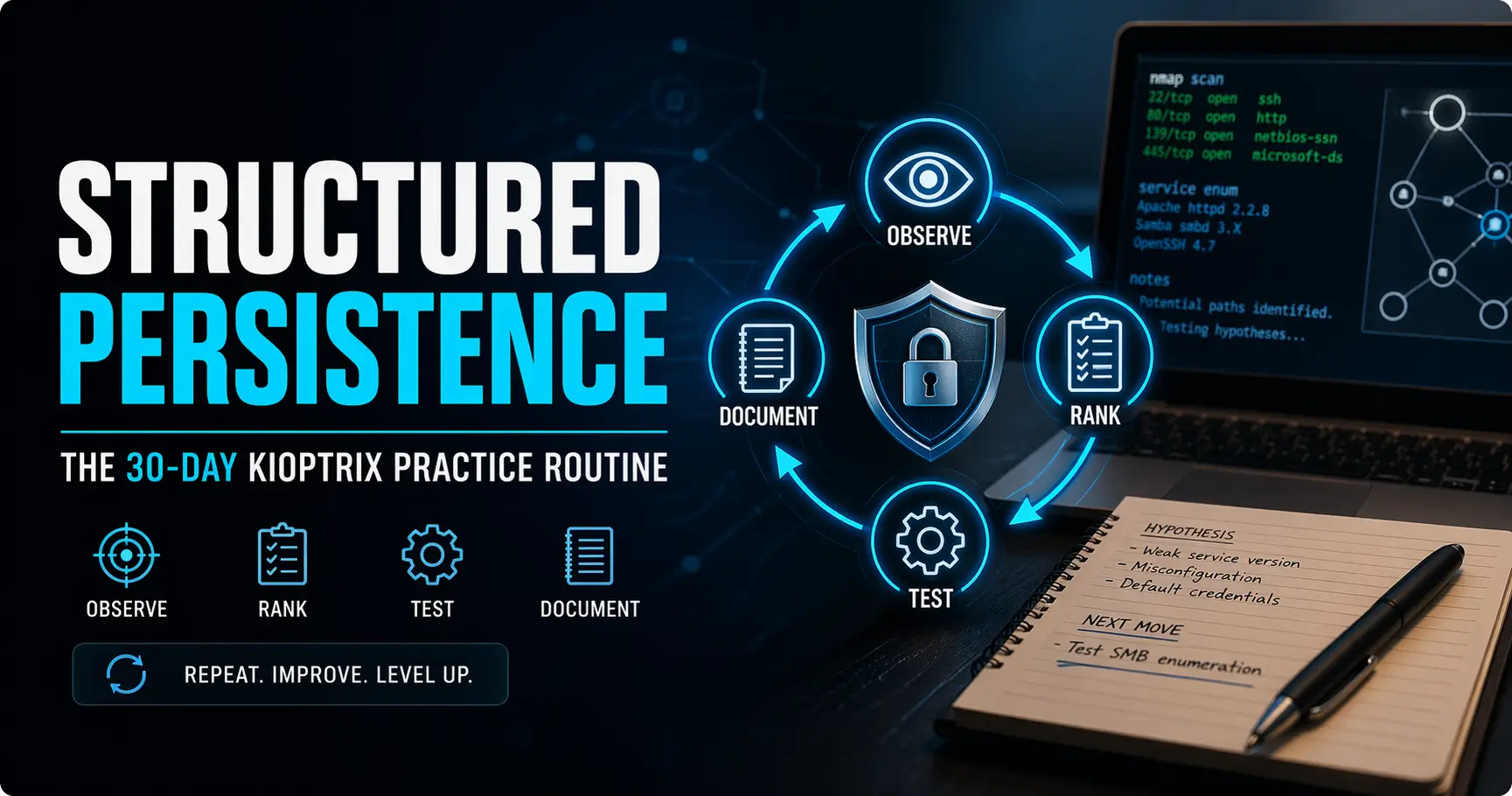
The Art of Structured Persistence
A 30-day Kioptrix Level practice routine does not fail because the box is too hard. It usually fails somewhere around day six, when clean enumeration turns into tab clutter, vague notes, and one more late-night push that feels productive but teaches almost nothing.
That is the real friction for most beginners. Not lack of effort. Lack of a repeatable method. You run scans, spot clues, chase two paths at once, and end the session with terminal output everywhere and judgment nowhere. Keep practicing that way, and you do not just waste time. You quietly train confusion.
A better routine builds something more useful than box-solving speed: stronger enumeration habits, cleaner note-taking, sharper hypothesis testing, and faster recovery when a path dies on the vine.
Whether you are learning for a home lab, a SOC interview, or a help desk-to-security pivot, this approach is built around a smaller, steadier cycle: observe, rank, test, document, stop cleanly, repeat.
Kioptrix becomes more than a beginner lab. It becomes a compact training ground for the part of cybersecurity work that actually ages well: evidence, sequence, and calm thinking under uncertainty.
Fast Answer: A strong 30-day Kioptrix practice routine is not about grinding longer. It is about repeating a small, stable cycle: enumerate, form one hypothesis, test one path, document what changed, and stop before fatigue wrecks judgment. Over 30 days, that rhythm builds sharper methodology, cleaner notes, and better interview stories than random late-night sprinting ever will.
Table of Contents
Start Here: What This 30-Day Kioptrix Level Practice Routine Actually Builds
The real goal is not “finish faster”
The first trap with Kioptrix is thinking the mission is speed. It is not. Speed is what people talk about when they do not yet trust their method. The real goal is to build a process that still works when your memory is patchy, your notes are imperfect, and your confidence has taken a small emotional tumble.
I learned this the annoying way. In one early lab cycle, I “worked hard” for nearly two hours and produced a heroic amount of terminal confetti. Beautiful noise. Almost no judgment. The next day, I could not explain why I ran half the commands on the screen. That is not training. That is digital jogging in dress shoes.
You are training process memory, not just box-solving speed
A useful 30-day routine builds process memory. You start recognizing the shape of a session before you recognize the solution to the box. Reopen notes. Confirm the target. Run your discovery flow. Mark the new clue. Form one hypothesis. Test one path. Record the result. Stop while your thinking still has bones.
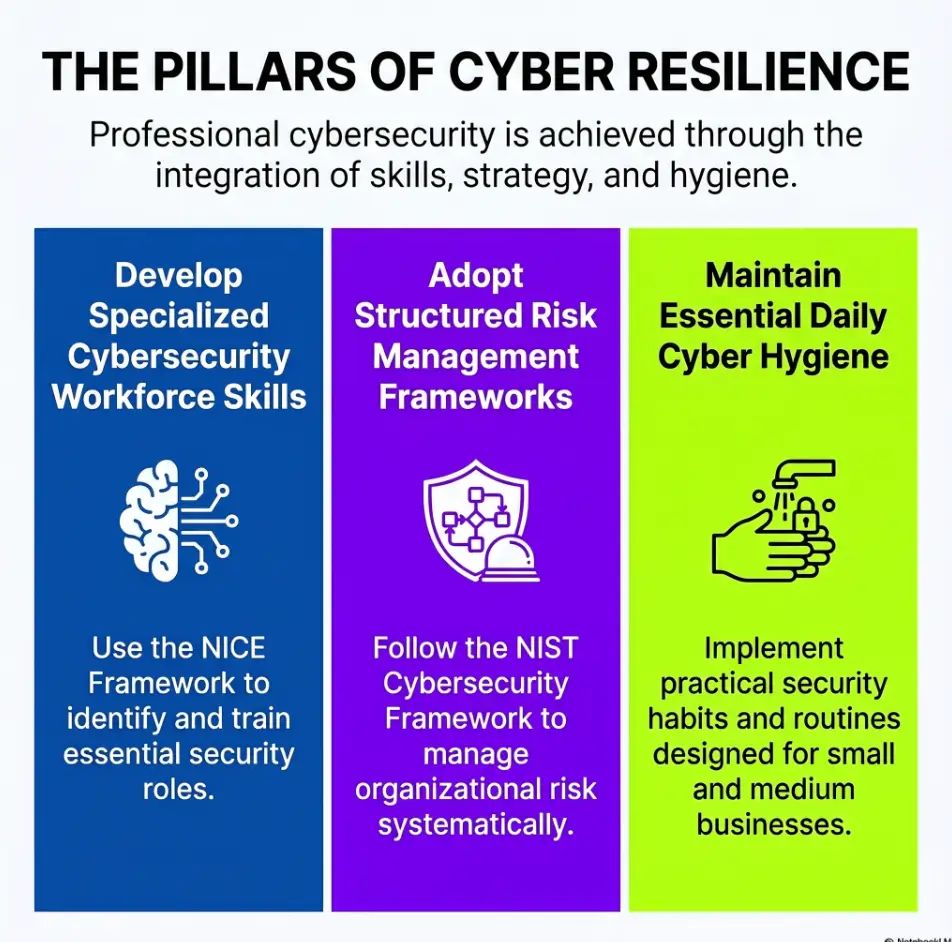
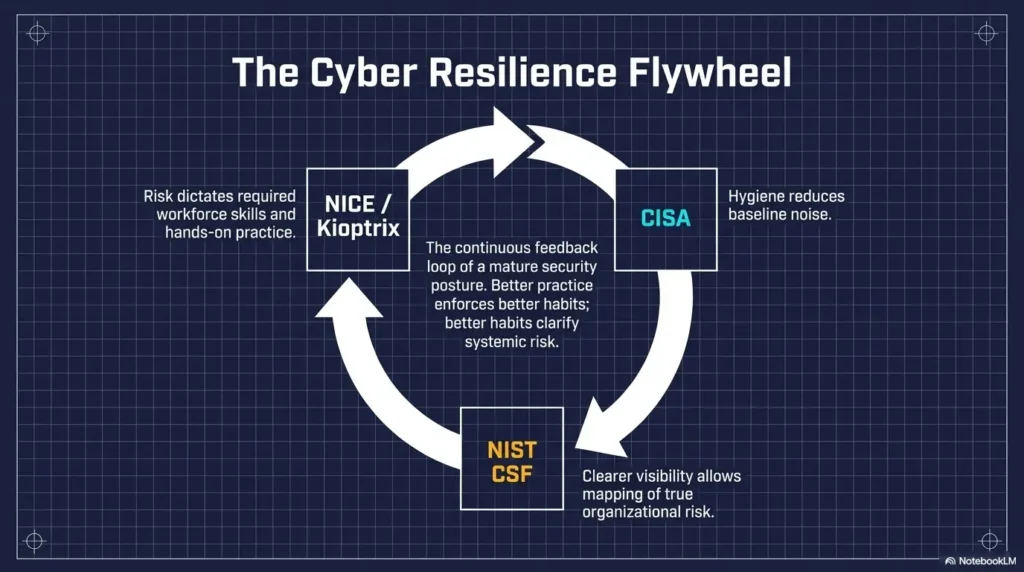
That matters because cybersecurity work, even at entry level, often rewards structured thinking more than cinematic brilliance. NIST’s NICE Framework describes cybersecurity work in terms of roles, tasks, knowledge, and skills, and it is explicitly used for training and workforce development, not just abstract theory. That is one reason a small lab can become career practice when you use it to train how you think.
Why Kioptrix works so well for structured repetition
Kioptrix is useful precisely because it is small enough to repeat. You are not trying to conquer a sprawling maze with 14 rabbit holes and a dragon in subnet three. You are using a contained environment to rehearse the same decision cycle until it becomes steadier and less theatrical. If you want a deeper breakdown of that rhythm, this Kioptrix methodology guide pairs naturally with the routine here.
- Small labs are ideal because they are repeatable
- Repetition reveals where your reasoning slips
- Interview value often comes from explaining decisions, not from one flashy exploit
Apply in 60 seconds: Write one sentence at the top of your note: “Today I am training method, not chasing a quick win.”
Who This Is For, and Who It Is Not For
This is for you if you freeze after enumeration and lose the thread
If your scans return something useful but your brain responds like a startled flock of birds, this routine is for you. Many beginners are not weak at tools. They are weak at sequence. They get clues, then lose the thread between clue and next action.
This is for you if you want a repeatable beginner security lab habit
This routine also fits the learner who has a job, a family, a tired spine, or a limited attention budget. In other words, an actual human. You do not need a monkish six-hour block. You need a stable 60-minute session and a method that survives ordinary life. If that sounds familiar, you may also like this piece on building a weekly Kioptrix habit that actually holds.
This is not for you if you only want fast walkthrough answers
Walkthroughs have a place, but this article is not building a scavenger hunt for instant gratification. If you want the shortest possible route to “rooted the box,” this plan will feel almost suspiciously patient.
This is not for you if you keep changing labs before building one method
There is a particular beginner mistake that feels productive because it looks adventurous: switching boxes the moment one lab resists you. Fresh scenery, same confusion. A new hostname does not fix an old thinking habit. For readers still deciding whether this lab belongs in their learning season, Kioptrix for beginners and Kioptrix for career changers both make that case from slightly different angles.
Eligibility checklist
- Do you often finish a session with lots of output but weak notes? Yes / No
- Do you lose momentum after your initial scan results? Yes / No
- Can you consistently protect 45 to 60 minutes a day? Yes / No
- Are you willing to repeat one small lab instead of chasing novelty? Yes / No
Next step: If you answered “Yes” to at least three, this routine is a good fit.
Before Day 1: Set Up a Practice Environment That Does Not Fight You
Build one folder for scans, notes, screenshots, and retries
Your folder structure should feel boring in the best possible way. One root folder. Inside it: scans, notes, screenshots, and retries. That is enough. If your practice environment feels like an attic where every box is labeled “misc,” you will spend precious energy rediscovering your own work.
Pick a note format you can survive for 30 days
Pick a format that is uglier than your fantasy but easier than your excuses. A simple template works:
- Enumeration
- Clues
- Hypotheses
- Tests Run
- Dead Ends
- Next Move
I once tried to build a perfect markdown palace with tags, icons, color systems, and cross-links. It looked like the planner of a very organized astronaut. I abandoned it in two days. Plain notes lasted; decorative ambition did not. If you need a sturdier place to begin, a technical journal for Kioptrix practice or this recon log template can save you from reinventing furniture before the house exists.
Set a session length that leaves some focus in the tank
Choose a daily session window that ends before your mind starts chewing its own shoelaces. A 45- to 60-minute block is a planning example, not a proven optimum. Treat the numbered days as practice steps: take rest or catch-up days when needed and shift the sequence rather than doubling the next session. Finishing may take longer than 30 calendar days. If you keep bargaining with the clock, this breakdown of Kioptrix session length may help you stop treating endurance as a virtue all by itself.
Let’s be honest… a messy workspace quietly eats half the lesson
Mess hurts more than most people admit. When the note file is missing, screenshots are unnamed, and you cannot remember which command was run from which shell, the lab starts teaching the wrong lesson. It stops being about enumeration and starts being about retrieval chaos.
Show me the nerdy details
Structured practice environments reduce friction cost. That matters because even small context-switch penalties accumulate across 30 days. Consistent directories, filenames, and note headings make it easier to compare sessions and spot recurring blind spots.
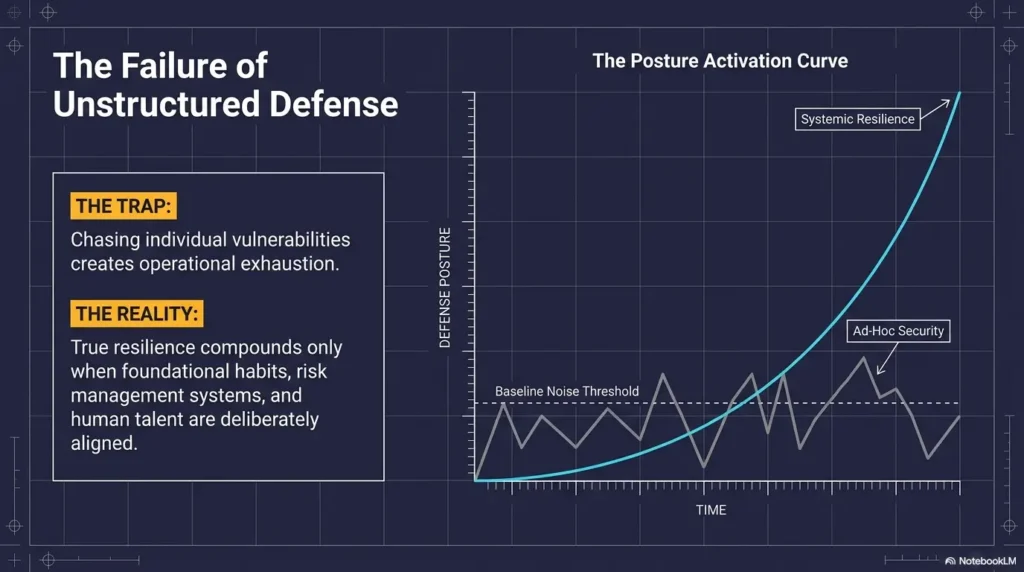
Week 1: Build Your Enumeration Muscle Before You Chase Exploits
Day 1 to Day 3: Run the same discovery flow until it feels boring
Week 1 is almost aggressively unglamorous. Good. That is the point. Run the same discovery flow for several days in a row. You are teaching your brain that enumeration is not a warm-up before the “real” work. Enumeration is the real work. A clear Kioptrix recon routine makes this easier because it gives repetition a spine.
On these first three days, do not optimize for speed. Optimize for consistency. Which ports are open? Which services look interesting? Which versions matter? Which details are facts, and which are guesses wearing fake mustaches?
Day 4 to Day 5: Separate signal from scan noise
By the middle of the week, start distinguishing what is merely present from what is promising. A result can be technically interesting and strategically useless. That distinction is gold. You do not need every detail. You need the details that change your next move.
This is where beginners often over-collect. They keep scanning because scan output feels productive. It has numbers. It scrolls. It makes the room smell faintly of competence. But a longer output is not the same as a sharper conclusion. If that habit feels familiar, the essay on Kioptrix enumeration mistakes is practically a mirror with command history attached.
Day 6 to Day 7: Write down what changed your thinking, not just what you found
At the end of the week, add one discipline: every session note must include a line that says, “What changed my thinking today?” This is where the method starts to mature. Not “I found port X.” Not “Tool Y ran successfully.” Instead: “This service version made one attack path more plausible than another.”
Why early boredom is often a sign that the routine is finally working
If Week 1 feels repetitive, that is not a design flaw. It is a clue. Boredom here often means your process is settling into a groove. The glamorous part of cybersecurity content rarely shows this. But most professional competence is made from repeated, almost plain-looking motions done with increasing clarity.
Decision card: More scanning vs better scanning
| When to do more scanning | When to stop and interpret |
|---|---|
| You changed scope, discovered a new host behavior, or have a clear new question | You are rerunning the same check with no new reason and hoping clarity appears by magic |
Neutral action: Before rerunning a scan, write one sentence explaining what you expect to learn.
Week 2: Turn Clues Into Hypotheses Instead of Random Tool-Hopping
Move from “I found something” to “this is probably the next path”
Week 2 is where many learners either begin to look like analysts or continue looking like raccoons with terminal windows. This week is about turning raw clues into ranked possibilities.
When you find something interesting, pause before opening three more tools. Ask: what does this clue suggest? What would make this path more likely? What quick, safe check would strengthen or weaken the hypothesis?
Rank possible attack paths before touching another tool
Give yourself a tiny ranking ritual. Write your top three possible paths. Then sort them by plausibility, effort, and evidence. You are not trying to be correct with mystical certainty. You are trying to be deliberate. If you need a cleaner frame for that choice, this Kioptrix decision tree is a natural companion.
That habit matters beyond the lab. NIST’s incident handling guidance emphasizes analyzing data and determining the appropriate response, not merely collecting artifacts forever. Different context, same muscle: interpret evidence, then choose a response that matches it.
Learn the habit of one-test-at-a-time troubleshooting
One-test-at-a-time troubleshooting is the antidote to chaos. If you change three variables, launch two scripts, and alter your assumptions all at once, you have not performed a clean test. You have made a small weather event.
Here’s what no one tells you… most wasted hours begin with two decent ideas opened at once
Bad sessions are not always born from stupid ideas. More often, they are born from two plausible ideas opened too early. Your attention gets split. Notes become vague. Evidence gets mixed. Then the session becomes hard to reason about because you did not let one path fail cleanly before meeting the next one.
- Rank attack paths before opening more tools
- Test one hypothesis at a time
- Record why a path rose or fell in plausibility
Apply in 60 seconds: Add a line to your note template: “Most likely next path, and why.”
Week 3: Practice Stuck Points on Purpose
Use friction as training data, not as proof you are bad at this
Week 3 is where the routine becomes psychologically useful. By now, you know enough to get confused more intelligently. Congratulations. That is real progress, even if it feels like a less fun kind.
When you get stuck, do not interpret that as a verdict on your potential. Treat it as data. Where did the thread break? Was it after enumeration? After a weak hypothesis? After testing without a clear success condition? The stuck point is not just pain. It is a map.
Build a reset checklist for the moment a session starts drifting
Your reset checklist can be very short:
- What do I know for sure?
- What am I assuming?
- What changed today?
- What is the smallest next test?
- What do I stop doing right now?
I keep a version of this because my worst sessions all begin the same way: a faint sense of “I should already know this,” followed by louder clicking. Pride is a noisy project manager. It loves to assign you five tasks when one honest reread would do.
When to pause, re-read, and re-scan instead of escalating complexity
A useful rule: when the session feels murky, choose the smallest form of recovery first. Re-read notes. Re-check the evidence. Re-scan only if you can explain why. Escalation should come from a reason, not a mood. This is also why patience in Kioptrix Level is not a soft virtue. It is an operational one.
Why being stuck in a small lab is still useful career practice
Being stuck is not wasted time when you learn to recover cleanly. Plenty of entry-level security work involves sorting partial information, documenting uncertainty, and choosing a careful next step. That is not failure. That is Tuesday.
NIST’s Cybersecurity Framework describes risk work as helping organizations understand and improve how they manage cybersecurity risk. Even if your lab is tiny and your coffee has gone cold, the practice of making calmer decisions under incomplete information translates well.
Short Story: On day 17 of a routine like this, I had one of those sessions where every idea looked almost right. The port scan was familiar. The clues were not empty. Nothing was exactly broken. And yet the whole thing felt slippery, like trying to stack plates on a moving train. Old me would have opened two more terminals and tried to out-hustle the discomfort. Instead, I stopped and wrote four lines:
what I knew, what I assumed, what had actually changed, and what single test would disprove my favorite theory. It turned out my favorite theory was wearing costume jewelry. One small check cracked it. The point was not that I became brilliant in minute 43. The point was that I finally stopped letting frustration dress up as momentum. That day taught me more than a clean exploit ever could.
Do Not Do This: Common Mistakes That Break a 30-Day Routine
Repeating the same scan without a new reason
This is the classic stall pattern. You rerun the same command as if it might reveal a new universe out of sympathy. Sometimes repetition is valid. Often it is just anxiety in command-line form.
Confusing activity with progress
Busy does not always mean effective. Five tabs open, two shell windows, a browser full of exploit references, and a note file with three desperate bullet points can create the appearance of motion. But progress means the session got clearer, not merely louder.
Jumping to public exploits before you understand the surface
Do not chase exploit names before you understand the terrain that makes them relevant. When you skip this step, you rob yourself of the reasoning that makes later explanation possible. You may still “get in,” but you will not know how to tell the story of why that path made sense. The best practice path for Kioptrix Level exists precisely to keep curiosity from outrunning evidence.
Copy-pasting commands you cannot explain later
If a command works and you cannot explain what it changed, what it tested, or why it mattered, your future self inherits a pile of mystery meat. That future self is usually tired, and increasingly annoyed with you. This is one reason articles like why copy-paste commands fail in Kioptrix are more valuable than they sound.
Quitting the note trail the moment the lab gets interesting
The exact moment the lab gets exciting is the moment your notes usually get worse. That is not a coincidence. Excitement narrows attention. You think you will remember. You will not. Or you will remember the wrong thing with startling confidence.
Quote-prep list: what to gather before comparing your own attack-path ideas
- Service or version evidence you can point to
- One sentence for why path A seems plausible
- One sentence for why path B is weaker right now
- The smallest test that would disprove your top guess
Neutral action: Do not compare tools first. Compare evidence first.
The Burnout Trap: Why Good Practice Sessions End Earlier Than You Think
Stop while your reasoning is still clean
One of the hardest things for ambitious learners is ending a session before it curdles. You think one more push will crack the problem. Sometimes it does. More often, it smears the notes, drains tomorrow’s motivation, and turns practice into a private grudge.
Use a hard ending ritual so tomorrow starts lighter
Create a closing ritual that takes two to five minutes. Save notes. Name screenshots. Write the next move. Close tabs you are not using. This tiny ceremony acts like leaving the kitchen clean after dinner. Tomorrow’s self walks into order, not residue.
Track cognitive fatigue, not just time spent
Time is a blunt instrument. Fifty productive minutes are worth more than 140 foggy ones. I like a simple fatigue score from 1 to 5. If three sessions in a row end at 4 or 5, reduce scope before you reduce confidence.
The hidden cost of turning every session into a three-hour fog bank
Long sessions can feel noble, but repeated overextension trains the wrong reflex. You start associating practice with depletion instead of progress. That is how good learners quietly disappear from their own plans.
Mini calculator: your weekly fatigue load
If your planned session is 60 minutes but you usually spill into 150 minutes, that is an extra 90 minutes each day.
Across 5 practice days, you have added 450 extra minutes, or 7.5 hours of likely lower-quality effort.
Neutral action: Reduce session length before you start bargaining with your willpower.
Your Daily Rhythm: A Simple Session Template for All 30 Days
Minutes 1 to 10: Re-open notes and define today’s single target
Do not open the lab cold. Re-enter through your notes. Your only job in the first 10 minutes is to define one target for today’s session. Example: confirm whether a service clue supports path A. Small target. Clear finish line.
Minutes 11 to 25: Enumerate with intention
Use your established discovery flow. Look for changes, confirmations, and contradictions. Resist the urge to improvise because you feel eager. Early improvisation is often just disorder in a nice jacket.
Minutes 26 to 40: Test one hypothesis
Choose one path and one success condition. If the test fails, record what failed. If the test succeeds, record what that success means. The result is not only “worked” or “didn’t work.” The result is how the evidence landscape changed.
Minutes 41 to 50: Capture findings, dead ends, and next move
This is the money minute. Most learners underinvest here because it feels less thrilling than the command itself. But this is where the session becomes reusable. A strong Kioptrix lab report habit begins in these plain-looking minutes, not at the glamorous end.
Minutes 51 to 60: Close the loop before you close the laptop
Write the first move for tomorrow. Name the clue that matters most. Save everything. Exit like a professional, not like someone fleeing a kitchen fire.
60-Minute Kioptrix Session Map
Re-open notes
Set one target
Enumerate
Confirm facts
Test one path
Watch for signal
Write findings
Record dead ends
Set next move
Stop cleanly
The 30-Day Plan: What to Focus On Each Week
Days 1 to 7: Learn the map
These days are about consistent enumeration, note structure, and getting comfortable with repetition. Your win condition is not compromise of the box. It is reduced confusion.
Days 8 to 14: Learn to choose
Now you rank paths, justify choices, and reduce random tool-hopping. By the end of Week 2, your notes should show more “why this path” language and fewer vague shrugs.
Days 15 to 21: Learn to recover when wrong
This is the week for reset checklists, dead-end analysis, and learning how to unwind bad assumptions without making the session uglier than it already is.
Days 22 to 30: Learn to explain your reasoning like a professional
The final stretch is not just technical. It is verbal. You should be able to explain why one avenue became more plausible, what evidence weakened another path, and how you decided when to stop. If your end goal includes visibility, this article on making Kioptrix Level useful for LinkedIn can help translate practice into public proof without sounding theatrical.
Why the final week matters more than the first clean exploit
Anyone can sound impressive while describing a success after the fact. The more valuable skill is explaining the decision chain that produced it. That is what turns practice into evidence of maturity.
Coverage tier map: what changes as your 30 days mature
| Tier | What improves |
|---|---|
| Tier 1 | Basic scan consistency and note survival |
| Tier 2 | Cleaner clue filtering and fewer random pivots |
| Tier 3 | Hypothesis ranking and one-test-at-a-time discipline |
| Tier 4 | Faster recovery from dead ends |
| Tier 5 | Interview-ready explanation of reasoning |
Neutral action: Mark your current tier at the end of each week.
Proof You Are Improving: Metrics That Matter More Than “Rooted the Box”
Better notes
Better notes are not prettier notes. They are notes you can reopen after 48 hours and still follow without performing archaeology on your own memory.
Fewer random pivots
If your session history shows fewer abrupt changes in direction, that is improvement. Less zigzagging means your evidence is carrying more weight.
Faster recovery after dead ends
The goal is not to avoid being wrong. The goal is to become cheaper to correct. That is a deeply underrated skill.
Clearer explanation of why one path beat another
If you can explain why you rejected path B without sounding mystical, you are improving. Security work is full of trade-offs, and your language should begin reflecting that.
Stronger interview language from ordinary practice sessions
Interview stories rarely need fireworks. They need sequence. What did you observe? What did that suggest? What did you test? What changed your assessment? Those are strong, portable answers. For that last mile, these Kioptrix interview stories show how ordinary sessions become credible career language.
- Track recovery speed after mistakes
- Track how often you can justify your next step
- Track whether your notes remain usable after a break
Apply in 60 seconds: Add a weekly review line: “What got easier to explain this week?”
Make It Portfolio-Useful: Turn Practice Into Job-Relevant Evidence
How to write a short lab summary that sounds like real work
Keep your summary short and sober. State the target, the starting clue, the main hypothesis, the test performed, the result, and the lesson. That already sounds more professional than a screenshot parade with triumphant captions.
Which screenshots help, and which ones are just wallpaper
Useful screenshots prove transitions: a scan result that shaped a hypothesis, an output that confirmed or killed a path, a note excerpt showing structured thinking. Wallpaper screenshots just say, “Look, terminal.” The internet has seen one before.
Translate your routine into SOC, help desk, or junior security language
For SOC language, emphasize triage, evidence review, and response logic. For help desk-to-security transitions, emphasize documentation, systematic troubleshooting, and escalation judgment. For junior security roles, emphasize how you reduced ambiguity step by step. Readers making that particular jump may find Kioptrix for help desk workers especially useful.
The NICE Framework is used by employers, educators, and training providers to describe roles and skills, including job descriptions and role-based development. That makes it a useful mental bridge when you translate lab practice into job language.
Show decision quality, not just terminal output
This is the heart of the portfolio angle. You are not trying to look like a machine that memorized commands. You are trying to look like a beginner who can observe, decide, document, and recover. Those are the habits that age well.
That last link is worth your time because CISA’s public guidance for small and medium-sized organizations highlights practical habits such as vulnerability scanning and improving security posture. You are not running an enterprise program in Kioptrix, of course, but the underlying lesson is familiar: discover exposure, interpret what matters, and act with intention. When you eventually package that work for readers or employers, a clean technical write-up structure can make the difference between proof and clutter.
FAQ
How long should a Kioptrix practice session be each day?
Choose a duration that fits your energy and schedule. A 45- to 60-minute block is an example, not an optimal duration established for everyone. Shorten the goal when needed and allow rest days; the numbered steps do not require 30 consecutive days.
Can beginners use Kioptrix Level for a 30-day routine?
Yes. In fact, the routine works precisely because the lab is small enough to repeat. Beginners often benefit more from repeated structured practice than from jumping across many boxes too early.
Should I use walkthroughs during the 30 days?
Use them carefully and late. First try to document your own evidence, hypotheses, and dead ends. If you consult a walkthrough, use it as a learning checkpoint, not as a replacement brain.
What should I write in my notes after each session?
Write what you observed, what changed your thinking, what you tested, what failed, and what the next move is. The “next move” line is especially valuable because it lowers tomorrow’s startup friction.
How do I know if I am improving without finishing faster?
Look for cleaner notes, fewer random pivots, more deliberate testing, and faster recovery from wrong assumptions. Those are stronger signals than raw speed.
What if I get stuck on the same step for several days?
That can still be useful. Treat the stuck point as data. Re-check what you know, separate facts from assumptions, and ask what smallest test could disprove your current theory. If needed, consult a hint after you have documented your own reasoning.
Is it better to repeat one lab or switch to new boxes quickly?
For this 30-day routine, repeating one lab is better. Repetition reveals your method. Constant switching often hides it behind novelty.
Can this routine help with cybersecurity job interviews in the US?
Yes, especially if you can explain your reasoning clearly. Many interviewers care less about theatrical exploits than about how you observe, prioritize, test, and communicate under uncertainty.
Next Step: Do This Before You Read Anything Else
Open a blank note and create four headings now: Enumeration, Clues, Hypotheses, Next Move
Do not overbuild this. Four headings are enough to begin. You can add polish later, after the habit proves it deserves furniture.
Commit to a 60-minute session window for the next 7 days
Not forever. Just seven days. A week is short enough to feel possible and long enough to expose your weak points. That is the sweet little cruelty of a good experiment.
Run Kioptrix Level once without trying to “win,” only trying to document cleanly
This is the hook we opened with, and this is where it closes: the lab does not have to beat you with difficulty. It often beats you with drift. The cure is not more drama. It is a calmer loop. Enumerate. Hypothesize. Test. Document. Stop cleanly. Repeat.
If you have 15 minutes today, spend 5 minutes making the note template, 5 minutes setting the folder structure, and 5 minutes writing tomorrow’s session target. That tiny setup will do more for your month than one exhausted burst of terminal heroics. And if you want a gentle checkpoint after the first week, a Kioptrix self-assessment can help you measure whether the method is actually getting sharper.
Original review: 2026-04.
Technical guidance updated: 2026-10-13. Added rest and catch-up flexibility to the 30-day plan and clarified that session duration is a planning example.