
Pentest reporting without the fog machine
Client-Friendly Vulnerability Descriptions for Junior Pentesters:
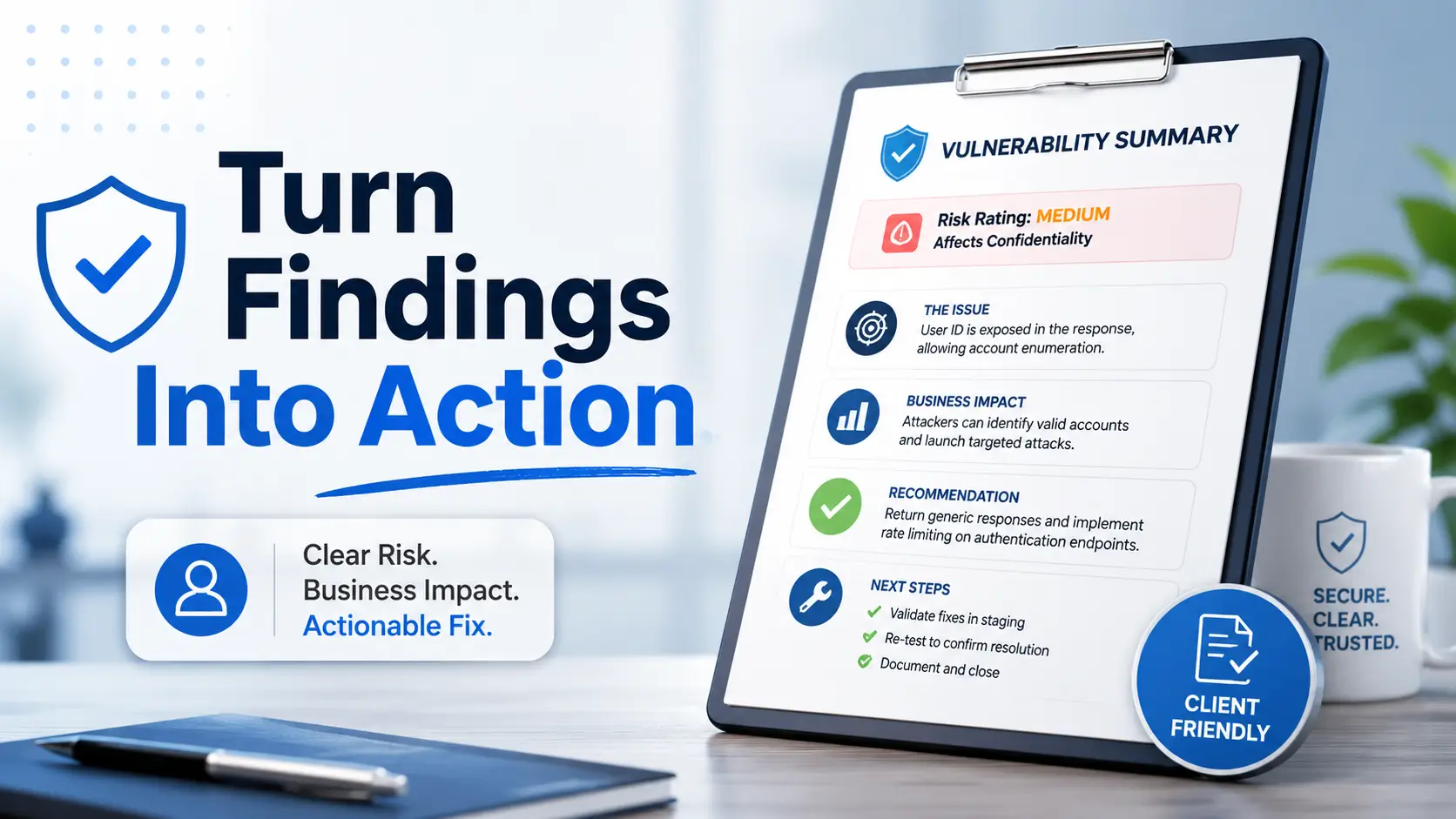
Turn Findings Into Fixable Business Risk
A vulnerability finding is not finished when the scanner stops talking. It is finished when a busy client can read it, understand the risk, assign the right owner, and know what to fix next without needing a translator, a late-night panic call, or a heroic spreadsheet.
Junior pentesters often learn how to discover issues before they learn how to explain them. That gap matters. A technically accurate finding can still fail if it sounds accusatory, vague, exaggerated, or stuffed with tool output. Good reporting is part evidence, part risk translation, and part calm hallway conversation with the people who must actually do the work.
This guide gives you a practical writing system for client-friendly vulnerability descriptions: what to include, what to avoid, how much evidence is enough, and how to turn “critical-looking” technical noise into remediation steps that clients can trust.
Write clearer findings
Use plain language without watering down serious risk.
Avoid report disputes
Separate severity, confidence, scope, evidence, and assumptions.
Make fixes obvious
Give clients the next step, not just the scary sentence.
The goal is simple: prove the issue, explain the risk, and leave the client with a repairable path forward. 🧭
Snapshot: This article is for junior pentesters, security analysts, MSP consultants, and cybersecurity teams who need safer, clearer wording for client-facing reports. You will learn how to describe vulnerabilities in plain business language, include enough evidence without oversharing, avoid common tone mistakes, and rewrite one finding into a fixable action plan.
Before You Act: This Is Report-Writing Guidance, Not Legal or Exploit Advice
Vulnerability reporting sits close to business risk, compliance, insurance, legal review, and incident response. That is why wording matters. A report can help a client prioritize remediation, but it should not promise security outcomes, guarantee compliance, or present assumptions as confirmed facts.
This article helps you write clearer client-facing descriptions. It does not replace your organization’s reporting standards, legal review, contractual scope, rules of engagement, or senior technical review. When a finding could affect regulated data, production availability, law enforcement, insurance coverage, or public disclosure, slow down and confirm the wording with the right people.
Before You Send the Report
- Confirm that each finding is within the agreed testing scope.
- Remove secrets, tokens, passwords, session values, and unnecessary exploit detail.
- Label assumptions clearly.
- Ask a senior reviewer to check high-impact findings before delivery.
- Use cautious language when evidence is partial or environmental context is missing.
A good report is a bridge, not a bonfire. It should carry the client from uncertainty to action without burning trust along the way.
The Real Job: You’re Not Writing for Hackers
Junior pentesters often write as if the only reader is another tester. That makes sense during labs, notes, and technical write-ups. Client reports are different. The report may be read by engineers, managers, executives, auditors, procurement teams, insurers, and sometimes attorneys.
Those readers are not asking, “How clever was the attack path?” They are asking, “What is exposed, how bad is it, who owns the fix, and what should we do first?”
What a Client Actually Needs From a Finding
A client-friendly vulnerability description answers five questions quickly:
- What was found?
- Where was it observed?
- Why does it matter?
- How confident are we?
- What should be fixed first?
That sounds simple, but many reports skip at least one of those questions. A finding that says “Outdated component detected” may be technically correct, but it is not yet useful. Which component? Where? Exposed to whom? Is there a known practical risk? Is the fix urgent, routine, or dependent on a vendor?
Why “Technically Correct” Can Still Fail the Report
Technical correctness is the floor. Usability is the ceiling. A finding can be accurate and still leave the client confused, defensive, or unable to prioritize.
For example, “The application lacks the X-Frame-Options header” is accurate. A stronger client-facing version explains that the application does not send a browser instruction that helps reduce clickjacking risk, then states whether sensitive workflows were observed on affected pages.
The difference is not decoration. It changes how the client understands the work. You are turning a tool result into a decision.
The Invisible Reader: Manager, Engineer, Auditor, and Executive
Imagine four people reading your finding.
- The engineer needs enough detail to reproduce and fix it.
- The manager needs priority, owner, and timing.
- The auditor needs evidence and control relevance.
- The executive needs business consequence without technical fog.
Your description does not need to be long. It needs to carry the right cargo for each reader. Think of it as a small, sturdy boat: summary, evidence, impact, recommendation, and validation.
Key Takeaway
A vulnerability description is not a trophy case for technical discovery. It is a work order for risk reduction.
Who This Is For, and Who Should Use More Guardrails
This guide is written for people who already have authorization to test and now need to communicate results responsibly. It is especially useful when you are moving from lab write-ups into professional reporting, where tone and scope are as important as technical detail.
For Junior Pentesters Writing Client-Facing Reports
If you are new to consulting or internal assessment work, this guide helps you avoid the two classic traps: sounding like a scanner or sounding like an attacker showing off. Neither helps the client much.
Your job is to be precise, calm, and useful. You can still include technical evidence, but the finding should read like professional risk communication, not a lab victory lap.
For Security Teams Reviewing Outsourced Findings
If you receive reports from external testers, use this guide as a quality filter. A good finding should identify affected assets, explain exposure, separate confirmed evidence from assumptions, and include a realistic remediation path.
If a report only provides severity labels and pasted scanner text, ask for clarification before planning remediation budget. Thin wording can turn into expensive guesswork.
For MSPs and Consultants Turning Scans Into Decisions
Many MSPs and small security teams run vulnerability scans for clients but struggle to turn results into business-friendly priorities. This guide helps you avoid dumping hundreds of raw issues into a PDF and calling it strategy.
The best scanner report is still only raw material. The value comes from context: what is exposed, what matters most, what can be fixed quickly, and what needs a planned change window.
Not for Exploit Tutorials, Offensive Walkthroughs, or Proof-of-Concept Sharing
This article does not teach exploitation steps or provide proof-of-concept payloads. Client reporting should prove the finding without giving unnecessary instructions that could be reused outside the authorized environment.
For safer testing and reporting references, official resources such as the OWASP Web Security Testing Guide and NIST technical guidance can help teams align their language with recognized practices.
The 5-Part Description Formula Clients Actually Understand
Most vulnerability descriptions become clearer when they follow the same structure. The formula is not fancy. That is the point. It helps you write consistently, review quickly, and reduce ambiguity before the client sees the report.
Use this order: finding, evidence, impact, recommendation, and priority. When in doubt, do not add more drama. Add more context.
Finding: Say What Exists Without Drama
The finding statement should identify the issue in plain language. Avoid panic words. Avoid sarcasm. Avoid making the client feel foolish. You are documenting a condition, not delivering a courtroom monologue.
Weak version: “The server is dangerously misconfigured and vulnerable to attack.”
Better version: “The external web server allows outdated TLS protocol support, which may expose some connections to weaker encryption protections.”
Evidence: Show Enough to Prove It, Not Enough to Weaponize It
Evidence should make the finding credible. It should not become a reusable attack recipe. Include affected asset names, timestamps, sanitized screenshots, redacted logs, relevant request or response snippets, and tool output only when it clarifies the issue.
Remove secrets, session cookies, authentication tokens, private customer data, and unnecessary payload details. If you need to include sensitive proof, confirm the client’s handling expectations and your company’s reporting policy first.
Impact: Explain the Business Consequence
Impact is where many findings either underperform or overheat. The client needs to understand what could happen in a realistic scenario. Not the wildest possible movie plot. Not a vague “bad actors may exploit this.” A grounded consequence.
For example, if a sensitive admin page is exposed, impact might include unauthorized configuration changes, data visibility, or increased likelihood of credential attacks. If exploitation requires authentication, internal access, or unusual user behavior, say that too.
Recommendation: Give a Fixable Next Step
“Update the system” is often not enough. A useful recommendation tells the client what type of fix is needed, who may need to be involved, and how to validate the result.
Better recommendations mention configuration hardening, patching, access review, secret rotation, compensating controls, monitoring, or vendor support where appropriate. If a fix may affect production, say that it should be tested and scheduled.
Priority: Connect Severity to Real Exposure
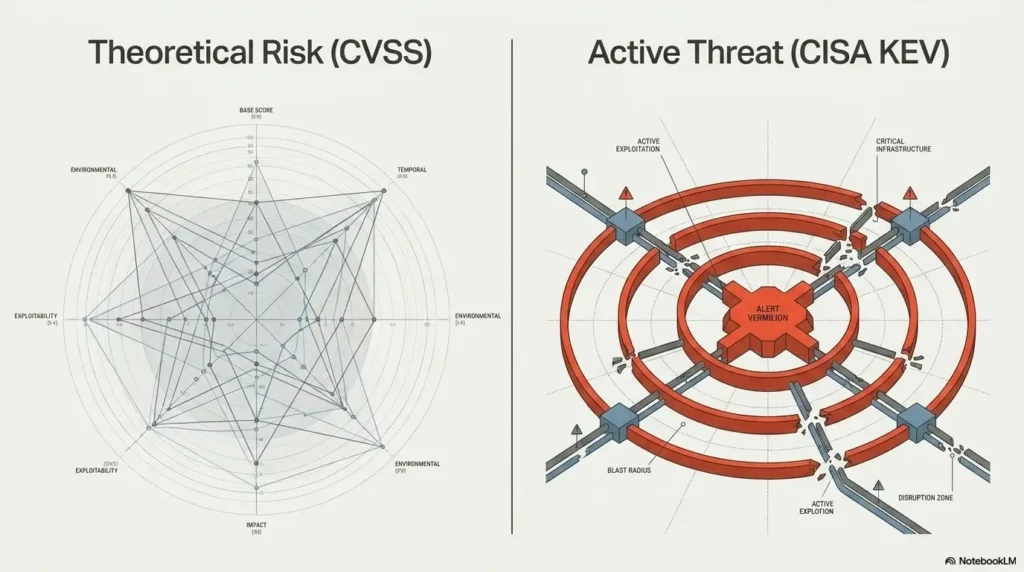
Priority is not just a CVSS number or a red label. Priority depends on exploitability, asset exposure, business criticality, affected data, compensating controls, and whether the finding was confirmed or inferred.
A medium issue on a public login portal may outrank a high theoretical issue on an isolated development host. The client needs that context, especially when budgets and engineering time are tight.
The Five-Part Finding Flow
1. Finding
What exists?
2. Evidence
How do we know?
3. Impact
Why does it matter?
4. Fix
What should change?
5. Priority
What comes first?
“High Risk” Means Nothing Until You Explain the Door
Severity labels are useful, but they are not self-explanatory. “High risk” can mean many things: public exposure, easy exploitation, sensitive data, privileged access, weak monitoring, or a combination of smaller weaknesses that create a larger path.
Your report should explain the door. What does this finding open? A login attempt path? A data access path? A lateral movement path? A denial-of-service risk? A compliance concern? A support burden?
Translate Severity Into a Business Scenario
Business scenarios help non-technical readers understand why the finding belongs in the report. Keep the scenario realistic and tied to your evidence.
Instead of writing, “This could lead to total compromise,” write something more useful: “If an attacker obtained valid user credentials, this weakness could make it easier to access administrative functions that should be limited to support staff.”
Notice the difference. The second version explains the condition, the possible effect, and the limitation. It has urgency without smoke machines.
Separate Likelihood From Impact
A finding can have high impact but low likelihood. It can also have moderate impact but high likelihood. Clients need both dimensions because remediation planning is a budget conversation as much as a technical one.
| Risk Pattern | What It Means | Report Wording Tip |
|---|---|---|
| High impact, high likelihood | Serious issue on an exposed or easy-to-reach asset | Recommend urgent remediation and clear validation |
| High impact, lower likelihood | Serious consequence but requires specific access or conditions | Explain prerequisites and compensating controls |
| Moderate impact, high likelihood | Common weakness that may be easy to abuse or chain | Prioritize based on exposure and repeatability |
| Low impact, high volume | Small issues repeated across many assets | Recommend a standard hardening baseline |
Use “Could Allow” Carefully, Not Theatrically
“Could allow” is a useful phrase when you are describing potential impact. It becomes weak when you use it for everything. Clients begin to hear it as report wallpaper.
Pair “could allow” with conditions. For example: “If combined with compromised credentials, this misconfiguration could allow a user to access records outside their assigned role.” That sentence is more credible because it gives the reader the hinge on the door.
Key Takeaway
Severity tells the client how loudly to listen. Context tells them what to do.
Related Guides You May Find Useful
- How to Write a Kioptrix Pentest Report That Actually Looks Professional
- Professional OSCP Report Template: Structure, Evidence, and Findings
- Kali Pentest Report Template for Clear Findings and Evidence
- How to Read a Penetration Test Report Without Getting Lost
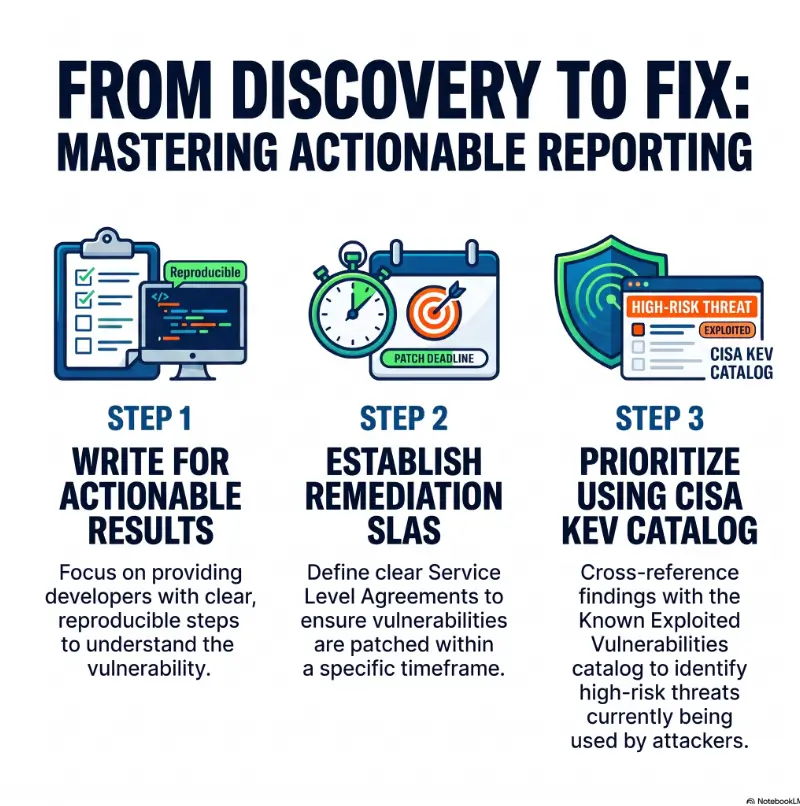
- Vulnerability Remediation SLA: How to Prioritize Fixes by Risk
Don’t Do This: Scanner Copy That Sounds Like Static
Scanner output is useful evidence, not finished writing. Raw tool text often includes generic phrasing, broad worst-case impact, version-based assumptions, and remediation advice that does not fit the client’s environment.
When you paste scanner language into a report without editing, you transfer the thinking burden to the client. That is not consulting. That is forwarding a thunderstorm.
Why Raw CVSS Language Loses Non-Technical Readers
CVSS scoring can help standardize severity, but the language around it can feel abstract. Terms like “attack complexity,” “privileges required,” and “scope changed” may be familiar to security professionals but cloudy to executives and small business owners.
You can include CVSS where your reporting standard requires it, but pair it with plain interpretation. Tell the client what the score means in their environment.
How Copy-Paste Findings Create False Confidence
Copy-pasted findings can make a report look complete while hiding uncertainty. A scanner may flag a component version, but you still need to confirm exposure, configuration, reachability, authentication requirements, and whether the vulnerable functionality is actually present.
If you did not confirm exploitation, say that. If the finding is version-based, say that. If the issue requires vendor confirmation, say that too. Clear uncertainty is more professional than borrowed confidence.
Before-and-After Example: From Robotic to Readable
| Weak Scanner-Style Wording | Client-Friendly Rewrite |
|---|---|
| “The remote host is missing X security header. This may allow clickjacking attacks.” | “The application does not send a browser header that helps prevent pages from being embedded in another site. If sensitive actions are available on affected pages, this may increase the risk of a user being tricked into clicking hidden interface elements.” |
| “Outdated OpenSSH version detected.” | “The server appears to be running an older SSH service version. While version alone does not confirm exploitability, outdated remote access services can increase maintenance risk and should be reviewed against the vendor’s supported release and patch guidance.” |
| “Weak SSL cipher suites enabled.” | “The server supports older encryption options that are no longer recommended for modern client connections. Disabling weak options and retaining current protocol support would reduce unnecessary exposure.” |
The rewrite does not hide the technical issue. It gives the issue a handle. That handle lets the client pick it up without cutting their hands.
Client-Friendly Examples by Vulnerability Type
The easiest way to learn report writing is to practice rewriting common findings. Below are examples you can adapt to your own environment. Treat them as starting points, not universal language. Your final wording should match your evidence, scope, and client context.
Weak Password Policy: From Blame to Behavior Risk
Do not write: “Users are using bad passwords.” That sounds accusatory and may not even be what you tested.
Try: “The tested authentication policy allows passwords that may be easier to guess or reuse across services. This increases the likelihood that a compromised or weak password could provide unauthorized access, especially where multi-factor authentication is not enforced.”
Recommendation: “Review password length, reuse protections, lockout behavior, and multi-factor authentication requirements. Prioritize accounts with administrative access or access to sensitive business systems.”
Missing Security Headers: From Jargon to Browser Protection
Security headers are easy to overstate. Missing headers do not automatically mean the application is exploitable. They often represent a hardening gap that becomes more important on pages handling login, payments, documents, or administrative actions.
Try: “The application does not currently send several recommended browser security headers. These headers help instruct browsers how to handle framing, content loading, and transport security. Adding them can reduce exposure to certain client-side attack techniques and improve the application’s defensive baseline.”
Outdated Software: From Version Number to Attack Surface
Outdated software findings need care. A version banner may be inaccurate, backported, hidden behind vendor patching, or not reachable in a meaningful way. Do not leap from “old version detected” to “compromise confirmed.”
Try: “The assessment identified software that appears to be outside the current recommended maintenance baseline. Outdated software can increase exposure to known vulnerabilities and may complicate support, monitoring, and incident response. The version should be verified with the system owner and updated or otherwise mitigated according to vendor guidance.”
Excessive Permissions: From Access Control to Blast Radius
Access control findings are often where business readers lean forward. They understand “too many people can access sensitive things.” Use that clarity.
Try: “The tested account had access to functions or data that did not appear necessary for its role. Excessive permissions increase the potential impact of account compromise, user error, or insider misuse because a single account can affect more systems than required.”
Recommendation: “Review role assignments, remove unnecessary privileges, and validate that access matches job responsibilities. Give priority to administrative rights, financial workflows, customer data, and production changes.”
Sensitive Information Exposure: From “Leak” to Data Handling Risk
“Leak” is sometimes accurate, but it can also sound louder than your evidence supports. Be specific. Was the information public? Authenticated? Internal? Temporary? Indexed? Logged? Cached? Exposed to a low-privilege user?
Try: “The assessment identified sensitive information in a location that was accessible beyond its expected audience. Depending on how this information is used, exposure may increase the risk of unauthorized access, phishing, privacy impact, or operational misuse.”
Recommendation: “Remove the exposed data, rotate any affected secrets, review access controls, and check whether the information was logged, cached, indexed, or shared with third-party services.”
Quick Rewrite Checklist
- Did you describe the condition, not blame the team?
- Did you name the affected asset or area?
- Did you explain the business consequence?
- Did you avoid unnecessary attack instructions?
- Did you give a specific remediation step?
- Did you say whether the finding is confirmed, inferred, or version-based?
The Tone Trap: Sound Calm, Not Casual
Tone is not cosmetic. It changes how clients receive the finding. Too harsh, and people become defensive. Too soft, and serious issues feel optional. The best tone is calm, precise, and quietly urgent.
Think of a good vulnerability description as a smoke alarm with manners. It should get attention without shrieking in every room of the house.
Avoid Panic Words That Make Clients Defensive
Words like “catastrophic,” “massive,” “reckless,” “terrible,” and “negligent” usually do not belong in a client report. They may feel satisfying in the moment. They rarely help the fix happen faster.
Replace judgment with observation. Instead of “The team failed to secure the admin portal,” write, “The admin portal was accessible from the tested network segment without the expected access restrictions.”
Avoid Soft Words That Make Serious Issues Feel Optional
The opposite trap is making serious findings sound like casual suggestions. Phrases like “you might want to maybe consider fixing this someday” can dilute urgency.
Use firm but respectful language: “This should be prioritized for remediation because it affects externally accessible authentication controls.” That sentence is direct without banging a gong.
Here’s What No One Tells You: Neutral Language Builds Urgency
Neutral language is not weak. It is clean. It lets the evidence carry the weight.
When clients trust your tone, they are more likely to trust your severity rating. When they trust your severity rating, they are more likely to assign resources. The sentence may be quiet, but the work moves.
| Avoid | Use Instead | Why It Works |
|---|---|---|
| “This is extremely dangerous.” | “This increases the risk of unauthorized access to administrative functions.” | Specific impact beats vague alarm. |
| “The client failed to patch.” | “The tested host appears to be missing a current vendor security update.” | Focuses on the condition, not blame. |
| “Hackers can easily exploit this.” | “The issue may be easier to exploit if the attacker has network access and valid credentials.” | States conditions and avoids theatrics. |
| “Just update everything.” | “Prioritize patching externally exposed systems first, then validate internal hosts against the same baseline.” | Turns advice into a plan. |
Evidence Without Oversharing
Evidence is one of the most delicate parts of a pentest report. Too little evidence, and the client cannot trust or reproduce the finding. Too much, and the report becomes a sensitive artifact that requires tighter handling.
The practical rule: prove it, do not arm it.
What to Include in Screenshots, Logs, and Request Snippets
Good evidence should support the finding without distracting from it. Include the asset, endpoint, role, timestamp, relevant configuration, sanitized response, or observed behavior. Add enough context so the client can locate the issue during remediation.
- Use cropped screenshots that show only relevant areas.
- Label the affected host, application area, or user role.
- Redact sensitive values before report delivery.
- Include testing date or time when it helps remediation teams correlate logs.
- Separate evidence from interpretation.
What to Redact Before the Client Ever Sees It
Redaction is not just polite. It reduces the harm if the report is forwarded, uploaded to a ticketing system, or stored in a shared drive with broad access.
Redact These Before Delivery
- Passwords, password hashes, API keys, tokens, cookies, and session identifiers
- Personal data and customer records not needed to prove the finding
- Private IP ranges when unnecessary for the client audience
- Exploit strings, payloads, or commands beyond what the client needs
- Names of individual employees unless required and approved
- Third-party data that falls outside the agreed scope
The “Prove It, Don’t Arm It” Rule
A client report should support remediation, not teach unauthorized reuse. This is especially important when reports are stored in ticket systems, board packets, vendor portals, or audit folders.
Use sanitized technical evidence. If a remediation engineer needs more detail, provide it through an approved secure channel and only to the appropriate contact. The report should be useful without becoming a portable toolkit.
Common Mistakes Junior Pentesters Make
Most report-writing mistakes are not signs of incompetence. They are signs that the writer is still thinking like a tester instead of a client advisor. The fix is practice, review, and a reliable structure.
Mistake 1: Describing the Tool Instead of the Risk
“Nmap found port 445 open” is not a business risk by itself. The risk depends on what is exposed, who can reach it, what authentication is required, and whether insecure configuration or sensitive access was observed.
Write about the condition and its consequence. Mention the tool only when it supports reproducibility.
Mistake 2: Blaming the Client’s Team
Reports should not read like a scolding note left on a windshield. You may be right, but blame slows remediation. Describe what was observed and what should change.
Replace “developers failed to validate input” with “The application accepted input that was not restricted as expected.” That keeps the finding professional and fix-focused.
Mistake 3: Skipping Affected Assets
A finding without affected assets becomes a treasure hunt. Include hostnames, URLs, application modules, roles, environments, or account types as appropriate. If the issue was observed in one location but may exist elsewhere, say that clearly.
Example: “Observed on the customer settings page for the standard user role. Similar forms were not exhaustively tested and should be reviewed by the application team.”
Mistake 4: Writing Recommendations That Only Say “Update”
Updating is often part of the fix, but it may not be the whole fix. Clients may need configuration changes, access reviews, monitoring updates, vendor tickets, exception handling, compensating controls, or retesting.
Give the client a sequence when possible: verify version, test update in staging, patch exposed systems first, validate configuration, monitor for errors, then retest the finding.
Mistake 5: Mixing Confirmed Findings With Assumptions
Assumptions are allowed when labeled. They become dangerous when hidden inside confident sentences.
Use phrases like “The assessment confirmed,” “The assessment observed,” “The scanner indicated,” “This may indicate,” and “Further validation is recommended.” Those phrases are small hinges that keep the report door from falling off.
Key Takeaway
When you are uncertain, be explicit. Uncertainty stated clearly is professional. Uncertainty disguised as certainty is report debt.
Severity, Confidence, and Scope: The Three Labels That Prevent Arguments
Many client disputes begin in the gray areas. The client thinks a finding is overstated. The tester thinks the client is minimizing it. The remediation team cannot reproduce it. A manager asks why a “critical” issue is not being fixed today.
Three labels reduce friction: severity, confidence, and scope. Use them consistently.
Severity: How Bad It Could Be
Severity describes potential impact under the assessed conditions. It should consider technical effect, exposed assets, sensitive data, privilege level, and realistic exploitation requirements.
If your report uses a scoring system, explain the meaning in plain English. A client does not need a lecture on metrics. They need to know why this issue ranks above another one.
Confidence: How Sure You Are
Confidence tells the reader how strongly the evidence supports the finding. A confirmed authorization bypass has higher confidence than a version-based vulnerability flagged by a scanner.
Confidence can be high, medium, or low. It can also be described in the finding: “The assessment confirmed,” “The assessment observed,” or “The assessment identified indicators consistent with.”
Scope: Where You Actually Observed It
Scope is the boundary of your evidence. Say where the issue was tested, where it was observed, and what was not tested. This prevents a single example from being mistaken for a complete inventory.
Example: “Observed on two externally accessible production hosts. Internal hosts with the same software stack were not included in this test and should be reviewed separately.”
Let’s Be Honest: Most Disputes Start in the Gray Areas
Clear labels reduce emotional heat. They let the client disagree with a specific part of the finding instead of rejecting the whole thing.
| Label | Question It Answers | Example Wording |
|---|---|---|
| Severity | How serious is the potential impact? | “Rated High due to public exposure and administrative impact.” |
| Confidence | How strong is the evidence? | “Confidence is Medium because the finding is version-based and requires vendor verification.” |
| Scope | Where was it observed? | “Observed on the production login endpoint during authenticated testing.” |
Good / Better / Best Reporting Setup
| Tier | Best For | What to Include |
|---|---|---|
| Good | Small internal reviews or budget-conscious teams | Clear summary, affected assets, impact, recommendation, severity |
| Better | Client-facing pentest reports and MSP deliverables | Adds confidence, scope, sanitized evidence, validation steps |
| Best | Regulated, executive, or multi-team remediation environments | Adds owner mapping, remediation sequencing, exception notes, retest criteria |
The Mini Template: A Safer Way to Write Any Finding
A template will not make weak thinking strong, but it will make strong thinking easier to review. Use the structure below when writing new findings or rewriting scanner output.
One-Sentence Summary
Start with one clean sentence that names the issue, the affected area, and the basic risk.
Template: “The assessment identified [condition] on [asset or area], which may increase the risk of [business or security consequence].”
Business Impact Paragraph
Explain why the finding matters to operations, data, trust, compliance, account security, service availability, or remediation cost. Keep it grounded in the tested environment.
Template: “If exploited under [conditions], this issue could affect [system, data, or workflow]. The practical risk is higher where [exposure factor] and lower where [compensating control] is present.”
Technical Evidence Paragraph
State what you observed, where, and how you verified it. Keep evidence sanitized. Do not turn this paragraph into an exploit walkthrough.
Template: “During testing on [date or test window], the assessment observed [evidence] on [asset]. The finding was confirmed by [safe verification method]. Sensitive values have been redacted from the evidence below.”
Remediation Paragraph
Give the client a practical next step. Include validation and sequencing when helpful.
Template: “Review and update [configuration, patch, access rule, workflow, or control]. Prioritize [highest-risk asset group]. After remediation, validate by [safe retest step] and monitor for [expected signal].”
Validation Step After the Fix
A finding should not end with “fix it.” It should tell the client how to know it is fixed.
Validation can be a configuration check, a retest, a permission review, a log review, a patch confirmation, or a vendor attestation. Choose the method that fits the finding.
Reusable Finding Card Template
- Summary: What was found and where?
- Impact: What could happen in realistic conditions?
- Evidence: What proves the issue without oversharing?
- Recommendation: What should change first?
- Validation: How will the client know the fix worked?
- Labels: Severity, confidence, and scope.
Real-World Example: Rewriting a Finding for a SaaS Client
A junior tester finds that a standard user can access an administrative settings page, but only after logging in. The raw note says, “Broken access control lets users access admin panel.” That wording is too broad. It may be true, but it needs safer boundaries.
A better report version would say: “The assessment confirmed that a standard authenticated user could access the billing configuration page, which appears intended for administrative users. This may increase the risk of unauthorized billing changes or exposure of account configuration details.”
The evidence section would name the role, page, and observed behavior, with sensitive account data redacted. The recommendation would ask the client to enforce server-side authorization checks for billing settings, review related administrative routes, and retest with standard and admin roles after the fix.
Same finding. Less fog. Better action.
Show me the nerdy details
For technical teams, map each finding to a repeatable evidence standard. This makes reports easier to review and easier to defend during client calls.
- Version-based: Label as version-indicated unless the vulnerable behavior was confirmed.
- Configuration-based: Include the observed setting, affected asset, and expected safer baseline.
- Behavior-based: Include role, workflow, expected behavior, and actual behavior.
- Access-control: Include tested account type and authorization boundary.
- Data exposure: Include data category, exposure path, and redaction status.
FAQ
What Is a Client-Friendly Vulnerability Description?
A client-friendly vulnerability description explains a security finding in plain language with enough technical detail to support remediation. It usually includes what was found, where it was observed, why it matters, what evidence supports it, what should be fixed, and how urgent the fix is.
How Do You Explain a Vulnerability to a Non-Technical Client?
Start with the business consequence. Instead of leading with a tool name or protocol detail, explain what the weakness could affect: account access, customer data, system availability, payment workflow, administrative control, or compliance evidence. Then add technical evidence in a separate paragraph.
Should Pentest Reports Include Technical Details?
Yes, but the amount depends on the audience, scope, and sensitivity of the finding. Reports should include enough technical detail for the client to verify and remediate the issue. They should not include unnecessary exploit instructions, secrets, tokens, or sensitive data that increase handling risk.
How Much Evidence Should a Junior Pentester Include?
Include enough evidence to prove the issue and guide the fix. Useful evidence may include affected assets, sanitized screenshots, redacted request snippets, timestamps, user roles, or observed configuration. If the client needs deeper technical proof, provide it through the approved secure channel.
How Do You Write Vulnerability Impact Without Exaggerating?
Describe realistic outcomes and state the conditions required. Use phrases like “could allow,” “may increase the risk,” and “if combined with” when appropriate. Avoid broad claims such as “full compromise” unless your evidence truly supports that conclusion.
What Should a Remediation Section Include?
A remediation section should include the recommended fix, the priority order, any important testing or change-management considerations, and a validation step. For example, patching, configuration hardening, access review, secret rotation, monitoring updates, and retesting may all be relevant depending on the finding.
How Can Junior Pentesters Avoid Sounding Too Harsh?
Describe conditions instead of blaming people. Use “the application allowed,” “the assessment observed,” or “the tested configuration did not enforce” instead of “the team failed.” Calm, specific wording helps clients focus on the fix instead of defending the past.
What Is the Difference Between Severity and Business Risk?
Severity describes how serious a vulnerability may be from a technical and security perspective. Business risk considers the client’s actual environment, exposed assets, data sensitivity, likelihood, compensating controls, operational impact, and remediation constraints. A good report explains both.
Rewrite One Finding Before Writing the Whole Report
The fastest way to improve your pentest reporting is not to redesign the whole template. It is to rewrite one finding until a busy client would know what to do next.
Pick one scanner finding, one messy note, or one rough draft from your current report. Then rebuild it using the five-part formula: finding, evidence, impact, recommendation, and priority.
Your 15-Minute Rewrite Sprint
Do This in the Next 15 Minutes
- Choose one finding that currently sounds vague, robotic, or too technical.
- Write one sentence that says what exists and where it was observed.
- Add one paragraph explaining realistic business impact.
- Add sanitized evidence that proves the issue without oversharing.
- Write one practical remediation step and one validation step.
- Label severity, confidence, and scope.
- Ask: “Would a busy client know what to do next?”
If the answer is no, do not add more technical jargon. Add context. Name the asset. Clarify the conditions. Make the fix testable. The report gets stronger when the client no longer has to guess.
Client-friendly vulnerability writing is not about making findings softer. It is about making them usable. The best report does not merely announce risk. It hands the client a map, a flashlight, and the first step out of the maze.
Last reviewed: 2026-07