
Beginner Cybersecurity Guide
Nmap -sV False Positives: Stop Misreading Services
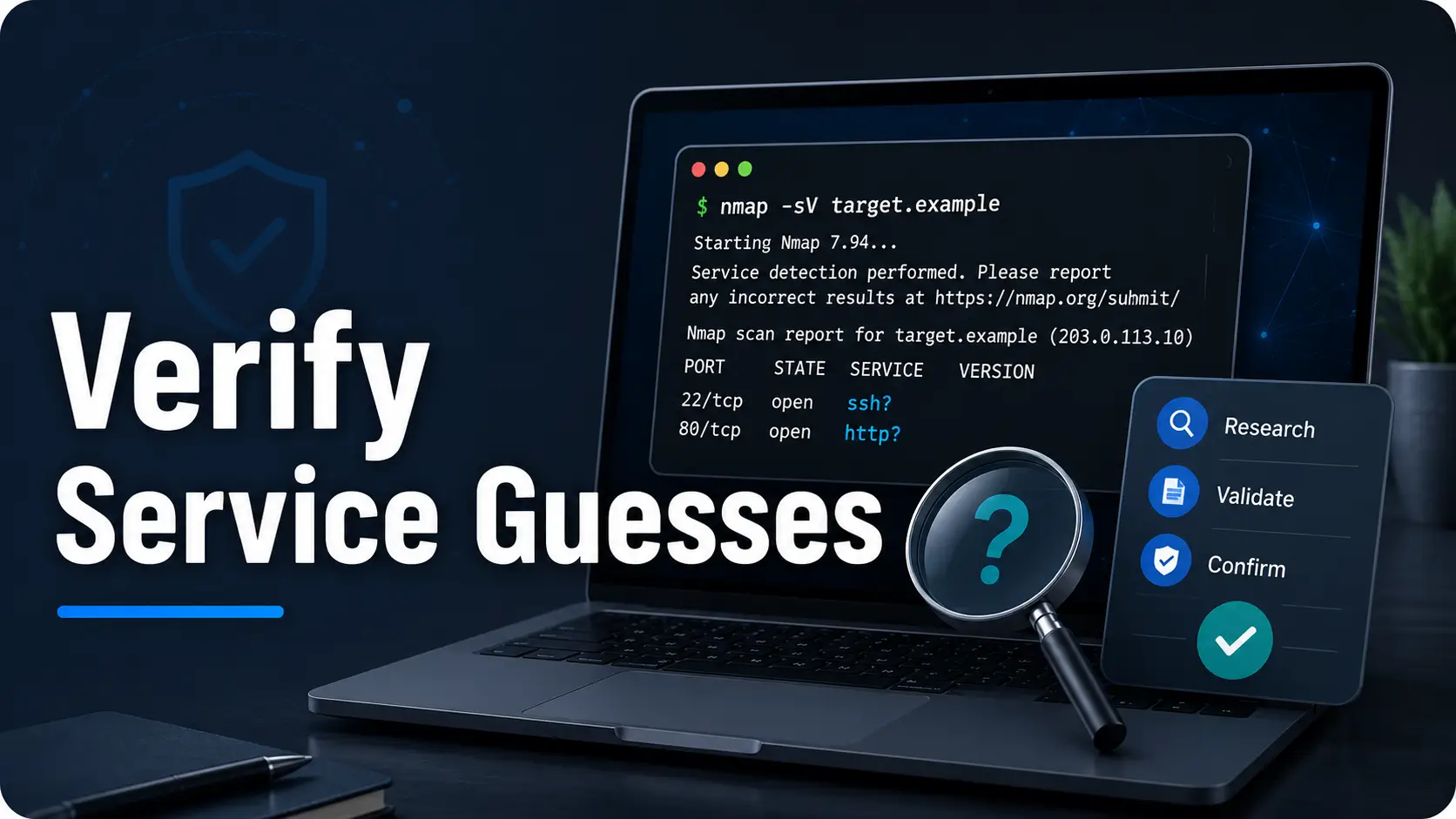
A single nmap -sV line can look crisp, official, and report-ready. That is the trap. Service detection is useful because it turns a dark hallway of open ports into labeled doors, but the labels are still clues, not courtroom evidence.
For beginner cybersecurity learners, junior IT admins, home-lab users, and entry-level SOC candidates, this difference matters. Misreading a service name can waste hours, create noisy tickets, damage trust with service owners, or turn a calm inventory check into an incident-response fog machine.
This guide teaches you how to read nmap -sV output with a cooler hand: verify banners, compare protocol clues, spot middleboxes, understand confidence signals, and write professional notes that say exactly what you know, and nothing louder.
Read scan output better
Separate service guesses from verified evidence before you write findings.
Avoid costly noise
Stop turning one uncertain line into a vulnerability claim or production panic.
Report like a pro
Use cautious language, validation steps, and clean evidence blocks.
One quiet rule saves the whole report: an -sV result is a lead until you can explain why you trust it. 🔎
Snapshot
This article is for beginners who use nmap -sV in labs, internal inventories, authorized training, or early SOC workflows. You will learn why service detection can be wrong, how to verify output without overstepping scope, and how to turn uncertain scan lines into useful, professional notes.
Table of Contents
Before You Scan: Permission Comes First
Before we talk about false positives, we need the quiet legal and operational guardrail: only scan systems you own or have clear written permission to test. A tool can be free, open source, and common in classrooms while still creating real trouble when pointed at the wrong network.
For a home lab, that usually means your own virtual machines, your own private network, or a training platform that explicitly allows scanning inside its rules. For work, it means approved scope, approved timing, and an understanding of who should receive the results.
Before You Act
This guide is educational. It can help you interpret nmap -sV output, reduce false positives, and write cleaner notes. It cannot give legal permission, replace company policy, confirm a vulnerability, or decide whether a production system should be changed.
If a scan result affects a client, customer-facing service, third-party asset, cloud-managed host, or production system, confirm scope with the right owner before retesting or reporting.
Use Scope Like a Seatbelt, Not a Decoration
Beginners often think scope is a paperwork problem. It is not. Scope is what keeps a learning exercise from becoming a policy incident with a keyboard attached.
Good scope answers simple questions: which IPs, which ports, which dates, which tools, which scan intensity, and who gets notified if something strange appears. If those answers are missing, the safest scan is the one you do not run yet.
Good Beginner Scanning Is Narrow and Documented
A clean learning workflow does not need drama. Write down the target, why you are scanning it, what command you ran, what time you ran it, and what you observed. That habit will help you later when two tools disagree, a port disappears, or an owner asks why a ticket exists.
Key takeaway:
A scan command without authorization context is not evidence. It is an orphaned footprint. Always pair technical output with scope, time, and purpose.
Why -sV Guesses, Not Certifies
nmap -sV performs service and version detection. In plain English, Nmap probes discovered open ports and compares the replies against known service patterns. That makes it powerful, but it does not make it psychic.
The official Nmap documentation explains that version detection interrogates discovered ports, uses the nmap-service-probes database, and tries to identify details such as protocol, application name, version, device type, operating system family, and CPE information when possible.
What Nmap Is Really Doing Behind the Curtain
Imagine a receptionist listening through a closed office door. They hear a greeting, a few phrases, maybe a product name, maybe a protocol-specific response. From that, they make a reasonable guess about who is inside.
That is close to what service detection does. Nmap sends probes, receives responses, and checks whether those responses match known patterns. Sometimes the answer is clear. Sometimes it is only a smudged name tag.
The Tiny Word Beginners Miss: Likely
The problem is not that beginners use Nmap. The problem is that Nmap output often looks tidier than the network really is. A line that says Apache httpd, OpenSSH, or Microsoft IIS can feel final, especially when you are new and hungry for certainty.
But the correct mental translation is usually softer: “Nmap observed a response consistent with this service.” That one sentence lowers the temperature in your notes and gives you room to verify.
A Scan Line Is a Lead, Not a Verdict
Every -sV result should start as an investigation breadcrumb. It might point to the right bakery. It might point to a cardboard sign in the window. Either way, you need to read more than the headline.
Look at the port, protocol, service name, version field, extra information, CPE, and surrounding behavior. Then compare those clues against the asset owner’s knowledge, package data, logs, headers, or application response.
The False Positive Trap: When a Service Wears a Mask
An Nmap -sV false positive happens when the tool labels a service, version, product, or device in a way that does not match what is actually running. The result may still be useful. It just should not be treated as confirmed truth.
Networks are messy. Services move to nonstandard ports. Proxies answer on behalf of applications. Load balancers hide origin servers. Vendors customize banners. Older lab machines sometimes behave like museum exhibits with Ethernet cables.
Open Port Does Not Equal Expected Service
Port numbers are helpful hints, not sacred labels. Port 22 usually suggests SSH. Port 80 usually suggests HTTP. Port 443 usually suggests HTTPS. But “usually” is where beginner reports go to get their shoelaces tied together.
A service can run on a nonstandard port because of legacy choices, vendor defaults, container mapping, temporary testing, NAT rules, or a migration that never quite ended. If the response does not match the port assumption, follow the response.
Why Port 443 Is Not Always Just HTTPS
Port 443 may involve TLS, but the service identity behind that encrypted front door can still be muddy. You might be seeing a reverse proxy, a load balancer, a web application firewall, a captive portal, a storage appliance, or a management interface that borrows web-like behavior.
That is why a beginner should separate transport, protocol, product, application, and business function. Those are different layers. Confusing them creates technical soup.
Here Is What No One Tells You
Beginners often misread the label before reading the evidence. The service name is the headline. The response details are the footnotes. In security work, the footnotes often hold the matchstick.
Key takeaway:
When port, banner, service name, and owner knowledge disagree, do not pick the clue you like best. Treat the disagreement as the thing to investigate.

Common Mistakes That Turn -sV Into Noise
False positives rarely begin with reckless intent. They usually begin with a small shortcut: copying the service name, skipping the uncertainty, and writing a finding that sounds stronger than the evidence.
Here are the mistakes that make beginner notes noisy, expensive, and hard to trust.
Mistake #1: Treating Version Output as Vulnerability Proof
A detected version is not enough to claim exposure. Backported patches, vendor rebuilds, custom packages, container images, network filtering, and compensating controls can change the practical risk.
A safer sentence is: “Nmap identified a service response consistent with X version. This requires validation before vulnerability mapping.” It is less glamorous. It is also less likely to send the team chasing a paper tiger wearing a tiny crown.
Mistake #2: Ignoring Extrainfo, CPE, and Confidence Clues
Beginners often stare at the service column and miss the supporting fields. The extrainfo field may reveal protocol behavior, hostname hints, SSL information, or device clues. CPE may help with asset matching, but it should still be verified.
Read the whole row. Then read the neighboring rows. The best clue may be one port above or below the line you first noticed.
Mistake #3: Forgetting That Middleboxes Answer Too
A load balancer, WAF, reverse proxy, printer, NAS, router, or security appliance may answer in place of the application you think you found. That does not make Nmap useless. It means the response belongs to the visible layer, not necessarily the origin service.
This is especially important in cloud and enterprise environments, where the public-facing response may be several steps away from the actual application owner.
Mistake #4: Copy-Pasting Results Into Reports Too Soon
One raw scan line is not a finding. It is a note. Reports should include evidence, uncertainty, validation status, and recommended next action. Without those pieces, ticket queues become haunted houses with fluorescent lighting.
| Beginner Shortcut | Why It Causes Noise | Safer Alternative |
|---|---|---|
| “Port 22 means SSH is confirmed.” | Port numbers can mislead when services run on nonstandard mappings. | Compare port, protocol response, banner, and owner records. |
| “Nmap says version X, so it is vulnerable.” | Patch status may not match the visible version string. | Validate package, vendor patching, exposure, and control context. |
| “The service name is enough for the report.” | The label may reflect a probe match, not full confirmation. | Include raw evidence and mark validation status. |
| “Another tool disagrees, so one must be wrong.” | Different tools use different probes and parsing logic. | Treat disagreement as a clue that needs comparison. |
For more beginner-friendly context on this exact habit, see this related guide on banner grabbing mistakes. It pairs neatly with -sV interpretation because banners are often where false confidence first sneaks in.
The Verification Ladder: Four Checks Before You Believe It
Think of validation as a ladder, not a courtroom cross-examination. You do not need to perform intrusive testing just to become more accurate. Often, the safest checks are simple comparison, documentation, and owner confirmation.
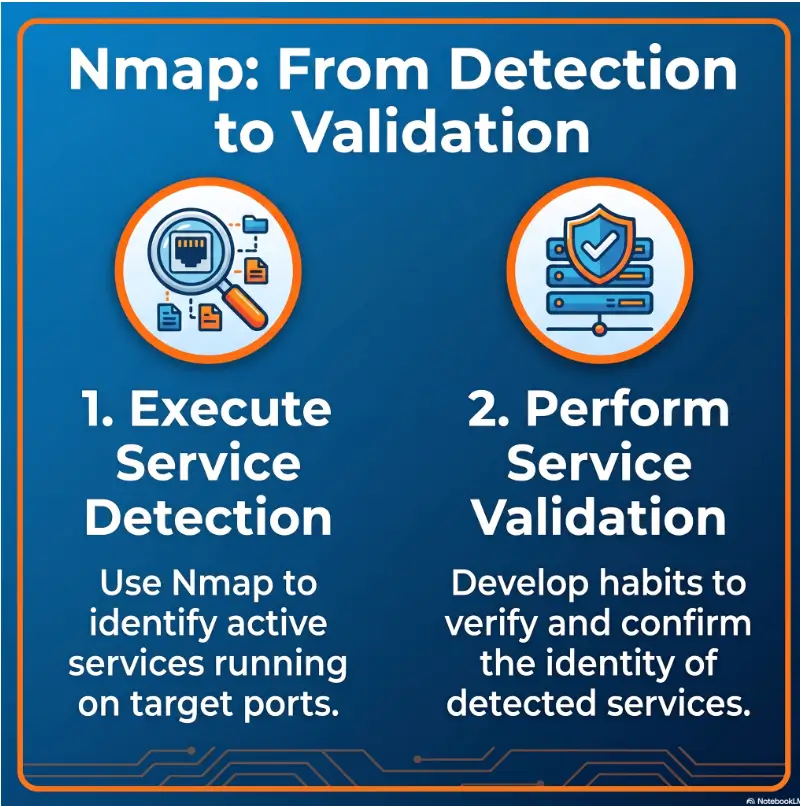
Service Validation Flow
1. Compare
Port, protocol, banner, service name, version field, and neighboring ports.
2. Retest
Repeat only inside approved scope, with narrow commands and clean notes.
3. Cross-check
Use inventory, package data, service owners, cloud tags, and deployment notes.
4. Document
Record contradictions, confidence level, and the next verification owner.
Check 1: Compare the Port, Protocol, and Banner
Start with the easiest check. Does the port make sense? Does the protocol response match the claimed service? Is the banner generic, customized, hidden, or oddly specific?
A generic banner can be a clue, but it is weak evidence. A precise banner can be useful, but it may still be outdated, customized, or exposed by a proxy. Treat banners like witness statements: valuable, but not automatically complete.
Check 2: Retest With Permission and Narrow Scope
Retesting is not a license to swing a bigger hammer. If the first result is uncertain, repeat the scan in a controlled way, against the specific asset, during an approved window, and with a note explaining why you are retesting.
A beginner may be tempted to turn on every option to “get more data.” Resist that urge. More probes can mean more noise, more alerts, and more confusion. Precision beats fireworks.
Check 3: Cross-Reference Internal Sources
In a real organization, Nmap is only one voice in the room. Compare output against the CMDB, cloud tags, package managers, service manifests, container images, endpoint inventory, deployment notes, and the service owner’s memory.
For home-lab practice, your equivalent sources are VM descriptions, installation notes, lab walkthrough boundaries, package versions, and your own recon log. A simple notebook can outperform a fancy tool when the fancy tool is left without context.
If you are training in Kioptrix-style labs, this recon log template can help you store raw results without turning every clue into a conclusion too early.
Check 4: Look for Contradictions
If Nmap says one thing, the web app says another, and the owner says a third, the contradiction is the story. Do not bury it. Write it down.
A professional note might say: “Nmap identified port 8443 as a service consistent with Apache httpd, but the application header and owner notes suggest traffic is terminating at a reverse proxy. Validate origin service before vulnerability mapping.”
Key takeaway:
Verification does not always mean deeper probing. Often it means better comparison, better notes, and asking the right owner one calm question.
The Database Problem: Old Nmap, Old Guesses
Nmap service detection depends heavily on its service-probe database. That database improves as users submit fingerprints, corrections, and new probes. If your tool is old, your guesses may be old too.
The official Nmap community contribution guidance recommends checking your Nmap version and comparing it with the current official release because some detection issues may already have been corrected in newer versions.
Why Your Tool Version Matters
Many beginner environments use the Nmap version that came with a Linux distribution, training VM, or old lab image. That version may be perfectly fine for learning the basics, but less reliable for current service recognition.
Before escalating a confusing detection result, check your tool version. The simple habit of running nmap -V and comparing it with the official release page can save you from chasing a stale match pattern.
When the Lab VM Lies to You
Older labs are wonderful teachers because they preserve vulnerable behavior in a safe container. But they can also produce odd banners, legacy protocol responses, and service names that feel strange to modern eyes.
That does not mean the lab is bad. It means the lab is a fossil with blinking lights. Treat it as a training artifact, not a universal map of today’s production networks.
Update Before You Escalate
When you are allowed to do so, update Nmap before claiming that Nmap is wrong. If you cannot update because you are using a controlled lab, write that limitation into your notes.
A good note might read: “Result observed using Nmap version X in a legacy training VM. Service label should be treated as lab-context evidence, not production-grade confirmation.”
| Situation | Risk of Misread | What to Do |
|---|---|---|
| Old Kali VM or archived lab image | Outdated probe database or old defaults | Check nmap -V and note tool age. |
| Corporate approved scanner image | Tool may be pinned by policy | Do not self-update. Ask the tool owner. |
| Home lab on a current machine | Lower, but still possible | Compare against official Nmap release page. |
| Conflicting tool results | Moderate to high | Compare probes, banners, timing, and asset records. |
False Positive vs False Negative: Know Which Error You Are Holding
Beginners often use “false positive” as a general term for “the tool confused me.” It is better to be more precise. Different errors create different risks, and they should be written differently in your notes.
False Positive: Nmap Names Something That Is Not Really There
A false positive may mean Nmap guessed the wrong product, wrong version, wrong device type, or wrong service family. It may also mean a proxy or middlebox returned a response that looked like the service you expected to see.
False positives waste attention. They can create unnecessary tickets, patch requests, customer concern, or vendor questions. The fix is better evidence and calmer wording.
False Negative: Nmap Misses or Understates the Service
A false negative means something important may be present but not detected. Filtered ports, silent services, rate limiting, authentication gates, unusual protocols, firewall behavior, and timing can all reduce visibility.
False negatives are quiet. That is what makes them dangerous. They do not flood a ticket queue. They leave an exposure sitting in the corner with excellent posture.
The Reporting Difference
For a possible false positive, your note should focus on validation before action. For a possible false negative, your note should focus on visibility limits and what additional authorized evidence may be needed.
| Error Type | What It Means | Main Risk | Better Reporting Language |
|---|---|---|---|
| False positive | Tool names a service or version incorrectly. | Wasted effort and inflated findings. | “Identified as X by Nmap; validation required.” |
| False negative | Tool misses or understates a real service. | Hidden exposure or incomplete inventory. | “No service confirmed by this scan; visibility may be limited.” |
| Ambiguous result | Evidence points in different directions. | Wrong owner, wrong fix, wrong severity. | “Observed evidence is inconsistent; compare owner records.” |
Beginner-Friendly Reporting Language That Sounds Professional
The fastest way to sound more professional is not to use fancier words. It is to use more accurate words. Security writing earns trust by showing what was observed, what remains uncertain, and what should happen next.
This is where many beginners level up. They stop writing as if the tool is a judge and start writing as if the tool is a witness.
Use “Identified As,” Not “Confirmed As”
When the only evidence is -sV output, avoid “confirmed.” Use phrases like “identified as,” “reported by Nmap as,” “consistent with,” or “requires validation.” These phrases are not weak. They are precise.
Use “Requires Validation,” Not “Critical Vulnerability”
A version string alone does not give you business impact, exploitability, exposure, patch status, or control context. Severity needs more than a label. If you cannot explain impact yet, do not inflate it.
If you are building a lab portfolio, this matters even more. Hiring managers and senior analysts often prefer cautious evidence over dramatic certainty. See this related guide on Kioptrix report writing tips if you want to turn lab notes into cleaner portfolio material.
Use Evidence Blocks, Not Drama Blocks
A useful evidence block should tell the reader what you scanned, what you saw, why it may matter, what you do not know yet, and who should validate it. No thunder machine required.
Copy-Friendly Evidence Block Template
- Target: authorized hostname, IP, or lab machine name.
- Command context: tool version, time, and approved scope.
- Observed output: port, protocol, service label, version, and extra details.
- Supporting evidence: banner, header, owner note, package data, or related tool output.
- Uncertainty: what may be wrong, missing, proxied, or stale.
- Next step: who should validate and what they should check.
Bad, Better, Best: Report Wording
| Quality | Example Wording | Why It Works or Fails |
|---|---|---|
| Bad | “Server is running vulnerable Apache.” | Overclaims service identity, version risk, and vulnerability status. |
| Better | “Nmap identified port 80 as Apache httpd.” | More accurate, but still missing validation status and evidence. |
| Best | “Nmap identified port 80 as a response consistent with Apache httpd. Validate with server owner and package data before vulnerability mapping.” | Clear, cautious, useful, and action-oriented. |
Key takeaway:
Professional reporting is not louder. It is better labeled. Say what was observed, name the uncertainty, and point to the next validation step.
Free Tools, Paid Tools, and When Help Is Worth It
For many learners, Nmap is enough. It is free, widely respected, and excellent for understanding network basics. But in professional settings, nmap -sV usually sits inside a larger workflow: inventory, vulnerability management, ticketing, documentation, and owner review.
This is where commercial intent enters naturally. You do not need to buy a tool because one scan line confused you. But you may need better process, better evidence storage, or professional help when the decision affects production, compliance, customers, or budget.
Free Is Enough When You Are Learning Interpretation
If you are in a home lab, entry-level course, or personal practice routine, free tools and careful notes are usually enough. Your goal is not to buy certainty. Your goal is to learn how certainty is built.
A free setup might include Nmap, a text editor, screenshots, browser developer tools, packet capture basics, and a simple folder naming system. For lab learners, this guide on Nmap vs RustScan for Kioptrix practice can help you understand where fast discovery ends and careful interpretation begins.
Paid Tools Help When Teams Need Repeatable Evidence
In a workplace, the cost is not only the scanner. The real cost is analyst time, false-positive cleanup, bad tickets, missed owners, and rushed severity calls. A paid vulnerability management platform may be useful when it improves tracking, asset context, reporting workflow, and accountability.
Still, a paid platform cannot remove the need for judgment. A shiny dashboard can mislead just as confidently as a terminal window. The question is not “Which tool has the most alerts?” The better question is “Which workflow helps us verify what matters?”
When to Ask a Senior Analyst, Service Owner, or Consultant
Ask for help before acting when the result affects production, a customer-facing system, a compliance deadline, a third-party asset, or an expensive remediation decision. The cost of a five-minute clarification is usually lower than the cost of a bad change.
For small businesses, local IT providers, managed security services, or external consultants may be worth considering when scanning output feeds into cyber insurance, compliance questionnaires, vendor reviews, or customer security requests. Compare experience, scope clarity, reporting quality, and how they handle uncertain findings before paying.
| Option | Best For | Budget Impact | Watch Out For |
|---|---|---|---|
| Free DIY workflow | Home labs, beginner training, internal learning. | Low cost, more time required. | Poor notes can make results hard to trust later. |
| Documented internal process | Junior admins and SOC teams validating known assets. | Moderate time cost, low tool cost. | Needs owner buy-in and repeatable templates. |
| Paid vulnerability platform | Teams managing many assets, tickets, and recurring scans. | Higher subscription or service cost. | Dashboards still need human validation. |
| Professional assessment | Production risk, compliance pressure, customer-facing systems. | Higher project cost. | Scope must be clear before testing begins. |
Key takeaway:
Do not buy a tool to avoid thinking. Use tools to improve repeatability, context, documentation, and owner accountability.
Show me the nerdy details
Nmap service detection uses probe definitions and match expressions. Different probes may be sent depending on protocol, port, and version intensity. A response may match a known pattern, partially match a family of services, or fail to match cleanly.
That means two things for beginners. First, a result can improve when the probe database improves. Second, a result can become ambiguous when a service returns a customized banner, speaks only after authentication, sits behind TLS termination, or behaves differently under timing pressure.
The useful habit is to preserve raw output. Do not only copy the final service label. Save the command, Nmap version, target, port, full service line, timing context, and any contradictory evidence.
Real-world example: The Service Label That Was Really a Proxy
A junior admin scans an internal host during an approved inventory window. Nmap reports a web service that looks like a familiar server product on port 8443. The first instinct is to map the visible version to known vulnerabilities and open a patch ticket.
Instead, the admin checks the banner, the TLS certificate, the application response, and the CMDB record. The host is not the origin application. It is a reverse proxy owned by a platform team. The origin service runs elsewhere, and the visible banner is a generic response from the proxy tier.
The final note is calmer and more useful: “Nmap identified the visible endpoint as a web service consistent with X. Evidence suggests proxy termination. Confirm backend service and patch ownership with platform team.” No false vulnerability claim, no wrong owner ticket, no afternoon lost in the fog.

FAQ
What does nmap -sV actually do?
It performs service and version detection by probing open ports and matching replies against known service patterns. It tries to identify protocol, application name, version, device type, and related details when possible.
Can nmap -sV be wrong?
Yes. It can misidentify services, versions, devices, or proxy responses, especially when banners are customized, outdated, hidden, filtered, or intentionally misleading.
Is an Nmap version result enough to report a vulnerability?
No. Treat the result as a lead. Validate with approved evidence before making a vulnerability claim, assigning severity, or asking another team to patch.
Why does Nmap show a service on the wrong port?
Services can run on nonstandard ports, and middleboxes may answer in ways that confuse simple assumptions. Port numbers are clues, not final proof.
Should beginners use aggressive scan options right away?
No. Start with authorized, narrow, documented scanning. More aggressive options can increase noise, trigger alerts, take longer, or affect fragile systems.
Why does my Nmap result differ from another tool?
Different tools use different probes, timing, databases, parsing rules, and assumptions. Disagreement is a signal to compare evidence, not pick a favorite tool by mood.
What should I write in a report if I am unsure?
Use cautious wording such as “Nmap identified this as,” “observed evidence suggests,” and “requires validation.” Then list the next verification step.
How do I reduce false positives in my workflow?
Update Nmap when appropriate, scan only in authorized scope, read the full service output, compare with internal records, preserve raw evidence, and confirm with the service owner before escalating.
Build a 10-Minute Validation Habit
The best beginner habit is small enough to repeat. Do not try to become a master service detective in one sitting. Build a 10-minute validation routine that you use every time nmap -sV gives you a result worth writing down.
Here is the simple version: save the raw output, check the port and banner, look for extra information, compare one independent source, and write one uncertainty sentence. That is it. Five small steps, one calmer brain.
15-Minute Action Plan
- Pick one authorized lab host or internal asset you are allowed to review.
- Run or review your existing nmap -sV output.
- Copy the raw service line into a note without rewriting it.
- Add one sentence that begins: “This result may be uncertain because…”
- Add one next owner or source that could validate it.
If you want to turn this into a repeatable study or portfolio workflow, pair it with a clean technical write-up structure. The goal is not to sound like you know everything. The goal is to show that you know where evidence ends and judgment begins.
Never paste an -sV result into a finding until you can explain why you trust it. That one rule will keep your reports cleaner, your tickets kinder, and your future self grateful when the network gets weird at 4:47 p.m.
Last reviewed: 2026-07