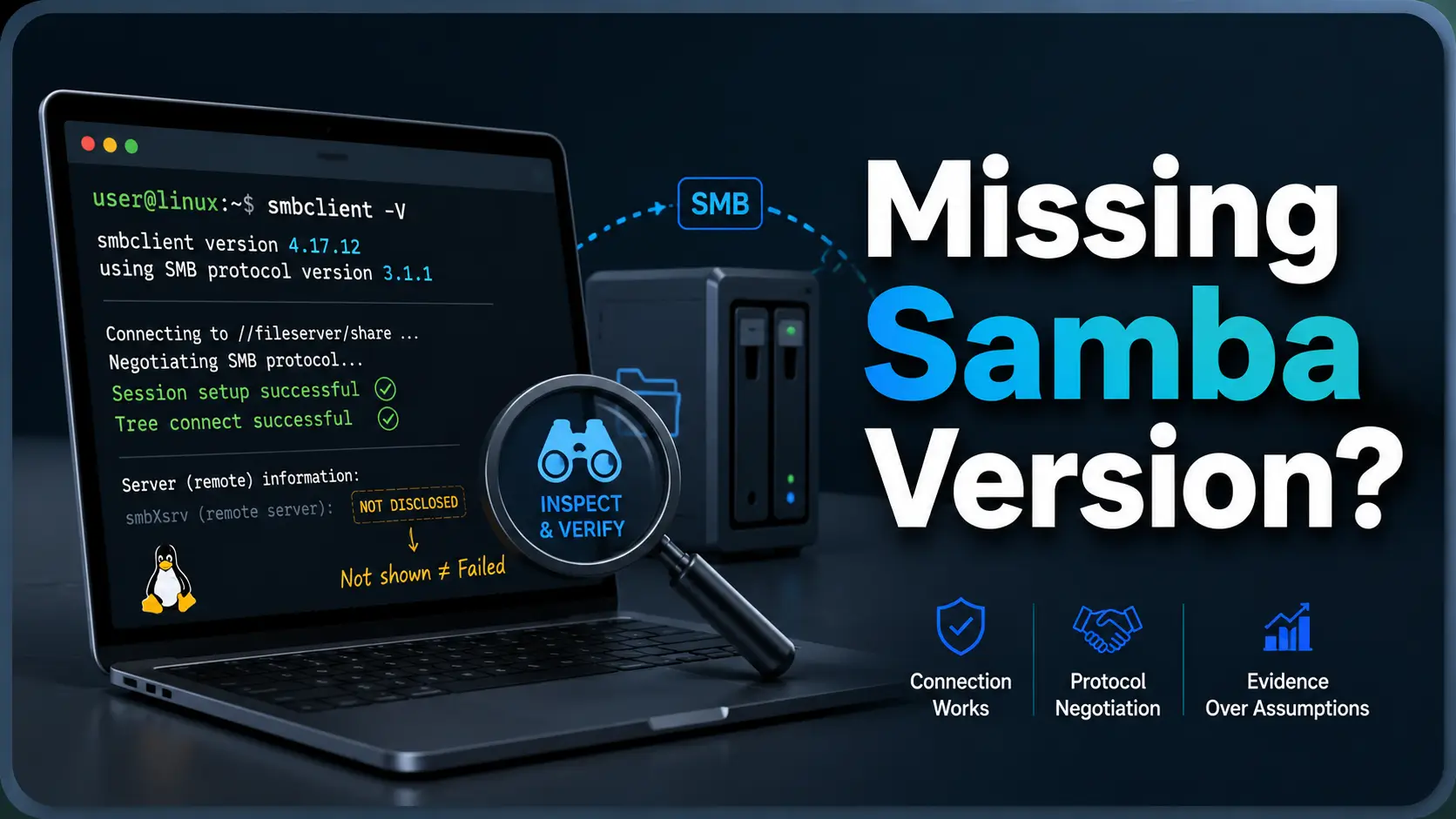
Open the practical working record to connect this guide to your scope, evidence and next decision.
Treat an absent banner as an unknown field
An SMB endpoint need not be Samba, and a missing version string is not itself a failed connection or proof of a patched server. Preserve negotiation and operation results separately. Where authorized, corroborate remote package and patch state through administrative evidence rather than inferring it from the client version. Reference and scope.
Linux SMB troubleshooting guide
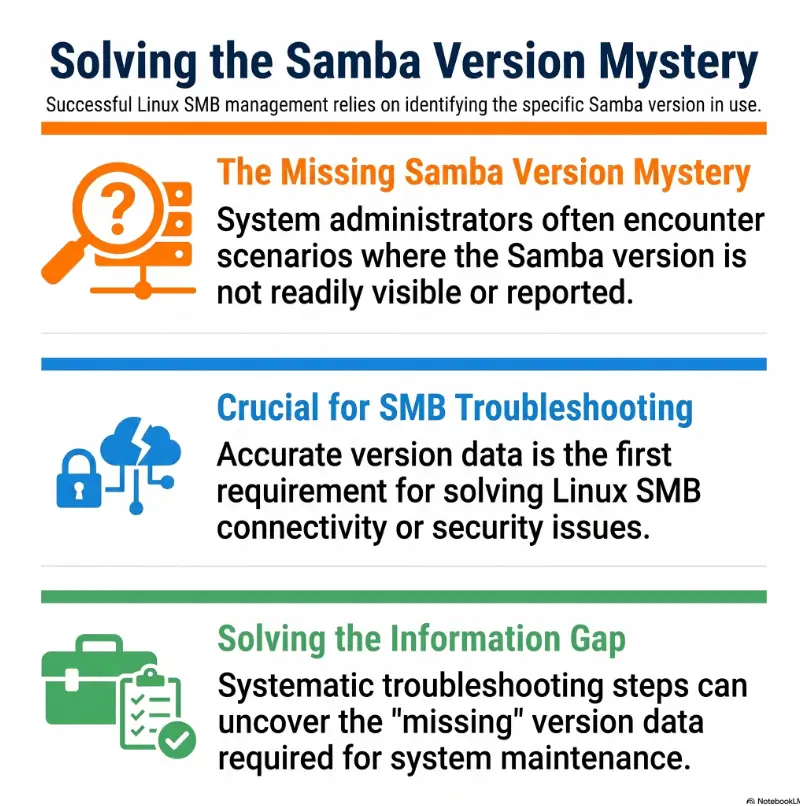
SMBClient Can’t Show Samba Version? The Missing Number Is Usually Not the Failure
Do not confuse the local client version, a server banner and a verified remote package build.
The important distinction is simple: an SMB protocol version is not a Samba software version. Modern SMB negotiation is designed to agree on capabilities, protection, and message behavior. It is not obliged to hand the client a product label and release number.
This guide shows what smbclient -V really reports, how to capture useful negotiation evidence, why forcing SMB1 is usually the wrong bargain, and which verification method fits an administrator, NAS owner, support technician, or authorized lab user.
Separate the versions
Tell local package, negotiated dialect, and remote product release apart.
Capture clean evidence
Use a controlled debug-level-3 test without spilling passwords into history.
Choose the right next step
Know when network evidence is enough and when server inventory is required.
The useful question is not “Where did the banner go?” It is “Which fact do I actually need to prove?” 🔎
Snapshot
This article is for Linux administrators, NAS owners, IT support teams, and authorized homelab users who can connect to an SMB service but cannot confirm its Samba release. By the end, you will be able to distinguish three different version signals, collect a safe negotiation log, and decide whether remote inspection or server-side inventory is the correct path.
Table of Contents
Before You Act: Keep the Test Authorized and Reversible
This guide explains defensive troubleshooting and version verification on systems you own, administer, or have explicit permission to test. A normal smbclient connection is often low impact, but repeated authentication attempts, aggressive scanning, legacy-protocol changes, and verbose logging can create operational or security problems.
Do not change production protocol settings merely to satisfy a fingerprinting script. Record the current behavior first, test one variable at a time, and keep rollback information nearby. If the target handles sensitive files, regulated data, or business-critical workloads, coordinate with the responsible administrator before changing server or client policy.
Before you run a diagnostic
- Confirm that you are authorized to connect to the target.
- Use one known account rather than cycling through credentials.
- Avoid placing passwords directly in the command line.
- Store debug logs with restrictive file permissions.
- Do not enable SMB1 globally for a one-off identity check.
This article cannot prove that a remote host is patched or safe from network evidence alone. For vulnerability management, confirm the vendor build, operating-system package, firmware release, and applicable security advisory with the system owner.
The Missing Number Is Not a Failed Connection
What smbclient -V actually prints
Run the following command without a server name:
smbclient -VThe result is the version of the smbclient program installed on your local Linux machine. It answers, “Which client build am I running?” It does not open a session with the remote server, send a version query, or inspect the server’s Samba package.
This distinction matters when troubleshooting from Kali Linux, Ubuntu, Debian, Fedora, a recovery image, or a support workstation. Two technicians can target the same NAS and see different local version strings because their own packages differ.
A successful login does not prove the server is Samba
smbclient speaks the SMB protocol. The other endpoint could be Samba on Linux, a Windows file server, a storage appliance, a router with USB sharing, a cloud gateway, a container, or proprietary firmware with an SMB-compatible service.
Think of SMB as the language of the conversation, not the manufacturer’s badge on the door. A server that negotiates SMB 3.1.1 has demonstrated protocol support. It has not announced “I am Samba 4.22” or “I am Windows Server release X.”
Separate identification, authentication, and connectivity
| Question | Evidence that answers it | Typical failure |
|---|---|---|
| Can I reach the SMB service? | TCP connection, protocol negotiation, timeout behavior | Routing, firewall, port, or name-resolution error |
| Can this account authenticate? | Session setup result and authentication status | Wrong credentials, domain context, clock, or policy |
| Can the account access this share? | Tree connect and directory operation | Share permission, filesystem permission, or wrong share name |
| What exact software build runs remotely? | Server inventory, package database, firmware panel, or provider record | Insufficient administrative visibility |
A blank remote version field belongs to the fourth question. It should not be treated as proof that the first three failed. If your problem is actually an access error, compare the status with the separate guides to listing SMB shares without usable access and diagnosing an SMB tree-connect failure.
Key takeaway
A working SMB connection and an unknown remote product release can coexist. Treat the missing version as an inventory question until other evidence shows a connection problem.
Illustrative example: The blank banner that was not the outage
A support technician could list a department share by hostname, but an inventory script returned an empty Samba version. The empty field was reported as “SMB detection failed,” and the ticket was sent to the network team.
A manual check showed that negotiation completed, the account authenticated, and the directory listing worked. The script had interpreted a missing product banner as a failed connection.
The server turned out to be a storage appliance whose management interface reported firmware rather than a standalone Samba package. The useful version existed, just not inside the network response the script expected.
The lesson was operational, not exotic: define the fact you need before choosing the tool. A protocol client can confirm protocol behavior. Reliable patch inventory usually requires administrative or vendor visibility.
Read Three Different “Versions” Without Mixing Them Up
1. Local client version
This is the output of smbclient -V. It identifies the client binary and is valuable for reproducing behavior, checking feature support, and comparing two troubleshooting workstations.
Record it in every clean support log. A connection that behaves differently after a package update may be a client-side change, even when the remote server stayed untouched.
2. Negotiated protocol dialect
The client offers supported dialects and the server selects a mutually supported option. Examples include SMB 2.0.2, SMB 2.1, SMB 3.0, SMB 3.0.2, and SMB 3.1.1.
The dialect describes the protocol rules used for that connection. It can influence signing, encryption, negotiate contexts, message sizes, leasing, multichannel behavior, and other features. It still does not map cleanly to one Samba release.
3. Remote product version
This is the exact software or firmware identity you may need for patch management: a Samba package build, Windows edition and build, NAS firmware version, appliance release, or container image digest.
It is the hardest of the three to prove remotely because multiple products can implement the same dialect. Vendors may also backport security fixes without changing the upstream-looking version in the way a scanner expects.
| Signal | What it proves | What it does not prove |
|---|---|---|
smbclient -V | Your local client build | The remote server release |
| SMB 3.1.1 negotiated | The connection selected that dialect | A specific Samba or Windows version |
| Server GUID observed | A server-supplied identity value for correlation | Cryptographically trusted host identity or product release |
| Share listing succeeds | The account can perform that operation | Full access to every share or file |
| Server package inventory | The installed vendor package or build | That every configuration and mitigation is correct |
Key takeaway
“SMB3” is a protocol-family answer. “Samba 4.x” is a software-family answer. They belong in different columns of your notes.
What Modern SMB Negotiation Actually Reveals
Useful fields in an SMB2 or SMB3 negotiation
A modern negotiate response focuses on how the connection will operate. Depending on the dialect and implementation, the exchange can reveal or support analysis of the following:
- The selected SMB dialect revision
- Whether signing is enabled or required
- A server-supplied GUID for correlation
- Maximum transaction, read, and write sizes
- Capabilities such as DFS, leasing, multi-credit operations, multichannel, persistent handles, or encryption
- SMB 3.1.1 negotiate contexts and supported cryptographic options
These details often matter more to an administrator than a decorative banner. They help answer whether a client can meet a security policy, whether an older application is negotiating the intended dialect, and whether a feature mismatch explains a connection problem.
The server GUID is a clue, not a certificate
A server GUID can help correlate repeated observations or notice that two names appear to reach the same SMB endpoint. It should not be treated as a secure proof of server identity.
Use DNS, Kerberos, certificates where applicable, signed inventory, configuration management, and authenticated administration for stronger identity assurance. A GUID in a packet capture is useful evidence, but it is not a substitute for trust validation.
Capabilities often matter more than the logo
Suppose a backup job requires encryption, a domain policy requires signing, or a high-throughput workload expects multichannel. Knowing the exact Samba release may help later, but the immediate operational question is whether the active connection meets the requirement.
For a focused signing review, use the separate SMB signing check guide. For cases where an automated tool prints a suspiciously precise operating-system result, compare the evidence with the guide to misleading SMB operating-system fingerprints.
Show me the nerdy details
In an SMB2 NEGOTIATE response, the selected dialect is represented by a dialect revision value. The response also carries security-mode information, a server GUID, capability flags, and size limits.
For SMB 3.1.1, negotiate contexts can describe options such as preauthentication integrity and encryption capabilities. The exchange is built to establish interoperable connection behavior. A universal Samba product-release field is not part of that core promise.
This is why packet analysis can support an implementation estimate without justifying an exact release claim. Record the observed fields, the inference they support, and the remaining uncertainty separately.
SMB evidence flow
Move from observation to confirmation
1. Local
Record smbclient -V and the client host.
2. Negotiated
Capture dialect, signing behavior, capabilities, and status.
3. Authorized access
Confirm the intended account can reach the intended share.
4. Authoritative
Use package, firmware, image, or provider inventory for the exact release.
A Three-Test Workflow That Produces Useful Evidence
Test 1: Record the local client build
smbclient -VAdd the distribution, package source, and test time to your notes. If the command is running inside a container, recovery environment, or purpose-built security distribution, record that too.
This prevents a common support-loop problem: one person reproduces the issue with a newer client and assumes the result must match an older workstation.
Test 2: Capture one debug-level-3 negotiation
Use a hostname and account you are authorized to test. Let the client prompt for the password rather than embedding it after -U.
umask 077
smbclient -L fileserver.example -U 'EXAMPLE\alice' -d 3 2>&1 | tee smbclient-negotiation.log
Debug level 3 is usually a practical starting point for investigation. Higher levels can produce a large amount of cryptic output and may expose more environmental detail than you need.
Search the saved log for negotiation, protocol, signing, session setup, and final status clues. Exact wording varies by client build, so avoid writing a brittle script that depends on one decorative line.
Test 3: Verify one permitted share operation
Share enumeration and share access are different operations. A server may hide its share list while still allowing a user to connect directly to a known share.
smbclient //fileserver.example/shared -U 'EXAMPLE\alice' -d 3After the password prompt and connection succeed, enter ls at the smb: prompt, then quit. This interactive form avoids the password-prompt suppression implied by -c on clients documented that way. A successful directory listing confirms more than an open TCP port. It shows that negotiation, authentication, tree connection, and the requested read operation reached a usable state for that account and path.
Compare hostname and address without changing five things at once
If the hostname test fails, repeat the same authorized operation while controlling how the address is selected. Keep the account, share, client, and debug level unchanged.
smbclient -L fileserver -I 192.0.2.25 -U 'EXAMPLE\alice' -d 3The address above is documentation-only. Replace it with the authorized server address in your environment. A difference between hostname and address tests may point toward DNS, NetBIOS naming, Kerberos expectations, virtual hosting, or a load-balanced endpoint rather than a Samba version problem.
Evidence to write down
- Local
smbclientversion - Target hostname and resolved address
- Authentication context used
- Negotiated dialect or closest available evidence
- Signing or encryption observations
- Share-list result, direct-share result, and final status
- Whether the result changed by hostname versus controlled address
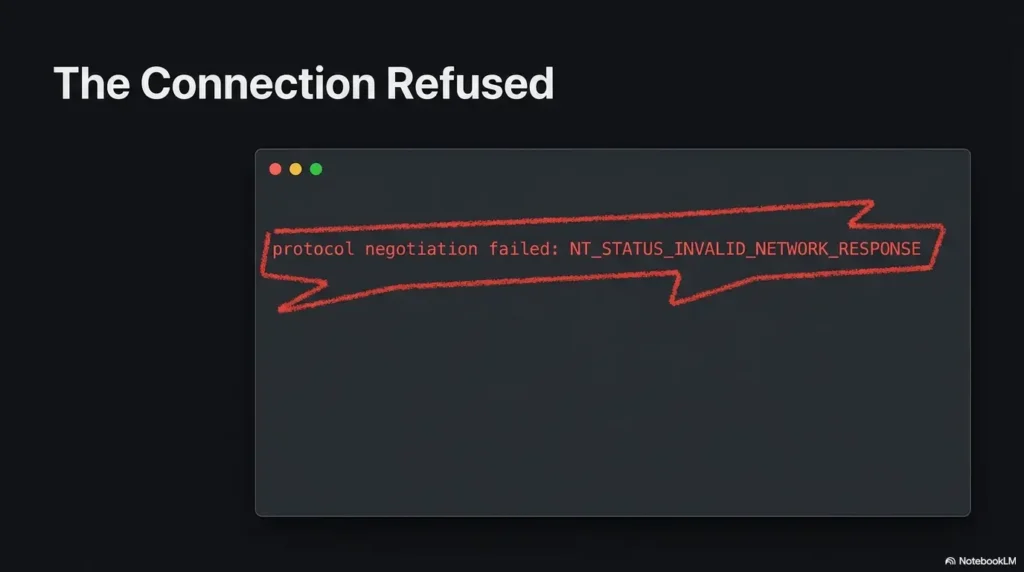
If negotiation itself fails on an older lab image or appliance, use the focused SMB negotiation failure checklist for Kali Linux before changing protocol minimums globally.
Key takeaway
One controlled test with a known account is worth more than ten scanner outputs collected with different flags, names, and authentication states.
Do Not Force SMB1 Just to Recover a Banner
Why legacy negotiation can look more talkative
Older SMB1 exchanges may expose legacy identity strings that are absent from modern SMB2 and SMB3 negotiation. This can make SMB1 seem attractive when a scanner wants a product banner.
The information is not guaranteed to be accurate. It may be generic, suppressed, altered by an appliance, or unrelated to the package build you need for patch verification.
-m NT1 is not a harmless discovery switch
The -m option sets the highest protocol the client is willing to use. Setting it to NT1 limits the connection to SMB1. That is a protocol-policy change for the test, not a remote Samba-version query.
Do not add SMB1 to a global client or server configuration merely because one command returned less identity text than expected. You may weaken future connections, create compatibility debt, or mask the actual inventory gap.
The controlled-lab exception
An isolated legacy training machine may genuinely require SMB1. In that case, keep the exception scoped to the authorized lab, document why it exists, avoid bridging the lab into trusted networks, and remove the exception when the exercise is complete.
For a home practice environment, review the safe hacking lab setup guide before introducing intentionally outdated services.
| Approach | What you gain | Main drawback | Best fit |
|---|---|---|---|
| Stay with automatic SMB2/SMB3 negotiation | Realistic connection behavior and safer defaults | May not reveal a product banner | Production troubleshooting |
| Use a one-command lab-only SMB1 limit | Compatibility with an authorized legacy target | Older security model and weak identification confidence | Isolated legacy training |
| Enable SMB1 globally | Broad compatibility with obsolete systems | Expands risk and future maintenance burden | Rare, formally approved legacy exception |
| Use server-side inventory | Authoritative package or firmware information | Requires administrative access | Patch and vulnerability management |
Mistakes That Turn Fingerprinting Into Troubleshooting Debt
Mistake 1: Treating smbclient -V as a remote query
The command does not contain a target, so it cannot describe the target. Label its output “local client version” in scripts, screenshots, and reports.
Mistake 2: Translating a dialect into a release number
SMB 3.1.1 does not equal a particular Samba 4.x release. It also does not prove a particular Windows build. Multiple implementations can support the same protocol revision.
Mistake 3: Jumping straight to debug level 10
More output is not automatically better evidence. Begin around level 3, preserve the first clean reproduction, and increase verbosity only when a specific unanswered question justifies it.
Mistake 4: Putting a password in shell history
A command such as -U user%password may expose the secret through history, process inspection, terminal recording, support transcripts, or copied screenshots. Prefer an interactive prompt, Kerberos credentials where appropriate, or a tightly permissioned authentication file.
For a broader cleanup, use the guide to Bash and Zsh history leaks. Sanitizing the final log does not undo a credential that was already written elsewhere.
Mistake 5: Changing the server before reproducing the client result
If you change minimum protocols, signing requirements, name resolution, authentication policy, and firewall rules before saving a baseline, you lose the original evidence. Small mysteries then become long evenings.
Stop and reset the test when
- You have changed more than one connection variable.
- You no longer know which account produced the log.
- The log contains passwords, hashes, tickets, tokens, or confidential paths.
- An unauthenticated scan is being treated as confirmed inventory.
- A production protocol change was proposed solely to expose a banner.
Banner errors are not unique to SMB. The same evidence discipline applies to Nmap service-detection false positives and other tools that convert network behavior into a convenient label.
When the Exact Samba Version Really Matters
Patch and vulnerability management
An exact version matters when you must determine whether a security fix is installed, whether a package is supported, or whether an exception needs remediation. Remote dialect evidence is not sufficient for this decision.
Confirm the operating-system package, vendor revision, build metadata, and advisory status. A vendor may backport a fix into an older-looking package version, so comparing only the upstream version number can produce a false positive.
NAS units and storage appliances
On an appliance, the useful support unit is often the complete firmware release rather than the embedded Samba component. The vendor may test, patch, and support the SMB service only as part of that firmware bundle.
Check the administration dashboard, support bundle, firmware inventory, and vendor release information. Do not replace appliance firmware logic with assumptions based on a network banner.
Containers and managed services
For a containerized Samba service, inspect the running image, image digest, package inventory inside the container, and deployment record. Checking the host operating system alone may tell you nothing about the service image.
For a managed file service, the provider may not disclose an upstream package release. Ask for the supported SMB dialects, security controls, maintenance status, applicable attestations, and the provider’s vulnerability-response commitment instead.
Use confidence labels in reports
| Confidence label | Acceptable basis | Example wording |
|---|---|---|
| Confirmed | Authenticated package, firmware, image, or administrative inventory | “The server package inventory reports Samba version X.” |
| Vendor-reported | Provider dashboard, support response, or official appliance record | “The appliance vendor reports firmware release X.” |
| Inferred | Protocol behavior, banner, scanner result, or feature correlation | “Network evidence is consistent with an SMB3-capable implementation.” |
| Unknown | Insufficient authoritative evidence | “The exact remote product release was not confirmed.” |
Key takeaway
An honest “unknown” is more useful than an exact-looking release number produced by weak evidence.
Safer Ways to Verify the Remote Version
Use an authorized server session
When you administer the server, the direct check is straightforward:
smbd --versionPair that output with the operating-system package database. The command identifies the Samba program build, while the package record can reveal the vendor revision that matters for backported fixes.
Check the management plane, not only the data plane
The SMB connection is the data-plane path used to access shares. Version truth often lives in the management plane: endpoint inventory, package management, configuration management, container orchestration, NAS administration, or provider support.
This split explains why a perfectly healthy file-sharing session may contain no release number. The protocol carries what the client and server need to exchange files safely and efficiently. Operational inventory is a different system.
Good, better, and best verification options
| Level | Method | Cost profile | Use it when | Limitation |
|---|---|---|---|---|
| Good | Free client logs and one authorized share test | No software purchase | You need dialect, status, and connection evidence | Usually cannot confirm the exact remote release |
| Better | Packet review plus authenticated asset inventory | Staff time or existing management tools | You support several servers and need repeatable evidence | Quality depends on inventory freshness |
| Best | Server package, firmware, image, or provider confirmation tied to advisories | Administrative access or support plan may be required | You are making patch, compliance, or risk decisions | Requires coordination with the system owner |
The free command-line path is enough when your real question is “Can this client negotiate and access the share?” A paid inventory platform, appliance support plan, or professional assessment becomes more valuable when you must track many assets, prove remediation, or maintain auditable records.
What to ask before buying a scanner or inventory service
- Does the tool use authenticated inventory or only remote fingerprinting?
- Can it distinguish protocol dialect from product release?
- How does it handle vendor backports and appliance firmware?
- Does it show the evidence behind each identification?
- Can results be labeled confirmed, inferred, or unknown?
- How are stored credentials, captures, and debug logs protected?
- Will it identify containers and managed services separately from hosts?
- Can you export an audit trail without exposing secrets?
FAQ: SMBClient and Missing Samba Version Information
Does smbclient -V show the remote Samba server version?
No. It prints the version of the local smbclient program. It does not contact a remote host.
Can smbclient prove whether the server is Samba or Windows?
Not reliably in every case. Banners, authentication behavior, capabilities, names, and implementation quirks may support an inference, but several products can present similar SMB behavior. Use authoritative server or vendor inventory for confirmation.
Why does the debug output show SMB3 but no Samba release?
Because SMB3 describes the negotiated protocol family. The negotiate response communicates connection behavior and capabilities, not a mandatory Samba release string.
Does a missing server version mean the connection is insecure?
No. Missing product text is not itself a security finding. Review the selected dialect, signing policy, encryption requirements, authentication method, server configuration, and patch inventory separately.
Can I determine the exact version without administrator access?
Sometimes a vendor dashboard, support channel, exposed banner, or authorized inventory API provides it. Otherwise, remote fingerprinting should be reported as an estimate rather than a confirmed release.
Should I enable SMB1 temporarily to reveal more information?
Usually not. Do not weaken a production configuration for banner recovery. An isolated, authorized legacy lab may require a narrowly scoped exception, but that is a compatibility decision rather than a trustworthy version-verification method.
What debug level should I use with smbclient?
Level 3 is a sensible starting point for troubleshooting. Increase it only when you know which missing detail you are seeking and can protect the additional log data.
What should I remove before sharing an SMB debug log?
Remove or mask usernames, domains, internal hostnames, private addresses when appropriate, share names, file paths, tokens, hashes, tickets, session identifiers, customer information, and any secret accidentally included in a command or environment variable.
Capture One Clean Negotiation Log in 15 Minutes
Do not begin by hunting for a more aggressive fingerprinting command. Begin by creating one small evidence bundle that another administrator can understand without guessing.
- Run
smbclient -Vand label the result as the local client version. - Set a restrictive
umaskand capture one authorized debug-level-3 connection. - Test a known share with the same hostname, account, and client.
- Record the negotiated dialect, final status, and whether the operation succeeded.
- Sanitize the log before moving it into a ticket or chat system.
- Choose the branch that matches the evidence: inventory request, credential repair, name-resolution check, share-permission review, or protocol-policy review.
Your 15-minute finish line
You do not need an exact Samba release to prove that negotiation and share access work. You do need authoritative inventory before making a patch or vulnerability claim. Keep those two goals separate, and the missing banner stops being a foggy mystery.
The quiet win is not forcing the server to reveal one more string. It is leaving the session with a clean answer: the connection works, the connection fails at a named stage, or the exact product release remains an inventory question.
Last reviewed: 2026-08
Technical guidance updated: 2026-10-13. Separated the restrictive umask from the logging command, made the share test explicitly interactive for prompted credentials, and repaired table-of-contents navigation.
Supported protection is not the same as active protection
An advertised encryption capability does not prove that the share session you tested was encrypted. Likewise, distinguish signing support, a requirement to sign, and the protection active on the actual session. Record the server policy, requested client policy, negotiated result, and evidence source separately.
A debug log that does not expose a decisive field is “not verified,” not “disabled.” Ask an authorized administrator for session or server-side confirmation where necessary. Avoid lowering protocol, signing, or encryption requirements merely to obtain a clearer banner. Use the smbclient manual for the options supported by your installed release, and preserve the exact client build with your result.
Editorial review: 16 October 2026. Examples are illustrative; this review does not represent an audit or live control test.
SMB version-evidence distinction card
Use this when: you are an authorized operator interpreting an absent or incomplete server banner. Copy these fields into your notes and replace each prompt with a dated response. Keep assumptions and unresolved questions visible.
| Field | What to record | Your evidence / owner / next check |
|---|---|---|
| Evidence type | Distinguish negotiated dialect, banner text and installed server build. | To complete |
| Connection context | Record endpoint, identity and client options used. | To complete |
| Known and unknown | Write what the output establishes and which version remains unknown. | To complete |
| Verification route | Identify approved server inventory or another permitted authoritative check. | To complete |
Next action: Report an unknown server build as unknown until supported by appropriate evidence. Mark the relevant row confirmed, provisional or unresolved. Keep the supporting record, responsible person and next check beside it so another reader can continue the work without treating an assumption as a result.
This is a blank practice record, not a report of a test performed by Kioptrix. Add the actual versions, approved conditions and observations from your own session.
Worksheet change record — October 20, 2026
Added this smb version-evidence distinction card with four article-specific fields and an evidence-based next action. Existing source notes retain their own review dates. This addition is not a fresh verification of every statement or a newly executed test.