
Beyond the Banner: A Disciplined Approach to Kioptrix Level 1
The fastest way to fail a “simple” box is to treat a Samba banner like a contract—and a random PoC like a magic spell. Kioptrix Level 1 Without Metasploit is where that illusion dies: the version looks old, the exploit link looks tempting, and then the lab pushes back.
“`If you’ve ever hit that spiral—scan, copy, crash, reboot, repeat—you’re not stuck because you’re “bad.” You’re stuck because you’re missing a defensible validation workflow. (If you need a guardrail for that “just five more minutes” trap, use the OSCP Rabbit Hole Rule timebox to keep your work honest.)
“`Samba trans2open (CVE-2003-0201) is a classic SMB-era flaw where certain crafted requests could trigger unsafe memory handling in older Samba builds. In a lab, the skill isn’t “payloads”—it’s proving (or disproving) that the target’s behavior actually matches the vulnerable conditions.
Guess wrong and you waste hours—or corrupt your VM state and lose your evidence. This post gives you a calmer loop: Research → Validate → Document.
Table of Contents
Safety / Disclaimer (Read first)
Authorized-lab only
This article is written for legal, isolated training labs like Kioptrix and similar practice VMs. If you don’t own the system or have written permission to test it, stop here. (If you’re building your environment at home, start with a safe hacking lab setup that stays isolated.)
No real-world targeting
Even “basic” vulnerability validation can become misuse when applied to systems you didn’t mean to touch. Keep your lab segmented, keep your notes, and keep your work ethical.
Evidence > adrenaline
Your real skill isn’t “getting in.” It’s building repeatable proof and explaining, calmly, how you concluded what you concluded. That’s the difference between a lucky run and a professional workflow.
- Confirm scope before you test
- Validate with minimal impact
- Write down what you saw (not what you hoped)
Apply in 60 seconds: Write one sentence: “This machine is authorized because…” and keep it in your notes header.

Lab scope first: “Kioptrix Level 1” boundaries that keep you safe
What counts as authorization (CTF vs real network)
In a home lab, “authorization” usually means: you downloaded the VM from a reputable training source (often via VulnHub or a similar community archive), you’re running it locally, and you’re not bridging it into a shared network. In a work environment, authorization is written down—scope, dates, systems, and rules. If it isn’t written, it isn’t real.
A quiet trap: many learners spin up a VM, leave it on a bridged adapter, and forget it’s now visible to the same network as a printer, a NAS, or a roommate’s laptop. Nothing dramatic happens… until it does. Scope is not a vibe. It’s a boundary. (If networking modes still feel fuzzy, use this VirtualBox NAT vs host-only vs bridged guide as a quick sanity check.)
Isolation checklist: host-only/NAT, snapshots, and rollback discipline
- Network isolation: Prefer host-only or NAT for training VMs. Avoid bridged networking unless you truly need it.
- Snapshots: Take one before you test anything “unknown.” If the service crashes, that crash is data—but only if you can reset cleanly.
- Notes header: Record VM name, IP, time started, and your test objective in one place.
“Success” defined: proof, notes, and a reproducible narrative
For this article, success is not “root.” Success is:
- a reasonable service map (what’s exposed)
- a justification for why CVE-2003-0201 is plausible here
- a validation trail you can replay later
Money Block — Eligibility checklist (fast yes/no)
- YES / NO: The VM is isolated (host-only/NAT), not bridged to a shared network.
- YES / NO: You can revert to a snapshot without losing your notes.
- YES / NO: You can explain—out loud—why this test is authorized.
- YES / NO: Your goal is validation + documentation, not speedrunning.
Next action: If any answer is “NO,” fix that first, then come back.
Samba signals: how to confirm you’re even in the right neighborhood
Version fingerprinting without false confidence (banner vs behavior)
Samba is one of those services that can look obvious… until it isn’t. Banners can be missing, altered, or simply unhelpful. In a lab like Kioptrix Level 1, you might see indicators that suggest an older Samba build—but your job is to treat that as a lead, not a verdict. (And when your tooling won’t show what you expect, this smbclient “can’t show Samba version” breakdown is a common reality check.)
What you want: multiple signals that agree.
- Service identification from your scan tool (version hints, if present)
- Protocol behavior (how the service responds to standard negotiation)
- Configuration clues (what shares exist, whether guest access is allowed)
Service surface mapping: what’s exposed and why it matters
Before you even whisper “CVE,” do a quick mental inventory: What services are reachable? What authentication boundaries exist? What’s the smallest interaction that yields meaningful info? This is where “time-poor” learners usually win or lose the day. The biggest time sink is not “hard exploitation”—it’s testing the wrong idea for 45 minutes because it felt familiar. (If you want a reusable baseline, borrow a fast enumeration routine you can run on any VM.)
Curiosity gap: The single detail that usually tells the truth
Here’s the detail many people miss: consistency. If one tool suggests an old version but every other signal looks modern, pause. If the version hint, protocol behavior, and environment feel aligned (older OS, older service stack, simpler config), now you have a story that makes sense. You’re not guessing. You’re triangulating.
Show me the nerdy details
A good fingerprint is rarely one data point. Think of it as “confidence from overlap.” In lab validation, you’re not proving a theorem—you’re building a practical confidence score using multiple independent signals. If two tools disagree, note the discrepancy and try a third angle instead of forcing one tool to be “right.” (This is also why Nmap -sV false positives deserve a little skepticism.)
- Collect two or three independent signals
- Prefer consistency over drama
- Write down contradictions early
Apply in 60 seconds: Add a “Signals” section to your notes with three bullet points: banner, behavior, config clues.
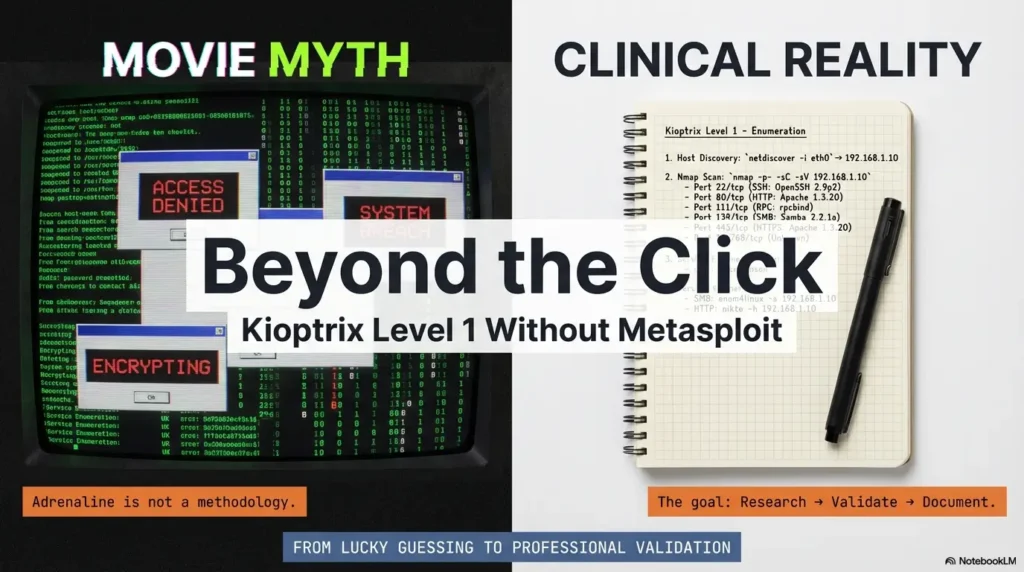
CVE context: what trans2open is in plain English (and what it isn’t)
The vulnerability at a concept level (no payload details)
trans2open (CVE-2003-0201) is a classic Samba issue commonly taught in training environments because it illustrates a key lesson: complex network protocols can hide edge cases that lead to memory safety problems. In plain English: under certain conditions, a crafted request could cause Samba to mishandle data in memory.
In modern environments, the practical lesson is less about “this exact bug” and more about how you validate protocol-facing issues: what you can infer safely, what you must test carefully, and what you can document without turning your notes into a weapon.
Why CVE-2003-0201 is famous in training labs
It shows up in older-box practice because it’s a clean case study: you can practice identifying SMB services, aligning versions, and learning how exploit code often assumes a specific environment. You’ll also see how tools like Metasploit (maintained by Rapid7) package these paths into modules—useful for learning, but not a substitute for understanding.
Open loop: Why “old” vulns still teach modern lessons
Because your real career won’t be “finding CVEs.” It’ll be dealing with messy realities: unknown patch states, partial visibility, and stakeholders who want answers that are both honest and actionable. Old vulnerabilities are like classical scales for musicians—nobody performs them on stage to impress the crowd, but they build the muscle you actually need.
Validation mindset: turning “I think it’s vulnerable” into evidence
“Proof without harm”: safe indicators vs destructive testing
Think of validation as a ladder:
- Low impact: confirm service presence and plausible version range.
- Medium impact: confirm behavior aligns with known vulnerable conditions (without crashing or corrupting).
- High impact: anything that could destabilize the host, disrupt service, or create unintended access.
In a training VM, you might be tempted to jump to the top rung because it’s faster. But if the host crashes, you learn less than you think. A clean validation trail beats a dramatic screenshot.
Logging and timestamps: evidence you’ll want later
Two small habits level you up fast:
- Timestamp your steps: When you return later, you’ll know which output belongs to which test.
- Capture “expected vs observed”: This is how you stay honest when a PoC behaves unexpectedly.
If you ever write a formal report (even a personal portfolio report), this becomes your credibility engine. (A lightweight starting point is a Kali lab logging workflow you can reuse across machines.)
Let’s be honest—your first guess will be wrong
Most learners don’t fail because they’re “not smart enough.” They fail because they fall in love with the first narrative. “It’s Samba, therefore it’s trans2open.” That’s a story, not evidence.
A better story is: “It looks like Samba; here are the three signals; here’s why that points toward a specific risk; here’s what I validated safely.” Now you’re not guessing—you’re reasoning.
Short Story: The day the “obvious” exploit didn’t work…
Short Story: A learner spins up Kioptrix Level 1 and sees an SMB service. Their brain lights up: “This is the one.” They pull a public PoC, tweak a few parameters, and—nothing. Then a crash. Then a reboot. Then confusion. An hour later, they’ve done ten variations and learned exactly one thing: they can repeat a mistake very consistently. On the second attempt, they slow down. They write three signals in a notebook: version hint, negotiation behavior, and the OS “feel” of the box. They snapshot before any risky test. They add timestamps. They note contradictions instead of fighting them. The result is calmer: less drama, more learning. Even when the final outcome changes, the workflow stays reliable.
Money Block — Mini calculator: “Validation confidence” (0–100)
Use this to keep yourself honest. It’s not “science,” it’s a guardrail: if your confidence is low, gather more signals before escalating.
Score: 45/100 — Gather more signals before you escalate.
Next action: If your score is under 60, add one new independent signal (not a variation of the same test).
Exploit research workflow: from PoC reading to lab-safe adaptation
How to read a PoC like a reviewer (inputs, assumptions, failure modes)
Public PoCs are not instruction manuals. They’re often proof that an idea can work in one environment. Your job is to read them like a reviewer:
- Inputs: What does the PoC expect (target details, service behavior, protocol features)?
- Assumptions: What does it silently assume about OS, libraries, memory layout, or configuration?
- Failure modes: What happens when it doesn’t work—timeout, crash, refusal, partial behavior?
That last point matters. If you only know “it works or it doesn’t,” you’re blind. If you know how it fails, you can learn quickly.
Environment alignment: kernel/userspace differences that break expectations
In older training stacks, tiny differences can matter: Samba build flags, libc versions, distro quirks, and even how services are launched. That’s why “same CVE” does not guarantee “same behavior.”
A practical operator habit: treat environment alignment as a checklist item, not an afterthought. You’re not chasing luck—you’re matching conditions.
Curiosity gap: The hidden assumption inside most public PoCs
The hidden assumption is usually this: “the target reacts the way my target reacted.” That’s it. When a PoC fails in your lab, it’s often not because you’re “doing it wrong,” but because the lab’s environment is not identical to the author’s. Your power move is to document that mismatch, not to brute-force your way through it.
Show me the nerdy details
A useful note-taking trick: copy the PoC’s “requirements” into your notes as plain English, then check them one by one. Example: “needs SMB service reachable,” “expects a particular protocol feature,” “depends on a certain memory behavior.” If you can’t validate a requirement, mark it unknown instead of pretending it’s true. (If you want a simple structure for this, use a note-taking system built for pentesting so your assumptions don’t vanish mid-lab.)
- Extract assumptions into plain English
- Check environment alignment early
- Document failure behavior as evidence
Apply in 60 seconds: Add one line to your notes: “PoC assumptions I can verify today:” then list 3 items.
Common mistakes: the fast ways to waste an hour (or corrupt your lab)
Mistake #1: treating a banner like a guarantee
A version string is a clue, not a contract. If you build your entire plan on one banner, you’ll overfit to the first data point. A better move is to gather a second and third signal that agree.
Mistake #2: changing three variables at once (and learning nothing)
The classic spiral: tweak settings, change tools, swap targets, retry… and later you can’t explain what changed the outcome. In validation, one variable at a time is not slow—it’s efficient. It turns chaos into learning.
Mistake #3: ignoring crash signals and losing your evidence trail
In training labs, services can crash. That crash can be informative. But only if you captured what happened and can revert cleanly. Otherwise it’s just noise, and you’re stuck wondering whether you caused a failure or discovered a clue.
Money Block — Decision card: “Escalate vs pause”
| Choose this | When it fits | Time/cost trade-off |
|---|---|---|
| Escalate carefully | You have 2–3 consistent signals and clean notes | Faster progress, but higher risk of confusion if notes are weak |
| Pause and verify | Signals conflict or you can’t explain why a test should work | Slower now, but saves hours later |
Next action: If you can’t state your reasoning in one sentence, pause and verify.
“Don’t do this”: two habits that quietly ruin your validation
Don’t do this #1: copying exploit strings blindly (you can’t explain them later)
Copy/paste “works” until it doesn’t. Then you’re stuck with a mess you can’t interpret. If you choose to study a PoC, your minimum responsibility is to understand what kind of input it sends and what outcome it’s supposed to produce. If you can’t explain it, don’t run it—even in a lab.
Don’t do this #2: skipping snapshots before “just one more test”
This is the lab version of not wearing a seatbelt because you’re “only going to the store.” A snapshot takes seconds. A corrupted or unstable VM can cost you an evening, plus whatever confidence you were trying to build.
Here’s what no one tells you—restarts are data
If a service behaves differently after a restart, that’s a signal. If a host becomes unstable only after a specific interaction, that’s a clue. Treat restarts like part of the experiment, not as a shameful reset button.
Show me the nerdy details
If you want to be extra disciplined, keep a tiny “state log” in your notes: “Snapshot taken,” “service restarted,” “VM reverted,” “test repeated.” That way, when behavior changes, you can connect it to state changes instead of guessing.
Who this is for / not for
For: OSCP-style learners who want research + reporting muscles
If you want to build the habit of explaining your findings, this workflow fits. It rewards clarity. It also makes your practice transferable: the next box won’t be the same, but your process can be. (To keep your practice sustainable, a 2-hour-a-day OSCP routine pairs well with this “research → validate → report” loop.)
For: defenders practicing vulnerability verification in a lab
Defensive teams validate too—especially when patch windows, legacy systems, or inventory gaps create uncertainty. Learning to validate safely (and document well) is a defender skill, not just an attacker skill.
Not for: anyone seeking real-world exploitation or unauthorized access
If your goal is to use this outside an authorized lab, this is not for you.
Not for: “one-click” walkthrough seekers who won’t document
If you just want a shortcut, you’ll find faster content elsewhere. This is for people who want their future self to trust their work.
Reporting the win: what to record so your future self trusts you
Minimal proof pack: what you should capture (without turning notes into a weapon)
You don’t need a novel. You need a proof pack:
- Scope statement: one line confirming authorized lab context
- Service map: what’s exposed (high-level)
- Signals: the 2–3 clues that support your hypothesis
- Validation steps: what you did to confirm behavior (high-level descriptions)
- Observed outcomes: what actually happened (including failures)
Notice what’s missing: weaponized details. You can build a strong learning artifact without publishing a step-by-step exploit recipe. (If you struggle with “what counts as proof,” use a clean OSCP proof screenshot standard so your evidence stays minimal and defensible.)
“Why it worked” paragraph: the sentence most write-ups skip
This is the paragraph that turns a lab win into a portfolio-worthy write-up:
Example format: “Based on service identification and consistent behavior across multiple checks, the SMB service aligned with an older Samba configuration. The validation steps supported a plausible match to trans2open conditions, and the observed outcomes were consistent with the expected vulnerability class. I documented state changes and preserved a clean rollback path.”
It’s not flashy. It’s credible.
Remediation notes: what fixes look like in the real world (high-level)
For this historical CVE, Samba’s 2.2.8a release notes describe a root-access vulnerability in releases through 2.2.8, fixed in 2.2.8a; Samba 3.0 alpha and later were excluded. This historical fix is not a recommendation to deploy obsolete software today. Upgrade to a supported, patched release and restrict SMB exposure. Authentication alone does not fix this anonymously reachable flaw. A banner supports a hypothesis; verify build and patch status before claiming a confirmed vulnerability.
Infographic: The “R → V → R” loop (Research → Validate → Report)
1) Research
- Identify service
- Gather 2–3 signals
- Extract PoC assumptions
2) Validate
- Low impact first
- One variable at a time
- Snapshot + state log
3) Report
- Scope statement
- Signals + outcomes
- “Why it worked” paragraph
- Record signals and contradictions
- Describe validation at a safe, high level
- Include remediation context
Apply in 60 seconds: Add a “Why it worked” paragraph template to your notes and reuse it.
When to seek help (and pause)
If you suspect you tested a non-lab system by mistake
Stop immediately. Disconnect the VM/network interface, preserve your notes, and verify your environment. The fastest ethical recovery is to admit uncertainty and correct it, not to keep testing and hope it’s fine.
If you’re in a work environment: contact your security lead
If this happens in a professional context, follow your internal process. Don’t “self-fix” quietly. A clean escalation protects you and the organization.
If the host becomes unstable: stop, snapshot/rollback, preserve notes
Instability is information, but it’s also risk. Revert, document what happened, and consider whether your last test was too aggressive for your learning goal.
Money Block — Quote-prep list (what to gather before comparing tools)
- Your lab goal (validation vs full exploitation vs reporting practice)
- What you already know (signals, contradictions, environment notes)
- What you need next (one missing signal, one missing explanation)
- Tool constraints (time, VM stability, permission boundaries)
Next action: Choose one tool/action that adds a new signal—not a repeat of the last idea.

FAQ
Is it possible to do Kioptrix Level 1 without Metasploit and still learn the “right” way?
Yes. In fact, skipping Metasploit can improve learning because it forces you to practice evidence gathering, hypothesis testing, and documentation. Metasploit is a great tool (and widely used), but understanding the workflow underneath it is the durable skill.
What is Samba trans2open (CVE-2003-0201) in simple terms?
It refers to a class of Samba behavior where certain crafted requests could trigger unsafe memory handling in some older Samba versions. In labs, it’s used to teach service identification, vulnerability matching, and the difference between “plausible” and “proven.”
How do I confirm a Samba version without trusting only the banner?
Use multiple signals: scan hints (if present), SMB negotiation behavior, and configuration clues (like share visibility and authentication behavior). When signals conflict, treat it as a reason to gather more context—not a reason to force one tool’s output to be “truth.” (If you need a cleaner baseline scan approach, use how to use Nmap in Kali for Kioptrix as a reference pattern.)
Why does a public PoC fail in my lab even when the CVE matches?
Most PoCs assume a specific environment: OS, libraries, compilation options, or service configuration. “Same CVE” doesn’t guarantee “same behavior.” The productive move is to document the mismatch and validate assumptions step by step.
What’s the safest way to “validate” a vulnerability in a CTF environment?
Start low-impact: confirm service presence and plausible conditions, then validate behavior in a way that preserves stability and evidence. Keep snapshots. Timestamp your notes. Avoid turning your process into an unreviewable mess.
Do I need packet capture for Kioptrix Level 1 validation?
Not always. Packet capture can be helpful for understanding protocol behavior, but it’s not required for basic validation in many labs. Use it when it adds clarity, not because you feel obligated to “look advanced.” (If you do want clarity on what “normal vs weird” SMB traffic looks like, this Kioptrix traffic analysis with Wireshark can help.)
What should I write in my report if I can’t fully reproduce the behavior?
Be honest and specific: document the signals you observed, the steps you took, what you expected, what happened instead, and what you’d validate next. A truthful report with clear uncertainty beats a confident report built on guesses.
How do I keep my pentesting practice ethical and compliant in the US?
Use isolated labs, keep scope explicit, and don’t touch systems without written permission. When in doubt, stop and confirm. The habit of pausing is part of being a professional.
What are common beginner mistakes when researching CVEs in training labs?
Over-trusting banners, copying PoCs without understanding assumptions, changing multiple variables at once, and failing to keep a clean rollback path. The fix is boring but powerful: slow down, take notes, and validate in small steps.
What’s the next box after Kioptrix Level 1 if I want more research-heavy practice?
Look for boxes that force you to validate multiple hypotheses rather than follow one obvious path. Any lab where services contradict each other (or where initial indicators are misleading) is excellent for building the “research → validate → report” muscle. (A clean next step is the Kioptrix Level 2 walkthrough or the focused Kioptrix Level 2 command injection case study if you want a more web-adjacent validation mindset.)
Next step (one concrete action)
Build a one-page “Research → Validate → Report” template and use it on your next lab box
If you do one thing in the next 15 minutes, do this: create a single reusable note template. Keep it short. Keep it honest. Use it every time.
Money Block — One-page template (copy/paste)
- Scope: Authorized lab? Network isolation? Snapshot taken?
- Service map: High-level list of exposed services
- Signals: 3 bullets (banner, behavior, config clues)
- Hypothesis: “I believe X because…”
- Validation: Low-impact steps + outcomes (timestamped)
- Contradictions: What doesn’t fit?
- Report paragraph: “Why it worked / why it didn’t”
- Next test: One new signal to collect
Next action: Use this template on your next machine before you touch any “exploit” idea.
Close the loop from the beginning: the point isn’t to become a faster clicker. It’s to become a calmer operator. When you can explain your reasoning, you don’t just finish boxes—you build a portfolio.
Original review: 2026-01
Technical guidance updated: 2026-10-13. Added the historical affected/fixed release boundary and corrected remediation and validation claims.