
Write one hypothesis per service
Keep port state, service identification and exact version confidence separate. For each candidate, record the missing observation, likely impact of the next permitted check and the reason to stop. A negative result covers only the input and conditions tested. Revisit a parked service when new evidence changes its prerequisites rather than discarding it permanently from one failed attempt. Reference and scope.
Narrowing the Attack Surface
When a Kioptrix Level box shows several open ports but no clear path, the danger is rarely lack of access. It is wasted attention. A small scan can still turn into a maze if every service looks equally promising and none of them has been ranked for actual operator value.
That is where many beginners lose time. They see HTTP, SMB, RPC, maybe MySQL, and start treating each one like a possible miracle instead of asking which surface can realistically reveal files, identities, structure, or trustworthy version clues.
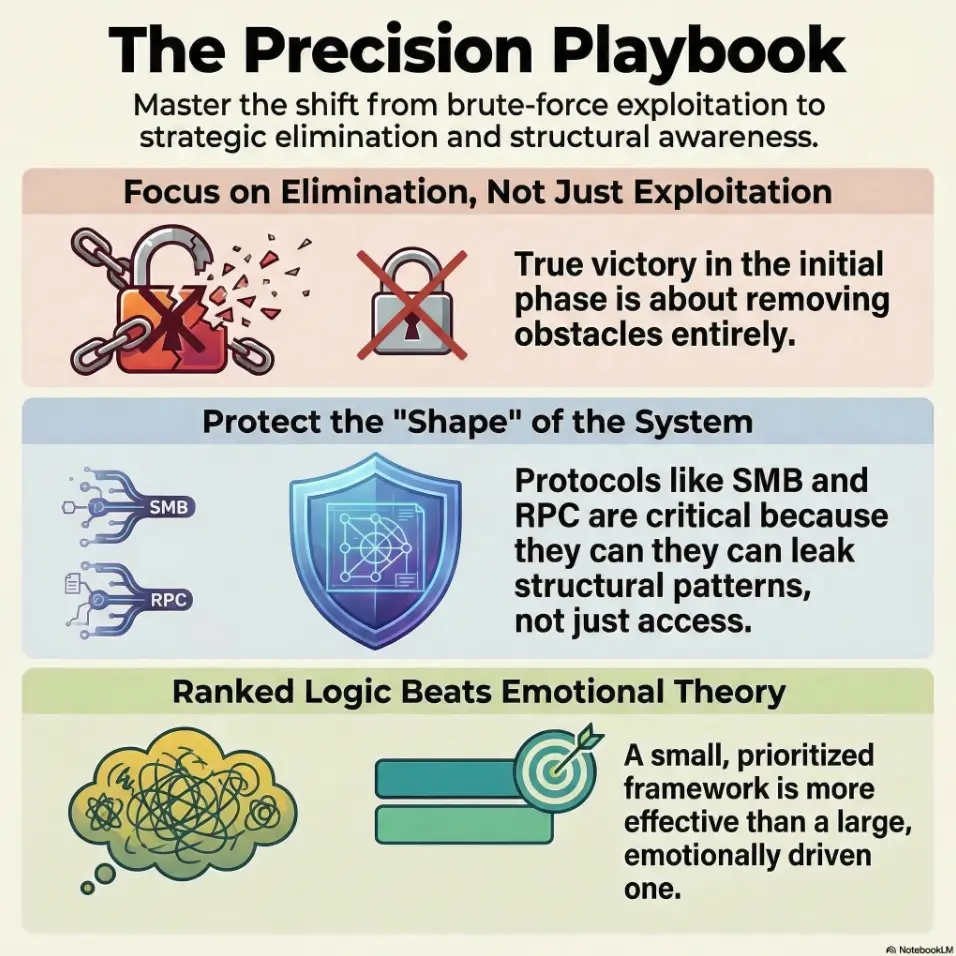
“The first real win is often elimination, not exploitation.”
This guide helps you triage, verify, and rank paths that actually change your position in a safe lab workflow. We move away from adrenaline-fueled guessing and toward evidence-backed next steps.
- Banner Grabbing
- SMB Enumeration
- Web Structure
- Service Detection
START THERE. LET THE BOX GET SMALLER.
Table of Contents
Fast Answer: When Kioptrix Level shows multiple open ports but no obvious next move, the right play is not to “try everything.” It is to reduce noise. Group ports by service type, separate likely signal from legacy clutter, verify what the services actually are, test for weak access patterns, and rank only the few surfaces that could realistically yield files, credentials, or code execution. Good recon narrows the attack surface before it narrows your patience.
Port Noise First: Why “More Open” Usually Means “Less Clear”
When open ports create false confidence
A beginner sees five open ports and feels lucky. An experienced tester sees five open ports and asks a slower question: which of these can actually move the state of the engagement? That distinction is the hinge of good recon. Open does not mean weak. Reachable does not mean useful. A service can be perfectly alive and still be little more than furniture.
In old lab machines, that furniture tends to be loud. A web server may expose a default page. A database may be listening only because the application needs it. SMB may answer just enough to look promising, then slam the door. The danger is psychological before it is technical. Your scan result starts to feel like progress by itself. It is not. It is only a list of possible conversations.
Why legacy lab hosts often look busier than they really are
Legacy systems wear their age like a coat with too many pockets. Old services stay enabled. Ports remain open because nobody bothered to close them. Banners look juicy simply because they look old. The official Nmap documentation makes the same practical point in a more technical register: version detection becomes valuable because open port numbers alone do not reliably tell you what is really running behind them. Nmap’s own guide explains that service and version detection exists precisely to move from “something is open” to “this specific service is here.” If you have ever seen service detection give a misleading answer, that distinction matters even more.
The real question: which service can actually change your position?
That is the discipline. Not “What can I touch?” but “What can alter the board?” A useful surface tends to offer one of four things:
- Version data that sharply narrows the search space
- Files or directories that reveal structure, credentials, or backups
- Authentication behavior that leaks names, policies, or trust boundaries
- A realistic route to code execution in a safe, lab-scoped workflow
- Treat open ports as leads, not achievements
- Prefer services that can give files, auth clues, or hard version data
- Downgrade anything that offers only vague presence
Apply in 60 seconds: Circle the two services most likely to reveal files or identities before you touch anything else.
Start With Triage: Sort Every Port Into a Decision Bucket
Web-facing services: what deserves first attention
HTTP and HTTPS deserve early attention for one boring, glorious reason: they often leak context faster than anything else. Names, paths, comments, error messages, old backups, odd redirects, image folders that nobody cleaned, and app structure. OWASP’s Web Security Testing Guide treats information gathering as the opening movement of web testing for exactly this reason, including fingerprinting the web server, reviewing content, and identifying application entry points.
That does not mean “spend an hour spidering a brochure page.” It means give web services an early, disciplined pass. Ten focused minutes often beats fifty heroic ones. If you need a restrained alternative to full mirroring, a curl-only recon workflow for Kioptrix can keep the process tighter.
Remote access surfaces: SSH, Telnet, and anything interactive
Interactive services are seductive because they feel close to the crown jewels. But treat them like airport security lines: visible, important, and often slow. A login prompt is not progress. It is a question. Unless you have a grounded reason to test credentials or protocol behavior within an authorized lab, these services frequently belong in the “watch, note, rank later” bucket.
File-sharing surfaces: SMB, NFS, FTP, and trust leaks
These are often higher-value than they look. File-sharing surfaces do not need to hand you a shell to matter. They can hand you names, shares, conventions, or a single directory that changes how you think about the host. When Microsoft documents IPC$ and null-session behavior, it notes that anonymous access can enable activities such as enumerating names of accounts and shares in some configurations. That is the point here: even limited anonymous behavior can be informationally rich. In practice, understanding when SMB null session behavior differs between port 139 and 445 can save a surprising amount of flailing.
Database surfaces: open does not mean useful
Databases attract beginners the way shiny buttons attract toddlers. It is not your fault. An open MySQL port looks dramatic. Yet on lab hosts, it is often supporting the web layer rather than standing alone as the cleanest path. Unless the database surface gives you obvious version evidence, weak access patterns, or a credible tie to the application stack, it should not automatically outrank web and file-sharing clues.
High-port mystery services: likely dead end or hidden clue?
High ports can mean custom apps, ephemeral behavior, wrappers, or nothing interesting at all. Give them a quick classification pass, then resist the urge to turn uncertainty into a side quest. Curiosity is noble. Curiosity without ranking is how sunset arrives.
Decision card: When two services compete for your time, prefer the one that can reveal structure over the one that merely invites authentication.
- Pick web/file-sharing first when you need paths, names, files, and version context
- Pick remote access first only when the evidence already points there
Neutral next step: mark one primary path and one backup path before you enumerate deeper.
Who This Is For / Not For
This is for: lab learners, report writers, and recon-heavy beginners
This method is for people working in authorized learning environments, homelabs, and ethical-hacking practice boxes where the goal is not bravado but repeatability. If you are the sort of learner who likes clean notes, fewer wrong turns, and a final report that reads like a sane human wrote it, you are in the right room.
This is not for: production intrusion, random internet targets, or exploit-first workflows
It is not a guide for unauthorized activity. It is also not a guide for “scan, throw ten things, hope one sticks.” That workflow can feel fast, but it teaches bad instincts. You learn noise, not judgment.
If your goal is a repeatable method, this topic matters more than speed
I know the temptation. You want the foothold. You want the screen to change. But the learners who grow fastest are often the ones who can explain why they did not choose four other paths. That restraint is not glamorous. It is just extremely profitable, mentally speaking.
Eligibility checklist:
- Are you working in an authorized lab or training environment? Yes or no
- Do you have a scan result but no ranked next steps? Yes or no
- Can you write one sentence for why each open port matters? Yes or no
Neutral next step: if the third answer is no, this article is the right workflow to apply.
Version Clues Matter: Read the Banner, Not the Tea Leaves
Service detection before guesswork
A port number suggests a customary service; a banner is an observed string and a fingerprint is a tool interpretation. Neither proves an exact installed version or patch status. Record the raw evidence and confidence, then corroborate important claims before choosing a version-dependent test.
In practice, that means your first serious task is not to fantasize about exploits. It is to make your service list truthful. If 80 is open, what is serving? If 139 and 445 are open, what kind of SMB behavior is actually present? If 3306 is there, is it exposed cleanly, wrapped, filtered, or simply humming backstage for the web app? A lot of beginners first need to tighten the scan itself, which is why using Nmap in Kali Linux for Kioptrix well matters before any theory-building begins.
Old Apache, Samba, and RPC clues that deserve a second look
On legacy-style boxes, age matters because age narrows possibility. An old Apache banner can reframe your web expectations. Samba and RPC clues can tell you whether enumeration may be worthwhile even when direct access looks thin. The point is not to become a trivia librarian of old versions. The point is to convert vague possibility into a smaller, ranked search space.
OS fingerprint hints that quietly shrink your search space
OS hints matter less as courtroom truth and more as weather. They help you dress properly. Nmap’s OS detection documentation explains that remote OS fingerprinting works by comparing response characteristics to a database of fingerprints. It is a probabilistic narrowing tool, not an oracle.
Let’s be honest… half the problem is trusting “open” more than “useful”
Show me the nerdy details
A strong service table should separate observed port, detected service, banner or fingerprint clue, confidence level, and possible operator value. This keeps “known” separate from “inferred,” which dramatically reduces sloppy next steps.

Web Path or Mirage? How to Judge HTTP Without Burning an Hour
Default page vs neglected app: how to tell the difference
A plain page is not always a dead page. Legacy boxes love understatement. A boring homepage can still be attached to interesting directories, forgotten backups, or app remnants with more personality than the front door suggests. OWASP’s testing guide includes reviewing web content, identifying entry points, and mapping execution paths for a reason: the page you see is often only the lobby.
What you want is not depth for its own sake. You want clues that reveal the app’s shape. Ask small questions. Is there a redirect? Any server header clues? Odd file names? Default assets from a framework? Comments? A suspiciously opinionated error page? Those details are breadcrumbs, not decoration.
Error messages that reveal more than the homepage
Good errors leak architecture. Not always dramatically, but enough. A stack trace, a path fragment, an include failure, even a flavor of 403 can tell you whether the site is a thin wrapper, an old app, or a decoy hallway. That is signal because it changes ranking.
When a plain website is still the best lead on the box
Sometimes the web layer matters not because it looks weak, but because it explains the rest of the machine. Database port? Maybe the app needs it. SMB present? Perhaps uploads or shared content are nearby. The best lead is often the service that gives the strongest map, not the loudest promise.
Quote-prep list: Gather these before you decide whether HTTP stays first.
- Server header or banner clue
- Two meaningful paths or directories
- One error or redirect behavior
- Any tie between the site and another open service
Neutral next step: if you cannot collect these in 10 minutes, demote web and move on.
It was a web layer tied to a very specific application shape. That did not hand me a magical shortcut. It did something better. It removed three wrong theories. And the mood in the room changed. A box that had felt like a hallway with five identical doors now had one door with fingerprints on the knob.
SMB and RPC Tells: The Quiet Services That Change Everything
Null session checks that are worth testing
In lab environments, SMB and RPC often matter because they can answer identity questions without giving you a shell. Microsoft’s own documentation on IPC$ and null sessions notes that anonymous users may be able to enumerate names of domain accounts and network shares in some setups. That does not mean every target will permit it. It means the behavior is important enough to understand because even partial anonymous access can reshape your plan. If your checks behave strangely, comparing them against why rpcclient enumdomusers fails or common rpcclient access denied patterns can keep you from misreading the room.
Share enumeration without assuming success
The emotionally mature way to approach share enumeration is this: success is good, refusal is also data. If a share list appears, wonderful. If access is denied, note it. Which shares appeared? Which did not? Did the service reveal naming conventions or workgroup hints? Did behavior differ across methods? “Denied” is not a slammed novel. Sometimes it is just page one with a stern face. A related trap is assuming listing failure means nothing exists, when SMB listing without real access can still tell you useful things.
User, group, and policy leakage from RPC
RPC and related services can be quiet gold mines in legacy settings because they sometimes reveal exactly the sort of names and policy hints that tighten your search space. A username pattern or group naming convention can make later decisions less random and more reasoned. That matters even if you never get direct access at this stage.
Why “access denied” is still evidence, not failure
Here is a lesson that saves real frustration: a negative result is useful when it kills a weak theory. If anonymous enumeration fails cleanly, that lowers SMB’s rank for immediate action. Good. You have learned something. You are not a contestant on a game show forced to keep guessing behind the same curtain.
Here’s what no one tells you… a blocked share can still narrow the whole host
If SMB is present but tight, the host may still be telling you something about configuration age, trust assumptions, or where the truly useful surface lives. I have had boxes where a blocked file-sharing path quietly told me, “stop daydreaming here and go back to the web layer.” That is not defeat. That is navigation.
- Null sessions are worth checking in authorized labs
- A denied result still changes ranking
- Names, shares, and policy hints can be enough to redirect your workflow
Apply in 60 seconds: Add a column called “identity leakage” to your service notes and score SMB/RPC before you chase the database.
Database Port Open? Don’t Chase MySQL Just Because It’s There
Default assumptions that waste time
The beginner assumption goes like this: database port open equals database attack path. It sounds tidy. It is often wrong. In many training boxes, the database exists to serve the application, not to act as the easiest front door. If the web layer is thin but tied to the database, the app may still be the better place to learn how those pieces connect.
When a database port is only supporting cast
Think of MySQL as the bass player. Important, foundational, sometimes brilliant, but not always the person you should chase first if you are trying to understand the whole band. A listening database may be background infrastructure. Unless it offers something concrete such as version evidence, misconfiguration clues, or a real tie to known application behavior, it belongs behind stronger signals. If your goal is to map age and exposure responsibly, an Apache, MySQL, and PHP CVE mapping mindset helps frame the stack without turning the database into a melodrama.
Signs the database might connect to the web layer
Look for relational clues. Does the site clearly use dynamic content? Any admin path hints? Errors suggesting database-backed behavior? Naming patterns that imply CMS or app logic? The more the web layer seems to lean on stored data, the more valuable it becomes as the map for the database, not the other way around.
Questions to ask before touching authentication prompts
Before you test anything interactive, ask:
- What evidence says this service is exposed for more than internal support?
- What would success give me that the web or SMB layer cannot?
- What would failure teach me?
- Am I ranking this highly because it is useful, or because it looks dramatic?
Mini calculator: Score a database port from 0 to 6.
- +2 if it has strong version clues
- +2 if the web layer clearly depends on it
- +2 if authentication behavior is meaningfully testable in your lab scope
If the total is 0 to 2, it is probably supporting cast for now. Neutral next step: rank it below your top two paths.
No Clear Exploit? Build a Ranked Attack Surface Instead
Rank by exposure, age, and probable misconfiguration
When no path is obvious, stop looking for an instant answer and build a ranked list. I like a simple five-column grid: service, evidence, likely value, confidence, next action. It is not glamorous. It is wonderfully clarifying. You stop carrying the whole host in your head and start comparing paths with actual criteria.
Rank by what gives credentials, files, or execution
Not all operator value is equal. A service that can reveal usernames may outrank one that only proves presence. A service that can reveal app structure may outrank one that merely offers a prompt. Files, identities, and structural context are usually the richest early returns.
Rank by what you can validate safely in a lab
Another useful filter is validation cost. How quickly can you learn something meaningful? A good next step is cheap in time and high in information. A bad next step is expensive in time and vague in output. If a path is likely to consume twenty minutes for one shrug, demote it. This is the same discipline behind the rabbit hole rule for OSCP-style work, where restraint is a survival skill rather than a personality trait.
Turn messy recon into a three-path testing plan
By the end of triage, you do not need certainty. You need a top three. One primary path, one secondary, one fallback. Anything more is often cognitive buffet syndrome. The plate is full, but somehow you are still hungry.
Show me the nerdy details
A ranking grid works best when each service gets a confidence score and an information-return score. This prevents shiny-but-vague services from outranking quiet-but-revealing ones.
Common Mistakes That Make Open Ports Feel Useless
Mistake: scanning deeper before reading what you already found
More scanning can feel productive because it produces more text. But a larger pile of clues does not automatically create a better theory. Often, the next answer is already inside your first scan, just not yet interpreted with enough discipline.
Mistake: treating every service like equal opportunity
They are not equal. A web server with structure and error behavior is not equal to a bare port with no useful fingerprint. SMB with identity leakage is not equal to a quiet database that only confirms existence. Equality sounds fair. Equality in recon is often chaos in a cardigan.
Mistake: ignoring low-drama services such as SMB or RPC
Quiet services get skipped because they do not look cinematic. Yet they often provide the social map of the machine: names, groups, share habits, conventions, trust edges.
Mistake: jumping to exploit databases without context
This is the “open 3306 therefore destiny” problem. It wastes time because it confuses visibility with rank.
Mistake: skipping note-taking when the path is not obvious
The less obvious the foothold, the more your notes matter. When I skip notes in that stage, my future self becomes an underfunded detective with no witnesses. If you need structure, a note-taking system for pentesting or an Obsidian enumeration template can keep your evidence from turning into confetti.
Coverage tier map:
- Tier 1: Strong map value, low time cost, likely files or identities
- Tier 2: Good version clues, moderate time cost
- Tier 3: Interactive but ungrounded, watch closely
- Tier 4: High uncertainty, little informational return
- Tier 5: Pure curiosity, park it unless other paths die
Neutral next step: assign each open service a tier before any deeper enumeration.
Don’t Do This: Recon Habits That Inflate the Attack Surface in Your Head
Don’t confuse exposed ports with reachable opportunity
A visible service is not automatically actionable. Some ports are there to support another layer. Some are there because old hosts accumulate habits like attic boxes.
Don’t mirror the whole site before checking the basics
If the homepage, headers, directories, and error behavior already tell you the web path is weak, do not let a recursive crawl become your emotional support hobby.
Don’t assume the newest-looking service is the weakest one
Sometimes the older, quieter surface is the one that leaks the host’s shape. “Interesting” and “useful” are siblings, not twins.
Don’t keep testing paths that produce no new evidence
This is the hardest discipline for eager learners. Repetition can feel like thoroughness. It is sometimes just looping politely.
Small warning, big payoff: stop expanding before you prioritize
The host does not get clearer because your notes get longer. It gets clearer when weak theories die.
- Stop when a path yields no new evidence
- Demote drama, promote structure
- Use your notes to kill weak ideas early
Apply in 60 seconds: Cross out one service you are only chasing because it feels exciting.
Evidence Over Ego: How to Narrow the Field Without Guessing
Build a service-by-service evidence table
Your table can be simple:
- Port and detected service
- Observed clue
- What it might give you
- Confidence level
- Next step
This little grid does a nearly magical thing. It separates what you saw from what you hoped. That gap is where most wasted time lives.
Match each port to one plausible use case
Force each service to answer one sober question: what is your plausible operator value? Files? Names? App structure? Version narrowing? Execution? If you cannot answer in one sentence, that service probably deserves a lower rank.
Kill weak theories early and keep strong ones visible
Good recon is not a performance of persistence. It is an editing process. You cut until the page starts to breathe. I have had sessions where the breakthrough was not a new discovery at all. It was finally admitting that two favorite theories had produced nothing but keyboard heat.
What “no clear path” usually means in practice
Usually it means one of three things:
- You have not yet converted presence into truthful service identification
- You have clues, but they are not ranked by value
- The richest path is a quieter one you mentally downgraded too early
A narrow hypothesis beats a wide hope
That is the whole article in one sentence. A narrow hypothesis gives you the power to test, learn, and adjust. A wide hope gives you tabs. So many tabs.
Next Step: Make a One-Page Port Priority Grid Before You Test Anything
List each open port
Do not trust memory. Write them down. Even on a tiny lab box. Especially on a tiny lab box. Small hosts are where overconfidence likes to wear loafers.
Write one likely purpose beside it
Not five purposes. One. This forces clarity. “HTTP likely reveals app structure.” “SMB may reveal shares or identity hints.” “MySQL likely supporting web app.” Already the host starts to feel smaller.
Mark whether it offers files, auth, version data, or execution potential
These four categories are your ranking engine. They are simple enough to use fast and strong enough to prevent drift.
Test only the top three highest-signal paths first
That is your 15-minute next step. Not everything. The top three. By the end, you should have either one stronger lead or three weaker theories crossed off. Both outcomes are wins. And if you want a broader structure for this habit, a fast enumeration routine for any VM pairs naturally with the grid.
Time-cost table for beginner recon choices
| Action | Typical time | Likely return |
|---|---|---|
| Verify banners and versions | 5 to 10 min | High narrowing value |
| Quick web structure review | 10 min | High if paths or errors speak |
| SMB/RPC triage | 5 to 10 min | Medium to high identity value |
| Ungrounded database chasing | 15 to 30 min | Often low early return |
Neutral next step: spend your first 15 minutes in the first three rows, not the last one.

FAQ
Why does Kioptrix Level show several open ports but still feel blocked?
Because open ports are not ranked paths by themselves. Until you verify what the services really are and what they can plausibly reveal, the host feels wider than it is.
Which open port should I investigate first on a legacy lab machine?
Usually the service that can reveal the most structure fastest. That is often web or file-sharing, not because they are always weaker, but because they often explain the rest of the host sooner.
Is an open MySQL port usually exploitable by itself?
Not necessarily. In many labs it is supporting the application stack. Rank it higher only when you have concrete evidence that it offers meaningful version clues, weak access patterns, or a clear tie to the web layer.
How important is SMB when the web server is also open?
Potentially very important. SMB may reveal shares, names, or trust hints that sharpen your web investigation or change its priority. Even denied access can still be useful as ranking evidence.
What does “narrow the attack surface” mean in a lab context?
It means turning a messy list of reachable services into a smaller set of realistic, evidence-backed paths. The goal is fewer, better next steps.
Should I run vulnerability scanners immediately after the port scan?
Usually not as your first reflex. Start by verifying services, collecting structure, and ranking paths. Otherwise you risk adding more noise before you understand what the host is even saying.
How do I know whether a service is real signal or just background noise?
Ask what new information it can produce within a few minutes. Services that reveal versions, paths, files, or identity clues rank higher than services that merely confirm presence.
What notes should I keep when no foothold is obvious?
Keep a simple evidence table with service, observed clue, likely value, confidence, and next step. This prevents you from recycling weak theories.
Can banner grabbing alone change my recon priorities?
Absolutely. Truthful service identification can shrink your search space dramatically, especially on legacy-style boxes where port numbers alone can mislead.
What is the safest way to move forward when every port looks inconclusive?
Pick the top three highest-signal paths, test them in a scoped way, and demote any path that produces no new evidence. The safest workflow is controlled, note-driven, and boring in exactly the right way.
Conclusion
The curiosity loop from the beginning closes here: the problem was never the number of open ports. It was the lack of a ranking method. Once you stop treating every service like a possible miracle and start asking what can reveal files, identities, structure, or genuinely useful version data, the box shrinks. The hallway gets shorter. The doors stop looking identical.
If you do one thing in the next 15 minutes, make that one-page port priority grid. List the ports. Assign one likely purpose each. Mark whether they offer files, auth clues, version data, or execution potential. Then test only the top three. That single habit is how you move from scan-reader to recon operator, calmly and without the melodrama of chasing every blinking light.
Original review: 2026-03.
Technical guidance updated: 2026-10-13. Corrected the distinction between observed banners, inferred service identity, and confirmed version or patch status.