

Kioptrix Level Kali Linux DNS Problems Inside a Home Lab
They can burn 30 quiet minutes before you realize the target never vanished at all. It was sitting there the whole time, reachable by IP, while hostname resolution wandered off and brought back nothing.
That is what makes this failure so annoying. The lab feels broken in a dramatic, haunted way, but the real issue is often smaller and duller: Kali is asking the wrong resolver, the lab has no internal DNS, or your VM networking mode changed the rules under your feet. Keep guessing, and you can lose an hour rebuilding infrastructure the lab never needed.
This guide helps you separate DNS from plain connectivity, verify whether the problem is really name resolution, and apply the smallest fix that works, usually without installing anything heavier than a clean /etc/hosts entry. It also shows where /etc/resolv.conf, /etc/nsswitch.conf, and VirtualBox or VMware network modes quietly shape the outcome.
The method here is grounded in lab reality, not enterprise theater: test by IP, inspect resolver behavior, then fix only the layer that failed.
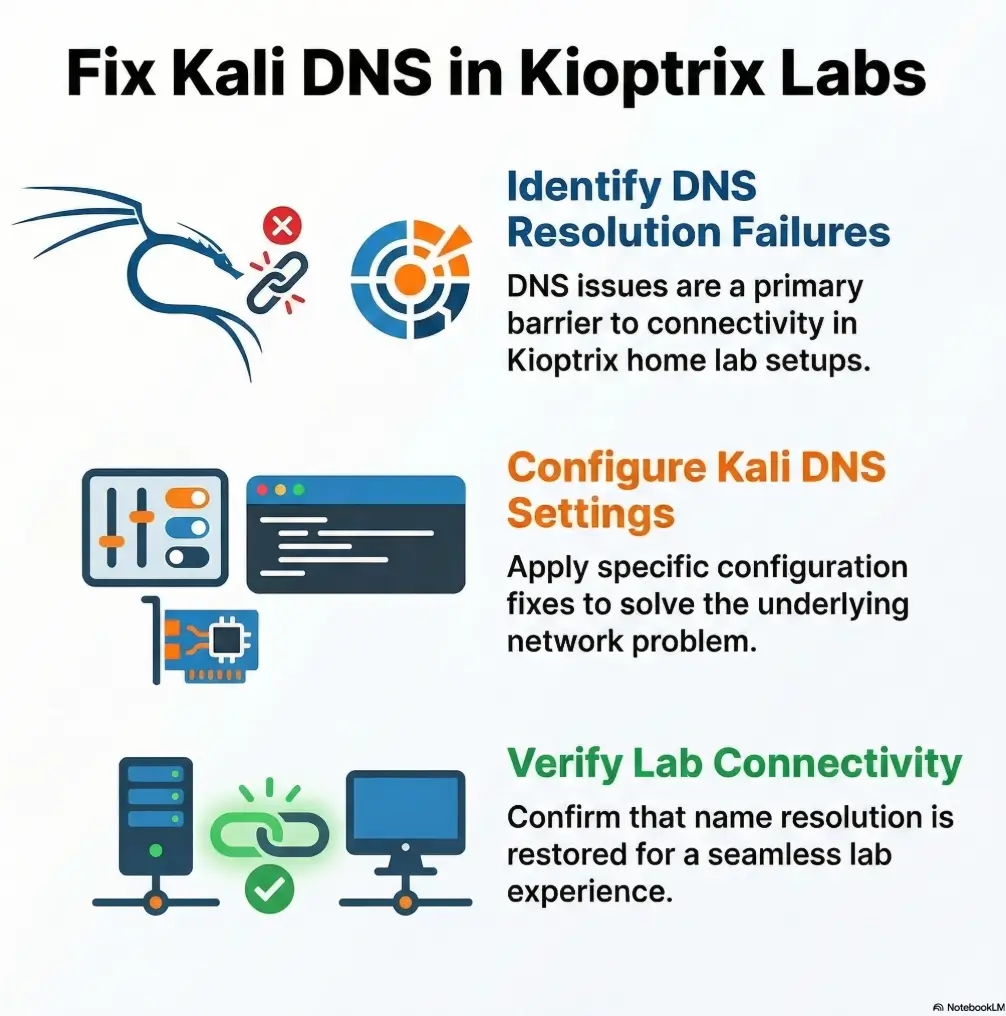
/etc/hosts mappings. Fixes typically involve checking /etc/resolv.conf, verifying the VM network mode, and manually mapping the Kioptrix host in /etc/hosts. Table of Contents
The Real Symptom First — When Kioptrix “Stops Existing”
Ping works by IP but not by hostname
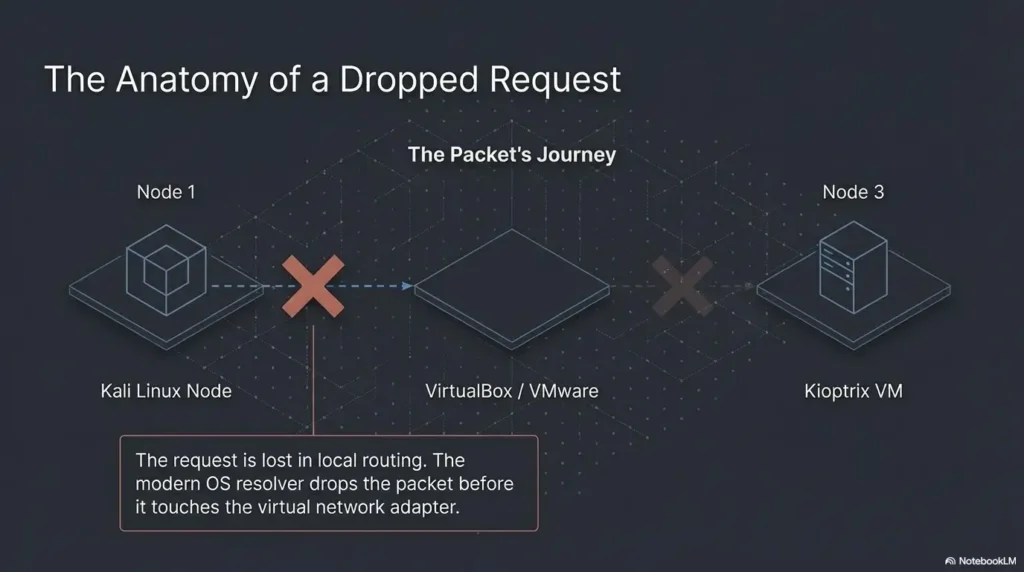
This is the classic tell. You can reach 192.168.x.x, but ping kioptrix fails, or a browser says the host cannot be found. That split matters. It tells you the network path may still exist while hostname lookup is falling apart. Linux hostname resolution runs through the NSS stack and its hosts: order in /etc/nsswitch.conf, while DNS server choices come from /etc/resolv.conf. If the name is never known locally and no reachable resolver can answer, the host feels gone even when it is still standing there, blinking patiently in the subnet.
Browser requests fail while nmap scans still work
I have seen this exact lab mood swing more than once: the browser sulks, but an IP-based nmap -Pn approach still gives you ports. That is not contradiction. It is a clue. Tools that operate directly against an IP can succeed even when hostname resolution fails. The machine did not disappear. Your label for it did.
Why DNS confusion looks like a network failure
Humans trust names more than numbers. When the label vanishes, we instinctively diagnose “network down.” In home labs, that instinct burns time. A dead route, a dead VM NIC, and a dead name resolver can all produce the same emotional output: panic with extra typing. The trick is to test the layer, not the feeling.
- IP success does not prove DNS works
- Hostname failure does not prove the target is down
- Your first job is separating name lookup from connectivity
Apply in 60 seconds: Test the target once by IP and once by name, then compare the results before changing any settings.
What’s Actually Happening Inside Most Home Labs
Why Kioptrix labs usually don’t run DNS at all
Most Kioptrix-style environments are tiny, closed, and gloriously unsophisticated. They are built to teach enumeration and exploitation in a contained network, not to simulate enterprise-grade DNS hygiene. So the lab often has no internal resolver, no proper host registration, and no reason to answer a query for kioptrix.local unless you create that behavior yourself. That is why beginners often go hunting for a broken service that was never meant to exist in the first place. If you are still shaping the environment itself, a clean Kali setup checklist for Kioptrix labs helps prevent this kind of phantom failure before it starts.
How Kali still tries to resolve names through external resolvers
The resolver behavior is more formal than it looks. The GNU C library reads /etc/resolv.conf for nameserver settings and search rules, then attempts queries using the listed servers in order. If Kali inherited public resolvers, router DNS, or a DHCP-provided setting from a different adapter, it may ask the wrong place about a lab-only hostname. Public DNS has many talents. Knowing your private VulnHub box is not one of them.
The silent mismatch between lab networks and real networks
This is the quiet comedy at the center of the problem. You are running a fake world inside a real machine, and Kali sometimes keeps consulting the real world. The result feels like betrayal, but it is just configuration drift wearing a fake mustache.
One early lab notebook of mine had this line in it: “Spent 35 minutes debugging DNS. Issue was that the lab had no DNS.” It was a rude sentence. It was also correct.
- Yes / No: You can reach the target by IP
- Yes / No: The hostname is something you invented or saw in a write-up
- Yes / No: The VM is in Host-Only, Internal, or custom NAT lab mode
- Yes / No: No DNS server was intentionally configured inside the lab
Next step: If you checked 3 or 4 boxes, treat this as a local name-resolution problem first.
Virtual Network Modes That Quietly Break Name Resolution
NAT vs Host-Only vs Bridged: why DNS behavior changes
Network mode changes the story under your feet. Oracle’s VirtualBox manual describes host-only networking as a setup where VMs can talk to each other and the host without reaching the outside world through a physical interface. That makes host-only useful for isolated labs, but it also means you should not expect the same external resolution behavior you see on a normal internet-connected guest. Bridged mode behaves more like a first-class citizen on the physical network. NAT often borrows upstream connectivity more easily. Host-only is the quiet room. DNS assumptions do not always survive the move. If you are still comparing the trade-offs, this deeper look at VirtualBox NAT, Host-Only, and Bridged modes pairs naturally with the troubleshooting here.
VMware vs VirtualBox networking quirks
The brand matters less than the pattern. Both VMware-style and VirtualBox-style labs let you choose modes that alter DHCP, upstream reachability, and how the guest learns its network settings. When a tutorial assumes one hypervisor and you are using another, the commands may still look right while the underlying network behavior differs just enough to waste an hour.
Let’s be honest… half of DNS “bugs” are really VM network settings
This is not cynicism. It is field repair wisdom. A DNS complaint often begins as a topology mistake. Wrong adapter. Wrong subnet. Wrong interface order. Wrong assumption about whether the guest should even reach the host router. Once you accept that, troubleshooting becomes less dramatic and more surgical. On particularly stubborn days, the issue is even simpler, such as a host-only adapter that never received an IP at all.
| Mode | What it is good for | DNS risk | Time trade-off |
|---|---|---|---|
| NAT | Quick outbound internet access | Kali may inherit external DNS expectations | Fast to start, sometimes fuzzy to reason about |
| Host-Only | Contained practice network with host access | No built-in promise that lab names resolve cleanly | Best for control, needs deliberate naming |
| Bridged | Closer to a real LAN | Can blur lab isolation and real-network assumptions | Realistic, but easier to misplace the target |
Neutral action: Choose the mode that matches your lab goal, then test name resolution inside that mode instead of assuming it travels with you.
💡 Read the official Kioptrix Level Kali Linux DNS Problems Inside a Home Lab guidance
The /etc/resolv.conf Trap Most Beginners Fall Into
When Kali points to public DNS servers that can’t see your lab
/etc/resolv.conf is the resolver configuration file. It lists nameservers and search behavior used by the C library resolver. If the file points at public DNS or a household router, queries for a lab-only hostname will go somewhere perfectly valid and perfectly useless. The file is not lying to you. It is just loyal to a different world.
How DHCP quietly overwrites your DNS settings
Many beginners make the correct edit, test once, celebrate, reboot, and then watch the fix evaporate like stage fog. That is usually because another service, often tied to DHCP or the network manager stack, rewrites the resolver settings. The underlying lesson is not “Linux is chaotic.” It is “persistent state beats heroic one-liners.”
Why your fix disappears after reboot
I once scribbled a working nameserver into /etc/resolv.conf at 1:20 a.m., declared victory, went to sleep, and woke up to a different file. The machine had politely undone my improvisation. That was the night I stopped trusting temporary fixes and started documenting which component actually owned the resolver state.
Show me the nerdy details
On Linux, hostname lookup can involve the NSS order in /etc/nsswitch.conf, local files such as /etc/hosts, and one or more resolver modules. The resolv.conf file controls DNS servers and search behavior, while NSS determines whether the system checks files before DNS or vice versa. That means two systems with the same nameserver can still behave differently if their hosts: line differs.
/etc/resolv.confcontrols DNS server choices/etc/nsswitch.confcontrols hostname lookup order- Temporary edits often vanish after network changes or reboot
Apply in 60 seconds: Read both files before you assume the DNS server is the only problem.
The Simple Fix Most Labs Actually Use
Mapping Kioptrix manually in /etc/hosts
This is the fix most home labs deserve. Not glamorous. Not enterprise. Very effective. If the target IP is stable enough for the life of the lab, map it directly in /etc/hosts. Then the local files resolver can answer before DNS gets a chance to wander off looking for answers in the wrong place. The Linux hostname documentation and NSS behavior both support this model cleanly.
Example host mapping for typical Kioptrix setups
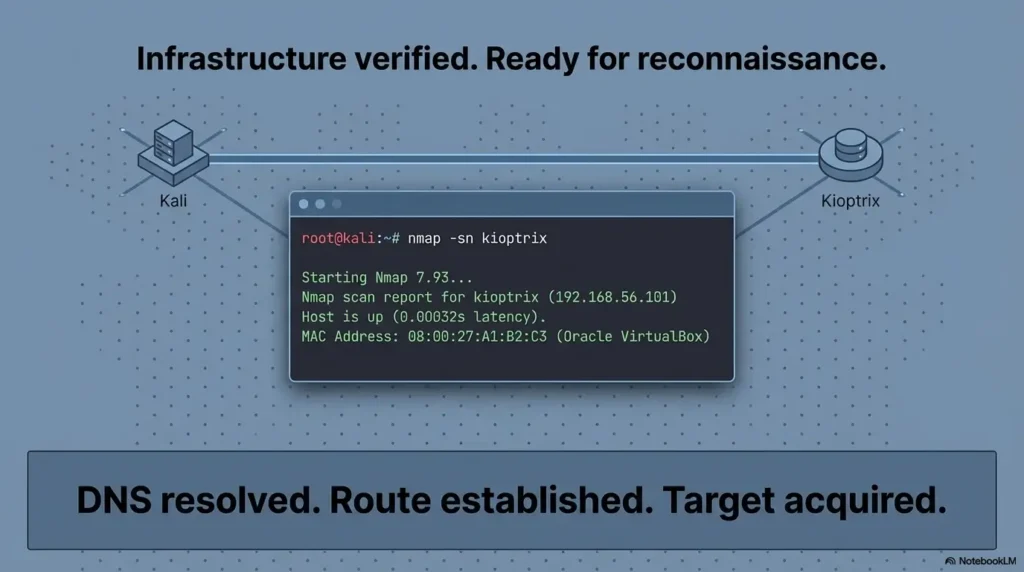
Suppose your target sits at 192.168.56.101. A simple mapping looks like this:
192.168.56.101 kioptrix 192.168.56.101 kioptrix.localAfter that, test with both a hostname and a tool that would normally lean on resolution:
ping kioptrix curl http://kioptrix/Why penetration testers still rely on hosts files in labs
Because labs are about control. In a small, isolated, semi-fictional network, a hosts file is not a hack. It is a clear statement of intent. You are saying: this label belongs to this box for this exercise. Nothing more dramatic is needed. Once the target answers by name again, you can return to a more orderly Kioptrix recon routine instead of circling the runway forever.
Inputs: failed attempts before reset × minutes lost per attempt
Example: 4 failed attempts × 8 minutes = 32 minutes saved when you stop guessing and map the host directly.
Neutral action: If you have already repeated the same hostname test twice, add one controlled hosts entry and re-test.
Wait… Could It Be a Routing Problem Instead?
How to test whether DNS is really the issue
This is the moment to resist romance. Before you talk about DNS, confirm path. Can you ping the IP? Can you scan the IP? Can you hit a web port by IP? If not, the name may be innocent.
nmap, ping, and dig: three quick diagnostic checks
Use three tests with different jobs. ping 192.168.x.x asks whether the target is reachable at a basic level. nmap against the IP asks whether services answer. A resolver query, whether through dig or other lookup tools, asks whether the name exists in a place your system can query. These are not duplicates. They are separate witnesses.
Here’s what no one tells you… DNS failures often hide subnet mistakes
I have watched people “fix DNS” by changing resolvers when the real problem was that Kali sat on one subnet and Kioptrix on another with no useful route between them. The new DNS setting changed nothing. The user simply retested later and declared success after also changing the adapter. That is not troubleshooting. That is accidental theater.
Short Story: A friend once messaged me a screenshot that looked like textbook DNS failure. Browser dead, hostname dead, general despair alive and thriving. We walked through it slowly. IP ping failed. That ruled out pure resolution immediately. The guest had been moved from Host-Only to NAT during another experiment, and the target stayed behind on the old network. The hostname had become the villain because it was the most visible thing breaking.
Ten minutes later, after the adapter was corrected and the IP returned, the same plain /etc/hosts mapping solved the name issue too. The lesson was annoying and useful: when a lab grows quiet, check whether you lost the room before you interrogate the echoes. If this part of the process still feels slippery, a guide on networking fundamentals for hacking labs gives the missing floorboards.
- Reachability by IP comes first
- Service checks by IP come second
- Name resolution tests come third
Apply in 60 seconds: Run one IP-based test before any hostname-based test and write down which layer failed.
Don’t Do This — Three “Fixes” That Waste Lab Time
Installing unnecessary DNS servers inside the lab
This is the overcorrection trap. A beginner sees a missing name, decides the lab needs “real DNS,” and starts installing packages, editing zones, and inventing infrastructure the lab never asked for. That can be educational in its own right, but it is not the shortest path back to the target.
Randomly changing network adapters without understanding them
Switching from NAT to bridged to host-only to “whatever makes the spinner stop” is the networking version of shaking a vending machine. Sometimes something falls out. You still did not learn the mechanism.
Restarting services before identifying the failure layer
Restarting NetworkManager, flushing caches, bouncing interfaces, rebooting VMs, and muttering darkly at the ceiling can all feel productive. They are only productive when the failure layer is already known.
| Bad fix pattern | Typical time loss | What it usually means |
|---|---|---|
| Install a DNS service immediately | 20 to 60 minutes | You treated a small isolated lab like an enterprise network |
| Flip adapters repeatedly | 10 to 30 minutes | Topology was not written down first |
| Restart services blindly | 5 to 20 minutes | You are testing luck, not hypotheses |
Neutral action: Pick one layer to test, record the result, and refuse to change two things at once.
Common Mistakes When Troubleshooting Kali DNS in Labs
Confusing DNS resolution with connectivity
This is the mother error. Name lookup answers “what address does this label map to?” Connectivity answers “can I reach the address?” They are siblings, not twins.
Forgetting that Kioptrix machines rarely publish hostnames
Many lab write-ups casually refer to a target by name, and readers unconsciously assume the environment itself knows that name. Often it does not. The author named it for the human. The machine never signed the paperwork.
Ignoring /etc/nsswitch.conf behavior
The hosts: line determines whether local files, DNS, or resolver modules are consulted first. The man page for nsswitch.conf exists for a reason: the order matters, and the order changes how identical-looking systems behave.
Assuming nmap failures are DNS failures
If you scan by hostname, a name failure can stop the scan before it even begins. If you scan by IP and still fail, DNS is not your main suspect anymore. That distinction sounds small. It saves real afternoons.
One of my favorite self-inflicted lab wounds came from copying a hostname out of an old note and forgetting that the current VM had a different IP on a different host-only network. I blamed DNS because it had the best villain costume. The problem was stale documentation wearing eyeliner.
Evidence-Driven Debugging Workflow (10-Minute Method)
Step 1: Confirm connectivity by IP
Start with the known or suspected IP. Ping it if ICMP is expected. Scan it if services matter more than echo replies. The goal is not perfection. It is narrowing the crime scene.
Step 2: Test DNS resolution with dig
Use a direct lookup tool to see whether the name resolves at all and, just as important, which resolver is being asked. A blank or failed answer tells you the name is unknown to the current resolver path. The silence is informative.
Step 3: Inspect /etc/resolv.conf
Open the file. Read the nameserver lines. Read the search line. The resolver configuration rules are well documented: nameservers are queried in order, and unqualified names may be expanded by search domains depending on configuration. A single-label lab name can trigger behavior you did not intend.
Step 4: Add controlled /etc/hosts mapping
If the lab is small and static, add one mapping. Do not add ten. Do not turn the hosts file into a Victorian novel. Keep it crisp, test again, and see whether the symptom disappears. That gives you a strong answer with very little collateral damage.
Step 5: Document the lab environment for future write-ups
This is the unglamorous step everyone skips until they suffer enough. Write down the hypervisor, the adapter mode, the IP range, the target IP, and whether names came from /etc/hosts or real DNS. Future-you is not a mind reader. Future-you is just current-you with coffee and resentment. A structured note system such as an Obsidian enumeration template for OSCP-style practice makes this part far less fragile.
# 10-minute method ip addr ip route ping 192.168.56.101 nmap -Pn 192.168.56.101 cat /etc/resolv.conf grep '^hosts:' /etc/nsswitch.conf getent hosts kioptrix ping kioptrix- Test path first
- Test name second
- Apply the smallest fix that explains the symptom
Apply in 60 seconds: Save the command block above into your lab notes so you stop improvising under stress.
Who This Is For / Not For
For: pentesting students running Kioptrix, VulnHub, or OSCP-style labs
If you are learning in an authorized environment and a target only “exists” when addressed by IP, this guide is for you. For people just entering the maze, the broader Kioptrix labs beginner roadmap can help place this problem in context.
For: learners troubleshooting Kali networking inside VirtualBox or VMware
If your lab changes shape whenever you touch the adapter settings, you are in the right place. We are dealing in practical reality here, not polished diagrams that assume you never click the wrong menu.
Not for: enterprise DNS infrastructure debugging
This article is intentionally small-scope. It is about isolated practice networks, local resolver behavior, and VM networking choices, not production DNS architecture.
Not for: production penetration tests
Real customer environments deserve real change control, validated assumptions, and a much more careful approach than “I fixed it with a hosts entry and a hopeful grin.”
- Hypervisor and version
- Network mode for each VM
- Target IP and whether it responds by IP
- Contents of
/etc/resolv.confand thehosts:line from/etc/nsswitch.conf - Whether
/etc/hostsalready has a mapping
Neutral action: Gather these five items before posting to a forum or comparing notes with a classmate.
FAQ
Why does Kali Linux fail to resolve my Kioptrix machine name?
Usually because the lab has no DNS service that knows that hostname. Kali consults local resolution rules and resolver settings, but the target name may exist only in your notes or in a tutorial, not in the network itself.
Should I install a DNS server in my lab environment?
Not as your first fix. In a small learning lab, a controlled /etc/hosts mapping is usually faster, clearer, and easier to maintain. Build a DNS server only if your lab goals specifically require practicing DNS administration.
Why does ping by IP work but hostname fails?
Because connectivity and resolution are different layers. The IP path may be fine while the system has no valid way to translate the hostname into that IP.
Does nmap require DNS to scan targets?
No, not when you scan by IP. If you feed it a hostname, then resolution must succeed first. Scanning the IP directly is often the cleanest way to separate name problems from service discovery problems. For a fuller walkthrough, see how to use Nmap in Kali Linux for Kioptrix.
Why does /etc/resolv.conf keep resetting?
Because some other component likely owns it or rewrites it when network state changes. A manual edit may not persist across reboot, DHCP renewal, or interface reconfiguration.
Should I use /etc/hosts in penetration testing labs?
Yes, in small authorized labs it is often the most sensible fix. It keeps naming local, explicit, and under your control.
Does VirtualBox host-only networking support DNS?
Host-only networking supports connectivity between guest and host, but it does not magically create a DNS namespace for your lab names. You still need a resolver strategy, even if that strategy is simply /etc/hosts.
Why does my browser fail but curl works?
Sometimes one request path uses a hostname and the other uses an IP, or one tool follows proxy and resolver settings differently. Compare exactly what each tool is being asked to resolve before treating the mismatch as mysterious.
How do OSCP-style labs handle hostname resolution?
Many lab workflows lean heavily on IP-based targeting and local note-taking. In small practice environments, human-readable names are often convenience labels rather than names formally published by DNS.
💡 Read the official resolver configuration guidance
💡 Read the official NSS hostname lookup guidance
Next Step — One Practical Fix to Test Right Now
Open /etc/hosts on your Kali machine and add the Kioptrix target manually using its IP address. Then test connectivity with ping hostname and curl hostname. If resolution suddenly works, the problem was never DNS infrastructure. It was the absence of it.
The curiosity loop closes here: your target did not vanish. Your lab simply had no shared language for its name. That is a gentler problem than it first appears, and it yields to gentler tools.
Within the next 15 minutes, do one small, honest pass through your environment: confirm the adapter mode, confirm the target IP, read /etc/resolv.conf, read the hosts: line in /etc/nsswitch.conf, add one hosts entry, and retest. That sequence is boring in exactly the way successful lab work often is. Boring is underrated. Boring gets the shell.
Last reviewed: 2026-03.