Protect Your Judgment:
Purposeful Kioptrix Practice After Hours
After work, Kioptrix shouldn’t feel like a metal box of indecision. It’s not about squeezing more commands into a tired evening; it’s about protecting your focus from the fatigue of a thousand daily tollbooths.
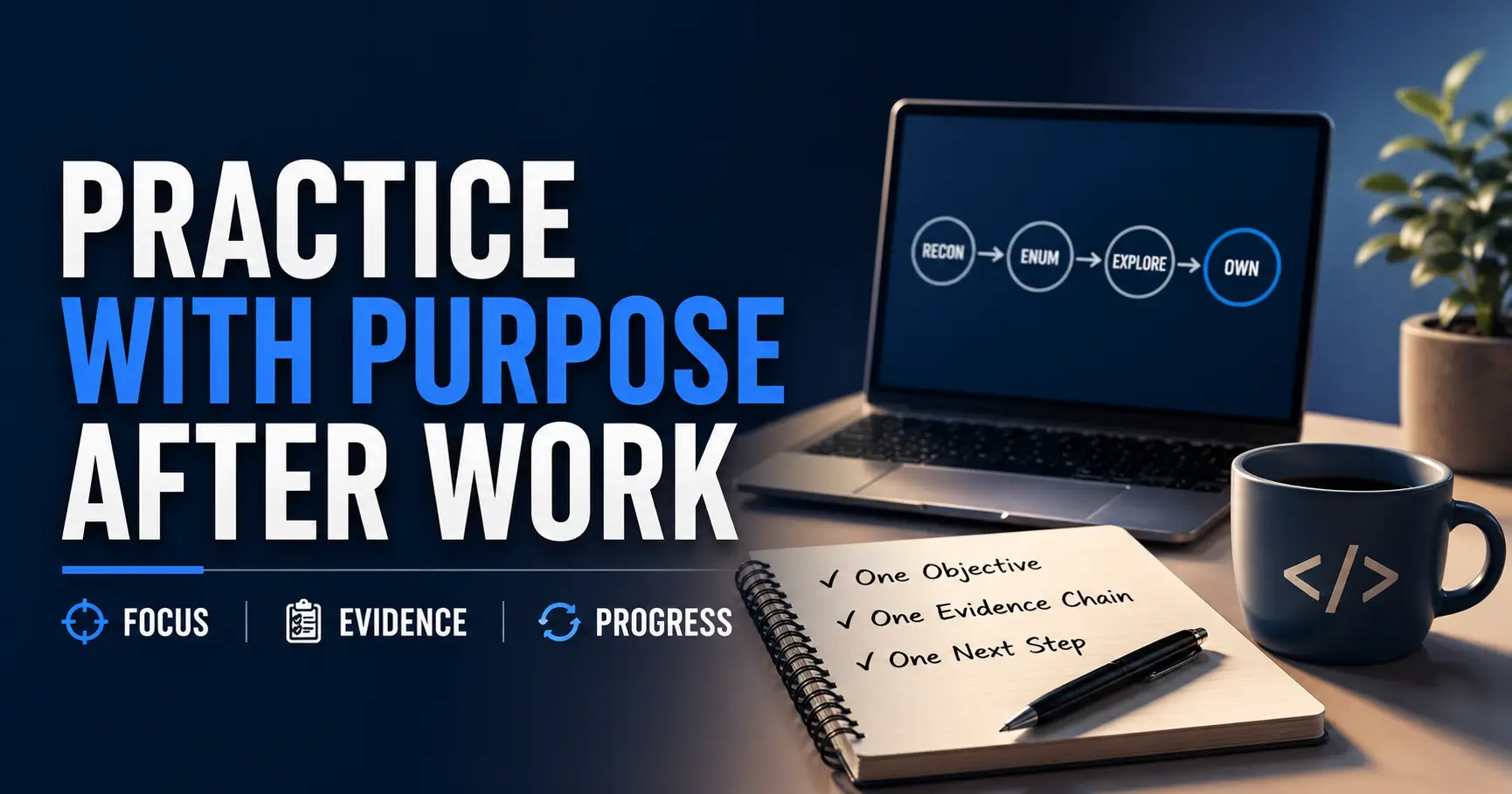
“One objective, one evidence chain, one restartable question.”
Stop the tool-chaos and the “busy but learned nothing” cycle. Choose your lane—20, 45, or 75 minutes—and build a lab habit that is:
- Not Heroic
- Not Flashy
- Useful
Table of Contents
Start Here: Why After-Work Kioptrix Practice Feels Harder Than Weekend Hacking
Your Brain Is Not Starting From Zero
After work, your brain is not a clean whiteboard. It is more like a diner receipt with coffee rings, three unfinished thoughts, and one mysterious charge called “meeting fatigue.” That matters when you sit down for Kioptrix.
Kioptrix Level practice asks you to notice tiny differences: a service version, a directory name, a login behavior, a header that feels slightly off. Those are not brute-force tasks. They are judgment tasks. And judgment is exactly what gets thin after a long day.
I learned this the unglamorous way. One evening I ran scans for almost an hour, felt very busy, and understood almost nothing. The next morning, the useful clue had been sitting in the first 30 lines of output, blinking politely like a lighthouse I had refused to look at.
The Real Enemy Is Not Kioptrix, It Is Decision Fatigue
Decision fatigue turns a lab into a fog machine. You ask, “Should I enumerate SMB again? Should I fuzz? Should I search this version? Should I open a walkthrough?” Soon you are not practicing cybersecurity. You are running a tiny late-night committee in your skull.
The fix is not more motivation. Motivation is a candle in a windy hallway. The fix is a smaller menu. That is why a structured Kioptrix practice session without burnout matters more than another burst of late-night willpower.
- Choose one task lane before opening tools.
- Set a hard stop before your attention collapses.
- Write evidence before writing theories.
- End with one next action, not six heroic intentions.
Why “Just One More Scan” Turns Into a Foggy Midnight Spiral
“Just one more scan” sounds harmless. So does “just one more episode.” Both have ruined perfectly innocent weeknights.
In Kioptrix practice, one unfocused scan often creates three new questions. Three questions create nine tabs. Nine tabs create the ancient beginner ritual: staring at a terminal while quietly negotiating with tomorrow’s alarm clock.
- Start with one objective.
- Stop before notes become unreadable.
- Measure progress by evidence, not root access.
Apply in 60 seconds: Before opening your VM, write one sentence: “Tonight I am only trying to learn…”
The After-Work Practice Window That Actually Works
The 45-Minute Block for Tired Weeknights
The 45-minute Kioptrix block is the workhorse. Not glamorous. Not cinematic. Extremely useful.
Use it when you are tired but still capable of clear thinking. The structure is simple: 5 minutes to transition, 30 minutes to do one focused task, and 10 minutes to write what changed. That last 10 minutes is not optional. It is the little bridge your tomorrow-brain needs. If you keep asking whether your sessions are too short or too long, this guide on choosing a realistic Kioptrix session length can help you set a saner default.
| Time | Action | Output |
|---|---|---|
| 0–5 min | Open notes, confirm target, write one goal | One plain-English question |
| 5–35 min | Run one enumeration or test lane | Evidence, not theories |
| 35–45 min | Summarize facts, guesses, next action | A clean stopping point |
The 75-Minute Block for High-Energy Evenings
The 75-minute block is for nights when you have actual mental fuel, not the imaginary kind produced by coffee and stubbornness. Use the extra time for analysis, not tool sprawl.
A good 75-minute block might include one deeper web testing pass, one service-specific research lane, or one exploit validation attempt inside your legal lab. It should not become “run everything and see what happens.” That is not a method. That is throwing confetti at a locked door.
The 20-Minute Rescue Block for Days That Almost Got Away
Some days arrive pre-wrecked. Dinner runs late. Work follows you home. Your chair looks at you with concern.
On those nights, do not force a full session. Use a 20-minute rescue block:
- 5 minutes: read yesterday’s notes.
- 10 minutes: clean one finding or label one screenshot.
- 5 minutes: write tomorrow’s first move.
This keeps the thread alive without pretending you are at full strength.
Let’s Be Honest: Some Nights Are for Keeping the Streak Alive
A streak is not sacred. But continuity is useful. The trick is knowing the difference between “I am avoiding practice” and “my brain is currently a damp paper bag.”
On the second kind of night, keep the promise small. Review one command. Rewrite one messy note. Reopen one service result and explain it to yourself in human language.
- Use 20 minutes to preserve continuity.
- Use 45 minutes for focused practice.
- Use 75 minutes only when you can still reason clearly.
Apply in 60 seconds: Rate your energy as low, medium, or high before choosing the session length.
Who This Is For, and Who This Is Not For
Best Fit: Beginners Who Need Structure More Than Speed
This method is for the learner who has enough curiosity to start Kioptrix, but not yet enough pattern recognition to know which rabbit holes deserve a shovel. That is a perfectly normal place to be.
Beginners often assume the problem is lack of tools. Usually, the problem is lack of sequence. Nmap, Gobuster, Nikto, Burp Suite, search engines, Metasploit, and manual notes can all be useful. Used together without a question, they become a brass band in a closet. If that sounds familiar, a slower Kioptrix for beginners approach may be more useful than adding another tool to the pile.
Good Fit: IT Support, Help Desk, and Career-Changers Building Practical Security Habits
If you come from help desk, sysadmin, networking, or general IT support, this structure may feel familiar. You already know that good troubleshooting starts with “What changed?” and “What do we know?” Kioptrix simply gives those habits a sharper little hat.
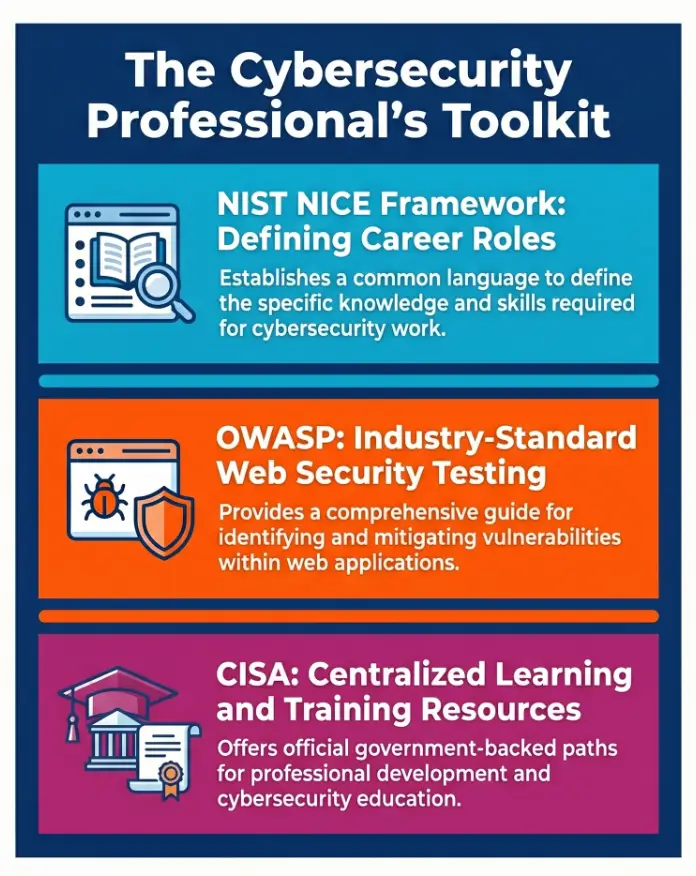
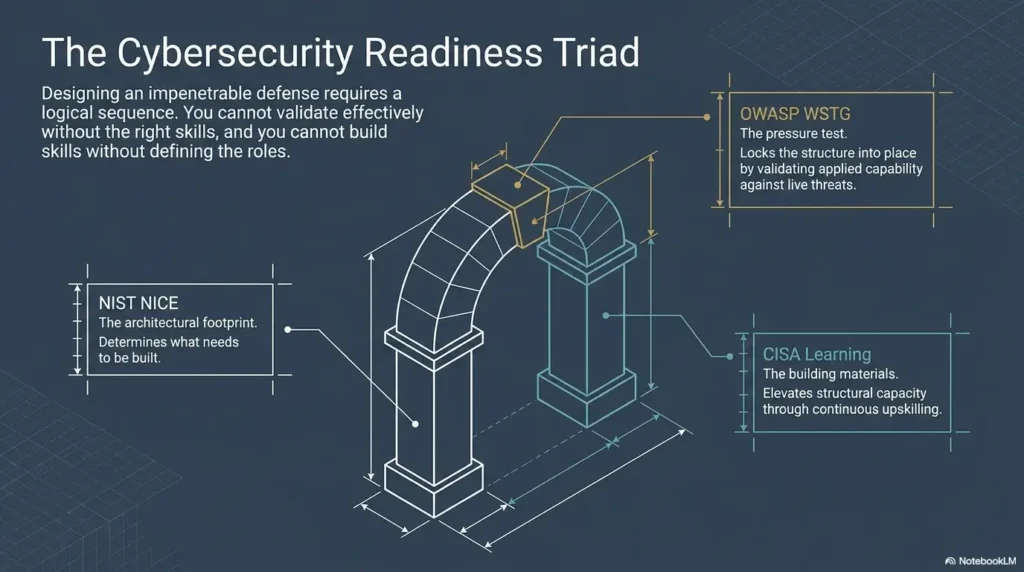
NIST’s NICE Framework describes cybersecurity work in terms of tasks, knowledge, and skills. That matters because Kioptrix practice becomes more useful when you stop treating it as a magic trick and start treating it as repeatable skill-building. This is especially true for learners using Kioptrix as a bridge from help desk work into more security-focused thinking.
Not Ideal: Anyone Trying to Rush Exploitation Without Notes
If your main goal is to paste the winning exploit as fast as possible, time blocking will annoy you. Good. It is supposed to.
Kioptrix can teach enumeration discipline, web testing patience, Linux familiarity, service research, and evidence handling. But it cannot teach those things if every session becomes a race to the ending.
Not Ideal: Learners Who Treat Walkthroughs Like Finish Lines Instead of Maps
Walkthroughs can help after you have struggled productively. They are dangerous when used as the first lantern. At that point, you are not learning how to see the room. You are learning how someone else narrated the room.
Eligibility Checklist: Should You Use This Time Block Tonight?
- Yes if you can write one clear objective before starting.
- Yes if you have at least 20 minutes and a legal lab target.
- Yes if you are willing to document evidence before guessing.
- No if you are angry, exhausted, or looking for a shortcut to feel productive.
Neutral next step: Choose the smallest block that still protects note quality.
The 5-Part Time Block: A Cleaner Way to Practice Kioptrix After Work
Block 1: Transition Ritual, Not Instant Terminal Chaos
Do not sit down and immediately start typing commands. That is how tired learners turn practice into digital furniture-moving.
Give yourself 3–5 minutes to transition. Open your notes. Confirm the VM is the intended target. Check that your environment is legal and isolated. Then write the session objective before tools start whispering.
My favorite tiny ritual is brutally plain: water on the left, notes in the center, terminal on the right. It sounds silly until you realize half of learning is removing avoidable friction.
Block 2: One Objective Written Before You Touch Tools
A useful objective is not “hack Kioptrix.” That is too large. It is a weather system, not a task.
Better objectives sound like this:
- “Identify open services and version clues.”
- “Check whether the web server exposes interesting paths.”
- “Research one service version and list plausible risks.”
- “Test one login behavior and record the response.”
Block 3: Focused Enumeration With a Hard Stop
Enumeration is where many beginners accidentally build a junk drawer. They collect outputs but do not interpret them.
Set a hard stop. For example: “I will enumerate web paths for 25 minutes, then summarize.” The timer is not there to punish you. It is there to stop the session from swelling like bread dough in a warm kitchen.
Block 4: Evidence Notes Before Interpretation
Write what happened before writing what you think it means. This is the difference between a lab notebook and a campfire story.
Evidence notes might include:
- Open port and service name.
- Version string or banner.
- URL path tested.
- HTTP status code or response behavior.
- Screenshot only when it proves something useful.
Block 5: One Next Question for Tomorrow
The session should end with a question, not a collapse. “Why does this service expose that version?” is a good question. “What was I even doing?” is a tiny tragedy wearing slippers.
- Start with one objective.
- Record evidence before interpretation.
- End while your notes still make sense.
Apply in 60 seconds: Add a “Next Question” line to your notes template before tonight’s session.
Pick One Lane: Enumeration, Web Testing, or Exploit Research
Enumeration Nights: Ports, Versions, Paths, and Service Clues
Enumeration nights are for learning what the machine is willing to reveal. You are not attacking the whole castle. You are walking the fence line with a clipboard.
For a beginner-to-intermediate learner, a good enumeration night might focus on Nmap output, service banners, web paths, robots.txt, server headers, SMB shares, or odd version strings. The point is to build a map, not declare victory after seeing one shiny clue. A focused Kioptrix enumeration routine helps keep those clues organized instead of letting them scatter across tabs.
Web Nights: Forms, Directories, Headers, and Weird Behavior
Web testing nights are slower and more tactile. You click. You observe. You send a request. You change one variable. You notice whether the page behaves differently.
OWASP’s Web Security Testing Guide is useful because it separates testing into categories such as information gathering, configuration, authentication, authorization, session management, input validation, and more. That structure helps beginners avoid the “poke everything randomly” phase, which is a rite of passage but not a long-term lifestyle. For Kioptrix specifically, HTTP enumeration during a Kioptrix lab is often where careful patience beats noisy guessing.
Research Nights: Reading Without Copy-Pasting Yourself Into Confusion
Research nights are not exploit nights in disguise. They are for understanding what a service version, configuration, or behavior might imply.
Open one official or reputable resource. Read for mechanism. Ask: What condition must be true for this issue to matter? What version is affected? What proof would I need in the lab? If you cannot answer those, you are not ready to paste anything. The clipboard has spoken. This is also where it helps to remember why copy-paste commands fail in Kioptrix when the evidence chain is missing.
The Open Loop: What Did the Machine Quietly Tell You Tonight?
Every good Kioptrix session ends with a small open loop. Not a cliffhanger. A handle.
For example: “Apache is running, but what content is exposed?” Or: “This port is open, but do I understand the service?” Or: “The login form responds differently, but have I proved why?”
Decision Card: Pick Tonight’s Lane
| Choose this lane | When your brain can handle | Trade-off |
|---|---|---|
| Enumeration | Careful reading and simple notes | Lower drama, high learning value |
| Web testing | Manual observation and patience | Slower, but great for pattern recognition |
| Exploit research | Reading, filtering, and restraint | Powerful only after evidence is clear |
Neutral next step: Match the lane to your remaining attention, not your ego.
Common Mistakes That Make After-Work Kioptrix Practice Feel Useless
Mistake 1: Starting With Tools Before Writing the Question
Tools are wonderful servants and chaotic managers. If you start with tools, the tool decides the session. If you start with a question, you decide.
Before running anything, ask: “What am I trying to learn from this output?” This one sentence can save 20 minutes of ornamental scanning.
Mistake 2: Running Too Many Scans and Reading None of Them
A common beginner move is to run three scans, open four tabs, start a directory brute force, then forget what the first scan said. It feels industrious. It is mostly smoke.
Better: run one scan, read it, annotate it, then choose the next move.
Mistake 3: Treating Every Clue Like an Emergency
Not every clue is a siren. Some clues are sticky notes. A version number is interesting, but it does not automatically mean “exploit now.” A directory is interesting, but it does not automatically mean “panic-click every link.”
Beginner growth often looks like becoming less excitable in the presence of information. Very glamorous. Very effective.
Mistake 4: Using Walkthroughs Too Early and Calling It Learning
There is a painful little difference between recognition and recall. When you read a walkthrough, everything feels familiar. When you return tomorrow, the path may vanish because you never had to produce the next step yourself.
Mistake 5: Practicing Until Your Notes Become Soup
When notes become soup, stop. No one has ever opened a midnight note that says “maybe enum thing?? check exploit???” and felt lovingly supported by their past self. If this pattern keeps repeating, a short review of common Kioptrix recon mistakes can help you notice where your sessions are leaking attention.
Show me the nerdy details
For after-work labs, the core constraint is not raw technical difficulty. It is cognitive switching cost. Each new tool, tab, and hypothesis adds context that must be held in working memory. A narrow session reduces that load by forcing one evidence chain: objective → command or test → output → interpretation → next action.
Don’t Do This: The Late-Night Walkthrough Trap
Why Walkthroughs Feel Productive When You Are Tired
Walkthroughs are soothing because they remove uncertainty. After a long day, uncertainty feels expensive. A polished write-up gives you the warm illusion of progress: commands line up, explanations sound clean, and the box suddenly behaves like a museum tour.
The trouble is that Kioptrix skill lives in the messy parts: choosing what to test, noticing what matters, and recovering when a guess fails.
The Difference Between “I Understand It” and “I Followed It”
Here is the test: close the walkthrough. Can you explain why the next step was chosen? Can you name the evidence that justified it? Can you reproduce the reasoning on a similar service?
If not, you followed it. That is not shameful. It is just different. A Kioptrix Level walkthrough is most useful after your own notes have already created a specific question.
Here’s What No One Tells You: Borrowed Momentum Disappears Tomorrow
Borrowed momentum feels great tonight and evaporates by morning. Your own notes, even clumsy ones, age better. They carry the smell of your actual thinking.
Walkthrough Prep List: What to Gather Before You Look
- Your current target state in 3–5 bullet points.
- The exact clue that made you stuck.
- Two guesses you tested and what happened.
- One question you want the walkthrough to answer.
- A promise to read only the next step, not the entire ending.
Neutral next step: Use a walkthrough as a diagnostic mirror, not a steering wheel.
Build a Kioptrix Session Template You Can Reuse Every Night
Tonight’s Target State: What Do I Know?
A reusable template makes after-work practice lighter. You do not need to reinvent your note structure every night. That is administrative jazz, and not the good kind.
Start with the target state. A dedicated Kioptrix technical journal can make this easier because each session has a place to land before the tools start making noise.
- Target VM:
- Date:
- Session length:
- Known ports/services:
- Current best clue:
Tonight’s One Test: What Am I Trying to Prove?
Every session should have one testable idea. Not necessarily one command, but one direction.
For example: “I want to prove whether the web server exposes hidden directories.” Or: “I want to verify whether this service version has publicly documented issues.”
Tonight’s Evidence: What Changed After I Tested?
Write what changed. Did you discover a new path? Did a request produce a different status code? Did a service banner confirm a version? Did research rule out a dead end?
Ruling out a dead end counts. In fact, it is one of the most underrated forms of progress. Cybersecurity learning is partly the art of not chasing every shiny raccoon into the bushes.
Tomorrow’s First Move: What Should Be Obvious When I Return?
The final line should be embarrassingly clear. “Tomorrow: check /admin manually before running more tools.” That kind of note is a gift. “Continue research” is a fog bank. If your notes keep drifting into fog, choosing a practical Kioptrix note-taking tool can reduce friction before the session even begins.
Mini Calculator: Pick Tonight’s Practice Block
Use this quick rule without storing anything.
Use a 20-minute rescue block: review notes, clean one finding, write tomorrow’s first move.
Neutral next step: Choose the smallest block that lets you end with readable notes.
The Best After-Work Schedule by Energy Level
Low Energy: Review Notes and Clean Up One Finding
Low-energy nights are not failures. They are maintenance nights.
Do not launch a fresh exploit chain when your mind feels like an old printer. Instead, clean one finding. Rename a screenshot. Rewrite one confusing paragraph. Turn a vague clue into a clear question.
Medium Energy: Run One Enumeration Pass and Summarize Results
Medium energy is the sweet spot for most after-work practice. You can run one focused pass and still interpret it.
Example schedule:
- 5 minutes: setup and objective.
- 25 minutes: enumeration lane.
- 10 minutes: read output.
- 5 minutes: next action.
High Energy: Test One Hypothesis and Capture Proof
High-energy nights are useful, but they can make you overconfident. A bright brain can still make a messy lab if it tries to test six things at once.
Use high energy for one deeper hypothesis. “I believe this version may be vulnerable under these conditions. Tonight I will check whether those conditions exist.” That is clean. That is adult. That is not twenty tabs screaming in chorus.
The Quiet Trick: Match the Task to Your Brain, Not Your Ambition
Ambition is loud. Capacity is quiet. Listen to capacity.
After-Work Kioptrix Energy Map
🌙
Low Energy
20 minutes
Review notes, clean one finding, write tomorrow’s first move.
🔎
Medium Energy
45 minutes
Run one enumeration or web test lane, then summarize evidence.
⚙️
High Energy
75 minutes
Test one hypothesis deeply and capture proof before stopping.
- Low energy is for cleanup.
- Medium energy is for enumeration.
- High energy is for hypothesis testing.
Apply in 60 seconds: Label tonight’s session low, medium, or high before choosing a task.
How to Stop Without Losing Momentum
Stop at a Question, Not at Exhaustion
The best stopping point is not “when I cannot think anymore.” That is how you leave tomorrow a pile of crumbs and one haunted browser tab.
Stop when you have a question strong enough to restart the next session. A question has edges. Exhaustion has fog. If returning to the same target keeps feeling harder than it should, a Kioptrix Level restart guide can help you rebuild the thread without starting from emotional scratch.
Leave Breadcrumbs Your Tomorrow-Brain Can Follow
Your tomorrow-brain is not a detective hired to decode your midnight hieroglyphics. Be kind to it.
End with:
- 3 facts you know.
- 2 guesses worth testing.
- 1 next action.
Screenshot Only What Proves Something
Screenshots can be useful. They can also become a junk drawer with timestamps.
Capture proof: a version string, a strange response, a directory listing, a successful test result, or a configuration clue. Do not screenshot because the screen looked technical and emotionally important.
The Final 3 Lines: Facts, Guesses, Next Action
This is the whole method compressed into a pocket note:
Facts:
- Port/service evidence here
- Web path or response here
- Version or behavior here

Guesses:
- Possible meaning here
- Possible next test here

Next action:
- One clear first move for tomorrow
I have come to trust this more than any dramatic productivity system. It is small, almost plain. But plain things carry weight when they are repeated. For learners who want that structure ready-made, a Kioptrix recon log template can turn scattered terminal output into a restartable evidence trail.
- Stop with a restartable question.
- Use facts, guesses, and next action.
- Keep screenshots evidence-based.
Apply in 60 seconds: Add “Facts / Guesses / Next Action” to the bottom of your notes now.
FAQ
How long should I practice Kioptrix after work?
Use a duration that fits your energy and the task. The 20-, 45-, and 75-minute blocks are planning examples, not proven optimal durations. Shorten a block or take the night off when you cannot interpret results clearly, and reserve time for a useful handoff note.
Is 30 minutes enough for Kioptrix practice?
Yes, 30 minutes is enough if the task is narrow. Do not try to root the machine in 30 minutes. Review one scan, test one path, research one service, or clean one finding.
Should I do Kioptrix when I am tired?
If you are mildly tired, a small note-review task may be practical. If you cannot concentrate or practice would cut into sleep, stop and resume another day. Keeping a streak is optional; choose the workload from your actual attention, not a requirement to study every night.
What should I do first in a Kioptrix session?
Write one objective before opening tools. A good first objective is specific: “Identify open services,” “Review web paths,” or “Research this version string.” Avoid starting with “hack the box.” That phrase is too large to guide action.
How do I avoid using walkthroughs too much?
Set a rule: use a walkthrough only after you have written your current facts, your tested guesses, and the exact question you want answered. Read only enough to unblock the next step, then return to your own notes.
Should I practice Kioptrix every night or only on weekends?
If your schedule allows, use short weekday sessions for continuity and longer weekend sessions for deeper work. After-work practice builds pattern recognition. Weekend practice gives you room to connect the dots. A simple Kioptrix weekly habit can make both rhythms work together instead of competing for your attention.
What is the best stopping point during a Kioptrix lab?
The best stopping point is a clear next action. Stop after you have a strong question, useful evidence, and enough notes to restart without rereading everything.
How do I know if I made progress without getting root?
You made progress if you clarified the target, ruled out a false lead, documented a service, discovered a path, understood a response, or formed a better next question. Root is an outcome. Learning is the trail.
Next Step: Set Up Tomorrow’s First 45-Minute Kioptrix Block
Choose One Objective Before Dinner
The easiest way to protect tomorrow’s practice is to decide before the evening gets noisy. Choose one objective before dinner. Not five. One.
Try this: “Tomorrow I will only review the web service and document paths that look meaningful.” That sentence is small enough to obey.
Prepare Your Notes Before Opening the VM
Open your notes first. Put the date, target, session length, and objective at the top. This feels slower for about 40 seconds. Then it saves the rest of the night from becoming a drawer full of loose screws.
End With One Plain-English Question
The hook at the start of this article was the heavy terminal after work. The answer is not pretending the terminal is light. The answer is carrying less into the session.
One objective. One lane. One evidence chain. One next question. That is the whole spell, and it is refreshingly unmagical.
Your Concrete Action: Write “Tonight I Will Only…” Before You Start
Tonight, before you touch Nmap, Burp Suite, Metasploit, a browser, or a search engine, write this line:
Tonight I will only…
Then finish the sentence with one task you can complete in 45 minutes. Keep it legal. Keep it lab-based. Keep it narrow enough that your future self does not need a lantern and a search party.
Original review: 2026-04.
Technical guidance updated: 2026-10-13. Reframed session lengths as adjustable examples and clarified that rest is appropriate when attention is too low.