Master the Clean Handoff
Stop starting your Kioptrix sessions in a fog.
A Kioptrix session can look productive right up until you reopen your laptop tomorrow and realize your “progress” is just six tabs, three scan logs, and a note that says “try web stuff.”
The best end-of-session review habit for beginners is not a massive write-up. It is a short shutdown ritual that turns messy lab practice into something you can actually restart.
Beginners often lose time not because they missed the magic command, but because they failed to separate confirmed facts from guesses, tool output from interpretation, and curiosity from a real next step.
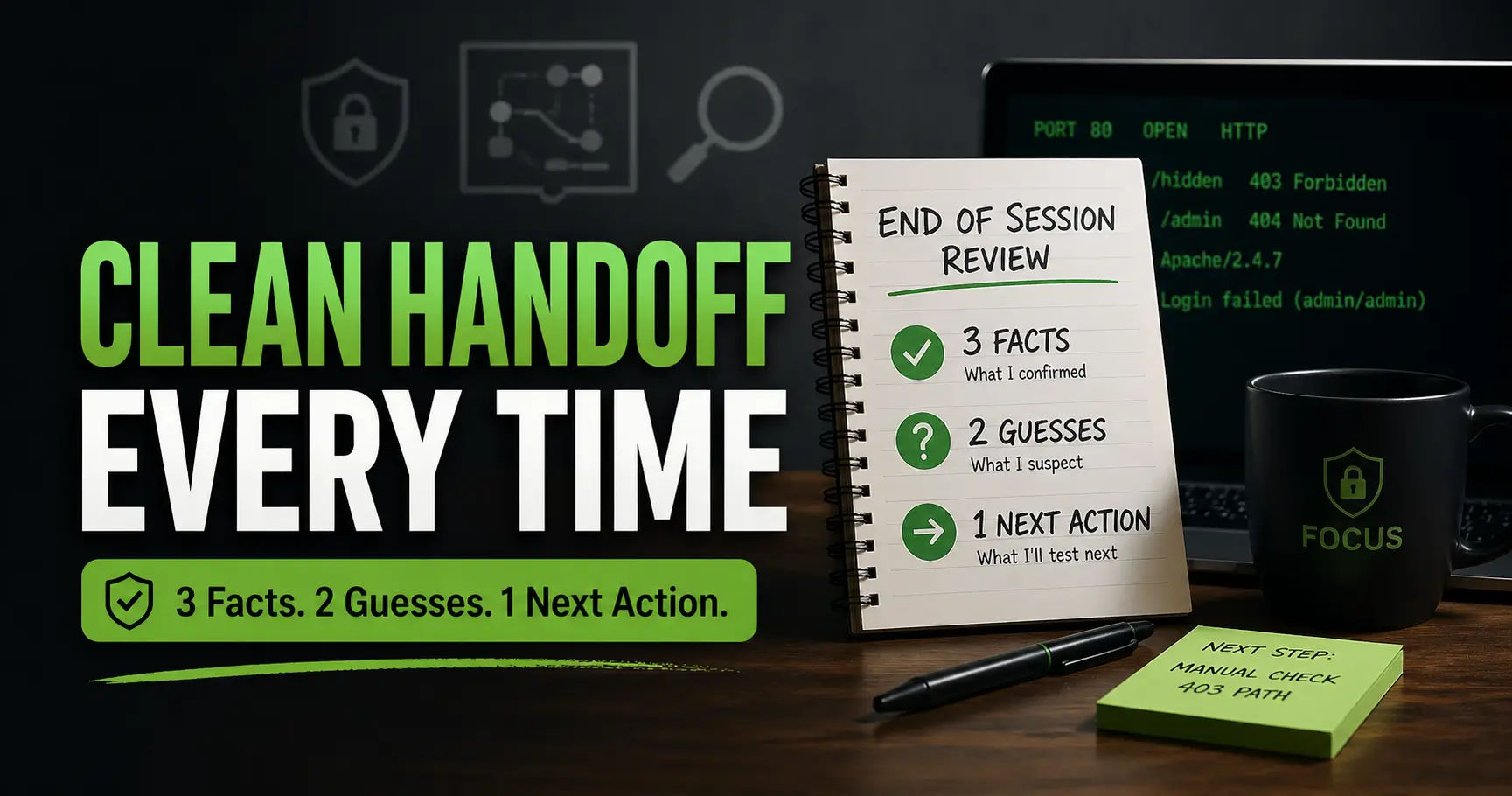
This guide shows you how to end each practice session with three facts, two guesses, and one next action. Transform your enumeration notes and failed exploits into reusable momentum instead of decorative clutter.
No drama. No trophy write-up. Just a clean handoff to future-you.
Table of Contents
Fast Answer: The best end-of-session review habit for Kioptrix level beginners is a short “three facts, two guesses, one next action” review. Before closing the lab, write down what you confirmed, what you suspect, and exactly what you will test next time. This prevents tab chaos, tool hopping, and the beginner trap of feeling busy without actually learning.
Start Here: Why Your Last 7 Minutes Matter More Than Another Scan
The last few minutes of a Kioptrix practice session are strange little minutes. Your brain is tired, the terminal is cluttered, and one more scan feels productive because it makes noise. But for beginners, the final 7 minutes often matter more than the next command.
Why? Because Kioptrix is not only a technical lab. It is a thinking lab. You are learning how to notice, compare, eliminate, prioritize, and return later without starting from wet cement.
The beginner problem is not effort, it is unfinished thinking
Most beginners do not fail because they are lazy. They fail because their thinking remains unfinished. They enumerate a service, open a web path, test a login idea, copy a version number, then leave all of it floating like receipts in a storm drain.
I have done this. I once ended a practice session with twelve browser tabs and exactly zero useful next steps. The next morning, I opened the laptop and felt like an archaeologist holding a toothbrush in a parking lot.
The issue is not a lack of work. It is work without a closing sentence.
Why “I’ll remember this tomorrow” quietly betrays you
Tomorrow-you is not a perfect archive. Tomorrow-you has breakfast, messages, errands, work stress, and a suspiciously strong ability to forget which directory returned a 403.
When you tell yourself, “I’ll remember,” what you often mean is, “I hope the emotional heat of this clue survives overnight.” It usually does not. Technical memory cools quickly.
- A version number without context becomes trivia.
- A failed exploit without reason becomes superstition.
- A promising path without priority becomes another tab-shaped ghost.
The real goal: leave a breadcrumb your future self can follow
The best end-of-session review habit for Kioptrix level beginners is a breadcrumb system. Not a novel. Not a trophy write-up. Just enough evidence and intention to make the next session easier.
Think of it as leaving a small lantern at the edge of the trail. When you return, you do not need to re-create the forest. You only need to see where the path continues. If that return often feels messy, a separate Kioptrix level restart guide can help you rebuild the first few minutes without wandering back through every old tab.
- Reserve the final 5 to 7 minutes for review.
- Write decisions, not just commands.
- Close with one specific next move.
Apply in 60 seconds: Before closing your lab tonight, write one sentence that starts: “Next session starts with…”
The Best Habit: Three Facts, Two Guesses, One Next Action
The habit is simple enough to survive a tired brain: write three facts, two guesses, and one next action. That is the whole machine. Six lines if you are disciplined. Eight if your keyboard gets sentimental.
This structure works because it separates evidence from interpretation. Beginners often mix those together. The result sounds confident but behaves badly: “Probably vulnerable” becomes “definitely exploitable,” and “interesting login page” becomes “must be the way in.” That is how lab notes turn into fog wearing boots.
Three facts: only write what the box actually proved
A fact is something the lab showed you directly. It is not a vibe. It is not a hunch. It is not “looks old.”
Good facts look like this:
- Port 80 responded with an Apache default-looking page.
- A tested URL returned 403 instead of 404. That records a response, not proof that a physical directory exists.
- A login form rejected the tested credentials.
- A service banner showed a specific version.
- A manual request produced a repeatable error message.
Facts should be boring enough to trust. If the note sounds dramatic, check whether it is really a fact or just your caffeine narrating. For a fuller structure, a Kioptrix recon log template can give those small facts a place to live before they evaporate.
Two guesses: separate hypotheses from evidence
A guess is allowed. In fact, it is useful. The trick is labeling it honestly.
Instead of writing, “The web app is vulnerable,” write, “Guess: the web path may matter because it returns a different status than nearby paths.” That tiny label protects your thinking. It keeps your hypothesis flexible enough to survive contact with evidence.
One next action: make tomorrow’s first move painfully clear
Your next action should be so clear that you could do it before your coffee becomes a personality. “Check web stuff” is not enough. “Manually test the 403 directory with simple path variations and note response changes” is better.
The next action should include:
- What you will test.
- Where you will test it.
- Why it is first.
Let’s be honest: vague notes are just clutter wearing a trench coat
A vague note feels useful because it exists. But existence is a low bar. A sticky note that says “look deeper” is not a map. It is a fortune cookie with terminal dust on it.
Infographic: The 6-Line Kioptrix Shutdown Card
3
Facts
What the box actually proved.
2
Guesses
What might be true, clearly labeled.
1
Next Action
The first test for your next session.
Rule: If it cannot fit on one screen, it is probably no longer a shutdown review. It is a write-up wearing a backpack.
Who This Is For, and Who It Is Not For
This habit is for beginners who want to practice Kioptrix without turning every session into either chaos or theater. It is especially useful if your practice time is short, your attention is split, or your notes have ever contained the tragic phrase “try things tomorrow.”
Good fit: beginners practicing Kioptrix before work, after work, or on weekends
If you practice before work, your session may be sharp but short. If you practice after work, your session may be determined but tired. If you practice on weekends, your session may stretch long enough to become a swamp.
The shutdown habit helps in all three cases. It gives your practice a clean edge. You stop because the session is complete, not because your brain has fallen into a drawer. If your weekly schedule keeps slipping, a Kioptrix weekly habit approach can make the rhythm steadier without turning your calendar into a tiny prison.
Good fit: learners who open too many tabs and lose the thread
Tabs are seductive. They promise depth. Then they multiply, blink at you, and become a small chrome-plated wilderness.
If you often have scan results, notes, forum searches, terminal output, and a half-open text file all competing for attention, this review habit is a seatbelt. It forces a choice: what did you prove, what do you suspect, and what comes first next time?
Not for: people looking for exploit spoilers or copy-paste walkthroughs
This is not a spoiler path. The goal is not to hand you the solution. The goal is to help you keep your own reasoning intact.
There is a big difference between learning from a walkthrough after you have struggled and using someone else’s conclusion before you have formed your own. The first can teach. The second can turn your hands into passengers.
Not for: unauthorized systems, real targets, or “just testing” excuses
Practice only in systems you own, control, or have clear permission to test. Kioptrix is meant for legal lab learning. That boundary matters. It protects other people, and it protects you from building bad instincts with fancy vocabulary.
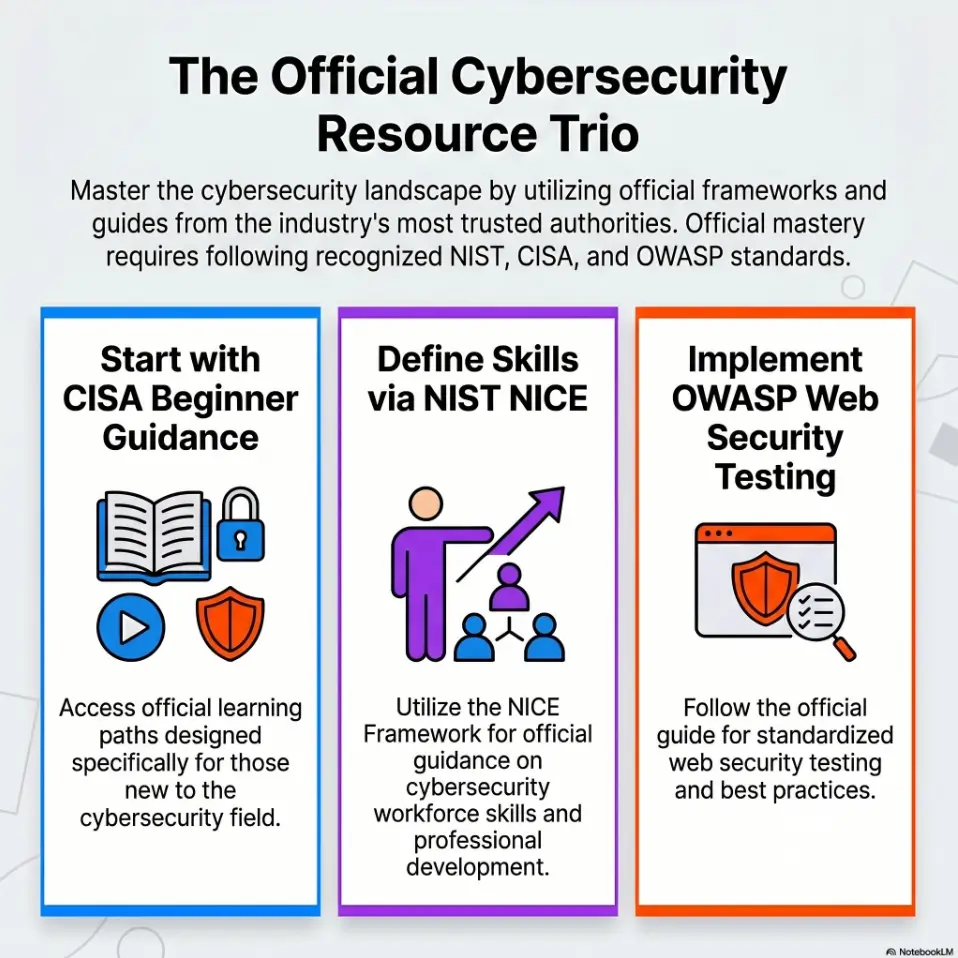
NIST’s NICE Framework describes cybersecurity work in terms of tasks, knowledge, and skills. That framing is useful here because even a beginner lab habit can train professional muscles: observing carefully, documenting clearly, and choosing the next test responsibly.
End With Evidence, Not Emotion
Kioptrix can make beginners feel close to progress long before the evidence agrees. That feeling is not useless. It can keep you curious. But it should not run the meeting.
End-of-session review is where emotion hands the clipboard back to evidence.
“I feel close” is not a technical status update
“I feel close” may be true emotionally, but it does not tell you what changed. It does not tell you what responded differently, which credential failed, which path mattered, or which assumption took a tiny dramatic tumble down the stairs.
A technical status update should survive a cold reread. If you open it tomorrow and cannot tell what to do, it was mood, not evidence.
Capture service versions, paths, errors, credentials tested, and dead ends
At the end of your session, you do not need every line of output. You need the parts that guide decisions.
- Service versions: only those that may affect your next hypothesis.
- Paths: especially ones with unusual status codes or behavior.
- Errors: exact wording when it changes your interpretation.
- Credentials tested: what you tried and where.
- Dead ends: what you ruled out and why.
Dead ends are underrated. A clean “I ruled this out because…” can save you 20 minutes of tomorrow’s life. That is not glamorous, but neither is brushing your teeth, and society seems to have accepted that one.
Screenshot only what proves a decision
Screenshots can help, but they can also become decorative clutter. Screenshot a finding when it proves a decision, preserves a volatile page state, or captures an error you cannot easily reproduce.
Do not screenshot everything just to feel official. A folder full of images named “Screenshot 47” is not documentation. It is a haunted shoebox. If screenshots are part of your evidence trail, a consistent screenshot naming pattern can keep proof from turning into a junk drawer with timestamps.
Here’s what no one tells you: clean stopping points are a skill
Beginners often stop when they are exhausted. Better learners stop when the session has a clean edge. That edge might be after one manual test, one scan interpretation, one ruled-out hypothesis, or one next action written clearly.
Show me the nerdy details
A useful review note has low reconstruction cost. That means your future self can reconstruct the state of your reasoning without reopening every scan log. The note should include evidence, interpretation, and priority. It should not try to replace raw output. Store raw output separately when needed, but make the review note explain what the output means.
- Replace “I feel close” with one confirmed clue.
- Record dead ends to protect future time.
- Save screenshots only when they prove something.
Apply in 60 seconds: Add one line to tonight’s notes: “I ruled out…”
Don’t Do This: The Three Most Expensive End-of-Session Mistakes
Some mistakes do not feel expensive when you make them. They feel small, harmless, and maybe even efficient. Then tomorrow arrives, wearing sensible shoes, and charges you interest.
Mistake 1: ending after a failed exploit with no note about why it failed
A failed exploit attempt is not automatically a dead end. It might mean the target is not vulnerable. It might mean the exploit requires conditions you did not meet. It might mean your syntax, environment, payload, timing, or assumption was wrong.
If you simply write “failed,” you force tomorrow-you to repeat the confusion. Write why you think it failed, even if you are uncertain. This is also where a broader Kioptrix decision process can help you avoid treating one noisy failure as a final verdict.
- Did the service version match the requirement?
- Did the target behave differently after the attempt?
- Was the error local to your tool or remote from the target?
- Did you verify the prerequisite manually?
Mistake 2: saving tool output but not writing what it means
Raw output is evidence storage. Review notes are thinking storage. You need both sometimes, but they are not the same job.
I have saved beautiful scan logs that taught me nothing the next day because I never wrote the interpretation. The file existed. My judgment did not.
Mistake 3: leaving six possible paths open with no priority order
Six possible paths may sound rich. In practice, they can become a tiny parliament of distractions.
Rank them. Even a rough order is better than none. “First: manually inspect web path because it changed status. Second: revisit service version if web path gives nothing. Third: review credentials only after login behavior is understood.” That is enough.
The quiet damage: tomorrow starts with fog instead of momentum
The real cost of poor review is not the lost note. It is the emotional drag. You begin the next session by reorienting, doubting, reopening, rereading, and muttering at your old self like a disappointed lighthouse keeper.
Eligibility Checklist: Should You Use the 3-2-1 Review Tonight?
| Question | Yes/No | Next Step |
|---|---|---|
| Do you forget where to restart? | Yes | Use one next action before closing. |
| Do you confuse guesses with proof? | Yes | Label facts and guesses separately. |
| Do you practice only once a week? | Yes | Make the note extra concrete. |
Neutral action: If two or more answers are yes, make the 3-2-1 review your default shutdown step.
The 5-Minute Review Template Beginners Can Actually Keep
A review template only works if you will use it when tired. That means it must be short, plain, and slightly bossy. No ceremonial productivity incense required.
Use this template at the end of every Kioptrix session:
5-Minute Kioptrix Review Template
- Today I confirmed…
- The strongest clue is…
- I ruled out…
- My two guesses are…
- Next session starts with…
Line 1: “Today I confirmed…”
This line anchors the session in proof. It should include something the target actually showed you. You might write, “Today I confirmed the web server responds on port 80 and one hidden path returns 403.”
Notice the restraint. You are not declaring victory. You are placing a pin in the map.
Line 2: “The strongest clue is…”
This line helps you choose signal over noise. The strongest clue is not always the flashiest one. Sometimes it is a boring response code, a small version mismatch, or an error message with one odd word.
In beginner practice, learning to identify the strongest clue is often more valuable than learning one more command.
Line 3: “I ruled out…”
This is where you save yourself from looping. If you tested a credential pair and it failed in a specific place, write that. If a directory looked promising but produced nothing after manual checks, write that too.
Ruling something out is not failure. It is housekeeping for thought.
Line 4: “My two guesses are…”
Label the current hypotheses as unconfirmed. If you have only one useful guess, record one rather than inventing a second.
Line 5: “Next session starts with…”
This line must be painfully clear. Not “continue enum.” Not “try harder.” Write the first action, the target area, and the reason.
Example: “Next session starts with manual checks on the 403 path because its behavior differs from nearby missing paths.”
Tiny rule: one screen, no scrolling
If your shutdown review requires scrolling, it is probably too long. The goal is a restart card, not a memoir. For people who want the note-taking side to feel less improvised, a dedicated Kioptrix note-taking tool setup can reduce the friction without making the ritual heavier.
- Use sentence starters to reduce friction.
- Keep the note short enough to reread fast.
- Make the next session’s first action unmistakable.
Apply in 60 seconds: Copy the five template lines into your notes app before your next lab session.
The Breadcrumb Method: Make Your Next Session Easier Before You Earn It
The breadcrumb method is the art of being kind to your future attention. Not indulgent. Kind. There is a difference. Indulgent-you opens fifteen tabs. Kind-you writes the first next step.
Write the next command or manual check before closing the terminal
At the end of your session, write the next command or manual check you intend to run. Keep it legal, lab-scoped, and tied to your own evidence.
For example, you might write, “Manually revisit the web path that returned 403 and compare response behavior against a clearly missing path.” That is not a spoiler. That is a disciplined next test.
Add the reason, not just the action
The reason matters because tomorrow-you may not trust yesterday-you. Honestly, fair. Yesterday-you had 14 tabs open and called a vague clue “spicy.”
Write the reason beside the action:
- Action: Recheck login behavior manually.
- Reason: Error message changed between blank input and wrong credentials.
That reason is what keeps the breadcrumb from becoming a crumb-shaped ornament.
Put your best hypothesis at the top, not buried under scan logs
Your best hypothesis belongs at the top of the review note. Raw logs can sit below or in separate files. The first thing you see next session should be the thinking, not a wall of output.
Pattern interrupt: Future-you is not your intern
Do not dump a mess on future-you and call it continuity. Future-you deserves a clean handoff. One fact. One reason. One next move. That is the minimum professional courtesy inside your own skull.
Decision Card: Quick Review vs. Full Write-Up
Use a 5-minute review when…
- You are mid-box.
- You need a clean restart point.
- You have not solved the machine yet.
Time trade-off: Low effort, high continuity.
Use a full write-up when…
- You have finished the box.
- You want portfolio-style reflection.
- You can explain the path without spoilers for yourself.
Time trade-off: Higher effort, deeper synthesis.
Neutral action: During active practice, default to the short review; save the full write-up for after completion.
Review by Attack Surface, Not by Tool Name
One of the quickest ways to improve your Kioptrix notes is to organize them around attack surface rather than tool names. Tools are how you looked. Attack surface is what you found.
A tool-centered note says, “Ran scanner, ran directory tool, ran browser tests.” An attack-surface note says, “Web path behaved differently, service version may matter, credential testing is not yet meaningful.” The second note has a spine. That spine gets stronger when your broader Kioptrix methodology favors evidence, interpretation, and priority over tool-name collecting.
Web paths: what responded, redirected, broke, or asked for login
For web findings, record behavior. Beginners often list paths without explaining why one matters. A path that redirects, returns 403, exposes an error, or behaves differently under input may deserve attention.
OWASP’s Web Security Testing Guide is useful because it treats web testing as a structured process, not a bag of tricks. For Kioptrix learners, that mindset matters more than memorizing individual tests too early. If web enumeration is where your notes get especially tangled, a focused Kioptrix HTTP enumeration workflow can help you describe behavior instead of merely collecting URLs.
Services: what versions matter and what looks ordinary
Do not panic at every banner. A version number is not automatically a vulnerability. Write down versions that connect to a plausible hypothesis, then verify calmly.
Good service notes answer two questions: “What is exposed?” and “Why might this affect my next test?” If you cannot answer the second question yet, label it as a parking-lot item.
Credentials: what you tried, where, and with what result
Credential testing gets messy fast. Record the exact location and result. “Tried admin/admin” is weaker than “Tried admin/admin on web login; same generic error as blank password.” The second version teaches you something about behavior.
Files and clues: which findings deserve another look
If a file, comment, directory name, or page title feels interesting, explain why. Did it connect to a service? Did it reveal naming patterns? Did it contradict another assumption?
Beginners often collect clues the way beachcombers collect shells. Pretty, numerous, and difficult to carry. Your review should decide which shells are actually keys.
Curiosity Gap: What Did the Box Try to Tell You?
Every Kioptrix session leaves small signals behind. Some are loud. Some are drab little pebbles. The beginner’s task is not to chase every sparkle. It is to ask, “What did the box try to tell me that I almost ignored?”
The clue you ignored because it looked boring
Some clues look boring because they do not announce themselves as clues. A status code. A default page. A service name. A login error that changes by one word. These can be the quiet hinges of the session.
I once ignored a dull-looking response difference for an entire evening because a louder idea felt more exciting. The dull clue was not the final answer, but it was the better next question. That distinction matters.
The error message that may be a doorway
Error messages are not always useful, but they are rarely decorative. If an error changes based on your input, write it down exactly. If the error appears only after one test, note the condition.
Do not overread it. Do not underread it. Put it on the witness stand and ask what it can actually prove.
The service you scanned but never manually touched
Automated enumeration can give you a list. It cannot always give you understanding. If you scanned a service but never manually interacted with it, your review should say so.
This is especially important for beginners because tool output can create false closure. “Seen by tool” is not the same as “understood by learner.” A scanner may knock on doors. You still need to notice which door answered strangely. A practical Kioptrix enumeration habit should end with interpretation, not just a fresh pile of output.
The habit shift: ask “what changed?” before “what tool next?”
Before launching another tool, ask what changed in your knowledge. Did a guess become a fact? Did a path become less interesting? Did one service move up the priority list?
- Look for changed behavior, not just interesting labels.
- Write exact errors when they affect your next test.
- Distinguish scanned from understood.
Apply in 60 seconds: Add one line to your review: “The box may be telling me…”
Common Mistakes Beginners Make During Kioptrix Review
Beginner review mistakes are usually understandable. They come from wanting to be thorough, wanting to learn fast, and wanting to avoid missing the obvious. Noble intentions. Tiny paperwork goblins.
Writing a diary instead of a decision record
A diary says, “Then I tried this, then I tried that, then I got tired.” A decision record says, “This mattered, this did not, this comes next.” Both can be honest. Only one helps you restart quickly.
You can keep longer notes if you enjoy them, but the end-of-session review should be a decision record first. When you want to turn that decision record into something more polished later, use Kioptrix report writing tips after the lab work has settled.
Keeping every command but losing the story
Commands without interpretation are like sheet music without tempo markings. Technically present, emotionally unhelpful.
When you save a command, add one line about why you ran it and what it changed. If it changed nothing, say that too. “No useful change” is still information.
Treating enumeration as “done” instead of “interpreted”
Enumeration is not finished when output appears. It is finished when you have interpreted what matters enough to choose a next step.
This is a hard lesson because output feels like progress. It has lines. It has ports. It has the comforting texture of effort. But until you decide what the output means, you are still standing in the lobby.
Copying walkthrough language before forming your own hypothesis
Walkthroughs can be valuable after your own attempt. But if you borrow the language too early, you may also borrow the conclusion. Then your notes sound smarter than your understanding.
Try forming your own hypothesis first. Even a wrong hypothesis teaches you how your mind is working. A copied right answer may only teach your fingers where to paste.
Ending only when exhausted, not when the session has a clean edge
Exhaustion is a terrible project manager. It stops you at random and leaves papers everywhere.
A clean edge is different. It means you stop after one completed thought: one fact confirmed, one guess labeled, one next action written. That is how practice becomes durable. If exhaustion is the pattern, not the exception, a guide to Kioptrix practice sessions without burnout can help you protect the learning without flattening your evenings.
Mini Calculator: Your Review Time Budget
Use this simple rule. No storage, no tracking, no drama.
| Session Length | Review Time | Output |
|---|---|---|
| 20 minutes | 3 minutes | One fact, one guess, one next action |
| 40 minutes | 5 minutes | Three facts, two guesses, one next action |
| 90 minutes | 7 minutes | Full 3-2-1 plus one ruled-out path |
Neutral action: Set your review timer before you begin the lab, not after your brain is already soup.
A Simple End-of-Session Review Example
Examples help because vague advice often behaves like fog with a tie on. So let’s compare a weak review note with a better one. The goal is not to reveal a Kioptrix solution. The goal is to show how thinking becomes reusable.
Bad review note: “Ran scans, found web stuff, try exploit tomorrow”
This note has energy, but no steering wheel. What scans? What web stuff? Which exploit? Why that one? What evidence supports it?
Tomorrow-you will have to reopen tools, reread output, rediscover context, and guess what yesterday-you meant. This is how a 5-minute review debt becomes a 30-minute fog tax.
Better review note: “Apache version confirmed; directory X returned 403; next test is…”
A better note might look like this:
Example 3-2-1 Review
Facts: Web service responded on port 80. One discovered path returned 403, while random missing paths returned 404. Tested two obvious credential pairs on the login form with no change in error behavior.
Guesses: The 403 path may deserve manual checking because it behaves differently. The login form may not be useful yet without better context.
Next action: Start next session by manually comparing responses around the 403 path and record any behavior changes.
This note is not glamorous. That is why it works. It gives your next session a doorway instead of a weather report.
Why the better note protects learning
The better note protects learning because it keeps proof, suspicion, and action separate. It does not pretend the guess is a fact. It does not bury the next move under tool noise.
It also teaches a professional rhythm: observe, interpret, decide. That rhythm appears in real security work, software troubleshooting, incident review, and even ordinary debugging. The lab is small, but the thinking scales.
How to keep it spoiler-free and still useful
To stay spoiler-free, avoid writing “the answer is probably…” too early. Instead, write “the next test is…” or “this behavior may matter because…”
You are not trying to predict the ending. You are trying to preserve the next honest question. That mindset is especially helpful for Kioptrix beginners who need structure without having the lab’s answer handed to them too soon.
Short Story: The Night I Learned to Stop Like a Professional
I once practiced a vulnerable lab after a long day and kept going because one more command felt easier than admitting I was tired. The terminal filled with output. My notes filled with fragments. I had a web path, a service banner, a login form, and a heroic amount of confusion.
The next morning, none of it made sense. So I started again, but this time I ended differently. I wrote three facts, two guesses, and one next action on a single screen. It felt almost too small to matter. The following session, I opened the note and knew exactly where to begin. That was the lesson: progress was not only in the finding. It was in the clean handoff.
FAQ
How long should a Kioptrix end-of-session review take?
For most beginners, 5 minutes is enough. If your session was very short, 3 minutes can work. If your session ran longer than an hour, use 7 minutes, but keep the review on one screen. The goal is continuity, not a full report. For a broader way to choose sustainable blocks, review your Kioptrix session length before blaming your discipline.
Should I save every scan result when practicing Kioptrix?
You can save raw scan output, but your review note should not be a raw dump. Save the output separately when useful, then write what it means. Your future self needs interpretation first and raw evidence second.
What should I write down after a failed exploit attempt?
Write what failed, where it failed, and what you think the failure means. Include whether the version matched, whether prerequisites were checked, and whether the error seemed local or target-side. Avoid turning one failed attempt into a final conclusion too quickly.
Is it better to review immediately or the next morning?
Review immediately. The end of the session is when small details are still warm. The next morning is better for rereading and choosing your first action, not reconstructing everything from memory.
How do I know whether a clue is worth following?
A clue is worth following when it changes behavior, connects to another finding, narrows a possibility, or creates a specific test. A clue that merely looks interesting may be worth parking, but it should not automatically become your top priority. If you struggle to rank clues, a Kioptrix decision tree can turn “interesting” into a clearer next choice.
Should beginners use a note-taking app, plain text, or a notebook?
Use whatever you will actually keep open. Plain text is excellent because it is fast and searchable. A notebook can work if you prefer writing by hand. The tool matters less than the structure: facts, guesses, next action.
How do I avoid turning my review into a full write-up?
Use the one-screen rule. If your review scrolls, stop and compress it. A review is for restarting. A write-up is for teaching, reflecting, or documenting after the box is done.
Can this habit help if I only practice Kioptrix once a week?
Yes. It helps even more. Weekly practice creates more memory decay, so your review must carry more context. Write the next action clearly enough that you can restart after 7 days without rereading every log.
Next Step: Build Your 7-Minute Shutdown Ritual Tonight
The hook at the start was simple: you can work for an hour and still leave with only a warm laptop and tab chaos. The way out is not more drama. It is a small, repeatable shutdown ritual that tells your future self where the trail continues.
Set a timer before the session ends
Set a timer for the final 7 minutes before you begin practicing. This matters because tired-you will not naturally protect review time. Tired-you believes in “one more quick check,” a phrase that has probably ruined more evenings than bad coffee.
Fill in three facts, two guesses, one next action
Use the structure exactly at first. Do not improve it into a 14-part dashboard. Let the simplicity do its work. If you want this ritual to become more than one good night, fold it into a simple Kioptrix practice routine so the shutdown card becomes part of the session, not a bonus chore.
Quote-Prep List: What to Gather Before Comparing Your Own Sessions
- Session length and start time.
- Number of confirmed facts written.
- Number of guesses clearly labeled.
- Whether the next action was specific enough to start cold.
- What you repeated because the last review was unclear.
Neutral action: After three sessions, compare which review notes made restarting easiest.
Close the lab only after tomorrow’s first move is written
This is the core promise. Do not close the lab with six open threads and a heroic shrug. Close it with one first move.
That move might be manual web testing, rechecking a service behavior, reviewing a credential result, or interpreting a scan output you saved earlier. The specific action depends on your evidence. The ritual stays the same.
Keep the promise small enough to repeat
A habit that depends on ideal energy will fail. Make it small enough to keep on a normal night, after a normal day, with a normal brain that has seen too many rectangles.
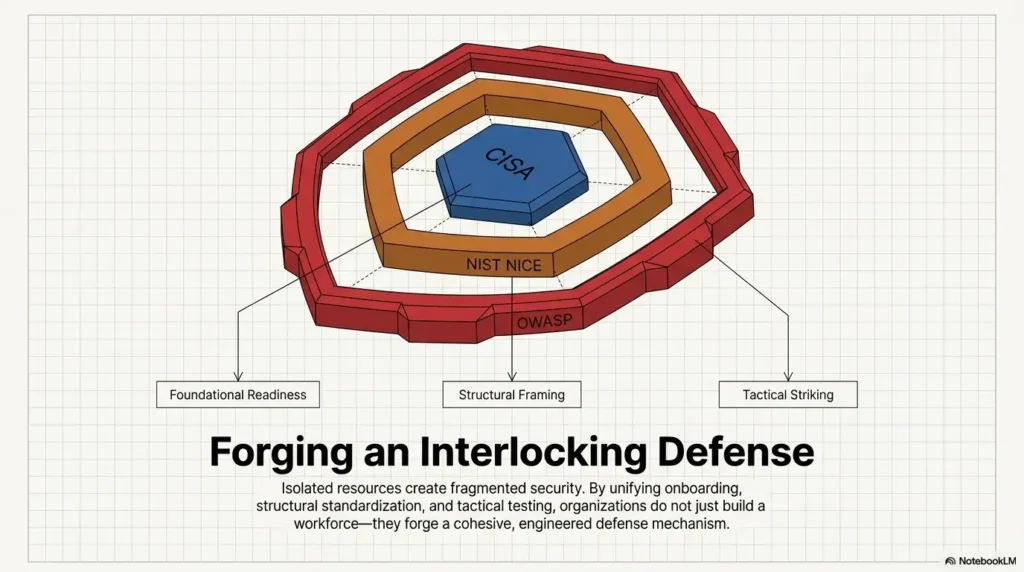
CISA offers beginner-friendly cybersecurity learning resources, and OWASP maintains web testing guidance that can help learners build structure over time. Use resources like those as reference rails, but let your Kioptrix review habit train the daily muscle: evidence, hypothesis, next action.
- Write three facts from evidence.
- Label two guesses honestly.
- Choose one next action before closing.
Apply in 60 seconds: Create a note titled “Kioptrix Shutdown Card” and paste the 3-2-1 template into it.
Conclusion: Kioptrix beginners do not need louder practice. They need cleaner handoffs. A short end-of-session review turns scattered activity into learning you can return to. Tonight, give yourself 7 minutes. Write three facts, two guesses, and one next action. Then close the lab only when tomorrow has a first step waiting.
Original review: 2026-04.
Technical guidance updated: 2026-10-13. Completed the missing fourth template field and clarified that a 403 response does not prove a directory exists.