Beyond the Root: Capturing the Decision Trail
You can root a Kioptrix box and still lose the part that actually makes you better: the trail of decisions that got you there.
That is the quiet friction in many ethical hacking labs. The shell arrives, the screenshots pile up, and later your notes say something heroic but useless, like “found exploit.” For anyone trying to build real pentest habits, that is not documentation. That is terminal smoke in a jar.
A weak evidence-tracking habit for Kioptrix practice costs you repeatability, cleaner write-ups, and the ability to explain why a clue mattered. A better habit lets you capture scan results, command output, failed attempts, service clues, and next actions while the lab is still warm.
Not fancy. Not bloated. Just sturdy enough to survive a tired brain and a noisy terminal. You get a notebook that helps you learn faster and avoid rebuilding your own thinking from browser history like a tiny digital archaeologist.
By the end, you will have a one-page evidence log you can use before your next Kioptrix boot, plus a cleaner way to turn messy lab practice into a reusable study asset.
Table of Contents
Safety / Scope Note
Kioptrix is useful because it gives learners a contained place to practice enumeration, reasoning, exploitation concepts, and privilege escalation documentation. That “contained” part matters. A lab is a lantern; an unauthorized target is a legal bonfire with paperwork.
Use this habit only in environments you own or have explicit permission to test. Use an internal VM network, or host-only networking with host exposure understood and no unintended routing. NAT alone is not isolation: it allows outbound connections; ordinary per-VM NAT also does not automatically connect the attacker and target VMs. Verify all adapters and keep bridged networking disabled on the vulnerable target. Do not point scans, exploit tests, password attempts, or discovery scripts at public systems, school networks, workplace assets, neighbors’ routers, or “just curious” IP addresses. If you are still setting up your first safe environment, a beginner-friendly Kioptrix network setup can help you keep the practice space contained before the tools start making noise.
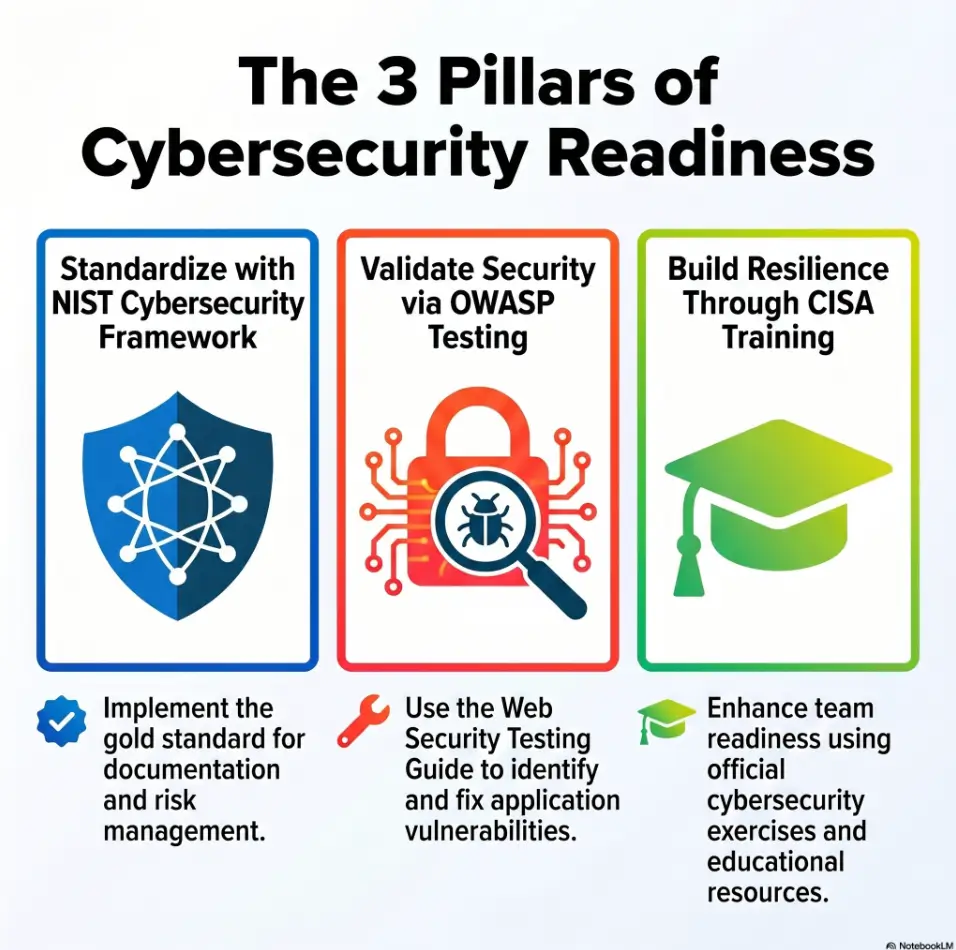
Good evidence tracking is not about becoming louder with tools. It is about becoming clearer with decisions. In real security work, the difference between “I found a thing” and “I can prove the path responsibly” is enormous. NIST’s Cybersecurity Framework 2.0, CISA training resources, and OWASP testing materials all reinforce the same grown-up habit: security work needs scope, documentation, repeatability, and risk-aware communication.
- Use an isolated VM network you control.
- Write down scope before running tools.
- Frame every note as defensive learning.
Apply in 60 seconds: Add one line to your template: “Scope: local lab only, owned environment, no public targets.”
Evidence First: The Tiny Habit That Makes Kioptrix Practice Actually Stick
Why “I’ll write it down later” quietly ruins learning
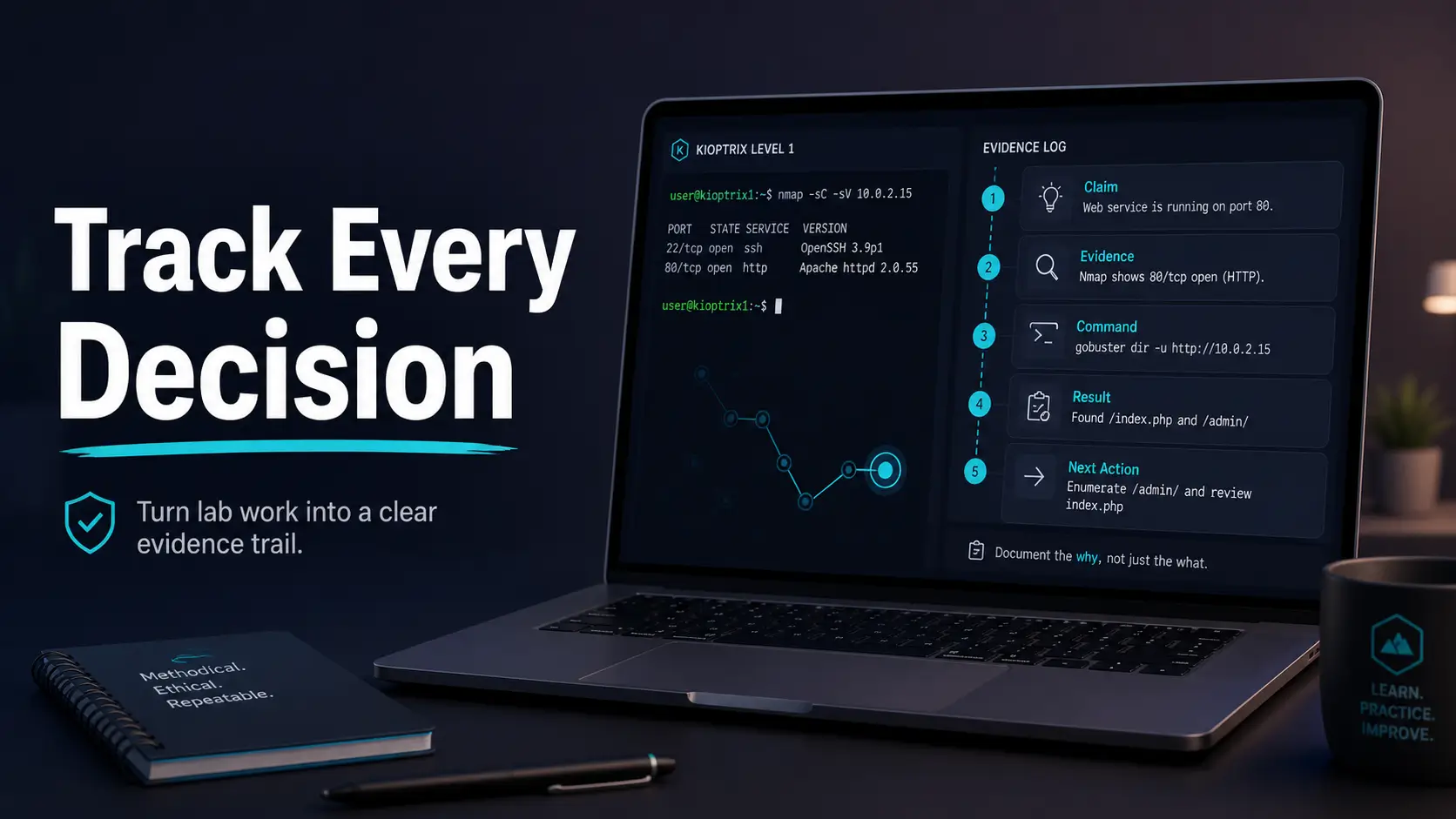
The best evidence-tracking habit for Kioptrix practice is painfully small: keep a live claim → evidence → command → result → next action log while the session is happening.
Not after dinner. Not after victory. Not after your terminal scrollback has become a haunted elevator shaft. During the run. If your broader study rhythm still feels scattered, this habit pairs well with a steady Kioptrix practice routine that gives each session a purpose before the first scan begins.
I learned this the awkward way. In one early lab, I got access after trying several web paths, service clues, and one lucky version hint. Two hours later, my notes said only, “found exploit, got shell.” That was not a write-up. That was a fog machine wearing a hoodie.
The five-part evidence line: claim, proof, command, result, next action
Use one evidence line for every meaningful observation:
- Claim: What you think is true.
- Evidence: What proves or suggests it.
- Command: What you ran, if any.
- Result: What came back.
- Next action: What you will test next.
Example format:
[14:22] Claim: Target has an HTTP service worth checking. Evidence: Port scan shows TCP 80 open. Command: nmap -sV -p80 192.168.56.101 Result: Apache version returned. Next action: Browse root page and capture headers.
What counts as evidence in a beginner pentest lab?
Evidence can be scan output, a service banner, a screenshot of access, a file listing, a web response, a permission check, a failed command, or a short observation. The key is that evidence must support a claim. Otherwise it is just terminal confetti.
Operator note: one evidence line should usually take 20 to 45 seconds. If it takes 10 minutes, you are writing a memoir, not a lab log. Save the orchestra for the final write-up.
Start With a Session Header, Not a Tool
Record the lab name, date, VM network, and objective
Before you scan, write the session header. It feels almost too simple, which is how good habits sneak past resistance.
Lab: Kioptrix Level Practice Session Date: 2026-05 Environment: Local VM lab, isolated network Attacker VM: Kali or preferred Linux VM Target VM: Kioptrix Objective: Practice evidence-based enumeration and write-up discipline Scope: Authorized local lab only
This header does two useful things. First, it protects context. Three weeks later, you will know what you were testing and where. Second, it slows the “tool-first reflex.” That reflex is loud. It wears boots. It wants to scan before thinking. For a broader structure, a Kioptrix methodology can help you turn that first quiet note into a repeatable working pattern.
Separate assumptions from confirmed facts
At the top of your notes, create two tiny lists:
- Assumptions: things you suspect but have not proven.
- Confirmed facts: things your evidence supports.
Beginner notes often collapse these together. “Apache vulnerable” appears right after “Apache exists.” Those are different claims. One is a service observation. The other is a vulnerability hypothesis. Mixing them is how write-ups become soup.
Here’s what no one tells you: your first note sets your whole pace
If your first note is careful, the session tends to stay careful. If your first note is “run stuff,” the rest of the session may become a raccoon in a keyboard factory.
| Item | Yes / No | Next step |
|---|---|---|
| Lab name recorded | Yes / No | Add exact VM name before scanning. |
| Scope written | Yes / No | State local, authorized lab only. |
| Objective defined | Yes / No | Choose one learning goal for the run. |
Neutral action: complete the checklist before launching the target VM.
Build a Finding Trail Before You Chase the Shell
Log discovered ports with the command that found them
Many Kioptrix learners rush toward the shell because the shell feels like the finish line. In evidence tracking, the finish line is not access. It is traceability.
Start with discovered ports. For each one, capture the command and the result. You do not need a novel. You need enough detail to understand why the port mattered. If enumeration is where your notes usually become foggy, a focused Kioptrix enumeration report can give that discovery phase a cleaner spine.
[14:10] Claim: Target exposes multiple TCP services. Evidence: Initial scan completed. Command: nmap -sS -Pn 192.168.56.101 Result: Open ports observed: 22, 80, 111, 139, 443, 1024. Next action: Run service/version scan against open ports.
Capture service versions without over-explaining them
Service versions are not conclusions. They are clues. Write them down cleanly, then add one human sentence.
For example: “Apache version appears old; check whether this Kioptrix level expects web enumeration or known vulnerability research.” That sentence is small, but it keeps your brain in the loop. Tools produce output. You produce judgment.
Mark each clue as “lead,” “dead end,” or “confirmed path”
A running status label prevents the classic beginner pile-up where every clue looks equally important. Use simple labels:
- Lead: worth testing later.
- Dead end: tested and not useful for this run.
- Confirmed path: directly contributed to progress.
I keep these labels in brackets because they are easy to scan when the session gets noisy. A label is a tiny lantern. It says, “This way, tired future self.”
Target IP and scope
Port and version proof
Why the clue matters
Command and result
Access or confirmed change
What to repeat next time
Don’t Screenshot Everything: Save Proof, Not Wallpaper
Screenshot turning points, not every terminal sneeze
Screenshots feel productive. They are visual, immediate, and oddly comforting. But 83 screenshots of terminal output can become a digital attic full of unlabeled boxes.
Use screenshots for turning points:
- Initial target confirmation.
- Important web page or service proof.
- Successful authentication or shell access.
- Privilege level confirmation.
- Final proof that supports the write-up.
For everything else, plain text usually wins.
Use plain-text command output for searchable evidence
Text is searchable. Screenshots are often not. When you save command output in text files, you can search for a port, version, username, path, or error message later. Your future write-up will feel less like archaeology with a plastic spoon. If the tool choice itself keeps slowing you down, a practical Kioptrix note-taking tool workflow can keep your evidence from scattering across three apps and one doomed desktop folder.
mkdir -p evidence/scans evidence/screenshots evidence/notes
nmap -sV -oN evidence/scans/initial-version-scan.txt 192.168.56.101
The “one screenshot, one sentence” rule
Every screenshot should have a matching note. One image, one sentence. That sentence should explain why the screenshot matters.
Screenshot: screenshots/web-root-page.png Why it matters: Confirms the HTTP service is reachable and shows the default page that guided the next enumeration step.
- Use screenshots for turning points.
- Use text for scan and command output.
- Write one sentence for every screenshot.
Apply in 60 seconds: Create two folders named screenshots and command-output before your next lab.
Common Mistakes: The Evidence Gaps That Break Your Write-Up Later
Mistake 1: copying commands without recording why you ran them
A command without intent is a footprint without a map. It shows movement, not meaning.
Instead of writing only the command, add the reason:
Reason: Check whether the HTTP service exposes hidden directories. Command: gobuster dir -u http://192.168.56.101 -w common.txt Result: Found several paths for review. Next action: Open each path manually and record status.
Mistake 2: saving exploit output but not the discovery path
This is the “movie trailer” problem. You capture the explosion but not the plot. A good lab write-up should show how you moved from service discovery to vulnerability reasoning to test selection. If that jump keeps happening in your notes, review the Kioptrix decision process behind each test rather than only the command that finally worked.
Mistake 3: mixing guesses, facts, and victory notes in one pile
Use labels. Fact, hypothesis, and proof are enough. This keeps your notes honest.
Mistake 4: forgetting failed attempts that explain your final choice
Failed attempts are not embarrassing. They are decision evidence. In professional reporting, knowing what did not work can prevent duplicate effort and clarify risk. In learning, failed attempts are where the gears become visible.
| Situation | Capture this | Skip this |
|---|---|---|
| A scan finds open services | Command, output file, short interpretation | Five duplicate screenshots |
| A test fails | Why it failed or what changed | Deleting it from the story |
| Access succeeds | Proof, privilege level, method summary | A vague “got in” note |
Neutral action: after every failed attempt, write one sentence beginning with “This suggests…”
The Kioptrix Evidence Template: Simple Enough to Use While Tired
Section 1: environment and scope
Your template should not be fancy. Fancy templates are where habits go to wear velvet and never leave the house. The best template works while you are tired, slightly confused, and one coffee past elegance.
# Kioptrix Evidence Log ## 1. Environment and Scope Lab: Date: Network: Target IP: Attacker IP: Scope statement: Learning goal: ## 2. Enumeration Evidence Timestamp: Claim: Evidence: Command: Result: Next action: Status: lead / dead end / confirmed path ## 3. Vulnerability Reasoning Observation: Hypothesis: Why it matters: Confidence: low / medium / high Next test: ## 4. Exploitation Proof Attempt: Command or method: Result: Proof: Limitations: ## 5. Privilege Escalation Trail Current user: System clues: Test performed: Result: New access level: Proof: ## 6. Lessons Learned What worked: What wasted time: What clue mattered most: What to study next: Habit to improve:
Section 2: enumeration evidence
Enumeration is where most lab success begins. It is also where many notes get thin. Record the path from broad discovery to focused testing. That path is the spine of your write-up. A dedicated Kioptrix recon log template can make this section easier to reuse when your brain is already juggling ports, banners, and tiny doubts.
Section 3: vulnerability reasoning
Do not write “vulnerable?” and move on. Write why you suspect a weakness. Is it an old version? A strange page? A misconfiguration? A credential clue? A service that deserves manual review?
Section 4: exploitation proof
Keep this restrained and lab-only. Document the attempt, result, and proof of access without turning the article into a copy-paste attack recipe for real systems.
Section 5: privilege escalation trail
For privilege escalation, record what you checked and what changed. The difference between “user shell” and “root shell” is not just a louder screenshot. It is a chain of evidence.
Section 6: lessons learned
End every run with three lines: what worked, what wasted time, and what you will do differently. That tiny after-action review is where practice becomes a curriculum.
Pattern Interrupt: Your Notes Are Not a Trophy Case
Let’s be honest: the clean write-up is usually a cleaned-up mess
A polished walkthrough often looks inevitable. First scan, perfect clue, elegant exploit, root proof, curtain call. Real practice is more like a kitchen drawer: useful, crowded, and hiding three mystery cables.
Your raw notes should not pretend to be clean. They should be accurate. The clean version comes later.
Keep the messy log, then create the polished story
Use two documents:
- Raw evidence log: live notes, failed attempts, timestamps, commands, quick thoughts.
- Final write-up: organized story, cleaned explanations, screenshots, lessons.
This two-layer approach protects learning. You keep the truthful mess and still publish a readable walkthrough. Bloggers especially need this. Readers do not need every stumble, but they do need enough trail to trust the result. When the time comes to shape the final version, Kioptrix report writing tips can help you turn raw evidence into a cleaner reader-facing explanation.
Why failed commands may teach more than the winning exploit
A failed command can reveal assumptions. Maybe the service was not reachable. Maybe credentials were wrong. Maybe the path was a dead end. Maybe you skipped a basic check because the terminal goblin whispered, “Try the dramatic thing.”
Short Story: The Screenshot Folder That Lied
During one practice weekend, I ended a lab with a folder full of screenshots and the smug peace of someone who believed he had documented everything. Monday arrived, wearing sensible shoes. I opened the folder and found twelve nearly identical terminal images, three browser shots with no labels, and one triumphant root proof that explained absolutely nothing.
The evidence was real, but the story had evaporated. So I rebuilt the path from shell history, browser history, and a few embarrassed guesses. It took longer than the lab itself. That was the day I stopped treating screenshots as memory. Now every important image gets one plain sentence: what it proves and why it changed my next step. It is not glamorous. Neither is labeling leftovers. Both prevent future suffering.
- Raw logs are for accuracy.
- Final write-ups are for clarity.
- Failed attempts explain your decision path.
Apply in 60 seconds: Add two headings to your file: “Raw Log” and “Clean Write-Up Draft.”
Who This Is For / Not For
Good fit: ethical hacking students building repeatable lab habits
This habit is for learners who want more than a shell. If you are practicing beginner-to-intermediate ethical hacking labs and trying to build real methodology, evidence tracking gives your practice structure. For newer learners, a gentle Kioptrix for beginners path can make that structure feel less like homework and more like a map with decent lighting.
Good fit: bloggers writing walkthroughs without losing credibility
If you write lab walkthroughs, your notes are the pantry. The final article is the meal. Weak notes lead to vague writing, missing steps, and suspiciously magical transitions. Strong notes help readers trust you without drowning them in every keystroke.
Not for: testing systems you do not own or have permission to assess
This guide is not for public target testing, workplace probing, school network scanning, or “I found this IP on the internet” adventures. Permission is not a decorative word. It is the gate.
Not for: readers looking for copy-paste exploitation without understanding
If the goal is only to copy commands, this article will feel annoyingly responsible. Good. The point is to build judgment. Tools change. Habits travel.
| Question | Yes | No |
|---|---|---|
| Are you working in an authorized local lab? | Proceed with documentation. | Stop and define legal scope first. |
| Do you want to improve your reasoning? | Use the five-part evidence line. | A walkthrough video may be enough for now. |
| Will you write or review your session later? | Save text output and proof screenshots. | Still capture at least the final lessons. |
Neutral action: answer the three fit-check questions before starting a new Kioptrix run.
The “Evidence Ladder” Method for Kioptrix Practice
Step 1: identify the asset
Start with the target IP and scope. Do not assume the target. Prove it. In a local lab, that might mean checking VM network settings and confirming the discovered host belongs to your Kioptrix machine.
Step 2: prove the service
For each open port, record how you found it and what service appears to be running. “Port 80 open” is useful. “Port 80 open, service scan suggests Apache, web root reachable in browser” is better.
Step 3: connect the vulnerability hypothesis
This is where beginners often jump too quickly. A version string is not automatically a vulnerability. A login page is not automatically weak. Write the bridge: why does this clue deserve testing? If you tend to leap from clue to exploit, a Kioptrix decision tree can help you slow the jump and choose the next test with evidence instead of adrenaline.
Step 4: document the exploit attempt
In an authorized lab, document what you attempted and what happened. Keep the focus on learning and proof, not theatrical command dumping. A good note explains the decision without pretending the tool did the thinking.
Step 5: prove access level
After access, record who you are, what system you reached, and what limits you still have. Beginner write-ups often celebrate too early. A low-privilege shell is not the same as full control.
Step 6: record what changed after escalation
If privilege changes, document the before and after. Current user, permissions, accessible files, or confirmed administrative level can all serve as proof in a lab report.
- Prove the asset before testing.
- Connect every clue to a hypothesis.
- Confirm access level before celebrating.
Apply in 60 seconds: Copy the six ladder steps into your next lab note before running your first scan.
Don’t Let Tools Write Your Thinking for You
Scanner output is evidence, not judgment
Nmap, Nikto, Gobuster, Burp Suite Community Edition, Metasploit in a lab, and browser developer tools can all produce useful evidence. They cannot decide what matters for you. Scanner output is a witness, not the judge.
OWASP’s Web Security Testing Guide has long emphasized structured testing, reporting, and analysis rather than blind tool use. That distinction matters in Kioptrix practice. You are not collecting output. You are learning how to interpret signals. If scanner results keep creating more confusion than clarity, start with Kioptrix Level Nmap vs Rustscan or a focused comparison like Nikto vs Nmap scripts before adding more tools to the table.
Write the human sentence under the machine output
After every major output, write one sentence that begins with one of these:
- “This suggests…”
- “This confirms…”
- “This does not prove…”
- “The next reasonable test is…”
That sentence is where your learning lives. Without it, your notes may look full while your understanding stays thin.
The question to ask after every result: “So what?”
“So what?” is blunt, useful, and slightly rude in the way a good coach can be. A port is open. So what? A version appears old. So what? A directory returns 403. So what?
Ask it gently but consistently. Your notes will become sharper within one session.
Show me the nerdy details
Good evidence tracking reduces cognitive load by externalizing working memory. During a lab, you are juggling target discovery, service interpretation, web behavior, credentials, exploit reasoning, shell stability, and privilege boundaries. A structured log prevents context switching from erasing the path. The claim-evidence-command-result-next-action format also mirrors professional security reporting: assertion, proof, reproducibility, impact, and recommendation. Even in a beginner lab, that structure trains the same mental muscle used in real assessments, incident review, and defensive validation.
Turn One Kioptrix Run Into a Reusable Study Asset
Convert raw notes into a clean walkthrough outline
After the lab, do not immediately publish or archive. Spend 10 to 15 minutes converting raw evidence into a clean outline:
- Scope and environment.
- Discovery summary.
- Key findings.
- Reasoning path.
- Access proof.
- Lessons learned.
This is the moment when the messy log becomes a study asset. The raw notes hold truth. The outline gives truth a spine. If you publish or share later, a practical technical write-up framework can help you move from lab debris to a readable narrative without sanding away the useful uncertainty.
Create a personal checklist from repeated mistakes
Every Kioptrix session should leave behind one habit improvement. Maybe you forgot to save scan output. Maybe you chased a rabbit hole too long. Maybe you skipped manual web review because a tool looked confident. Tools do that. They walk into the room wearing a cape.
Tag findings by skill: enumeration, web, credentials, privilege escalation
Tags help you see patterns across sessions. If three labs in a row show weak web enumeration, that is your next study block. If privilege escalation notes keep getting thin, build a checklist for that phase. For a more deliberate review loop, a Kioptrix review habit can turn each finished machine into a small curriculum instead of a trophy on a dusty shelf.
| Input | Your number | Meaning |
|---|---|---|
| Confirmed evidence lines | ___ | More than 10 usually gives a useful trail. |
| Failed attempts explained | ___ | More than 3 often reveals learning patterns. |
| Lessons converted to checklist items | ___ | At least 1 makes the next run better. |
Output: These counts are illustrative prompts, not a validated quality score or minimum quota. A short evidence trail can be useful, and you should not invent failures or pad the log to reach a number. Judge whether the notes support your conclusions and next action.
Neutral action: score your last lab with the three inputs before starting another machine.
FAQ
What should I write down during a Kioptrix practice session?
Write down the target IP, scan commands, discovered ports, service versions, suspicious findings, exploit reasoning, failed attempts, successful proof, privilege level, and lessons learned. The goal is not beautiful prose. The goal is traceable thinking.
Should I take screenshots or copy terminal output?
Use both, but for different purposes. Screenshots are best for proof moments, such as login access, shell access, or privilege confirmation. Terminal output is better for searchability, command history, and later write-up accuracy. For learners who also prepare exam-style notes, an OSCP proof screenshot habit can sharpen what counts as useful visual proof.
How detailed should my Kioptrix notes be?
Detailed enough that you could repeat the session one week later without guessing. A good test is simple: can your notes explain what you tried, why you tried it, what happened, and what you did next?
Is it okay to document failed exploit attempts?
Yes. Failed attempts are useful evidence because they show your decision path. They also prevent the fake-memory problem where the final write-up looks cleaner than the actual learning process.
What is the best note-taking format for ethical hacking labs?
A simple structured format works best: timestamp, observation, evidence, command, result, interpretation, and next action. Fancy tools are optional. Consistency is the real lantern.
Can I publish Kioptrix walkthrough notes on a blog?
Usually yes for educational lab content, but keep the article clearly framed around authorized practice. Avoid presenting techniques as instructions for attacking real systems. Add context, learning goals, and responsible-use language.
How do I avoid losing track during enumeration?
Use a running evidence table. Every open port, service, web path, credential clue, or version number should have a status: unchecked, testing, confirmed, or dead end.
What should I do after finishing a Kioptrix machine?
Write a short after-action review: what worked, what wasted time, what clue mattered most, what concept you need to study, and what habit you will change next session. A compact Kioptrix session summary can make that final review easier to repeat after every lab.
Next Step: Set Up Your One-Page Evidence Log Before the Next Boot
Create the template before starting the VM
The next step is not heroic. It is humble and almost boring. That is why it works.
Before your next Kioptrix boot, create a one-page evidence log. Put it in the folder where you keep your lab notes. Name it something obvious, like kioptrix-evidence-log-template.md. Obvious names are kindness with a filename extension.
Add three default labels: fact, hypothesis, proof
These labels will keep your notes clean:
- Fact: supported by direct evidence.
- Hypothesis: plausible but not yet proven.
- Proof: confirms access, impact, or a completed test.
When in doubt, mark something as a hypothesis. It is better to be honestly uncertain than confidently muddy.
One concrete action: write your first five evidence lines during the first scan
Your first five evidence lines do not need to be brilliant. They just need to exist. Capture target discovery, initial scan, service scan, first web check, and first next action. If you need a longer path for the next month, a 30-day Kioptrix practice routine can give those first five lines a place to grow.
Evidence Line 1: Target identified Evidence Line 2: Initial ports discovered Evidence Line 3: Service versions checked Evidence Line 4: First web/service observation recorded Evidence Line 5: Next test chosen with reason
- Create the template first.
- Use fact, hypothesis, and proof labels.
- Write five evidence lines during initial discovery.
Apply in 60 seconds: Open a blank note and paste the five evidence-line prompts above.
Conclusion
The small habit that makes Kioptrix practice stick is not a special tool, a giant template, or a screenshot folder swollen with terminal wallpaper. It is the live evidence line: claim → evidence → command → result → next action.
That line closes the loop between doing and understanding. It turns “I got root” into “I can explain the path.” It turns a noisy practice session into a repeatable study system. And for bloggers, students, and ethical hacking learners, that difference is the quiet hinge between a lucky run and a durable skill.
Your next step is simple: within 15 minutes, create one evidence-log template and use it for the first five findings of your next Kioptrix session. Keep the lab legal. Keep the network isolated. Keep the notes honest. The shell may be exciting, but the trail is what teaches.
Last reviewed: 2026-05
Tags: Kioptrix, ethical hacking labs, cybersecurity notes, penetration testing practice, evidence tracking
Meta description: Build a simple evidence-tracking habit for Kioptrix practice with clear notes, proof, commands, results, and next actions.
Technical guidance updated: 2026-10-13. Corrected network-isolation guidance, separated runnable commands, clarified informal evidence counts, and fixed a duplicate H1 in the introduction.