

Mastering the Recon: Resolving Permission Denied
A single “Permission denied” can waste 20 minutes of a lab session faster than a noisy scanner ever will. In Kioptrix Level permission errors in Kali during recon, the real problem is often not the target at all. It is your own box: a root-owned output folder, a shared VM path with bad write behavior, or a tool that quietly needs raw-packet privileges you did not realize it was asking for.
That is what makes these errors so slippery for beginners. They look dramatic, but they are usually local, ordinary, and painfully fixable once you know whether the denial lives in a file path, a network interface, a socket, or a remote authentication boundary.
“Keep guessing, and you lose more than time. You lose trust in your evidence.”
This guide helps you separate local permission problems from actual target-side behavior, clean up your Kali workflow, and troubleshoot recon failures without turning every session into a sudo confetti storm. It is built around practical recon routine discipline, VM reality, and the way tools like Nmap, tcpdump, and smbclient actually break in beginner lab environments.
Because once you can locate the denial, the panic usually evaporates. Start there. Then this gets much easier and much faster.
Table of Contents
Fast Answer: Kioptrix Level permission errors in Kali during recon usually point to local environment problems before they point to target-side mystery. In authorized lab work, the most common causes are missing privileges, wrong file ownership, blocked packet capture access, scan output write issues, or misuse of sudo. The fastest fix is to identify where the denial lives first: your Kali box, your tool, your output folder, your network interface, or a remote authentication boundary.
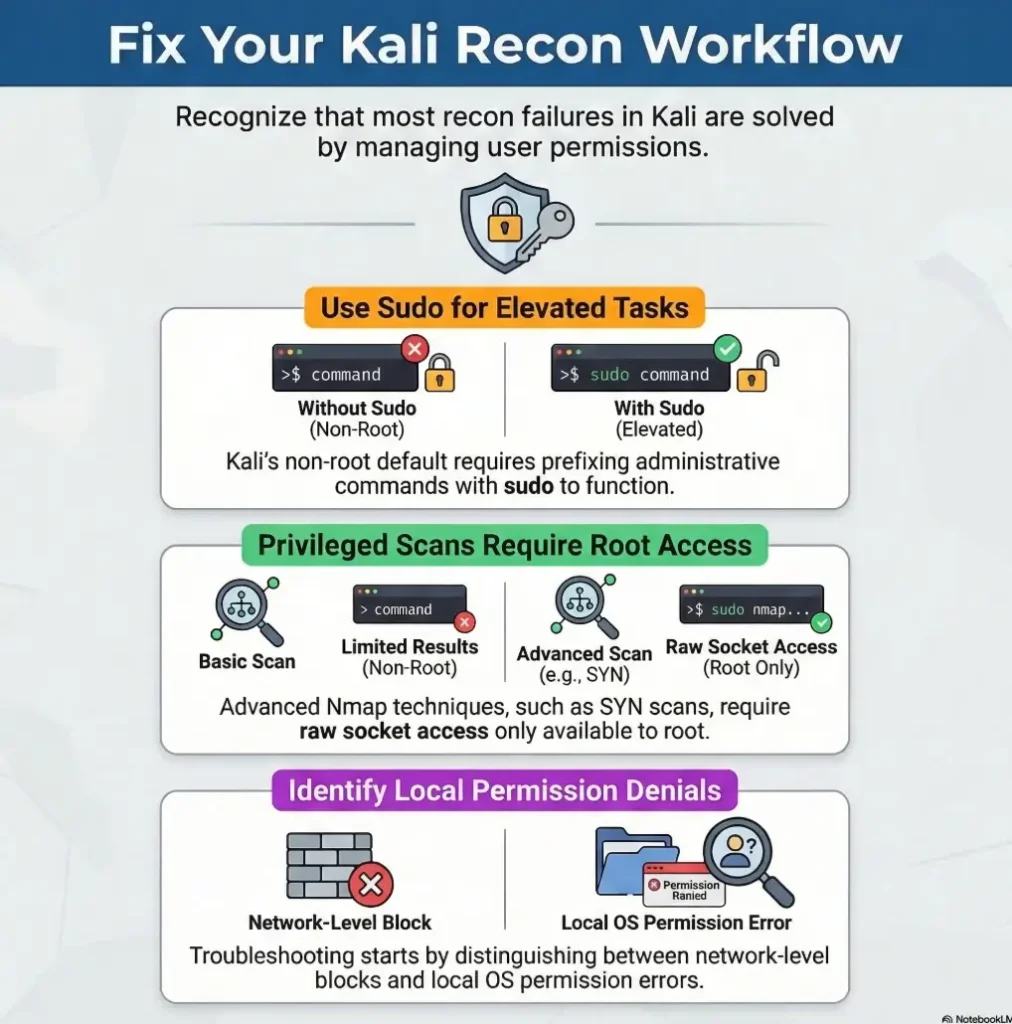
Permission errors first, panic later: what this problem usually is actually telling you
Why many Kali recon failures are local permission issues, not proof that the target is “hardened”
Beginner recon has a cinematic weakness. A scan fails, a capture tool complains, a screenshot directory refuses a write, and the imagination leaps straight to “the target blocked me.” That story is delicious, but it is often wrong. A permission error is usually not a moat around the target. It is often a locked drawer on your own desk.
Kali has used a non-root default model since 2020.1, which means many new users now work as a standard account and elevate only when needed. That is good security hygiene, but it also means tools that touch raw packets, capture interfaces, or root-owned paths may behave differently than older tutorials suggest. Kali’s own documentation spells out that non-root is the normal starting point now, and the platform explicitly recommends using sudo rather than living as root full-time.
How Kioptrix-style labs expose beginner workflow gaps faster than they expose advanced target defenses
Kioptrix-style practice boxes are good teachers because they are unfancy. They do not merely teach enumeration. They teach self-auditing. I have seen beginners spend 25 minutes suspecting a remote service when the actual problem was a root-owned project directory created by one earlier command. That is not failure. That is a very honest lab.
The real first question: is the denial happening on your machine or on the remote service?
This question saves sessions. Before you troubleshoot any tool, ask which side of the wire is speaking. If the denial mentions a local path, a socket, an interface, a capabilities issue, or an output file, the story is almost certainly local. If the denial appears after authentication, protocol negotiation, or a remote request, the problem may be target-side. That split matters more than the scanner name.
- Local file path language usually means local trouble
- Interface and socket language usually means privilege trouble
- Authentication language usually means remote service trouble
Apply in 60 seconds: Re-read the exact error and mark it as file, interface, socket, auth, or remote service before doing anything else.
Who this is for / not for
This is for beginners using Kali in authorized labs who want cleaner recon habits before they go deeper
If you are practicing in a home lab, a course VM, a sandbox, or a legal training environment, this article is for you. It is especially for the kind of learner who keeps decent notes, gets embarrassed by small setup mistakes, and secretly worries that everyone else was born knowing Linux permissions. They were not.
This is for US-based learners practicing in VMs, home labs, coursework, or legal sandbox environments
The examples here assume a familiar setup: Kali in VirtualBox or VMware, a simple project folder, a few classic recon tools, and a target that exists to teach you something rather than sue you. Glamorous? No. Useful? Wildly. If your lab foundation still feels wobbly, a Kali setup checklist for Kioptrix labs can save you from debugging the wrong layer.
This is not for bypassing permission controls on systems you do not own or have permission to test
This piece does not help readers push past access controls on third-party systems. It is about distinguishing your local Kali problems from remote behavior in an authorized environment.
This is not for readers looking for exploitation steps instead of troubleshooting discipline
There is no victory in sprinting toward louder techniques when your local environment is lying to you. Recon is not just about seeing the target. It is about seeing your own tools clearly enough to trust your evidence.
Eligibility checklist
- Yes: You are in a home lab, coursework VM, or explicitly authorized sandbox
- Yes: You want to fix local Kali recon friction without turning everything into root-only chaos
- No: You want bypass steps for systems you do not control
- No: You are skipping logs, screenshots, and exact error text
Next step: If you checked the first two, keep going and build your troubleshooting model before running another scan.
Read the error like evidence: where the denial is happening matters more than the tool name
Local file permission errors vs interface access errors vs remote authentication failures
Not every “permission denied” belongs in the same bucket. A local file error is a path and ownership story. An interface access error is a privileges and capabilities story. A remote authentication failure is a service and credentials story. Put those in one pot and you get beginner stew: hot, blurry, and not very nourishing.
Linux itself makes this split pretty plain. Linux ordinarily uses the process filesystem user and group IDs, supplementary groups, mode bits, and ACLs for file checks; mount restrictions and security policy can add limits, while raw sockets and similar low-level network operations are tied to elevated privileges or capabilities such as CAP_NET_RAW. In other words, a process may be perfectly allowed to read one folder and totally unable to touch a raw packet path.
Why “Permission denied” is too broad to troubleshoot without context, path, and command behavior
The phrase is almost insulting in its vagueness. It tells you something was denied, but not whether the blocked action was writing a file, opening a socket, touching an interface, or logging into a service. That is why you should always keep the full command line, working directory, current user, and exact stderr text. A bare memory of “Nmap said permission denied” is not evidence. It is gossip.
What the wording quietly reveals about user rights, groups, sockets, directories, and capture privileges
There is a soft poetry to Linux error messages. A mention of “Operation not permitted” often points to a restricted capability or privileged action. A denied write to a path often points to ownership or mode bits. A complaint tied to an interface often points to sniffing or packet-level access. Once you start noticing the grammar, the machine stops sounding mysterious.
Show me the nerdy details
Privileged scans and captures often fail for reasons that have nothing to do with route reachability. Nmap’s official documentation notes that many scan types are only available to privileged users because they send and receive raw packets. The Linux socket layer also treats raw socket access as a capability-bound action rather than a normal user-space convenience. That is why a host can be reachable with a basic TCP connection while a raw-packet scan still fails locally.

Output folder traps: when recon fails because Kali cannot write where you told it to
Scan results, screenshots, loot folders, and redirected output that silently break the workflow
This one is a classic little banana peel. The command is correct. The target responds. Then the output dies because your shell tries to write into a path you do not own. The tool gets blamed, naturally. Tools are like photocopiers in an office: everyone suspects them first.
I once watched a lab session stall because every recon artifact was being piped into a directory created under sudo during an earlier experiment. Nothing was technically wrong with the scan logic. The operator had simply salted their project tree with root ownership. The result was a half-working workflow that felt cursed.
Why beginner notes often blame Nmap, Nikto, or tcpdump when the real problem is file ownership
Many tools only look dramatic because they are the last visible part of the chain. A command that resolves, connects, and then fails while saving output is not really a network mystery. It is often a local filesystem story wearing a scanner costume.
Here’s what no one tells you… saving recon evidence badly can waste more time than the actual scan
When your screenshots, text logs, packet captures, and copied command snippets live in a messy mix of user-owned and root-owned folders, the friction compounds. The danger is not just inconvenience. It is evidence drift. You stop reproducing commands cleanly. You skip screenshots. You lose confidence in what changed.
Quote-prep list for your own lab notes
- Exact command run
- Current user and working directory
- Output path and ownership
- Whether redirection or tee was used
- Whether the folder was created with sudo earlier
Next step: Add these five lines to your notes template before the next recon session.
OWASP’s testing guidance places information gathering early for a reason: early-stage work is supposed to be clean, attributable, and easy to revisit. Fingerprinting, entry-point identification, and mapping execution paths become much more valuable when your evidence actually lands where you think it lands.
Interface access friction: packet capture tools and raw socket permissions are where many beginners stumble
Why some recon actions need elevated access to network interfaces and raw packets
Here is the part that catches many people: not all recon is the same species. Some checks ride on ordinary user-space networking. Others want to speak closer to the wire. That second group is where interface permissions, capabilities, and privileged execution start to matter.
Nmap’s official book states plainly that many scan types are only available to privileged users because they send and receive raw packets. Kali’s own documentation also notes that tools like Nmap can behave differently for non-root users, including falling back to different scan methods. That means the same command idea can yield different behavior depending on how you run it. If you need a calmer baseline first, a beginner-friendly guide to using Nmap in Kali for Kioptrix pairs well with this troubleshooting lens.
How Kali privilege boundaries affect sniffing, ARP-related tasks, and certain discovery behavior
A basic network connection proves very little about packet-level access. Your browser working does not mean your capture tool can open the interface it wants. Your ping succeeding does not automatically mean your raw scan has the privileges it expects. Those are different doors in the same hallway.
The hidden split between “command runs” and “command can actually touch the interface”
This split is sneaky because it looks almost successful. The command starts. The syntax is valid. Maybe some preliminary checks happen. Then, at the exact moment the tool needs low-level interface access, everything goes sideways. Beginners often read that as random tool instability. It is usually not random at all.
- Browser success does not validate packet-capture privileges
- Reachability and raw interface access are different checks
- Tool behavior can change when Kali runs non-root
Apply in 60 seconds: Separate “can I reach it?” from “can this tool access the interface it needs?” in your notes.
Sudo is not a personality: when elevation helps, when it muddies the evidence
Why using sudo everywhere can create messy ownership, confusing logs, and bad recon habits
Sudo is a tool. It is not a worldview. Beginners sometimes discover that elevation fixes one command and then start sprinkling sudo on every line like table salt on bad cafeteria fries. The meal becomes edible, but the kitchen gets wrecked.
Files opened by an elevated tool may become root-owned. Shell redirection is different: in sudo command > output.txt, your current shell opens the output file before sudo runs. Elevating the command does not elevate that redirection. Check who opens the file and keep ordinary evidence in a directory your user owns.
When privilege elevation is appropriate in a lab and when it only hides the real configuration mistake
Elevation is appropriate when the action truly needs it: privileged packet operations, capture behavior, specific interface interactions, and deliberate administrative changes. It is a poor habit when the real issue is a bad folder path, an avoidable ownership problem, or a command that could have been structured more cleanly.
Let’s be honest… “just run it as root” solves the symptom more often than the workflow
Kali’s documentation is explicit that the recommended pattern is to work as a standard user and use sudo when necessary, not to normalize permanent root living. That guidance exists partly because all-root workflows blur intent and create downstream confusion. It also helps to know the difference between healthy sudo use and genuinely risky configurations like SUDO NOPASSWD privilege escalation scenarios, which belong to a very different conversation.
Decision card: when A vs B
Use your standard user when the task is reading, note-taking, basic browsing, organizing output, or running tools that do not require privileged network actions.
Use sudo deliberately when the tool needs raw packet behavior, capture access, or a specific admin-level action.
Trade-off: More sudo can reduce immediate friction but increases ownership mess and evidence confusion later.
Next step: Mark each step in your workflow as “user” or “sudo” before you start the session.
VM and shared-folder weirdness: permission errors that have nothing to do with recon itself
Shared folders, mounted disks, and copied tool output that inherit awkward permissions
Virtual machines add a second stage to the play, and sometimes the stagehands trip over the props. A shared folder may mount read-only. A guest user may lack the right group membership. A copied output file may arrive with ownership that makes sense to the host and none at all to the guest.
This is where people start side-eyeing Kioptrix as if the poor lab box reached through the hypervisor and sabotaged a folder mount. It did not. Your VM plumbing is simply having a personality.
VirtualBox and VMware friction that makes beginners think the lab target caused the failure
Shared folders are convenience features, not neutral territory. They can change assumptions about where files live, who owns them, and whether writes happen normally. In practical terms, that means a recon workflow can fail while the target is perfectly fine and the tool syntax is perfectly fine. In some setups, the deeper issue starts even earlier with networking itself, especially in VirtualBox host-only situations where Kioptrix gets no IP.
Why moving files between host and guest can quietly poison your recon setup
If you are going to use host-guest sharing, use it with clear boundaries. Keep your active recon artifacts in a clean guest-side project directory you own. Export or copy them outward later. That simple separation removes a surprising number of mysterious write failures.
Short Story: A friend once told me he had “the most stubborn Kioptrix box on earth.” His screenshots would not save, his capture files kept failing, and one scanner behaved as if it were offended by his existence. He had already built a theory about hardened services and tricky lab design. We sat down, traced the problem backward, and found the villain in under ten minutes:
he had parked the whole project inside a shared folder that the guest could read but not properly write into. The target had done nothing dramatic. It was just there, quietly waiting while the VM’s file-sharing setup turned every artifact into a small betrayal. He looked at the screen, laughed the weary laugh of a person who has been fighting the wrong dragon, and moved the project into a normal user-owned directory. The next run worked so cleanly it felt rude.
Infographic: 4-step Kali permission triage
1. Read the wording
File path, socket, interface, auth, or remote service?
2. Check the operator side
Current user, working directory, ownership, group membership.
3. Re-test the smallest piece
Do not rerun the whole workflow. Confirm one suspected cause.
4. Document what changed
Ownership fixed? Path changed? Elevated step isolated?
Tool-specific blame games: do not accuse the scanner before you check the environment
Why the same permission wording can mean different things in Nmap, smbclient, tcpdump, Nikto, or curl workflows
The same sentence can carry different weight depending on the tool. In one context it means “you cannot write that file.” In another it means “you cannot open the interface this action requires.” In another it means “the remote service rejected your authentication.” This is why memorizing a one-line fix per tool is a weak long-term strategy.
What changes when a tool needs local write access, interface access, credentials, or privileged packet behavior
A smarter operator asks what the tool depends on. Does it need to create output? Does it need packet capture privileges? Does it need credentials for a remote service? Does it behave differently when privileged versus non-privileged? Those questions give you a dependency chain instead of a superstition chain.
The smarter habit: trace the dependency chain instead of memorizing one-tool fixes
I like to picture each tool as a polite guest. Before it does the visible task, it asks your machine for a chair, a key, a notebook, and sometimes permission to open the basement door. When one of those requests fails, the headline feature never gets off the ground. That is not a “bad tool.” That is an unmet dependency with good branding. The same logic helps when you troubleshoot tool-specific side streets such as SMB negotiation failures on Kali or curl-only recon workflows that look simple until local assumptions go sideways.
- Output writing is a separate dependency from network reachability
- Raw-packet behavior is a separate dependency from normal TCP use
- Authentication is a separate dependency from local permissions
Apply in 60 seconds: Write one line under each tool in your notes: path, privilege, interface, auth.
Don’t do this mid-lab: common mistakes that make permission problems worse
Mixing root-owned and user-owned project folders until nothing is clean anymore
Once a project tree becomes a quilt of mixed ownership, every later command becomes a trust exercise. You are no longer just running recon. You are negotiating with yesterday’s mistakes.
Copy-pasting commands without checking current directory, mounted path, or shell redirection behavior
Copy-paste is not evil. Copy-paste without situational awareness is how you end up redirecting output into a path that looked sensible in somebody else’s tutorial and silly in your own VM.
Changing permissions too broadly and creating a bigger security mess on your own Kali box
There is always a temptation to solve a 10-minute permission problem with a very large hammer. Broad permission changes can make the immediate error disappear while making your local environment sloppier and harder to reason about later. A lab box should teach discipline, not reward panic.
Treating every authentication failure as a permission issue when it may be a credential or protocol mismatch
Not every “access denied” is local. Sometimes the target really is telling you “wrong credentials,” “wrong protocol behavior,” or “not that share.” This is why location comes first. Not because it is elegant, but because it prevents you from fixing the wrong side.
Common mistakes
Confusing “permission denied” with “service refused” or “no route to host”
These belong to different families of pain. One is about authority. One is about service behavior. One is about network pathing. Mixing them produces fog.
Forgetting that recon tools may need access to output paths, not just network paths
The command may reach the target and still fail the moment it tries to save results. That is why output design is not housekeeping. It is part of execution.
Ignoring group membership and interface privileges on Kali after install or VM changes
A VM snapshot, reinstall, or changed guest-tools setup can subtly alter the environment. When behavior shifts after a seemingly innocent change, check your local assumptions first.
Troubleshooting the target first when the break is clearly on the operator side
This is the most expensive habit because it burns time and confidence at once. If the error names your path, your socket, your folder, or your interface, do not go interrogating the target like a detective in the wrong movie.
Assuming Kioptrix is the lesson when Kali setup is the real curriculum
Sometimes the lab is not teaching you about the box at all. Sometimes it is teaching you that a clean operator setup is half the craft. That is also why articles on common Kioptrix enumeration mistakes tend to feel uncomfortably familiar. The mistake is often less exotic than the story we told ourselves.
Mini calculator: session cost of sloppy permissions
If one bad ownership decision costs you 8 minutes to diagnose, and it repeats 3 times in a 90-minute session, you have lost about 24 minutes to local friction.
That is more than a quarter of a short lab block gone to preventable chaos.
Next step: Count how many times in your last session you reran a command before checking ownership or output paths.
Before you touch the target again: a calmer troubleshooting sequence that saves the session
Start with the exact error text, path, interface, and user context
Do not paraphrase. Capture the exact message. Note the path. Note the current user. Note whether the action involved output writing, sniffing, redirection, capture, or remote login. Precision here is cheap and buys back a lot of sanity.
Separate file access, socket access, auth access, and remote protocol behavior into different buckets
This is the triage step that turns one vague failure into four smaller possibilities. The machine stops being moody and starts being specific.
Re-run only the smallest safe check needed to confirm the cause
Resist the urge to launch the whole workflow again. If the suspected problem is a write path, test the write path. If the suspected problem is privilege level, test the privilege-sensitive piece. Small confirmation beats big repetition every time.
Document what changed so you do not re-create the same error an hour later
The world’s saddest lab habit is fixing a problem so quietly that you cannot remember what solved it. Good notes turn one solved error into future speed. If you want that habit to harden into muscle memory, a guide on Kali Linux lab logging is a strong companion piece.
- Exact wording beats memory
- Small confirmation beats full rerun
- Notes turn one solved problem into a permanent upgrade
Apply in 60 seconds: Create a four-line error template in your notes app: message, user, path/interface, smallest re-test.
The habit that scales: permission errors are really lessons about operator hygiene
Why clean ownership, predictable folders, and deliberate privilege use make recon faster over time
Good operator hygiene is not glamorous, but it compounds. A clean directory structure, a known-good output path, and a deliberate split between standard-user tasks and elevated tasks create a session that feels boring in the best possible way. Boring is underrated. Boring is reproducible.
How better local setup improves screenshots, notes, reproducibility, and report-ready evidence
When your local environment is tidy, evidence lands where expected, screenshots save cleanly, notes align with commands, and re-testing stops feeling like archaeology. That is when beginner recon starts to look professional. Not because the tools got fancier, but because the operator got calmer.
Here’s the quiet win… good permission discipline makes beginner recon look professional
The hook we opened with was simple: the target often is not the squeaky floorboard. By now, you can probably hear what was creaking. It was the workflow. The real win is not merely fixing one error. It is building a local environment that does not keep lying to you.
Kali recommends working from a non-root default and elevating when needed. Nmap documents that privileged scans differ because of raw-packet requirements. OWASP emphasizes early information gathering and structured testing. Put those three together and you get a practical lesson: clean local setup is part of recon, not a preface to recon.
If your lab life has recently felt like a tangle of root-owned files and half-working scans, this is a good place to reset. Choose one clean project folder, keep active artifacts guest-side, and decide in advance which steps genuinely need elevation. The result is not just fewer errors. It is better thinking.
Safety / Disclaimer
This article is intended for authorized labs, coursework, home practice environments, and systems you have explicit permission to test. It focuses on troubleshooting local Kali permission issues during recon, not bypassing security controls on third-party systems. If you do not control the system or do not have explicit permission, stop there. The cleanest recon habit is also the safest one.

FAQ
Why does Kali say permission denied during recon even when the target is up?
Because target reachability and local execution rights are different things. Your host may be reachable while your tool still lacks permission to write output, touch an interface, or perform a privileged packet action.
Do I need sudo for every recon command in Kali?
No. Kali’s normal pattern is to work as a standard user and use sudo when a specific action truly requires elevated privileges. Using it for everything often creates ownership mess and weaker habits.
Why does a scan run but fail when saving output files?
That usually points to a write-path problem rather than a network problem. Check the destination directory, who owns it, and whether you created it earlier with elevated privileges.
Can a VM shared folder cause permission errors in Kali tools?
Yes. Shared folders can introduce awkward write behavior, different ownership expectations, or mount-related friction. Keep active recon artifacts in a clean guest-side project directory whenever possible.
What is the difference between a local permission problem and a remote authentication failure?
A local permission problem usually mentions your path, your interface, your socket, or a local action the process cannot perform. A remote authentication failure appears after contact with the service and is about credentials or access rules on the target side.
Why does packet capture fail even though my basic network connection works?
Because packet capture and raw-packet behavior often require privileges beyond ordinary user-space networking. Nmap’s documentation explicitly notes that many scan types need privileged access because they use raw packets.
Is it bad practice to run all recon as root in a lab?
It is usually sloppy practice rather than instantly catastrophic practice. It can hide the real cause of failures, create root-owned artifacts, and make later troubleshooting noisier than it needs to be.
How do I tell whether the issue is my interface, my folder, or the target service?
Start with the exact wording. If it names a local path, think folder or ownership. If it points to packet-level actions or interfaces, think privilege or capabilities. If it follows authentication or service negotiation, think remote behavior.
Next step
Pick one authorized Kioptrix-style recon workflow and create a clean, user-owned project folder structure before you run anything, then note exactly which steps require elevated access and which do not
That is the 15-minute upgrade that closes the loop from the opening hook. The target was not necessarily harder than it looked. Your floorboards were just complaining. Fix the path, fix the ownership, isolate the elevated steps, and the whole room sounds different. For readers who want to keep building outward from that calmer foundation, a fast enumeration routine for any VM is a natural next rung.
Original review: 2026-03.
Technical guidance updated: 2026-10-13. Clarified file access checks and why sudo does not elevate the calling shell’s output redirection.