

Mastering the Quiet Signals: Apache Recon in Kioptrix-Style Labs
A basic web scan can give you three useful Apache clues in under five minutes, and beginners still miss them because they are waiting for something louder. In a Kioptrix-style lab, the server rarely opens with fireworks. It hands you a plain page, a dry header, a stubborn 403, and expects you to notice what those quiet details actually mean.
That is the real friction. New pentesters often spot “Apache” once, treat it like gospel, and then burn an hour chasing a theory that was only half true. Meanwhile, the better evidence was sitting in the response headers, error pages, directory behavior, and method handling all along.
Keep guessing, and you lose more than time. You build shaky recon habits that make every later step messier.
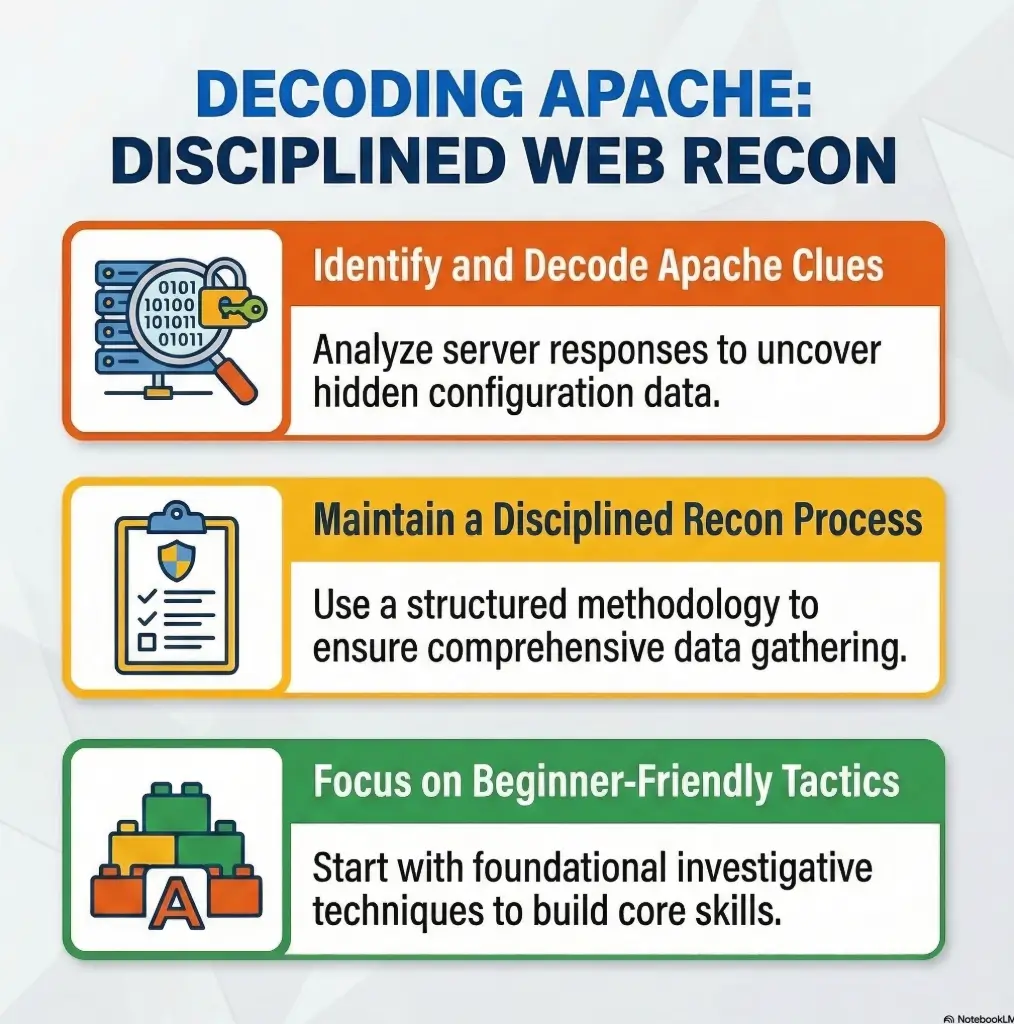
This guide helps you read Kioptrix Level Apache clues from basic web scanning with more discipline and less drama. You will learn how to separate direct evidence from inference, spot useful Apache fingerprinting signals, and document web server behavior in a way that actually supports later testing.
Observe first, label second, infer last.
- • Small clues matter.
- • Default pages are not decoration.
- • A 403 can be more useful than a flashy homepage.
- • The quietest server responses often leave the clearest map.
Fast Answer: Kioptrix Level Apache clues from basic web scanning are less about flashy findings and more about disciplined noticing. In an authorized lab, early Apache signals often appear in headers, default pages, directory behavior, error responses, allowed methods, and version hints. The real advantage is not speed. It is learning how to turn small server breadcrumbs into a cleaner map of the web stack before you touch anything riskier.
Table of Contents
Who this is for / not for
This is for beginner pentesters who want to read Apache clues without jumping too fast
If you have ever run a very basic scan, seen “Apache,” and immediately felt your brain start composing a heroic montage, this article is for you. The goal here is to stay in the calm zone. You are learning how to observe, label, and document server behavior in an authorized lab before you make louder moves. That restraint is not boring. It is the difference between useful recon and a messy notebook full of guesses.
This is for US readers practicing in legal lab environments and trying to build cleaner recon habits
Kioptrix-style practice boxes have taught generations of beginners one enduring lesson: the easy thing is to scan; the harder and more valuable thing is to interpret. In many first labs, the real struggle is not “finding something.” It is resisting the temptation to treat the first clue like the final answer. I learned this the annoying way years ago. I once wrote down a server version from a response header as though it were sacred scripture, then spent far too long chasing the wrong branch of the tree. The tree was fine. My note-taking was not. If you are still building your workflow, a more disciplined Kioptrix recon routine can save you from that exact spiral.
This is for learners who want to understand what basic web scanning can suggest about Apache configuration and exposure
Apache often reveals itself through a cluster of small details: response headers, stock phrasing, redirect habits, error templates, footer signatures, method handling, and subtle path behavior. Apache’s documentation explains that directives such as ServerTokens and ServerSignature directly shape what server-generated responses disclose. That matters because a clue is often not accidental. Sometimes it is simply a configuration choice showing up at the edge.
This is not for readers looking for aggressive exploitation steps or real-world unauthorized testing tactics
We are not doing that here. This article uses low-impact observation, active basic web scanning, and defensive documentation for authorized labs only. If a target is not yours or not explicitly authorized for testing, stop. There is no romantic lighting that makes unauthorized scanning okay. It is still a bad idea, just with worse paperwork.
- Observation comes before explanation
- Inference is not proof
- Notes beat memory every time
Apply in 60 seconds: Create a page in your notes titled “direct evidence” and a second titled “possible inference.”
Start with the banner: what Apache tells you before the page does
How HTTP response headers can hint at Apache presence, version habits, and module exposure
The first Apache clue often arrives before you even look at the visible page. Response headers can suggest server type, content handling, compression behavior, caching policy, redirects, and whether the server is volunteering too much identity. Apache’s official documentation notes that the ServerTokens directive controls the Server HTTP response header, including whether clients see only “Apache” or a fuller string with version, operating-system type, and even compiled-in module hints. That single detail should adjust how you read headers: what you see may be a carefully trimmed postcard, not the entire passport.
Why “Server” and related headers matter even when they look boring
Boring is underrated. A plain Server header can establish a working hypothesis. Supporting headers can help you test it. Compression behavior, unusual redirect structure, or consistent date and error formatting might reinforce the idea that Apache is fronting the site. None of these alone prove a complete stack. Together, they become a pattern. Recon is often less like solving one riddle and more like stacking translucent paper until the image comes into focus. If you want a broader frame for these early web clues, it pairs naturally with Kioptrix HTTP enumeration done with the same patient mindset.
Let’s be honest, the first clue is often hiding in plain text
Beginners sometimes skip right past the obvious because it feels too easy. But early success in an authorized lab often comes from dignifying the simple things. A naked header value. A default phrase in a response. A redirect from one path to another. The flashy part of security culture can make quiet evidence seem unglamorous. Meanwhile, the quiet evidence is usually doing the real work.
Eligibility checklist: Is this clue worth writing down?
| Question | Yes / No | Next step |
|---|---|---|
| Did the response include a visible server identity clue? | Yes | Save the exact text and timestamp it |
| Did a second request reproduce the same clue? | Yes | Mark it as stronger evidence |
| Does the clue stand alone without context? | No | Pair it with status code, path, and method |
Neutral action: Record the clue before you interpret it.
Show me the nerdy details
Apache documents that ServerTokens Full is the default and can expose a richer Server header, while slimmer settings such as Prod, Major, or Minor reduce what appears in the response. This matters because “Apache” alone is not the same evidentiary weight as a fuller server string, and either can be altered by configuration or front-end infrastructure.
Read the default page like a witness statement, not a decoration
What Apache default pages, placeholder pages, and stock language can reveal about setup maturity
A default page is not just a placeholder. It is a statement about setup state, admin effort, packaging defaults, and sometimes the operating environment. In lab work, a plain Apache landing page or a distro-flavored “it works” message can tell you that the web server may have been installed with minimal hardening or left close to defaults. That does not prove weakness. It does suggest you should keep your eyes open for other stock behaviors nearby.
How distro-flavored defaults can hint at the operating system behind the server
Some default pages, error templates, or directory styles feel faintly familiar if you have seen enough environments. Certain wording, layouts, and paths can suggest a Linux distribution or packaging choice. This is where beginners get tempted to become poets. Resist it. Write “suggests” instead of “confirms.” A gentle clue toward an operating system is useful. A loud claim with no corroboration is just recon cosplay in a nice coat. That same caution shows up in other enumeration edge cases too, especially when tools appear more certain than they really are, as in CME reporting the wrong OS version.
Why a plain landing page may still tell you more than a polished login form
A polished application page is often designed to conceal the scaffolding. A default page, by contrast, sometimes forgets to put up curtains. I still remember a practice box where the prettiest page on the site told me almost nothing, while the one neglected default page whispered the likely server family, path structure, and admin maturity level in about 20 seconds. The fancy login was a chandelier. The blank wall behind the couch held the secret door.
Short Story: One evening, I opened a tiny lab target that looked disappointingly ordinary. No bright vulnerability banner, no cartoonish warning sign, just a stub of a page and a few stubborn responses. I nearly dismissed it. Then I slowed down and started reading the setup clues like a witness interview. The home page felt generic, but the server-generated wording on an error response felt older.
A redirect used a path style I had seen in a different Linux family before. A plain page title looked like it had never met a designer. None of it was dramatic. Yet when I lined those scraps up in my notes, the stack behind the application became easier to picture. I did not “discover” a jackpot that night. I did something better. I built a map that stopped me from wasting the next hour.

Error pages leave fingerprints: 403, 404, and 500 responses that say too much
How Apache-style error responses can expose path logic, rewrite behavior, and server temperament
Error pages are often more honest than the happy path. A 403 records refusal but does not prove that a location exists. A 404 can reveal whether a path is being processed plainly or through rewrite logic. A 500, when it appears in a lab, may expose rougher application coupling or server-side handling. Apache’s own documentation explains that ServerSignature can add a footer to server-generated documents and that the details shown there are influenced by ServerTokens. In practice, that means some errors arrive with more identity leakage than the normal page ever would.
What custom versus default error pages may suggest about administration effort
A custom error page suggests someone cared enough to shape the user-facing failure experience. A default-looking page suggests the opposite, or at least that this corner of the server did not get much attention. Neither is a vulnerability. Both are useful operational clues. If the app is polished but the server-generated errors are stock, that gap is worth noting. It may signal a divide between application work and server administration.
Here’s what no one tells you, ugly errors are often excellent notes
Beginners sometimes view ugly errors as noise. In labs, ugly errors are a notebook wearing a paper bag. Their job is not to be pretty. Their job is to reveal structure. Status code, path, body phrasing, footer text, redirect before failure, content length, and whether the response feels application-made or server-made all belong in your notes. If your notes keep blurring the line between “interesting” and “actionable,” reviewing common Kioptrix enumeration mistakes can be surprisingly sobering.
- A 403 is refusal evidence, not existence proof
- A stock error page can hint at server defaults
- A footer can leak more than the main page
Apply in 60 seconds: Save one full 403 and one full 404 response with headers, body, and request path.
Decision card: Is this error app-made or Apache-made?
| Signal | Leans Apache | Leans App |
|---|---|---|
| Stock phrasing and plain layout | Often | Less often |
| Branding, custom CSS, navigation links | Less likely | Often |
| Footer exposing server details | Possible | Possible but weaker |
Neutral action: Label the response by confidence, not certainty.
Directory behavior matters: the quiet difference between closed doors and loose hinges
What directory listing behavior can imply about Apache configuration discipline
Directory behavior tells you a great deal about server personality. Does a directory request redirect neatly to a trailing slash? Does it produce a 403? Does it render an index listing? Apache handles directory requests in recognizable ways, and those ways can reveal both structure and configuration discipline. A directory listing might suggest loose defaults or a deliberate internal-use posture in a lab. A forbidden response needs comparison with a known-missing path before it supports a structural inference.
How redirects, trailing slashes, and forbidden responses help map structure without force
Apache’s server-wide configuration documentation notes that the server may redirect a client to the full directory name including a trailing slash so relative references resolve correctly. That tiny behavior matters because it gives you structural confirmation without needing forceful probing. A redirect from /admin to /admin/ is not fireworks. It is still useful. It suggests directory-style handling, but rewrites or application routing can produce the same redirect. Whether the room is empty, locked, or cluttered with secrets is a later question. If you like gathering those clues quietly, a curl-only recon workflow for Kioptrix fits this exact style.
Why one denied folder can suggest a path pattern to verify
A denied path is not necessarily a dead end, but a catch-all denial may cover nonexistent paths too. One 403 on a guessed directory can help you infer naming conventions, path depth, or how the server is splitting concerns. In one lab, a single forbidden path gave me the naming rhythm for three other likely directories. It felt absurdly small at the time. Later it saved me from spraying guesses like confetti at a wedding nobody had invited me to.
Bold takeaway: Closed doors still reveal architecture.
Show me the nerdy details
Trailing-slash redirects are more than cosmetic. Apache documents that self-referential URL construction and directory handling influence when the server redirects a client to a full name including the slash. For a beginner, this means path normalization behavior can be a structure clue in its own right.
Methods tell a story: what OPTIONS and response behavior may imply
How allowed methods can hint at misconfiguration, legacy functionality, or safer boundaries
HTTP methods are another place where beginners either underreact or overreact. If response behavior suggests only a narrow method set, that may indicate cleaner boundaries. If additional methods appear, you do not automatically have a problem, but you do have a note worth keeping. OWASP’s testing guide includes specific attention to HTTP methods in the configuration and deployment testing area, which is a helpful reminder that method handling belongs in serious recon, not only in “maybe later” territory.
Why Apache method handling deserves documentation even when nothing looks immediately exploitable
Because method handling tells a story about configuration choices. It can reveal legacy support, framework expectations, or odd edges that deserve later validation. In a practice environment, I like to record three simple things: the method attempted, the status code received, and whether the body looks server-generated or application-generated. That tiny trio reduces later confusion dramatically. Without it, many beginners remember only the vibe. Vibes are excellent for choosing jazz. They are less excellent for defensible recon.
When a small protocol clue changes your whole scanning priority
Sometimes one method-handling clue shifts your priority from “look for app routes” to “understand deployment assumptions.” That is not because the clue proves danger. It is because it sharpens the next question. Good recon is a question-refining machine.
Mini calculator: Recon confidence score
Count your signals in three buckets: headers, error behavior, and path behavior.
- 1 point for each repeatable header clue
- 1 point for each server-generated error clue
- 1 point for each structural path clue such as redirect or forbidden directory
Output: 1 to 2 points = weak hypothesis. 3 to 4 points = workable hypothesis. 5+ points = stronger case to guide later testing.
Neutral action: Use your score to decide whether to verify more before moving on.
Version hints are bait unless you treat them carefully
Why Apache version strings can be incomplete, masked, outdated, or misleading
This is where many beginner notes go crooked. A visible version string feels deliciously concrete. Apache’s core documentation makes the caution plain: the ServerTokens setting can expose anything from a full string to product-only. In other words, you may see a precise-looking answer because the server chose to tell you one, or you may see a vague answer because the server chose to hide detail. Add reverse proxies, custom front ends, and packaging quirks, and you get a classic lab trap: a number that looks firm but behaves like fog.
How to separate “possible version clue” from “evidence you can trust”
Here is the habit I wish someone had drilled into me early: every version clue should carry a label. “Observed in header.” “Observed in error footer.” “Observed in page source comment.” “Inferred from default page style.” The label matters because not all evidence types deserve the same confidence. A repeated header string is still not ground truth. It is observed metadata. That sounds fussy until the day it saves you 40 minutes of running in the wrong direction. False confidence from service banners is not unique to Apache either, which is why Nmap service detection false positives deserve a spot in every beginner’s caution cabinet.
Don’t build a whole theory from one header and a hopeful guess
The dream version string is seductive because it feels efficient. Efficiency is lovely right up until it becomes fantasy. In authorized labs, version hints are best treated as guide rails for thought, not as permission slips for conclusions.
- Record where the version appeared
- Distinguish display from confirmation
- Corroborate before you commit your theory
Apply in 60 seconds: Rewrite one version note as “observed in X” instead of “server is Y.”
Map the modules by implication: what basic scanning can suggest without overclaiming
How redirects, headers, compression behavior, and error handling can hint at enabled modules
Modules are where careful inference becomes useful. You may never get a neat sign saying “hello, I am mod_rewrite,” yet response patterns can suggest rewriting, proxying, compression, or scripting support. The key word is suggest. For a beginner, module inference should feel like sketching in pencil, not chiseling marble. Basic scanning can indicate likely capabilities or behaviors without giving you a courtroom-grade statement.
What mod_php, rewrite behavior, and proxy clues may look like from the outside
PHP-related file handling, path rewriting that transforms ugly URLs into cleaner ones, or responses that behave like something is forwarding traffic elsewhere can all become hints. But here is the subtle part: some of these clues belong to Apache configuration, while others may belong to the application framework behind it. That boundary matters. You do not want to confuse “the front door is painted blue” with “the entire house is blue.” The door and the hallway sometimes disagree. For that reason, it helps to compare your notes against a dedicated Kioptrix PHP recon guide so the server story and the application story do not get braided into a single rope.
Why implication is useful only when your notes clearly label it as inference
One of the healthiest things you can write in a recon note is “possible.” Not “possible” as a shrug, but “possible” as disciplined humility. That one word keeps your future self honest. It also makes your notes far more defensible if another person reviews them later. The best operators I know do not sound certain all the time. They sound calibrated.
Quote-prep list: What to gather before comparing Apache clues later
- Exact request path and method
- Status code and redirect destination
- Relevant headers and any footer text
- Whether the response looked server-generated or app-generated
- A confidence label: direct evidence or inference
Neutral action: Gather the same five fields for every interesting response so comparisons stay clean.
Common mistakes
Mistaking a single header for ground truth about the whole Apache stack
This is probably the most common beginner error, and it is understandable. A server header feels official. It has the stern posture of a librarian. But official-looking does not mean complete or unmodified. Configuration can trim it. Intermediaries can influence it. You are reading one surface signal, not the entire backstage production.
Treating every unusual response like a vulnerability instead of a clue
An unusual response is not automatically a vulnerability. Sometimes it is just an odd configuration choice, an application quirk, or a lab author nudging you to pay attention. A clue becomes valuable when you place it in context. Out of context, it is just a shiny object with excellent marketing.
Scanning too loudly before documenting the simple things the server already exposed
One of the odd ironies of beginner recon is that people often escalate effort before exhausting observation. It is like walking into a library and immediately moving shelves before reading the labels. I have done this. It never made me smarter. It only made me busier.
Ignoring the relationship between Apache clues and the application sitting behind it
If you do not separate server-layer and app-layer signals, your notes turn into stew. Not soup. Soup is intentional. Stew in this case means everything mashed together until nobody can tell what belonged to Apache and what belonged to PHP or the application logic. That confusion is avoidable.
Quick reality check: A strange response can be valuable without being dangerous.
Don’t do this: the beginner shortcuts that waste the lab
Do not leap from Apache detection to exploit obsession without confirming context
The moment some beginners see “Apache,” they start mentally leaping from identity to exploitability. That jump is emotionally understandable and analytically sloppy. In a practice box, context still matters. What is the role of the server? How much is application-driven? Are the clues direct, or are they filtered through presentation choices? The shortest path to disappointment is assuming the first visible technology label is the story.
Do not confuse passive observation with permission to escalate your testing
This article is scoped to authorized lab environments and observation-first habits. Passive clues are not a license to push harder just because the trail feels warm. Permission is not inferred from curiosity. It is granted by scope.
Do not skip timestamped notes, because the second scan may not look the same
Even in practice environments, repeated scans or slightly different requests can return different results. A redirect chain might change based on exact path form. A header might differ across response types. A custom error page might appear on one path but not another. Timestamping helps you reconstruct what happened instead of trusting a memory that becomes more cinematic every hour. If you want a sturdier system for this, an Obsidian enumeration template makes the habit feel far less improvised.
- Confirm context before theorizing
- Respect scope even in labs
- Timestamp your observations
Apply in 60 seconds: Add time, path, and method to the last three notes you wrote.
One server, two stories: separating Apache clues from app-layer clues
How to tell whether a behavior belongs to Apache itself or the web application
This is the section I most wanted when I was new. Beginners often see a response and ask, “Is this Apache?” when the better question is, “What layer most likely produced this?” Stock error templates, footer signatures, and path normalization often lean server-side. Branded pages, custom wording, dynamic parameter behavior, and application-specific redirects often lean app-side. “Lean” is important. It keeps your language honest.
Why PHP pages, redirects, and parameter handling can blur the line for beginners
Because PHP does not live in a neat glass box marked “application only.” Apache can front PHP handling in ways that make the boundary feel fuzzy. Redirects might be server-driven or app-driven. Error pages might be server-generated in one route and application-generated in another. Parameter behavior may tell you more about application logic than Apache. The signal gets muddy fast if you do not classify each clue by likely layer.
The server is the stage, but the script may belong to the app
I return to this metaphor constantly because it keeps me sane. Apache gives you the stage: headers, default documents, error handling possibilities, path behavior, response framing. The application performs the script on top of it. Beginners tend to blame the stage for the script or vice versa. Once you separate those two, recon becomes calmer and much more accurate. If you want a neighboring example of how those layers interact in practice, vulnerable web app structure is a helpful companion read.
Show me the nerdy details
OWASP separates activities such as fingerprinting the web server, reviewing web page content, identifying entry points, and fingerprinting the web application framework for a reason. These are related tasks, but they are not identical. Keeping that separation in your notes improves both accuracy and later decision-making.
Build the evidence sheet: what to document from basic web scanning
Which Apache-related clues belong in a beginner-friendly recon worksheet
If you remember one operational habit from this article, make it this section. Build a two-column evidence sheet. On the left, list direct observations. On the right, list possible inferences. Under direct observations, capture headers, status codes, page titles, redirect destinations, response length changes, path normalization behavior, visible footer signatures, and whether the page appears stock or customized. Under possible inferences, record likely Apache presence, probable configuration looseness, possible module implication, and likely separation between server and application behaviors.
How to record headers, status codes, page titles, redirects, and path behavior for later analysis
Write them the same way every time. Consistency matters more than elegance. My preferred structure is simple: timestamp, request path, method, status, key headers, response summary, likely layer, confidence label. It is not glamorous. Neither is a seat belt, and I still recommend one. A consistent worksheet helps you compare responses without relying on your mood, which is a wildly unstable measurement tool. Readers who want a fuller reporting bridge can also borrow ideas from how to read a penetration test report and adapt that logic backward into recon notes.
Why good recon notes make later testing calmer, faster, and more defensible
Because good notes reduce emotional noise. When you later revisit the target, you can see exactly why you believed something, what you actually observed, and where uncertainty remains. That is what defensible work looks like. Calm does not mean timid. It means your future steps are tied to evidence instead of adrenaline.
Coverage tier map: What changes from Tier 1 to Tier 5 notes
| Tier | What you capture | Value |
|---|---|---|
| Tier 1 | URL and title only | Weak recall |
| Tier 2 | Add status and headers | Basic fingerprinting |
| Tier 3 | Add path behavior and redirects | Structure mapping |
| Tier 4 | Add likely layer and confidence | Cleaner reasoning |
| Tier 5 | Add cross-request comparison | Best for later analysis |
Neutral action: Move your current notes up one tier today instead of trying to perfect them all at once.
1. Observe
Headers, titles, status codes, default pages
2. Compare
Repeat requests, note differences, separate layers
3. Label
Direct evidence versus possible inference
4. Decide
Choose the next safe, scope-approved step
When to seek help
If you are unsure whether a target is authorized, stop before scanning
This is the easiest safety rule to state and the most important one to obey. If authorization is fuzzy, your next step is not a scan. It is clarification. Nothing about a curious lab habit overrides scope.
If your findings begin to suggest real-world exposure outside a lab, escalate to your instructor, team lead, or authorized security contact
Occasionally a training habit bleeds into a real-world observation. When that happens, do not improvise a private adventure. Escalate through the right channel. Calm escalation is part of professional behavior. In public-facing situations, that restraint belongs beside a clear vulnerability disclosure policy, not a burst of improvisation.
If you cannot tell whether a clue is Apache-related or application-related, get a second set of eyes before making claims
This is especially important if you are writing a report, teaching others, or using your notes to support later decisions. An uncertain clue is not a failure. A confident claim built on a misunderstood clue is.
FAQ
What Apache clues can basic web scanning reveal in a Kioptrix-style lab
Basic web scanning can reveal server identity hints, response-header behavior, default-page wording, error-page style, path normalization, redirect patterns, status codes, and sometimes method-handling clues. None of these alone prove the full stack, but together they help you build a more reliable picture of what the server is quietly exposing.
Can a default Apache page tell you the operating system
It can sometimes suggest an operating-system family or distribution packaging style, but it should not be treated as proof by itself. Use wording, layout, and neighboring behaviors as supporting context rather than as a final answer.
Are HTTP headers enough to identify the Apache version accurately
No. They can provide a useful hint, but Apache’s own configuration options can trim or expand what appears in the Server header. Treat visible version information as an observed clue, not as a full confirmation.
What does a 403 response usually tell a beginner pentester
A 403 means the request was refused; compare it with a known-missing path before inferring resource existence. That makes it useful for structure mapping and later reasoning. It does not automatically mean the location is vulnerable or especially important, but it absolutely deserves a note.
Why does directory behavior matter during early recon
Because redirects, trailing slashes, forbidden responses, and index behavior can reveal how the server organizes paths and handles directories. These details often help you map structure more cleanly than louder scanning would.
Can allowed methods indicate misconfiguration without proving a vulnerability
Yes. Method handling can suggest legacy support, unusual exposure, or simply a broader configuration surface. That is valuable recon information even when it does not prove anything directly exploitable.
How do you distinguish Apache clues from PHP application clues
Start by asking which layer most likely generated the response. Stock server errors, footer signatures, and path normalization often lean Apache-side. Branded pages, parameter behavior, and custom workflows often lean application-side. Some clues remain ambiguous, and that is okay. Label them accordingly.
What should beginners write down during basic web scanning
Write down timestamp, request path, method, status code, relevant headers, redirect destination, response summary, likely layer, and confidence label. That structure keeps your recon notes far more useful than a list of half-remembered impressions.
Conclusion
We can close the curiosity loop now. What does the server quietly reveal before you go deeper? Usually not a single magic secret. Usually a handful of small, honest signals that become useful only when you treat them with patience. That is the real lesson of Kioptrix-level Apache clue reading. The server is not shouting. It is leaving breadcrumbs in headers, default language, errors, methods, and path behavior. Your job is not to turn breadcrumbs into mythology. Your job is to turn them into a cleaner map.
In the next 15 minutes, run one calm, authorized scan in your lab and build the two-column sheet from this article: direct evidence versus possible inference. Capture one header clue, one error clue, and one path clue. Then stop and label each one by layer and confidence. That tiny exercise will improve your recon more than a dozen louder moves made in a hurry. If you want to keep the momentum tidy, it also sits well inside a broader fast enumeration routine for any VM.
Original review: 2026-03.
Technical guidance updated: 2026-10-13. Qualified 403 and trailing-slash clues and distinguished active scanning from passive observation.