
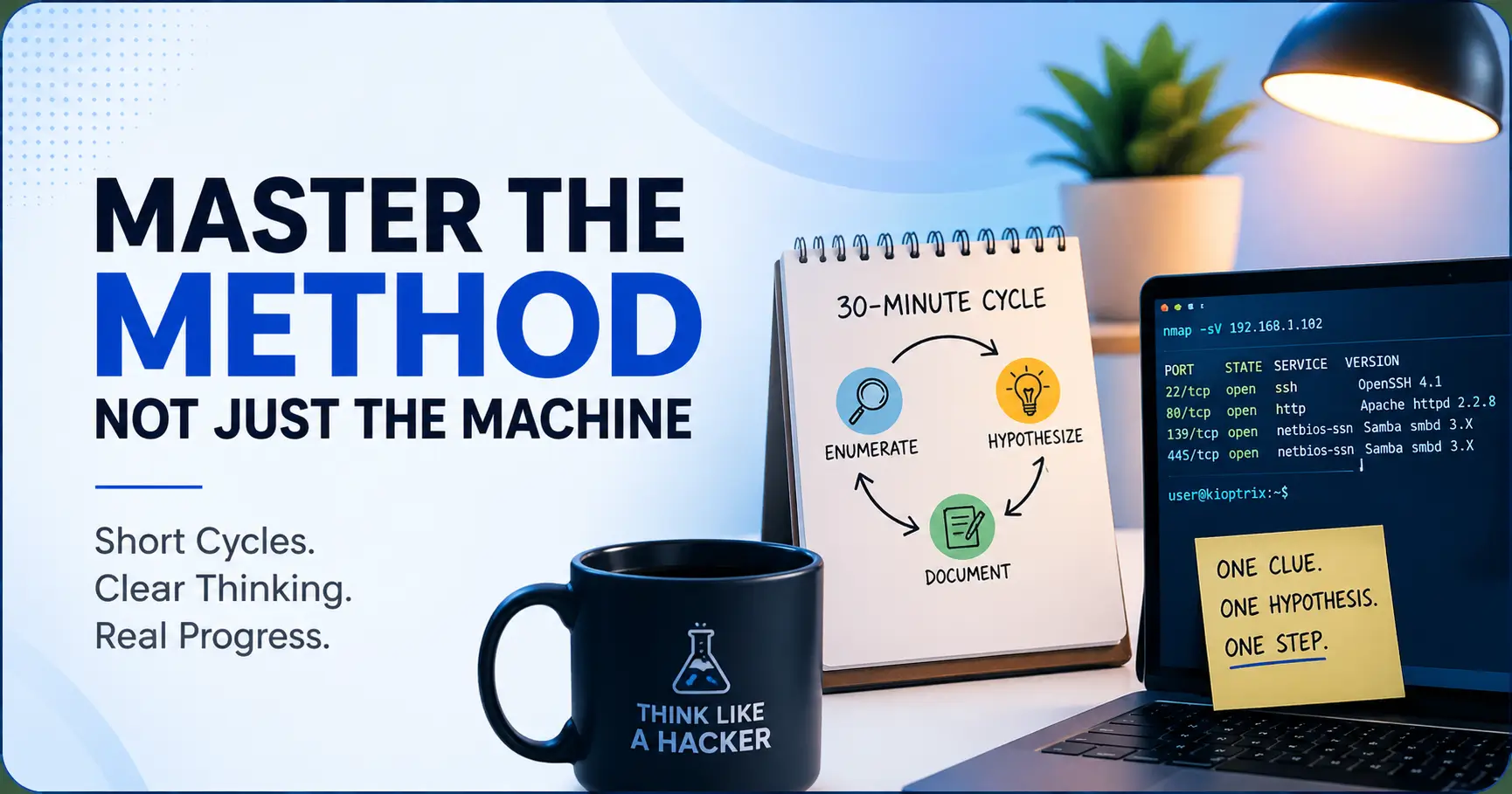
Master the Method, Not Just the Machine
Escaping the beginner trap of the Kioptrix “fog.”
You sit down for a “quick” Kioptrix session—one scan, three tabs, two service banners—and end the hour with more terminal output than understanding. This is the beginner trap: not laziness, but a collapse of enumeration, hypothesis, and documentation into a single, noisy pile.
Short practice cycles are the cure. By focusing on one clue and one hypothesis at a time, you transform a late-night command marathon into repeatable cybersecurity thinking.
- • Controlled Scope: Clean enumeration over chaos.
- • Single Hypothesis: Test one idea per cycle.
- • Evidence-Based Notes: Preserve data, not just “vibes.”
Table of Contents
Start Here: Short Cycles Teach Method, Not Just “Root”
Kioptrix is tempting because it has a clear finish line. Root the machine. Win the little lab trophy. Close the laptop with the heroic expression of someone who has definitely earned snacks.
But for a beginner, the real prize is not only getting root. It is learning how you got from clue to decision. Short cycles make that visible. They slow the room down enough for you to notice what each command proved, what it did not prove, and what your next question should be. If you are still building the bigger map, a beginner-friendly Kioptrix learning path can help you place these short cycles inside a longer study plan.
Why Kioptrix rewards patience more than brute force
Kioptrix Level 1 is a deliberately vulnerable virtual machine commonly used for beginner practice. VulnHub describes the purpose of these machines as learning basic tools and techniques for vulnerability assessment and exploitation in a controlled environment.
That phrase matters: controlled environment. You are not trying to become a keyboard tornado. You are training your attention. For a slower foundation, it helps to understand what Kioptrix Level is meant to teach before treating root as the only useful outcome.
The hidden skill is knowing what you just proved
Early on, I used to treat every scan result like a buffet. A port here, a version there, a web page that looked suspicious enough to deserve five tabs. By the end, I had activity, not understanding.
A short cycle forces a better question: “What did I confirm?” Not “What did I touch?”
- Use one cycle to answer one question.
- Write confirmed facts before theories.
- Stop while your notes still make sense.
Apply in 60 seconds: Before your next session, write one sentence: “This cycle is only about confirming ______.”
How short practice turns a confusing lab into repeatable thinking
A beginner’s biggest problem is usually not lack of tools. It is lack of sequence. Short cycles give you sequence: check scope, inspect clues, test one path, record what happened, stop cleanly.
That rhythm becomes portable. Kioptrix today. Another vulnerable VM next month. A real help desk ticket someday where the same calm method saves you from clicking through the entire universe.
Who This Is For, and Who It Is Not For
This approach is for learners who want to understand their process, not collect screenshots like digital seashells.
It is especially useful if you are practicing before work, after class, between family obligations, or during those narrow slices of day when the house is quiet and your brain has not yet become soup.
Best fit: beginners who keep losing the thread mid-lab
You are the perfect reader if you often restart Kioptrix and think, “Wait, what was I doing with SMB again?” That is not a character flaw. That is a note system begging for mercy. If that pattern sounds painfully familiar, a Kioptrix Level restart guide can help you rebuild momentum without pretending you remember everything.
Short cycles protect your working memory. Instead of holding 14 half-ideas in your head, you keep one thread in your hand.
Good fit: IT support learners building security habits before work
Help desk workers and career switchers often already have practical instincts: check the obvious, document the change, avoid breaking the environment. Kioptrix can sharpen those instincts if you treat the lab like a structured investigation. For IT support readers, Kioptrix for help desk workers is a useful companion because it connects lab habits to real troubleshooting instincts.
The goal is not to sound dramatic. The goal is to explain your reasoning without needing a flashlight and a rescue dog.
Not ideal: anyone looking for copy-paste exploitation without understanding
If the only goal is to paste commands from a walkthrough, short cycles will feel slow. They are supposed to. They make you earn the connection between clue and action.
Copying a command can teach syntax. Explaining why that command belongs there teaches judgment.
Ethics note: keep Kioptrix inside your own authorized lab
Practice only on machines you own, control, or have explicit permission to test. Kioptrix belongs in a legal home lab or authorized learning environment. The same tool that is harmless in your lab can become illegal when pointed at someone else’s system.
Eligibility Checklist: Are Short Cycles Right for Your Next Session?
- Yes or no: Are you working on a machine you are authorized to test?
- Yes or no: Can you explain your current access level in one sentence?
- Yes or no: Do you have a place to write notes before running tools?
- Yes or no: Can you stop after 30–45 minutes without calling it failure?
Neutral action: If any answer is “no,” fix that condition before you start the next cycle.
The 30-Minute Cycle That Keeps Kioptrix from Becoming Fog
A 30-minute Kioptrix cycle is not a productivity gimmick. It is a fence around your attention.
Without a fence, practice expands until it eats your evening. With a fence, you choose one useful action and end with a breadcrumb. That breadcrumb is what keeps tomorrow-you from wandering into the same forest wearing the same confused hat. For learners who want a wider rhythm, a 30-day Kioptrix practice routine can turn this same idea into a month-long habit without making every session feel enormous.
First 5 minutes: reset the target, scope, and previous notes
Start by writing the target IP, your lab scope, and your current access level. If you have no access yet, say that plainly. If you only have scan results, say that too.
This little reset feels boring, but it prevents a classic beginner mistake: acting as if you remember more than you do.
Next 15 minutes: run one focused enumeration or manual check
Pick one thing: web service, SMB, SSH, a version number, a directory clue, a suspicious banner. Then test only that thing.
One focused check could be more useful than five tools fired into the fog. The difference is intent. A tool without a question is just a noisy spoon in the drawer.
Final 10 minutes: write what changed, what failed, and what comes next
The last 10 minutes are where the learning gets preserved. Write three categories:
- Changed: new information you confirmed.
- Failed: commands or guesses that did not produce useful results.
- Next: the first action for the next session.
Show me the nerdy details
A short practice cycle reduces context switching. In cybersecurity labs, context switching often shows up as tool hopping: one scan, then a browser search, then a walkthrough, then another scan, then a forgotten terminal. A bounded cycle keeps the feedback loop tight. You form a question, collect output, interpret it, and record the next move before memory decays.
Infographic: The 30-Minute Kioptrix Cycle
①
5 minutes
Confirm target, scope, notes, and current access.
②
15 minutes
Test one clue with one focused tool or manual check.
③
10 minutes
Record three facts, two guesses, and one next action.
Enumeration First: The Habit Most Beginners Try to Skip
Enumeration is the part beginners often treat like vegetables. Necessary, yes. Exciting, not always. But Kioptrix rewards the learner who can sit with clues before reaching for fireworks.
Good enumeration means you are not merely asking, “What can I attack?” You are asking, “What is actually exposed, what version is running, and what does that suggest?” A deeper Kioptrix enumeration habit makes short cycles far more useful because each clue gets a proper place in the investigation.
Why “just exploit it” usually creates brittle learning
When you jump straight to exploitation, you may still get lucky. But luck is a terrible teacher. It smiles once, steals your notebook, and disappears into the rain.
Enumeration builds the chain. You learn how a port led to a service, how a service led to a version, how a version led to a hypothesis, and how a hypothesis led to a test.
Services, versions, ports, pages, and headers: the small clues that matter
Your first notes do not need to be fancy. They need to be precise. Write down ports, services, versions, web paths, HTTP headers, login pages, error messages, robots files, and anything that changes when you poke gently.
Gently is the word. In a lab, you still want discipline. In real environments, undisciplined testing can damage systems or break rules.
Here’s what no one tells you: boring notes become sharp instincts
The first few times, enumeration notes feel clumsy. Then patterns begin to glow. You start noticing when a service is old, when a web path deserves a closer look, when a version string is worth researching, and when your own assumption is getting ahead of the evidence.
That is the good stuff. Not glamorous. Very useful. Like a pocketknife that never brags.
- Write down what is exposed.
- Connect each clue to one possible question.
- Avoid exploiting before you can explain the target surface.
Apply in 60 seconds: Create a note heading called “Confirmed Surface” and list only facts under it.
One Hypothesis per Cycle Beats Ten Random Tabs
The tab graveyard is not a methodology. It is a browser-shaped confession.
One hypothesis per cycle keeps your investigation clean. You are not banning curiosity. You are giving curiosity a leash, a name tag, and maybe a small snack. When you need help turning fuzzy instincts into cleaner choices, a Kioptrix decision process can make each cycle feel less like guessing and more like reasoning.
Turn “maybe SMB?” into one testable question
“Maybe SMB?” is a foggy thought. “Can I enumerate SMB shares anonymously?” is a testable question. That small change improves everything.
A good hypothesis has three parts:
- Target: the service, page, port, or clue.
- Question: what you want to confirm.
- Method: the one tool or manual step you will use.
Stop mixing guesses, scans, walkthroughs, and panic-clicking
Beginners often mix four different activities and call it practice. They scan, guess, search the web, open a walkthrough, copy a command, then forget what the original clue was.
Short cycles separate the ingredients. Enumeration first. Hypothesis second. Test third. Notes fourth. Walkthrough only when you can name the blocker.
The tab graveyard is not a methodology
Every open tab feels useful because it contains possibility. But too many possibilities become static. Your brain starts treating every clue as equally urgent.
Use a parking lot note instead. When a new idea appears, write it under “Later.” Do not chase it unless it belongs to the current hypothesis.
Decision Card: One Hypothesis vs. Many Tabs
| Choose this | When it helps | Trade-off |
|---|---|---|
| One hypothesis | You want retention, clean notes, and explainable progress. | Feels slower in the moment. |
| Many tabs | You are researching after you already named a blocker. | Can become noise fast. |
Neutral action: Start with one hypothesis, then open research tabs only after your notes show why.
Common Mistakes That Make Kioptrix Feel Harder Than It Is
Kioptrix is beginner-friendly, but beginner-friendly does not mean brain-off friendly. The box can still punish sloppy habits with the calm face of a librarian stamping an overdue fine.
Most frustration comes from avoidable process errors. Fix those, and the lab becomes less mysterious. If your recon keeps turning into a haystack with Wi-Fi, reviewing common Kioptrix recon mistakes can help you spot the habit that is actually slowing you down.
Mistake 1: running tools faster than you can explain them
A tool is not a personality. Do not run commands just because they appeared in a video with dramatic background music.
Before running a tool, write what you expect it to tell you. After it finishes, write whether it answered the question. This turns command use into learning instead of ritual.
Mistake 2: saving screenshots but not decisions
Screenshots are useful when they preserve evidence. They are less useful when they become a museum of unlabeled terminal rectangles.
For every screenshot you save, add one sentence: “This matters because ______.” If you cannot fill the blank, the screenshot may not be worth keeping.
Mistake 3: reading walkthroughs before forming your own hypothesis
Walkthroughs can teach. They can also flatten the whole mountain into a conveyor belt.
Try to form your own hypothesis first, even if it is wrong. A wrong hypothesis you tested honestly teaches more than a right command you copied blindly.
Mistake 4: treating failed commands as trash instead of evidence
A failed command is not always failure. Sometimes it proves a path is closed, a permission is missing, a service behaves differently than expected, or your assumption was too broad.
Write failed results under “Evidence,” not “Shame Drawer.” Yes, the Shame Drawer has excellent acoustics. Still, avoid it.
- Label failed commands with the question they tested.
- Write what the output ruled out.
- Keep screenshots only when they support a decision.
Apply in 60 seconds: Add a note line after every failed test: “This suggests ______.”
Don’t Marathon the Box Just Because You Have Saturday
A free Saturday can look like the perfect time to conquer Kioptrix. Coffee. Headphones. Empty calendar. The noble illusion of unlimited focus.
Then hour four arrives, and every port looks suspicious. You start rerunning scans because motion feels safer than thought. Your notes become archaeology.
Long sessions can hide shallow thinking under activity
Marathon sessions reward stamina, but they can hide weak reasoning. You may do more, yet understand less. A more sustainable approach to Kioptrix practice sessions without burnout keeps your learning from becoming a heroic bonfire that leaves only ash and screenshots.
Short cycles interrupt that drift. They make you summarize before continuing. That summary is where shallow thinking gets caught trying to sneak out the side door.
Fatigue makes every port look equally suspicious
When you are tired, prioritization collapses. A low-value clue and a high-value clue both start waving tiny flags. You chase whatever is brightest, not whatever is best supported.
A 30–45 minute boundary helps you stop before fatigue starts driving the keyboard.
Let’s be honest: “one more scan” is often procrastination in a hoodie
Sometimes the next scan is useful. Sometimes it is avoidance wearing a technical costume.
Ask: “What question will this scan answer that my current notes cannot?” If you do not have an answer, pause and review.
Mini Calculator: How Many Cycles Fit Your Week?
Use this quick estimate before planning practice.
Neutral action: Pick fewer cycles than your maximum so you can end each one with real notes.
Notes Are the Real Exploit Chain
If exploitation is the visible chain, notes are the invisible one. They connect your attention across time.
A good Kioptrix note does not need to impress anyone. It needs to help you restart without emotional damage. That is a noble purpose for a plain text file. If your notes still feel scattered, choosing a practical Kioptrix note-taking tool can remove enough friction that documentation stops feeling like a separate chore.
Write three facts before you write one guess
This rule saves beginners from a surprising amount of confusion. Facts first. Guesses second.
A fact is something the target, tool output, or page behavior actually showed. A guess is your interpretation. Both are useful, but mixing them too early makes your notes slippery.
Separate confirmed output from interpretation
Try this format:
- Confirmed: Port 80 is open and serving a web page.
- Observed: The page includes a login form.
- Guess: The login form may reveal useful behavior under testing.
- Next action: Inspect headers and basic paths before trying credentials.
Notice the restraint. No wild leap. No triumphant trumpet. Just a clean bridge from output to next step.
Use “next action” notes so tomorrow-you does not restart from zero
End every cycle with one plain sentence: “Next time, I will test ______ because ______.”
That sentence is a gift. It keeps you from wasting the first 20 minutes of the next session trying to reconstruct your own vanished brain weather.
- Separate facts from guesses.
- Record failed tests as evidence.
- End with one next action.
Apply in 60 seconds: Create three headings now: Confirmed, Guesses, Next Action.
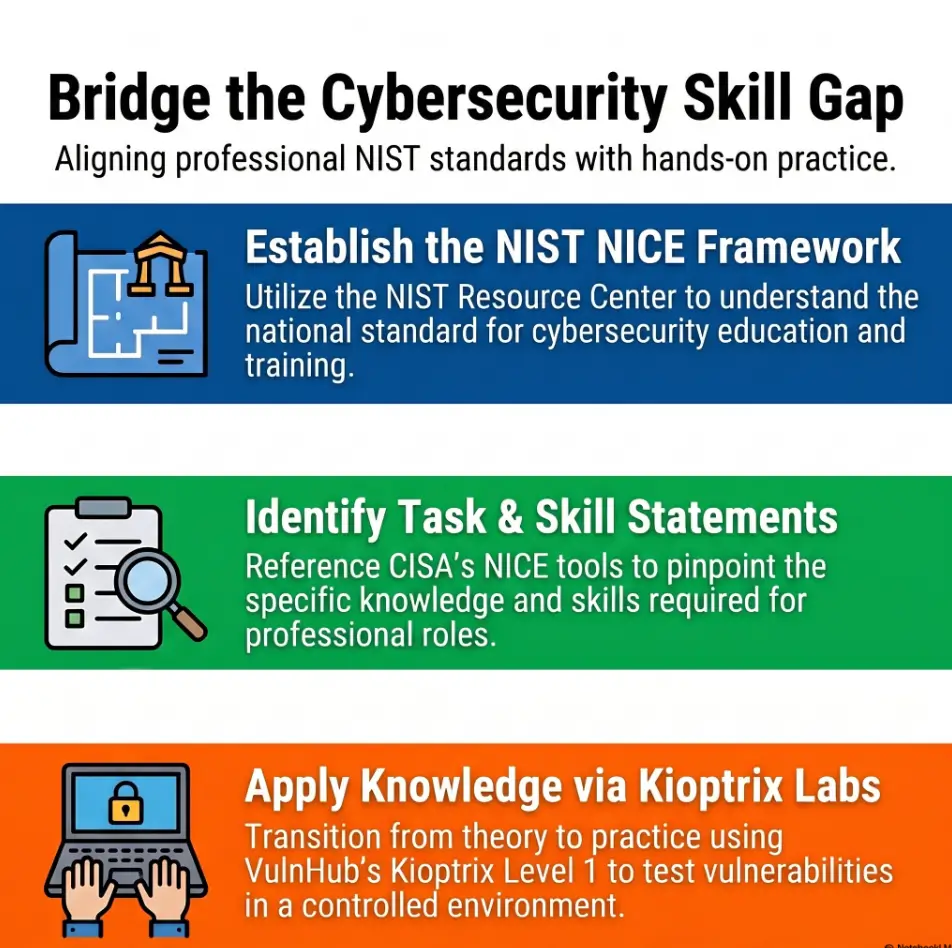
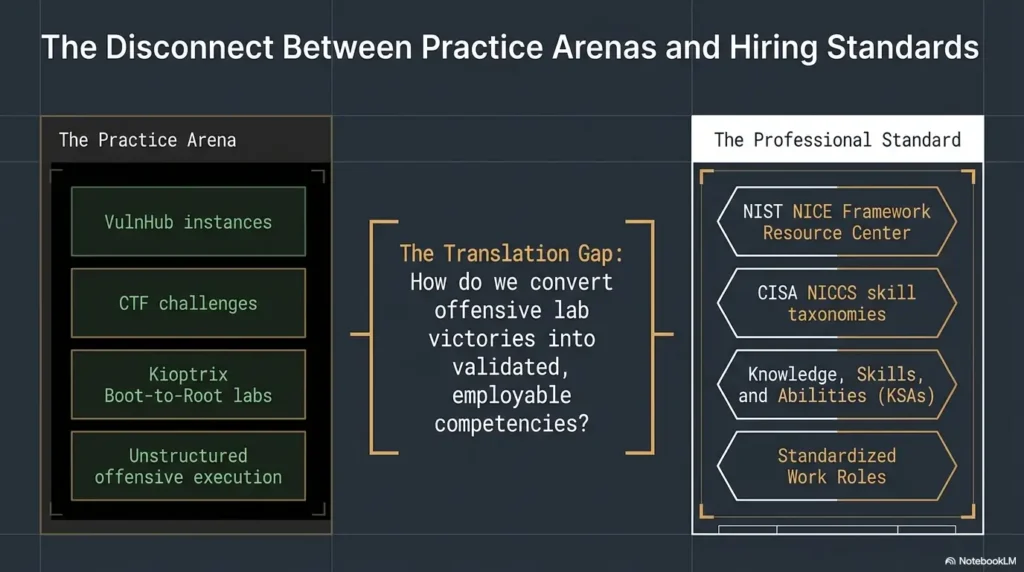
Short Cycles Build NICE-Aligned Cybersecurity Thinking
Short-cycle Kioptrix practice fits a larger professional pattern: cybersecurity work is easier to explain when you can describe tasks, knowledge, and skills clearly.
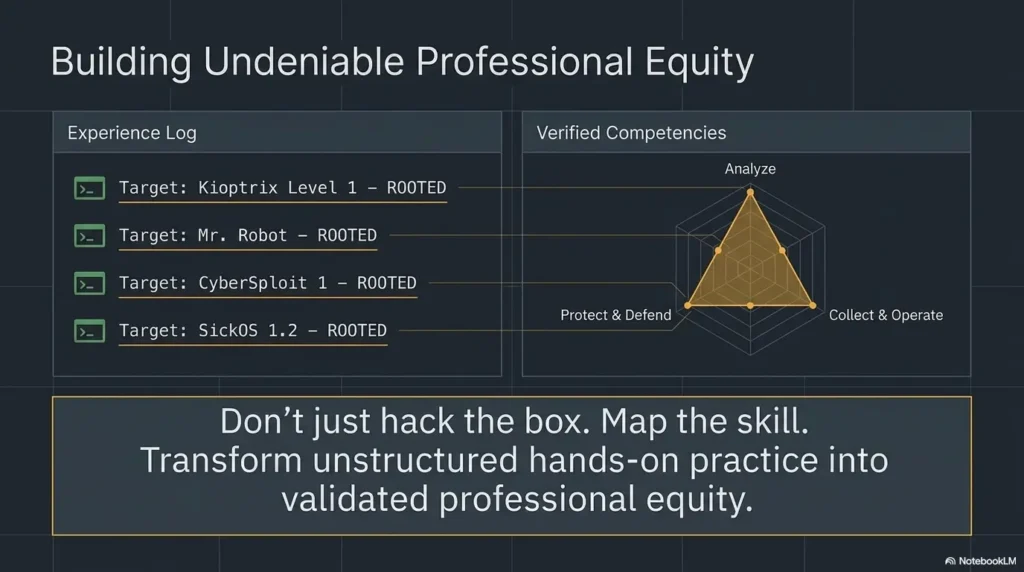
NIST’s NICE Framework provides a common language for cybersecurity work and the knowledge and skills needed to perform that work. That matters for learners because “I rooted a box” is less useful than “I enumerated services, formed a hypothesis, tested it, and documented evidence.”
Why task, knowledge, and skill language matters for learners
Employers, educators, and training programs often need more than proof that you finished a lab. They need signs that you can think in a repeatable way.
A short Kioptrix cycle naturally creates that evidence. The task is what you attempted. The knowledge is what you used to interpret clues. The skill is how you performed and documented the test.
How Kioptrix practice maps to repeatable work habits
Short cycles train habits that travel well:
- Defining scope before action.
- Documenting observations clearly.
- Testing one hypothesis at a time.
- Separating evidence from interpretation.
- Knowing when to pause and escalate research.
From “I rooted a box” to “I can explain my process”
In interviews, study groups, or portfolio notes, process beats theatrics. A clear write-up can show how you think under uncertainty. If you want to turn lab work into career-friendly evidence, Kioptrix Level for LinkedIn can help you frame the work without oversharing exploit details.
You do not need to reveal every exploit detail to show learning. You can describe the method: enumeration, prioritization, testing, documentation, and reflection.
When to Pause Before Looking at a Walkthrough
Walkthroughs are not evil. They are maps. The problem is opening the map before you have looked at the road.
Used well, a walkthrough can rescue a stuck learner. Used too early, it turns the lab into a typing exercise with better lighting. A balanced Kioptrix Level walkthrough is most useful when you read it as a reasoning aid, not as a command vending machine.
Use a walkthrough only after you can name your blocker
Before opening a walkthrough, write your blocker in one sentence.
Good blocker: “I confirmed the web server and found a login page, but I do not know what basic enumeration step to try next.”
Weak blocker: “I am stuck.”
The stronger sentence makes the walkthrough useful because you are reading for a specific missing link.
Read for method, not magic commands
When you open a walkthrough, look for the decision point. Why did the writer move from this clue to that test? What did they notice? What did they rule out?
Copying the command is the smallest value. Understanding the pivot is the meal.
Convert spoilers into a short lesson, then close the tab
After using a walkthrough, write three lines:
- What I missed: the clue or concept.
- Why it mattered: the reasoning step.
- What I will try first next time: the habit change.
Then close the tab. Do not let one spoiler become a documentary series.
Help-Prep List: What to Gather Before Asking for Guidance
- Your target IP and lab scope confirmation.
- The exact service, page, or clue you are testing.
- Two or three confirmed facts from your notes.
- The command or manual check you tried.
- The blocker written as one plain question.
Neutral action: Share the question and evidence, not a pile of unlabeled terminal output.
A Simple Kioptrix Cycle Template You Can Reuse
A reusable template keeps practice from becoming a mood. Moods are weather. Templates are umbrellas.
You can copy this structure into a notes app, text file, or markdown document. Keep it plain enough that you will actually use it when tired. For more formal documentation, a Kioptrix recon log template gives your observations a place to land before they evaporate.
Confirm: target IP, scope, and current access level
Start with the basics:
- Target IP:
- Lab environment:
- Authorization: personal lab only
- Current access:
- Last confirmed fact:
This prevents accidental drift. It also reinforces the ethical boundary every time you begin.
Choose: one service, one page, or one suspicious clue
Pick one focus. Not “do web stuff.” Not “try SMB and maybe search exploits and maybe check directories.” One focus.
Example: “Inspect the web service on port 80 for basic page structure, headers, and obvious paths.”
Test: one hypothesis with one tool or manual check
Write the hypothesis before the command. This is the hinge.
Example: “If the web server exposes default paths or hints, a basic manual check should reveal at least one next clue.”
Record: three facts, two guesses, one next action
End with the smallest useful review:
- Three facts: what you confirmed.
- Two guesses: what might be worth testing.
- One next action: where to begin next time.
- Begin with scope and access.
- Choose one clue.
- End with one next action.
Apply in 60 seconds: Paste the Confirm, Choose, Test, Record headings into your notes before opening the VM.
Short Story: The Morning I Stopped Rerunning the Same Scan
I once spent nearly an hour rerunning variations of the same scan on a beginner lab because I did not want to admit I had no question. The terminal looked busy. I looked busy. The coffee believed in me. But my notes were useless: ports, fragments, half-copied output, and one dramatic line that said, “Maybe web?” The next morning, I tried a shorter cycle.
I wrote one question before touching the keyboard: “What does the web service reveal without authentication?” In 30 minutes, I had fewer commands and better understanding. I ended with one next action, closed the laptop, and did not feel that strange beginner guilt of stopping before victory. That was the first time the lab felt less like a maze and more like a conversation.
FAQ
How long should a Kioptrix practice cycle be?
For most beginners, 25–45 minutes is enough. A 30-minute cycle is especially practical because it gives you time to reset, test one focused idea, and write useful notes before fatigue starts bending your judgment. If you are unsure where your limit is, this guide on Kioptrix session length can help you choose a realistic boundary.
Is 30 minutes enough time to make real progress?
Yes, if you define progress correctly. Progress is not only getting root. Progress can be confirming the attack surface, ruling out a weak guess, documenting a service clearly, or identifying the next test.
Should beginners use walkthroughs while practicing Kioptrix?
Yes, but use them after you can name your blocker. Read for method rather than magic commands. A walkthrough should help you understand a missed reasoning step, not replace your investigation.
What should I write down after each Kioptrix session?
Write three confirmed facts, two possible guesses, and one next action. Also record failed commands when they rule something out. Failed tests are often the quiet beams holding up the whole investigation.
How many tools should I use in one practice cycle?
Use as few as necessary. One tool or one manual check can be plenty if it answers a clear question. Tool variety is less important than knowing why you used a tool and what its output proved.
Why do I keep restarting Kioptrix instead of finishing it?
You may be ending sessions without a clear next action. If your notes do not tell you where to restart, each session begins with fog. End every cycle with one sentence that tells tomorrow-you exactly what to test next.
Should I practice Kioptrix before work or at night?
Practice when your attention is cleanest. Many learners do better before work because the session has a natural boundary and the brain is less cluttered. Night practice can work too, but avoid turning tiredness into tool hopping.
How do I know whether I am learning or just copying commands?
Ask yourself whether you can explain the command without looking at the walkthrough. If you can describe the clue, the reason for the test, and what the output means, you are learning. If not, slow down. A Kioptrix self-assessment can also help you separate real understanding from command-shaped muscle memory.
Next Step: Run One Small Cycle Today
The hook at the beginning was the noisy little command circus. The way out is not louder tools. It is a smaller ring.
Run one short Kioptrix cycle today. Not the whole machine. Not a marathon. One clue, one hypothesis, one test, one clean ending. If you want a repeatable weekly rhythm after that, a Kioptrix weekly habit can keep the practice steady without turning your calendar into a tiny tyrant.
Pick one clue, not the whole machine
Choose a single service, version, page, or behavior. Write it down before you begin. If your focus cannot fit in one sentence, it is probably too wide for one cycle.
Set a 30-minute boundary before you start
Use a timer if it helps. The boundary is not there to rush you. It is there to protect the learning from dissolving into open-ended clicking.
End with one plain sentence: “Next time, I will test…”
This is the whole spell. It is not dramatic, but it works.
Next time, I will test ______ because ______.
That sentence turns stopping into progress. It gives tomorrow-you a door handle.
If you want a practical 15-minute action, do this now: open your notes, create the headings Confirmed, Guesses, and Next Action, then choose one Kioptrix clue for your next 30-minute cycle. Small enough to start. Clear enough to finish.
Last reviewed: 2026-04.