
Navigating the Fog: Recovering from Kioptrix Dead Ends
A Kioptrix lab can feel manageable for about twelve minutes, and then the whole machine turns into fog with an IP address. That stuck feeling is not just technical. It is the moment when a CTF beginner starts confusing motion with progress: more tabs, more commands, more “maybe this exploit” energy, but fewer actual clues.
In Kioptrix, dead ends usually do not mean you are finished. They mean your evidence, enumeration, or assumptions need another pass. Keep guessing, and the lab quietly becomes a slot machine with a terminal prompt.
“The method here comes from the real work of beginner cybersecurity practice: clean notes, controlled retesting, and the slightly humbling art of admitting, ‘I checked that, but not well enough.’”
Start with the fog. Then slow the room down. One clue is usually still talking.
Table of Contents
Safety and Legal Lab Boundaries
Kioptrix belongs in a legal cybersecurity training lab. That means local virtual machines, CTF platforms, intentionally vulnerable boxes, employer-approved ranges, or written permission from the system owner. No permission, no testing. Not even “just to see.” That is how a learning exercise turns into a career-shaped bruise.
This article discusses recovery habits, documentation, reasoning, and ethical troubleshooting. It does not provide instructions for attacking real systems, bypassing access controls, or applying lab techniques outside authorization. Think of this as a map for your own practice room, not a crowbar for somebody else’s door.
- Use Kioptrix only in an authorized home-lab or training environment.
- Keep notes that separate learning from real-world targeting.
- Practice professional judgment before you practice technical moves.
Apply in 60 seconds: Write “authorized lab only” at the top of your notes before beginning a session.
The Real Lesson Is Not Root. It Is Recovery.
The seductive part of Kioptrix is the finish line. Learners want root. They want the little thunderclap of success, the proof that they are not wandering around a fake server wearing cardboard armor. Fair. Everyone likes a clean win.
But the durable lesson is not the final access. It is what happens when nothing works for 43 minutes and your confidence starts leaking through the floorboards. If you are still building your foundation, a broader Kioptrix learning path can help you see dead ends as part of the route instead of proof that the map is cursed.
Why beginners mistake “stuck” for “finished”
Beginners often read “stuck” as a verdict. In reality, it is usually a signal. It means the current model of the machine is incomplete. You missed something, misunderstood something, or assumed one clue had only one meaning.
I remember my first lab notebook looking like a grocery list written during turbulence. Three ports, two guesses, one heroic sigh. The machine had not defeated me. My process had simply stopped collecting evidence.
The lab’s quiet curriculum: patience, notes, and second passes
Kioptrix teaches the unglamorous skill behind real security work: the second pass. You scan, read, test, record, compare, and return. Then you do it again with better questions.
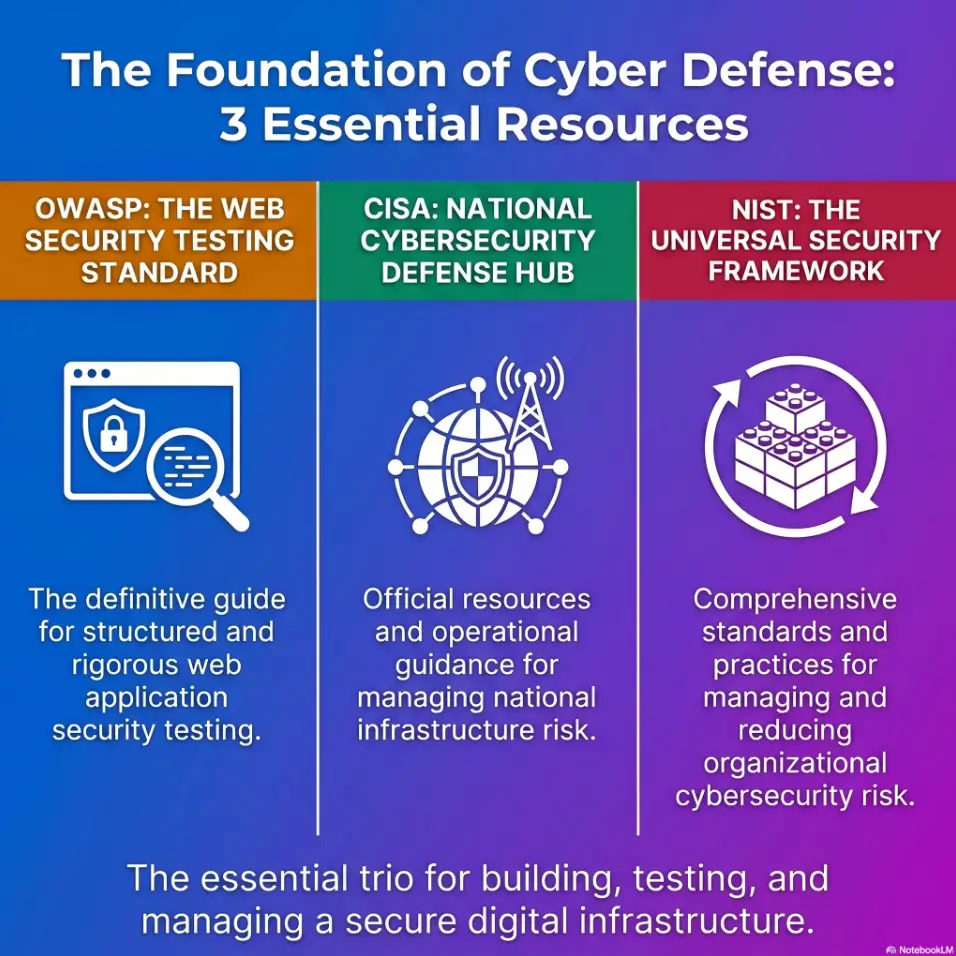
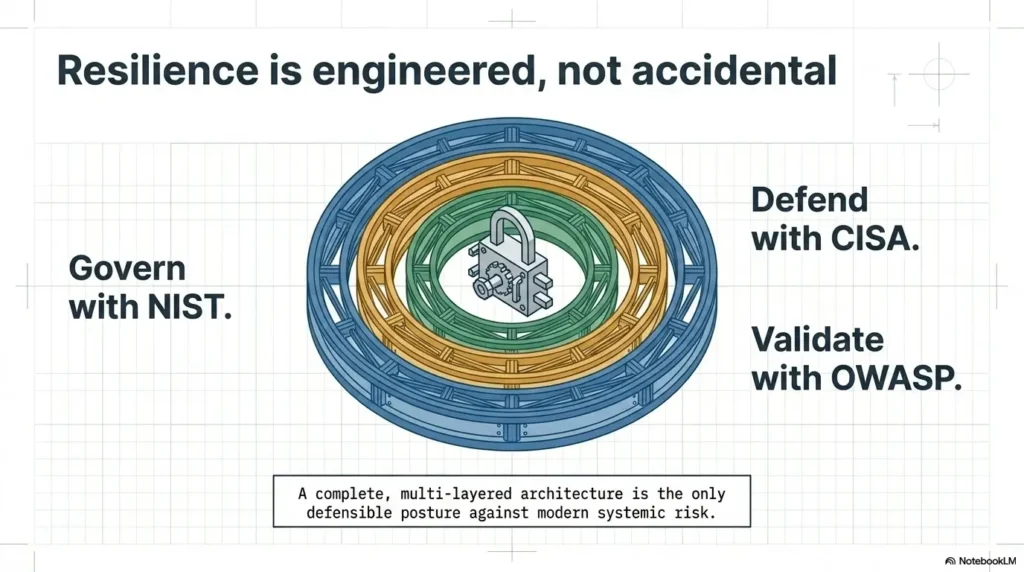
NIST’s Cybersecurity Framework uses functions such as Identify, Protect, Detect, Respond, and Recover to describe organized security work. A beginner lab is smaller, of course, but the pattern rhymes: know what is there, notice what changes, respond calmly, and recover your direction.
What Kioptrix exposes about your troubleshooting habits
A dead end exposes your default setting. Do you slow down, or do you sprint into search results? Do you check the basics, or do you chase the shiniest exploit name? Do you document failure, or do you let it evaporate?
The hard little truth: Kioptrix is less a test of genius than a mirror for your habits.
Kioptrix Dead-End Recovery Loop
Stop before panic becomes the driver.
Ask what you accepted too quickly.
Revisit services, versions, and behavior.
Find the clue hiding in plain text.
Change one variable, then observe.
The First Dead End Usually Starts With a Bad Assumption
The first dead end in Kioptrix rarely begins with a missing tool. It usually begins with a sentence you believed too early: “That service is probably irrelevant.” “That version must mean one thing.” “I already checked that.” Those sentences have tiny trapdoors.
Assumptions are useful. Without them, every lab would become a swamp of infinite possibilities. The danger begins when an assumption becomes furniture. You stop seeing it. You keep walking around it.
“I already checked that” is often where the clue is hiding
There is a special kind of beginner pain in re-checking something basic. It feels like admitting defeat. It is not. It is how professionals avoid expensive embarrassment.
In real troubleshooting, the boring re-check saves days. In a home lab, it may save an evening and one unnecessary argument with your router. If you keep losing the thread between sessions, a simple Kioptrix review habit can keep those “already checked” clues from vanishing into the carpet.
How tunnel vision turns one open port into a locked hallway
When one service looks promising, learners can stare at it until the rest of the host disappears. The mind loves a single glowing doorway. Unfortunately, the machine may be whispering from a dusty side window.
The recovery move is simple: zoom out. Rebuild the picture. What services are present? What do they suggest together? What does the machine appear to be built for?
Pattern interrupt: Stop trying to be clever for five minutes
Five minutes of plain observation can beat an hour of clever flailing. Read your notes aloud. List what is known. List what is guessed. List what failed. The act feels almost too simple, which is why it works.
- Separate facts from guesses in your notes.
- Re-check the “obvious” item before adding new complexity.
- Look at the whole machine, not one interesting doorway.
Apply in 60 seconds: Draw two columns titled “Observed” and “Assumed,” then move every claim into the right column.
Enumeration Is Not a Step. It Is a Loop.
Many learners treat enumeration like brushing their teeth before a trip: necessary, quick, and then finished. Kioptrix punishes that idea with the gentle firmness of a librarian closing at 5 p.m.
Enumeration is not one pass. It is a loop. Each finding changes what the next question should be. For a deeper method, use a Kioptrix enumeration workflow that treats service discovery as evidence gathering, not a ceremonial first step.
Why the first scan rarely tells the full story
Your first pass gives you a sketch, not a portrait. It may show exposed services, but it does not fully explain behavior, configuration, relationships, or what the target is quietly revealing.
That is why “scan once, exploit once, celebrate once” is a fantasy. Charming, but wearing a fake mustache.
When service banners become breadcrumbs
Service names, versions, default pages, error behavior, and odd responses are not decorative confetti. They are breadcrumbs. Some tell you about age. Some tell you about misconfiguration. Some tell you what not to assume.
OWASP’s Web Security Testing Guide emphasizes structured testing and repeatable methodology for web applications and services. Even in a small lab, that mindset matters: gather, verify, test, and document instead of bouncing between guesses.
How to revisit earlier findings without starting from zero
Good enumeration loops do not mean wiping your notes and beginning again like a tragic monk. They mean returning with sharper eyes.
- What did I observe but not explain?
- What did I test without recording the result?
- What changed after one attempt?
- What clue did I skip because it looked too ordinary?
Show me the nerdy details
In a lab context, enumeration is an evidence-gathering cycle. A first pass identifies visible services and broad behavior. A second pass asks service-specific questions. A third pass compares clues across services. The value is not more noise. The value is narrowing the hypothesis space. If one test changes multiple variables, the result becomes muddy. If one test changes one variable, the result becomes usable.
Common Mistakes That Keep Kioptrix Learners Spinning
Getting stuck is normal. Spinning is different. Spinning means you are moving, sweating, and producing almost no new knowledge. It feels like work, which makes it sneaky.
I have watched learners spend 90 minutes in this state. The terminal scrolls. The browser tabs multiply like caffeinated rabbits. The actual evidence does not improve.
Chasing exploits before understanding the service
An exploit name can feel like a golden ticket. But if you do not understand what service you are dealing with, what version appears to be present, and what conditions would need to be true, you are not testing. You are wishing with syntax.
Copying commands without knowing what failed
Copying is not the crime. Copying without interpretation is the trap. A command can fail because of a typo, wrong target, wrong assumption, network issue, service mismatch, permissions issue, or simply because the idea is bad.
If every failure looks the same, your notes are not sharp enough yet. The pattern shows up often when copy-paste commands fail in Kioptrix and the learner records the command but not the reason it missed.
Ignoring low-glamour clues because they look “too basic”
Beginner labs often teach through basics: default behavior, old services, misconfiguration, weak process, poor assumptions. The clue may not arrive wearing a velvet cape.
Treating every error message like background noise
Error messages are not always useful, but they are rarely meaningless. At minimum, they tell you what the system refused, expected, or could not process.
Decision Card: Are you stuck or spinning?
| Signal | Likely state | Neutral next action |
|---|---|---|
| You have one clear unanswered clue. | Stuck productively | Write one hypothesis and test it. |
| You are trying random paths from search results. | Spinning | Stop and rebuild your facts list. |
| You cannot explain your last 3 attempts. | Spinning hard | Take a 10-minute reset and summarize. |
Action line: Pick the row that matches your current session, then do only the listed next action.
Don’t Do This: The Guess-and-Pray Exploit Spiral
The guess-and-pray exploit spiral is easy to recognize from the outside and painfully invisible from the inside. You find a service. You search broadly. You see an exploit title. Your pulse rises. Then you try it without verifying whether the conditions match.
When it fails, you do not learn much. So you try another. Then another. By the fourth attempt, the lab is no longer teaching you security. It is teaching you tab management.
Why random exploit hopping teaches almost nothing
Random exploit hopping gives a dopamine drip without durable skill. You may eventually bump into the right path, but you will not understand why it worked. That means you cannot repeat the reasoning later.
In professional work, that gap matters. A junior analyst who can explain a failed hypothesis is more useful than one who only says, “I tried some stuff.” The first person is building a map. The second is carrying confetti.
The difference between testing a hypothesis and throwing darts
A hypothesis has structure:
- Because I observed X, I think Y may be true.
- If Y is true, this safe lab-only test should produce Z.
- If Z does not happen, I will revise the idea.
That is clean. It may be wrong, but it is wrong in a way that teaches you something. A structured Kioptrix decision process can help turn that hypothesis into a small, testable next move instead of another dart thrown into the basement.
How to write down why a path failed before moving on
Write one plain sentence after every failed path. No drama, no self-roasting.
Example: “This path failed because the observed service behavior does not match the assumed condition.” That sentence is not glamorous, but it keeps you from stepping on the same rake twice.
- Name the observation that triggered the test.
- Name the expected result before testing.
- Name the reason you are abandoning or revising the path.
Apply in 60 seconds: Before your next test, write “I expect this to show…” and finish the sentence.
The Notebook Becomes Your Second Brain
Your notebook is not a trophy case. It is not there to look impressive in a screenshot. It is your second brain, and on a hard lab night, your first brain may be busy making kettle noises.
Good notes reduce cognitive load. They help you recover when you forget what you tried, why it failed, or which clue made your eyebrow twitch 27 minutes ago. If your current setup is just scattered text files and heroic memory, a dedicated Kioptrix technical journal gives your evidence a place to sit down and stop wandering.
Capture commands, results, errors, and hunches separately
Mixing everything into one wall of text makes your notes hard to use. Separate the categories:
- Commands or actions: what you did in the lab.
- Results: what the system showed.
- Errors: what failed and how.
- Hunches: what might be true but is not proven.
- Questions: what you need to explain later.
Mark dead ends without deleting them
Do not erase dead ends. Mark them. A failed path may become relevant after another clue appears. Deleted notes are tiny ghosts. They haunt future you by making you repeat work.
Here’s what no one tells you: messy notes cost more time than slow notes
Slow notes feel inefficient until you compare them with the cost of redoing work. Five extra minutes of clear writing can save thirty minutes of re-testing.
Quote-Prep List: What to gather before asking for help
- Lab name and your authorized environment setup, without sensitive personal network details.
- What you observed, written as facts rather than guesses.
- What you tried, summarized safely at a high level.
- What failed, including the exact error behavior when appropriate.
- The one question you want answered.
Action line: Gather these five items before posting in a forum, Discord, class channel, or study group.
Short Story: The Clue I Almost Deleted
I once spent an evening in a beginner lab convinced that the “real” clue had to be hidden behind something dramatic. I had a service note, a version note, and one ugly little error line that looked too boring to respect. So I ignored it. Twice.
After a break, I rewrote my notes into three columns: observed, assumed, unknown. That error line moved from background noise to the center of the page. It did not solve the lab by itself, but it corrected my direction. The lesson was mildly humiliating, which is to say, useful. In security practice, the tiny clue is often not tiny. It is just wearing work clothes.
When a Clue Looks Useless, Ask a Better Question
Some clues look useless because you are asking them to do the wrong job. A version number may not hand you an answer. A banner may not prove vulnerability. An error may not reveal the path. But each can narrow the field.
The recovery move is not “find the magic fact.” It is “ask a more precise question.”
What does this service reveal about the machine’s age?
Older services can suggest older assumptions, older defaults, or older administrative habits. That does not mean every old-looking thing is automatically exploitable. It means you should investigate context before leaping.
In Kioptrix-style learning, age is often part of the story. The machine is teaching you to connect clues, not worship version strings.
What does this version suggest, and what does it not prove?
A version can suggest known history, documentation paths, or likely configuration patterns. It does not prove the target is vulnerable by itself. Patches, backports, custom builds, and lab design can complicate the picture.
That distinction matters. It keeps you from writing checks your evidence cannot cash. It is especially important with banner grabbing mistakes, where a tempting string can look more certain than it actually is.
What changed after each test?
Every test should leave a footprint in your understanding. Did the response change? Did timing change? Did an error change? Did your assumption survive?
If nothing changed, record that too. “No change” is still data. Dull data, yes, but dull data has paid rent in many investigations.
Mini Calculator: Dead-End Clarity Score
Use this quick score before you open another browser tab.
Score: Not calculated yet.
Action line: If your score is under 7, pause testing and repair your notes first.
Who This Is For / Not For
Kioptrix is not for everyone at every moment. That is not gatekeeping. That is weather reporting. A lab can be valuable and still be the wrong tool for a learner who needs fundamentals first.
Best for learners who want method, not magic
This style of lab rewards people who want to build process. If you enjoy asking “How did I know that?” after each move, you will get more from Kioptrix than someone hunting only for a trophy screenshot.
Useful for IT pros moving toward security fundamentals
System administrators, help desk technicians, network learners, and self-taught IT professionals often benefit because the lab connects security ideas to services, configurations, and operational habits they already recognize. For that audience, Kioptrix for IT generalists can make the bridge from daily troubleshooting to security thinking feel less like a moon landing.
CISA offers cybersecurity resources, exercises, assessments, and training for a broad range of learners and organizations. For a US reader building a safe path from curiosity to competence, that official ecosystem is worth knowing.
Not for readers seeking shortcuts against real systems
If the goal is to use lab ideas against systems without permission, stop. That is not learning. That is risk, harm, and possibly law enforcement paperwork with fluorescent lighting.
Not for anyone trying to skip networking and Linux basics entirely
You do not need to be a wizard. You do need enough comfort with IP addresses, ports, services, terminals, files, and basic Linux behavior to understand what the lab is telling you.
Eligibility Checklist: Is Kioptrix a good lab for today?
- Yes or no: Do you have an authorized local lab environment?
- Yes or no: Can you explain the difference between a service and a port?
- Yes or no: Are you willing to document failed paths?
- Yes or no: Can you pause before using a walkthrough?
- Yes or no: Are you practicing for education, not unauthorized access?
Action line: If you answered “no” to the first or last item, do not start the lab today.
The Reset Button Is a Teacher, Not a Shame Bell
There is a strange guilt around resetting. Restarting a VM, clearing a terminal, or taking a break can feel like ringing a shame bell in the village square. It is not. It is maintenance.
Brains have caches too. Sometimes yours needs clearing.
When to restart the VM, terminal, or thought process
Restart when your environment may be inconsistent, your notes no longer match what you see, or your recent tests may have changed state in a way you cannot explain. Restart your thought process when you are irritated enough to stop reading carefully.
A calm reset is cheaper than twenty minutes of angry typing. When the lab state itself gets messy, a Kioptrix Level restart guide can help you reset the experiment without throwing away the lesson.
How breaks prevent “rage enumeration”
Rage enumeration is what happens when frustration grabs the keyboard. You repeat broad checks without a question. You open tabs without reading them. You treat the machine like it owes you rent.
A 10-minute break can restore the one thing the lab actually needs from you: attention.
The small ritual: recap, reset, retest
Use a small ritual:
- Recap: Write what you know in 5 bullets.
- Reset: Restart only what needs restarting.
- Retest: Run one controlled check.
- Restart when state becomes uncertain.
- Take breaks before frustration becomes your method.
- Retest one controlled idea after the reset.
Apply in 60 seconds: Write a 5-bullet recap before touching the reset button.
Build a Dead-End Recovery Checklist
A good checklist is not a substitute for thinking. It is a railing beside the stairs. You still walk, but you are less likely to tumble dramatically into the laundry room.
For Kioptrix, your checklist should help you recover from confusion without handing you answers.
Re-scan only after you know why
Re-scanning can be useful. Re-scanning because you feel empty inside is less useful. Before repeating a broad check, write the reason. Are you verifying state? Did the target restart? Did you change network settings? Did you miss a service-specific detail?
Re-read your notes before opening a browser
Search engines are wonderful. They are also excellent at turning uncertainty into seventeen new uncertainties. Read your own evidence first.
Test one change at a time
Changing multiple variables feels efficient until something works or fails and you cannot explain why. One change, one observation, one note. It is slower in the moment and faster across the session.
Keep a “maybe later” list for clues you cannot use yet
Some clues are not actionable immediately. Do not force them. Put them in a “maybe later” list. This keeps your brain from juggling every unresolved detail at once. If you want that checklist to become repeatable instead of inspirational stationery, tie it to a realistic Kioptrix session routine.
Coverage Tier Map: How mature is your recovery process?
| Tier | Behavior | Next improvement |
|---|---|---|
| 1 | Random attempts, few notes. | Record every failed path in one sentence. |
| 2 | Some notes, unclear assumptions. | Separate observed facts from guesses. |
| 3 | Structured notes, inconsistent retesting. | Use one-variable retests. |
| 4 | Clear hypotheses and review loops. | Add session recaps after breaks. |
| 5 | Repeatable method, clean explanations. | Teach the process to someone else. |
Action line: Pick your current tier honestly, then improve one tier at a time.
FAQ
Why do I keep getting stuck in Kioptrix?
You probably keep getting stuck because your process stops too early. Most beginners scan, notice one promising thing, then chase it until frustration takes over. Kioptrix rewards repeated enumeration, clean notes, and assumption checks. Being stuck does not mean you lack ability. It usually means your evidence is incomplete.
Should I use walkthroughs when I hit a dead end?
Yes, but use them carefully. A walkthrough can be useful after you have documented what you tried, what failed, and what clue you cannot explain. Look for a hint first, not a full solution. The goal is to restore motion without stealing the lesson from yourself.
How long should I stay stuck before looking for a hint?
A good rule for beginners is 30 to 60 focused minutes after your last meaningful discovery. If you are still generating new observations, keep working. If you are repeating random attempts, pause, summarize, and then seek a small nudge.
Is Kioptrix still useful for beginners?
Yes, as long as beginners treat it as a reasoning lab rather than a copy-and-paste challenge. Some Kioptrix machines reflect older technology, but that can be useful. Older labs teach service recognition, enumeration discipline, documentation, and troubleshooting habits that still matter. A gentle Kioptrix for beginners guide can help new learners start with the right expectations before the first fog bank rolls in.
What should I write in my Kioptrix notes?
Write observed services, versions or banners, interesting behavior, errors, assumptions, failed paths, and open questions. Keep facts separate from guesses. Also record why you abandoned a path. Future you will be grateful, possibly with snacks.
How do I know whether an exploit path is worth testing?
A path is worth testing when your observed evidence matches the conditions the idea requires. If you cannot explain why the path applies, you are probably guessing. Write the observation, the hypothesis, and the expected result before testing.
What skills does Kioptrix actually teach?
Kioptrix teaches enumeration, service analysis, note-taking, hypothesis testing, controlled retesting, Linux familiarity, network reasoning, and emotional patience under uncertainty. The soft skill is not decoration. Staying calm is part of the technical work.
Can Kioptrix help with real cybersecurity work?
Yes, indirectly. Kioptrix can help build habits used in authorized security work: documenting evidence, revisiting assumptions, explaining failed tests, and asking better questions. It should not be treated as a direct template for modern enterprise testing.
When to Seek Help Without Spoiling the Lesson
Asking for help is not failure. Asking for the full answer too early is the educational equivalent of eating the cake batter and wondering where dessert went.
The best help preserves the struggle while removing the blindfold.
Ask for a nudge, not the full command
Good requests sound like this: “I found these services, tested these ideas, and cannot explain this behavior. Which area should I re-check?” That invites guidance without turning your lab into theater.
Share your reasoning, not just “it doesn’t work”
People can help you better when they can see your thought process. “It doesn’t work” is a locked box. “I expected X because of Y, but got Z” is a door with a handle.
Use community hints as mirrors, not crutches
A hint should reflect your blind spot back to you. It should not carry you through the lab like a tiny velvet sedan.
NIST has published guidance on building cybersecurity and privacy learning programs that emphasizes ongoing, iterative improvement. That idea fits individual learners too: practice, feedback, adjustment, and another loop.
Next Step: Run a 15-Minute Dead-End Audit
This is the practical turn. Not someday. Not after buying a new course, new keyboard, or new sticker-covered laptop. Today.
Set a 15-minute timer and audit one dead end from your Kioptrix notes. The goal is not to solve the whole lab. The goal is to recover method.
Pick one failed path and write why it failed
Choose one path that did not work. Write one sentence explaining why it failed. If you cannot explain it, write: “Unknown failure reason.” That honesty is useful. It gives you a target.
List three clues you have not fully explained
Look for clues that appeared but never became part of your reasoning. A banner. A service. A response. A default page. A timeout. A mismatch. Put three of them on a short list.
Choose one controlled retest and stop there
Pick one clue. Choose one safe, lab-only retest. Change one variable. Record the result. Then stop and update your notes before doing anything else. If you want a reusable format for that stopping point, a Kioptrix session summary can turn a messy ending into a clean handoff for your next practice block.
- Explain one failed path.
- Name three unresolved clues.
- Run one controlled retest.
Apply in 60 seconds: Open your notes and circle the one clue you skipped twice.
Conclusion: The Door Was Never the Point
That foggy Kioptrix hallway from the beginning? It was not there to prove you were lost. It was there to teach you how to walk when the room stops handing you signs.
The real lesson is not root. It is recovery. When a path fails, you slow down. You separate facts from guesses. You loop enumeration. You write down errors. You ask better questions. You reset without shame. Then you retest one thing with a clear reason.
That method will outlast any single lab. It will also make you easier to help, easier to trust, and better prepared for ethical cybersecurity work where evidence matters more than bravado. Over time, that is how a single frustrating evening becomes a sustainable Kioptrix practice routine, not just another unfinished folder on the desktop.
Your next step within 15 minutes: run the dead-end audit above on one failed path. Do not solve everything. Just make the next move cleaner than the last one.
Last reviewed: 2026-05.
Tags: Kioptrix, cybersecurity lab, CTF beginners, ethical hacking practice, penetration testing mindset
Meta description: Learn how Kioptrix teaches beginners to recover from dead ends with better notes, safer lab habits, and smarter retesting.