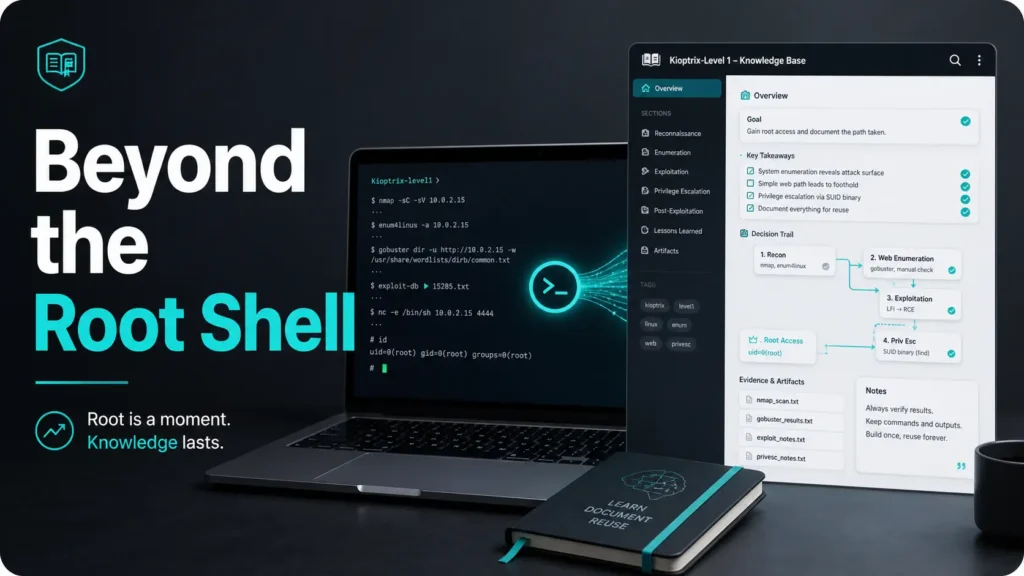
Beyond the Root Shell: Building a Reusable Knowledge Base
A root shell is satisfying, but it is a surprisingly bad memory system. The real win in Kioptrix Level 1 is not proving you can break into a vulnerable VM once. It is building a reusable personal knowledge base that helps you think better on every lab after it.
Most beginners finish a CTF box with scattered screenshots, mystery commands, and one heroic note that says “worked somehow.” Ten days later, that “somehow” has evaporated like coffee steam over a tired keyboard. Keep guessing, and every new lab feels like starting from zero.
This guide shows you how to turn Kioptrix Level 1 into a structured cybersecurity lab notebook for CTF notes, OSCP-style study, portfolio writeups, and ethical hacking practice. You will capture decisions, failed paths, service clues, exploit reasoning, proof, and lessons in a way future-you can actually reuse.
The method here is simple: document the thinking trail, not just the terminal fireworks.
Start with the note. Then the scan. Then the lesson that survives the lab.
Table of Contents
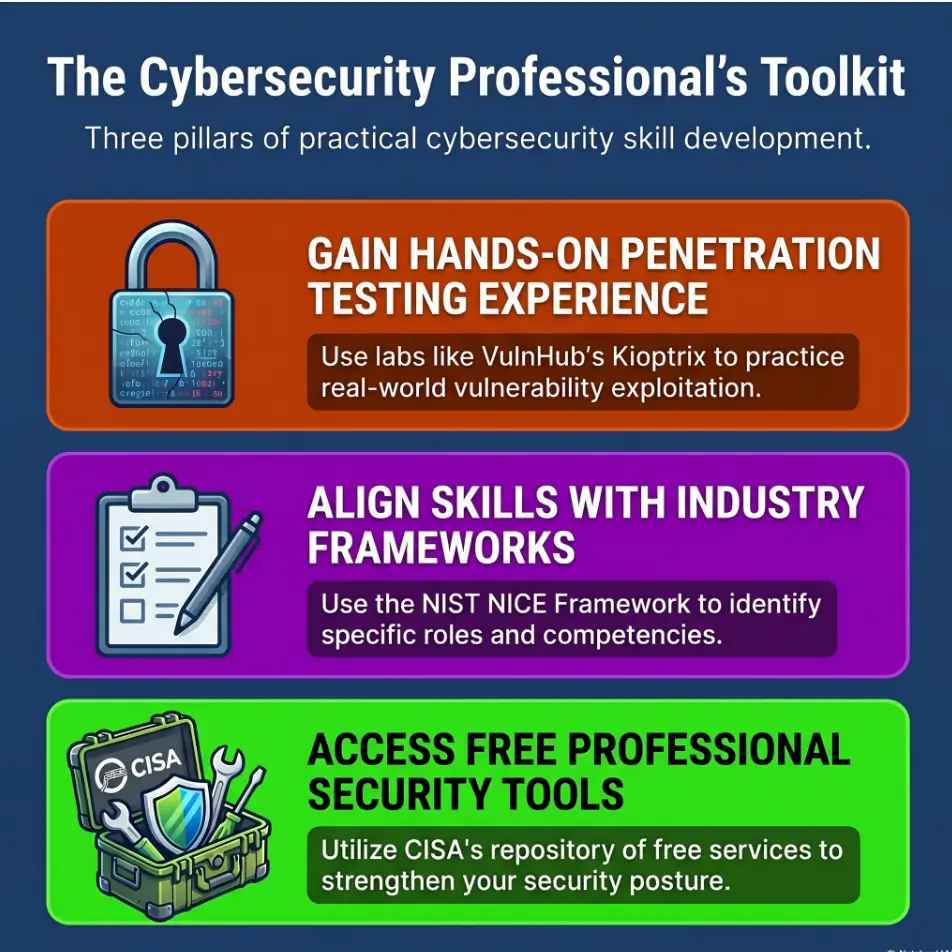
Safety / Disclaimer Block
This guide is for ethical cybersecurity education in a legally authorized lab only. Kioptrix should be practiced inside an isolated virtual environment you own or are explicitly permitted to test. Do not scan, exploit, or attack public systems, school networks, employer infrastructure, cloud assets, neighbor Wi-Fi, forgotten office printers, or anything that answers on the internet with a nervous little blink.
The goal here is skill-building, documentation, and defensive understanding. You are learning how weaknesses are discovered, verified, recorded, and explained. That knowledge can make you a better defender, analyst, student, consultant, or developer. Used carelessly, it can also make you the main character in an email from Legal.
- Use only systems you own or have written permission to test.
- Label exploit notes as lab-only when they describe offensive actions.
- Capture defensive lessons, not just attack steps.
Apply in 60 seconds: Add a top-line scope statement to your Kioptrix note before running any tool.
Start With the Real Goal, Not the Root Shell
Why “I got root” is a weak learning outcome
Getting root feels good. It has that tiny arcade chime in the brain. But as a learning outcome, “I got root” is thin soup. It does not explain what you saw, what you misunderstood, what you tested, why one clue mattered, or how you would recognize the same pattern on a future lab.
A stronger outcome is this: “I can reconstruct my reasoning from initial discovery to final proof, including wrong turns.” That is the kind of note that turns one afternoon of practice into reusable competence.
I have seen beginners save 200 lines of terminal output and forget the one sentence that mattered: “This service version changed my priority.” That missing sentence is the whole hinge on the door.
Turn Kioptrix into a repeatable thinking system
Kioptrix Level 1 is ideal for building a personal knowledge base because it is small enough to finish, old enough to have educationally obvious vulnerabilities, and rich enough to teach recon, enumeration, validation, exploitation logic, screenshots, cleanup, and reflection.
Instead of asking, “How do I solve this box?” ask:
- What did I assume first?
- What evidence changed my mind?
- Which failed path would help me next time?
- What should become a reusable checklist?
The three artifacts worth saving from every lab
Every lab should leave behind three useful artifacts. First, a decision trail. Second, a reusable service checklist. Third, a public-safe writeup draft. The private note can be messy. The portfolio version should be calm, ethical, and edited until it sounds like a professional explaining a system, not a dragon hoarding terminal smoke.
Decision lens: Root access is an event. Your notes are the asset.
Who This Is For, and Who Should Skip It
Best fit: learners building CTF habits, OSCP-style discipline, or a security portfolio
This approach is for cybersecurity learners who want to build durable habits. Maybe you are preparing for an OSCP-style workflow. Maybe you are documenting labs for a portfolio. Maybe you are a help desk technician crossing the bridge into security. Maybe you are simply tired of solving a box and remembering almost nothing 10 days later.
The method works especially well if you are beginner-to-intermediate and want structure without being smothered by ceremony. You do not need a perfect tool stack. A Markdown folder, a few screenshots, and honest reasoning can beat an expensive app used badly. If you are still shaping your first few practice habits, a Kioptrix for beginners study approach can help you keep the lab small enough to finish and clear enough to remember.
Not ideal for anyone hunting copy-paste exploits without context
This is not for people who want a button that says “become hacker” in a dramatic font. Kioptrix can be solved by following many public walkthroughs, but that path often teaches recognition without understanding. It is the cybersecurity version of memorizing a song by finger position and then freezing when the piano is tuned differently.
If your goal is only to paste commands until the screen changes, this knowledge base will feel annoyingly thoughtful. Good. That annoyance is where skill starts growing teeth.
Let’s be honest: your notes are the actual lab
The VM is the training surface. Your notes are the gym log. Without notes, you are exercising in a fog machine. You may sweat, but you will not know what improved.
Money Block: Eligibility Checklist
| Question | Yes or No | Next step |
|---|---|---|
| Do you control the lab network? | Yes | Proceed with isolated testing. |
| Are you testing anything public? | No | Keep the scope private and local. |
| Will you write your own notes before reading spoilers? | Yes | Create the decision trail first. |
Neutral action: If any answer is shaky, fix the lab setup or scope before continuing.
Build the Lab Notebook Before You Touch Nmap
Create a folder structure that survives future-you
Future-you is busy, mildly suspicious, and probably looking for one command you forgot to label. Build the notebook for that person.
A simple structure works:
kioptrix-level-1/ 00-scope-and-setup.md 01-recon.md 02-enumeration.md 03-exploit-path.md 04-proof-and-cleanup.md 05-lessons-learned.md screenshots/ outputs/ references/ The point is not aesthetic perfection. The point is retrieval. When you later face another lab with a familiar service, you want to find your old thinking in under 30 seconds.
Use one note per phase: recon, enumeration, exploitation, proof, lessons
One giant note can work for a short lab, but beginners often turn it into a terminal landfill. Separate notes encourage cleaner thinking. Recon asks, “What exists?” Enumeration asks, “What is it really?” Exploitation asks, “What can be validated safely inside scope?” Proof asks, “What evidence demonstrates success?” Lessons asks, “What pattern should I remember?”
Save commands with intent, not just output
Every command should carry a small sentence of intent. Not a novel. Just enough to explain why it existed.
Intent: Identify open TCP services and versions for the lab target. Command: mkdir -p outputs
nmap -sV -sC -oA outputs/initial-scan TARGET_IP Observation: Several services are exposed; prioritize versioned services for enumeration. Next move: Create one service card per open port.
Notice the rhythm. Intent, command, observation, next move. Four lines can save you 40 minutes later. That is not note-taking. That is time travel with fewer paradoxes.
Show me the nerdy details
A strong cybersecurity lab note separates raw evidence from interpretation. Raw evidence includes scan output, screenshots, file names, timestamps, and tool versions. Interpretation includes your hypothesis, confidence level, and next action. Keeping those separate prevents the common beginner problem where a guess slowly hardens into “truth” just because it sat near a command output.
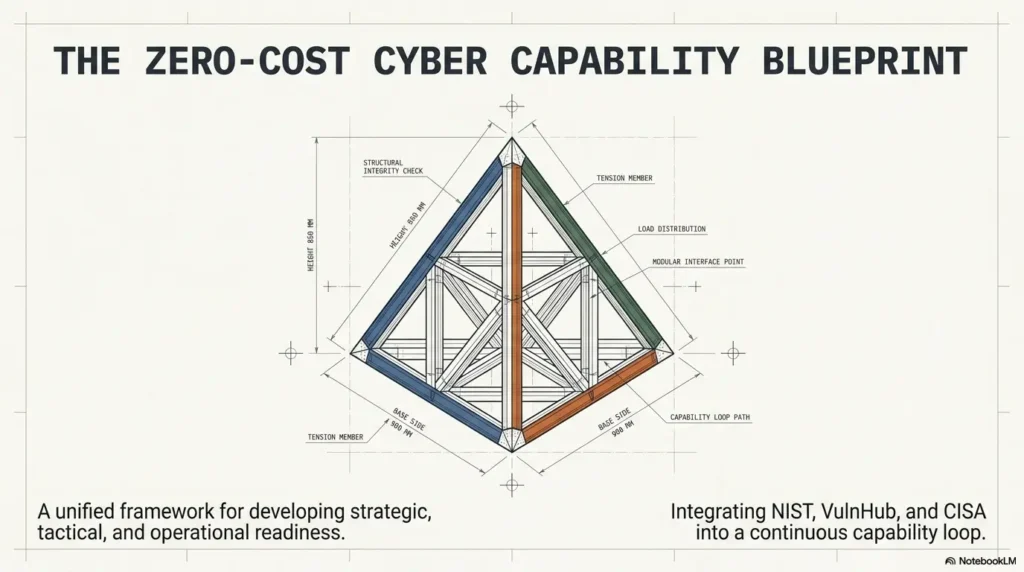
Don’t Document Everything. Document the Decision Trail
Capture why a command mattered
Beginners often think complete notes mean enormous notes. Not quite. Complete notes mean a reader can follow the decisions. If a command changed nothing, summarize it briefly. If it changed your next step, document it carefully.
I once kept six screenshots of a scan because the output looked impressive. Later, I could not remember which line mattered. The screenshots were technically “evidence.” They were also emotionally decorative clutter, which is a polite phrase for “future trash.”
Separate signal from terminal confetti
Terminal output has a way of looking important because it is shaped like authority. Your job is to reduce it to signal. Use short labels:
- Confirmed: evidence you trust inside the lab.
- Possible: clue that needs validation.
- Rejected: tested path that did not help.
- Question: uncertainty to revisit.
Here’s what no one tells you: bad paths are reusable gold
Failed paths are not wasted time. They are diagnostic memory. When you document why a path failed, you build a map of what not to over-prioritize next time.
A failed web directory check, a service clue that did not match, a default credential test that went nowhere: these are not embarrassing. They are your pattern library learning to breathe. For a deeper companion piece, a Kioptrix decision process can help you turn those wrong turns into cleaner next moves.
- Keep raw output in files, not pasted everywhere.
- Promote only meaningful findings into the main note.
- Write one sentence for each failed path worth remembering.
Apply in 60 seconds: Add “Why this mattered” under your last command.
The Kioptrix Capture Template That Works Again Later
Target summary: IP, hostname, services, assumptions
Your capture template should begin with the dull things because dull things save days. Record the VM name, date, local IP, host-only or NAT network mode, attacker machine, tool versions when relevant, and any assumptions.
The assumption line is surprisingly powerful. Something like, “I assume this is a single-host boot-to-root lab with intentionally vulnerable services and no need for stealth.” That one sentence keeps your brain inside the right rules of engagement.
Evidence blocks: screenshots, command output, timestamps
Use compact evidence blocks. Each block should answer four questions: What did I run? What did I observe? Why did it matter? What did I do next?
Evidence Block Time: 2026-05-06 14:20 Phase: Enumeration Command or action: Service-specific version check Observation: Version clue suggests a known vulnerable service family. Why it matters: Changes priority from generic web testing to service validation. Next move: Confirm service behavior before choosing any exploit path. Screenshot: screenshots/2026-05-06-enum-service-version.png Exploit path: what worked, what failed, what changed
For exploit notes, avoid making your page a copy-paste spellbook. Record the vulnerability class, version clue, validation method, preconditions, constraints, and risk. In private notes, you may save lab-only commands. In portfolio notes, explain the reasoning and remove unnecessary payload detail.
Reflection box: one reusable lesson per phase
After each phase, add one reusable lesson. Do not write a sermon. One clear sentence is enough: “When an old service exposes version information, validate the exact version before assuming exploitability.” That sentence travels well.
Money Block: Time-Cost Trade-Off Table
| Note style | Time today | Cost later |
|---|---|---|
| No notes | Fastest | You relearn the lab from smoke and vibes. |
| Command dump | Moderate | Useful only if you remember the reasoning. |
| Decision trail | Slightly slower | Reusable for labs, interviews, reports, and writeups. |
Neutral action: Spend the extra few minutes on decision notes while the evidence is still warm.
Common Mistakes That Make Kioptrix Notes Useless Later
Mistake 1: saving commands without explaining the hypothesis
A command without a hypothesis is a receipt without a store name. It proves something happened, but good luck reconstructing why. Before you run a tool, write what you expect it to clarify.
Bad note: “Ran scan.” Better note: “Checking whether exposed services match known vulnerable versions before deeper enumeration.” That one sentence makes the command useful to future-you.
Mistake 2: pasting walkthrough steps without testing alternatives
Walkthroughs can help, but they can also flatten the learning. If you paste a walkthrough step before asking your own question, the lab becomes a karaoke track. You are making sound, but not necessarily music.
Try this rule: write your own blocker first. Then read only enough hint material to unblock your process. After that, close the walkthrough and continue. If you notice yourself collecting commands instead of asking why they work, review why copy-paste commands fail in Kioptrix practice before the habit gets comfortable.
Mistake 3: ignoring failed enumeration paths
Failed enumeration paths are where your methodology gets sharper. If you test something reasonable and it does not help, write why it was reasonable and what ruled it out.
Mistake 4: mixing spoilers, proof, and learning notes into one messy scroll
Keep spoiler-heavy details separate from reflection and portfolio material. Your private note can contain everything. Your public writeup should be safe, respectful, and focused on reasoning.
- Write hypotheses before tool output.
- Summarize walkthrough help instead of copying it blindly.
- Move sensitive lab-only details out of public drafts.
Apply in 60 seconds: Add a “Hypothesis” line above your next enumeration step.
Don’t Build a Screenshot Graveyard
Rename screenshots like evidence, not vacation photos
Screenshots named “Screenshot 2026-05-06 at 2.41.19 PM” are not evidence. They are refrigerator magnets. Rename them with date, phase, and finding.
2026-05-06-recon-open-services.png 2026-05-06-enum-version-clue.png 2026-05-06-proof-lab-root-access.png 2026-05-06-lesson-service-pattern.png Good names make screenshots searchable. Better names make them meaningful before you even open the file. If you want a naming convention that travels well beyond one VM, borrow ideas from a ShareX screenshot naming pattern for lab evidence and adapt it to your own workflow.
Pair each image with the exact command or observation
A screenshot without a caption is a witness with stage fright. Under each image, include the command, observation, and next move. This keeps your note from becoming a gallery of glowing rectangles.
Use captions that explain what changed your next move
The best caption is not “scan result.” The best caption is, “This result shifted priority toward service-specific enumeration because the version looked old and testable inside the lab.” That is a small sentence with a backbone.
Screenshot Naming Decision Card
You are working quickly and the image is temporary.
Trade-off: Fast now, harder later.
The image supports a finding, decision, proof, or portfolio writeup.
Trade-off: Slower now, searchable later.
Neutral action: Rename important screenshots before closing the lab session.
Turn Enumeration Into a Reusable Checklist
Map service discovery into reusable service cards
Enumeration is where many beginners either become methodical or become confetti cannons. A service card keeps things steady. Each time you see a service, create a small reusable note.
Service Card Service: Port: Version: What I know: What I need to verify: Common safe checks: Interesting files or banners: Known risks: Next time I see this: Over time, these service cards become your private field guide. You start recognizing patterns without needing to panic-search 14 tabs while your coffee becomes archaeological.
Create “when I see this service” prompts
The prompt is the magic. Not “run tool X.” Instead: “When I see this service, what does it expose, what version is it, what authentication exists, what default files or banners appear, and what would a defender want logged?”
That final defensive question matters. It keeps your learning balanced. CISA and NIST materials consistently frame cybersecurity as risk management, resilience, and responsible practice, not just clever intrusion.
Use Kioptrix to build your first pattern library
Kioptrix Level 1 can seed your first pattern library. You may create cards for web services, file sharing services, remote access services, outdated software, banner clues, default pages, and exploit validation. A focused Kioptrix enumeration workflow can turn those cards into a repeatable checklist instead of a pile of one-off guesses.
Infographic: From One Lab to a Reusable Knowledge Base
Define legal lab boundaries before tools.
Capture what exists and why it matters.
Turn services into reusable cards.
Confirm clues before acting on them.
Save evidence with captions and context.
Tag lessons for future labs and writeups.
Exploit Notes Without Becoming a Script Parrot
Record the vulnerability, version clue, and validation step
Exploit notes should begin before the exploit. Record the vulnerability class, affected service, version clue, validation step, preconditions, and lab scope. This helps you avoid the classic beginner jump from “old version” to “surely exploitable.” In real work, that jump lands in meetings. Long meetings.
A responsible note says, “This appears worth validating because the lab service version matches a known vulnerable family.” It does not say, “I saw a blog command and sprinted into the forest.”
Explain the exploit in plain English before saving the payload
If you cannot explain the exploit path in plain English, pause. You do not need to become a kernel poet, but you should know the basic mechanism, why the target is affected, what access level changes, and what evidence confirms the result.
Plain English explanation is a pressure test. It reveals whether you understand the move or only memorized the dance.
Keep lab-only commands clearly labeled
Private notes can include lab-only commands when they are scoped, ethical, and used for learning. Public notes should be more careful. Remove unnecessary payload detail, avoid encouraging misuse, and focus on process, validation, and defensive lessons. When you compare tool-assisted work with manual reasoning, a guide on Kioptrix Metasploit vs manual practice can help you decide what belongs in private notes versus a public-safe explanation.
- Validate version clues before assuming exploitability.
- Write a plain-English explanation of the weakness.
- Separate private lab notes from public portfolio writeups.
Apply in 60 seconds: Add “Mechanism in plain English” to your exploit template.
The Knowledge Base Layer Most Beginners Forget
Add tags for services, tools, ports, vulnerabilities, and mistakes
A personal knowledge base becomes powerful when notes connect. Tags are not decoration. They are retrieval handles.
Use practical tags:
#service/web#service/file-sharing#tool/nmap#phase/enumeration#mistake/assumed-too-early
The mistake tag may be the most valuable one. A note that says “I assumed too early” is a tiny mentor with a clipboard.
Link Kioptrix notes to future boxes with shared patterns
When you finish another lab, link it back to Kioptrix if a pattern repeats. Maybe both involved old service versions. Maybe both punished shallow enumeration. Maybe both taught that banners are clues, not verdicts.
Those links transform scattered labs into a learning graph. After 5 to 10 boxes, your notes stop being a diary and start becoming a map.
Build a “next time I see this” index
Create one index note called “Next Time I See This.” Add short prompts, not long essays.
Next Time I See This - Old service version: confirm exact version, search known issues, validate safely. - Web default page: check headers, directories, technologies, and robots file. - Failed exploit attempt: re-check architecture, service version, network path, and assumptions. - Too many options: return to evidence blocks and rank by confidence. Money Block: Mini ROI Calculator for Lab Notes
Use this tiny calculator to estimate whether structured notes are worth the extra minutes. It stores nothing.
Estimated monthly time recovered: Fill the fields and calculate.
Neutral action: If the number is more than one hour, your notes are not overhead. They are infrastructure.
When to Seek Help Without Spoiling the Whole Lab
Use hints when you are stuck on process, not patience
Being stuck is part of the lab. Staying stuck because pride has locked the pantry is optional. The trick is to seek help at the right level.
Ask process questions first: “What should I enumerate next?” “What evidence would validate this service?” “Which assumption should I revisit?” These questions preserve learning. “What is the exploit?” often skips the part your brain needed most.
Compare your notes against a walkthrough only after writing your own path
After you have your own decision trail, a walkthrough becomes useful. You can compare methods, spot missed checks, and improve your template. Before that, it can become a spoiler hose.
I like the 30-minute rule. If I am stuck, I write down what I tried, what I know, and what I suspect. Then I look for a hint that answers only the next process question. It feels slower. It is usually faster across 10 labs. If you keep losing energy before the lesson lands, a Kioptrix practice session without burnout framework can help you protect both momentum and memory.
Ask safer questions: “What should I enumerate next?” beats “What is the exploit?”
Safer questions make you better and keep communities healthier. They also show mentors that you are thinking. A good question includes scope, evidence, what you tried, and where your reasoning broke.
- Ask about enumeration before exploitation.
- Show what you already tried.
- Update your notes after the hint so the lesson sticks.
Apply in 60 seconds: Write your blocker as one question before searching for help.
Next Step: Create Your First Kioptrix PKB Page
Open one blank Markdown note titled “Kioptrix Level 1 Decision Trail”
Now we close the loop from the opening idea. The real prize is not the root shell. It is a note you can use again.
Create a Markdown note named Kioptrix Level 1 Decision Trail. Do not make it fancy. Fancy is where notes sometimes go to become decorative furniture. Useful first. Pretty later. If you are choosing where that note should live, a Kioptrix note-taking tool comparison can help you pick something portable instead of shiny.
Add five headings: Setup, Recon, Enumeration, Exploit Path, Lessons
Start with five headings:
# Kioptrix Level 1 Decision Trail ## Setup ## Recon ## Enumeration ## Exploit Path ## Lessons Under each heading, add the same four mini-prompts: intent, evidence, observation, next move. This gives your lab a heartbeat.
Before running tools, write your first assumption in one sentence
Your first assumption might be: “This is an isolated boot-to-root VM for learning vulnerability assessment basics, and all testing will remain inside my authorized lab network.” That sentence is not bureaucracy. It is the little fence that keeps learning from wandering into the road.
Money Block: Quote-Prep List for Mentors, Study Groups, or Portfolio Reviews
Before asking someone to review your Kioptrix writeup, gather:
- Your scope statement and lab setup summary.
- Initial scan summary without excessive raw output.
- Two failed paths and what they taught you.
- The successful exploit path explained in plain English.
- Three defensive lessons a system owner could use.
Neutral action: Send the clean version, not the entire command cave.
Short Story: The Note That Solved the Next Box
A learner named Maya finished Kioptrix late on a Thursday, the kind of hour when terminal windows start looking like aquarium glass. She had root, proof, and a desktop full of screenshots named with the emotional range of a printer: screenshot one, screenshot two, screenshot final-final. Instead of closing the laptop, she spent 12 minutes writing what changed her mind during enumeration.
Two weeks later, on a different lab, she saw a familiar service clue. This time she did not rush to a walkthrough. She opened her old note, found the line “validate version before choosing path,” and rebuilt her approach calmly. The second lab still took effort. But it did not feel like starting from zero in a dark room. That is the quiet value of a personal knowledge base. It does not make you brilliant overnight. It leaves breadcrumbs that do not dissolve.
FAQ
Is Kioptrix Level 1 good for beginners?
Yes. Kioptrix Level 1 is commonly used as an entry-level vulnerable VM for learning basic vulnerability assessment and exploitation techniques in a controlled lab. It is beginner-friendly, but it still rewards careful notes over blind tool-running.
Can I use Kioptrix notes for an OSCP-style study system?
Yes, with one adjustment: write your notes as a decision trail, not a trophy log. Save commands, reasoning, failed tests, service clues, exploit validation, and cleanup notes. That makes each lab useful beyond the day you solve it. For learners building a longer certification rhythm, an OSCP time management plan can help turn lab notes into a weekly system.
What should I include in a Kioptrix personal knowledge base?
Include setup details, target discovery, scan results, service notes, vulnerability clues, failed paths, successful exploit chain, proof screenshots, post-lab reflections, and reusable checklists. The quiet magic is not the volume of notes. It is retrieval.
Should I read a walkthrough before attempting Kioptrix?
Try without a walkthrough first. Use walkthroughs only after you have documented your own recon, assumptions, and blockers. Otherwise, the lab becomes a recipe card instead of a memory forge.
What note-taking tool is best for Kioptrix labs?
A Markdown-first system works well because it keeps commands, code blocks, links, and screenshots portable. Obsidian, Joplin, VS Code folders, or a Git-backed notes directory can all work. The tool matters less than the structure.
How do I keep Kioptrix notes ethical and safe?
Label everything as lab-only, keep the VM isolated, avoid testing commands on public IPs, and never reuse exploit steps against systems you do not own or have permission to assess. Good security notes should make you more responsible, not just more capable.
How can Kioptrix help me build a cybersecurity portfolio?
Turn the lab into a clean writeup that explains your process, decisions, evidence, and lessons learned. Avoid dumping exploit commands without context. Hiring managers and mentors often care more about reasoning than fireworks. A polished technical write-up structure can help you turn private lab notes into a public-safe portfolio piece.
What is the biggest mistake beginners make with Kioptrix?
They treat the root shell as the finish line. The better finish line is a reusable page that helps you solve the next box faster, explain your thinking clearly, and recognize patterns without needing to relearn the same lesson in a darker room.
Conclusion
Kioptrix Level 1 begins as a vulnerable VM, but it can become something sturdier: a reusable thinking system. The root shell is a moment. The decision trail is a tool you can carry into the next lab, the next study plan, the next portfolio draft, and the next interview where someone asks how you think under uncertainty.
Start small. In the next 15 minutes, create one Markdown page titled Kioptrix Level 1 Decision Trail. Add Setup, Recon, Enumeration, Exploit Path, and Lessons. Then write one scope sentence before you run anything. That is the first brick in your personal knowledge base. Not glamorous. Very useful. The best tools often arrive wearing work boots.
Last reviewed: 2026-05
Tags: cybersecurity labs, Kioptrix Level 1, personal knowledge base, CTF notes, ethical hacking
Meta description: Turn Kioptrix Level 1 into a reusable cybersecurity knowledge base for CTFs, study notes, and portfolio writeups.
Technical guidance updated: 2026-10-13. Added the missing output-directory prerequisite to the saved-scan example.