
From Terminal Smoke to Recruiter Success:
Building a Better Cybersecurity Case File
You can root a vulnerable VM on Saturday night and still have nothing useful to show a recruiter on Monday morning. That is the quiet problem behind many beginner cybersecurity portfolios: the lab was real, the effort was real, but the story reads like terminal smoke.
Kioptrix Level 1 for entry-level cybersecurity job seekers works best when it becomes a controlled vulnerability assessment case study, not a victory lap. The difference is not glamour. It is structure: scope, methodology, evidence, risk, remediation, and lessons learned.
Keep guessing, and your project may sound like every other “I got root” write-up. Frame it well, and the same lab can show analyst judgment, reporting discipline, and ethical boundaries.
The Good News:
You do not need a more dramatic lab. You need a better case file.
- Turn Kioptrix Level 1 into a recruiter-readable portfolio project.
- Translate lab activity into resume language without inflating claims.
- Show safe, authorized practice that feels professional, not reckless.
- Build a one-page case study hiring teams can skim fast.
The Better Frame: From Root Shell to Risk Story
A strong Kioptrix portfolio piece does not shout, “Look what I exploited.” It calmly says, “Here is the authorized lab scope, what I found, how I validated it, what evidence supports it, and how I would reduce the risk in a real environment.”
That shift is small on the page and enormous in the reader’s mind. It turns keyboard noise into professional signal.
Table of Contents
Safety and Scope First
This guide is for ethical cybersecurity learning inside a private, authorized lab environment only. Kioptrix Level 1 is a vulnerable VM challenge designed for practicing basic vulnerability assessment and exploitation concepts in a controlled setting. It is not permission to scan, test, exploit, or probe systems you do not own or have explicit written authorization to assess.
That sentence may feel boring. Good. Boring is sometimes the handrail on the staircase.
For portfolio purposes, treat the lab as a professionalism test. A hiring manager is not only asking, “Can this person use tools?” They are also asking, “Will this person understand boundaries, document accurately, and avoid turning curiosity into legal weather?”
Use plain language in your write-up:
- This was a local vulnerable VM lab.
- The environment was isolated from third-party systems.
- The purpose was educational vulnerability assessment practice.
- No real organization, customer, employee, or public system was targeted.
- The write-up avoids unnecessary exploit detail and focuses on documentation, evidence, and remediation thinking.
If your project cannot pass that simple scope test, do not publish it yet. Make the boundaries clear first. Cybersecurity careers are built on trust long before they are built on clever commands.
- Name the lab environment clearly.
- State what was in scope and out of scope.
- Avoid language that sounds like unauthorized testing.
Apply in 60 seconds: Add one sentence to your README that says the assessment was performed only in a private, authorized lab.
Who Kioptrix Level 1 Helps, And Who Should Skip It
Best fit: career switchers who need proof, not more certificates
Kioptrix Level 1 is useful for people who have studied networking, Linux, Security+, SOC fundamentals, TryHackMe rooms, or Hack The Box-style labs, but still feel a strange silence when someone asks, “What have you actually done?”
A certificate can show structured study. A lab write-up can show how you think when the neat training path disappears and the screen becomes a little raincloud of ports, versions, clues, false leads, and notes.
For career switchers, the value is not that Kioptrix is rare. It is not. The value is that the project can become a small proof packet: you can define a scope, run a method, capture evidence, reason about risk, and explain what you would fix.
That is more useful than saying, “I watched ten videos and vibed with Linux.” Charming, perhaps. Not enough.
Best fit: junior SOC, help desk-to-security, and GRC-curious candidates
Kioptrix is often discussed as an offensive security lab, but entry-level candidates can use it for several paths.
For a junior SOC analyst, the project can show service inventory, suspicious exposure, log curiosity, and detection questions. For help desk workers moving toward security, it can connect systems administration habits to risk. For GRC-curious candidates, it can demonstrate scoping, evidence handling, remediation language, and control thinking.
A good write-up should not pretend the lab is enterprise experience. It should show that you can borrow professional habits and apply them in a small, honest environment.
Not for: people hunting “one weird trick” to get hired
Kioptrix Level 1 will not magically carry a resume across the hiring moat. One lab is not a career spell. It is a clay brick.
It helps when paired with clean documentation, networking basics, Linux comfort, a readable GitHub page, and a resume bullet that does not puff itself up like a frightened cat.
If someone wants a job guarantee, this is the wrong tool. If someone wants a compact project that can show beginner security judgment, it is worth the time.
Not for: anyone testing real networks without authorization
Do not use Kioptrix practice as an excuse to scan school networks, employer systems, coffee shop Wi-Fi, neighbor devices, random IP ranges, or “just curious” targets. That is not initiative. That is a red flag with a keyboard attached.
The ethical version is simple: download the lab from a reputable source, run it locally, isolate it, document the environment, and keep your write-up focused on authorized learning.
The Portfolio Problem: “I Rooted It” Says Too Little
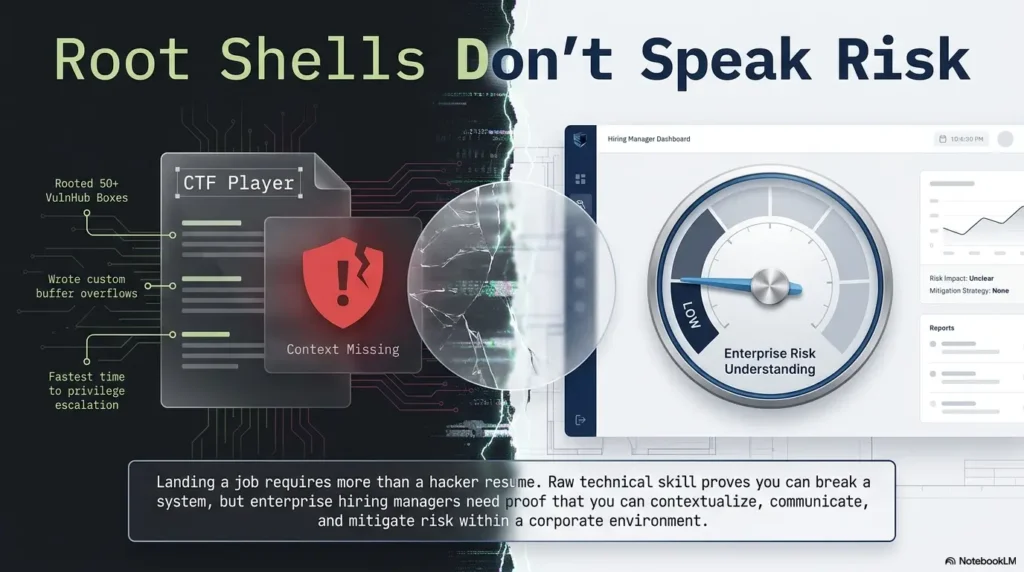
The recruiter hears noise, not signal
“Rooted Kioptrix Level 1” may sound exciting to beginners. To a recruiter scanning 150 resumes before lunch, it may say very little.
What did you test? What did you observe? What evidence did you collect? What risks did you identify? What would you recommend? Did you understand the difference between a lab and a business environment?
Without those answers, the project becomes a fog machine. It suggests activity, but not maturity.
The hiring manager wants decision trails
Security work is full of decision trails. A SOC analyst decides whether an alert deserves escalation. A vulnerability analyst decides whether a finding is confirmed or speculative. A junior penetration tester decides what evidence belongs in a report and what detail should be handled carefully.
A Kioptrix case study can show that trail. It can walk the reader from asset discovery to service inventory, from service inventory to suspected weakness, from suspected weakness to validation, and from validation to remediation ideas.
That is the shape hiring teams can evaluate.
Here’s what no one tells you…
A beginner lab can look more mature than an advanced lab if the documentation is cleaner.
Seriously. A tidy, ethical, evidence-based Kioptrix Level 1 case study may do more for an entry-level candidate than a chaotic advanced lab write-up that throws commands at the wall like spaghetti with root privileges.
The reader wants to see whether you can be trusted with ambiguity. Clean structure answers that question faster than technical fireworks.
Money Block: Portfolio Signal Checklist
Use this yes/no check before publishing your Kioptrix project.
- Yes/No: Did you define authorized lab scope in the first screen?
- Yes/No: Did you summarize the business-style risk, not just the technical trick?
- Yes/No: Did you include a findings table with evidence and remediation?
- Yes/No: Did you avoid claiming production or client experience?
- Yes/No: Did you explain what you would verify next in a real environment?
Neutral action line: If you answered “No” twice or more, revise the project before adding it to your resume.
Start With Scope Before Touching a Tool
Define the lab boundary in plain English
Scope is not paperwork perfume. It is the frame that makes the project safe and readable.
Use a short block near the top of your portfolio page. Keep it human. A reader should understand the environment without needing to decode your home lab topology like an ancient map found behind a router.
Example wording:
Scope: This project documents an authorized assessment of the Kioptrix Level 1 vulnerable VM inside an isolated local lab network. The assessment was educational and did not involve public, third-party, employer, customer, or production systems.
That one paragraph changes the room temperature. It tells the reader you understand permission, boundaries, and context.
Name the target without theatrics
Professional wording matters. “I hacked a machine” may work in a private chat with friends. In a portfolio, use calm labels.
- Use: “Kioptrix Level 1 vulnerable VM assessment.”
- Use: “authorized lab-based vulnerability assessment.”
- Use: “beginner security documentation project.”
- Avoid: “I owned the box.”
- Avoid: “I attacked a target.”
- Avoid: “I broke into a system.”
The goal is not to drain the project of personality. It is to remove the smoke machine so the reader can see your judgment.
Add a rules-of-engagement mini block
Your project does not need a 40-page statement of work. It does need a small rules-of-engagement block, especially because cybersecurity content can be misunderstood quickly.
| Portfolio Element | What to Include | Why It Helps |
|---|---|---|
| Date | Month and year of the lab session | Shows the project is maintained, not dusty shelfware |
| Environment | Local VM, isolated network, attacker VM, target VM | Shows safe setup and repeatability |
| Allowed activity | Discovery, service enumeration, validation, reporting | Keeps the case study professional |
| Out of scope | Public IPs, employer systems, personal devices not part of the lab | Makes ethical boundaries visible |
| Expected output | Short case study with findings, evidence, remediation, lessons | Moves the project from activity to artifact |
If you need a fuller process, a clean Kioptrix lab workflow can keep the project from becoming a pile of screenshots with feelings.
Turn Enumeration Into a Story Hiring Teams Can Follow
Lead with asset discovery, not tool worship
Enumeration is where many beginner write-ups either become useful or dissolve into command soup.
Do not begin with tool names as if they are the hero. The hero is your method. Asset discovery answers a basic professional question: what exists in the environment?
A simple write-up might say:
“I began by identifying live hosts in the isolated lab network, then confirmed the Kioptrix VM as the assessment target. After confirming the target, I created a service inventory to decide which exposed services deserved follow-up.”
That reads like a working habit, not a magic trick.
Show service inventory as a risk map
A service list is not merely a list. It is a map of possible exposure.
Instead of pasting a full terminal output, summarize what matters:
- Which services were exposed?
- Which versions appeared old or suspicious?
- Which services had the highest follow-up value?
- Which evidence supported your next step?
- Which assumptions needed verification?
For example, an older web service might suggest web enumeration, version research, and configuration review. An SMB-related service might suggest share listing, version checks, access testing, and caution around legacy protocols. The point is not to publish a recipe. The point is to show a rational path.
If your notes tend to scatter, build from a Kioptrix enumeration report structure so each service gets a purpose, not just a screenshot.
Don’t paste terminal confetti
Terminal output can be evidence. It can also become digital wallpaper.
Use screenshots sparingly. Each one should prove a claim, clarify a decision, or document a key result. If the screenshot needs three paragraphs to explain why it exists, it may not belong above the fold.
A helpful screenshot caption might say:
“Service inventory showing exposed web and file-sharing services on the authorized lab target. This informed the follow-up testing sequence.”
A weak caption says:
“Nmap scan.”
One is a decision trail. The other is a label on a jar.
Kioptrix Portfolio Flow: The Six-Step Reader Path
Authorized lab, isolated VM, clear boundaries.
Identify target and confirm environment.
Summarize services, versions, and risk clues.
Separate observation from confirmed finding.
Add layered fixes and operational notes.
Convert the case study into resume and interview language.
Vulnerability Framing: From “Found Exploit” to “Validated Risk”
Separate observation from conclusion
A strong finding does not leap from “old-looking service” to “critical vulnerability” in one dramatic bound.
Use a calm chain:
- Observation: A service and version appeared exposed during the lab assessment.
- Research: Public documentation and vulnerability references suggested known weaknesses may apply.
- Validation: Testing inside the authorized lab confirmed the weakness was relevant.
- Evidence: Screenshots or notes supported the finding without oversharing unsafe detail.
- Confidence: The finding was confirmed, partially confirmed, or required further verification.
- Recommendation: Practical remediation reduced the risk.
This structure prevents exaggeration. It also makes you sound like someone who could write an actual ticket, report, or escalation note.
Explain why old software still matters
Kioptrix Level 1 is old by design. That is not a weakness if you frame it properly.
Many real environments still contain legacy services, forgotten test boxes, old appliances, unsupported operating systems, and brittle applications nobody wants to touch because the last person who understood them retired to a lake and took the password notebook with him.
The lesson is not “old equals instantly exploitable.” The lesson is that exposed legacy software deserves careful inventory, verification, risk ranking, and remediation planning.
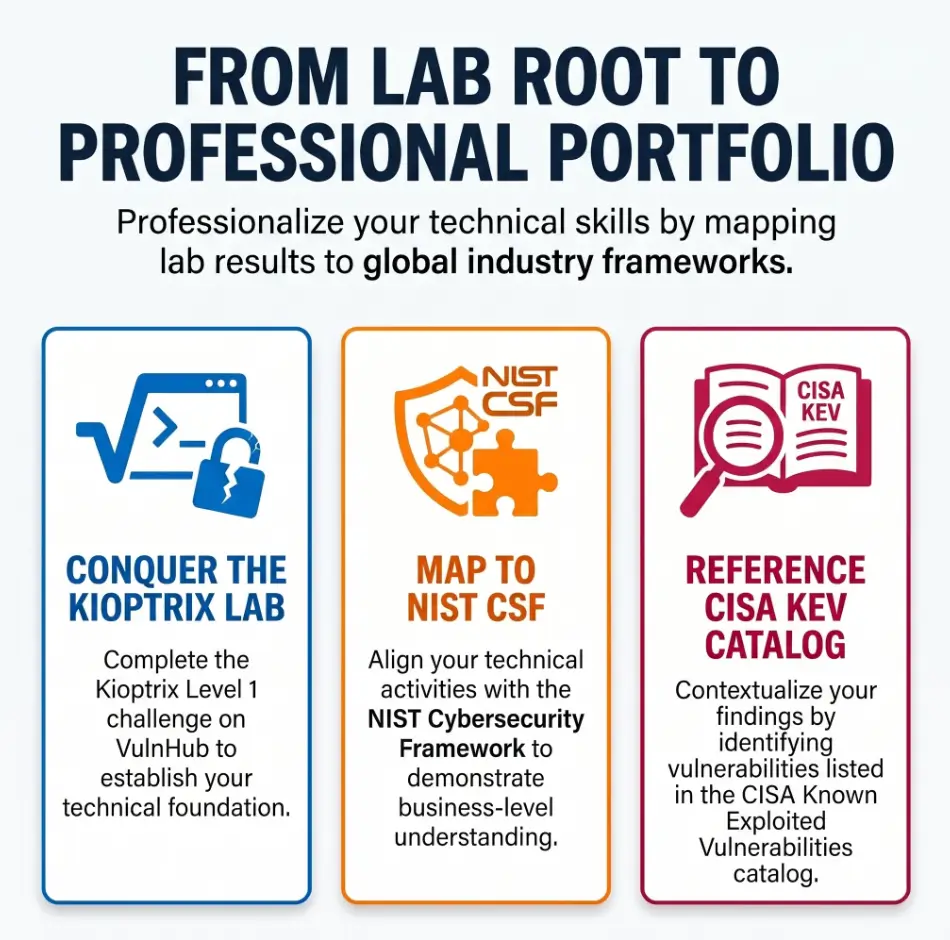
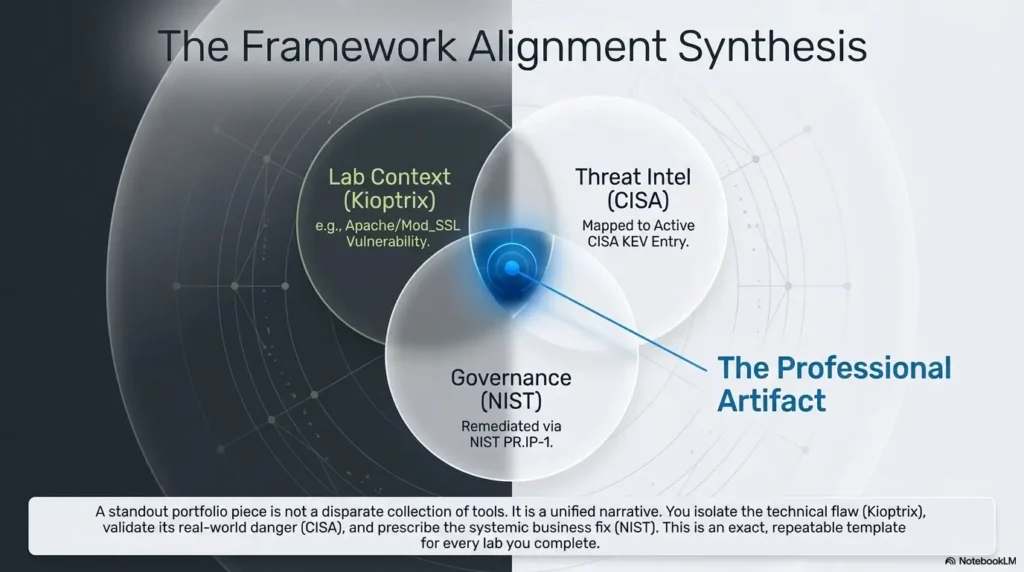
NIST’s Cybersecurity Framework is often used to discuss cybersecurity risk in terms of identifying, protecting, detecting, responding, and recovering. For your portfolio, that means you can connect lab findings to a practical risk management mindset instead of stopping at “exploit found.”
Add “what I would verify next”
This phrase is small and mighty. It turns a beginner write-up into an analyst conversation.
After each major finding, add a short “what I would verify next” note:
- Confirm the exact package version from the host if credentials or approved access were available.
- Check whether the service is required for business operations.
- Review logs for attempted access or suspicious behavior.
- Identify the owner responsible for patching or decommissioning.
- Test patches in a staging environment before production changes.
- Confirm compensating controls such as network restrictions or monitoring.
That language shows you understand that real security work lives with uptime, ownership, and change control. The lab is small. The thinking can still be adult-sized.
Show me the nerdy details
A professional finding usually needs more than a tool result. The stronger pattern is evidence triangulation: service discovery, version indication, manual review, public advisory research, lab-only validation, and a remediation path. Avoid treating a scanner result as final truth. Scanners can misidentify versions, miss backported patches, or flag issues that are not exploitable in a specific configuration. In a real environment, validation also depends on asset ownership, compensating controls, exposure, exploitability, business impact, and available logs. For a beginner portfolio, you do not need enterprise complexity. You do need to show that your conclusion came from more than one clue.
Common Mistakes That Make Kioptrix Write-Ups Look Amateur
Mistake 1: Writing a walkthrough instead of a case study
A walkthrough says what happened in order. A case study says why it mattered.
There is nothing wrong with writing a private walkthrough for learning. Private notes can be messy. They can contain dead ends, weird guesses, coffee-fueled tangents, and the immortal phrase “try again later.”
Your public portfolio needs a cleaner job. It should help a hiring reader understand your method quickly.
Use this progression:
- Executive summary.
- Scope and environment.
- Methodology.
- Key findings.
- Evidence summaries.
- Remediation recommendations.
- Lessons learned.
For a more report-like structure, connect your case study to a Kioptrix lab report format instead of letting your notes sprawl across the page.
Mistake 2: Hiding behind tool names
Nmap, Metasploit, Searchsploit, browsers, proxies, scripts, and shells do not replace explanation. Tools are utensils. The meal is judgment.
A weak sentence says:
“I ran Tool X and got results.”
A stronger sentence says:
“I used service detection to identify exposed services, then prioritized follow-up based on version age, service purpose, and likely attack surface inside the authorized lab.”
Notice the difference. One sentence names a thing. The other reveals a brain at work.
Mistake 3: Showing root access as the ending
Root access is a milestone in the lab. It should not be the emotional finale of your portfolio piece.
The better ending is what came after:
- What was the likely impact?
- How could the weakness be reduced?
- What evidence would you preserve?
- What would you check in logs?
- What would you ask the system owner?
- What did you learn about your own process?
That is where the project grows bones.
Mistake 4: Ignoring ethics and authorization
If your write-up has no scope language, the reader has to guess whether your work was authorized. Do not make them guess. Guessing is where trust goes to stub its toe.
Put the ethical note near the top, then repeat it lightly where needed. Use words like “authorized,” “isolated,” “lab-based,” and “educational.” They are not decoration. They are signal.
- Keep private notes detailed and public notes curated.
- Explain why each phase mattered.
- End with remediation and lessons, not just access.
Apply in 60 seconds: Rename your draft from “walkthrough” to “case study” and revise the headings to match.
The Resume Translation Layer: Make the Lab ATS-Friendly Without Keyword Soup
Convert the project into one clean resume bullet
Your resume bullet should be truthful, compact, and readable by both humans and applicant tracking systems. Do not overstuff it with every tool you touched. Nobody needs a resume bullet wearing seventeen hats.
Try this:
Documented an authorized Kioptrix Level 1 vulnerable-VM assessment covering scope definition, service enumeration, vulnerability validation, evidence capture, and remediation recommendations.
That bullet is not flashy. It is useful. It includes the lab name, ethical boundary, methodology, documentation, and remediation.
If your resume needs more role-specific language, create variations:
| Target Role | Resume Angle |
|---|---|
| Junior SOC Analyst | Emphasize service exposure, evidence, logs to review, and detection questions. |
| Junior Pentest Assistant | Emphasize methodology, validation, controlled testing, and reporting discipline. |
| Help Desk to Security | Emphasize Linux, networking, service inventory, and remediation communication. |
| GRC or Security Analyst | Emphasize scope, evidence, risk notes, and control-minded recommendations. |
Build a skills block from actions, not buzzwords
A skills block should connect to evidence in the project. Otherwise it becomes a bowl of keyword cereal.
Better skill terms include:
- Linux lab administration
- TCP/IP fundamentals
- Service enumeration
- Vulnerability assessment
- Evidence capture
- Security documentation
- Remediation planning
- Ethical lab scoping
If you used a tool, mention it only when you can explain what it did. A tool name without context is a sticker. Evidence turns it into substance.
Let’s be honest…
“Rooted Kioptrix” sounds exciting to beginners. “Produced an evidence-based vulnerability assessment report” sounds employable.
The first phrase belongs in a private celebration. The second belongs on a resume, GitHub README, or LinkedIn project summary.
For a polished job-search angle, connect your project to a clean Kioptrix Level 1 LinkedIn framing so the public version sounds measured, not inflated.
Money Block: Resume Bullet Decision Card
Choose your bullet based on the role you want.
| If You Want | Use This Emphasis | Trade-Off |
|---|---|---|
| SOC analyst roles | Evidence, exposure, detection questions | Less emphasis on exploitation sequence |
| Junior pentest roles | Methodology, validation, reporting | Requires careful safety wording |
| GRC/security analyst roles | Risk notes, remediation, scope | May sound less technical unless evidence is clear |
Neutral action line: Write one bullet for your target role, then remove any claim you could not explain in a two-minute interview answer.
The GitHub Portfolio Page Recruiters Can Actually Skim
Use a README structure that respects tired eyes
A hiring reader may give your project less than one minute at first glance. That does not mean they are rude. It means they are busy, hungry, and possibly haunted by 37 tabs.
Make your README easy to skim:
- Summary: Five to seven sentences explaining the project and outcome.
- Scope: Authorized local lab boundaries.
- Environment: VM setup, network isolation, tools category, and date.
- Methodology: Discovery, enumeration, validation, reporting.
- Key Findings: Finding table with severity rationale.
- Evidence: Curated screenshots and short explanations.
- Remediation: Practical fixes and operational considerations.
- Lessons Learned: What improved in your process.
- Ethical Notes: Clear statement on authorization and safe use.
If you already have messy notes, do not delete them. Use them as raw material. Then shape the public artifact with Kioptrix documentation habits that make evidence easier to follow.
Put the strongest proof above the fold
The top of your README should not begin with a wall of commands. Begin with an executive summary.
Example:
“This project documents an authorized Kioptrix Level 1 vulnerable-VM assessment in an isolated local lab. I identified exposed services, prioritized follow-up based on service type and version clues, validated key risks within the lab, and documented remediation recommendations. The project focused on repeatable methodology, evidence capture, and professional reporting rather than exploit-first storytelling.”
That paragraph is a lighthouse. The reader now knows what they are looking at.
Add a finding table, not a screenshot swamp
A finding table turns raw activity into reviewable information.
| Finding | Affected Service | Severity Rationale | Evidence Summary | Recommended Fix | Learning Note |
|---|---|---|---|---|---|
| Legacy exposed service | Service identified during lab inventory | Potentially high in lab due to exposure and known weakness patterns | Version clue and lab-only validation notes | Patch, restrict access, verify necessity | Do not confuse version clue with final proof |
| Weak exposure pattern | Network service | Risk depends on access, configuration, and compensating controls | Service inventory and research notes | Limit network reach and review configuration | Context changes severity |
Keep the table readable. A finding table should feel like a tray of labeled tools, not a junk drawer with Wi-Fi.
Keep sensitive details controlled
Portfolio writing should prove you understand security, not teach strangers how to misuse it. Avoid unnecessary payload detail, live-target habits, and copy-paste exploit instructions.
For Kioptrix, you can describe validation at a high level without publishing every sharp edge. If you include technical commands, keep them tied to lab scope and explanation. Your future manager wants judgment, not a portable chaos kit.
Short Story: The Screenshot That Did Too Much
A beginner once showed me a Kioptrix draft that had everything: twenty screenshots, six tool windows, three cropped terminals, and one triumphant final image large enough to frighten a printer. The work was real, but the story had no door. We moved the best proof into a small findings table, wrote a six-sentence summary, added scope, and cut half the images. Nothing technical got more advanced. Yet the project suddenly felt sharper, safer, and easier to trust. The lesson was simple: evidence is not the same as volume. A good portfolio does not make the reader excavate meaning with a tiny brush. It places the right clue in the right light, then tells the reader why it matters.
The Interview Story: How to Talk About Kioptrix Without Sounding Scripted
Use the “problem, action, evidence, lesson” arc
When an interviewer asks about your Kioptrix project, do not recite a tool-by-tool timeline. Use a story arc that sounds natural.
- Problem: I wanted to practice vulnerability assessment in an authorized beginner lab and turn it into a professional case study.
- Action: I defined scope, inventoried exposed services, researched likely risks, validated findings in the lab, and documented remediation ideas.
- Evidence: I created a README with a findings table, evidence summaries, and lessons learned.
- Lesson: I learned that clean reporting and risk explanation matter as much as technical execution.
This answer is compact, honest, and easy to follow. It also avoids sounding like a memorized spell from a forum thread.
For more spoken examples, build from a Kioptrix interview answer framework that turns lab work into job-ready conversation.
Prepare for the obvious follow-up question
A good interviewer may ask, “What would you do differently in a real company?”
Have a grounded answer ready:
“In a real environment, I would first confirm written authorization and scope, identify the asset owner, check change-control requirements, review available logs, confirm whether the service is business-critical, test patches safely, and coordinate remediation through the normal reporting channel.”
That answer is not flashy. It is reliable. In security work, reliable is a very attractive color.
Replace ego with curiosity
Do not say, “I owned the box.” Say, “I validated the risk in the authorized lab and documented what I would confirm next.”
That shift matters. Ego makes the room smaller. Curiosity makes the room useful.
Interviewers are often listening for how you handle uncertainty. If you admit what you know, what you do not know, and how you would verify the difference, you sound more credible than someone who wraps every sentence in thunder.
- Use problem, action, evidence, lesson.
- Explain how real environments add change control and ownership.
- Talk about validation and next steps instead of domination language.
Apply in 60 seconds: Record a 90-second spoken answer about your Kioptrix project and remove any phrase that sounds inflated.
Remediation Is Where Beginner Projects Grow Up
Recommend fixes in layers
Remediation is the part many beginner projects skip. That is a missed opportunity. Fix language shows that you understand security is not just finding holes. It is helping people reduce risk without turning the business into a smoking crater.
Layer your recommendations:
- Patch or upgrade: Move vulnerable or unsupported services to supported versions.
- Remove unnecessary services: Shut down what the system does not need.
- Restrict network exposure: Limit access by subnet, firewall rule, VPN, or segmentation.
- Improve monitoring: Review logs and alert on suspicious access patterns.
- Document ownership: Assign responsibility for service maintenance.
- Review baseline images: Prevent the same weakness from being cloned into future systems.
If you want to make this especially useful, link each finding to a remediation idea. A finding without a fix is a fire alarm with no exit signs.
Tie each fix to operational reality
In real organizations, remediation has friction. Patches can break old applications. Downtime has a cost. Business owners may not know they own a service. Backups may be incomplete. A “just patch it” recommendation can be correct and still incomplete.
Show that you understand this:
- Test patches in a non-production environment where possible.
- Confirm backups and rollback options before major changes.
- Coordinate with the service owner.
- Prioritize internet-facing and actively exploited risks first.
- Document accepted risk when immediate remediation is not possible.
CISA’s Known Exploited Vulnerabilities catalog is one example of how real vulnerability work considers active exploitation, not just theoretical severity. You do not need to overcomplicate a Kioptrix project, but you can mention that production prioritization depends on context.
Add a “quick win vs deeper fix” split
This is one of the easiest ways to make remediation feel practical.
| Remediation Type | Examples | Why It Matters |
|---|---|---|
| Quick win | Restrict access, confirm versions, disable unnecessary service, review logs | Reduces exposure while deeper work is planned |
| Deeper fix | Upgrade stack, rebuild host, improve asset inventory, harden baseline image | Addresses root causes instead of trimming only the visible weeds |
For deeper professional framing, compare your recommendations with Kioptrix findings documentation so each issue has evidence, severity, and a realistic next step.
Money Block: Remediation Priority Map
Use this five-tier map to keep recommendations measured.
| Tier | Priority | Portfolio Wording |
|---|---|---|
| Tier 1 | Confirmed exploitable and exposed | Prioritize remediation after ownership and change window are confirmed. |
| Tier 2 | Likely vulnerable, needs verification | Confirm version and configuration before severity is finalized. |
| Tier 3 | Exposed but context-dependent | Review business need, access controls, and monitoring. |
| Tier 4 | Informational weakness | Track as hardening improvement. |
| Tier 5 | False positive or not applicable | Document why the issue was not confirmed. |
Neutral action line: Assign each finding a tier, then write one sentence explaining your reasoning.
Don’t Do This: The Red Flags That Hurt Beginner Cyber Portfolios
Don’t publish exploit-first content with no context
A portfolio that starts with exploit detail and never explains scope can feel careless, even when the lab is legal.
Lead with context. Then methodology. Then evidence. Then remediation. The technical details should serve the story, not hijack the steering wheel.
Don’t claim production experience from a training VM
Say “lab-based vulnerability assessment.” Do not say “enterprise penetration test.”
Honest framing ages better. Inflated claims may survive a resume screen, but interviews have tiny needles. They find the balloon.
Don’t exaggerate severity
Use measured language. Confidence beats thunder.
Instead of “critical vulnerability destroys everything,” write something like:
“Within the lab context, the exposed legacy service represented a high-risk path because validation showed meaningful compromise was possible. In production, final severity would depend on exposure, configuration, business role, and compensating controls.”
That sentence has balance. It sounds like someone who can be trusted near a ticket queue.
Don’t skip the “what I learned” section
Lessons learned are not filler. They show growth.
Strong lessons might include:
- I learned to separate version clues from confirmed findings.
- I learned that screenshots need captions and purpose.
- I learned to document dead ends without letting them dominate the final report.
- I learned that remediation language is part of technical communication.
- I learned that safe scope language belongs near the top, not buried like a receipt in winter coat pockets.
If your notes contain too many false turns, use Kioptrix dead-end tracking to show disciplined learning without making the reader wander every hallway with you.
- Do not inflate lab work into enterprise experience.
- Do not exaggerate severity without context.
- Do not publish unsafe detail just to look advanced.
Apply in 60 seconds: Search your draft for “hacked,” “owned,” and “critical,” then replace any overstatement with precise wording.
When to Seek Help Before Publishing the Project
Ask for review if you include exploit details
If your write-up includes technical steps that could be misused, ask a mentor, instructor, or experienced security professional to review it before publishing.
The goal is not to make the project empty. The goal is to keep it educational, bounded, and safe. A good reviewer can help you preserve the professional value while trimming unnecessary sharp edges.
Ask for review if your resume claims feel inflated
If the bullet sounds grander than the work, tighten it.
“Performed an enterprise-grade penetration test” is too much for a Kioptrix VM. “Documented an authorized lab-based vulnerability assessment” is honest and still valuable.
Hiring teams forgive beginner status. They do not enjoy fog machines disguised as experience.
Ask for help if you are unsure about authorization
When in doubt, do not test. Use only lab machines, owned systems, or environments with clear written permission.
For public guidance on authorized security research, vulnerability disclosure, and safe reporting culture, official resources are better than rumor threads. They help anchor your habits before your career develops muscle memory.
You can also study how professional reports are structured by comparing your README to how to read a penetration test report. That helps you think like the report consumer, not only the lab operator.
FAQ
Is Kioptrix Level 1 still useful for entry-level cybersecurity jobs?
Yes, if you frame it as a beginner vulnerability assessment and documentation project. The technical content is old, but the workflow skills still matter: scoping, enumeration, validation, evidence capture, remediation thinking, and clear communication. Treat it as a project story, not a magic credential.
Should I put Kioptrix Level 1 on my resume?
Yes, but only if you can explain it clearly and honestly. Use a project bullet that emphasizes authorized lab work, methodology, documentation, and remediation recommendations. Do not claim production penetration testing experience from a training VM.
Is Kioptrix Level 1 better for SOC analyst or penetration testing roles?
It can support both, but the framing should change. For SOC roles, emphasize evidence, exposure, logs you would review, and detection questions. For junior pentest roles, emphasize scope, methodology, validation, reporting discipline, and safe lab practice.
Should my Kioptrix write-up include every command I used?
No. Include enough evidence to show competence, but avoid dumping every command. A hiring reader needs the decision trail more than the entire keyboard diary. Keep detailed commands in private notes and curate the public version around findings and reasoning.
Can I use Metasploit in a beginner portfolio project?
Yes, if the lab allows it and you explain what the tool did, why you used it, and what its limitations were. Do not let the tool become the whole story. Discuss manual verification, evidence, and what you would confirm in a real environment.
How long should a Kioptrix portfolio write-up be?
A strong public case study can often be 1,200 to 2,000 words. It should include a short executive summary, scope, methodology, a findings table, selected evidence, remediation recommendations, and lessons learned. Longer is fine only if the extra detail earns its chair.
What should I avoid saying in a cybersecurity portfolio?
Avoid unauthorized-sounding language, inflated claims, exploit bragging, and vague tool lists. Use professional wording such as assessed, validated, documented, recommended, remediated, investigated, and reviewed. Those verbs sound calmer because they are stronger.
What is the best final takeaway from Kioptrix Level 1?
The best takeaway is not “I got root.” It is “I learned how to move from discovery to validated risk to clear reporting in an authorized lab.” That sentence is less cinematic, but far more useful in a hiring conversation.
Next Step: Build the One-Page Case Study Before Writing the Full Blog Post
Create a 10-line project brief today
Before writing a full blog post, build a one-page brief. This prevents the project from wandering into a swamp of screenshots, notes, and heroic keyboard fog.
Use these ten lines:
- Title: Kioptrix Level 1 vulnerable VM assessment.
- Purpose: Practice ethical vulnerability assessment and reporting.
- Scope: Authorized local lab only.
- Environment: Attacker VM, target VM, isolated network.
- Method: Discovery, enumeration, validation, evidence, remediation.
- Key finding 1: Summarized in plain English.
- Key finding 2: Summarized in plain English.
- Evidence: Two or three curated proof points.
- Remediation: Quick wins and deeper fixes.
- Lesson learned: One skill you improved.
For a habit-friendly version, pair this with Kioptrix evidence tracking so your screenshots, notes, and findings do not drift apart like socks in a dryer.
Then expand only what earns its place
Once the brief works, expand it into a README or blog post. Add only the details that help the reader understand your judgment.
Cut anything that does not support scope, method, evidence, risk, remediation, or lesson. Keep your private notes messy if needed. Keep the public artifact clean.
To ground the lab itself, you can reference the official Kioptrix challenge page as the source of the training VM and its educational purpose.
If you want a repeatable publishing format, turn your brief into a Kioptrix write-up that keeps the recruiter’s attention on the story, not the clutter.
Money Block: One-Page Case Study Prep List
Gather these before you publish.
- One-paragraph executive summary.
- Scope statement with lab-only authorization.
- Environment notes with date and isolation details.
- Service inventory summary.
- Two to four key findings with evidence summaries.
- Remediation table with quick wins and deeper fixes.
- One lessons-learned paragraph.
- One resume bullet and one interview answer.
Neutral action line: Build the prep list first, then decide whether the project deserves a full blog post, GitHub README, or shorter LinkedIn summary.
Conclusion: Let the Lab Wear Office Shoes
The opening problem was simple: “I rooted a box” is not enough. It may describe a lab outcome, but it does not explain your judgment.
Kioptrix Level 1 becomes portfolio-worthy when you give it a professional frame. Start with authorized scope. Build a service inventory. Separate observation from conclusion. Validate carefully inside the lab. Capture evidence with purpose. Recommend fixes in layers. Then translate the project into a resume bullet, GitHub README, and interview story that a tired hiring reader can understand before their coffee gets cold.
The concrete next step is small: spend 15 minutes writing the 10-line project brief from the previous section. Do not polish. Do not hunt for a better screenshot. Just write the frame. Once the frame is strong, the technical work finally has a room to stand in.
That is how a beginner lab stops sounding like “I got root” and starts sounding like “I can think, document, and act safely.”
Last reviewed: 2026-05.