
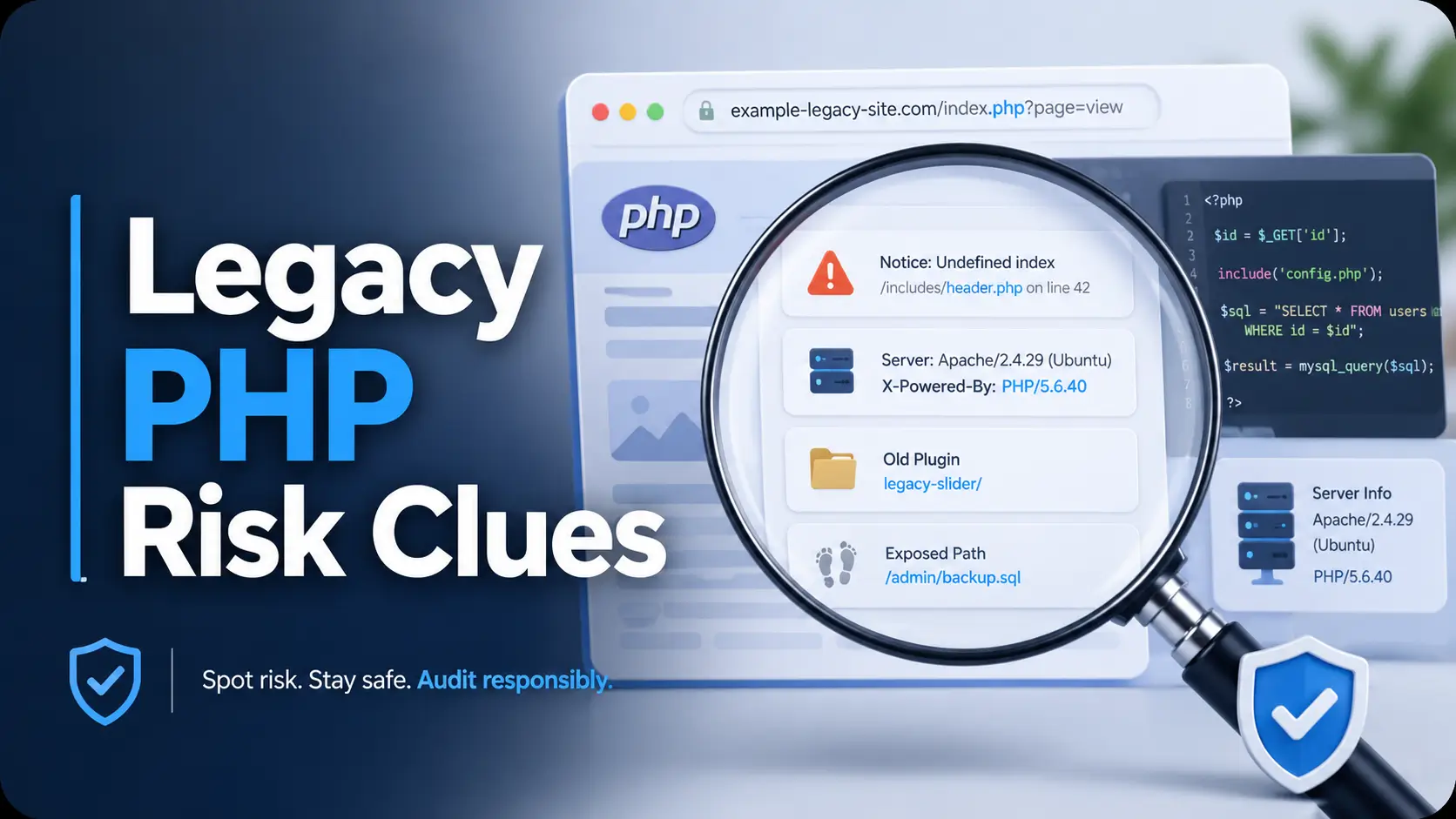
Defensive Legacy Web Audit Guide
PHP Recon Clues in Legacy Web Apps:
How to Spot Risk Without Turning Into the Problem
Old PHP sites have a way of leaving breadcrumbs. A dated URL here. A noisy error message there. A plugin folder that feels like it has been carrying a tiny lantern since 2012. None of these clues prove a vulnerability by themselves, but together they can tell a careful maintainer where to look first.
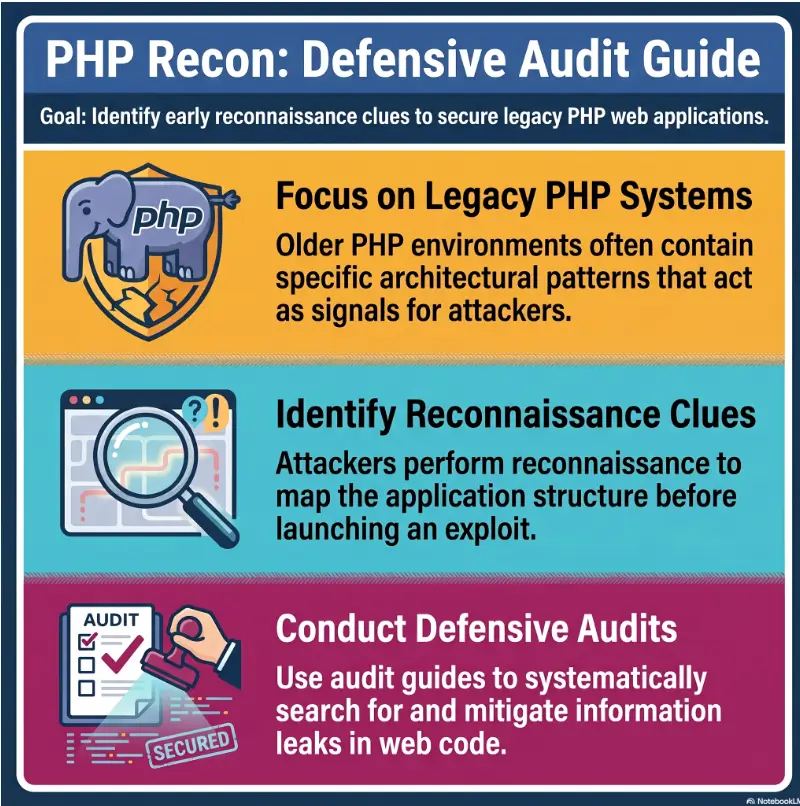
This guide is written for people doing authorized, defensive review: developers inheriting a strange codebase, WordPress maintainers cleaning up client sites, small-business owners trying to understand risk, and junior analysts learning how to separate signal from theater. The goal is not to poke harder. The goal is to notice better.
Think of this as a calm inspection walk, not a crowbar. You will learn how to identify visible PHP recon clues, group them by risk, document them safely, and hand developers a cleanup list that does not read like a panic scroll written during a thunderstorm.
Spot the quiet signals
Recognize clues in URLs, headers, errors, assets, cookies, and framework folders.
Separate clue from proof
Avoid noisy assumptions that waste time, scare clients, or mislead teams.
Build a safer audit path
Use a permission-based checklist before running tools or touching production.
One useful promise: after reading, you should be able to document five visible PHP risk clues in 15 minutes without breaking anything, guessing wildly, or summoning the scanner goblin too early. 🛡️
Snapshot
This article is for authorized maintainers, agencies, developers, small-business site owners, and junior security analysts reviewing older PHP or WordPress-style web apps. You will learn which visible clues deserve attention, which ones are merely cosmetic, when to use free checks versus paid tools or professional help, and how to create a calm first-pass audit list.
Table of Contents
Before You Act: Permission, Scope, And Calm Hands
PHP recon clues are useful only when you are reviewing a site you own, maintain, or have explicit written permission to assess. This article is for defensive website maintenance and authorized security review. It is not a guide to probing random domains, competitors, public targets, or anything outside your scope.
That matters because “just looking around” can become unauthorized testing faster than people expect. A browser request, a header check, or a public page review may be normal maintenance on your own site. The same activity against a third-party system can create legal, ethical, and operational problems.
Before You Act
Use this guide for authorized review only. Do not scan, probe, enumerate, test forms, bypass controls, or collect sensitive data from systems you do not control. When customer accounts, payment flows, health records, legal records, or business-critical systems are involved, confirm the plan with a qualified security professional before touching production.
What this guide can and cannot do
This guide can help you notice visible clues, document them cleanly, and prioritize a first conversation with developers or a security provider. It can help a small-business owner understand why an old site feels risky without needing to read every line of code.
It cannot confirm exploitability, replace a professional penetration test, or guarantee that a site is safe. A clue is a flashlight beam, not a verdict.
The safe review boundary
A safe first pass focuses on visible, passive evidence: public pages, obvious error messages, headers from your own site, asset versions, login page presence, and CMS maintenance signals. It does not include trying passwords, forcing errors, bypassing upload rules, testing injection payloads, or running loud tools against shared hosting without approval.
If you are an agency inheriting a client site, ask for a written scope. If you are a developer inside a company, confirm who owns the system and whether production testing is allowed. Permission is the seatbelt. Wear it before the engine starts.
Legacy PHP Clues That Whisper Before They Shout
Old PHP rarely waves a flag that says, “Please modernize me.” It tends to whisper through naming habits, server defaults, broken redirects, unpolished errors, and folders that survived several redesigns. These clues are not automatically dangerous, but they are useful for triage.
A junior analyst might see an exposed .php URL and think “vulnerable.” A seasoned maintainer sees a question: what version is running, how is input handled, are dependencies patched, and does the business still understand this code?
Old code vs risky code
Old code is not automatically unsafe. Some older PHP applications are stable, patched, and carefully wrapped behind modern infrastructure. Risky code is different: unsupported runtime, abandoned dependencies, weak session controls, public errors, poor access control, fragile file handling, or no one left who understands how the app works.
When auditing legacy PHP, avoid the shiny panic trap. Your first job is not to prove everything is broken. Your first job is to sort clues into practical buckets.
Key takeaway
A visible clue is not proof of a vulnerability. Treat clues as prompts for careful review, not as evidence for dramatic claims.
Surface clues vs confirmed vulnerabilities
A surface clue is something you can observe without stress-testing the app: an old JavaScript library, public error output, a forgotten admin path, or a response header that reveals too much. A confirmed vulnerability requires validation, safe reproduction, impact analysis, and a clear fix path.
That distinction protects everyone. It keeps reports accurate, prevents unnecessary alarm, and helps developers focus on what actually reduces risk.
A simple risk language for PHP clues
Use plain labels that non-security stakeholders can understand: cosmetic, maintenance, security, and urgent. A dated URL may be cosmetic. An unsupported PHP runtime may be maintenance or security. Public database errors near customer data may be urgent.
| Clue Type | What It Means | Typical Next Step |
|---|---|---|
| Cosmetic | Looks old but does not show clear risk by itself | Note it, but avoid overreacting |
| Maintenance | Suggests aging code, dependencies, or hosting defaults | Add to modernization backlog |
| Security | May expose sensitive details or weaken controls | Review with developer or security lead |
| Urgent | May involve exposed data, payment flows, credentials, or public errors | Escalate privately and reduce exposure safely |
URL Patterns That Reveal An Older PHP Mindset
URLs are often the first clues in a legacy PHP audit. They can reveal routing style, file-based application structure, old admin habits, or years of “we will clean that up later” decisions quietly stacked like dusty folders.
None of this proves a site is vulnerable. Plenty of safe applications still use visible PHP endpoints. The question is whether the URL pattern points you toward maintenance debt worth reviewing.
Query strings that look hand-built and fragile
Older PHP applications often pass information through long query strings. You may see parameters for pages, categories, products, users, sessions, actions, or language settings. In a defensive audit, you are not trying to manipulate them. You are noting that the app may rely on older input-handling patterns.
A safer note might say: “Several public pages use hand-built query parameters. Confirm that input validation, authorization checks, and output escaping are handled consistently.” That is useful. It is calm. It does not pretend to know what has not been tested.
File-based routing clues like .php and index.php
Visible files such as index.php, login.php, contact.php, or download.php may suggest a file-based routing style rather than a modern front-controller setup. That can be perfectly normal, but it may also mean access checks and includes are scattered across multiple files.
For a WordPress maintainer, the presence of wp-login.php is expected. For a custom PHP app, a dozen separate admin-like endpoints may deserve a closer internal review. The difference is context.
Admin paths that survived too many redesigns
Legacy sites sometimes keep old admin paths long after the public design changes. You may notice links, redirects, or references to admin areas that look dated. Again, do not test credentials or attempt access. Document the visible clue and ask the owner whether the path is still needed.
Good cleanup questions include: Is this admin area still used? Is it protected by modern authentication? Does it have rate limiting? Are old staff accounts removed? Is multi-factor authentication available for privileged users?
URL clue checklist
- Visible
.phpendpoints on public pages - Long query strings with action, file, user, page, or download parameters
- Old admin or staff paths referenced in menus, robots files, or page source
- Mixed URL styles, such as clean URLs plus old file-based pages
- Redirect chains that expose older application structure
Error Messages That Accidentally Hand You The Map
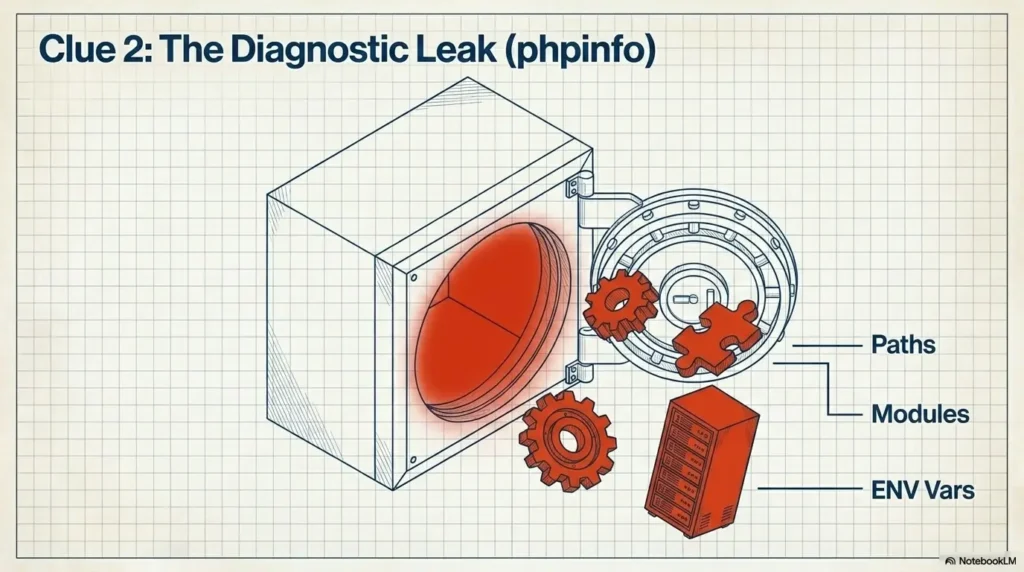
Public error messages are among the loudest legacy PHP clues. They can reveal file paths, function names, database details, framework structure, and environment habits. They also tell you something important about operational maturity: production is talking too much.
The safest response is not to poke the error until it sings. Capture what is already visible, redact sensitive details, and escalate privately.
PHP warnings, notices, and stack traces in public view
Warnings, notices, and stack traces on public pages suggest that error display may be enabled in production. A single warning may not expose customer data, but it can reveal application paths, code structure, or outdated dependencies.
Document the page where the error appears, the time observed, and a redacted screenshot. Do not include full server paths in public tickets, blog posts, or screenshots shared outside the authorized team.
Path disclosure and what it says about environment hygiene
Path disclosure means the site reveals internal server paths, such as application directories, usernames, or hosting structure. The path itself may not be the vulnerability. The bigger concern is that production is leaking implementation details that users do not need.
A practical remediation note might say: “Public errors reveal internal paths. Confirm production error display is disabled, sensitive logs are private, and user-facing errors are generic.” That gives developers a useful target without dramatics.
Database error fragments that should never reach users
Database error fragments are a stronger clue. They can suggest fragile error handling, old database libraries, direct query exposure, or poorly handled edge cases. Do not attempt to trigger additional database errors unless it is explicitly in scope and safe.
For a small-business owner, this is a good moment to bring in a developer or security consultant. The cost of a short professional review may be far lower than the cost of guessing in production.
Key takeaway
Public errors are not just ugly. They can reveal how the app is built. Capture visible evidence, redact sensitive details, and fix production error handling before chasing more clues.
Headers, Cookies, And Server Fingerprints Worth Noticing
Headers and cookies are the web app’s handshake. Sometimes it is crisp and professional. Sometimes it says too much, keeps old defaults, or forgets basic protections. For legacy PHP sites, headers and cookies can reveal maintenance habits without touching application logic.
Header review is a good fit for authorized maintainers because it can often be done passively and safely. The trick is to understand what you are observing, not to turn every missing header into a five-alarm fire.
Response headers that reveal versions, platforms, or old defaults
Some servers expose technology names or version hints in response headers. This does not automatically mean the site is exploitable, but it may give attackers unnecessary information. From a defensive perspective, it is a good cleanup item.
Ask whether the server, PHP runtime, web server, CMS, and plugins are still supported. If not, the visible header is not the main problem. It is merely the little brass plaque on a much older door.
Cookie flags that hint at session-management maturity
Cookies used for sessions should be handled carefully. In a first-pass review, check whether session cookies use appropriate attributes such as Secure, HttpOnly, and SameSite where suitable. Missing flags do not always prove exploitation risk, but they are useful maturity signals.
For site owners comparing free vs paid help, cookie review is often a good middle-ground task. A developer can usually inspect and improve cookie settings faster than they can rewrite an entire application.
Cache behavior that exposes forgotten private pages
Legacy PHP sites sometimes mix public marketing pages with private account, admin, or customer pages. If cache headers are careless, private pages may be stored in places they should not be. This deserves cautious review, especially for login-backed content.
Do not attempt to access private content you are not authorized to view. Instead, ask the development team to confirm cache behavior on authenticated pages, logout flows, account dashboards, and documents.
| Header or Cookie Clue | Why It Matters | Safer Action |
|---|---|---|
| Technology version hints | May expose aging stack details | Confirm support status and reduce unnecessary disclosure |
| Missing cookie protections | May suggest older session defaults | Review session configuration with a developer |
| Weak cache rules on private pages | May expose sensitive content through storage or browser history | Review authenticated pages and logout behavior |
| Inconsistent security headers | May reflect uneven deployment practices | Prioritize based on app function and business risk |
Old Framework Footprints Hiding In Plain Sight
Many legacy PHP apps are not pure custom code. They are layered worlds: WordPress with old plugins, Joomla with a forgotten template, Drupal with retired modules, CodeIgniter-era patterns, Laravel remnants, Composer dependencies, and custom glue code holding the wagon together with determined string.
Framework footprints help you understand what kind of maintenance story you are reading. They also help you ask better questions before spending money on tools, consultants, or a rebuild.
CMS traces and maintenance stories
WordPress, Joomla, Drupal, and similar systems often expose recognizable folder names or asset paths. That is normal. What matters is whether the installation, themes, plugins, and modules are maintained and whether unused components have been removed.
For a WordPress maintainer, an old plugin directory may be a strong clue. For a developer reviewing a custom PHP app, a forgotten vendor folder or obsolete library may be more important.
Theme and plugin directories that tell a maintenance story
Theme and plugin paths can reveal how many redesigns the site has survived. A site might use a modern front-end while still loading assets from a retired theme or abandoned plugin. That mismatch is worth documenting.
Do not assume every old-looking folder is active. Ask the owner or developer to confirm what is used, what is disabled, and what can be safely removed after backup.
Composer, vendor folders, and dependency fossil layers
Composer dependencies can be well-managed or forgotten. A visible reference to vendor packages, autoloaders, or old library assets may suggest that dependency review should be part of the audit. This is especially important if no one knows when dependencies were last updated.
Developers should review dependency files in the actual code repository, not make assumptions from public assets alone. Public clues simply point toward the right shelf.
The Defensive PHP Clue Flow
1. Observe
Capture visible clues without forcing errors or testing boundaries.
2. Group
Sort clues by exposure, age, business function, and data sensitivity.
3. Verify
Confirm support status, ownership, backups, and safe test scope.
4. Fix
Prioritize cleanup that reduces real risk without breaking production.
If you are learning in a lab environment, related guides such as vulnerable web app structure, Apache, MySQL, and PHP CVE mapping, and Kioptrix PHP recon can help connect defensive clues to controlled practice without touching real third-party systems.
Asset Clues: JavaScript, CSS, And Comments With Loose Pockets
Assets are where legacy apps often leave their receipts. JavaScript files, CSS bundles, comments, sourcemaps, old backups, and dated library names can quietly reveal how a site was built and how recently it was cared for.
This is a high-value area for defensive review because many clues are visible without interacting with sensitive features. It is also where overconfident auditors can make a mess by assuming every old library means active danger. Breathe first. Then document.
Versioned libraries that quietly date the application
Old JavaScript or CSS library filenames can suggest the application has not been refreshed in a while. Sometimes the old library is unused. Sometimes it is loaded on every page. Sometimes it supports a business-critical checkout flow no one wants to touch.
A practical note should name the asset, where it appears, and what should be confirmed. For example: “Public pages load a visibly dated front-end library. Confirm whether it is active, whether a patched version is available, and whether replacement affects forms or checkout.”
HTML comments that reveal staging notes or developer habits
HTML comments sometimes contain harmless notes. Other times they reveal staging URLs, internal ticket names, old credentials hints, hidden feature references, or developer assumptions. Comments are where secrets go to nap, and legacy sites are generous with blankets.
Do not publish screenshots of comments that reveal private information. Redact and report them privately.
Sourcemaps, backup files, and old bundles left behind
Sourcemaps and backup files can be useful in development, but they should be reviewed before being exposed in production. Old bundles may also contain retired endpoints, internal comments, or code paths that no longer match the visible site.
For a budget-conscious small business, this is a good cleanup category: remove unnecessary public artifacts, confirm deployment rules, and make sure production builds do not include files intended only for developers.
Key takeaway
Asset clues are excellent for a first-pass audit because they are often visible and low-risk to observe. The best report says what you saw, where you saw it, and what should be confirmed next.
Common Mistakes That Turn Recon Into Noise
Recon becomes useful when it reduces uncertainty. It becomes noise when it creates dramatic lists, weak assumptions, or tool output no one can act on. In legacy PHP review, the biggest mistakes are often not technical. They are judgment mistakes wearing a hoodie.
Mistake 1: treating every clue as an active vulnerability
A visible PHP endpoint, an old-looking URL, or a dated library name is not automatically a vulnerability. If you label everything critical, developers stop trusting the report. Save strong language for findings that have evidence, impact, and a realistic path to harm.
Mistake 2: scanning too aggressively before defining scope
Automated tools can be useful, but they can also create load, trigger alerts, break fragile shared hosting, or produce a confetti storm of false positives. Before using any scanner, confirm permission, rate limits, maintenance windows, target list, excluded paths, and who will respond if something misbehaves.
For lab learners, practice with intentionally vulnerable machines and controlled environments. Guides like fast enumeration routines for virtual machines and Kioptrix recon mistakes are better places to build muscle memory than a real business website.
Mistake 3: ignoring business context and data sensitivity
A small brochure site and a customer portal deserve different urgency. A visible error on a blog archive may be embarrassing. A visible error in a payment, medical, legal, payroll, or customer account flow may need immediate escalation.
Good recon asks, “What data is nearby?” That single question often changes the priority more than any scanner label.
Mistake 4: fixing visible clues while leaving root causes untouched
Hiding a version header may reduce disclosure, but it does not patch an unsupported runtime. Removing an old comment may be smart, but it does not fix a deployment process that keeps shipping private notes. Clean the window, yes. Also check why smoke keeps appearing inside the house.
Show me the nerdy details
A cleaner defensive model is to separate evidence, inference, and recommendation. Evidence is what you saw: a public warning, a header, a file path, an old asset. Inference is what it may suggest: production error display, aging dependencies, or weak deployment hygiene. Recommendation is what should happen next: confirm configuration, review dependencies, disable public error display, or schedule a controlled test.
This keeps reports honest. It also makes developers more willing to fix things because they are not being handed a theatrical vulnerability list built from shadows.
Build A Defensive PHP Recon Checklist That Actually Helps
A good PHP recon checklist should help people make decisions. It should not be a museum of every possible clue. The best checklist starts passive, groups evidence by risk, and ends with a fix order that respects downtime, budget, and developer sanity.
Step 1: capture passive clues first
Begin with what the site already shows. Look at public URLs, visible errors, headers, cookies, loaded assets, page source comments, login page exposure, CMS paths, and obvious maintenance signals. Do not test forms, authentication, uploads, or parameters unless that work is approved.
Keep screenshots private. Redact server paths, usernames, tokens, internal comments, and anything that might help an attacker.
Step 2: group clues by exposure, age, and business risk
Grouping is where the audit becomes valuable. A dozen scattered clues feel stressful. Four clear categories feel manageable.
| Group | Examples | Priority Logic |
|---|---|---|
| Exposure | Public errors, path disclosure, visible admin areas | Higher if exposed to all visitors |
| Age | Old library names, dated CMS folders, unsupported PHP hints | Higher if components are active and unsupported |
| Business risk | Checkout, account pages, customer uploads, private dashboards | Higher when sensitive data or money is nearby |
| Operational risk | No backups, unknown owner, fragile hosting, unclear deployment | Higher when fixes may cause downtime |
Step 3: separate cleanup tasks from security findings
Some tasks are hygiene: remove old comments, reduce header disclosure, clean unused assets, archive retired folders. Other tasks may be security findings: public errors exposing internals, weak session cookie settings, unsupported components near customer data, or private pages with questionable caching.
Separate these in your report. Developers love clarity. They do not love finding “critical vulnerability” labels attached to cosmetic cleanup.
Step 4: create a fix order developers will not hate
A useful fix order starts with low-risk, high-value actions: disable public error display, confirm backups, remove exposed development artifacts, check runtime support, review privileged access, and update or replace abandoned components carefully.
Defensive PHP recon worksheet
- Write the site area reviewed, such as homepage, login page, shop, blog, or account area.
- Capture only visible clues within approved scope.
- Record evidence with time, page, and redacted screenshot if useful.
- Label each clue: cosmetic, maintenance, security, or urgent.
- Assign an owner: developer, hosting provider, site owner, security consultant, or agency.
- Choose the next action: confirm, clean up, patch, monitor, or escalate.
Key takeaway
A checklist is only useful if it produces decisions. Capture visible clues, group them by risk, and turn them into owner-assigned cleanup work.
Free vs Paid Tools And Professional Help
Not every legacy PHP site needs a full paid assessment on day one. Not every site can safely be handled with a free checklist either. The right choice depends on data sensitivity, business impact, technical uncertainty, and whether anyone still understands the code.
For AdSense-funded publishers, agencies, freelancers, and small businesses, the budget question is real. Spending money too early can waste cash. Waiting too long can leave preventable risk sitting in public view.
When a free DIY review is enough
A free DIY review may be enough for a low-risk brochure site, a small content site, or a lab environment where no sensitive data is processed. You can document visible clues, update obvious maintenance notes, and ask your host or developer basic configuration questions.
Keep the DIY review passive. If you find public errors, suspicious artifacts, unsupported runtime hints, or anything near login and payment flows, stop and escalate rather than improvising.
When paid tools may be worth considering
Paid tools can help with dependency tracking, vulnerability management, uptime monitoring, web application scanning, security headers, and compliance evidence. They are most useful when someone will review results and fix issues. A paid dashboard with no owner is just an expensive aquarium.
Before buying, ask what the tool checks, how noisy it is, whether it supports PHP and your CMS, whether it explains fixes clearly, and whether it fits your hosting setup.
When to hire a security professional
Consider professional help when the site handles payments, customer accounts, private documents, health information, legal records, staff portals, or business-critical workflows. Also consider help when the app runs on unsupported PHP, has abandoned dependencies, lacks backups, or nobody knows how deployment works.
| Option | Best For | Cost Style | Watch Out For |
|---|---|---|---|
| Free passive checklist | Low-risk sites, first-pass review, learning | Time only | False confidence if sensitive features exist |
| Hosting or developer cleanup | Config fixes, error handling, updates, backups | Hourly or project fee | May miss deeper application issues |
| Paid monitoring or scanning tool | Ongoing visibility and repeat checks | Monthly or annual subscription | Noise without an owner to review results |
| Professional security assessment | Business-critical apps, customer data, high-risk workflows | Scoped project fee | Needs clear scope, rules, and remediation plan |
Questions to ask before paying for help
- Will the review be passive, authenticated, automated, manual, or a mix?
- What exact domains, pages, and environments are in scope?
- How will sensitive evidence be redacted and stored?
- Will findings include severity, business impact, and fix guidance?
- Will the provider retest fixes or only deliver a report?
- Who will be responsible for remediation after the review?
FAQ: PHP Recon Clues In Legacy Web Apps
What are PHP recon clues in a legacy web app?
PHP recon clues are visible signs that an older PHP site may need review. Examples include public error messages, old asset versions, dated URL patterns, exposed technology headers, legacy CMS folders, weak cookie settings, and forgotten admin references. They are clues for defensive triage, not automatic proof of a vulnerability.
Does seeing .php in a URL mean a site is vulnerable?
No. A visible .php URL only tells you something about how the site may be routed or structured. The site may still be patched, well-configured, and safe. Treat the URL as a prompt to confirm maintenance status, input handling, and access controls.
Are exposed PHP errors dangerous?
They can be. Public PHP errors may reveal internal paths, database details, framework structure, or sensitive implementation clues. The safest response is to document the visible error privately, redact sensitive details, disable public error display, and review logging practices.
What should I check first on an old PHP website?
Start with passive clues: visible errors, public URLs, headers, cookies, loaded assets, CMS or framework paths, old comments, and obvious maintenance signals. Then group findings by business risk. Do not start with aggressive scanning unless scope and permission are clear.
How can I tell if a PHP app is outdated without breaking anything?
You can look for passive indicators such as dated asset names, old CMS paths, public version hints, visible warnings, and abandoned plugin or theme references. To confirm runtime versions and dependency status, use internal hosting panels, repositories, package files, or developer records rather than public probing.
Should small businesses replace legacy PHP apps immediately?
Not always. Replacement may be wise when the app is unsupported, business-critical, difficult to patch, or tied to sensitive data. For lower-risk sites, staged cleanup may be enough: backups, error handling, updates, dependency review, access review, and removal of unused components.
What is the safest way to document PHP security clues?
Record what you observed, where you observed it, when it appeared, and why it may matter. Redact paths, usernames, tokens, customer data, and internal comments. Separate evidence from inference. Share findings only with authorized stakeholders.
When should a PHP site owner hire a security professional?
Hire help when the site handles customer accounts, payments, private files, regulated data, or critical business workflows. Professional help is also sensible when the app runs on unsupported PHP, uses abandoned dependencies, exposes public errors, or has no clear owner for remediation.
Next Step: Run A 15-Minute Permission-Based Clue Inventory
The safest next step is small, specific, and boring in the best possible way. Choose one site you are authorized to review. Spend 15 minutes documenting visible PHP recon clues without running scanners, testing forms, guessing hidden paths, or touching production settings.
Open the homepage, one content page, one login or admin entry point you are allowed to view, and one business-critical flow such as contact, checkout, or account access. Capture five visible clues. Then label each one: cosmetic, maintenance, security, or urgent.
Your 15-minute clue inventory
- Write down the site, scope, and permission source.
- Check public pages for visible errors and dated URL patterns.
- Review headers and cookies with a safe browser-based method or approved tool.
- Look at loaded assets and public comments without manipulating inputs.
- Note CMS, framework, theme, plugin, or dependency clues.
- Rank each clue by practical business risk.
- Send developers a short cleanup list with evidence, owner, and next action.
That is enough for a first pass. Not heroic. Not noisy. Just a neat stack of evidence that helps the next person make a better decision. In legacy PHP work, that kind of quiet usefulness is often the difference between a site that keeps drifting and a site that finally gets cared for.
Last reviewed: 2026-07