Legal Linux lab guide for careful beginners
Kioptrix Level for Linux Beginners
Who Also Want to Learn Security Basics
Kioptrix can feel like a locked room with a humming server in the corner: quiet, stubborn, and oddly honest. For a Linux beginner, that is the gift. The machine does not care whether you watched three tutorials last night. It answers only to commands, permissions, ports, services, logs, and careful notes.
This guide treats Kioptrix as a safe practice lab, not a shortcut to flashy tricks. You will learn how to set up an isolated environment, read what the system reveals, build a repeatable process, and connect every security finding back to Linux fundamentals. The goal is not just to “get root.” The goal is to become the kind of learner who can explain what happened without hiding behind tool names.
If you are a help desk worker, self-taught IT learner, student, career switcher, or cybersecurity-curious adult with limited time, this article gives you a calm path through the noise. No drama fog. No illegal wandering. Just one local lab, one notebook, and a method you can reuse long after the first vulnerable VM has stopped feeling mysterious.
Build Linux confidence
Use commands, services, permissions, and logs in a lab that talks back.
Practice safely
Keep vulnerable machines isolated and authorized, where the learning belongs.
Think like an analyst
Turn commands into notes, notes into explanations, and findings into fixes.
Small promise: by the end, you will know how to start one Kioptrix session without melting your brain or your home network. 🧭
Snapshot
This article is for Linux beginners who want to use Kioptrix as a legal, local, hands-on security lab. You will learn what to know before starting, how to build a safe practice setup, how to approach enumeration, how to avoid common beginner traps, and how to turn each session into useful notes, portfolio material, and stronger system-administration instincts.
Table of Contents
Safety First: Kioptrix Is for Authorized Labs Only
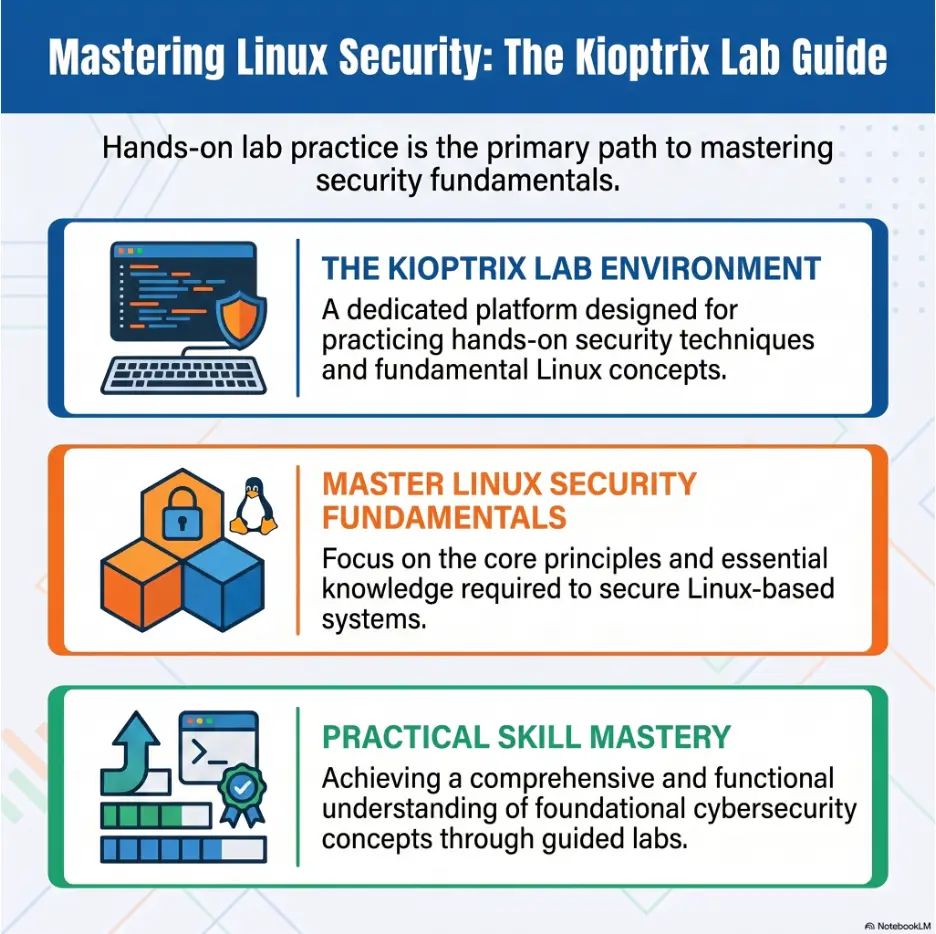
Kioptrix is useful because it is intentionally vulnerable. That same quality also means it belongs in a controlled, local practice environment, not on the open internet, not on a work network, and not near systems you do not own or have permission to test.
Think of it as a training stove. It is meant to teach heat, timing, and caution. You do not install the stove in a paper closet and then act surprised when the room gets spicy.
Safety / Disclaimer Block
This guide is for legal, educational practice inside intentionally vulnerable lab machines you own or are clearly authorized to use. Do not scan, test, probe, attack, or experiment against real websites, company systems, school networks, home routers you do not control, public IPs, or any system without written permission. When in doubt, stop and use a local virtual lab.
The clean boundary that keeps learning legal
The safest boundary is simple: your attacker VM, your vulnerable VM, your private virtual network, your notes. When the target is a downloaded vulnerable machine designed for practice, the lesson stays contained. When the target is a random server you found online, the lesson can become a legal problem with a very unfun soundtrack.
Beginners sometimes blur this line because scanning feels passive. It is not. Even simple network probing can be unwanted activity on systems you do not own. In professional security work, permission and scope are not decorative paperwork. They are the fence around the work.
Why vulnerable machines should stay off the internet
Kioptrix machines are old on purpose. They may expose services, versions, and configurations that would be unacceptable on a production network. If you bridge a vulnerable VM directly to a network you do not control, you may accidentally create a tiny museum of bad ideas with a welcome mat.
The right home is usually a host-only or isolated virtual network. Your attacker VM can talk to the target. Your personal files, printer, smart TV, work laptop, and neighbor’s universe do not need an invitation.
The beginner rule: never practice on surprises
If you do not know what a target is, do not treat it as your lab. If you do not know who owns it, do not touch it. If you cannot explain the permission clearly in one sentence, pause.
A good sentence sounds like this: “I am testing a Kioptrix VM I imported into VirtualBox on my own laptop, connected to a host-only network with my Kali VM.” That sentence has ownership, scope, and boundaries. It has clean shoes.
Key takeaway
Kioptrix is safest and most useful when it stays inside an isolated, authorized lab. Good security learning begins with boundaries before commands.
Why Kioptrix Works So Well for Linux Beginners
Many Linux tutorials teach commands in tidy little rooms. Kioptrix throws those commands into a house where something is leaking, a service is humming, and a door is open for reasons nobody wrote on a sticky note. That is where beginners often start learning for real.
For a new Linux learner, Kioptrix is valuable because it turns abstract ideas into visible consequences. Permissions are not just letters. Services are not just things in a list. Logs are not just dusty files. They become clues.
It teaches Linux by making the system talk back
When you run a command in a normal tutorial, the expected output is often already shown. In Kioptrix, you have to ask better questions. Where am I? What is running? Which port is open? What user am I? What permissions do I have? What changed after I tried that?
That feedback loop is powerful. The machine answers with output, errors, blank pages, banners, refusal messages, weird service names, and occasionally silence. A beginner learns that silence is also information. The server’s poker face has tells.
Security basics become less abstract when you can touch them
Terms like attack surface, enumeration, privilege escalation, and vulnerable service can sound theatrical until you meet them in a small lab. Then they become practical. An open service is something you can identify. A weak configuration is something you can describe. A fix is something you can imagine from the administrator’s chair.
This matters for beginners because security is not only about tools. It is about systems behaving in ways people forgot to question. Kioptrix lets you practice that questioning without making real people’s systems your chalkboard.
The quiet skill hiding underneath every level
The quiet skill is documentation. Beginners often think the real skill is finding the one magical command. But in Kioptrix, your best teacher may be the notebook that shows what you tried, what failed, what changed, and what you misunderstood.
Good notes turn a lucky win into a repeatable process. They also make you sound more credible in interviews, study groups, and portfolio write-ups. “I ran a tool and got root” is thin soup. “I identified exposed services, compared versions, tested one hypothesis at a time, confirmed the weakness, and documented how to prevent it” has actual bones.
| Beginner Question | What Kioptrix Teaches | Linux Skill Behind It |
|---|---|---|
| Why can I reach this service? | Open ports and service exposure | Networking, listening services, firewall thinking |
| Why did this command fail? | Errors as clues, not walls | Shell syntax, permissions, paths, environment |
| Why is this old version risky? | Vulnerable software and patching | Package awareness, version checking, admin hygiene |
| Why is user access not enough? | Privilege separation | Users, groups, file permissions, SUID concepts |
For a wider path through the series, a beginner can later compare this approach with a dedicated Kioptrix levels guide or a Kioptrix learning path. Those internal routes become more useful once the basic mindset is already in place.
Build the Safe Practice Box Before You Touch a Scan
A good Kioptrix session begins before the first scan. The setup is not administrative fluff. It is the first security lesson. You are deciding what can talk to what, what can break safely, and how quickly you can recover when your experiment turns into digital soup.
Your lab does not have to be expensive. A modest laptop, a hypervisor, one attacker VM, one vulnerable VM, and a note-taking system can carry you far. The important part is containment.
Use a local virtual lab, not the open internet
Common choices include VirtualBox, VMware Workstation Pro, VMware Fusion, or another local virtualization tool compatible with the lab image and host CPU architecture. The attacker machine is often Kali Linux, but the attacker VM is only a workstation. The vulnerable machine is Kioptrix. The network mode determines who can see whom.
For many learners, a host-only network is the cleanest starting point. It lets the VMs talk to the host and each other while keeping the lab away from the wider internet. NAT can be useful for updates, but it should be used thoughtfully. Bridged networking deserves extra caution because it places the VM on the same network as other devices.
Safe lab setup checklist
- Use only downloaded vulnerable VMs made for legal practice.
- Create a separate attacker VM, such as Kali, inside the same lab.
- Prefer host-only or isolated networking for the vulnerable target.
- Do not expose Kioptrix to a public IP address.
- Keep personal files outside shared folders used by lab machines.
- Create a snapshot before every serious experiment.
- Label your VMs clearly so you do not confuse lab targets with real systems.
Snapshot first, experiment second
A snapshot is a small mercy you give your future self. Before you change settings, test a path, alter a file, or push the machine into a weird state, save a clean point you can return to.
Beginners often skip snapshots because they want to start the “real” work. Then something breaks. The IP changes. A service stops. The VM refuses to boot. The learner spends an hour repairing the floorboards instead of studying the house. Snapshot first. Your future self will send a thank-you note written in clean boot logs.
Keep your personal machine out of the blast radius
Do not casually share your desktop, downloads folder, password vault exports, browser profile, or work documents with vulnerable lab machines. Shared folders are convenient, but convenience is often the velvet rope that lets risk into the party.
Use a simple transfer folder if needed, and keep it empty except for files required for the lab. Better yet, learn clean copy-and-paste, terminal logging, and screenshot storage habits that do not require exposing personal data to a training target.
For network-mode decisions, the internal guide on VirtualBox NAT, host-only, and bridged networking is a useful next read once you are choosing a lab layout.
Linux Basics That Make Kioptrix Less Confusing
You do not need to be a Linux wizard before touching Kioptrix. You do need enough Linux to avoid wandering through the terminal with a candle and a soup spoon.
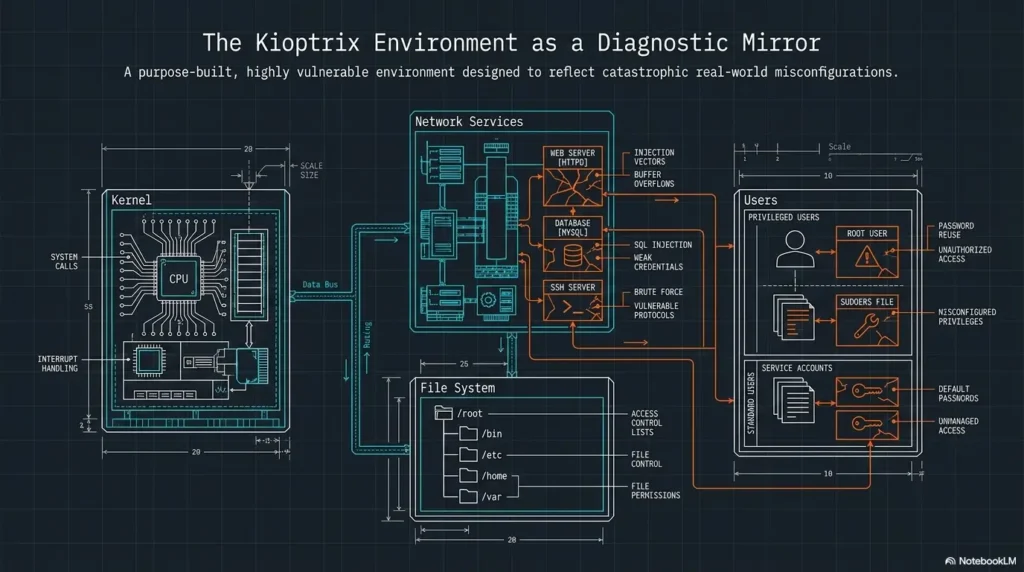
The beginner goal is not memorizing every command. It is understanding the small set of concepts that keep appearing: location, permissions, processes, services, files, users, logs, and network listening.
Navigation: where you are matters more than you think
Linux beginners often lose track of their current directory. That sounds tiny until a command fails because the file is not where you think it is, or you accidentally write output into the wrong folder.
Know how to use basic navigation commands, list files, view hidden files, print your working directory, move between directories, and understand absolute versus relative paths. These are not glamorous. Neither are shoelaces, until you trip.
Permissions: the tiny letters that control the kingdom
Permissions are the little letters that decide who can read, write, or execute something. In a security lab, they matter constantly. A file may be readable by one user and protected from another. A script may fail because it is not executable. A misconfigured permission may explain why one account can do more than it should.
Beginners should know users, groups, ownership, read/write/execute permissions, and why running everything as root is bad practice. Root is powerful, but using it casually is like opening a pickle jar with a chainsaw.
Processes and services: what is running, listening, waiting
A Linux machine is not just files. It is also running processes and services. Some listen on network ports. Some run in the background. Some start automatically. Some are old, chatty, and full of clues.
In Kioptrix, you will often begin by discovering what services are exposed. Later, if you gain access inside the machine, you may compare external findings with what the system is actually running. That comparison teaches both security and administration.
Logs: the breadcrumbs beginners forget to read
Logs are not always necessary to solve a beginner lab, but learning to respect them early is a serious advantage. Logs can show authentication attempts, service behavior, errors, and timing. They also teach defensive thinking because administrators rely on logs to understand what happened.
When you practice, ask: “If I were defending this system, where would I expect my activity to appear?” That question turns a simple lab into a bridge between offensive curiosity and practical operations.
Linux readiness scorecard
- Green: You can move around directories, read files, understand basic permissions, and capture terminal output.
- Yellow: You know a few commands but often copy without understanding paths, flags, or error messages.
- Red: You are not yet comfortable opening a terminal, reading file listings, or telling which user you are.
If you are yellow, Kioptrix can still help. If you are red, spend a few sessions on Linux basics first, then return with steadier hands.
A Kioptrix Learning Path That Does Not Melt Your Brain
The most common beginner mistake is trying to finish a Kioptrix level as fast as possible. That turns the lab into a race against a walkthrough. It also trains the wrong muscle.
A better path is slower and cleaner: observe, record, question, test, explain, reproduce. That rhythm builds skill you can carry to other labs, help desk work, junior security tasks, and future certification practice.
Start with observation before exploitation
Before you try anything dramatic, map what exists. What IP does the target have? What ports are open? What services respond? What versions appear? What pages, banners, shares, or hints can you see without forcing anything?
Observation prevents random tool fireworks. A beginner who observes first learns to choose the next step because the evidence points there, not because a tutorial used the same command on a different machine.
Write down every command, even the obvious ones
Write the command, the reason you ran it, the important result, and what you plan to try next. Do this even when the command feels too simple to document.
The obvious commands are often the ones you need to repeat later. Your notes should let you rebuild the route without trusting memory. Memory is a charming liar after dinner.
Turn each clue into a question
A beginner sees an open service and thinks, “What tool do I use?” A better learner asks, “What is this service, what version is it, what is it supposed to do, what should be exposed, and what would an administrator check?”
Questions slow you down in the best way. They keep your session from turning into command confetti. They also help you notice when one clue connects to another.
Do not rush the root shell
Root access is exciting the first time. It is also easy to misunderstand. If you cannot explain how you got there, what weakness allowed it, and how the weakness could be fixed, you have finished the level but not the lesson.
For a beginner, the win is not the shell. The win is the explanation. The shell is the bell at the end of class, not the whole education.
Key takeaway
A strong Kioptrix path is evidence first, action second. If you cannot explain why you ran a command, pause and turn the clue into a question.
Kioptrix Beginner Flow
1. Isolate
Keep the lab local and authorized.
2. Map
Find IP, ports, and services.
3. Investigate
Read banners, pages, files, and clues.
4. Test
Try one safe hypothesis at a time.
5. Explain
Document the weakness and the fix.
Enumeration Is the Boring Skill That Keeps Winning
Enumeration is the disciplined act of discovering what a system exposes before choosing what to test. It can feel slow at first. Then, one day, you realize almost every good move comes from enumeration, and the boring shelf becomes the treasure shelf.
In Kioptrix, enumeration often starts with network discovery and service identification. But it does not end there. You may enumerate web paths, service banners, shares, users, file permissions, running processes, and local system details after access.
Find open ports without guessing
Open ports are not trophies. They are doors with labels, and sometimes the labels are smudged. Beginners should learn what common ports often represent, but they should also confirm instead of guessing. Port numbers can lie by habit. Services can run where you do not expect them.
The safe beginner approach is to identify what is open, then identify what is actually responding. A port list by itself is a grocery receipt. You still need to know what meal you are making.
Identify services before choosing tools
A tool should answer a question. It should not replace the question. If a web service is exposed, you may inspect pages, headers, directories, technologies, and application behavior. If SMB appears, you may investigate shares and access behavior. If a database port appears, you ask whether it is reachable, restricted, or meaningful in the lab context.
That order matters. Tool-first learning becomes brittle. Question-first learning travels well.
Compare what you see with what Linux is running
If you later gain a shell inside the VM, compare your external notes with local evidence. What processes are running? Which services are listening? Which configuration files explain what you saw from the outside?
This comparison is golden for Linux beginners. It teaches that a scan result is not a magic prophecy. It is an outside view. The local system view can confirm, correct, or deepen it.
Show me the nerdy details
Enumeration has layers. The first layer asks, “What hosts are alive?” The second asks, “What ports are open?” The third asks, “What services and versions are behind those ports?” The fourth asks, “What does each service reveal through normal interaction?” The fifth asks, “If I gain access, what does the local system confirm?”
Beginners often jump from layer two to exploit searching. That is where confusion blooms. Better enumeration collects enough evidence to make the next test reasonable. In real security work, this also reduces noise, false assumptions, and accidental harm.
If you want a dedicated routine after this article, a focused fast enumeration routine for any VM can help you build muscle memory without turning every session into a scavenger storm.
Beginner Mistakes That Turn Kioptrix Into Static
Kioptrix is forgiving, but it does not reward panic. Most beginner frustration comes from a small set of habits: copying without understanding, ignoring errors, skipping Linux basics, changing too much at once, and treating screenshots as proof of learning.
The good news is that these habits are fixable. You do not need a personality transplant. You need a slower loop.
Mistake: copying walkthrough commands without knowing why
Walkthroughs are useful after you have tried honestly, but they can become junk food for the learning brain. Copying a command may finish a step without teaching the step.
When you read a walkthrough, pause before each command and write what you think it does. After running it, compare your prediction with the output. That one habit turns passive copying into active study.
Mistake: treating error messages like dead ends
Error messages are often grumpy teachers. They may tell you that a file is missing, a permission is wrong, a service is unreachable, a syntax flag is invalid, or your assumption is crooked.
Instead of muttering dark poetry at the terminal, copy the error into your notes. Ask what category it belongs to: path, permission, network, syntax, authentication, dependency, or version mismatch. The category usually points to the next sane step.
Mistake: skipping basic Linux because “security is cooler”
Security is cooler when Linux makes sense. Without the basics, every issue feels like a secret. With the basics, many “mysteries” become ordinary system behavior wearing a dramatic coat.
If you keep getting stuck on paths, permissions, file editing, shell quoting, or process listings, the answer is not another exploit video. The answer is a focused Linux practice session.
Mistake: breaking the lab and not knowing what changed
Changing five things at once is how beginners create fog. If the lab stops working, you do not know which change mattered. This is why snapshots and notes are not optional decoration.
Before major changes, write the current state. After each change, write the result. If something breaks, preserve notes, screenshots, and scan output outside the VM before rolling back to a known-clean snapshot or reversing the last change.
Key takeaway
The beginner’s biggest upgrade is not a new tool. It is the habit of changing one thing, writing it down, and understanding the result before moving on.
| Unsafe Habit | Why It Hurts Learning | Better Habit |
|---|---|---|
| Running commands from random pages | You may not know what the command changes | Read the command, test only in your lab, document the effect |
| Practicing on real systems | It may be unauthorized and harmful | Use only owned or authorized lab targets |
| Saving only screenshots | Screenshots rarely explain your reasoning | Pair screenshots with commands, timestamps, and plain-English notes |
| Chasing root immediately | You skip the core lesson | Explain each step before moving to the next |
A Beginner-Friendly Study Routine for Busy Adults
Not everyone has a quiet weekend and a monk-like attention span. Many learners study after work, between family responsibilities, before class, or during the small hour when the apartment finally stops asking questions.
Kioptrix works well when broken into short, repeatable sessions. A two-hour block is nice, but a clean 30-minute session with notes beats a chaotic four-hour spiral.
First pass: map the machine
In your first session, do not try to solve the machine. Find the target IP, identify exposed ports, capture service versions, and write a short summary of what you see.
Your goal is a simple map. At the end, you should be able to say, “This machine appears to expose these services, and these two look most interesting because…” That sentence is progress.
Second pass: explain each finding in plain English
In the next session, choose one finding and explain it like you are writing for a junior help desk teammate. What is the service? What does it normally do? Why might it matter? What would an administrator check?
This is where beginners become stronger. Plain-English explanation exposes fuzzy thinking. If you cannot explain the service without copying a definition, spend a few minutes learning the service itself.
Third pass: reproduce without the walkthrough
If you used hints or a walkthrough, close it and reproduce the path from your own notes. This is the difference between recognition and recall. Recognition says, “That looks familiar.” Recall says, “I can rebuild it.”
Recall is what matters in real troubleshooting, interviews, certification labs, and client work. Your notes should function like a map, not a museum plaque.
Final pass: write a short postmortem like a real analyst
A postmortem does not need to be fancy. Write what the system exposed, what weakness mattered, how you confirmed it, what impact it had in the lab, and how an administrator would reduce the risk.
This habit is especially useful for help desk workers and career switchers. It lets you talk about security without pretending to be a movie hacker in a hoodie made of thunder.
30-minute Kioptrix session template
- 3 minutes: Open your notes, confirm lab isolation, start VMs.
- 7 minutes: Review the last session and choose one question.
- 15 minutes: Test one hypothesis or investigate one service.
- 3 minutes: Record output, errors, and what changed.
- 2 minutes: Write the next question for your future self.
Short Story: The Help Desk Worker Who Stopped Chasing Root
Maya worked help desk during the day and studied Linux at night with coffee that tasted faintly like printer toner. Her first Kioptrix attempt was pure speed. She copied commands, got lost, broke her VM, and ended the evening with twelve screenshots and no idea what any of them meant.
The next night, she changed the game. One service. One question. One page of notes. She wrote what she expected before running a command and what actually happened after.
By Friday, she still had not finished the level. But she could explain open ports, service banners, and why one outdated service mattered. At work, a server ticket suddenly looked less like smoke and more like a system with clues.
That was the lesson. Root access was exciting. But her real progress was learning how to look, think, and write clearly.
For more structure, you can pair this routine with a 30-day Kioptrix practice routine or a shorter after-work practice plan.
Tools, Notes, and Lab Habits That Save Your Future Self
Tools matter, but beginners often overcollect them. The better question is not “How many tools can I install?” It is “What question am I trying to answer, and what tool answers it cleanly?”
In early Kioptrix practice, your toolset can stay small. Network scanning, service checking, web inspection, shell basics, note-taking, and screenshots are enough to learn a great deal.
Network scanning tools for discovery
Network discovery tools help you find live hosts, open ports, and service details inside your lab. The beginner danger is treating scan output as a final answer. It is not final. It is a set of leads.
Save scan outputs in a folder for the target. Give files meaningful names. Add a short note explaining why each scan was run. A messy desktop full of “scan-final-final2.txt” is how evidence goes to retire in sadness.
Linux shell commands for investigation
Basic shell commands are your everyday utensils. You need to view files, search text, check users, inspect permissions, follow paths, and understand command output. The shell is not just a launcher for security tools. It is the room where most of the learning happens.
As you practice, write down command patterns in your own words. Do not only save finished commands. Save why you chose them.
Web and service checks for clues
Many beginner labs expose web services, older application stacks, or service banners. Your job is to inspect patiently. Look at page content, headers, directories, default files, visible technologies, and error behavior. Do not assume the first page is the whole application.
For web-focused practice, later articles such as Kioptrix HTTP enumeration and vulnerable web app structure can deepen that part of your process.
Note-taking tools that save your future self
Use whatever note system you will actually maintain: Obsidian, Joplin, a plain Markdown folder, a text file, or a carefully named document. The best tool is the one that opens quickly and does not make you perform a tiny software ceremony before writing a sentence.
Your notes should separate raw output from interpretation. Raw output is what the machine said. Interpretation is what you think it means. Mixing them too early can lead to confident nonsense in a crisp font.
Key takeaway
A beginner toolset should stay small and question-driven. The strongest upgrade is a note system that captures commands, reasons, results, errors, and lessons learned.
| Note Field | What to Write | Why It Helps |
|---|---|---|
| Target | VM name, IP address, network mode, date | Keeps evidence organized |
| Question | The reason for the next command or check | Prevents random testing |
| Command | Exact command or action taken | Supports reproduction |
| Result | Important output, not every noisy line | Highlights useful evidence |
| Interpretation | What you think the result means | Separates facts from assumptions |
| Fix idea | How an admin might reduce the risk | Builds defensive thinking |
When to Seek Help or Stop the Session
Knowing when to stop is part of learning. A tired beginner with a terminal can create more confusion in ten minutes than a calm beginner can untangle in an hour.
Stopping does not mean failing. It means protecting the learning process. The lab will still be there after water, sleep, a walk, or a clean reread of your notes.
Stop if you are no longer inside the lab boundary
If you realize your scan touched something outside your intended lab, stop immediately. Review your network configuration, confirm target IPs, and correct the setup before continuing. Do not shrug and keep going.
Lab discipline is part of security maturity. A careful beginner is already ahead of the reckless one, even if the reckless one knows more flags.
Seek help when your notes show the same loop three times
If you have repeated the same test three times without new information, ask for a hint, read a carefully chosen walkthrough section, or discuss the blocker with a study group. The key is to ask a specific question.
Bad help request: “I am stuck.” Better help request: “I found these open services, checked these pages, confirmed this version, and I do not know whether to investigate the web app or SMB next.” Specific questions invite useful help.
Pause when you are typing commands you cannot explain
Not every command must be fully understood at expert depth, but you should know the purpose, target, and expected effect. If you are about to run something because a stranger on a forum said it worked, slow down.
In a lab, the stakes are lower, but the habit matters. Professional security work punishes blind execution. Kioptrix is a safe place to replace blind execution with careful reasoning.
Stop when fatigue turns curiosity into noise
Frustration narrows your vision. You stop reading output. You rerun old commands. You rename files badly. You forget which snapshot is clean. The lab becomes static.
End the session with one sentence: “Next time, I will investigate…” That sentence is a bookmark in the fog.
Stop-or-continue decision table
- Continue if you have a clear target, clear permission, and one testable question.
- Pause if you are repeating commands without learning anything new.
- Reset if the VM state is unclear and you have a clean snapshot.
- Stop if your activity may be outside your authorized lab.
- Ask for help if your notes clearly show what you tried and where the blocker starts.
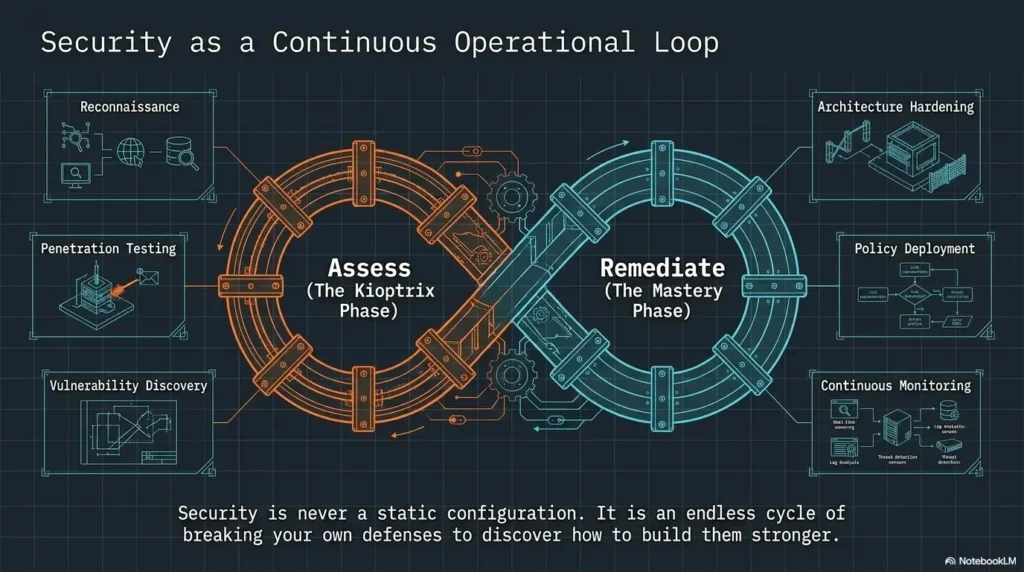
FAQ
Is Kioptrix good for complete Linux beginners?
Kioptrix can work for complete beginners if they treat it as a Linux learning lab, not a race. You should be comfortable opening a terminal, moving through directories, reading command output, and taking notes. If those basics still feel strange, spend a few sessions on Linux fundamentals first.
Which Kioptrix level should beginners start with?
Most beginners should start with the earliest Kioptrix level available in the series and avoid jumping around. The earlier levels help build a foundation in discovery, service identification, web clues, and privilege awareness. A beginner-focused overview such as Kioptrix for beginners can help you choose a gentle entry point.
Do I need Kali Linux to practice Kioptrix?
You do not strictly need Kali, but it is common because many security learning tools are already included. Beginners can use Kali as the attacker VM while remembering that tools are only useful when paired with questions, notes, and safe lab boundaries.
Is Kioptrix legal to use?
Kioptrix is meant for legal practice when used as an intentionally vulnerable lab machine in an environment you control. The legal risk appears when learners test systems they do not own or do not have permission to assess. Keep your practice local, isolated, and authorized.
How much Linux should I know before trying Kioptrix?
You should know basic navigation, file viewing, permissions, users, processes, services, and how to save terminal output. You do not need expert knowledge. Kioptrix can teach a lot of Linux, but only if you slow down enough to notice what the system is showing you.
What should I do when I get stuck on Kioptrix?
Review your notes, summarize what you know, and write one specific question. If you have tried the same loop several times, read only the smallest hint you need. Then close the walkthrough and reproduce the step in your own words.
Can Kioptrix help me prepare for cybersecurity jobs?
Yes, if you document your process and connect findings to defensive fixes. Kioptrix alone will not make you job-ready, but it can help you practice Linux, structured thinking, technical writing, and safe lab habits that matter in junior IT and security roles.
Should I read walkthroughs while learning Kioptrix?
Use walkthroughs as hints after honest effort, not as steering wheels from the beginning. When you do read one, pause at each step, explain why it works, and reproduce the result from your own notes afterward.
Key takeaway
Kioptrix helps beginners most when it becomes a repeatable learning loop: safe setup, careful enumeration, plain-English explanation, and documented defensive lessons.
Your Next 15 Minutes: Build One Safe Lab Note
The calmest way to begin Kioptrix is not to solve anything today. It is to prepare one safe note that makes tomorrow easier. That small act closes the loop: you came here looking for a beginner-friendly path, and the path starts with a clean page, not a heroic command.
Open your note tool and create a new page called “Kioptrix Session 01.” Add the target name, lab network mode, date, goal, and a blank section for commands, findings, errors, and lessons. Then write one sentence: “Today I will confirm the lab is isolated and identify the target machine.”
That is enough for the first 15 minutes. Not root. Not glory. Not a wall of copied commands. Just a safe lab, a clear boundary, and one honest question. Security learning grows well in that kind of soil.
One-page note template
- Target: Kioptrix level, VM name, target IP
- Lab boundary: Hypervisor, network mode, attacker VM
- Session goal: One sentence only
- Commands: Exact command plus reason
- Findings: Ports, services, clues, pages, files
- Errors: Message, likely category, next check
- Lesson learned: What you understand now that you did not understand before
- Defensive fix: How an administrator would reduce the weakness
Last reviewed: 2026-06
Technical guidance updated: 2026-10-13. Updated hypervisor guidance, clarified evidence preservation before rollback, and repaired table-of-contents links.