
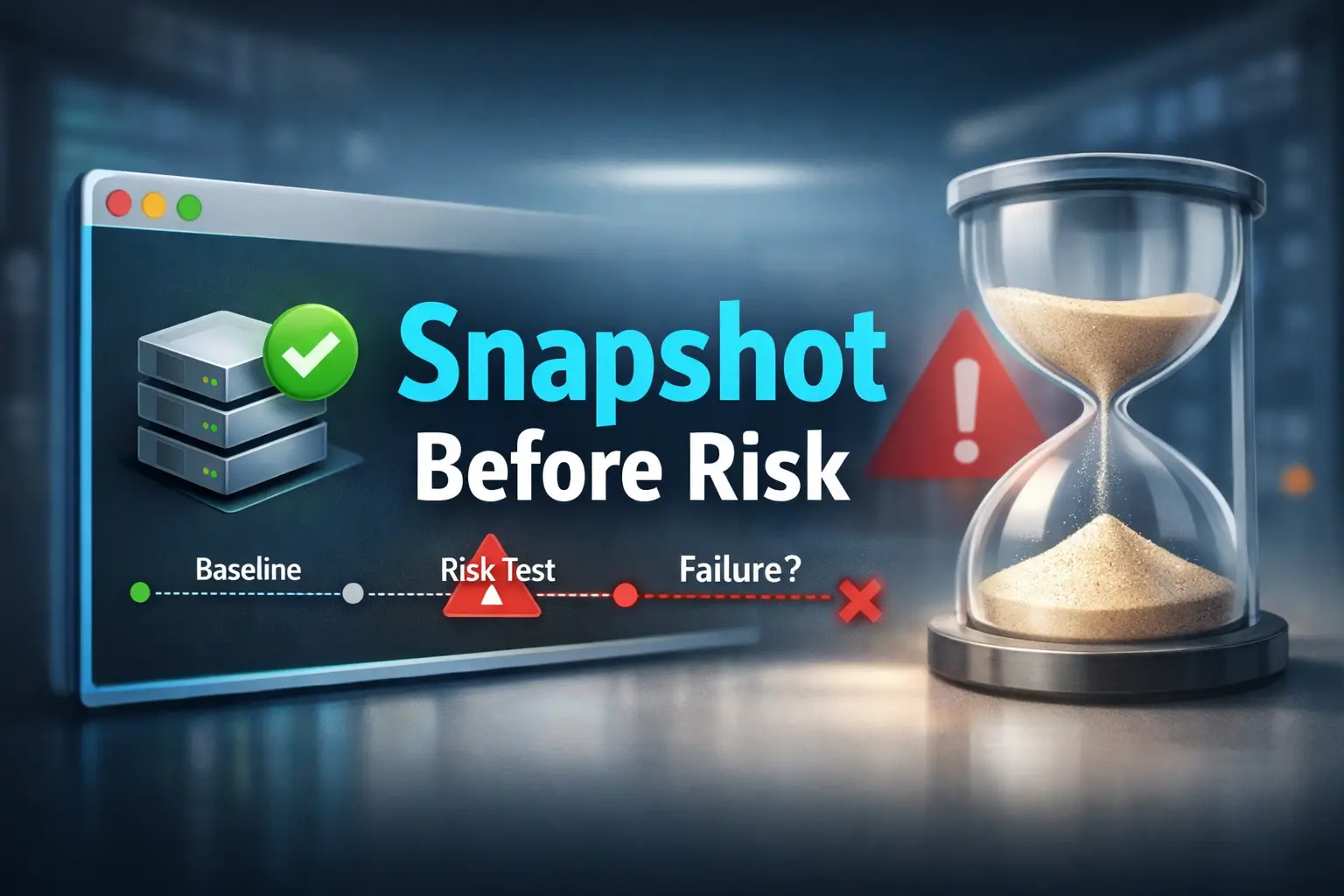

Mastering the Baseline:
Precision Snapshot Strategies for Fragile Labs
A fragile lab can go from a “clean baseline” to interpretive fog in a single impatient step. This is especially true with a Kioptrix snapshot strategy, where the real risk isn’t a dramatic crash, it’s the quieter failure where services answer inconsistently, leaving you unable to tell if the issue lies in the target, the hypervisor, or your own sequence.
This kind of drift erodes evidence and turns training into an archaeological dig through bad assumptions. The fix? A repeatable VM snapshot method built for VirtualBox, VMware, and legacy-lab workflows. With the right rollback logic and naming rules, you can test risky steps without sacrificing reproducibility.
BECAUSE A REBOOT IS NOT A BASELINE.
AND A VAGUE RESTORE POINT IS NOT A RECOVERY PLAN.
Protect the lesson, not just the machine.
Table of Contents
In a Kioptrix-style lab, the smartest move before any risky testing is usually not a louder scan or a faster exploit attempt. It is a snapshot strategy. A clean virtual machine snapshot gives you a rollback point, protects your learning sequence, and lets you test fragile legacy behavior without turning one mistake into a full rebuild. On old targets, snapshots are not optional hygiene. They are part of the methodology.

Start Here First: Who This Is For / Not For
This guide is for readers working in authorized labs such as Kioptrix-style environments, using VirtualBox, VMware, or a similar VM platform, and trying to test old services without losing the state that made the lesson possible. If you care about repeatability, clean evidence, and the ability to rewind without guessing, you are in the right room.
It is also for beginners who keep running into a familiar little tragedy: the lab “sort of” works, then stops behaving the same way, and nobody can tell whether the cause was the target, the tool, the timing, or the operator. I have watched learners lose an hour to that fog. I have done it myself. It feels less like testing and more like chasing a raccoon through a server closet. If that emotional weather sounds familiar, first-lab anxiety in Kioptrix environments is more common than most people admit.
Who this is for readers who…
- Are working in authorized labs such as Kioptrix-style environments
- Use VirtualBox, VMware, or similar VM platforms
- Want to test legacy services, web flaws, or enumeration paths without losing the lab state
- Care about repeatability, clean evidence, and fast recovery
Who this is not for readers who…
- Are testing systems they do not own or lack permission to assess
- Want offensive shortcuts without documenting what changed
- Assume a fragile legacy VM will always survive “just one quick test”
The entire framing here is lab-only, defensive, and evidence-first. That matters because good snapshot discipline is not about becoming more aggressive. It is about becoming more accountable. NIST’s virtualization guidance has long treated virtualization as a security and operational discipline, not just a convenience layer, and the official VirtualBox and VMware documentation both describe snapshots as preserving VM state at a moment in time. In practice, that means your best learning tool is not the snapshot itself. It is the decision to create one before ambiguity multiplies.
- A clean state lets you compare cause and effect
- A rollback point reduces panic after risky tests
- Good notes turn snapshots into evidence, not superstition
Apply in 60 seconds: Decide now which VM platform you use and where its snapshot panel lives, before you need it under pressure.
Snapshot First: Why Kioptrix Changes the Usual Advice
On modern systems, people often get away with a sloppier rhythm. Reboot the VM. Restart the service. Pretend the last twenty minutes never happened. A lot of current software is designed with more guardrails, better defaults, and fewer brittle assumptions. Kioptrix-style targets come from a different climate. They often contain legacy services, older web stacks, and strange little timing sensitivities that make “I’ll just test one more thing” sound brave right before it becomes expensive.
Old lab targets break in surprisingly small ways. Legacy services can hang, corrupt, or stop responding after aggressive interaction. A single misstep can blur whether the issue came from the target, the tool, or the test order. Recovery without a snapshot often means rebuilding context, not just rebooting. That distinction is the whole game. A machine that boots again is not necessarily the same experiment.
Old lab targets break in surprisingly small ways
- Legacy services can hang, corrupt, or stop responding after aggressive interaction
- A single misstep can blur whether the issue came from the target, the tool, or the test order
- Recovery without a snapshot often means rebuilding context, not just rebooting
The real asset is not the VM, it is the learning state
- Your notes, timing, observed behavior, and test sequence form the real experiment
- A snapshot preserves the exact moment before signal turns into noise
- On brittle boxes, state control is part of skill, not a bonus feature
I once watched a learner spend forty minutes “debugging” a problem that turned out to be self-inflicted drift. The target still responded. The services were still there. But the behavior had shifted just enough that every next step felt wrong. That is the danger zone. Not dramatic failure. Quiet unreliability. The box is alive, but the truth is blurry.
Oracle’s VirtualBox manual describes snapshots as a way to move back and forward in virtual machine time. VMware’s documentation says much the same in plainer clothes: preserve the state of the VM at a specific moment. Those are simple definitions, but in a lab context they carry a profound implication. Time itself becomes part of your methodology.
| Situation | Better move | Why |
|---|---|---|
| Just verified boot and connectivity | Take a baseline snapshot | You preserve the last known-good calm state |
| Service already acting strangely | Do not snapshot yet | You might preserve broken ambiguity |
| About to run fuzzing, auth tests, or exploit validation | Take a pre-risk snapshot | You want a precise rollback boundary |
Neutral next action: Decide whether your next lab action changes observation only, or changes state. Snapshot before the second category.

Before You Touch Anything: Define the Rollback Moment
The best snapshot is not the one you remember to take after you feel nervous. It is the one you planned before curiosity took the wheel. In a Kioptrix-style workflow, that means choosing the last known-good state and naming it as a real boundary, not a vague hope.
Choose the last known-good state
- Create a baseline snapshot after confirming the lab boots normally
- Record network mode, IP state, credentials, and visible services
- Save the point before running intrusive checks, brute-force attempts, or exploit validation
Separate “bootable” from “test-ready”
- A VM that merely boots is not always ready for clean testing
- Confirm the target responds the way the walkthrough or your own notes expect
- Snapshot only after the environment is calm, reachable, and consistent
That last line matters more than most beginners expect. I have seen people take a “clean” snapshot while the web app was already timing out intermittently. Technically, yes, they captured a moment in time. Practically, they bottled confusion. A restore point is only as good as the state it preserves.
So define your rollback moment like a cautious operator, not a gambler. Ask:
- Can the target answer basic pings or whatever minimal connectivity check is normal for this lab?
- Do the services I expect actually respond?
- Is the networking mode what I intend, such as NAT, host-only, or bridged?
- Can I reproduce the visible starting conditions from my notes?
If those answers are stable, you have a real candidate for a baseline. If not, do not photograph the storm and call it blue sky. For readers still sorting out the difference between networking modes, this guide to VirtualBox NAT, host-only, and bridged networking fits naturally into the checkpoint logic here.
Show me the nerdy details
On most desktop hypervisors, a snapshot preserves some combination of virtual disk state and optionally memory state, depending on platform and settings. That is useful, but it also means snapshots are not magic backups. They are point-in-time state markers that can become confusing if you pile them up without discipline. The more your workflow depends on comparison, the more important it becomes to know whether your snapshot represents disk only, disk plus memory, and whether network conditions were stable when you took it.
- Wait for the target to become reachable and consistent
- Record enough environment detail to recognize drift later
- Baseline after calm, not during chaos
Apply in 60 seconds: Write one sentence in your notes: “My baseline is valid only if IP, services, and network mode match this state.”
Risk Buckets First: Not Every Test Deserves the Same Snapshot Plan
One reason people either oversnapshot or undersnapshot is that they treat every action as morally equivalent. It is the operational version of saying a spoon and a chainsaw are both “tools,” which is true in the same way that weather and lightning are both “air.” The better move is to group actions by risk and let that shape your snapshot cadence.
Low-friction actions
- Passive note-taking
- Basic banner grabbing
- Minimal, targeted enumeration with restrained timing
Medium-risk actions
- Web fuzzing against old applications
- Authentication attempts across legacy protocols
- Scripted checks that may trigger unstable behavior
High-risk actions
- Exploit testing
- File upload attempts
- Service crash validation
- Changes that alter configs, credentials, or writable directories
The trick is not to make a snapshot after every keystroke. That leads to snapshot sprawl, disk clutter, and a restore menu that reads like the diary of someone who stopped sleeping. Instead, place checkpoints before meaningful risk transitions. Think in stages, not in paranoia.
For a beginner lab session, a practical pattern often looks like this:
- Baseline after stable boot and connectivity
- Pre-auth-testing snapshot before touching credentials or login workflows
- Pre-exploit snapshot before any step that could alter files, processes, or service stability
- Yes if the step could alter files, credentials, process state, or service availability
- Yes if you would struggle to explain later exactly when drift began
- Yes if repeating the action would be expensive in time or confusion
- No if you are only observing stable conditions with minimal interaction
Neutral next action: Before the next command, label it low-, medium-, or high-risk. Only then decide whether to snapshot.
That classification habit sounds almost boring, which is why it works. The best lab habits often feel underdramatic in the moment and heroic only in hindsight. It also pairs well with a disciplined Kioptrix recon routine, because good rollback logic starts with knowing which steps are merely observational and which ones are likely to disturb the box.
Don’t Just Name It “Snapshot 1”: Use Labels That Save Your Brain Later
Naming is not cosmetic here. A snapshot label is a tiny note from your calmer self to your future, slightly frazzled self. If you ever need to restore under stress, a good name answers three questions immediately: when was this taken, why was it taken, and what risky step comes next?
Good snapshot names answer three questions
- When was this taken?
- Why was it taken?
- What risky step comes next?
Strong naming examples
- Kioptrix-L1-pre-web-enum-clean
- Kioptrix-L1-before-auth-testing
- Kioptrix-L1-pre-exploit-httpd-state
Weak naming examples
- test
- snapshot2
- before stuff
There is a peculiar sadness in opening a snapshot list and seeing names like “ok,” “new,” or “working maybe.” That is not a restore plan. That is a cry for help in lowercase. Good labels compress decision-making. They reduce the number of things you have to remember when something breaks.
A small format helps. You do not need poetry. You need precision.
Target-LabLevel-Stage-State Kioptrix-L1-pre-auth-clean Kioptrix-L1-pre-fuzzing-web-stable Kioptrix-L1-pre-exploit-httpd-okIf you want to go one step further, add the date or a short time marker for longer sessions. Not because timestamps are glamorous, but because memory is a trickster. After two hours, “the snapshot before the weird login thing” can become three different snapshots in your head. The same logic helps when you keep structured evidence in a note-taking system for pentesting rather than in a pile of improvised text files.
Noise Before Failure: Signals You Should Snapshot Again
Most people wait for disaster. The better operators notice drift. Before the box fully breaks, it often starts sending tiny warnings. Nothing cinematic. Just a pattern of mild wrongness. A page loads slower. A service responds once, then not quite the same way again. A port looks open, then filtered, then sullen. This is the part where beginners often keep pushing. “Maybe one more scan.” That instinct is understandable and frequently terrible.
The target feels “slightly off”
- Slower page loads
- Inconsistent service responses
- Strange resets or timeouts that were not present earlier
Your notes stop matching reality
- An endpoint worked ten minutes ago and now behaves differently
- A port appears filtered, then open, then quiet
- You can no longer tell whether the shift came from the lab or your tooling
Here is the quiet truth no one tells beginners soon enough: the best extra snapshot is often the one you take right before confusion begins, not after disaster lands. If the target still seems mostly stable but you feel the experiment becoming hard to interpret, that is often the last safe curve in the road.
I remember a session where an old web service began returning inconsistent headers after some moderate enumeration. Nothing had obviously crashed. That was exactly why it was dangerous. The target was still functional enough to tempt me onward, but not trustworthy enough to anchor conclusions. An extra snapshot at that moment would have preserved the last coherent state. Instead, I kept going and spent the next hour arguing with ghosts. Readers who work heavily with older web stacks often see similar ambiguity in Nikto false positives on older labs, where the box has not exactly failed, but interpretation starts to wobble.
- Drift often arrives before obvious failure
- Inconsistency is a stronger warning than slowness alone
- Preserving the last coherent state beats preserving the wreckage
Apply in 60 seconds: Add one line to your workflow: “If reality stops matching notes, pause and checkpoint.”
Common Mistakes That Turn a Good Lab Into a Mess
Most lab disasters are not caused by lack of talent. They are caused by ordinary habits performed at the wrong time. This is good news because ordinary habits are fixable.
Mistake 1: Testing first and snapshotting later
Once the environment has drifted, the “safe point” is already gone. A later snapshot may preserve the damage, not the baseline. This is the digital equivalent of deciding to buy insurance after the kitchen is already on fire.
Mistake 2: Treating all actions as equal-risk
A banner check and an exploit attempt do not deserve the same rollback discipline. Risk-blind workflows create false confidence because they flatten the difference between observation and change. That difference is the spine of reproducible work. If your early passes already tend to get noisy, these common Kioptrix recon mistakes are worth comparing against your own habits.
Mistake 3: Forgetting the attacker VM matters too
If your tooling, routes, or notes environment changes, reproducibility suffers on both sides. In some cases, snapshotting the attacker VM can preserve cleaner evidence. This is especially true when wordlists, routes, mounts, or helper scripts changed between attempts. A surprising number of “target problems” are really operator-environment drift wearing a fake moustache. That is one reason a stable Kali setup checklist for Kioptrix labs saves more time than it seems to on paper.
Mistake 4: Keeping too many meaningless restore points
Snapshot sprawl makes recovery slower, not smarter. Fewer, well-labeled checkpoints beat a graveyard of vague saves. If you need three minutes to choose the right restore point, you did not create a safety net. You created a museum of your own indecision.
Don’t Do This: The Snapshot Habits That Quietly Sabotage You
- Do not snapshot during active instability
- Do not overwrite your only clean baseline mentally
- Do not confuse revert speed with methodology
If services are already crashing or half-responsive, you may preserve a broken state. Re-establish calm first when possible. And once you start improvising, memory becomes fiction surprisingly fast. Write down which snapshot is the known-good anchor. Fast rollback is useful, but without notes on what happened between snapshots, you are just repeating chaos efficiently.
Use three inputs:
- Average rebuild/reverification time without a snapshot
- Number of risky transitions in a session
- How often one transition causes drift or breakage
Example: if rebuild time is 20 minutes, you have 3 risky transitions, and one goes bad every 2 sessions, snapshots can easily save 30+ minutes over a short practice cycle. More important, they save interpretability, which is the rarer commodity.
Neutral next action: Estimate your own rebuild time honestly once. That number usually changes your discipline faster than advice does.
Evidence Over Heroics: Pair Each Snapshot With Minimal Notes
A snapshot without notes is useful. A snapshot with minimal notes is a method. The note does not need to become a novella. It only needs to preserve the sequence clearly enough that you can reconstruct what changed without replaying guesswork.
Record five things every time
- Snapshot name
- Time taken
- Current IP/network state
- Last completed action
- Next intended risky action
Keep the note format simple
- One short block per snapshot
- Enough detail to reconstruct sequence without replaying guesswork
- Useful for separating target fragility from operator error
Here is the rhythm I like because it survives stress:
[Snapshot] Name: Kioptrix-L1-pre-auth-clean Time: 14:20 Network: Host-only, target 192.168.x.x, web reachable Last action: Verified HTTP and SMB visibility Next risky action: Auth testing against legacy serviceThat is it. No drama. No giant prose block. Just enough scaffolding to let your future self restore with intent. This is also where a lot of real learning happens. Once you start logging “last completed action” and “next risky action,” you begin to notice your own habits. You stop performing randomness with confidence. You become able to say, with dignity, “This breakage started after step three, not step six.”
That single improvement can transform lab work from vibes-based exploration into something far more transferable. When you later write notes, teach a teammate, or compare platforms, you are no longer relying on memory fog and lucky reconstruction. If you want a stronger structure for that habit, an Obsidian host template for OSCP-style note tracking can be adapted surprisingly well to fragile Kioptrix sessions.
- Sequence matters more than volume
- Five fields are enough for strong reconstruction
- Minimal logging protects you from memory drift
Apply in 60 seconds: Create a reusable snapshot note template in your notes app before your next session.
When the Box Breaks Anyway: A Recovery Sequence That Keeps the Lesson
Sometimes the box breaks anyway. That does not mean your workflow failed. It means your workflow finally got a chance to prove its worth. The real test of snapshot discipline is not how pretty the baseline looks. It is what happens when the lab starts limping and your pulse gets a little louder.
Step 1: Stop adding more activity
Extra scans during instability usually deepen ambiguity. Pause before “checking just one more thing.” This is the stage where impatience produces false clues at industrial scale.
Step 2: Compare symptoms to your last clean checkpoint
Was the change immediate or gradual? Did it begin after enumeration, auth attempts, or exploit testing? Compare what the system is doing now to what your last clean checkpoint says it was doing then.
Step 3: Revert with intent
Restore the most relevant clean snapshot. Repeat only the smallest necessary step to confirm the trigger. Do not replay the entire chaotic sequence unless your goal is to audition for a role as your own antagonist.
Step 4: Narrow the cause
Change one variable at a time. Keep tool choice, timing, and target action tightly controlled. A clean restore plus a small repeated step is worth far more than ten speculative retries piled together.
This sequence matters because it preserves the lesson. Without it, the session often collapses into one of two bad endings: either you keep hammering the unstable target until no conclusion is trustworthy, or you restore blindly and learn nothing except that computers are rude. The same principle shows up later in exploitation workflows too, especially when Metasploit finds the target but no session opens and the real problem is separating state drift from a payload or routing issue.
Boot target, confirm network mode, IP, and expected services.
Create one clearly named clean snapshot before medium- or high-risk actions.
Record last action, current state, and next risky step.
Escalate only when the target still behaves like your notes say it should.
When drift appears, stop, compare, restore the best checkpoint, and repeat only one variable.
Short Story: The Snapshot That Saved the Wrong Lesson
Years ago, I watched a student do nearly everything right except one tiny thing that poisoned the whole session. He spun up the lab, confirmed the page loaded, poked around the service list, then noticed a few odd delays. Instead of pausing, he took a snapshot right there because “at least now I have a save point.” Then he started fuzzing. The target became inconsistent fast. He restored. It stayed inconsistent. He restored again. Still weird.
An hour later he had learned not that web fuzzing was dangerous, but that snapshots “didn’t work.” The problem was subtler: he had preserved the box after drift had already begun. The snapshot was real. The baseline was false. Once we rebuilt the lab, waited for a calm starting state, and took one honest baseline, the exact same workflow became clean, teachable, and boring in the best possible way.
The Five-Minute Baseline Workflow You’ll Actually Reuse
All good advice eventually has to survive a Tuesday. So here is a version of the method that fits in five minutes before a practice session and does not require a heroic mood.
Minute 1: Boot and verify calm
Confirm the target is reachable and behaving normally for that lab. Check the network mode. Note the target IP if relevant. Open the expected service or two, just enough to confirm the box is test-ready rather than merely breathing.
Minute 2: Create the baseline snapshot
Name it with purpose. Something like Kioptrix-L1-baseline-clean is infinitely better than new. Your goal is not elegance. Your goal is zero confusion later.
Minute 3: Write the five-line note
Snapshot name, time, network state, last action, next intended risky action. Done. The note should take less time than opening a second browser tab.
Minute 4: Classify the next step
Low, medium, or high risk. If the next action could alter state, plan the next checkpoint now rather than relying on future-you to become disciplined at the moment of temptation.
Minute 5: Begin the session with a real boundary
Now you can test. Not recklessly. Not nervously. Just clearly. That is the strange gift of good preparation: it makes curiosity safer without making it smaller.
- Hypervisor platform and whether memory state is included
- Current network mode and target IP behavior
- Expected “healthy” services for this lab stage
- Last action before instability appeared
- One sentence describing the next risky step
Neutral next action: Keep this list next to your notes so restore decisions stay factual instead of emotional.
If you use VMware Workstation, VMware’s snapshot documentation is a useful refresher for the mechanics. If you use VirtualBox, the official manual remains worth bookmarking because it explains the platform’s snapshot model clearly enough to prevent a lot of folk wisdom from spreading. And if you want the wider security framing, NIST’s virtualization guidance is a sober reminder that virtualized environments still demand sound configuration and recovery thinking. For readers building this habit into a broader beginner process, the next steps after finding the Kioptrix IP and a practical Kioptrix level walkthrough both become much cleaner when you start from a real baseline instead of a hopeful reboot.

FAQ
Do I need a snapshot before basic enumeration on Kioptrix?
A baseline snapshot is usually wise even before “basic” work, because legacy systems can react unpredictably and you may want a clean return point for later comparison.
Should I take one snapshot or several?
Usually several, but not endlessly. A clean baseline plus snapshots before meaningfully riskier steps is a practical middle ground.
Can I rely on rebooting instead of snapshots?
Sometimes rebooting helps, but it does not guarantee a return to the same test state. Snapshots preserve context more reliably.
What kinds of tests are most likely to justify a new snapshot?
Web fuzzing, authentication testing, exploit validation, uploads, service interaction that may alter state, and anything likely to crash or lock a fragile service. In practice, that often includes the transition from restrained recon into deeper HTTP enumeration on Kioptrix or heavier directory discovery workflows.
Is snapshotting overkill in beginner labs?
No. For beginners, snapshots often reduce confusion and speed up learning because mistakes become reversible and easier to isolate.
Should I snapshot the attacker machine too?
Sometimes yes, especially when your tooling, routes, wordlists, or note state matter for reproducing results cleanly.
How often is too often?
If your snapshot list becomes hard to read or you cannot tell why each one exists, you are probably taking too many without enough structure.
What if the target already looks unstable before I begin?
That is a signal to verify the lab state first, restore a known-good point if available, and avoid treating a shaky starting point as normal. When the instability traces back to the lab host rather than the target, issues like VirtualBox host-only networking with no IP can quietly masquerade as target drift.
Next Step: Create One Baseline Before You Get Curious
The promise we opened with was simple: avoid turning one risky step into a full rebuild. By now the answer should feel less mystical and more practical. The fix is not more courage. It is more structure. On fragile targets, snapshots are not a side chore tucked under “setup.” They are how you protect the experiment itself.
Your concrete action is small enough to finish in under 15 minutes. Boot the target. Verify normal connectivity. Confirm the expected services are behaving normally. Create one clearly named clean snapshot before any aggressive enumeration or exploit-adjacent testing. Then write a two-line note describing exactly what that snapshot preserves and what risky step comes next.
That single baseline changes the emotional weather of the whole session. Suddenly, mistakes stop feeling like catastrophe and start feeling like data. Drift becomes visible sooner. Recovery becomes quieter. Your learning loop tightens. You stop treating rollback as an emergency hatch and start using it as a deliberate comparison tool.
And that, quietly, is the real shift. The VM was never the whole asset. The asset was the learning state. The test sequence. The ability to say, with evidence, “this changed here.” Once you protect that, a fragile old lab becomes less of a haunted house and more of a workshop. If you are building toward a fuller process beyond this one article, the wider Kioptrix labs beginner roadmap is a natural next shelf to pull from.
Last reviewed: 2026-03.