Practical case: Choose the first path without an invented score · Editable working note

Sources, review date and section shortcuts
Reviewed: October 19, 2026. After identifying the lab address, verify target identity and define the scope of the first evidence-gathering pass.
Primary documentation · Related practical guide
Go straight to: Decision check · Main workflow · Further detail
Open the Working note: Choose the first path without an invented score for this guide’s task-specific fields and next action.
Keep unknown coverage visible
Record how the address was tied to the intended VM, then preserve scanner version, source, ports, transport and options. A default TCP scan does not examine every TCP port or UDP service. Rank a short list of questions from the actual output and keep raw evidence linked to the note. Neither ping silence nor a service banner establishes the complete host state. Reference and scope.
From Discovery to Clarity: Mastering the Kioptrix Level 1 Entry
After identifying the lab address, verify target identity and define the scope of the first evidence-gathering pass.
Finding the IP in Kioptrix Level 1 is the moment many beginners accidentally waste the next 20 minutes. Not because the lab is especially cruel, but because the first move after discovery often turns into frantic tool-clicking instead of clean, structured enumeration.
In an authorized beginner lab, the real challenge is not “doing more.” It is knowing how to confirm the host, interpret open ports, and choose the first investigation path without drowning in your own output.
“This guide helps you turn that first IP hit into a calm workflow: verify the host, map visible services, rank clues by evidence value, and pick the next step with less confusion.”
- No drama.
- No tool spam.
- No fake momentum.
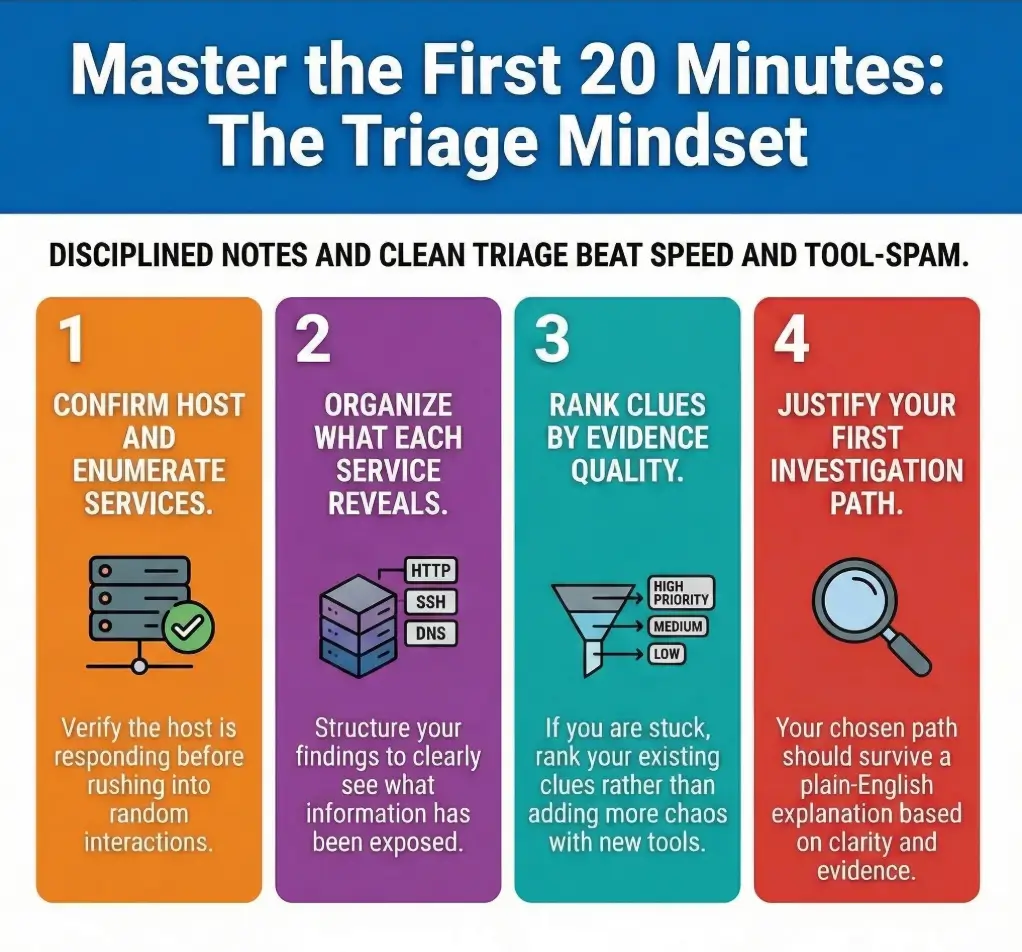
After the IP: Your First Job Is Not Hacking, It Is Orientation
Beginners often treat the target IP like the finish line. It is not. It is the address on the envelope. You still have to read what is inside, decide what matters, and resist the deeply human urge to mistake motion for understanding.
What “next” should mean in a beginner lab
In a beginner lab, “next” should mean reducing uncertainty. That is the whole game. Your first few actions should answer basic questions: Is the host actually responding? Which services are visible? Which of those services give you readable, low-noise clues? Which path seems most promising if you care about learning and not merely flailing with conviction?
Why the IP alone is not yet a useful finding
An IP is a locator, not a narrative. By itself, it tells you almost nothing about the shape of the target. Even on a famous beginner lab, you still need to learn how the machine responds. The Nmap project’s documentation separates host discovery from later scan phases for a reason: first confirm presence, then gather surface information, then move into service interpretation.
The mindset shift: from discovery to structured investigation
The useful mental shift is simple: stop thinking “I found the box” and start thinking “I am building a case file.” That tiny change makes your notes better. It also makes your next decision less theatrical. You do not need a dramatic instinct here. You need a sequence, and a repeatable Kioptrix recon routine helps that sequence become muscle memory.
- Your job is to reduce uncertainty, not maximize activity.
- An IP is only the start of the story.
- Structure early, and later steps become easier to defend in notes.
Apply in 60 seconds: Write one sentence at the top of your notes: “My goal is to rank the target’s visible services by clarity and evidence value.”
- Yes/No: I confirmed the host is actually responding.
- Yes/No: I know which visible services exist.
- Yes/No: I wrote down at least one reason each service might matter.
- Yes/No: I can explain why I will investigate one service before the others.
Neutral next action: If any answer is “No,” stay in orientation mode for one more pass.
Start Small, See More: Confirm the Host Before You Chase Clues
There is a particular beginner superstition that says louder equals smarter. It does not. The calm setup phase is not glamorous, but it keeps your later results interpretable. And in a lab like Kioptrix, interpretable beats exciting every day of the week, including weekends and emotionally complicated holidays.
How to verify the machine is responding the way you expect
What you want here is confidence that the host is live and worth the next round of attention. You are not trying to prove mastery. You are trying to confirm reality. That means using basic, low-noise checks that tell you whether the target is reachable and behaving consistently.
Official Nmap guidance notes that host discovery is broader than a simple ping and exists precisely because different environments respond differently. That matters for beginners because it explains why “no response” and “no host” are not always the same thing. If you have ever been tripped up by that distinction, the difference between Nmap -Pn and -sn is worth understanding before you over-interpret silence.
Why a noisy first move can make later results harder to interpret
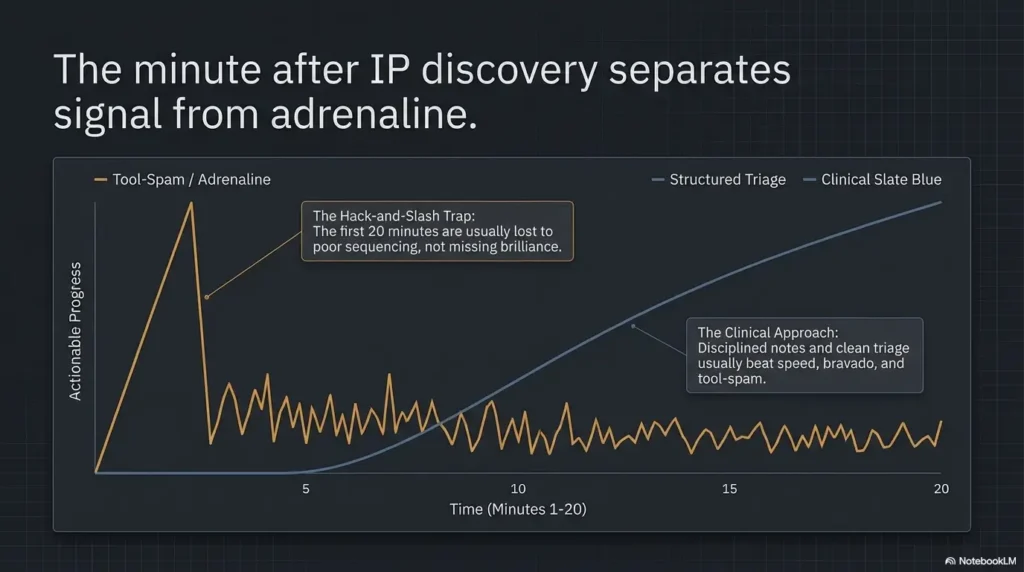
When you begin with a messy or overly aggressive approach, you often create three problems at once. First, you generate more output than you can read. Second, you make it harder to compare results later because you no longer remember what caused what. Third, you lose trust in your own notes. A notebook full of raw output is not evidence. It is confetti with ambition.
Let’s be honest… beginners often skip the calm setup phase and regret it later
The regret usually arrives 15 minutes later, right when two services seem promising and you cannot remember which one gave you the cleaner clue. That is why the first calm pass matters. It gives you a baseline. Baselines are boring. They are also the only reason comparison works.
What to record at this stage:
- How you confirmed the host appears reachable
- Whether the response seemed consistent
- Any unusual behavior that might affect later interpretation
- The exact moment you shifted from “host confirmation” to “service review”
Show me the nerdy details
Low-noise validation matters because many later judgments depend on it. If you skip straight into dense enumeration, you lose a clean reference point for what the host looked like before you started probing more deeply. In practice, that makes it harder to compare contradictory results, explain timing issues, or defend why one service became your first serious lead.
Open Ports, Open Questions: Read the Surface Before You Guess the Story
Open ports can feel thrilling in the way a cluttered attic feels thrilling. There is definitely stuff in there. Whether any of it matters is a separate question. Your job is not to worship the existence of ports. Your job is to understand what the surface is suggesting.
What port discovery is actually helping you answer
At this stage, port discovery is helping you answer three practical questions. What services appear reachable? Which ones look ordinary versus oddly informative? Where do you have the best chance of gaining useful context without immediately drowning in complexity?
The Nmap reference guide explains that basic scans commonly check the most-used TCP ports and classify results into more than a simple open/closed pair. That distinction is valuable for beginners because surface states affect how much confidence you should place in a lead. A separate guide on reading Kioptrix open ports without overreacting can help if the surface feels busy too early.
How to separate “visible” from “important”
Visibility is not priority. Some services are visible but dull. Others look ordinary and quietly hand you the first real clue. This is where beginners often overvalue novelty. A familiar web page, a file-sharing prompt, or an old service banner may each be more useful than the service with the most cinematic name.
A helpful question is: Which service is giving me the most explainable information per minute? Not the most output. Not the most drama. The most explainable information.
Why one open service can matter more than five vague ones
A single readable service can anchor your whole investigation. One service might reveal naming patterns, version hints, default content, or configuration clues that help you interpret everything else. Five vague services may simply enlarge your confusion budget.
| If you see… | Favor this next | Trade-off |
|---|---|---|
| A readable web surface with visible structure | Web-focused note-taking and clue review | High readability, but easy to over-chase rabbit holes |
| SMB/file-sharing signals with names or shares | Structured listing and naming analysis | Excellent structure, but requires discipline in notes |
| An older remote service with version clues | Careful version context and cross-checking | Potentially promising, but easy to misread if you rush |
Neutral next action: Choose the path that gives the clearest evidence trail, not the one with the loudest reputation.
Service by Service: Build a Map Before You Pick a Door
This is where your investigation starts to feel less like a scavenger hunt and more like architecture. You are drawing a map of opportunities. The map does not need to be pretty. It does need to be honest.
Web services: what beginner-friendly clues often look like
Web services are often beginner-friendly because they offer human-readable surfaces. You may see default pages, naming conventions, login panels, directory structures, or hints about how the machine is meant to be used. OWASP’s testing guidance emphasizes structured information gathering before deeper testing, and that principle fits beginner labs beautifully: read first, interpret second.
The beginner trap with web surfaces is emotional overinvestment. A login form appears, and suddenly your brain is wearing a fedora. Slow down. Ask what the page reveals without asking it to become more important than it is. When the HTTP side starts getting richer, a slower pass through Kioptrix HTTP enumeration or a more specific look at Apache enumeration in older Kioptrix-style labs can help you stay methodical.
SMB and file-sharing signals: where early structure sometimes appears
SMB and related file-sharing signals can be wonderful for absolute beginners because they often provide names, workgroup hints, share structure, or other organizational details. Even when access is limited, the pattern of what is visible can be useful. Naming is not decoration. Naming is telemetry for humans.
One of my favorite early-lab moments is when a boring service reveals a naming pattern that quietly reorders the whole target in your mind. It is never glamorous. It often feels like reading a label on a filing cabinet. But that label can save you 20 minutes of speculation. If you get names but not actual share access, it helps to know what a hostname without visible SMB shares usually does and does not mean.
Older remote services: why version clues can matter more than banners alone
Older remote services can look tempting because they feel “legacy,” and legacy often whispers promises into the beginner brain. Sometimes that instinct is useful. Sometimes it is just nostalgia for an exploit walkthrough you saw on a forum at 2:14 a.m. and should not have trusted with your soul.
What matters first is not the existence of a banner. It is whether the version clues are specific, interpretable, and consistent with the rest of the surface. A neat-looking banner with no supporting context can waste time. A modest version hint that aligns with naming, defaults, or service behavior can be far more valuable, which is why understanding common banner grabbing mistakes in beginner recon is so useful.
The goal here is ranking opportunities, not collecting screenshots forever
Beginners sometimes turn mapping into a museum exhibit. Screenshot after screenshot, folder after folder, no decision in sight. Screenshots are fine. What matters is whether each artifact answers a question. If it does not change, confirm, or narrow your next move, it belongs in the “nice to have” bucket, not the “decision” bucket.
The hidden trick is that Step 4 is where most beginners either save the session or accidentally turn it into soup.
Don’t Touch Everything: How to Choose Your First Investigation Path
The first service you choose matters less than the reason you choose it. That sentence annoys people because it removes the fantasy that there is always one magical “correct” first move. In reality, the best first path is usually the one with the clearest evidence trail and the lowest confusion tax.
Pick the service that gives the clearest evidence, not the coolest reputation
Services have reputations. Readers do too. Both can mislead you. If a service is famous for being “where the action is,” beginners tend to lunge at it. But fame is not evidence. Your first path should be the service that gives you the cleanest answers to the simplest questions. That is the same logic behind choosing the first service to investigate on Kioptrix instead of following rumor and adrenaline.
Rank by readability, misconfiguration signs, and documentation value
Here is a practical triage frame:
- Readability: Can you understand what the service is telling you?
- Misconfiguration signs: Does anything look inconsistent, default, overly permissive, or unusually revealing?
- Documentation value: Can you explain in plain English why this deserves the next step?
I like this frame because it rescues you from trying to be clairvoyant. You are not predicting the future. You are ranking the quality of your next question.
Here’s what no one tells you… the best first target is usually the one you can explain cleanly in notes
If you cannot explain why you picked it, you probably picked it because it felt exciting. Excitement is a lovely emotion for concerts, ramen, and last-minute train rides. It is a mediocre investigative method.
- Prefer readable evidence over famous services.
- Use clarity, not charisma, as your ranking criterion.
- Good notes are part of good triage, not an afterthought.
Apply in 60 seconds: For each exposed service, write one sentence that begins “This matters because…” and see which answer is strongest.
Choose the first path without an invented score
Practice guidance / illustrative examples. No new VM execution or measured outcome is claimed for this section.
Readability and note quality do not establish that a service is the best target. Choose a permitted question whose answer would change your next decision and whose prerequisites you understand. Keep other services parked with a return condition.
Illustrative first pass: the target identity is confirmed and one expected web port is reported open. The next question might be which application answers under the required lab hostname. Save the baseline response and compare it with a request to a clearly missing path before accepting discovery-tool matches.
If the address cannot be tied to the intended VM, return to identity verification rather than assigning service scores. If a result is filtered or ambiguous, keep it unresolved. Record scan transport and ports so ‘not listed’ is not confused with ‘not present.’ A focused path is a temporary investigation choice, not a verdict about every other service.
Who This Is For / Not For
This is for
- Absolute beginners in authorized training labs
- Learners who found the IP and now feel frozen
- Students who want a repeatable post-discovery process
- Readers who need lab-safe, evidence-driven next steps
This is not for
- Anyone targeting systems they do not own or lack permission to test
- Readers looking for reckless shortcutting
- Advanced operators who already have a mature triage workflow
- Anyone who wants exploitation steps without understanding the surface first
This distinction matters. The OWASP testing material is written around methodology and scope, not chaotic curiosity. That should reassure beginners: disciplined testing is not “less real.” It is the real thing.
If you are brand-new, there is no shame in needing a slower, calmer framework. In fact, that is usually the shortest path. Many people do not get stuck because the lab is hard. They get stuck because they are trying to skip the part where understanding is built.
Enumeration Before Exploitation: Why the Boring Part Wins
Enumeration is the part beginners often underrate because it lacks fireworks. It can feel like reading labels in a warehouse. Yet labels are how warehouses work. Good enumeration gives you context, context gives you choices, and choices are what keep you from wasting an hour on the wrong door.
What good enumeration gives you that guessing never will
Guessing gives you stories. Enumeration gives you constraints. Constraints are precious because they narrow the world. They tell you which paths are more plausible, which clues agree with each other, and which hunches deserve to be politely escorted out of the building.
Why beginner success often comes from elimination, not intuition
The hero fantasy says success comes from a brilliant leap. More often, beginner success comes from removing weak paths until the stronger one remains. That is less romantic. It is also how adults quietly fix complicated problems in the real world.
- The service name and why it drew your attention
- The single clearest clue it provided
- What you still do not know
- The lowest-noise next check you could use
- What result would make you abandon or downgrade the path
Neutral next action: Fill this out for your top two services before committing to one.
Common Mistakes That Waste the First 20 Minutes
Most lost time in beginner labs does not come from technical difficulty. It comes from emotional inefficiency. That sounds rude, but it is liberating. Emotional inefficiency can be fixed quickly. You do not need a new brain. You need a cleaner sequence.
Running too many tools before understanding what each one is for
Tool accumulation has a seductive smell. It smells like competence from six feet away. Up close, it often smells like panic with syntax. If you do not know what question a tool is answering, its output will rarely help you rank your next move. Many of the usual Kioptrix recon mistakes start exactly here.
Mistaking any response for a meaningful lead
A response is not automatically a clue. A clue changes probability. A clue narrows options. A clue helps you explain why one service matters more than another. Without that, you are simply receiving data and calling it destiny.
Ignoring simple version and service context
Beginner eyes often skip the plain details because the plain details do not feel cinematic. But version hints, service naming, default content, and obvious structure often do more real work than flamboyant dead ends.
Writing down outputs without writing down what they imply
This is the silent killer. It gives you thick notes and thin understanding. Every meaningful line in your notebook should answer one of these: What is this? Why does it matter? What should I compare it against next?
- Use tools to answer questions, not to decorate your terminal.
- A response only matters if it changes your ranking.
- Interpretation belongs beside observation in every note.
Apply in 60 seconds: Review your last five notes and add “why it matters” to any line that does not already have it.
Don’t Do This Next: The Traps That Make Kioptrix Harder Than It Is
Kioptrix Level 1 is famous enough that people bring preloaded assumptions into it. That can be useful, but it can also make the lab feel harder than it is because you stop reading what is actually in front of you and start auditioning your memory.
Do not jump straight into one service because it “looks famous”
If your reason is “people talk about this service a lot,” you do not yet have a reason. You have social proof in a trench coat. Keep walking until evidence catches up.
Do not confuse old technology with easy progress
Older technology can be promising, but age alone is not a workflow. It still needs to fit the rest of the evidence you have. Otherwise you are just dating the target, which is not the kind of romance this article supports.
Do not abandon a promising lead because the first result looks messy
Some good leads are messy before they become useful. The question is whether the mess is structured or merely chaotic. Structured mess still gives you handles. Pure chaos just asks for your afternoon.
Do not let enthusiasm outrun documentation
Enthusiasm is welcome. Documentation is what keeps enthusiasm from driving into a pond. Write enough that your future self can pick up the thread after a short break and still know why one path won. If you want a broader checklist of where people go wrong, the deeper list of Kioptrix enumeration mistakes pairs naturally with this stage.
Clues That Matter More Than They Look
Some clues look tiny and turn out to be load-bearing. Beginners often miss them because they are waiting for the machine to hand over a trumpet fanfare. In reality, many valuable leads arrive as small details wearing plain clothes.
Version strings that narrow the field
Specific version information can help you reason more carefully about what you are seeing, even before any deeper interaction. The point is not to become a walking archive of old software. The point is to notice when specificity reduces ambiguity.
Default pages, misconfigurations, and weak segmentation hints
Default content and simple configuration oddities are often more valuable than they appear because they tell you something about maintenance habits, deployment choices, or environment structure. OWASP’s testing framework puts heavy emphasis on systematic information gathering for exactly this reason. In older web stacks, subtle legacy PHP recon clues can sometimes tell a fuller story than flashy scanner output.
Naming patterns that tell you where to look next
Hostnames, share names, directory names, titles, and labels can quietly unify what looks like unrelated surface information. If multiple details rhyme with each other, pay attention. Networks and applications often reveal themselves through repetition long before they reveal themselves through drama.
Small anomalies that deserve a second pass
Anything that feels slightly off but repeatable deserves respect. Not obsession. Respect. The question is not “Is this weird?” The question is “Is this weird in a way I can verify with another calm step?”
| Tier | What it means | What to do |
|---|---|---|
| Tier 1 | Visible but generic | Record it, but do not prioritize yet |
| Tier 2 | Readable and somewhat specific | Compare against one other service |
| Tier 3 | Specific and cross-supported | Promote to first-path candidate |
| Tier 4 | Specific, cross-supported, and actionable | Focus on it first and document why |
Neutral next action: Re-tag your current clues into these tiers before you go deeper.
When You Feel Stuck: Turn Findings Into a Decision Tree
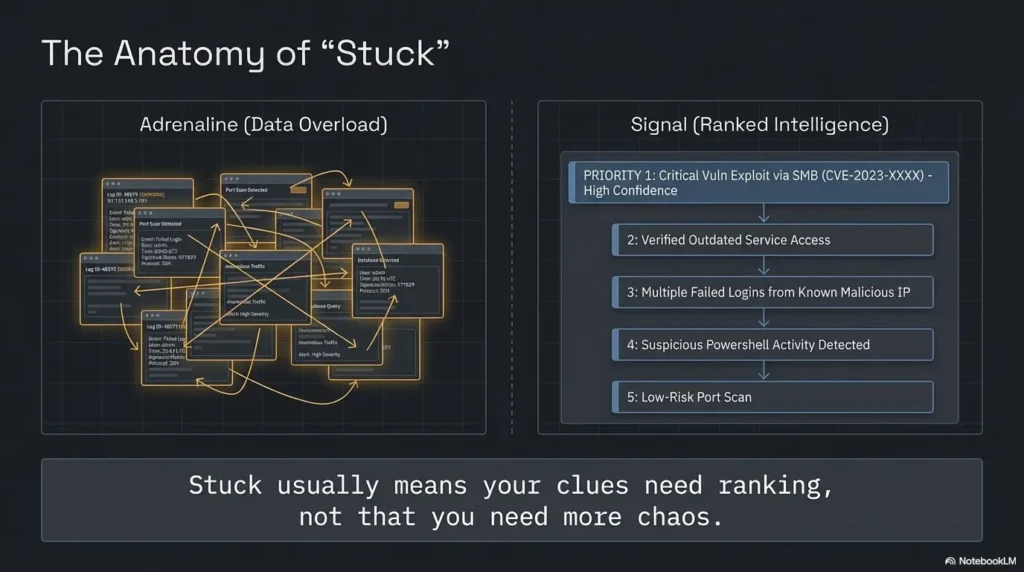
Feeling stuck after port discovery is so common that it deserves more compassion than it usually gets. Stuck does not always mean you are missing a trick. Sometimes it means you have too many half-clues and no decision framework. That is fixable.
Ask which service gives the clearest next question
The best path is often the one that lets you ask a precise next question. Precision matters because it gives your session a shape. “What else can I do?” is a panic question. “Which service gives the most verifiable next step?” is an investigative question.
Ask which result you can verify with another low-noise step
Verification is oxygen. A result that cannot be sensibly cross-checked is often a weaker foundation than it first appears. Favor paths where one clue can be compared against another calm observation.
Ask which path creates the least confusion if it fails
This question is criminally underrated. Beginners often choose the path with the biggest upside instead of the path with the lowest confusion cost. But if a path fails and leaves you more disoriented than before, it was probably not the right first move.
Sometimes the right move is not “go deeper” but “go back and compare”
Going back is not losing momentum. It is buying clarity. Compare your top two services again. Re-read your notes. Look for the path with the strongest combination of specificity, readability, and confirmability. That is usually the grown-up answer, even if your inner action hero files a complaint.
- Prefer the clearest next question.
- Favor clues you can verify calmly.
- Choose the path that fails cleanly if it fails at all.
Apply in 60 seconds: Write down your top two candidate services and force each into one verifiable next question.
FAQ
After finding the IP in Kioptrix Level 1, what should I do first?
First confirm the host is responding in a consistent way, then move into structured service enumeration. Your immediate goal is to reduce uncertainty, not chase every possible path.
Should I scan every port immediately on a beginner lab?
Start with an interpretable baseline and record its coverage. A default Nmap TCP scan checks the most common 1,000 ports, not all TCP ports, and does not inventory UDP. Expand coverage deliberately if the baseline leaves no supported lead; silence in an unscanned range is not a negative finding.
Which service should beginners usually investigate first on Kioptrix?
Usually the one that provides the clearest, most readable evidence and the best note value. In practice that is often a web service, file-sharing surface, or another service with consistent version or naming clues. The right answer is about evidence quality, not mythology.
Is the web service always the best first option?
No. Web surfaces are often beginner-friendly because they are readable, but they are not automatically the best first path. If another service gives clearer, more specific, and more verifiable clues, that one may deserve priority.
How do I know whether a service is worth deeper enumeration?
Ask whether it gives you specific information, whether that information lines up with other clues, and whether the next step can be verified calmly. A service becomes more valuable when it narrows your uncertainty rather than enlarging it.
What should I write down while enumerating Kioptrix Level 1?
Write the visible service, the evidence you observed, why it matters, and the best next check. That four-part structure prevents your notes from becoming a decorative pile of raw output.
Why do beginners get stuck right after port discovery?
Because they often have data without a ranking framework. Stuck usually means you need to compare the value of your clues, not that you need to throw more random activity at the box.
Should I focus on banner information or interactive testing first?
Start with the clearest, lowest-noise information available. Banner and version context can be useful if it is specific and consistent. Interactive testing is more valuable when it answers a precise question rather than serving as a nervous habit.
Conclusion: Your Next 15 Minutes Should Be Boring on Purpose
That open curiosity loop from the beginning closes here: after finding the IP, the “right next step” is not a heroic leap. It is a disciplined sequence. Confirm the host. Read the surface. Map the services. Rank the clues. Choose one path you can explain cleanly. For beginners, that is not a compromise. That is the real craft starting to form.
If this article did one useful thing, I hope it removed the strange shame people feel when they do not instantly know where to go next. No one is born with a triage workflow in their bloodstream. You build it the same way you build anything durable: one calm, repeatable decision at a time.
For your next 15 minutes, do exactly this: make a one-page triage sheet with four columns, service, evidence found, why it matters, and best next check. Review every exposed service once. Score each path for clarity. Then pick only one path for a focused next round. That is how you turn an IP address into understanding instead of static. If you want a companion piece for that exact moment, working through Kioptrix Level 1 without Metasploit reinforces the same evidence-first habit.
Original review: 2026-03.
Technical guidance updated: 2026-10-13. Clarified the default TCP scan’s coverage and the need to record unscanned ports and protocols.
Working note: Choose the first path without an invented score
Replace the prompts with your own authorized lab evidence. Download the current entry to keep a local note before leaving. This field is not submitted or saved; reload clears edits. Do not enter passwords, tokens or personal data.
Download a copy of the current entry before leaving or reloading. Entries are temporary in this tab and are not automatically saved or uploaded.
Template ready. Replace the prompts with your record, then download a copy.
Worksheet usability update — October 23, 2026: added an editable record and a download of its current contents. This does not verify the article’s sources or perform the lab exercise.
Related task: Continue with the related practical guide.