The first service to check is a working choice based on available evidence. Record the observed service, the question it raises, the next permitted check and a reason to continue or change direction.

Sources, review date and section shortcuts
Reviewed: October 19, 2026. Choose the next service from authorization, a concrete question and expected information rather than a universal port order.
Primary documentation · Related practical guide
Go straight to: Decision check · Main workflow · Further detail
Open the Service investigation priority for this guide’s task-specific fields and next action.
Rank the question before the tool
For each service, record the current evidence, missing prerequisite, next permitted observation, expected load and stopping condition. A timebox is an adjustable planning aid and cannot authorize another test. Reopen a parked lead when evidence changes its prerequisites. A clear banner can guide triage while leaving exact identity and exploit applicability unknown. Reference and scope.
Stop Mistaking Motion for Progress:
The Art of First Choices in Beginner Labs
Choose the next service from authorization, a concrete question and expected information rather than a universal port order.
Web, SMB, and stray remote services all look like top priorities, leading to scattered notes and “tab soup.” This guide introduces a practical triage method built around signal quality and misconfiguration clues, ensuring you spot the service that gives you the clearest second fact with the least wasted motion.
Turn your “hallway of mystery doors” into a clear, actionable map.
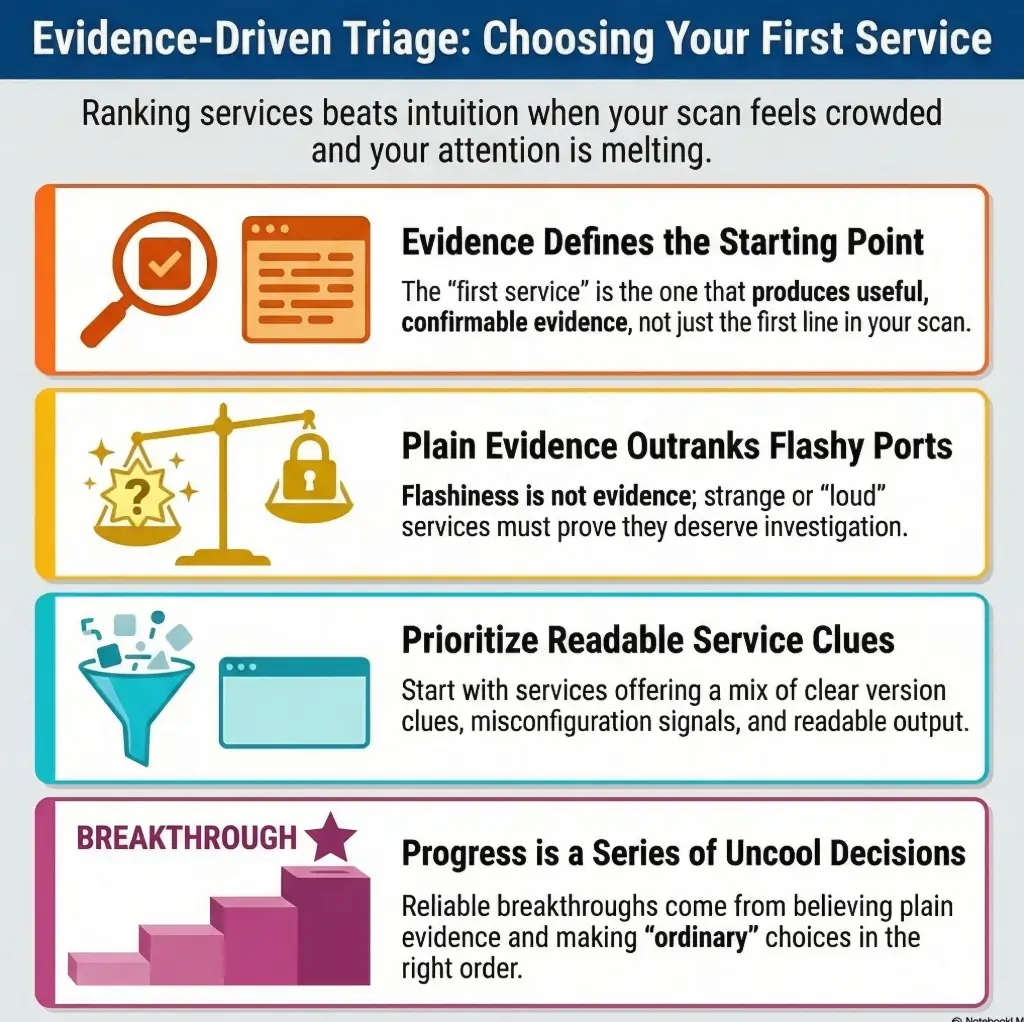
Start Here: What “First Service” Really Means on Kioptrix
It is not the first port you see
Beginners often treat the first visible port like the first suspect in a detective novel. It feels tidy. It also produces wildly inconsistent results. A service should not win your attention because it appeared first in a scan output. It should win because it offers a clean path to a second confirmed fact.
That distinction matters more than people admit. On beginner labs, you are rarely being tested on clairvoyance. You are being tested on whether you can recognize signal, not worship order. A web service that reveals a title, a version hint, and a suspicious default page in 2 minutes is usually more valuable than a quieter service that merely exists.
It is the first service that gives the cleanest clues
“Clean” does a lot of work here. A clean clue is readable, repeatable, and useful in documentation. If you can verify the same behavior twice, explain why it matters in plain English, and connect it to a reasonable next step, that service deserves priority. If you cannot, it may still matter later, but it should not automatically own your first hour.
It is a triage decision, not a badge of intuition
The phrase “which service first” sounds like instinct, but in practice it is workflow. Good triage is less like genius and more like sorting screws on a wooden table before you start assembling a cabinet. Not glamorous. Extremely effective.
Think in this order:
- Which service leaks the most context right now?
- Which service is most likely to expose misconfiguration rather than just presence?
- Which service gives me proof I can screenshot and explain?
- Which service leads to the next observable fact with the least guessing?
- Rank signal quality, not scan order
- Prefer readable clues over mysterious noise
- Choose what creates a second fact quickly
Apply in 60 seconds: Next time you see 3 open services, write one sentence for each: “What can this service prove in the next 10 minutes?”
Who This Is For / Not For
This is for
- Beginners working in authorized training labs
- Students who freeze after a scan returns multiple open ports
- Report-minded learners who want a repeatable workflow, not roulette
- People who want to learn why a service deserves priority before touching it further
This is not for
- Real-world unauthorized targeting
- Readers looking for copy-paste exploitation chains
- Operators who already have a mature and proven decision tree
That boundary is not decorative. It changes the whole tone of the work. In an authorized lab, your goal is to build judgment, not speedrun chaos. The difference is subtle until you watch two beginners solve the same box. One rushes toward the loudest rumor. The other documents what the service actually says. The second person looks slower for about 15 minutes and then quietly stops getting lost.
There is also a practical comfort here. If you are new, you do not need a brilliant brainwave to begin well. You need a modest, defensible first choice. That is a relief. It means you can act with structure instead of waiting for confidence to descend from the ceiling like a theater spotlight. If you need a broader orientation before diving in, a Kioptrix beginner roadmap can help place this article in a larger learning sequence.
Eligibility checklist: should this triage method be your default?
Authorization is required before any testing. Then use the remaining questions to assess whether this triage method fits:
- Are you in a legal, authorized training environment?
- Do you have scan results with multiple open services?
- Do you tend to lose time choosing where to start?
- Do you want notes that support a later write-up?
Next step: If authorization is confirmed and the other questions fit, use the scoring framework before deeper service-specific testing.
First Filter: Which Service Is Talking the Loudest?
Look for version leakage before you look for cleverness
When a service volunteers version information, stack hints, or platform details, it is already doing part of the sorting for you. You are not being lazy by noticing that. You are being sensible. Version leakage is not the only clue that matters, but it is often the most beginner-friendly because it turns abstract presence into concrete context.
Nmap’s own documentation explains that service and version detection are meant to transform an open port from a bare number into something far more meaningful. OWASP’s web testing guidance makes the same broader point in a different dialect: before you get ambitious, understand what the target is actually presenting. In a lab, that means you should value services that identify themselves clearly, even when the clue seems almost too obvious to count. Obvious clues still cash. It also helps to know where service detection can mislead beginners with false positives, because a confident banner and a correct banner are not always twins.
Prioritize services with readable banners, titles, or error behavior
Readable output beats romantic mystery. A banner, a page title, a default application screen, a negotiation response, a protocol mismatch, a descriptive error page, a hostname leak, or even a slightly embarrassing test page can save 20 to 40 minutes of aimless flailing.
I still remember one beginner session where I ignored a chatty default web page because it looked boring. I chased a quieter service instead, convinced the real answer had to be hiding somewhere more sophisticated. Forty minutes later, the website was still sitting there like a patient librarian holding the correct book. If banner quality is part of your decision, it is worth seeing the common banner grabbing mistakes that distort early recon.
Prefer evidence you can verify twice
Your first service should not just feel promising. It should let you confirm the same clue more than once, using clean observations rather than vibes. If a banner appears once and disappears, or an error only shows up under strange conditions you cannot reproduce, it may be interesting, but it is weaker as a first anchor.
Good first-service clues are usually:
- Visible with low effort
- Repeatable without unstable behavior
- Simple to capture in notes
- Easy to connect to a reasoned next move
Let’s be honest…
Most beginners do not get stuck because the box is hard. They get stuck because three open services feel equally important, and they treat them that way. Equal treatment sounds fair. In triage, it is expensive.
Show me the nerdy details
“Talking loudly” does not mean “most vulnerable.” It means “most semantically informative.” In practice, that includes service fingerprints, protocol negotiation artifacts, default pages, headers, product identifiers, naming conventions, and stable error behavior. The service with the highest informational density often makes the next service easier to interpret too. That compounding effect is why triage matters.
Web, SMB, or Something Else? The Beginner Triage Order That Usually Wins
Web first when the page, headers, or app behavior gives immediate context
Web often wins first place because it is rich in human-readable clues. A title alone can reveal application type, vendor residue, environment purpose, or a forgotten admin path. Even a plain page can leak structure through links, forms, comments, redirects, or headers. For beginners, web is attractive not because it is always easiest, but because it tends to create understandable hypotheses quickly.
That does not mean “always start with HTTP.” It means web tends to earn priority when it provides context density. One request can expose enough structure to guide everything that follows. If that is your likely lane, pairing this step with a focused Kioptrix HTTP enumeration routine keeps the first pass grounded instead of messy.
SMB first when naming, shares, or legacy signals suggest weak configuration
SMB becomes a strong first candidate when the service behaves like an old filing cabinet with a half-open drawer. Names, workgroup hints, share exposure, negotiation quirks, and legacy behavior can reveal role and trust boundaries fast. For a beginner, the beauty of SMB is that it can be surprisingly narrative. A share name or host naming pattern tells a small story. Stories are easier to reason about than sterile port numbers.
When SMB looks more informative than the website, a calm starting point is understanding how null-session behavior differs on port 139 versus 445 and what that difference actually means for your notes.
Remote services next when banners reveal age, role, or mismatch
Older remote services sometimes announce enough about themselves to deserve early attention. A banner that reveals a product family, an obvious age mismatch, or a role the system should probably not be exposing can be more valuable than a thin web page. The key is whether the clue is readable and actionable, not merely exotic.
Database services later unless they expose unusually strong clues
For most beginners, database services are not ideal first picks unless they leak especially informative details. They often tempt people because the port feels serious, as though it must be important by sheer technical charisma. Sadly, charisma is not a method. If the service is quiet and your note after 8 minutes is still “well, it exists,” it should slide down the list. That restraint matters even more on ports like MySQL, where an open 3306 with no obvious use case can look more urgent than it really is.
Decision card: when Web vs SMB usually wins
Choose Web first when you get titles, redirects, forms, headers, visible structure, or likely old components within minutes.
Choose SMB first when naming, shares, guest-like exposure, or legacy negotiation behavior gives more immediate context than the website does.
Trade-off: Web is often easier to interpret. SMB can produce stronger role and trust clues. Pick the one that generates the clearest second fact.
Neutral action: Write “Why Web” and “Why SMB” on one line each before choosing.
Do Not Chase the Flashiest Port First
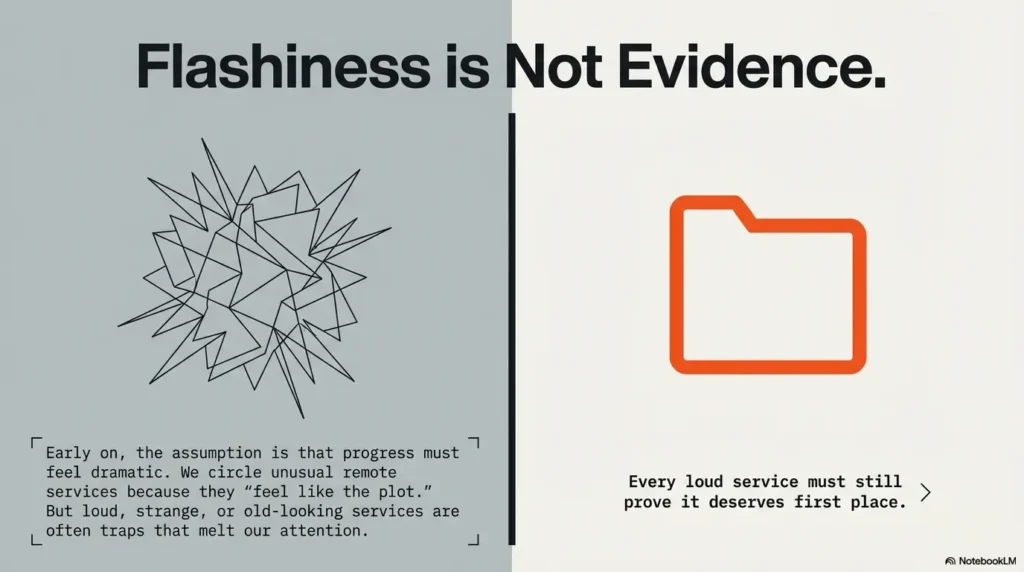
Old-looking does not always mean easiest
A service that appears ancient can pull beginners like a magnet. “Old” feels synonymous with “weak.” In labs, that intuition is not always wrong, but it is often incomplete. Some old-looking services are chatty but low-yield. Others produce just enough nostalgia to waste an hour in honorable confusion.
You do not need to ban curiosity. You need to subordinate it. Let the service earn your time through evidence, not mood.
High-numbered ports are not automatically “the secret door”
There is a very beginner-specific superstition that a strange high port must hide the real plot twist. Sometimes it does. Sometimes it is just a side alley with one flickering lamp and no map. Treat unfamiliarity as a prompt to inspect, not a command to prioritize.
A noisy service can waste an hour without yielding one usable lead
Noise feels like progress because there is motion. Logs scroll. Responses change. Tools return many lines. Yet none of that matters if you cannot translate it into a stable, documentable clue. A service that produces five weak signals may still be less valuable than one that produces a single strong and repeatable clue.
Ask yourself: after 10 minutes, do I have one fact that narrows the search space? If not, your service may be dramatic but unhelpful. This is the same discipline behind an OSCP-style rabbit hole rule: timeboxing keeps curiosity from becoming a velvet trap.
- Do not confuse motion with progress
- Do not promote mystery above readability
- Do not let unusual ports hijack your workflow
Apply in 60 seconds: Put a 10-minute clue threshold on any flashy service before you let it dominate the session.
What Good Clues Look Like Before You Commit
Specific versions that can be cross-checked
A version string is not magical by itself. What makes it strong is that it can be checked, compared, and contextualized. It gives you a noun instead of a haze. Even partial product information can sharpen your next question. “Maybe Apache” is fog. “This looks like an older Apache build on a Linux stack” is the beginning of structure. When that clue appears, it helps to know what to look for in focused Apache recon on Kioptrix rather than drifting into generic web poking.
Default pages, test pages, and forgotten admin surfaces
Default content matters because it often reflects operational neglect. And neglect, in a beginner lab, is a wonderfully talkative trait. A forgotten test page, a skeletal admin route, or a boilerplate landing page can reveal stack choices, conventions, and poor hygiene. None of that is glamorous, which is precisely why it gets overlooked. If the application smells like old LAMP glue, adjacent clues from legacy PHP recon patterns often make the page feel much less “basic” and much more revealing.
Share names, hostnames, and protocol negotiation behavior
SMB-style clues are powerful because they answer “what is this system trying to be?” Names imply roles. Shares imply habits. Negotiation behavior implies age or compatibility posture. Those clues are not cinematic, but they can give you a more truthful picture of system character than a suspiciously empty website. Even something as small as a hostname leak from NetBIOS can matter, especially if you know what nmblookup output is actually telling you.
Error messages that reveal stack, path, or platform hints
Error behavior is useful when it is stable and descriptive, not when it is merely alarming. A path leak, stack trace hint, or platform clue can do more for triage than a dozen half-informative outputs. The difference is whether the error teaches you something durable.
Here’s what no one tells you…
A weak clue with high confirmability is often more valuable than a dramatic clue with zero follow-through. That sentence has saved me from many elaborate detours. It is not the clue you brag about. It is the clue that still makes sense tomorrow morning.
Infographic: The beginner service clue ladder
Existence only
“Port is open.” Useful, but thin.
Descriptive output
Banner, title, header, or share name.
Repeatable context
Same clue appears twice and still means something.
Next-step proof
The clue creates a narrow, defensible next move.
Use it: Investigate the service with the highest ladder level first, not the one with the most drama.
Evidence Over Ego: How to Rank Services Without Guessing
Score each service by visibility, misconfiguration potential, and documentation value
If you only take one practical tool from this article, let it be this simple scoring model. Give each visible service a 1 to 5 score in three categories:
- Visibility: How much readable context does it expose quickly?
- Misconfiguration potential: Does it suggest default, weak, old, or poorly maintained behavior?
- Documentation value: Can you explain and preserve the clue without replacing evidence with guesswork?
The total is not sacred. It is a way to get your instincts out of the fog and onto paper. Once the numbers exist, you can disagree with them rationally instead of emotionally. If you want a bigger frame around this mindset, compare it to a full Kioptrix recon routine where ranking choices happen before tool sprawl.
Ask which service creates the shortest path to your next proof point
The best first service is often the one that produces another verifiable clue in the shortest time. Not necessarily the final answer. Just the next proof point. If one service gives you a product hint, which then helps explain another exposed service, that service has already paid rent.
Keep a “why this first” note for every choice
This tiny habit changes everything. Write one line before you start deeper analysis: “I chose this first because…” It sounds almost childish. It is also a beautifully efficient lie detector for your own thinking.
When I do not write that line, I notice my session drifting into a mood-based adventure. When I do write it, I become more honest about whether I am following evidence or just chasing whichever service looks like it might make me feel clever. A good companion habit is using an enumeration note template so the reasoning stays visible instead of evaporating into terminal scrollback.
If two services look equal, choose the one with better documentation value
This is the tie-breaker beginners rarely hear. If two services seem equally promising, choose the one whose clues will make a cleaner report. Why? Because clear documentation and clear reasoning usually travel together. The service you can explain cleanly is often the service you understand cleanly.
Mini calculator: pick your first service in 30 seconds
For each service, assign a score from 1 to 5:
- Visibility
- Misconfiguration potential
- Documentation value
Total = V + M + D
If one service scores 11 and another scores 8, start with 11. If they tie, choose the one that gives a clearer second fact within 10 minutes.
Neutral action: Put the totals in your notes before opening a dozen tabs.
- Use a 3-part score instead of vibes
- Write “why this first” before deeper testing
- Break ties with documentation value
Apply in 60 seconds: Score your next three services from 1 to 5 on visibility, misconfiguration potential, and documentation value.
When Web Should Win First, Even If SMB Looks Tempting
Web wins when the app leaks structure fast
Web should take the crown when even a shallow look reveals structure: paths, forms, redirects, default content, identifiable frameworks, comments, or stack hints. The point is not that websites are friendlier. The point is that they often compress many kinds of evidence into one place.
If you can visit a page and within 3 to 5 minutes produce a shortlist of observations that each have a plausible next check, web is doing its job beautifully. It is not merely present. It is speaking in paragraphs.
Web wins when content hints at old components or weak hygiene
Sometimes the strongest web clue is not a version at all. It is the mood of maintenance. Outdated patterns, default assets, exposed administrative seams, thin error handling, or visibly neglected components often suggest that the service deserves first-pass attention. In beginner labs, weak hygiene is often the breadcrumb trail you needed all along. Once you see that pattern, an article on Apache enumeration in Kioptrix or a more PHP-specific lens from Kioptrix PHP recon can turn that vague unease into a clearer checklist.
Web loses when it is too thin to support a second move
Not every website deserves your devotion. Some give you a blank page, a generic server response, and the emotional atmosphere of an empty waiting room. If the site provides no deeper structure after a disciplined first look, move it down the list. Familiarity should not overrule signal.
Compare signal depth, not just beginner comfort
Many beginners choose web first because it feels more human. That is understandable. It is also incomplete. Choose web first when it gives you more useful depth, not simply because it looks less frightening than SMB. Comfort is welcome. Evidence gets the chair.
A quick web-first checklist:
- Did the page reveal a title, header, or component hint?
- Did content suggest role, age, or maintenance quality?
- Did you discover at least one second-step lead fast?
- Can you document why it deserves priority?
When those answers are mostly yes, web is probably your correct first stop.
When SMB Should Win First, Even If the Website Looks More Familiar
SMB wins when legacy behavior creates strong enumeration signals
SMB deserves priority when it behaves like a service that forgot modern caution. Legacy negotiation patterns, role hints, naming residue, or unusually generous exposure can be more informative than a thin website. A service that tells you how the system thinks about sharing and trust is not boring. It is often foundational. When Kali throws friction into that process, even a practical note on SMB negotiation failures on Kali can save you from misreading the lab itself as the problem.
SMB wins when names and shares reveal role or trust boundaries
A share name can be worth pages of speculation. It can indicate purpose, operational habits, or which parts of the system were arranged for convenience rather than security. For beginners, that is valuable because it turns abstract protocol behavior into a story about how the machine is used.
SMB loses when negotiation tells you little beyond “it exists”
SMB should not win by reputation alone. If the service yields very little context, refuses to become more descriptive, and leaves you with nothing sturdier than a vague suspicion, it may not deserve first place. Presence is not priority.
Read the room: sometimes “boring” is the loudest clue
This is one of the quiet truths of beginner labs. The service that feels least cinematic may be the one telling the clearest story. Boring clues tend to age well. They are less likely to be hallucinations created by your own excitement.
A better hypothesis reframed the host. That reframed which other service mattered. Nothing about the moment felt heroic. It felt almost embarrassingly ordinary, like discovering the answer had been filed correctly all along. But that session taught me something useful: progress is often a series of uncool decisions made in the right order. The box did not reward my instincts. It rewarded my willingness to believe plain evidence.
Stop. Before You Rabbit-Hole a Dead End
Set a clue threshold before deeper testing
The easiest way to protect your time is to define a minimum clue threshold before you commit more energy. For example: within 10 to 15 minutes, the service must produce at least one stable clue and one plausible next check. If it does not, it goes back in the queue. This is not quitting. It is sequencing.
Leave services that do not produce a second fact
The second fact rule is wonderfully unforgiving. If a service gives you one interesting observation but nothing that sharpens the next question, do not keep feeding it attention simply because you already spent time there. Sunk-cost thinking is the goblin of beginner labs. It wears a lab badge and insists you are “almost there.” You often are not.
Return only when another service reframes them
Many dead ends are not permanent. They are just early. A service that felt thin at 2:00 p.m. may become meaningful after web content, hostnames, or role hints from another service change the frame. Revisit with better context, not with tired optimism.
Progress in labs often comes from sequencing, not brilliance
That sentence is worth underlining because it lowers the emotional temperature of the whole process. You do not need to be dazzling. You need to avoid donating 50 minutes to the wrong clue because it arrived dressed like destiny. This is also where broader enumeration mistakes in Kioptrix start to reveal themselves as workflow errors, not intelligence failures.
Evidence-prep list: what to gather before you go deeper
- One screenshot or text capture of the strongest clue
- One sentence explaining why the clue matters
- One candidate next check
- One reason you would stop and re-rank
Neutral action: If you cannot fill all four items, the service probably has not earned deeper time yet.
Build a Repeatable Beginner Workflow You Can Reuse Beyond Kioptrix
Scan broadly, then rank narrowly
Begin with broad visibility. Then narrow your attention aggressively. This two-step rhythm keeps you from marrying the first clue you meet. Broad first, narrow second. It sounds almost too basic, which is exactly why it works. It pairs nicely with a fast enumeration routine for any VM because speed and selectivity do not have to be enemies.
Write down one hypothesis per service
For every visible service, write one modest hypothesis. Not a fantasy. A hypothesis. Something like: “This web service may reveal application age or default content,” or “This SMB behavior may expose role or naming clues.” The wording matters because it keeps you from overpromising to yourself.
Test the most documentable lead first
Documentability is not academic decoration. It is a discipline that helps you choose cleaner lines of inquiry. The more clearly you can explain the reason for your first move, the less likely you are to wander into cargo-cult enumeration. If your goal includes better reporting habits later, this choice also harmonizes with how strong penetration test reports organize evidence.
Re-rank after every confirmed clue
This is where many beginners quietly level up. After every meaningful clue, pause and re-rank the remaining services. New context changes value. A clue from one service can suddenly make another service much more important. Treat triage as a living board, not a one-time vote.
I like to keep a tiny three-row note during labs:
- Service
- Best clue so far
- Why it is rank 1, 2, or 3 right now
It is almost comically simple. It also prevents the classic beginner phenomenon where twenty browser tabs and three terminal windows combine into a sort of digital weather event.
- Start broad and narrow quickly
- Write one hypothesis per service
- Re-rank after every confirmed clue
Apply in 60 seconds: Create a three-row note template now so you do not improvise one mid-lab.
FAQ
Is the first service to investigate always the web server?
No. Web often wins because it provides rich, readable clues quickly, but it should only rank first when it actually gives useful context. If the website is thin and SMB or another service is more informative, choose the service with the stronger signal.
Should beginners always start with the easiest-looking service?
Not exactly. Start with the service that is easiest to understand and prove, not merely the one that feels familiar. Familiarity can help, but it should not outweigh signal quality and documentation value.
What if SMB and HTTP both look promising on Kioptrix?
Score both using a simple triage model: visibility, misconfiguration potential, and documentation value. If they tie, pick the one most likely to produce a second confirmed fact within 10 minutes. Re-rank after that clue appears.
How do I know a service is a dead end versus just slow to analyze?
Use a clue threshold. If a service fails to produce one stable clue and one plausible next check in a defined window, such as 10 to 15 minutes, move it down the queue. It may become valuable later after another service provides context.
Is banner information enough to choose a first target?
Sometimes yes, especially if the banner is clear, repeatable, and easy to connect to a next step. Banner information is not always sufficient for the whole lab, but it can absolutely be sufficient for a smart first ranking decision.
Should I search for known issues before finishing basic enumeration?
Usually, you should first stabilize your understanding of the service. Basic enumeration gives context that prevents shallow misreads. The point is to avoid jumping from one weak clue to a giant assumption.
What makes a service “beginner-friendly” in a lab?
A beginner-friendly service speaks in readable ways. It gives clues that are human-parsable, repeatable, and easy to document. Think titles, banners, names, default content, and error behavior that teaches rather than merely startles.
Can the wrong first choice ruin the whole lab attempt?
Usually no, but it can waste energy and create confusion. The real risk is not the wrong first choice itself. The real risk is refusing to re-rank after evidence tells you the choice was weak.
Next Step
Pick one past beginner lab scan, list the open services, and rank them 1 to 3 by clarity of clues, misconfiguration potential, and documentation value before touching anything else.
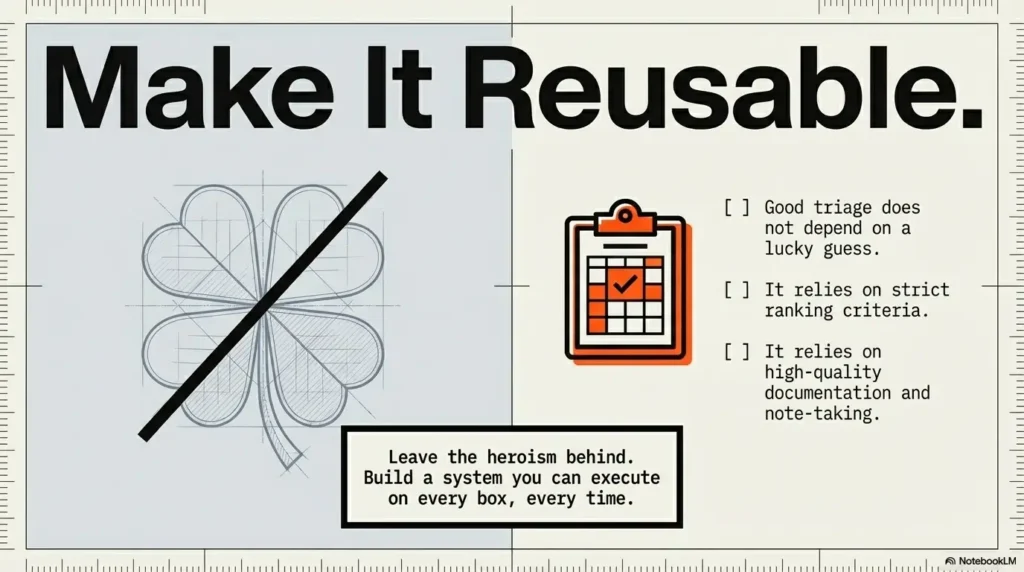
This is the part where the hallway lights come on. The answer to “which service first” is not a universal commandment carved into stone. It is a small, disciplined choice made with evidence. That is the curiosity loop from the beginning: the right first service is not the most dramatic one. It is the one that explains itself best and opens the next door with the least wasted motion.
If you have 15 minutes today, do one tiny exercise. Take an old lab scan. Score each open service. Write one line for why the top-ranked service deserves first attention. Then compare that ranking with what you actually did at the time. That gap is where your next improvement lives. If you want a companion piece for that self-audit, revisit common Kioptrix recon mistakes and see which ones were really ranking mistakes in costume.
The lovely thing about this method is that it travels well. Kioptrix is only the first concert hall where you hear the melody clearly. The rhythm stays useful later: broad view, narrow ranking, confirmed clue, re-rank, repeat. Not heroic. Very effective.
Coverage tier map: how your notes improve from Tier 1 to Tier 5
| Tier | What your notes contain | What changes |
|---|---|---|
| 1 | Open ports only | You can see, but not prioritize |
| 2 | One clue per service | You can compare basic signal strength |
| 3 | Scores plus “why this first” note | You can rank defensibly |
| 4 | Second fact and re-rank | You stop following stale assumptions |
| 5 | Clean narrative for your write-up | Your method becomes reusable |
Neutral action: Aim for Tier 3 on every beginner lab before you let yourself chase anything flashy.
- Signal beats scan order
- Ranking beats guesswork
- Re-ranking beats stubbornness
Apply in 60 seconds: Build a tiny triage template now with columns for service, best clue, score, and why it ranks first.
Original review: 2026-03.
Lab-Only Safety Note: This article is intended for authorized training environments such as Kioptrix-style labs. Keep the work focused on service triage, documentation habits, and enumeration judgment inside legal practice environments. Avoid unauthorized targeting, real-world systems, or exploit walkthrough behavior outside a permitted lab.
Technical guidance updated: 2026-10-13. Made authorization a required condition, aligned the scoring criteria, and removed stray code fences.
Service investigation priority
Use this record for the specific question in this guide. Complete it with the actual scope, conditions, evidence and assistance used in your own work.
On a small screen, scroll the table sideways to read all columns.
| Field | What to record | Your evidence / next check |
|---|---|---|
| Current clue | Record the strongest relevant service observation. | To complete |
| Missing condition | Name the prerequisite that still needs evidence. | To complete |
| Permitted observation | Estimate the scope and load of the next check. | To complete |
| Stop and return | Keep a boundary and the trigger for reopening parked leads. | To complete |
Next action: Choose the service whose permitted check resolves a defined uncertainty. Keep the supporting evidence and its conditions beside the decision.
Related task: Use After the First Kioptrix Scan: Choose a Follow-Up for that separate part of the workflow.
Worksheet change record — October 20, 2026
Added four task-specific fields, a next action and a related guide. This is a blank editorial working aid, not a completed test or validated assessment. Existing source-review dates retain their own scope; this addition is not a new verification of every statement.