Sources, review date and section shortcuts
Reviewed: October 19, 2026. Treat Apache banners, default pages and host-dependent responses as observations requiring context.

Primary documentation · Related practical guide
Go straight to: Decision check · Main workflow · Further detail
Open the Apache response comparison record for this guide’s task-specific fields and next action.
Separate vhost selection from software identity
Keep the destination address, scheme, port, Host value, TLS server name and final response together. Compare only permitted hostnames and do not bypass a certificate warning. ServerTokens controls advertised detail; that header cannot establish exact build or vendor patch status. A default page, trailing-slash redirect or forbidden response needs path-specific corroboration before a stronger claim. Reference and scope.
Mastering Kioptrix: The Art of Apache Enumeration
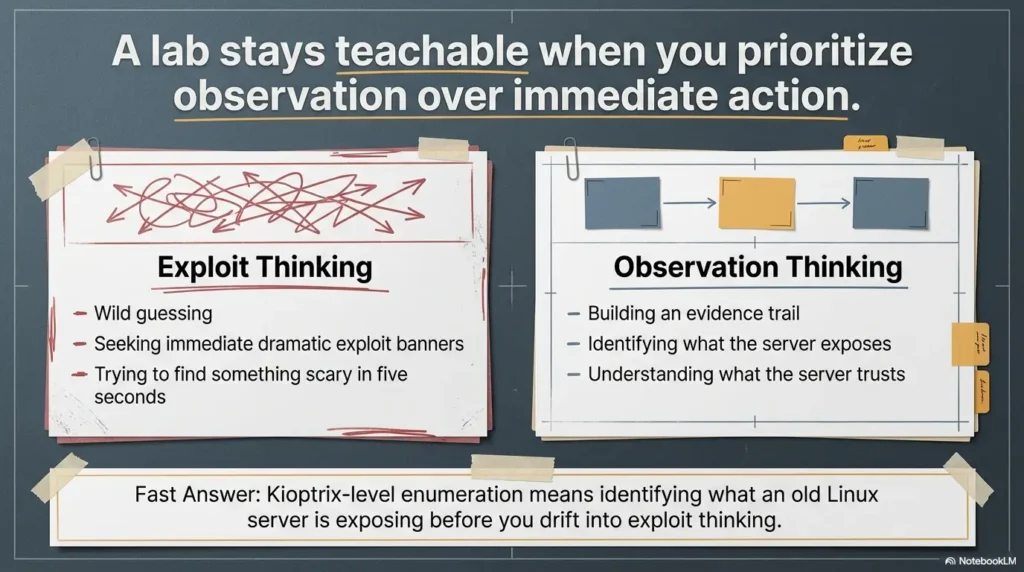
Kioptrix Level Apache enumeration is the kind of work that looks dull right before it saves you from wandering in circles. On legacy Linux web servers, the biggest clue is often not a dramatic flaw. It is a default page, a stray header, an SSL detail, or a hostname mismatch that most people click past without a second thought.
That is the real friction here: beginners see Apache, load the homepage, run a scanner, and end up with a pile of output but no real understanding. The result is wasted time, shaky notes, and a habit of chasing noise instead of reading the server’s behavior. Keep guessing, and an old training box can stay strangely invisible even while it is telling you exactly what it is.
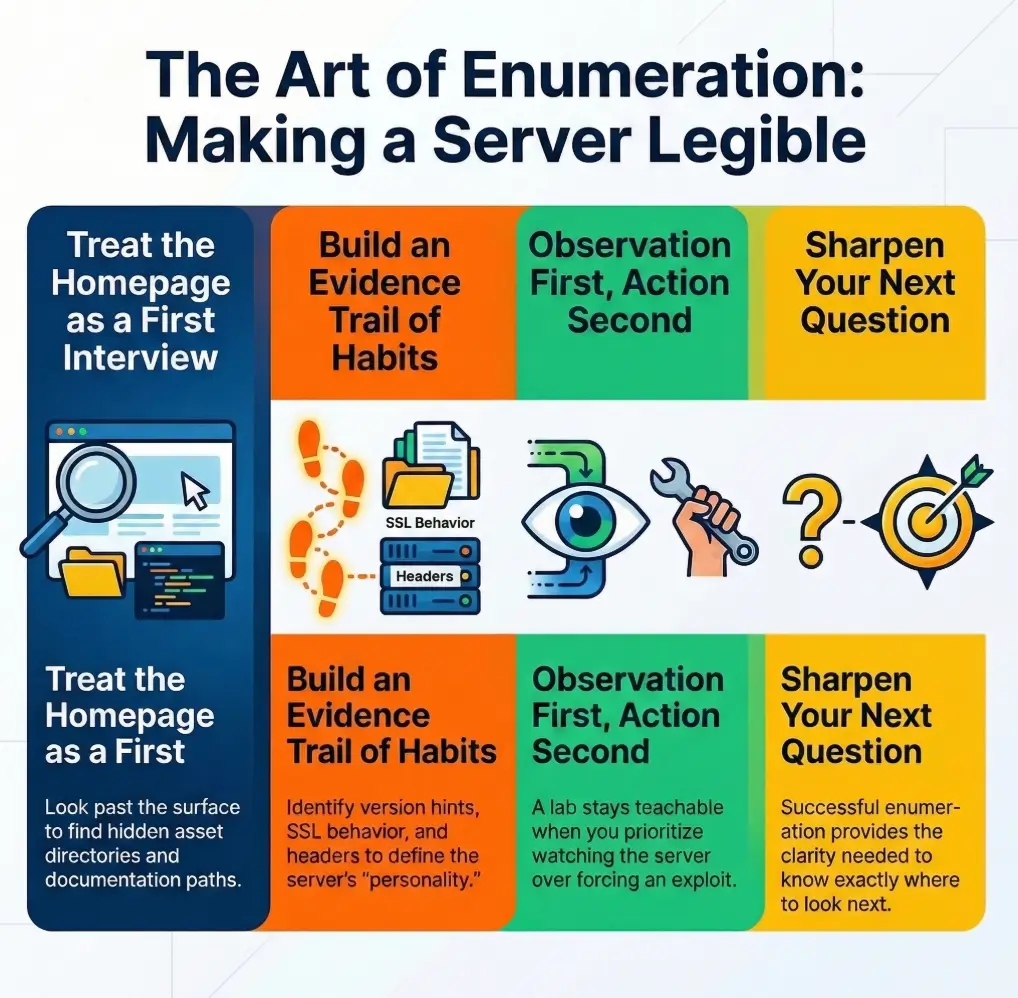
This guide helps you enumerate Apache with more discipline and less theater. You will learn how to read banners, page source, certificates, virtual hosts, and forgotten paths as connected evidence, so you can map the web surface before moving anywhere else.
The truth rarely arrives wearing a siren; it shows up in fragments. Once you learn how to read those fragments, the whole machine starts to make sense.
Before you poke around: scope, lab boundaries, and what this guide is not
Who this is for
This guide is for learners working inside a private lab, an intentionally vulnerable VM, or a clearly authorized training range. It is for the person who sees Apache in a scan result and feels that small internal shrug: fine, but what do I actually do with that? It is also for the beginner who has watched walkthroughs where the host is “enumerated” in thirty seconds and suspects, correctly, that a lot of thinking got edited out.
Who this is not for
This is not for testing systems you do not own or do not have permission to assess. It is not a shortcut guide for turning an old banner into a reckless exploit attempt. And it is definitely not for the “just throw ten tools at it and screenshot the fire” school of security theater. That school has a mascot, and it is a spinning CPU fan.
Safety note
Keep your work inside an isolated, authorized lab. Focus on enumeration and interpretation. On an old Apache stack, that distinction matters because legacy services often look noisy and fragile at the same time. You want repeatable signals, not accidental chaos. In practice, that means fewer assumptions, gentler requests, careful note-taking, and a workflow you could explain to someone else without waving your hands like a stage magician.
- Know the environment is authorized
- Prefer low-noise evidence collection first
- Write down each clue before forming a theory
Apply in 60 seconds: Open a note file with seven fields: IP, port, headers, homepage clues, HTTPS clues, paths, pivot idea.
- Yes/No: Is this a private lab or explicitly authorized training target?
- Yes/No: Are you focused on enumeration, not opportunistic exploitation?
- Yes/No: Do you have a place to record raw observations before conclusions?
- Yes/No: Can you explain why each request you send is necessary?
Next step: If any answer is “No,” fix the workflow first. The server can wait.
First clues first: what Apache is quietly telling you before the homepage loads
Read the banner, but don’t marry it
When an old web service presents a banner, treat it like the first sentence in a witness statement. Useful, yes. Sufficient, absolutely not. Legacy Apache environments are notorious for telling partial truths. A header may expose a version string. It may hide it. It may lie by omission. It may be a stale configuration artifact that survived three upgrades and two admin moods. The point is not cynicism. The point is sequence. Read the banner, record it, then keep walking.
Why “old Apache” is only the opening sentence
“Apache” by itself does not tell you enough. What matters is the constellation around it: does the page look like package-default content, does HTTPS behave differently, do error pages reveal hostnames, do linked assets look hand-built or distro-shipped, do you see clues that suggest a real app is hiding behind a generic front? On Kioptrix-style training boxes, the interesting truth is often not “Apache is running.” It is “Apache is running like this.”
Here’s the part beginners skip…
- Service names are hints, not proof
- Headers gain value when matched with page behavior
- The first response is often less important than the differences between responses
A small but powerful habit is to compare what you learn from three angles before touching a scanner: a plain HTTP request, a browser load, and an HTTPS request if port 443 exists. That triangle catches a surprising amount of drift. Sometimes the browser shows a generic page while the raw response quietly reveals a server name. Sometimes the certificate whispers a hostname that the homepage never mentions. Sometimes nothing seems interesting until the 404 page starts singing like an oversharing relative at dinner. If you want to keep that first pass lightweight and deliberate, a curl-only recon workflow for Kioptrix is often better discipline than reaching for heavier tooling too soon.
Show me the nerdy details
OWASP’s testing guidance still treats server fingerprinting, content review, and surface mapping as core information-gathering work because useful clues often come from ordinary responses, not exotic payloads. On old Apache-era stacks, header suppression, custom pages, and SSL differences mean you should compare multiple response types before trusting a single version hint.
Legacy fingerprints that matter on Kioptrix-style Apache stacks
Version strings, mod_ssl hints, and OpenSSL breadcrumbs
On deliberately vulnerable legacy boxes, old Apache and SSL clues matter because they anchor the box in an era. Apache 1.3 and early mod_ssl-era behavior do not just suggest age. They suggest assumptions. Admin habits were different. Default content was noisier. Documentation directories were more likely to survive. Error handling often revealed more. Certificate setups were rougher around the edges. The Apache Software Foundation’s own project history makes clear that the modern project lives in a different world from those old builds, which is exactly why you should treat legacy fingerprints as environmental context rather than trivia.
Manual folders, usage reports, and forgotten admin leftovers
Legacy web servers are full of what I think of as attic objects. No one meant them to be important anymore, but they remained in place because nobody cleaned them out. Documentation folders, stats pages, icon directories, sample content, and backup-ish leftovers can all reveal how the server was installed and what the admin cared about last. On a practice target, that can be the difference between “Apache is open” and “I understand the box’s shape now.”
Why legacy Linux web servers often reveal more through normal browsing than flashy scans
Because ordinary browsing preserves context. A scanner can tell you something exists. A page tells you how it exists. You notice wording, path patterns, style age, linked assets, response differences, certificate names, and subtle mismatches. Legacy services are a little like old houses: tap everything too hard and you may find weakness, but you learn more by first noticing where the floorboards creak. That is also why broad scan output can mislead you when service detection gets overconfident, a problem you can see in guides on Nmap service detection false positives and why CME can report the wrong OS version.
- Tier 1: Server banner and status line
- Tier 2: Homepage, source, and linked assets
- Tier 3: HTTPS certificate and protocol behavior
- Tier 4: Default paths, manual folders, usage pages, error pages
- Tier 5: Hostname logic, vhost behavior, and cross-service pivot clues
Neutral action: Do not move to Tier 5 if Tier 2 and Tier 3 are still full of unanswered questions.
Homepage first, scanner second: how to enumerate the web root without blundering
What to inspect in the rendered page
Start with your eyes. Is the page obviously a default placeholder, a real site, a redirect, a login screen, or something unfinished? Does the wording suggest a hostname? Does the design look hand-built, automatically generated, or distro-flavored? Does the footer mention a product, toolchain, or person? On old lab boxes, the page can look silly and still be useful. “Boring” is not the same as “empty.”
What to inspect in response headers
Headers can tell you whether the server is volunteering identity, suppressing it, redirecting you, or handling methods in ways that hint at configuration. You are looking for patterns, not trophies. Server, date behavior, content type, redirects, auth prompts, and odd header combinations all help. Missing security headers are contextual clues, not a prize ribbon. Their value comes from how they fit the broader picture, not from existing on a checklist.
What to inspect in page source and linked assets
Source review is where the room often gets brighter. Comment blocks, hidden paths, old references, image directories, form actions, and external or internal links all matter. A generic-looking page can hide an unusually specific asset path. A relative link can quietly reveal a subdirectory structure. Even an image filename can hint at the site’s age or purpose. It is not rare for a “nothing page” to become a useful map once you inspect the source instead of just staring at the rendered result like it owes you a monologue. If you later expand into broader web checks, the handoff feels much cleaner when you already understand the difference between this evidence-first pass and a more general Kioptrix HTTP enumeration workflow.
Let’s be honest…
- The default page is often not “nothing”
- It is a postcard from the admin, the distro, or the build era
In my own notes, I like to split the homepage into three boxes: what the browser shows, what the source shows, and what the headers show. That simple separation prevents the classic beginner mistake of collapsing everything into “Apache old, page generic.” When you do that, you erase the differences that actually matter.
- Rendered page gives surface intent
- Headers give delivery context
- Source gives hidden structure
Apply in 60 seconds: Save one screenshot of the page and one raw response capture before you click anywhere else.
URL archaeology: the overlooked paths that expose the server’s age
/manual/, /usage/, icons, docs, and sample content
There is a special kind of joy in finding an old documentation path exactly where old software habits suggest it might be. Not because it is glamorous, but because it confirms you are dealing with a server that still carries installation-era baggage. Manual directories, icon paths, server status-like leftovers, usage reports, and sample content can reveal package defaults, configuration style, and even assumptions about who was expected to visit the server. On a modern hardened box, these are often absent. On a legacy training box, they can be half the plot.
Directory clues that suggest package defaults or sloppy cleanup
Old Apache environments often look lived in. You may find a path structure that feels too neat to be accidental or too messy to be intentional. Both are informative. Default package content suggests one kind of admin story. Sloppy cleanup suggests another. Neither is an exploit. Both are clues. The point is to notice what kind of server life you are observing: carefully staged, casually maintained, or fossilized in place.
Error pages as reconnaissance gold
Error pages are where servers get tired and start telling the truth. A 404 page may reveal a title, hostname, server string, path formatting style, or whether a front-end layer exists. A redirect loop may hint at vhost dependencies. A forbidden response records refusal; a broad access rule can return it even for a nonexistent path. On old systems, error handling is often less polished and more revealing. It is the server equivalent of muttering under its breath.
Why one odd path can change your whole theory of the box
Because paths expose assumptions. A generic homepage says, “something is here.” A documentation path says, “this thing was installed in a recognizable way.” A usage directory says, “someone expected stats or reports to exist.” A named subdirectory can imply a hidden app or a hostname dependency. One weird path can turn your hypothesis from vague to structured. That is not a tiny difference. That is the difference between wandering and investigating. When you do choose to validate path guesses with tooling, something like wordlist tuning for FFUF or a careful wget mirroring workflow for recon is far more useful than random spraying.
When A: Homepage is generic but consistent, headers are sparse, and error pages look standard.
Do: Explore likely default paths and compare HTTP/HTTPS behavior.
When B: Homepage references names, assets, or odd redirects.
Do: Follow the named clues first before broad directory guessing.
Time/cost trade-off: Five careful path checks usually beat fifteen random ones.
Neutral action: Choose the path strategy that reduces guess volume, not the one that feels more dramatic.
It stopped being “a web server” and became “an old Apache installation with habits.” Nothing exploded. No dramatic exploit banner appeared. But the investigation got smarter in a single step. That is the strange reward of good enumeration: the room does not become louder. It becomes legible.
SSL tells a story: what HTTPS behavior reveals on a legacy Apache target
Certificate details that betray hostname and environment
Certificates are often the most polite oversharers on a legacy box. Common names, issuer details, date ranges, organizational strings, and self-signed quirks can all suggest hostnames, internal naming habits, or the server’s intended role. Even when the certificate is rough or broken-looking, it can reveal the shape of the environment. On a training target, that shape is often more useful than the exact crypto story.
Protocol quirks and weak negotiation clues
Legacy HTTPS behavior can reveal age even when the main page looks dull. Handshake oddities, limited protocol negotiation, abrupt failures, or SSL module fingerprints all belong in your notes. You are not collecting them to flex. You are collecting them because they help date the stack and explain why HTTP and HTTPS may behave differently. The old mod_ssl universe was a different neighborhood. A creaky handshake is sometimes just a very old door hinge.
Why HTTP and HTTPS may show different information
Different virtual hosts, different default pages, different headers, different redirect logic, different certificate-bound expectations. It happens more than beginners expect. A port 80 page that looks generic can coexist with a more revealing 443 response. Or the reverse. If you only check one, you may miss the identity clue that makes the rest of the box understandable. In an old lab, ignoring HTTPS because “port 80 already works” is like refusing to open the second drawer because the first one had socks.
Here’s what no one tells you…
- On legacy boxes, SSL is not just encryption
- It is often a fossil bed full of version evidence
The Apache project’s modern SSL documentation reflects a cleaner, more current ecosystem. That contrast is useful. The farther your target feels from that modern baseline, the more careful you should be about assuming old HTTPS behavior is “normal.” On a Kioptrix-style box, weirdness is often a map, not a bug in your notes.
Show me the nerdy details
SSL clues can support server fingerprinting even when the homepage is generic because certificates and negotiation behavior may preserve naming or deployment assumptions that the main content no longer exposes. On older Apache/mod_ssl-era systems, cross-checking certificate identity against HTTP headers and redirects is often more valuable than trying to force immediate exploit relevance.
Virtual host confusion: when Apache answers, but the real site still hides
Hostnames, server names, and why IP-only browsing can mislead you
Apache can absolutely respond on an IP while still not showing you the content that matters. This is one of the classic legacy-lab banana peels. The server is alive, the page loads, and yet you are effectively looking at the waiting room instead of the office. A certificate name, a redirect target, a title string, or a subtle hostname clue may tell you that the server expects a proper Host header to serve the interesting content. If you keep browsing by IP only, you can waste a scandalous amount of time staring at the wrong page with great confidence.
/etc/hosts logic in a lab workflow
In a legal lab workflow, mapping discovered hostnames locally is not a clever trick. It is basic hygiene. If the evidence suggests a name, test the name. Do not leave it floating in your notes like a decorative thought. Old Apache virtual host behavior can depend heavily on that detail. A generic page on raw IP and a specific page on hostname is not unusual. It is practically one of the genre’s recurring characters. Hostname clues also tend to line up nicely with earlier network reconnaissance, especially if you already worked through what nmblookup output actually means or why nbtscan can reveal a hostname even when no shares appear.
When a generic page is masking the page you actually need
This is why hostname discipline matters. A bland default page can be real, but it can also be a placeholder served because the server did not get the request context it expected. If you suspect a vhost issue, compare titles, redirects, certificates, and error page behavior. Look for one mismatch that feels too specific to be random. Those tiny mismatches are often the doorway.
The small mismatch that wastes an hour
A misspelled hostname clue (DNS hostname matching is case-insensitive). A certificate common name that you wrote down but never used. A 301 redirect to a name you ignored because the browser “still loaded.” This is not advanced wizardry. It is the boring art of honoring the clues you already found. Most lost time in enumeration comes from unrespected evidence, not missing genius.
- IP access may show only the default vhost
- Certificates and redirects often hint at the expected hostname
- One local hosts entry can change the entire surface
Apply in 60 seconds: Compare the raw IP response with any hostname clue you collected and note whether the page title, redirect, or content changes.
Methods, headers, and misconfigurations: the quiet signals with outsized value
Allowed methods and why they matter
HTTP methods help you understand what kind of web surface you are talking to. A basic set suggests one thing. Unexpected allowance of additional methods suggests another. The key is context. Allowed methods do not become important just because they are unusual. They become important when they align with what else you know about the server: old build era, weak default content, strange path structure, hostname quirks, or application behavior that implies more functionality than the homepage admits.
TRACE, OPTIONS, and misconfig noise versus useful evidence
Beginners often see a method-related finding and immediately hear cinematic music. Try not to. Some method results are more educational than actionable. Others matter as configuration fingerprints. Your job is to separate signal from vanity. TRACE support, OPTIONS behavior, and method disclosure tell you something about configuration posture. They do not automatically tell you the path forward. This is why professional notes sound calmer than excited lab chatter. Calm notes age better.
Missing security headers as context, not as a trophy
Missing modern headers on an old training box are not exactly a surprise party. Their value is in dating the environment and revealing likely admin priorities, not in proving you have found the One Weird Trick. When you frame them that way, they become more useful. They stop being badge collection and start being evidence about the era and discipline of the web service. If you want a broader business-facing angle on why headers matter without turning them into carnival prizes, the discussion around security headers ROI is a useful calibration point.
How to separate “interesting” from “actionable”
I use a two-column note habit: Interesting and Actionable Next Check. If a method or header clue cannot produce a sensible next validation step, it stays in Interesting for now. That tiny discipline protects you from the very human tendency to promote every shiny clue to main-character status. Enumeration is a republic, not a monarchy.
Give each clue 1 point for each of the following:
- It appears in more than one place
- It suggests a concrete validation step
- It changes your understanding of hostname, path, or service role
Score 0–1: log it and move on. Score 2: validate once. Score 3: this is probably worth a focused follow-up.
Neutral action: Spend your next ten minutes where the score is highest, not where the finding looks most dramatic.
Don’t do this: the Apache enumeration mistakes that make beginners miss the obvious
Mistaking one version string for complete truth
This is the grand old trap. A banner whispers a version, and the mind instantly starts building castles. Slow down. Version strings can be incomplete, suppressed, customized, stale, or contextless. The right move is confirmation through multiple artifacts: page design age, SSL behavior, certificate details, path leftovers, and response differences. You want a chorus, not a solo.
Treating every Nikto finding like a live exploit path
Tool output can be useful, but beginners often hand their judgment over to it far too quickly. On old Apache stacks, scanners will happily produce a buffet of things that are mildly interesting, historically suggestive, or operationally irrelevant to your immediate path. The server does not owe every line item a plot twist. Read scanner results as support, not gospel. The same caution applies when tuning modern scanners like Nuclei, which is why template tuning matters more than blind volume.
Ignoring HTTPS because port 80 already loaded
This one is common because the browser rewards laziness with visible content. But old HTTPS behavior can be richer, stranger, or simply different enough to change your understanding of the server. A certificate, redirect, vhost clue, or alternate default page might live there. Skipping 443 on a legacy box is often self-sabotage dressed as efficiency.
Skipping screenshots, notes, and raw responses
The future version of you is not as trustworthy as you think. Memory edits. Screenshots do not. Raw headers do not. A note with time, page title, and observed clue saves you from rebuilding the same mental staircase later. I say this with affection because I, too, have once trusted my memory and later discovered it had the structural integrity of a croissant. A consistent note system helps, whether that is a dedicated enumeration template in Obsidian or just a disciplined naming habit like a repeatable screenshot naming pattern.
- Homepage screenshot
- Raw HTTP response headers
- Raw HTTPS certificate details
- Two notable paths and their status behavior
- Any hostname clue or redirect target
Neutral action: Do not compare theories until you can point to at least three artifacts, not just three impressions.
Common mistakes
Scanning too loudly before understanding the web surface
The web surface is often readable before it is searchable. Beginners reverse that order because tools feel productive. But a loud first move can bury the simple truth under a haystack of machine-generated maybes. On a training box, you want the clean sequence: surface, structure, SSL, hostname, then selective tooling. That is not slower. It is simply less wasteful.
Forgetting that legacy pages often expose clues in plain HTML
Comment blocks, alt text, asset names, old footer text, and directory patterns are all part of the evidence field. Plain HTML is where legacy boxes often feel almost charmingly indiscreet. It is not rare to find one line in source that does more for your investigation than a full round of anxious clicking.
Confusing “server seems old” with “path to root is obvious”
An old server is context, not destiny. Beginners sometimes hear “legacy Apache” and mentally fast-forward to inevitability. That leap is exactly what ruins good enumeration. An old stack may matter a great deal, but your job is still to map facts, not pre-write the ending.
Pulling exploit names too early and losing the investigation thread
The moment you start naming exploits before your evidence map is stable, the investigation warps around the fantasy of being right. Confirmation bias begins singing lead vocals. Suddenly every clue becomes supportive and nothing contradictory gets a fair hearing. That is a bad lab habit and an even worse professional habit.
Assuming the homepage is the application
Sometimes it is. Sometimes it is not. Sometimes it is a default vhost, a decoy-ish placeholder, or a page that exists mainly to reassure you that a port is alive. Do not let the first thing you see appoint itself king of the kingdom.
Show me the nerdy details
The discipline here mirrors broader web testing methodology: identify, validate, compare, then prioritize. Enumerators get in trouble when they turn high-level environmental indicators into immediate vulnerability claims. On older Apache targets, especially in labs, environmental context is often the bridge to the real next step, not the step itself.
Pivot logic: when Apache findings should send you toward other services
When the web server points toward Samba, DNS, or local hostname clues
A hostname in a certificate, a page reference to a machine name, a path that looks shared, or content that implies an internal naming convention can all point beyond Apache. This is one reason disciplined web enumeration matters so much on Kioptrix-style boxes. The web server may not be the final stage. It may be the signpost. If Apache tells you how the machine names itself, that can suddenly make another service make more sense. That becomes especially useful when you later compare SMB behavior, such as null session differences between port 139 and 445 or why smbclient can list something without granting real access.
When Apache artifacts suggest credential reuse or file disclosure paths
Again, think in terms of evidence, not temptation. If a configuration-like file, default page clue, or exposed path suggests a naming pattern, account name, or deployment habit, that may affect how you interpret adjacent services. The point is not to lunge. The point is to let the web service teach you the environment’s grammar. Once you know the grammar, other services stop sounding random.
When to stop web enumeration because the signal is getting thin
There is dignity in stopping. If repeated careful checks are no longer producing meaningful new evidence, that is not failure. That is a decision point. Good operators pivot before boredom turns into randomness. A thin signal means it may be time to test the implications of what you already found elsewhere.
The disciplined pivot most walkthroughs rush past
Most walkthroughs compress the quiet part: the moment where clues stop multiplying and start converging. That convergence is the pivot. You now know enough to ask a better question of another service. In training, this is where the student becomes less tool-driven and more hypothesis-driven. It does not feel flashy. It feels adult. If you want a broader habit loop for that moment, a fast enumeration routine for any VM can help you pivot without losing structure.
- Hostnames can reframe the whole target
- Path clues can imply service relationships
- A thin web signal is often a pivot signal
Apply in 60 seconds: Write one sentence: “Because Apache revealed X, my next rational check is Y.”
Evidence map: how to turn Apache enumeration into a clean note trail
What to record from headers, pages, certs, and discovered paths
Your notes should make future-you grateful, not suspicious. Record the raw server clue, page title, page type, key headers, certificate names and dates if relevant, discovered paths, interesting methods, and any hostname or redirect clue. Keep it plain. Keep it timestamped. Keep screenshots where visuals matter. This is not bureaucracy. This is what makes the work reusable.
How to structure notes so later exploitation is explainable
I like a simple chain:
- Observation: what the server showed
- Interpretation: what it might mean
- Validation: what you checked next
- Result: what changed in your theory
That structure makes your workflow readable by another person and by your own tired brain two days later. It also exposes where you may have made a leap without support. Those are the places to revisit before you move on.
Report-friendly artifacts that make your workflow reusable
One screenshot of the homepage, one saved raw response, one note on HTTPS differences, one short summary of hostname logic, and one list of discovered paths with status behavior. That small set is usually enough to keep the whole story coherent. You do not need a museum. You need a trail. If your end goal is cleaner documentation, it also helps to study how to read a penetration test report or use a Kali pentest report template so your notes already lean toward explainable evidence.
One screenshot now saves five guesses later
This is less a slogan than a law of emotional physics. Nothing burns time like having once seen something important and being unable to prove it to yourself later. A screenshot is cheap. Rebuilding certainty is expensive.
Server string
Redirects
Status behavior
Title
Default content
Visible clues
Comments
Asset paths
Hidden references
Certificate name
Protocol quirks
443 differences
/manual/
/usage/
Error pages
Hostname logic
Other services
Next rational check
Use: Fill each box with one confirmed fact before you move into heavy tooling. It keeps your investigation honest.
There is a quiet relief that comes when your notes stop looking like a panic diary and start looking like a map. That is the real upgrade this kind of enumeration gives you. Not just more findings. Better thinking.

FAQ
What is Apache enumeration in a Kioptrix lab?
It is the process of identifying what the Apache web service reveals through banners, headers, pages, source, SSL behavior, default content, and accessible paths before you attempt any exploit logic. The goal is understanding, not premature drama.
Why does a default Apache page matter on a legacy Linux target?
Because it can reveal distro hints, installation habits, linked directories, package defaults, and the general age of the environment. A default page is often metadata wearing plain clothes.
Should I trust the Apache version shown in a banner?
Treat it as observed metadata. Corroborating responses can strengthen a hypothesis, but page age and certificate style do not verify an exact installed version or patch status.
Why should I check both HTTP and HTTPS on Kioptrix?
Because legacy boxes may expose different headers, paths, certificates, redirects, and virtual host behavior across ports 80 and 443. The two ports can tell slightly different versions of the same story.
What are the most useful legacy Apache paths to inspect first?
Documentation folders, usage-like pages, icon directories, sample content, and anything referenced by the homepage, source, or error responses. Start with clues the server already handed you.
Does finding mod_ssl or old OpenSSL strings mean I should exploit immediately?
No. First confirm the environment and capture evidence. Enumeration should narrow possibilities and explain the stack. Blind action too early usually produces noise, not clarity.
What if Apache loads only a generic page with no obvious clues?
Check headers, page source, linked assets, HTTPS, certificate data, hostnames, redirects, and non-root paths before deciding the web service is a dead end. Generic is not the same as empty.
How do virtual hosts affect Apache enumeration?
Apache may serve a default page for raw IP requests while reserving the interesting site for a specific hostname. Certificates, redirects, and odd naming clues often point you toward the correct Host header to test in a lab.
How do I know when to pivot away from web enumeration?
When careful additional requests stop producing meaningful new evidence and your current findings clearly suggest another service, naming dependency, or environmental clue to validate next. Thin signal means pivot time.
What should I save in my notes during enumeration?
Response headers, screenshots, paths discovered, certificate details, hostnames, status differences, and anything that changed your working theory. Save facts first, opinions second.
Conclusion
At the beginning, I said this work looks almost too ordinary to matter. That was the curiosity loop. The truth is that ordinary is exactly where legacy Apache boxes betray themselves. Not in fireworks. In posture. In default pages. In headers. In certificates. In one odd path. In the tiny mismatch between an IP response and a hostname-aware one. Enumeration on a Kioptrix-style Apache target is not about piling up findings. It is about turning scattered clues into a coherent environmental story.
Your best next step in the next 15 minutes is simple: build a one-page Apache evidence worksheet and fill it with confirmed facts only. Start with service banner → homepage clues → source clues → HTTPS clues → hostname clues → discovered paths → pivot decision. Do that once, cleanly, and you will stop treating Apache like a checkbox and start treating it like the first honest witness on the box. If you want that worksheet to plug into a larger lab habit, pair it with a Kioptrix open ports review and a reusable note-taking system for pentesting so the web evidence lives inside a broader map instead of floating alone.
Original review: 2026-03.
Technical guidance updated: 2026-10-13. Clarified hostname case handling, 403 interpretation, and the limits of version corroboration.
Apache response comparison record
Use these fields to turn this guide into a record for your own task. Keep the actual scope, evidence and unresolved questions together.
On a small screen, scroll the table sideways to read all columns.
| Field | What to record | Your evidence / next check |
|---|---|---|
| Request identity | Record destination, port, Host value and TLS name when applicable. | To complete |
| Observed response | Preserve the status, redirect and relevant returned text. | To complete |
| Origin uncertainty | Note proxy, default-host and banner assumptions separately. | To complete |
| Next comparison | Choose one permitted change that distinguishes competing explanations. | To complete |
Next action: Keep advertised server identity separate from a verified deployment or patch conclusion.
Related task: Use Kioptrix HTTP Enumeration: Requests and Server Clues for that separate part of the workflow.
Worksheet change record — October 20, 2026
Added four task-specific fields, a next action and a related guide. This is a blank editorial working aid, not a completed test or validated assessment. Existing source-review dates retain their own scope; this addition is not a new verification of every statement.