
Mastering Kioptrix: A Method-Driven Approach
Most people approach a Kioptrix box backward. They start with exploits, collect a few flashy commands, and end the session with root access but almost no reusable skill.
That is the real friction behind most beginner lab frustration. The problem is rarely the box itself. It is the missing layer underneath it: shaky Linux basics, blurry networking knowledge, weak enumeration habits, and notes that read like command confetti.
Keep learning that way, and Kioptrix becomes a guessing game instead of a training ground. A better Kioptrix learning path starts before the VM ever boots and keeps working after the lab is over. With the right sequence, you can:
- Study the foundations that make the target legible.
- Move through the box with less thrashing.
- Turn one legacy machine into better privilege escalation instincts and sharper web testing judgment.
This approach is grounded in method, not theater. It treats Kioptrix as a compact workshop for Linux, networking, enumeration, and post-lab reflection, which is exactly why the lessons transfer.
Start with the quiet pieces. They are doing more work than they seem. Because the goal is not just to finish the lab, it is to understand the path well enough to use it again.
Table of Contents
Start Here First, or the Lab Turns Into Guesswork
Why Kioptrix rewards foundations more than flashy exploitation
Kioptrix has a reputation for being beginner-friendly, but that phrase hides a trap. It is beginner-friendly only if your basics are steady enough to notice what matters. Without that, the box becomes a fog machine. You run scans, collect output, paste commands, and hope that one of them opens a door. That is not learning. That is lottery behavior in a hoodie.
What makes Kioptrix valuable is that it compresses the full arc of offensive thinking into a small space. You can see services, web behaviors, system weaknesses, and escalation paths without needing a sprawling enterprise environment. The box is old, yes, but that is part of the gift. It slows the chaos. It lets you observe cause and effect.
The real goal is not “pop the box,” but “understand the path”
A learner who reaches root in 35 minutes by following a write-up may feel productive for one afternoon. A learner who needs 2 hours but can explain the sequence from recon to privilege escalation is building something sturdier. When I first worked through an older lab years ago, I remember feeling almost insulted by how long I stared at a scan result without truly reading it. The tools were talking. I just did not know the language yet.
That is the right frame for Kioptrix. Not conquest. Translation.
What this learning path helps you do before, during, and after the lab
This path is built to help you answer three questions:
- What do I need to know before the lab so the target makes sense?
- What order should I follow during the lab so I do not thrash?
- What should I study after the lab so the lesson sticks?
The quiet beauty of this structure is that it lowers panic. Instead of facing Kioptrix like a dramatic exam, you approach it like a workshop. The box stops being an oracle and starts being a mirror. It shows you where your reasoning is strong, where your Linux instincts wobble, and where your note-taking dissolves into command soup.
- Use it to practice foundations, not just exploitation
- Judge progress by explanation quality, not only root access
- Expect the box to reveal your study gaps fast
Apply in 60 seconds: Write one sentence now: “My goal in Kioptrix is to understand the path, not just finish the box.”
Who This Is For, and Who Should Skip This Path
Best for beginners building their first repeatable pentesting study routine
This learning path fits beginners who want structure more than drama. If you have opened Kali, run a few tools, and felt both excited and slightly lost, you are exactly the audience. You do not need to be advanced. You do need to be willing to slow down and revisit basic ideas without treating that as failure.
Good fit for homelab learners, cybersecurity students, and self-taught career switchers
Kioptrix sits nicely in the life of a homelab learner because it does not demand a giant setup. One VM, one attack box, a notebook, and a patient evening can carry a surprising amount of educational weight. It also works well for students who want to bridge the gap between theory and tactile practice. If you are switching careers, it is especially useful because it gives you a narrative. Interviewers respond far better to clear Kioptrix interview stories about how you enumerated, reasoned, escalated, and documented than to “I ran some tools and things happened.”
Not ideal for learners chasing only tool output without fundamentals
If your goal is speed, spectacle, or collecting screenshots of shells without understanding them, this path will probably feel almost annoyingly sober. Good. That is intentional. Cybersecurity learning has a way of rewarding theater early and then punishing it later. A box may fall over even when your reasoning is weak. Real work is less forgiving.
One small warning: if you have not yet learned basic terminal navigation, user permissions, or how TCP services behave, begin there first. Not because you are behind, but because that makes the rest of the lab legible. Foundations are not a detour. They are the road.
Eligibility checklist:
- Yes/No: Can you move around Linux directories without guessing?
- Yes/No: Do you know what a port, service, and IP address are?
- Yes/No: Can you read basic web responses and directory paths?
- Yes/No: Are you willing to take notes during the lab?
Next step: If you answered “no” to two or more, spend one short study session on basics before booting Kioptrix.
Before Kioptrix, Learn the Boring Pieces That Save You Later
Linux basics: files, permissions, users, processes, and shells
Before you touch Kioptrix, you want enough Linux to avoid being surprised by ordinary things. That means understanding file paths, users and groups, executable permissions, common shell behavior, and what running processes actually tell you. You do not need to become a wizard who drinks grep for breakfast. You just need enough fluency that the target stops looking like random text.
Privilege escalation in beginner labs often feels magical to newcomers because they cannot yet see how permissions and process behavior create risk. Learn those patterns first and the post-exploitation phase becomes less mystical and more mechanical.
Networking basics: IPs, ports, services, routes, and simple packet flow
Networking is where many learners quietly lose the thread. They know a scan found port 80 or 22, but they do not yet have a living mental picture of what that means. Spend time on this before the lab. Learn how services listen, how clients connect, why a route matters, what the difference is between TCP and UDP at a practical level, and how local lab networking affects reachability. If your lab setup still feels slippery, it helps to review a clean Kioptrix network setup and a simple home lab network layout before you begin.
I once lost nearly 40 minutes in a home lab because I blamed the target when the real issue was my own network mode. It felt dramatic. It was actually plumbing. Labs are full of moments like that.
Web basics: requests, responses, forms, directories, and server behavior
Kioptrix-style boxes often reward simple web literacy. Can you read a login form and imagine how it communicates with the server? Do you know what a 200, 301, 403, or 404 response implies? Can you tell the difference between a hidden directory and a dead lead? Those questions sound modest, but they shape the whole experience.
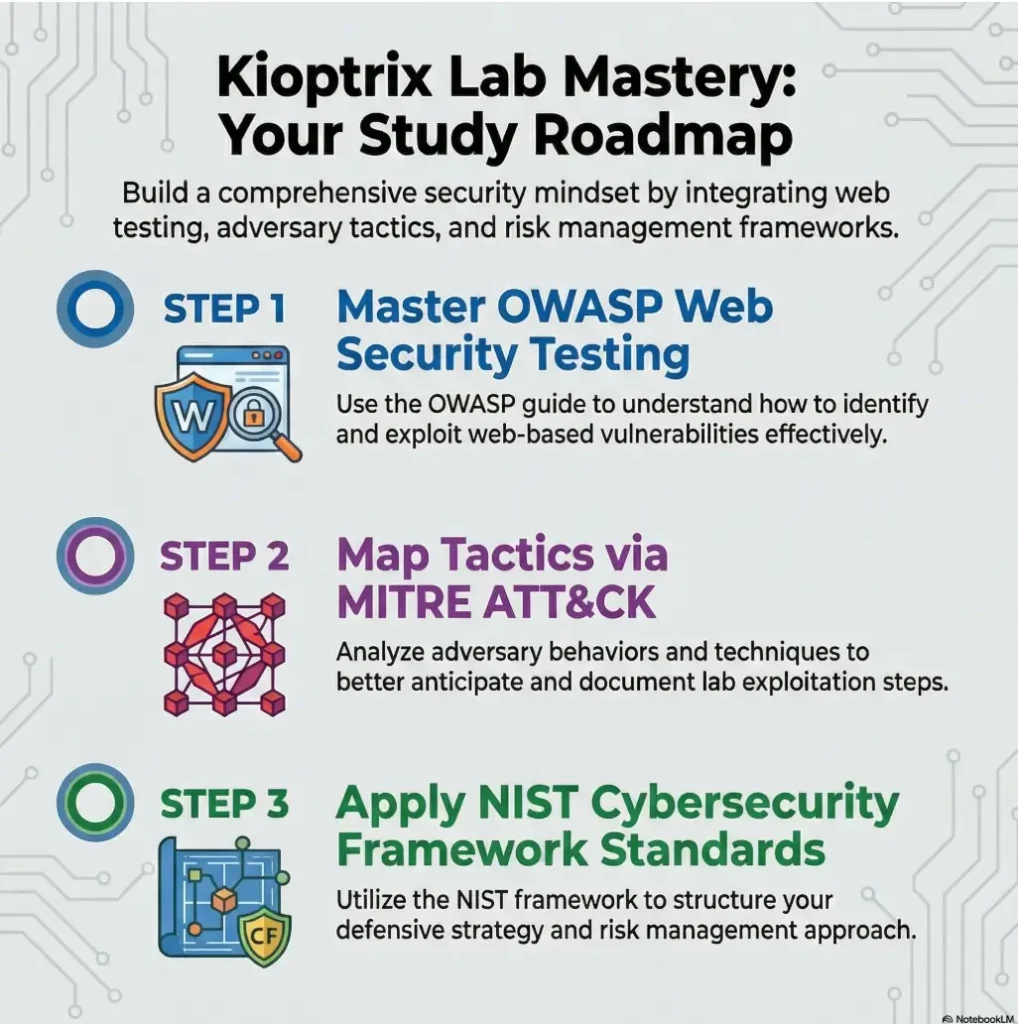
The OWASP Web Security Testing Guide remains one of the best official references for thinking through web application testing as a process, not a pile of stunts. It is worth knowing exists even before you need it.
Show me the nerdy details
At a minimum, know how to read file permissions, identify service banners, interpret HTTP status codes, and explain why a form submission matters. If you can describe what a shell, daemon, route, and response header do in plain English, you are ready enough to begin.
Useful pre-lab minimum: 60 to 90 minutes of focused review on Linux, networking, and HTTP basics can save you multiple hours of confused clicking later.
Study Enumeration First, Because Exploits Come Second
Why service discovery is the real entrance exam for beginner labs
Enumeration is not the appetizer before the “real” work. Enumeration is the real work. Everything else depends on whether you can identify the attack surface clearly. Beginner labs are generous in this way. They often expose enough information that a careful learner can build a plausible path without wild guesswork.
If you skip enumeration discipline, you create an unstable stack of assumptions. You see one open service, jump to a favorite exploit, and miss the more useful clue sitting three lines lower in your output. The box did not trick you. Your own impatience did.
How to read scan results without treating them like magic
A scan result is a hint, not a verdict. A port number tells you where to look. A service banner suggests possibilities. A version string may or may not be reliable. Enumeration is interpretation under uncertainty. That is why it transfers so well into future labs and real roles. The skill is not “run Nmap.” The skill is “turn incomplete evidence into a prioritized plan.”
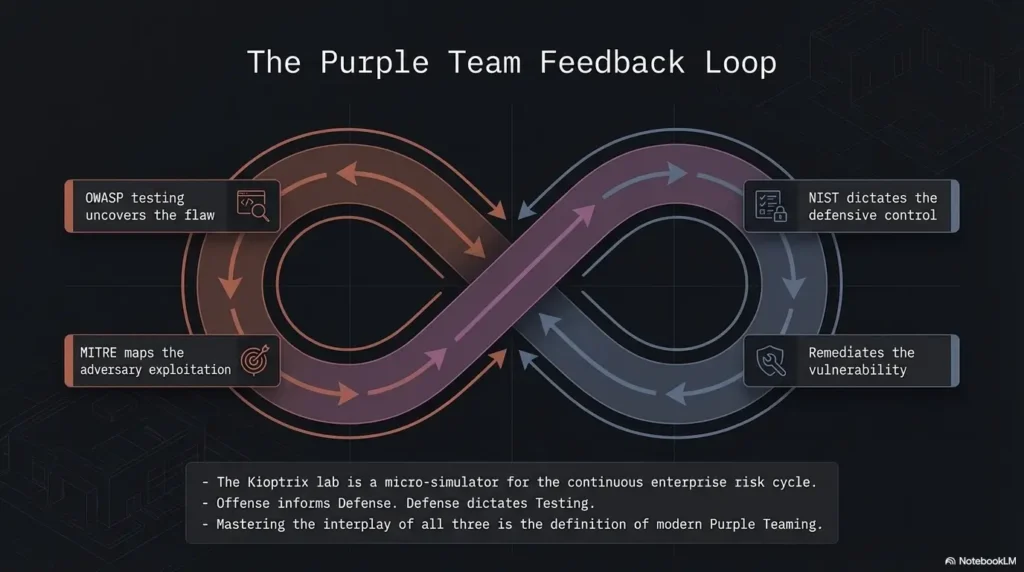
MITRE ATT&CK is useful here, not because Kioptrix maps neatly onto a modern enterprise, but because it trains you to think in behaviors and objectives. Discovery, access, execution, persistence, privilege escalation: these are not just buzzwords. They are chapters in a story you are trying to read.
Which enumeration habits transfer beyond Kioptrix into future boxes
- Record every open port and probable service before touching exploits
- Verify what the web application actually does before fuzzing blindly
- Keep hypotheses separate from facts in your notes
- Re-check assumptions when a path stalls
- Treat odd errors as information, not just inconvenience
These habits sound almost boring enough to ignore. Please do not. Boring habits are often the steel beams of good security work. If you want a more structured rhythm, build one from a Kioptrix enumeration workflow, a repeatable recon routine, or even a reusable recon log template that keeps facts and guesses apart.
- Scan output is a map, not a trophy
- Version context matters more than raw port count
- Re-read your notes before changing direction
Apply in 60 seconds: Create three note headers now: Facts, Hypotheses, Next Checks.
Tool Basics First, but Not Tool Worship
Nmap, Nikto, Gobuster, Netcat, and Burp as learning instruments, not shortcuts
There is a stage of learning where tools feel like charms. Run the right one and perhaps the machine opens. It is an understandable fantasy. Unfortunately, it ages badly. In Kioptrix, tools are best treated like instruments in a rehearsal room. Nmap teaches visibility. Nikto teaches rough web hygiene awareness. Gobuster teaches discovery under uncertainty. Netcat teaches direct interaction. Burp teaches attention.
Used this way, tools stop being magical objects and become lenses. Each one sharpens a different habit of mind.
What each tool is actually teaching you about the target
Nmap is teaching you to observe exposed services and narrow possibilities. Gobuster is teaching you that absence is informative too. Burp teaches you that web requests are not vapor. They are structured conversations you can inspect. Netcat, humble and a little scrappy, teaches that many interactions become clearer when you strip away the glossy interface and talk to the service directly. If you are still choosing between approaches, comparing Nmap vs. RustScan for Kioptrix, Nikto vs. Nmap scripts, or Dirb vs. Gobuster can help you keep the toolset small but intentional.
Once, after spending too long poking at a web path with prettier tools, I used a simpler manual interaction and realized the service behavior was telling me the story all along. It was the classic beginner embarrassment: I had brought a chandelier to a flashlight problem.
Here’s what no one tells you: tools are loud, but interpretation is the skill
The more tools you install early, the easier it becomes to confuse movement with progress. A dozen colorful outputs can make a bad session feel busy. Busy is not the same as good. What you want in Kioptrix is a small toolset you understand well enough to explain. Not just what it does, but why you chose it, what its output means, and what its blind spots are.
Decision card: When should you add a tool, and when should you pause?
- Use the tool when you have a clear question such as “What directories exist?” or “What service is really listening here?”
- Pause first when you are opening a tool simply because the last one did not hand you a path
- Cost trade-off: More tools can save 10 minutes or waste 45 if you do not understand the outputs
Neutral action: Limit yourself to 4 or 5 core tools for the first full Kioptrix attempt.
Don’t Study Exploits in Isolation Before You Can Read the System
Why exploit lists feel productive but often create shallow learning
There is a seductive efficiency to exploit lists. Search a service version, skim a database, try a payload, move on. Sometimes that works. The problem is that it teaches a thin kind of confidence. You may know that a thing exists without understanding why it applies, what assumptions it depends on, or how to validate it responsibly in a lab.
For beginner learning, that shortcut comes with interest. You pay later in confusion.
How premature exploit hunting breaks your reasoning chain
When you hunt exploits too early, you stop reading the system and start imposing a story on it. You look for confirmation rather than evidence. You ignore environmental context. You miss simpler paths. Worst of all, you train yourself to detach success from understanding. That habit is sticky.
NIST’s cybersecurity learning materials consistently emphasize structured, role-based development and process. The exact lesson for a learner is simple: sequence matters. Foundations first. Action second. Reflection third.
What to study instead: version context, service behavior, and attack surface
Before you dive into public exploit material, ask better questions:
- What service is this, really?
- How confident am I about the version?
- What behavior have I observed myself?
- What does the accessible attack surface suggest?
- What lower-risk checks can confirm or disprove my theory?
That small pause changes everything. It turns exploit use from ritual into reasoning. You become less dependent on luck and more sensitive to context, which is the whole point of a lab in the first place. This is also why many learners benefit from comparing Metasploit vs. manual Kioptrix practice before they let automation make the decisions for them.
Pre-Lab Mindset Matters More Than Most Beginners Expect
Why patience beats speed in legacy beginner labs
Legacy boxes tempt people into arrogance. “It’s old. It should be easy.” Then the learner rushes, misses a clue, and begins spiraling into random commands. Kioptrix punishes that mood surprisingly well. Old does not always mean simple. Sometimes it means the clues are there in plain sight, and your impatience is the real obstacle.
A patient learner notices more. That sounds almost too soft to matter, but it matters a lot. The difference between a good session and a chaotic one is often just 15 extra minutes spent reading outputs slowly.
How to build a hypothesis before you touch a payload
Before each major action, form a sentence you can test. Not a grand theory. Just a sentence. “This web service may expose a vulnerable path because of the version and behavior I observed.” Or, “This local misconfiguration may allow privilege escalation because the permission model looks weak.” Hypotheses reduce flailing. They create a small spine for your session.
Let’s be honest: rushing usually means you are hiding from uncertainty
This was one of the most uncomfortable truths for me as a learner. Rushing can feel ambitious, but often it is emotional avoidance wearing running shoes. You do not want to sit in not-knowing, so you speed up. Kioptrix is useful precisely because it teaches you to remain in that uncertainty long enough to think clearly. If that emotional wobble sounds familiar, first-lab anxiety in Kioptrix is more common than people admit.
- Patience gives clues time to become visible
- Hypotheses prevent random command drift
- Speed is not a proxy for competence
Apply in 60 seconds: Write one hypothesis template in your notes: “I think ___ because ___, so I will test ___.”
During the Lab, Follow a Sequence That Teaches You Something
Recon first, then service analysis, then web review, then exploitation attempts
During the lab, sequence is mercy. Start with broad recon. Identify live hosts, open ports, and likely services. Then move to service analysis. What do those services actually suggest? If a web service is present, inspect it carefully before you escalate your tooling. Only after you have mapped enough terrain should you attempt exploitation.
This order matters because it prevents story collapse. Each phase gives the next one context. Without that, exploitation attempts become fireworks without a map.
How to keep notes that preserve reasoning instead of only commands
Good notes are not a transcript. They are a reasoning archive. Commands matter, yes, but so do failed assumptions, odd responses, timing, and the specific clue that changed your direction. When you only record commands, you create a fake memory of the session. Later, you can repeat the mechanics but not the logic. A dedicated Kioptrix note-taking system or broader note-taking system for pentesting can make that difference much easier to sustain.
I learned this the hard way after revisiting a solved lab and realizing my notes read like a grocery receipt with delusions of grandeur. There was no why anywhere.
When to pause and research instead of hammering the target blindly
Pause when you hit a pattern break. A service behaves differently than expected. A version string is fuzzy. A web path suggests a technology you do not understand. A privilege boundary feels close but unclear. Those are good pause points. Research is not quitting the lab. It is part of the lab.
Mini calculator: Estimate your useful lab time.
Inputs: total session minutes, note-taking minutes, random thrashing minutes.
Output: Useful lab time = total minutes minus note-taking overhead you skipped and minus random thrashing. If you spend 120 minutes and 35 are random retries, your real learning window was closer to 85 minutes.
Neutral action: Review where your time actually went after the session.
Infographic: The Kioptrix learning loop
Linux basics
Networking basics
Web basics
Ports
Services
Web paths
What seems exposed?
What can be verified?
Exploit carefully
Validate behavior
Why did it work?
What transfers next?
Core idea: The lab is not linear victory. It is a loop you can repeat on future machines with better judgment each time.
Common Mistakes That Make Kioptrix Harder Than It Is
Confusing scan output with actual understanding
The first common mistake is mistaking data collection for comprehension. You have a scan, therefore you think you know the target. Not yet. Scan output can tell you where to look, but it does not automatically tell you what matters, what is reachable, what is misleading, or what deserves priority.
Copy-pasting public walkthrough steps before forming your own map
The second mistake is reading a full write-up too early. The moment you do that, your brain stops asking honest questions. It starts trying to match external steps. Even when you mean well, that changes the lab. The target becomes a script you are rehearsing instead of a problem you are solving.
Ignoring Linux permissions and then missing the privilege-escalation story
The third mistake is treating local privilege escalation as a random bag of tricks. On beginner boxes, the real lesson is often smaller and more important: weak permissions, careless services, bad file handling, poor assumptions about trust boundaries. If you skip those mechanics, you miss the educational center of the exercise.
Three mistakes to watch for: tool-spam, clue-skipping, and walkthrough gravity. They sound different, but they share the same root problem: impatience. If you want a mirror for those habits, the most common Kioptrix enumeration mistakes, broader recon mistakes, and the way copy-pasted commands fail in Kioptrix all tell the same story.
Pull-quote: When a beginner says “Kioptrix was harder than expected,” it often means “I moved faster than my understanding.”
Don’t Let the Walkthrough Become the Lab
When hints help and when full guides quietly flatten your growth
Hints can be excellent. They preserve agency while keeping frustration from turning corrosive. A nudge like “look more closely at the web application” still leaves the thinking to you. Full step-by-step guides are different. They collapse the puzzle into choreography. Useful for checking work later, terrible as a first resort if your goal is skill growth.
How to use write-ups as feedback, not as substitute thinking
The healthiest way to use a walkthrough is after you have exhausted your current reasoning. Compare your path with the guide. Ask where your process diverged. Did you miss a clue? Did you fail to validate a service? Did you not know a Linux concept? Used this way, write-ups become feedback loops. They stop being crutches and start becoming mirrors. That is very different from falling into walkthrough addiction or treating a Kioptrix walkthrough as the primary teacher.
The difference between being stuck and refusing to slow down
Being stuck means you have a clear map of what you tried and why it failed. Refusing to slow down means you are cycling commands without extracting lessons. Those are not the same condition. One deserves a hint. The other deserves a pause and a glass of water.
Short Story: I once watched a beginner spend nearly an hour hammering a path that “should” have worked because a public hint on a forum made it sound obvious. Every few minutes the learner grew more certain and less observant, which is a bad combination in any lab. When we stopped and reconstructed the session, the real issue surfaced almost immediately:
an earlier service clue had pointed toward a simpler route, but it had been mentally discarded because it was not flashy enough. That moment stayed with me because it captures the psychology of walkthrough dependence so well. We do not only copy steps for convenience. Sometimes we copy them because uncertainty feels expensive. Kioptrix is valuable because it teaches the opposite lesson. Slowing down often costs less than pretending you already know what kind of box you are in.
- Hints can unblock without stealing the lesson
- Full guides are best used as post-lab feedback
- Stuck is a diagnostic state, not a moral failure
Apply in 60 seconds: Decide your rule now: “I will not read a full walkthrough until I can list what I tried and why it failed.”
After the Lab, Study the “Why” Behind Every Step
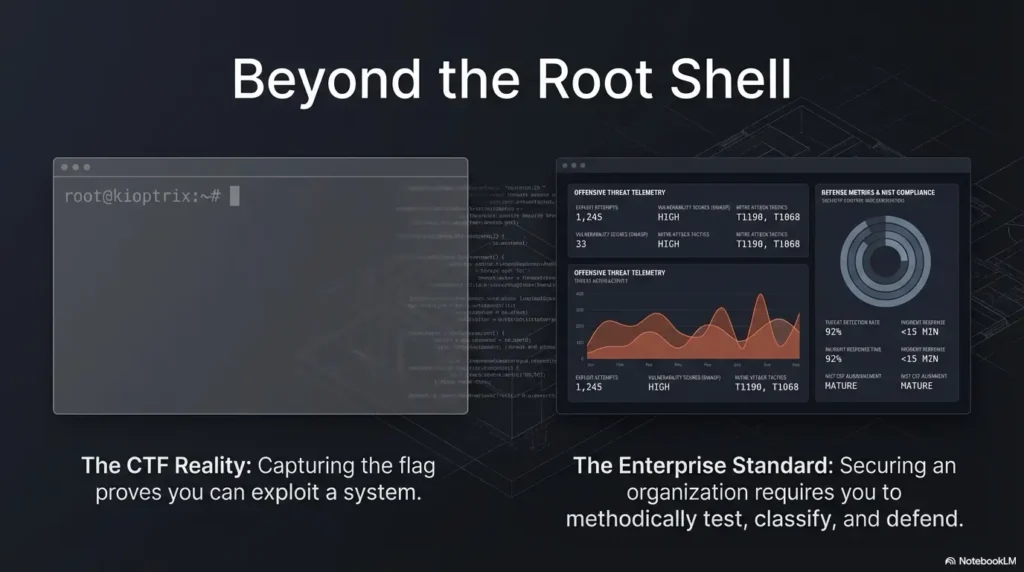
Reconstruct the full kill chain from foothold to root
After the lab, do not close the VM and call it a day. That is where many of the best lessons evaporate. Reconstruct the full path. How did you enumerate? Which clue changed your direction? What exposed the foothold? What converted access into escalation? What assumptions made each step possible?
This reconstruction stage matters because memory is flattering. It tends to smooth the jagged parts and exaggerate your inevitability. Writing the full chain forces honesty.
Identify what depended on misconfiguration, outdated software, or weak assumptions
Separate the causes. Was the problem an outdated component? A misconfiguration? Weak permissions? Excessive trust? That distinction matters because it trains you to think like both an attacker and a defender. It also helps you avoid learning the wrong lesson. “Old software is bad” is too shallow. “This weakness existed because the service exposure and configuration model created a reachable path” is much better.
Turn each solved step into a reusable lesson for the next machine
Each step should become a portable insight. Maybe you learned how to read a service banner more skeptically. Maybe you finally understood why a particular permission pattern matters. Maybe you noticed that good web enumeration often looks less like magic and more like patient bookkeeping. These are the true exports from the lab. Turning that into a usable Kioptrix lab report, a more formal enumeration report, or even stronger report-writing habits helps the lesson survive the week after the dopamine fades.
Show me the nerdy details
Try creating a post-lab worksheet with five columns: clue, observation method, why it mattered, what assumption it depended on, and how a defender could reduce the risk. This turns one solved box into a compact review document you can revisit before future labs.
After Kioptrix, Build the Skills the Box Only Introduced
Privilege escalation basics on Linux: SUID, cron, weak services, and file permissions
Kioptrix may introduce privilege escalation, but it will not finish the education for you. After the box, deepen the Linux side deliberately. Study SUID behavior, insecure cron usage, writable paths, weak service configurations, and permission models. You do not need to memorize every trick under the sun. You do need to understand why certain local conditions become escalators.
Web app thinking: input handling, discovery logic, and attack-path mapping
On the web side, keep going. Learn how inputs are handled, how routes and directories expose logic, how error messages leak useful context, and how discovery drives path mapping. OWASP materials are valuable here because they help frame testing as a disciplined workflow. That is especially helpful once the beginner thrill wears off and you need structure more than adrenaline.
Defensive reflection: how admins could have reduced the same risk
This is the part many learners skip, and it is a mistake. After a box, ask what a defender could have done differently. Patch management? Reduced service exposure? Better permissions? Tighter segmentation? Cleaner monitoring? Even a beginner can start building defensive instinct this way.
That habit also makes your learning more employable. Most real jobs do not reward clever compromise in isolation. They reward people who can understand attack paths and then communicate how risk can be reduced.
Coverage tier map:
- Tier 1: Can describe what happened in the lab
- Tier 2: Can explain why the foothold worked
- Tier 3: Can explain the privilege escalation mechanics
- Tier 4: Can map the weakness to a broader category or tactic
- Tier 5: Can describe a realistic defensive fix and a better future workflow
Neutral action: Score your current understanding honestly before choosing the next topic.
One Lab Is Not a Career Plan, So Build a Sequence
What to study next if Kioptrix felt manageable
If Kioptrix felt manageable, that is a good sign, but do not mistake it for completion. Move into adjacent beginner labs that force you to repeat the same method with slightly different surfaces. Favor machines that deepen enumeration, web application logic, and Linux privilege escalation without demanding exotic tooling too early.
What to revisit first if Kioptrix felt chaotic
If the lab felt chaotic, do not solve that by hunting a harder box. Solve it by narrowing the missing layer. Was it Linux literacy? Web basics? Scan interpretation? Note structure? Lab setup? Honest diagnosis is more useful than bravado here. Cyber learning culture sometimes glorifies suffering. You do not need more suffering. You need a cleaner staircase.
How to move from single-box learning to repeatable methodology
A repeatable methodology usually looks like this: prepare environment, enumerate carefully, form hypotheses, validate behavior, document reasoning, reflect afterward, then revisit the specific skill gaps the box exposed. That sequence is portable. It works on beginner labs, better home-lab exercises, and even later blue-team or defensive review work.
MITRE ATT&CK can help you think in recurring attacker goals, and NIST’s broader framework thinking can help you stay grounded in process and risk management. Neither replaces hands-on labs, but both help you avoid learning in disconnected fragments.
Once you have that methodology, a single box stops being a one-night puzzle and becomes a training instrument. That is a much better bargain.
FAQ
Do I need Linux experience before starting Kioptrix?
You do not need advanced Linux experience, but you do need basic comfort with files, permissions, users, shells, and simple command-line navigation. Without that, the local system side of the box can feel more mysterious than it should.
Is Kioptrix too old to still be useful for beginners?
No. It is old, but still useful because it simplifies the learning environment and makes causal chains easier to see. It is not a mirror of modern enterprise security, but it is a strong practice ground for fundamentals.
Should I learn Nmap before attempting the lab?
Yes, at a practical beginner level. You should know how to run a basic scan, interpret common service output, and avoid treating the results like magic.
How much web knowledge do I need before starting?
Enough to understand requests, responses, forms, status codes, directories, and basic server behavior. That alone can make a huge difference in how understandable the box feels.
Is it bad to read a walkthrough after I get stuck?
No. It becomes a problem only when you use it before exhausting your own reasoning. A walkthrough is most useful as feedback after you can explain what you already tried and where you stalled.
What should I study after finishing Kioptrix once?
Deepen Linux privilege escalation, web app testing logic, and note-driven methodology. Also review the defensive side of what you observed so the lesson becomes broader than one exploit path.
How do I know whether I actually learned anything from the box?
If you can explain the chain from enumeration to root, identify the enabling weaknesses, and name what you would do differently next time, you learned something real. If you can only repeat commands, the lesson has not fully landed yet.
Should I repeat the same lab more than once?
Yes. Repeating a lab can be extremely useful if the second pass is focused on cleaner methodology, better notes, or improved reasoning rather than simple speed. The repeat attempt often reveals what did not truly stick the first time.
Next Step: Build a Pre-Lab Checklist Before You Boot the VM
Review Linux, networking, and enumeration basics in one short session
Before your next attempt, run a compact warm-up. Spend 20 to 30 minutes reviewing Linux permissions, common service ports, simple networking behavior, and the purpose of your main tools. Do not overdo it. This is a primer, not a second degree.
Prepare a note template for recon, findings, hypotheses, and failed attempts
A good note template gives your session shape before uncertainty hits. Use four buckets: Recon, Findings, Hypotheses, Failed Attempts. That last one matters more than people think. Failure logs are where repeat mistakes go to die, which is a very noble civic function for a notebook.
Run Kioptrix only after you can explain what you plan to look for first
If you cannot answer “What will I look for first?” you are not ready to start. The answer does not need to be brilliant. It just needs to be concrete. “I will identify services, inspect the web app, verify unusual responses, and map local privilege escalation clues if I get a foothold.” That is enough. It also helps to make sure your environment itself is not the hidden saboteur by reviewing a Kali setup checklist, a sensible Kioptrix snapshot strategy, or the best hypervisor choices for Kioptrix before your next run.
Quote-prep list: What to gather before you compare your own lab performance
- Initial scan results
- Web findings and odd responses
- Your best hypothesis and why you believed it
- One failed path and what it taught you
- The exact point where you got stuck or succeeded
Neutral action: Save this list as a reusable note template before your next lab session.
Differentiation Map
What competitors usually do
Most Kioptrix content online tilts toward one of two extremes. Either it becomes a stripped-down walkthrough that treats the machine as a box to beat, or it becomes a vague motivational guide that never really tells the reader what to study. In the first version, prerequisite knowledge is underexplained. In the second, the reader leaves with no working sequence.
Common patterns include over-focusing on exploit steps, using generic sections like “overview” or “benefits,” listing tools without clarifying why they matter, and encouraging walkthrough dependence earlier than is healthy for a beginner. It looks helpful on the surface. Underneath, it often leaves learners with brittle knowledge.
How this outline avoids it
This article treats Kioptrix as part of a before-and-after learning arc. It connects pre-lab basics, in-lab workflow, and post-lab reflection into one method. It centers enumeration, operating-system literacy, and reasoning over exploit theater. It also keeps the sections distinct enough to work for skimming and passage-level search, which matters when busy learners return later with one precise question.
More importantly, it respects the emotional reality of beginner practice. Sometimes the hardest part is not the box. It is the feeling that you should already be better at this. A good learning path makes that feeling smaller. It gives the learner a staircase instead of a spotlight.
Conclusion
The hook at the beginning was simple: do not start with exploits. By now, you can see why. Kioptrix is most valuable when it teaches you how to observe, sequence, test, document, and reflect. The box is not the destination. It is the rehearsal room. What matters is the kind of learner you become while moving through it.
In the next 15 minutes, you can do one practical thing that changes your next session completely: build a one-page pre-lab checklist with Linux basics, networking basics, three core tools, and four note headings. Then boot the VM only after you can explain what you will look for first. That small act turns Kioptrix from a guessing game into a guided apprenticeship.
Last reviewed: 2026-03.