
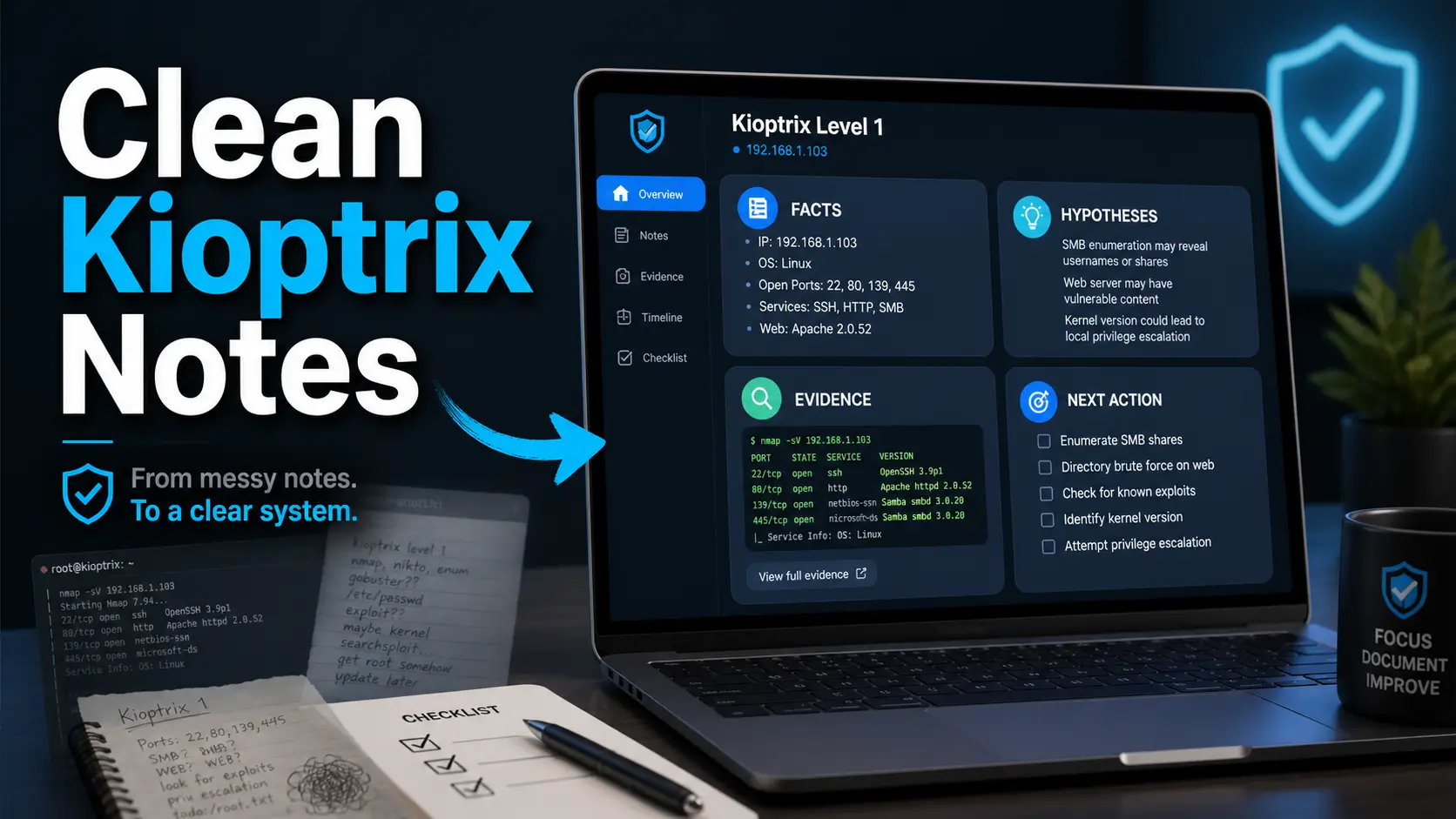
Tomorrow’s you should not need a forensic team to understand tonight’s Kioptrix notes.
Yet that is exactly what happens when a lab session turns into a swamp of screenshots, half-labeled commands, mystery ports, and “try this later” breadcrumbs that no longer mean anything.
If you are using Kioptrix Level to build cybersecurity skill, the real win is not just finishing the box. It is learning how to document your thinking clearly enough that you can trust it later. Poor technical notes cost you time, confidence, and interview-ready proof. They make every new session feel like re-entering a dark room with furniture rearranged by goblins.
This guide shows you how to use Kioptrix Level to improve technical note quality with a cleaner system for:
- ✓ Enumeration Notes
- ✓ Hypothesis Tracking
- ✓ Evidence Screenshots
- ✓ Failed Path Analysis
Start with the scope. Tame the screenshots. Make the notebook answer back.
Table of Contents
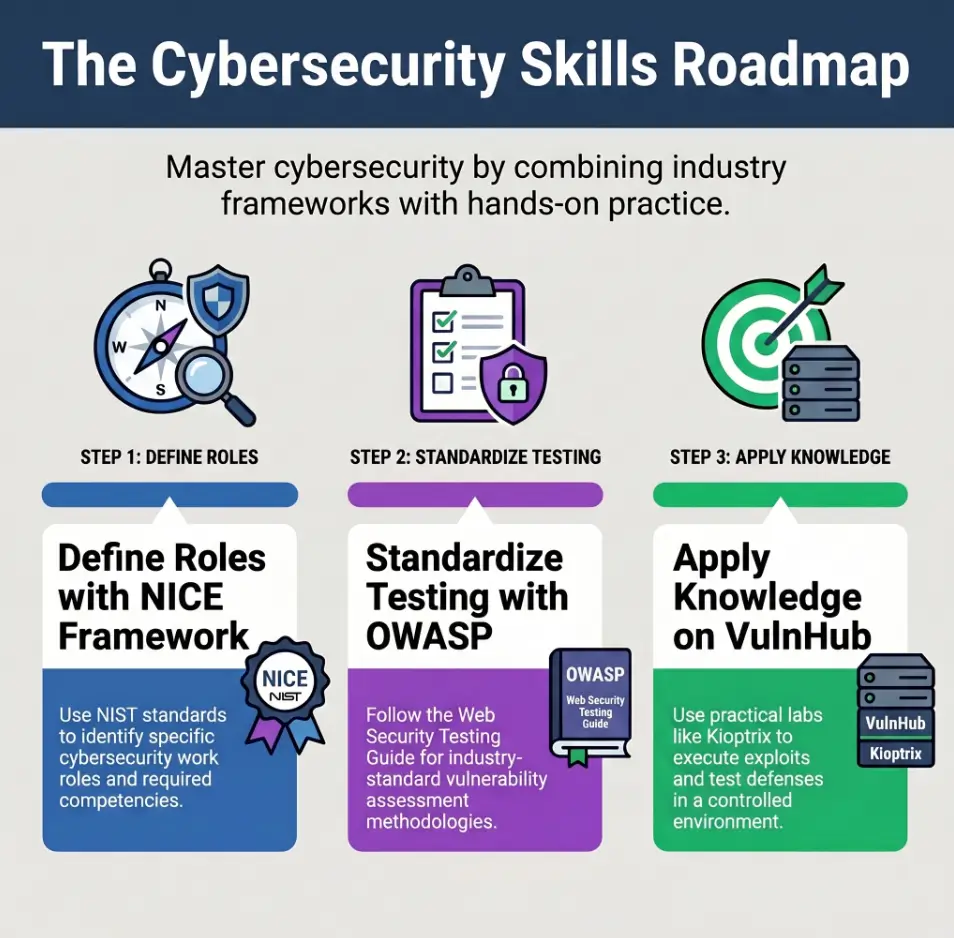
Safety / Scope Note: Keep Kioptrix Practice Inside the Lab
Kioptrix-style practice belongs in authorized, isolated lab environments. That sentence may sound like the legal broccoli before dinner, but it matters. Cybersecurity practice is only useful when it builds judgment. Unauthorized testing builds risk, not skill.
VulnHub describes Kioptrix Level 1 as a vulnerable virtual machine challenge intended for learning basic vulnerability assessment and exploitation techniques. The key word is learning. The safer frame is simple: you are practicing observation, documentation, validation, and cleanup inside a machine you are allowed to test.
Use only authorized machines and isolated practice environments
Before you start, write down where the target lives. Is it a local VM? Which network mode is it using? Is it separated from your household devices? I once watched a beginner spend 40 minutes documenting a scan result before realizing the “target” was a printer. The printer was innocent. The notebook was not.
- Allowed: your own lab VM, intentionally vulnerable machines, training platforms, employer-approved ranges.
- Not allowed: random public IPs, school networks, work systems without written approval, neighbor Wi-Fi, “just checking.”
- Best habit: write your authorization boundary at the top of every session note.
Treat commands as learning artifacts, not copy-paste weapons
A command in your notebook should not be a loose spark in dry grass. It should have context. What question did it answer? What did you expect? What changed after running it? Notes that only collect commands are not documentation. They are a drawer full of unlabeled keys.
Your notes should prove reasoning, not advertise shortcuts
Good Kioptrix notes make your thinking visible. They do not need to show every flashy detail, and they should not teach readers how to aim techniques outside a lab. Your best note is often calm, plain, and slightly boring in the best possible way.
- Name the target environment.
- Confirm it is isolated and authorized.
- Label commands by purpose, not drama.
Apply in 60 seconds: Add a top-line note: “Scope: local authorized Kioptrix VM only.”
Start Here: Kioptrix Is a Note-Quality Simulator in Disguise
Most beginners treat Kioptrix as a locked door. That is understandable. The lab has an objective, the internet has walkthroughs, and your brain wants the tiny fireworks of progress. But the better use is quieter: Kioptrix is a simulator for technical note quality.
The real question is not, “Can I finish the box?” It is, “Can I reconstruct my reasoning 24 hours later without lying to myself?” That question is less glamorous. It is also closer to actual cybersecurity work.
Why “I got root” is a weak learning outcome
“I got root” can mean many things. It can mean you understood the path. It can mean you copied a sequence. It can mean you got lucky, clicked the right blog, and then forgot the actual evidence chain. A final result without reasoning is a trophy with no receipt.
In real security work, the value sits in repeatability. Could someone else understand what you observed? Could they verify it? Could they tell where your confidence was strong and where it was thin?
What technical notes should preserve: facts, guesses, decisions, evidence
A strong Kioptrix note preserves four things:
- Facts: what the system actually revealed.
- Guesses: what you think might be true.
- Decisions: why you chose the next test.
- Evidence: proof that something changed or mattered.
That pattern sounds small, but it is a lantern. When your session gets foggy, it keeps you from mistaking motion for progress. If you want a broader map for turning scattered practice into a sequence, a Kioptrix learning path can help you place note-taking inside the larger skill-building rhythm.
The quiet skill: making yesterday’s thinking readable tomorrow
I learned this the embarrassing way. My early lab notes had beautiful screenshots and almost no verbs. I could see what happened, but not why I cared. It was like opening a photo album from a stranger’s vacation: lots of scenery, no plot.
Technical note quality improves when each section can answer one question: What should a tired human understand from this?
- Separate facts from guesses.
- Explain why each test exists.
- Save evidence that proves a meaningful change.
Apply in 60 seconds: Rewrite one old note line from “ran scan” to “checked which services were exposed so I could choose the next validation step.”
Who This Is For, and Who Should Use a Different Practice Path
This guide is for learners who are not trying to cosplay as a hoodie in a movie. It is for the person practicing before work, after a help desk shift, between family obligations, or during a weekend study block with coffee cooling beside the keyboard.
For beginners who forget how they found the next step
If you often think, “I know I found something, but I cannot remember why it mattered,” this method is for you. The problem is not memory. It is note structure. Human memory is a charmingly unreliable intern. Give it forms. For a gentler starting point, pair this guide with a Kioptrix for beginners overview before trying to polish every note habit at once.
For IT support and help desk workers building investigation habits
Help desk work already teaches useful habits: reproduce the issue, gather context, avoid assumptions, write what changed. Kioptrix lets you practice those same muscles in a security lab. The NICE Framework from NIST describes cybersecurity work using common language around tasks, knowledge, and skills. That is exactly the kind of bridge beginners need: turn messy practice into describable capability. Help desk learners may also benefit from a focused guide to using Kioptrix for help desk workers who already think in tickets, symptoms, and repeatable troubleshooting.
For career switchers who need portfolio-ready writeups
A portfolio writeup should not scream, “I found a walkthrough and survived.” It should show a reader that you can observe, test, document, and communicate. Hiring managers and technical reviewers do not need fireworks every paragraph. They need trust. If you are trying to turn lab practice into a clearer story, Kioptrix for career changers can help you frame the work without pretending a lab is the same thing as job experience.
Not for anyone looking for unauthorized hacking guidance
This article will not provide an exploit recipe. It will not walk through weaponized steps. It is focused on note quality in authorized labs. If your goal is to test systems you do not own or do not have written permission to assess, stop here and choose a legal training path.
Not for learners who only want exploit recipes without reflection
There is nothing wrong with reading walkthroughs after you are stuck. The problem is outsourcing your thinking too early. If you only want the answer, documentation will feel like furniture in your way. If you want skill, documentation is the floor.
Eligibility Checklist: Is This Note System Right for You?
| Question | Yes / No | Next step |
|---|---|---|
| Are you practicing in an authorized lab? | Yes | Write the scope at the top of your notes. |
| Do you forget why you ran certain tests? | Yes | Add an “intent” line before each test. |
| Do screenshots pile up without labels? | Yes | Use one-sentence interpretation under each image. |
| Do you want a portfolio writeup later? | Yes | Separate raw notes from reader-facing narrative. |
Neutral action: If you answered yes to two or more rows, start with the reusable template below before your next session.
The First 10 Minutes: Capture the Lab Before It Starts Moving
The first 10 minutes of a lab session decide whether your notes become a clean map or a junk drawer with Wi-Fi. Before you run anything noisy, capture the boring context. Boring context is not glamorous, but it saves future you from detective work in socks.
Record your target, network setup, VM names, and snapshot state
Write a small environment block. Include the lab name, target VM, attacker VM, network mode, date, and whether you created a snapshot. If you use VirtualBox, VMware, UTM, or another tool, name it. This helps you explain your setup without turning your portfolio into a guessing game. If networking is the part that keeps tripping you, review a Kioptrix network setup guide before blaming your notes for what is really a lab layout problem.
Environment Lab: Kioptrix Level 1 Scope: local authorized VM only Attacker VM: training workstation Target VM: Kioptrix Network: isolated lab network Snapshot: clean start created Session goal: improve enumeration notes, not finish the box
Separate environment notes from attack notes
Environment notes explain the room. Attack notes explain what you did in the room. Keep them separate. When those two mix, you end up with setup details buried between findings, like discovering your grocery list inside a passport.
Create a “known facts” block before running noisy scans
Before scanning, write what you know. Usually, it is not much. That is fine. “Unknown target IP” is a fact. “Need to identify target” is a next action. The goal is to stop pretending uncertainty is failure.
Let’s be honest: most bad notes are born before the first command
Bad notes often start because we rush. We want movement. We want proof that we are “doing cybersecurity.” But the first useful move is not always a command. Sometimes it is a sentence that says, “Here is what I am trying to learn.” Tiny, humble, powerful. A simple Kioptrix first lab checklist can keep that early-session anxiety from turning into a runaway note pile.
Mini Calculator: How Much Re-Entry Confusion Are You Creating?
Use this simple mental calculator after a session:
- Unlabeled screenshots: count them.
- Commands without intent: count them.
- Failed paths with no result note: count them.
Output: If the total is over 5, your next session will probably start with fog instead of momentum.
Neutral action: Fix the highest-count category first; do not try to renovate the whole notebook in one heroic Tuesday.
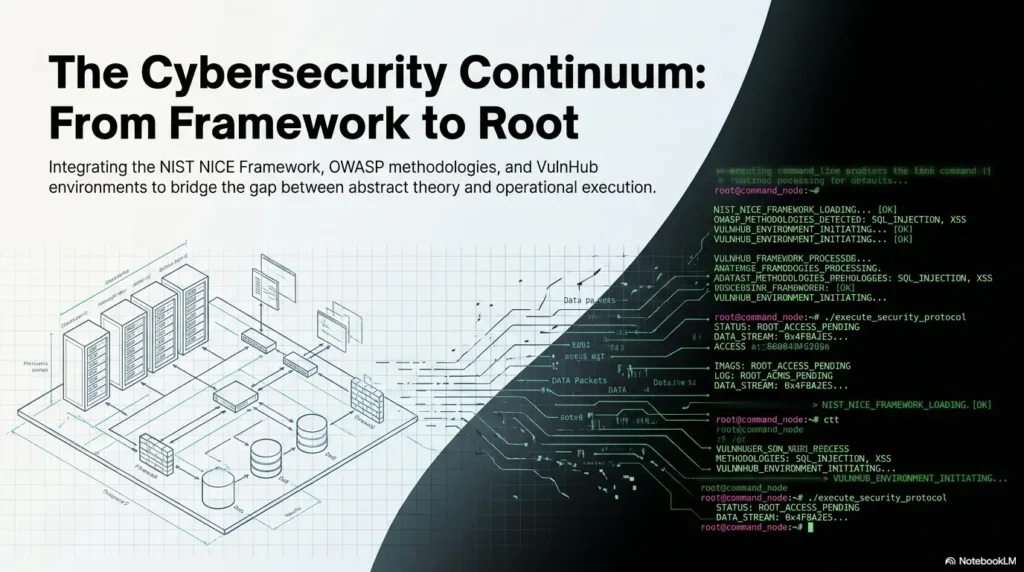
Enumeration Notes: Stop Writing Command Soup
Enumeration is where many notebooks begin to froth. Ports, services, headers, directories, banners, versions, guesses, rabbit holes. Suddenly your notes look like a kitchen after five people made soup without speaking to each other.
The fix is not fewer notes. The fix is better containers.
Turn every scan into a question answered
Instead of writing only the tool or command, write the question first. For example: “Which services are exposed?” or “Does the web service reveal technology clues?” This turns scanning from button-pressing into investigation. For a deeper routine, use a Kioptrix enumeration guide as a reference, then rewrite each action as a question your notes can answer.
A good enumeration note has this rhythm:
- Question: What am I trying to learn?
- Method: What did I use to learn it?
- Result: What did the target reveal?
- Decision: What does this make me test next?
Capture service, version, port, confidence, and next action
Do not just write “web open.” Write the port, service guess, version clue if present, confidence level, and next action. Confidence matters because early enumeration lies politely. A banner can be outdated. A service can be misidentified. A version can be incomplete.
| Item | What to write | Why it helps |
|---|---|---|
| Port | Number and protocol | Keeps findings traceable |
| Service | Observed or suspected service | Prevents vague “something open” notes |
| Version | Only if actually observed | Reduces invented certainty |
| Confidence | High, medium, low | Shows professional caution |
| Next action | One test, not seven | Prevents tool-hopping |
Mark what is confirmed versus what is merely tempting
Tempting is not confirmed. “This version may be relevant” is different from “this service is vulnerable.” That difference is the line between clean analysis and notebook fan fiction.
The open loop: which service is asking for your attention?
At the end of enumeration, pick one service that deserves attention and write why. Not the loudest one. Not the one a walkthrough would rush toward. The one with the strongest evidence trail in your own notes. If this is where you often freeze, a guide to choosing the first Kioptrix service to investigate can help you turn “everything looks interesting” into one grounded next move.
Show me the nerdy details
NIST’s NICE Framework is useful because it gives learners a vocabulary for turning lab behavior into professional language. Instead of saying “I played with Kioptrix,” your notes can show task-oriented habits: identifying system characteristics, validating observations, documenting evidence, and communicating results. That does not turn a lab into job experience, but it does help you describe your practice with more discipline.
Evidence Notes: Screenshots Are Not a Memory Palace
Screenshots feel productive. They make a lab session look official. They also multiply like attic boxes. Open an old folder with 63 screenshots and no labels, and you can almost hear the tiny fossils whisper, “Good luck, historian.”
Screenshot only what proves a change, result, or finding
A screenshot should earn its keep. Capture evidence when it proves a meaningful observation, shows a before-and-after state, preserves an error message, documents a successful validation, or supports a later writeup. Do not screenshot every line just because the terminal looks serious. If screenshot chaos is a recurring problem, a screenshot naming pattern can prevent your evidence folder from becoming a drawer of unlabeled x-rays.
Useful screenshot moments include:
- A scan result that confirms exposed services.
- A web response that reveals a version, path, or behavior.
- A failed test that rules out a tempting path.
- A permission or identity change inside the authorized lab.
- A final proof point for your own learning record.
Pair every image with one sentence of interpretation
Every screenshot needs a caption. Not a poetic caption. A useful one. Write: “This confirms that the target exposed X, which led me to test Y.” That single sentence can save 10 minutes later.
Avoid the “trophy screenshot” habit
Trophy screenshots say, “Look what I did.” Evidence screenshots say, “Here is what changed.” Portfolio readers trust the second one more. The first one has confetti energy. The second one has operator energy.
Here’s what no one tells you: unlabeled screenshots become digital fossils
When you cannot explain a screenshot later, it stops being evidence and becomes decoration. Worse, it can make your writeup look noisier than your thinking actually was.
Infographic: The Screenshot Survival Filter
Does it prove something?
If no, write a text note instead.
Can you explain it in one sentence?
If no, the finding is not ready.
Will it help a reader trust the result?
If yes, capture and label it.
Does it reveal unnecessary noise?
Crop, redact, or summarize safely.
- VulnHub: Kioptrix Level 1 – The official VulnHub page for Kioptrix Level 1, useful for explaining that Kioptrix is an intentionally vulnerable learning VM designed for authorized lab practice.
- NIST NICE Framework Resource Center – An official framework for describing cybersecurity tasks, knowledge, and skills, making it a strong reference for turning lab notes into career-relevant language.
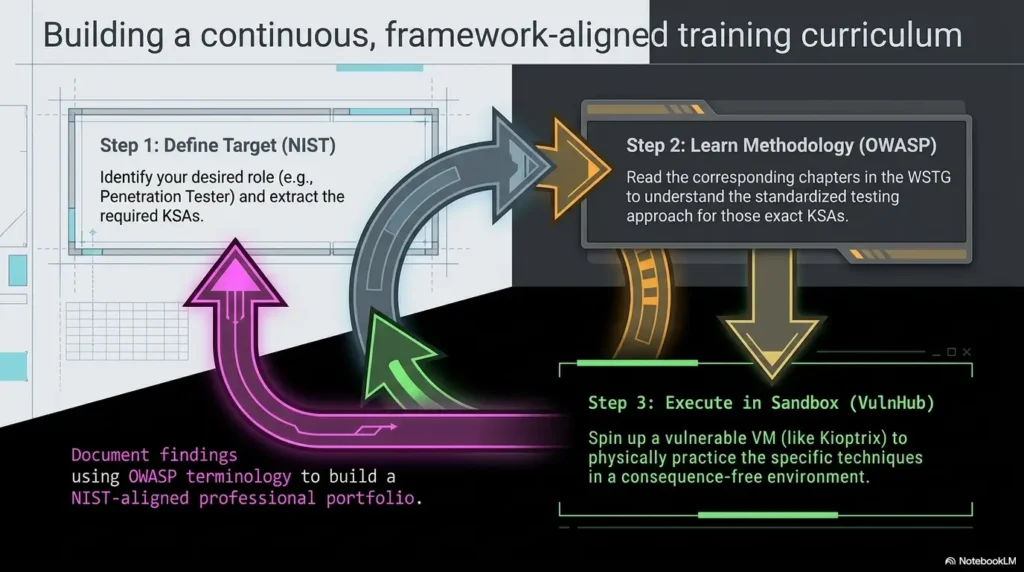
- OWASP Web Security Testing Guide – A respected open guide for web security testing and reporting, helpful for connecting Kioptrix writeups with clearer evidence documentation and responsible technical communication.
Hypothesis Tracking: Make Your Guesswork Visible
Beginners often hide guesses because guesses feel unprofessional. The opposite is true. A visible hypothesis is disciplined. A hidden hypothesis is just a gremlin steering your mouse.
Write “I think this matters because…” before testing
Before you test a path, write one sentence: “I think this matters because…” That sentence forces your brain to slow down. It also reveals whether you have a real clue or just a shiny distraction.
For example, your note might say:
Hypothesis I think the web service matters because it exposes behavior that may reveal application structure. Test Review visible pages and responses for technology clues. Result Observed clues are weak; keep as secondary path. Next Return to service list and compare stronger evidence.
Keep failed paths, but compress them mercilessly
Do not delete every failed path. Failed paths prevent repeated loops. But compress them. A failed path does not need a dramatic diary entry with thunderclouds. It needs clue, test, result, next action.
Use a three-column format: clue, test, result
| Clue | Test | Result |
|---|---|---|
| Interesting service behavior | Checked for visible clues | Weak signal; deprioritized |
| Potential version clue | Compared with observed behavior | Needs validation before action |
| Unexpected response | Repeated test once | Confirmed repeatable behavior |
The hidden win: failure notes prevent repeated loops
The best failure note is short enough to reread and clear enough to stop you from retesting the same dead end. I have learned this lesson with the dignity of a raccoon stuck in a recycling bin. Write the failure down once. Escape the loop. For learners who keep bouncing between paths, a Kioptrix decision process can make those judgment calls less slippery.
- State why a clue matters before testing.
- Compress failed paths into clue, test, result.
- Use failure notes to avoid repeating yourself.
Apply in 60 seconds: Add one “I think this matters because…” line before your next test.
Common Mistakes: The Notes That Feel Productive but Betray You Later
Some note habits feel productive in the moment and betray you later with the calm smile of a vending machine eating your dollar. They give you volume, not clarity. The fix is not perfection. It is learning which habits create future confusion.
Mistake 1: saving commands without explaining intent
A command without intent is a footprint without a map. Write why you ran it. Even one plain sentence is enough. “Goal: identify exposed services” is better than three unlabeled lines and a prayer. If your notebook is mostly pasted commands, read why copy-paste commands fail in Kioptrix and then rebuild your notes around questions instead of fragments.
Mistake 2: writing after the lab instead of during the lab
Post-session notes are seductive because they feel efficient. But memory edits the story. During-session notes preserve uncertainty, wrong turns, and decision points. Those are the parts that teach.
Mistake 3: mixing confirmed facts with vibes
“Looks vulnerable” is not a finding. It is a vibe wearing a trench coat. Write “possible,” “confirmed,” “not yet validated,” or “ruled out.” Precision is kindness to your future self.
Mistake 4: copying walkthrough language into your own notebook
Walkthroughs can help after you are stuck, but copied language can smuggle someone else’s reasoning into your notes. If you use a walkthrough, label what you learned and rewrite the decision in your own words.
Mistake 5: treating privilege escalation as a magic final chapter
Privilege escalation should not appear like a dragon in the last paragraph. Document the local observations, constraints, attempts, and validation steps. Even when you avoid detailed exploit choreography, your notes can still show reasoning.
Decision Card: Write During the Lab vs. Write After the Lab
Write during the lab when…
- You are testing multiple clues.
- You might forget why a result mattered.
- You want portfolio-quality reasoning later.
Trade-off: Slightly slower now, much faster later.
Write after the lab when…
- You are summarizing, not discovering.
- You already captured raw decision notes.
- You are polishing for readers.
Trade-off: Cleaner prose, higher risk of memory gaps.
Neutral action: Capture rough notes during the lab, then polish only after the session ends.
Don’t Do This: The “One Giant Scroll” Note Trap
The one giant scroll begins innocently. A timestamp here. A command there. A screenshot. A thought. A snack crumb. Two hours later your notebook has become a hallway with no doors.
Why endless chronological notes become unreadable
Chronology is useful, but it is not structure. If everything is in order but nothing is grouped by purpose, you still have to reread the whole scroll to answer one question. That is not documentation. That is archaeology with a bad chair.
Break notes into phases: setup, discovery, validation, exploitation, cleanup
Use phases. Phases give your notes rooms. You can still write chronologically inside each room, but the reader knows where they are.
- Setup: lab scope, network, VM state.
- Discovery: what the target exposes.
- Validation: what you checked and confirmed.
- Exploitation: authorized lab-only proof of concept notes, kept responsible and contextual.
- Cleanup: reset state, lessons learned, next action.
Use timestamps only when they help reconstruct a decision
Timestamps can help when you need to reconstruct sequence. They are less useful when they decorate every thought. Use them for session starts, major phase changes, important results, and stopping points.
Small section headers beat heroic memory
Give every 10 to 20 minutes of work a small header. “Web service review.” “Failed path: weak clue.” “Next action.” These headers are handrails. You do not appreciate them until the stairs get dark. A reusable Kioptrix technical journal can give those handrails a stable home instead of asking each session to invent its own architecture.
- Group notes by purpose.
- Use timestamps selectively.
- Add small headers before memory gets tired.
Apply in 60 seconds: Create five headings before your next session: setup, discovery, validation, exploitation notes, cleanup.
Better Templates: A Kioptrix Note Structure You Can Reuse
A template is not a cage. It is a workbench. The right template gives every tool a place, so you can stop rummaging through your own thoughts with a flashlight clenched between your teeth.
Session goal: what you intend to learn today
Start with one session goal. Not five. Not “finish everything.” One. For example: “Improve enumeration notes,” “practice evidence labeling,” or “write clearer failed-path summaries.” A narrow goal protects the session from becoming a buffet of panic. If you tend to overpack your study time, a guide to Kioptrix session length can help you choose a humane container before the work begins.
Facts observed: what the target actually revealed
Write facts in plain language. Avoid interpretation in this block. If the target exposed a service, say that. If a response suggested something, label it as suggested. Your facts block should be boring enough to trust.
Hypotheses: what might be true
Hypotheses are allowed to be wrong. Their job is to guide testing, not impress anyone. A good hypothesis points to the next responsible lab action.
Tests run: what you did and why
Every test should connect to a hypothesis or a fact. If you cannot connect it, ask whether you are testing or wandering. Wandering can be fun on vacation. In lab notes, it becomes fog with a keyboard.
Results: what changed
Write results as changes. “Confirmed,” “ruled out,” “deprioritized,” “needs validation.” These small verbs create a decision trail.
Next action: the one move that prevents re-entry confusion
The best next action is one sentence. It should be so clear that tomorrow’s tired version of you can resume without rereading the entire lab history. If your stopping points are usually mushy, a Kioptrix session summary format can make the final five minutes do more work than the previous fifty screenshots.
Reusable Kioptrix Note Template Session Goal Today I am practicing: ______________________ Scope Authorized local lab only: ___________________ Known Facts 1. ___________________ 2. ___________________ 3. ___________________ Hypotheses 1. I think ______ matters because ______. 2. I think ______ may be false because ______. Tests Run Test: ___________________ Intent: ___________________ Result: ___________________ Decision: ___________________ Evidence Screenshot or output label: ___________________ Interpretation: ___________________ Failed Paths Clue: ______ | Test: ______ | Result: ______ | Decision: ______ Three-Line Ending 3 facts confirmed: 2 guesses remaining: 1 next action:
Portfolio Writeups: Turn Raw Notes Into Reader-Friendly Proof
Raw notes and portfolio writeups are cousins, not twins. Raw notes preserve your messy thinking. Portfolio writeups teach a reader what happened. If raw notes are the kitchen, the writeup is the plated meal. Please do not serve the cutting board.
Convert commands into a narrative of discovery
A reader-friendly writeup should explain the path: what you observed, how you prioritized, what you validated, and what you learned. It does not need to include every keystroke. In fact, every keystroke can make the reader feel trapped in your terminal with no snacks. For structure, study a practical technical write-up approach and notice how the best writing turns actions into a traceable story.
Explain the decision path, not every keystroke
Good portfolio writing says, “This result shifted my attention because…” That phrase is gold. It shows reasoning. It turns lab completion into analysis.
Show enough evidence to be credible without oversharing noise
Evidence should support the story, not bury it. Include selected screenshots, brief outputs, and plain interpretation. Avoid dumping raw walls of text. A professional writeup respects the reader’s time.
Tie your writeup to analyst habits: documentation, triage, validation
OWASP’s Web Security Testing Guide emphasizes that reporting is part of the testing process, not a decorative afterthought. That is useful for Kioptrix learners because it shifts the mindset: your final writeup is not just proof that you finished. It is proof that you can communicate findings responsibly. A Kioptrix lab report format can help you separate reader-facing evidence from raw terminal sediment.
Quote-Prep List: What to Gather Before Comparing Your Writeup to Professional Reports
- Scope statement: what was authorized and what was excluded.
- Executive summary: 3 to 5 plain-language sentences.
- Technical path: key observations and validation decisions.
- Evidence labels: screenshots or outputs with interpretation.
- Lessons learned: what you would do differently next session.
Neutral action: Before polishing, gather these five items so the writeup has bones before it gets clothes.
Short Story: The Notebook That Finally Answered Back
Short Story: A junior learner I once helped had a Kioptrix notebook that looked busy enough to charge rent. There were scans, screenshots, copied snippets, and one triumphant final result. But when I asked, “Why did you choose that path?” the room went quiet. Not defeated quiet. More like a browser tab freezing mid-sentence. We rebuilt one session from scratch using four labels: fact, guess, test, result. The next week, the notebook changed. It was still imperfect.
There were typos. One screenshot caption was accidentally funny. But the work could answer back. A stranger could follow the reasoning. More importantly, the learner could explain the path without pretending confidence. That is the moment technical notes become more than storage. They become a training partner with a decent memory and no ego.
Quality Check: Can a Stranger Rebuild Your Reasoning?
The harshest test of technical note quality is not whether your notes look polished. It is whether someone can rebuild your reasoning without sitting inside your brain, which is good, because your brain is already crowded and probably has 17 tabs open.
The 24-hour reread test
Close the lab. Come back the next day. Read only your notes. Can you tell what you knew, what you guessed, what you tested, and why you stopped? If not, add more decision lines, not more screenshots.
The “manager summary” test
Write a five-sentence summary for a non-specialist. This is not because managers are fragile woodland creatures. It is because clarity at the summary level proves you understand the work. If summaries are hard, practice with Kioptrix report writing tips that force the lab story to become readable before it becomes fancy.
The “future me” test
Your future self should know exactly where to restart. The final line of every session should be a next action, not a mood. “Continue web review” is weak. “Validate whether the observed web clue connects to service behavior before testing other paths” is stronger.
The open loop: what would your notes fail to explain under interview pressure?
Imagine someone asks, “Why did you run that test?” If your notes cannot answer, add intent. If they ask, “How did you know that mattered?” add evidence. If they ask, “What did you rule out?” add failed-path compression. For learners planning to discuss labs publicly, Kioptrix interview stories can help convert raw practice into explanations that sound grounded rather than inflated.
- Use the 24-hour reread test.
- Write a five-sentence manager summary.
- End every session with one clear next action.
Apply in 60 seconds: Open one old lab note and write the next action you wish it had included.
FAQ
How detailed should my Kioptrix notes be?
Your notes should be detailed enough to reconstruct your reasoning, not so detailed that every line becomes noise. Capture the target context, observations, hypotheses, tests, results, evidence, failed paths, and next action. If a detail does not help you verify, explain, or continue the work, summarize it.
Should I take screenshots of every command output?
No. Take screenshots when they prove a meaningful result, change, or finding. Pair each screenshot with one sentence explaining what it shows and why it matters. If you cannot explain the screenshot in one sentence, the evidence is probably not ready.
Is it okay to use walkthroughs while practicing Kioptrix?
Yes, but use them carefully. Try your own reasoning first, then consult a walkthrough when you are genuinely stuck. When you do, label what you learned, rewrite the idea in your own words, and return to your own evidence trail. Do not let a walkthrough become a substitute brain.
What should I write down during enumeration?
Write the question you are trying to answer, the method used, the services or clues observed, your confidence level, and the next action. Avoid “command soup.” Enumeration notes should explain why a result changes your direction. If you want a dedicated format, a Kioptrix recon log template can keep discovery notes from dissolving into terminal confetti.
How do I organize failed attempts in technical notes?
Use a short format: clue, test, result, decision. Failed attempts are useful when they prevent repeated loops. They become clutter when they turn into long emotional weather reports. Compress them, but do not erase them.
What makes a Kioptrix writeup look professional?
A professional writeup has clear scope, a concise summary, a logical evidence trail, responsible language, selected screenshots, and plain explanations of decisions. It does not need to reveal every keystroke. It needs to show that your thinking can be followed and trusted.
Should my notes include exact commands?
Inside your private authorized lab notes, commands can be useful when they help you repeat a test. For public writeups, be selective and responsible. Always include intent and interpretation. A command without context teaches less than beginners think.
How can Kioptrix notes help with cybersecurity interviews?
Good notes help you explain how you investigate. In interviews, you can discuss scope, evidence, validation, failed paths, and what you learned. That is stronger than saying only that you completed a box. Employers usually want judgment, not just terminal stamina. If you plan to publish or share your work, a guide to using Kioptrix Level for LinkedIn can help you avoid turning practice into either oversharing or empty bragging.
Next Step: Run One Session With a Three-Line Ending
The hook at the beginning was the old notebook swamp: screenshots, scraps, and mystery intent. The way out is not a prettier app or a 90-tab productivity system. It is a better ending.
Write three facts you confirmed
At the end of your next Kioptrix session, write three confirmed facts. Keep them plain. “Observed exposed service on lab target.” “Confirmed response behavior.” “Ruled out one weak clue.” Facts should stand on their own without theatrical lighting.
Write two guesses you still have
Next, write two remaining guesses. These are tomorrow’s starting points. Label them as guesses, not facts. That little act of honesty is a professional habit in miniature.
Write one next action for tomorrow
Finally, write one next action. One. Not a seven-part quest with side missions and a dragon. One action keeps re-entry clean.
Three-Line Ending 3 facts confirmed: 1. ___________________ 2. ___________________ 3. ___________________ 2 guesses remaining: 1. ___________________ 2. ___________________ 1 next action: ___________________
Stop before the notebook turns into fog
Stopping well is a skill. A clean stopping point makes the next session easier, which makes practice more consistent, which makes your notes better. This is how Kioptrix becomes less of a puzzle box and more of a quiet workshop. If your bigger struggle is consistency, build this ending into a 30-day Kioptrix practice routine instead of trying to reinvent discipline every evening.
Your 15-minute CTA: Run one authorized Kioptrix session with a single goal: improve the ending. Capture three confirmed facts, two remaining guesses, and one next action. Do that once, and your notebook will already feel less like fog and more like a trail.
Last reviewed: 2026-05.