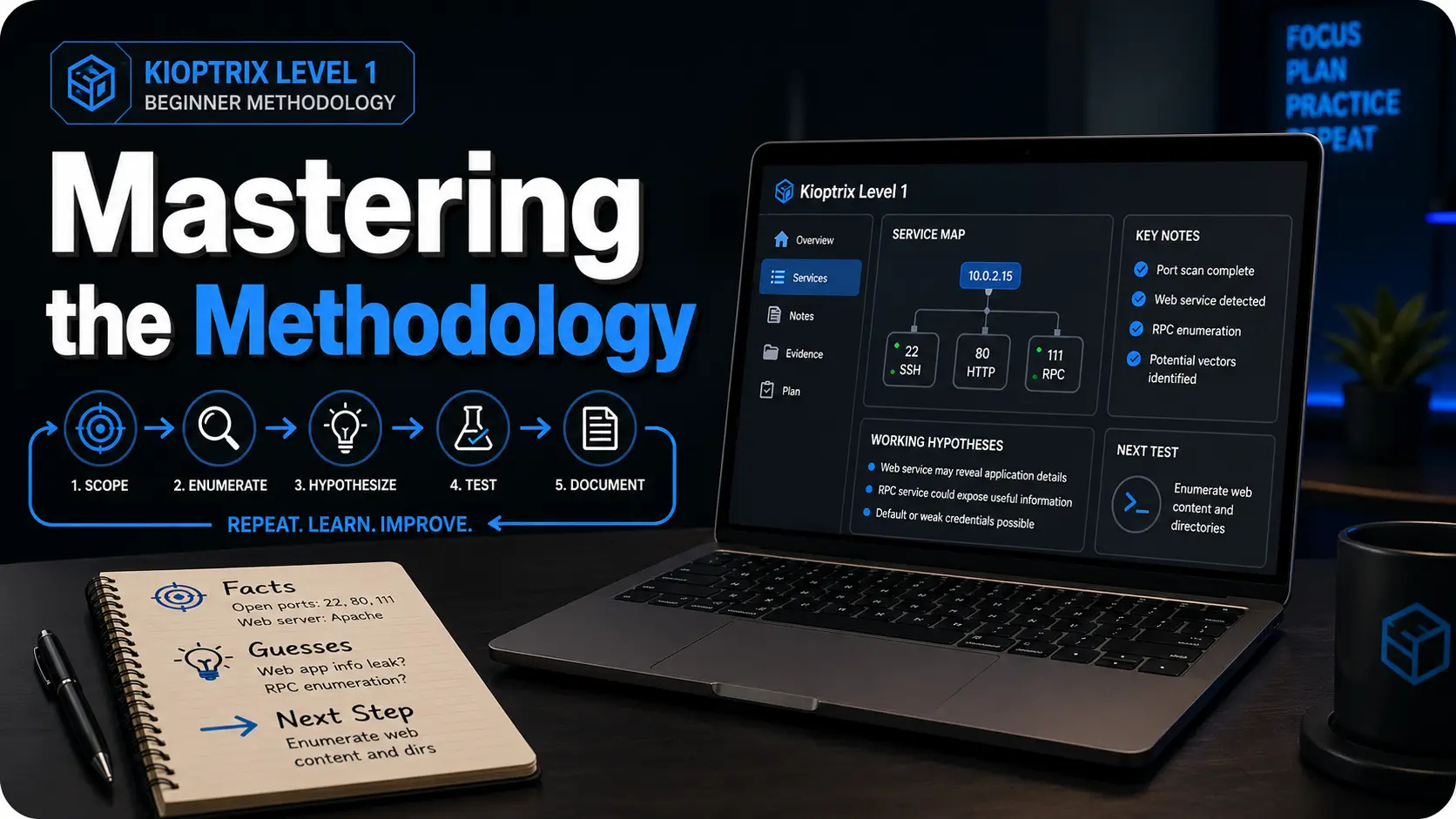
Mastering the Methodology: Kioptrix Level 1
The first ten minutes of a beginner security lab can feel strangely loud: a blinking terminal, a wall of Nmap output, and the quiet suspicion that everyone else sees the path except you.
That is exactly where Kioptrix Level 1 earns its place. The problem isn’t a lack of curiosity—it’s that curiosity without a repeatable process turns into tab-hopping, tool-spamming, and chaotic documentation. Without a system, harder labs feel less like learning and more like walking into dark furniture.
“Instead of chasing root as a trophy, you will build the calm methodology that survives the next box.”
This guide transforms Kioptrix into a legal practice room for enumeration, service mapping, and vulnerability validation. We treat every lab as an evidence trail: scope first, enumerate carefully, test one hypothesis, and document the results before the session turns to static.
Table of Contents

Fast Answer
Kioptrix Level 1 is useful for building confidence before harder beginner labs because it teaches the rhythm of real practice: find the target, enumerate carefully, connect service clues to likely weaknesses, test one path at a time, and write down what happened. Treat it as a legal home-lab exercise, not a speedrun. The goal is not just root access. The goal is repeatable thinking.
VulnHub describes Kioptrix as an easy virtual machine challenge designed to teach basic vulnerability assessment and exploitation techniques, with the objective of acquiring root access in the lab machine. That description matters because it quietly sets the right expectation. You are not being invited to attack the internet. You are being invited to practice inside a box that was built for practice.
- Use it only in an authorized home-lab or training environment.
- Measure progress by clarity, not speed.
- Write down evidence before jumping to conclusions.
Apply in 60 seconds: Before starting, create a blank note with three headings: Facts, Guesses, Next Step.
Safety / Ethics Note: Keep the Box in the Box
Practice Only Where You Have Permission
Kioptrix-style labs belong in controlled environments such as your own VM setup, intentionally vulnerable machines, or authorized training platforms. Do not scan, test, exploit, or “just check” systems you do not own or have written permission to assess.
This is not a ceremonial warning placed at the front of the article so everyone can nod politely and scroll past. It is the frame around the entire practice. Cybersecurity skill is powerful because it changes what you can see. Once you know how to enumerate services, identify versions, and research vulnerabilities, ordinary systems can start to look like puzzles. That is exactly why boundaries matter.
Good practice begins with boring clarity. Your target is the VM you intentionally downloaded. Your network is the lab network you intentionally configured. Your goal is learning, not wandering. If your attention drifts from “my lab machine” to “that public IP looks interesting,” stop. That is not curiosity. That is a train leaving the station without brakes.
Confidence Is Not Permission
A good lab session can make a beginner feel powerful. That is exactly when boundaries matter. Use the confidence to write better notes, ask better questions, and prepare for structured roles, not to wander into someone else’s network.
The strange thing about early cybersecurity learning is that confidence often arrives before judgment has fully matured. You get one exploit to work, and suddenly the terminal feels less like a locked cathedral and more like a door handle. That feeling is exciting. It is also dangerous if it is not paired with ethics.
Real professionals do not treat permission as optional. They define scope, document activity, use approved tools, and understand the difference between curiosity and authorization. If you are using Kioptrix to prepare for a career, this is part of the practice. Not the boring part. The adult part.
Use a Written Scope, Even at Home
For a home lab, a written scope can be simple. One paragraph is enough: “I will test only the Kioptrix VM running on my local virtual network. I will not scan my home router, neighbor networks, school systems, employer systems, or public addresses.” It may feel overly formal at first. Good. Formality is sometimes a handrail.
I once watched a beginner spend half an hour troubleshooting why a scan looked “wrong,” only to realize they were looking at the host machine instead of the target VM. No drama, no villainy, just fog. A written scope helps cut through that fog before it grows teeth.
- Write the target name and IP range before scanning.
- Keep public systems outside your practice.
- Pause whenever you are unsure what you are touching.
Apply in 60 seconds: Add a one-line scope statement at the top of your lab notes.
Who This Is For / Not For: The Confidence Gap Before “Real” Beginner Labs
For: The Learner Who Can Follow Tools but Not Yet Trust Their Judgment
This article is for readers who have used Kali, Nmap, basic web enumeration, or walkthroughs, but still feel unsure when the path is not handed to them.
You might know how to run a scan. You might recognize port 80, port 22, or port 139. You may have copied enough commands to feel technically busy. But when the output appears and nobody tells you what matters, your confidence falls into a drawer and refuses to come out. That is normal. It does not mean you are bad at cybersecurity. It means you are at the exact stage where methodology begins to matter.
Beginner confidence is not built by collecting more commands. It is built by learning what question each command is supposed to answer. “What services are exposed?” is a question. “What version is this?” is a question. “Does the evidence match the exploit conditions?” is a question. Randomly flinging tools at a VM is not a question. It is confetti with a keyboard.
For: The IT Support or Help Desk Person Pivoting Toward Security
Readers with troubleshooting instincts already have an advantage: patience, pattern recognition, and comfort with messy systems.
If you come from help desk, desktop support, sysadmin work, or general IT, do not underestimate what you already have. You know that error messages lie by omission. You know that users describe symptoms in strange weather patterns. You know that “it worked yesterday” is not a root cause analysis. Those instincts transfer well to labs, especially if you approach Kioptrix for help desk workers as a bridge between troubleshooting and security thinking.
The difference is that security practice asks you to look at the system from the edge inward. Instead of only asking, “Why is this broken?” you also ask, “What is exposed? What assumptions did the system make? What can I verify without guessing?” Kioptrix is small enough to let you practice that shift without drowning in modern complexity.
Not For: People Looking for Copy-Paste Exploit Recipes
The focus is methodology, note quality, and confidence-building, not a shortcut list of commands.
There is nothing wrong with looking up syntax. Everyone looks up syntax. The problem begins when the command becomes a magic spell. If you paste something you cannot explain at all, you might still get a result, but you will not know why. Worse, you will not know what to do when it fails.
This guide treats commands as tools, not personality traits. You do not need to become a wizard in a hoodie by Friday. You need a repeatable way to notice evidence, form hypotheses, test carefully, and learn from the result.
Not For: Anyone Testing Public Systems Without Authorization
That line is not decorative. It is the fence around the whole garden.
If your goal is to “try this on a real site,” step away from the keyboard. Legal practice environments exist because offensive-security skills need boundaries. The beginner who learns boundaries early is already closer to professional behavior than the person who knows 50 commands and ignores permission.
- Yes/No: You can run a VM safely on an isolated or intended lab network.
- Yes/No: You are willing to take notes before using a walkthrough.
- Yes/No: You understand that permission defines the target.
- Yes/No: You want repeatable thinking more than a fast badge.
Neutral next step: If you answered “no” to setup or scope, fix that before running any scans.
Kioptrix Works Because It Feels Small, Then Teaches Something Bigger
The Lab Is Old, But the Thinking Is Still Useful
Older vulnerable machines can feel clunky compared with polished modern platforms, but that roughness is part of the lesson. Beginners learn how fragile confidence becomes when outputs are imperfect, services are unfamiliar, or instructions are missing.
Modern platforms often wrap learning in smooth dashboards. That can be helpful, especially when you are first building vocabulary. But older labs like Kioptrix have a different gift. They make you sit with ambiguity. The page may not look modern. The services may feel dusty. The hints may not sparkle. It is less like a guided museum tour and more like finding an old key in a drawer and wondering which door still remembers it.
That roughness teaches patience. It asks you to slow down and describe what you actually see. Not what you hoped to see. Not what the walkthrough author saw. Not what your favorite YouTuber found in a perfectly edited 14-minute video. Your screen. Your scan. Your evidence.
The Win Condition Is Root; the Real Win Is Method
A root shell may be the visible trophy, but the quieter victory is being able to explain how each clue led to the next step.
Root access is emotionally loud. It gives you a clean ending. The lab says, in its own metal little voice, “You made it.” But for long-term growth, root is not enough. A beginner can reach root by copying five lines from a walkthrough and still remain helpless on the next machine.
The better question is: can you reconstruct the path? Can you explain why one service became more interesting than another? Can you identify where you were guessing? Can you name the exact piece of evidence that changed your mind? That is the part that travels with you.
What This Lab Builds Before Harder Beginner Boxes
Kioptrix helps learners practice enumeration discipline, service/version reasoning, basic exploit research, controlled testing, and post-session documentation.
Those five skills appear again and again in beginner labs. Harder boxes may use newer technologies, more subtle misconfigurations, or longer chains, but the rhythm is similar. Find the surface. Sort the clues. Verify assumptions. Test one path. Record results. Adjust. If you want a broader route after Level 1, a Kioptrix learning path can help you connect one box to the next without turning practice into random wandering.
Think of Kioptrix as a small practice room before the concert hall. You are not there to impress the walls. You are there to hear your own timing.
First 30 Minutes: Build a Calm Lab Ritual Before Touching Exploits
Confirm the Target Before You Chase Shadows
Start by verifying your network setup, identifying the VM’s IP address, and confirming that you are interacting with the intended target only.
This sounds too simple until it saves you. Before vulnerability research, before browser tabs, before any heroic keyboard thunder, confirm the basics. Is the VM running? Is your attacker machine on the intended network? Do you know which IP belongs to the target? Are you sure you are not scanning your host, your router, or some unrelated device?
The first 30 minutes should feel almost dull. Dull is good here. Dull means you are building a clean runway. Beginners often want to rush into the interesting part because scanning and setup feel like administrative chores. But in labs, sloppy setup becomes spooky later. You will misread output. You will chase the wrong service. You will blame the exploit when the network was the problem all along.
Make One Scan Summary, Not Ten Chaotic Screenshots
The first artifact should be a short service map: ports, services, versions, and anything unusual. This becomes the compass.
A service map does not need to be fancy. In fact, fancy often gets in the way. A simple table works: port, service, version, first impression, next question. The “next question” column is where the learning hides. Port 80 is open. Fine. What kind of web server? Any default page? Any directories? Any interesting headers? Port 139 or 445 appears. Fine. What does that suggest? What should you verify?
I like to imagine the first scan summary as a kitchen counter before cooking. You lay out the ingredients. You do not throw everything into a pan and call it stew because the pan looked lonely. For learners who repeatedly lose the thread after scanning, a Kioptrix session summary can turn a messy hour into something your future self can actually use.
Pattern Interrupt: Let’s Be Honest, Your First Enemy Is Not the Box
Your first enemy is usually scattered attention: six tabs open, three commands half-understood, and no written reason for what you are trying next.
Beginner chaos often wears the costume of productivity. Many windows. Many searches. Many copied commands. A heroic amount of keyboard clacking. But after 40 minutes, the learner cannot answer the most important question: “What do you know now that you did not know before?”
That is why the first 30 minutes need a ritual. Confirm target. Map services. Write one hypothesis. Stop. This is not slow because you are weak. It is slow because you are building traction.
- Choose a 30-minute setup session when you are new, tired, or returning after a break.
- Choose a longer 60-minute session only after you already have a clean service map.
- Trade-off: Short sessions reduce chaos; longer sessions help when you have a focused hypothesis.
Neutral action: Start with 30 minutes if you cannot explain your next step in one sentence.

Enumeration Confidence: Learn to Read the Room Before Opening Doors
Service Names Are Clues, Not Decorations
Every open service should trigger a simple question: “What does this service usually expose, and what should I verify before assuming it is vulnerable?”
Enumeration is where many beginners either grow roots or lose the plot. A port list is not a treasure map by itself. It is more like a building directory. It tells you there are doors. It does not tell you which door is unlocked, which door is fake, or which door leads to a room full of filing cabinets and regret.
When you see a service, resist the urge to immediately search for an exploit. First, describe the service in plain language. What does it normally do? What information can it reveal? What version is visible? Is authentication required? Is there a default page, banner, share listing, login prompt, certificate, or behavior worth recording?
Version Numbers Need Context
A version number alone is not proof. Beginners should learn to connect version, configuration, exploitability, and lab scope.
This is one of the biggest confidence traps. You find a version. You search the version. Search results show vulnerability pages. Your pulse jumps. But a version match is not the same as a working vulnerability. Exploitability can depend on configuration, module usage, authentication, compile options, network exposure, target architecture, and sometimes pure lab weirdness.
Better notes might say: “Service appears to be X version Y. Several public references mention vulnerabilities affecting similar versions. Need to verify conditions before testing.” That sentence is less glamorous than “FOUND EXPLOIT!!!” but it is much closer to professional thinking.
Web Clues Deserve Slow Eyes
Directories, headers, default pages, login behavior, robots files, and error messages can all whisper. Beginners often miss them because they are sprinting toward exploitation.
Web enumeration is not just clicking links until something breaks. It is reading the room. Does the page reveal technology? Are there comments in source? Is there a login form? Does it respond differently to invalid input? Are there common directories? Does the server expose an index? Are error messages generic or unusually chatty?
Slow eyes are not passive. They are disciplined. They notice small differences. They write them down. They return to them later when the loud clue turns out to be a decorative gong. A focused Kioptrix enumeration routine helps beginners stay with the evidence instead of sprinting past it.
Show me the nerdy details
For beginner labs, enumeration notes are strongest when they distinguish between observable facts and possible implications. “Apache is visible in the banner” is a fact. “Apache is the likely entry point” is an interpretation. Keeping those separate reduces false confidence and makes later review easier.
The One-Hypothesis Rule: Stop Turning Practice Into Static
Pick One Testable Idea at a Time
Instead of trying every possible attack path, write one sentence: “I think this service may be vulnerable because…” Then test that claim.
The one-hypothesis rule is simple enough to feel almost rude: do not test everything at once. Choose one idea. Make it visible. Then test it. A hypothesis might be: “I think the web service may reveal useful directories because the default page gives little information.” Or: “I think this versioned service deserves research because the banner exposes a specific older version.”
This tiny sentence does something powerful. It turns vague anxiety into a test. It also creates a record of your reasoning. Later, when you realize the idea was wrong, you can still learn from it. You can ask, “Was the hypothesis bad, or did I test it poorly?” That question is where the adult learning happens.
Record What Failed Without Calling It Wasted Time
A failed test that was reasonable is still progress. It trims the map.
Beginners often treat failed tests as personal insults. The lab does not care. The lab is not judging your haircut, your career choices, or the number of browser tabs you have open. A failed test simply means one idea did not produce the expected result under the conditions you tried.
Write it down cleanly: what you tested, why you tested it, what happened, and what you will do next. That is all. No drama. No courtroom speech. Just evidence.
Curiosity Gap: The Clue You Ignore First May Be the One That Teaches You Most
Beginners often chase the loudest clue. Kioptrix rewards the learner who returns to the quiet clue after the obvious path stalls.
This is why notes matter. You cannot return to a quiet clue if you never captured it. A banner, a directory name, an old service, a strange response, a failed login behavior: any of these may become useful later. The beginner who writes down small observations gives their future self more handles to grab.
- Facts captured: Count confirmed observations, not guesses.
- Hypotheses tested: Count one idea only once.
- Next steps written: Count clear actions for the next session.
Output: If you have at least 3 facts, 1 tested hypothesis, and 1 next step, the session produced reusable value even without root.
Neutral action: Use this score before deciding whether to continue or stop.
Common Mistakes: How Beginners Lose Confidence on Easy Labs
Mistake 1: Treating a Walkthrough Like a Finish Line
Reading a walkthrough can help after a serious attempt, but using it too early trains recognition, not problem-solving.
A walkthrough is a useful teacher when used carefully. It becomes a confidence trap when it replaces effort too early. The danger is not that you learn nothing. The danger is that you learn the feeling of understanding without building the muscle of deciding.
When you read a walkthrough from start to finish, the path looks obvious because someone else removed the uncertainty. Their notes are clean. Their screenshots are selected. Their false starts are gone. It is a finished meal, not a kitchen. Your job as a beginner is to spend some time in the kitchen.
Mistake 2: Running Tools Without Writing Questions
Tools should answer questions. If there is no question, the command becomes digital leaf-blowing.
Before running a tool, ask what you expect it to reveal. Are you trying to discover live hosts? Confirm open ports? Identify service versions? Find web directories? Check whether anonymous access is possible? Search for known vulnerabilities? Each tool should have a job.
This does not mean every command needs a three-page essay. A short note is enough: “Goal: identify service versions.” “Goal: check common web paths.” “Goal: verify whether this result is real.” That small friction keeps practice from becoming static.
Mistake 3: Confusing “I Found an Exploit” With “I Understand the Risk”
Exploit research should include why the issue matters, what condition makes it work, and what evidence supports the match.
Search engines are very good at making beginners feel like they found the dragon. A service name plus version number may return exploit database entries, blog posts, advisories, and forum threads. But your job is not to collect scary titles. Your job is to verify relevance.
Ask: What product and version does this affect? Does the target appear to match? Is authentication required? Is the exploit local or remote? Does it need a specific configuration? Is there safer validation before execution? These questions turn research from glitter into judgment.
Mistake 4: Screenshot Hoarding
Screenshots are useful when they prove a finding or preserve a key result. They are not a substitute for a clean timeline.
I have seen lab folders that look like raccoons organized a museum: 47 screenshots, no filenames that make sense, and not a single sentence explaining what happened. Screenshots can support evidence. They cannot think for you.
Use screenshots when they capture something meaningful: a scan result, a successful proof, a key error, a final shell, or a configuration clue. Then name them clearly. Better yet, write a one-sentence caption in your notes.
Don’t Do This: The Three Habits That Make Harder Labs Feel Impossible
Don’t Start With Exploits Before Enumeration
Skipping enumeration creates brittle wins. Harder labs punish that habit quickly.
Exploit-first thinking is seductive because it feels decisive. It also creates learners who can only move when the target looks familiar. The moment a harder lab changes the service mix, hides the version, requires authentication, or introduces a multi-step path, the exploit-first learner stalls.
Enumeration-first thinking is slower at the beginning and faster over time. It builds a map. It helps you notice when assumptions fail. It gives you a way to keep moving even when the easy answer is not visible.
Don’t Copy Commands You Could Not Explain to a Teammate
A beginner does not need expert fluency, but they should know what a command is trying to discover or change.
The teammate test is wonderfully unforgiving. Could you explain, in plain language, what the command does? Could you say what input it uses, what output you expect, and what risk it carries inside the lab? If not, slow down. The reason many copy-paste commands fail in Kioptrix is not always syntax. Sometimes the learner never understood the question the command was supposed to answer.
You do not have to understand every flag at a kernel-developer level. But you should know enough to avoid becoming a passenger in your own terminal. When you copy a command blindly, the keyboard is driving. That is not the arrangement we want.
Don’t Measure Confidence by Speed
Fast guessing feels good until the lab changes shape. Slow, explainable progress travels better.
Speed is a poor beginner metric. It rewards familiarity with one path, not resilience across many paths. A 20-minute root with no notes may feel impressive, but a 90-minute session with clean reasoning can be more valuable for your next five labs.
Confidence should sound like this: “I know what I checked, why I checked it, what happened, and what I will try next.” That sentence is not flashy. It is sturdy. Sturdy is underrated in a field full of blinking lights.
- Enumerate before exploit research.
- Explain commands before running them.
- Measure progress by evidence captured.
Apply in 60 seconds: Before your next command, write: “I am running this to learn…”
Note-Taking System: Turn One Box Into a Reusable Skill
Use the Three-Facts, Two-Guesses, One-Next-Step Format
At the end of a session, write three confirmed facts, two possible interpretations, and one next action. This keeps the next session from starting in fog.
This format works because it respects how beginners actually learn. You do not need a perfect report after every 30-minute practice block. You need continuity. You need a breadcrumb trail. You need a way to reopen the lab tomorrow without muttering, “Where was I?” into a lukewarm mug of coffee.
Three facts might include the target IP, open services, and a web directory result. Two guesses might include likely service priorities or possible vulnerability paths. One next step should be specific enough that your future self can act immediately.
Separate Evidence From Interpretation
“Port 80 is open” is evidence. “The web app is the likely path” is interpretation. Keeping them separate makes your thinking cleaner.
This distinction is small but mighty. Evidence is what you observed. Interpretation is what you think it means. Beginners often mix the two, then become confused when an assumption collapses. If you write “web app vulnerable” when all you really know is “web server responds,” your notes become a fog machine.
Try two columns: “Observed” and “Possible Meaning.” This structure helps you stay honest without becoming timid. You are allowed to guess. You just need to label the guess. A dedicated Kioptrix technical journal can make that separation easier because each session has somewhere clean to land.
Pattern Interrupt: Here’s What No One Tells You About Getting Root
If you cannot explain the path afterward, the machine taught you less than it could have. The report is where the lesson becomes yours.
Writing a beginner-friendly mini report may feel like homework after the exciting part. But the report is where experience crystallizes. You turn scattered terminal events into a story: scope, target, enumeration, hypothesis, test, result, impact, and lessons learned.
That story is not only for you. It is also career practice. Security work depends on communication. A finding that cannot be explained clearly is a finding trapped in a jar.
Show me the nerdy details
A useful beginner report can use this structure: scope, environment, target identification, enumeration summary, vulnerability validation, evidence, impact, limitations, and next steps. For legal and ethical clarity, include a short sentence confirming that the activity occurred inside an authorized lab.
Confidence Ladder: When Kioptrix Is “Done Enough” to Move On
You Can Rebuild the Attack Story Without Looking
A strong sign of readiness is being able to narrate the path from discovery to compromise in plain language.
You do not need to memorize every command. Memory is not the point. You need to understand the sequence. First, you identified the target. Then you mapped services. Then you selected likely paths based on evidence. Then you researched and tested a hypothesis. Then you documented what worked and what did not.
If you can explain that flow to a beginner friend without hiding behind jargon, Kioptrix has done its work. The lab has moved from event to method.
You Can Name the Moment Your Assumption Changed
Better learners notice pivots: “I thought the web service mattered, but the real clue was the versioned network service.”
This is a subtle readiness marker. Beginners often remember only the final path. Stronger learners remember the pivot. They can say, “I assumed one thing, then the evidence forced me to update.” That moment matters because harder labs are full of pivots.
In real troubleshooting, the first theory is often wrong. That is not failure. That is Tuesday. What matters is whether you can update without spiraling.
You Can Write a Beginner-Friendly Mini Report
The report should include scope, target, enumeration summary, vulnerability path, evidence, impact, and what you would check in a real environment.
A mini report does not need corporate polish. It needs clarity. Pretend you are writing for yourself six months from now, after your memory has packed its suitcase and moved to a mountain village. What would future-you need to understand the lab quickly?
Include commands only when they support the story. Include screenshots only when they prove something. Include uncertainty where it remains. That honesty is not weakness. It is technical hygiene. When the raw notes are ready, Kioptrix report writing tips can help turn the lab story into a clearer artifact.
- Your current comfort level with Linux, networking, and web basics.
- Three labs you completed and what each taught you.
- One report sample showing your reasoning.
- Your weekly study time, even if it is only 3 hours.
Neutral action: Use this list to choose training that fits your current gaps, not your fantasy schedule.
Career Framing: Make the Lab Match Real Cybersecurity Skill Language
Map Practice to Tasks, Knowledge, and Skills
The NICE Framework gives a common language for cybersecurity work and the knowledge and skills needed to do that work, which makes it useful for connecting lab practice to career development.
This matters because beginners often describe lab work in a way that sounds either too vague or too dramatic. “I hacked a box” may feel exciting, but it does not help a hiring manager, mentor, or instructor understand what you practiced. Better language is more specific and less theatrical.
You practiced service enumeration. You practiced vulnerability validation. You practiced evidence collection. You practiced technical documentation. You practiced working within scope. Those phrases sound less like fireworks and more like job-relevant behavior.
Translate “I Rooted a Box” Into Employer-Friendly Language
Better phrasing: “I practiced service enumeration, vulnerability validation, evidence collection, and technical reporting in an authorized lab.”
That sentence does three useful things. First, it makes clear that the work was authorized. Second, it names the skills. Third, it avoids pretending that one beginner VM makes you a senior penetration tester. Humility is not a downgrade. It is credibility with its shoes tied.
If you are coming from IT support, you can connect your past experience to lab work. Troubleshooting tickets taught you to isolate variables. Customer support taught you to communicate clearly. Systems work taught you that configuration matters. Kioptrix gives those instincts a security-shaped practice room. For résumé and interview framing, Kioptrix for career changers is often more useful than pretending a lab is the same as professional pentest experience.
Use Labs to Build Judgment, Not Just Tool Familiarity
NICE Framework materials are used for education, training, career discovery, hiring, and workforce development, so beginners should think beyond tool screenshots and toward repeatable competencies.
Tools change. Interfaces change. Platforms change. Judgment travels. A beginner who can explain why they chose a test, what evidence supported it, and what limitation remained is building something more durable than a folder of screenshots.
Curiosity Gap: Why an “Easy” Lab Can Still Make You Feel Lost
Easy Does Not Mean Obvious
Beginner labs often feel hard because the learner lacks a decision framework, not because the technical steps are impossible.
This is the little truth hiding under the carpet: “easy” is usually written by someone who already knows what to notice. To a beginner, the same lab can feel like a dark room full of furniture. You bump into things. You apologize to nobody. You wonder whether everyone else was born with night vision.
They were not. They just built a framework. Target discovery. Enumeration. Prioritization. Hypothesis. Test. Evidence. Documentation. Repeat. That framework is the lamp.
Confusion Is Data
When you get stuck, write down exactly where the uncertainty begins: target discovery, service interpretation, exploit selection, execution, privilege escalation, or documentation.
“I am stuck” is too vague to be useful. “I am stuck because I do not know which service to prioritize” is useful. “I am stuck because I found an exploit but cannot verify whether the conditions match” is useful. “I am stuck because I got a shell but do not understand privilege escalation” is useful.
Specific confusion points toward the next lesson. Vague confusion just sits on your desk eating crackers. A simple Kioptrix decision process can help turn that fog into a next question instead of a full stop.
The Skill Is Returning Without Shame
Confidence grows when you can pause, reset, and return to the evidence without turning the lab into a referendum on your intelligence.
You are allowed to stop. You are allowed to sleep. You are allowed to return tomorrow and see what tired-you missed. In fact, this is often where learning deepens. A clean pause preserves curiosity. A chaotic all-night session can turn curiosity into soup.
- Name the exact stage where you are stuck.
- Return to evidence before searching for a full solution.
- Use pauses as part of practice, not proof of failure.
Apply in 60 seconds: Write one sentence beginning with: “I am stuck at the stage where…”
Short Story: The Night the Easy Box Won
A learner I knew once opened Kioptrix after work with the energy of a person who had survived fluorescent lighting and one too many password reset tickets. He promised himself a clean 45-minute session. Three hours later, he had 19 browser tabs, four half-used tools, and a notes file containing only the phrase “maybe Samba???” with two question marks, which felt legally accurate.
The next morning, he started over. Same machine. Same chair. Better coffee. This time he wrote three facts, two guesses, and one next step. He did less, but understood more. By lunch, he had not only made progress; he could explain the progress. That was the hinge. The lab had not become easier overnight. His process had become quieter. Sometimes confidence does not arrive like thunder. Sometimes it arrives as a tidy note at the top of the page. If late-night practice keeps dissolving into tabs and static, a before-work Kioptrix routine may give the brain a cleaner runway.
Kioptrix Confidence Infographic
The Kioptrix Beginner Confidence Loop
Define the legal lab target before tools come out.
Map ports, services, versions, and odd details.
Choose one testable idea instead of six noisy guesses.
Run the smallest reasonable check for that idea.
Separate facts, guesses, failures, and next steps.
Stop with a breadcrumb trail before the session turns to static.

FAQ
Is Kioptrix Level 1 still worth doing for beginners?
Yes, if you treat it as a methodology lab rather than a modern exploit showcase. Its value is in practicing enumeration, reasoning, and documentation. The age of the machine is not the main issue. The main issue is whether you use it to build repeatable habits.
Should I use a walkthrough if I get stuck?
Use hints first. Then use a walkthrough only after you have written what you tried, what you found, and where your reasoning broke. A walkthrough should repair a learning gap, not replace the attempt.
How long should a beginner spend before checking hints?
A practical rule is one focused session of 30 to 60 minutes per blocker. After that, look for a hint that nudges your next question, not one that gives the whole path. The goal is to protect momentum without outsourcing the whole lesson. For better pacing, use a clear Kioptrix session length instead of letting one blocker quietly eat the whole evening.
What should I write down during Kioptrix?
Capture target IP, scan results, service versions, hypotheses, failed tests, successful evidence, commands worth remembering, and your final explanation. Keep evidence and interpretation separate so your notes stay honest.
Do I need to understand every exploit deeply?
Not at first. But you should understand the condition being tested, why the target appears relevant, and what evidence shows success. Over time, revisit the exploit details so your understanding deepens beyond “I ran the thing and it worked.”
When am I ready for harder beginner labs?
Move on when you can explain your process, reproduce the major steps, avoid blind copying, and write a clear beginner-level report. You do not need perfection. You need enough structure that confusion no longer knocks over the whole table.
Can Kioptrix help if I am coming from help desk or IT support?
Yes. Help desk and IT support experience can help because you already know how to troubleshoot, isolate variables, and communicate messy technical details. Kioptrix gives those instincts a security-focused practice environment.
Is it okay to repeat the same lab?
Yes. Repeating a lab can be valuable if your second pass focuses on explanation rather than speed. Try rebuilding the path from your own notes, then write what you understand better the second time.
Next Step: Run One Clean Session, Then Stop on Purpose
Your Concrete Action
Set a 40-minute timer. In that session, do only three things: identify the target, create a service map, and write one next hypothesis. Stop there, even if you feel tempted to keep clicking. Confidence grows faster when practice ends with a clean breadcrumb trail.
This is the loop that closes the opening problem. The terminal feels less intimidating when you are not asking it to become your personality. You are asking it to answer one question at a time. That is the shift Kioptrix can teach before harder beginner labs: not “Can I get root?” but “Can I keep thinking clearly when the answer is not handed to me?”
For the next 15 minutes, do not chase the whole machine. Prepare the lab note. Write the scope. Create the three headings: Facts, Guesses, Next Step. Then begin. Small doors open better when you stop kicking every wall. If you want to keep the habit alive beyond one clean session, a 30-day Kioptrix practice routine can turn this method into a steady weekly rhythm.
Last reviewed: 2026-04.
Differentiation Map
| What competitors usually do | How this article avoids it |
|---|---|
| Jump straight into walkthrough-style commands | Frames Kioptrix as confidence training, not command copying |
| Treat “root” as the only outcome | Makes note quality, reasoning, and repeatability the real success metrics |
| Assume beginners know how to structure a session | Provides a clear first-30-minutes ritual and stopping rule |
| Overfocus on exploit execution | Emphasizes enumeration, hypothesis testing, and evidence |
| Ignore ethical boundaries | Adds an early safety and permission section |
| Make the article too technical for career-switchers | Translates lab activity into understandable cybersecurity skill language |
| Use generic headings like “Introduction” and “Benefits” | Uses differentiated, scan-friendly headings with hooks and loss-prevention angles |
| Leave readers with vague motivation | Ends with one concrete next action: a 40-minute clean session |