
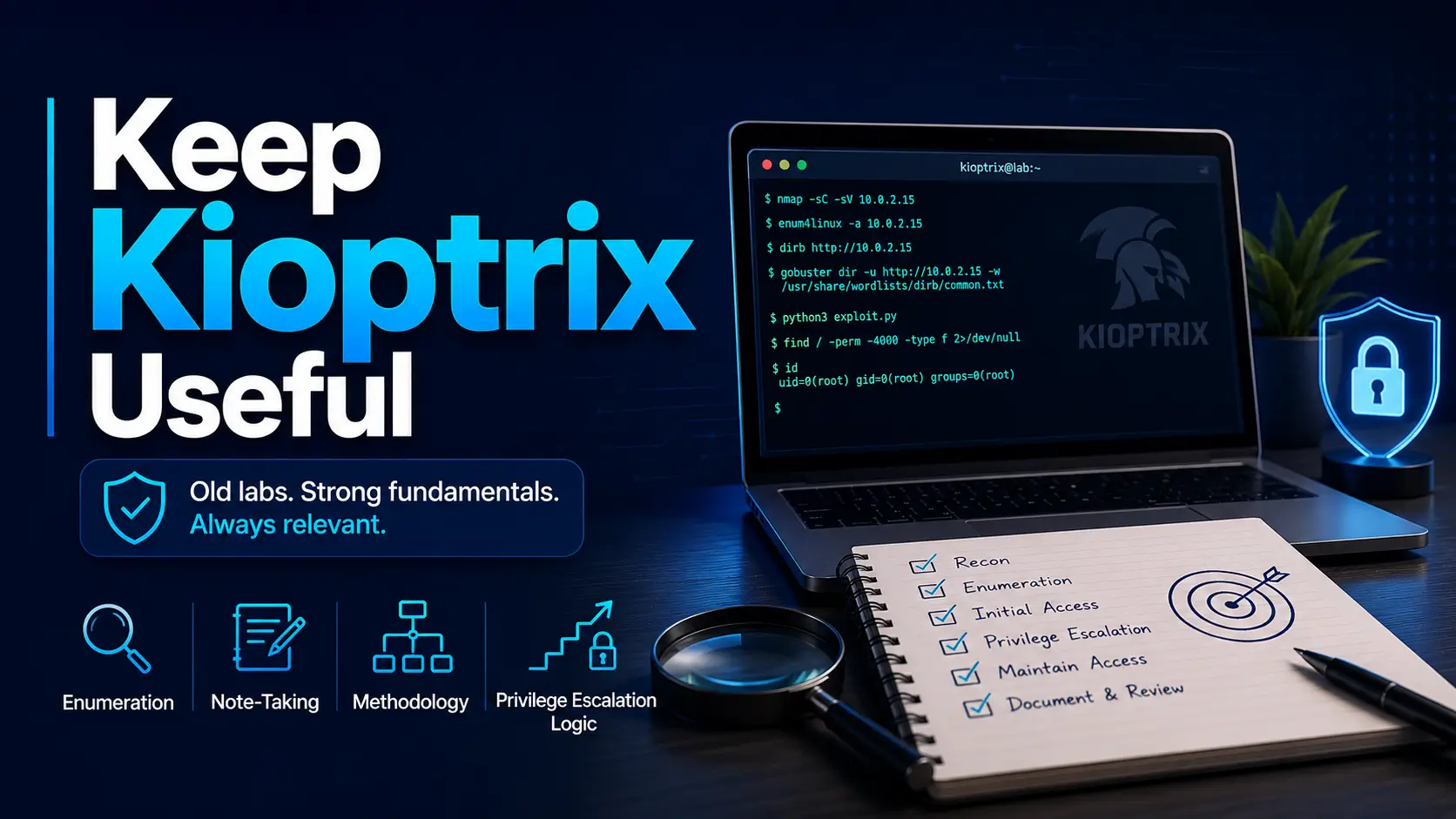
How to Keep Kioptrix Level Practice Useful After Newer Labs
There is a strange moment in every cybersecurity learner’s path when Kioptrix starts to feel too familiar. You have moved into Hack The Box, TryHackMe, VulnHub, maybe even cloud-style labs, and the old VM looks like a dusty gym in the corner. But this is not about nostalgia. It is about keeping the fundamentals sharp when modern labs become noisy, layered, and tool-heavy.
The pain is real: you can solve newer boxes, yet still feel uncertain about your enumeration habits, evidence tracking, privilege escalation logic, or report writing. That gap costs time, confidence, and job-readiness. Worse, it can hide behind a shiny terminal prompt and a heroic amount of coffee.
The Better Way to Revisit Old Labs
A solved Kioptrix level can still teach you something if you change the win condition. Instead of racing to root, re-run the lab with one constraint: manual enumeration only, no walkthrough, clean evidence log, or a one-page remediation report.
Best use: retention, methodology, interview stories, note quality, and defensive translation inside an authorized lab environment.
Table of Contents
Keep Kioptrix Useful by Changing the Goal
The quickest way to make Kioptrix feel outdated is to ask the wrong question. “Can I root it again?” is a small question. It checks memory, not growth. A better question is: “What repeatable habit can I sharpen this time?”
That shift turns an old vulnerable machine into a diagnostic mirror. If you rush scanning, skip service notes, ignore failed paths, or paste commands without understanding them, Kioptrix will show you. Politely? Not always. Old labs have the manners of a cold metal chair.
Stop asking, “Can I root it again?”
Rooting the box again may feel good, but it can become cybersecurity karaoke. Same song. Same commands. Same triumphant screenshot. Very little new learning.
Instead, choose a constraint before you start. For example, solve the level with no Metasploit, or write a remediation note for every major finding. You can also compare your process against a clean Kioptrix methodology so the session has a clear spine rather than a cloud of terminal tabs.
Start asking, “What habit did this box teach me?”
Every Kioptrix revisit should produce one habit you can carry into newer labs. It might be better banner review, cleaner screenshots, stronger privilege escalation notes, or a calmer way to test web clues.
A useful habit is portable. It survives the lab. It can help you during a CTF, a junior pentest interview, a SOC investigation, or a home-lab report.
The old lab becomes a mirror, not a trophy case
A trophy case asks you to admire what you already did. A mirror asks whether your current method is better than your old one. That is where Kioptrix still earns its keep.
- Pick one practice constraint before starting.
- Track what your method missed, not just what worked.
- End with one habit you can use in a modern lab.
Apply in 60 seconds: Write this at the top of your next session note: “Today I am testing my enumeration discipline.”
Who This Is For, and Who Should Move On
Kioptrix is not the perfect lab for every learner forever. That is fine. No one asks a screwdriver to be a microscope. The trick is knowing whether the lab still matches your current learning bottleneck.
Good fit: learners building enumeration discipline
If your first instinct is to run a tool, skim the output, and jump toward the loudest vulnerability name, Kioptrix can help. It slows you down. It asks you to recognize open ports, service versions, web clues, SMB behavior, weak configs, and local privilege escalation signs.
That is not glamorous work. It is the rice and beans of offensive security. You will miss it when it is gone.
Good fit: candidates preparing for junior pentest interviews
Interviewers do not only care that you “got root.” They often care whether you can explain why you scanned a certain way, how you validated evidence, what false paths you avoided, and how you would help a defender fix the problem.
If you want a better answer for “Walk me through a lab you completed,” start with a repeatable story. The guide on turning Kioptrix into an interview answer fits naturally with this approach.
Not ideal: people chasing only modern exploit chains
If your current goal is Active Directory attack paths, container escape practice, cloud IAM mistakes, modern API testing, or web app business logic, Kioptrix should not be your main course. It can still be the warm-up. It should not be the whole menu.
Not ideal: anyone practicing outside authorized environments
This matters. Kioptrix belongs in a lab you control or a platform where testing is explicitly allowed. The methods you practice must stay inside authorized boundaries. A home lab is a sandbox. The public internet is not your sandbox. It is more like a museum with cameras and lawyers.
Money Block: Should You Revisit Kioptrix This Week?
- Yes if your enumeration notes are inconsistent.
- Yes if you rely on walkthrough memory too quickly.
- Yes if you struggle to explain your attack path clearly.
- No if your current gap is mainly Active Directory, cloud, or modern web app logic.
- No if you cannot isolate the lab safely on your own machine or approved platform.
Neutral action: Choose one box only if it targets a specific weakness you can name.
The Kioptrix Skill Stack That Still Pays Rent
Old labs are not valuable because their vulnerabilities are old. They are valuable because they expose the little decisions that still matter. Enumeration order. Evidence quality. Hypothesis testing. Exploit validation. Privilege escalation reasoning. Reporting.
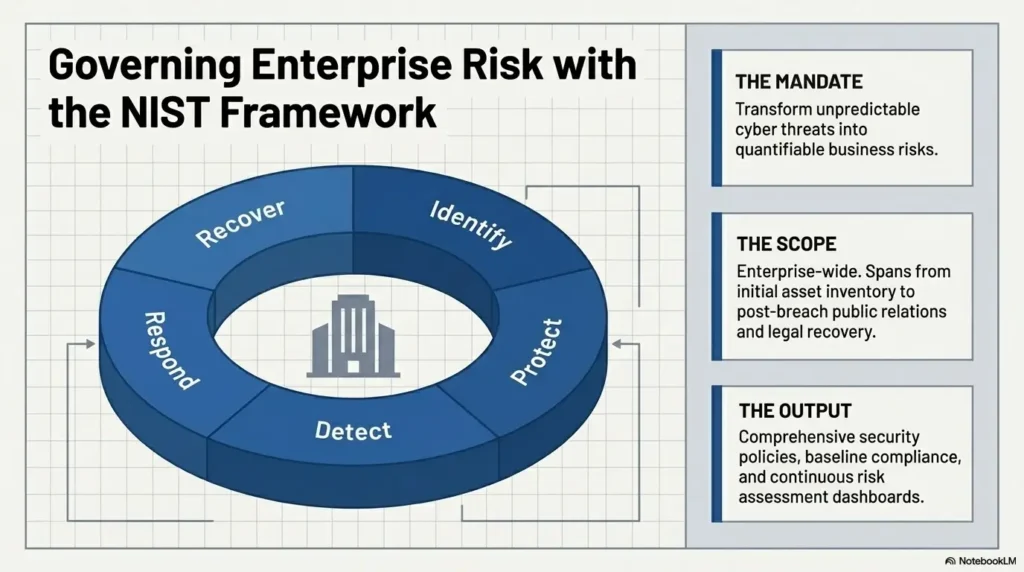
Those skills still pay rent in modern labs because tools change faster than human assumptions. NIST guidance around cybersecurity practice often emphasizes risk management, asset understanding, and repeatable controls. The lab version of that is simple: know what you are looking at before you swing the hammer.
Service discovery before tool fireworks
A modern learner may have a folder full of fast scanners, web fuzzers, scripts, and templates. Useful? Absolutely. But if you do not understand the output, the tools become a fog machine with a progress bar.
Kioptrix rewards the older rhythm: identify host, map ports, understand services, inspect versions, verify assumptions, then test. A good Kioptrix recon routine makes the early phase less chaotic and more repeatable.
Version checking without blind copy-paste
Version strings are clues, not verdicts. A service banner can be wrong, hidden, patched, backported, or misleading. That is why you should write down what the service claims, what the behavior confirms, and what you still need to test.
The same habit helps in newer labs where service names may be custom, containerized, proxied, or partially patched.
Web clues, weak configs, and privilege escalation breadcrumbs
Kioptrix can train you to notice small signals: a web page that reveals software, a directory that should not be exposed, an SMB share with odd permissions, a local binary with unexpected privileges, or a configuration file that whispers, “Please don’t look under the rug.”
Those clues are not limited to older Linux boxes. They appear in cloud storage mistakes, SaaS misconfigurations, CI/CD leaks, and modern web environments.
Here’s what no one tells you: old boxes expose sloppy thinking fast
Newer labs can hide weak methodology behind complex attack paths. Kioptrix has fewer curtains. When your process is messy, the mess shows quickly.
Don’t Let Walkthrough Memory Ruin the Lab
Walkthrough memory is sneaky. It feels like skill because your hands know where to go. But when a new lab changes one variable, the magic carpet becomes a bath mat.
If you have solved Kioptrix before, your biggest enemy is not difficulty. It is recognition. You remember the shape of the answer, then mistake that memory for methodology.
Mistake: replaying the same commands like karaoke
Repeating commands can be useful for muscle memory, but only if you understand why each command exists. Otherwise, you are singing the chorus without knowing the language.
For every command you run, add one short “because” line in your notes. Not a poem. Just a reason.
Mistake: confusing remembered steps with real methodology
Methodology means you can adapt. Memory means you can repeat. Both have value, but they are not the same creature.
A learner with methodology can face a new service and form a test plan. A learner with only memory waits for the box to resemble something they have already seen.
Reset rule: wait, randomize notes, then attempt cold
Before revisiting a level, wait long enough that the exact path fades. Then hide or shuffle your old notes. Start from scratch with only your standard checklist. This lets the lab test your current process instead of your archival memory.
The “no-peeking timer” that keeps practice honest
Set a timer for 45 to 90 minutes. During that window, no walkthroughs, no old writeups, no solution notes. You may search documentation for tools and services, but not the box solution.
When the timer ends, write down what you tried before looking anything up. That “failed” list is often the most valuable artifact in the whole session.
- Use a no-peeking timer.
- Document failed paths before checking hints.
- Compare your choices against your old writeup only after the attempt.
Apply in 60 seconds: Rename your old notes folder to “after_attempt_only” before restarting the lab.
Turn Each Level Into a Modern Methodology Drill
To keep Kioptrix useful, stop treating each level as one big event. Break it into rounds. Each round tests a different muscle: manual observation, tool validation, memory, and defensive explanation.
This turns a familiar box into a structured training loop. It also prevents the “I solved it once, therefore I am done” trap. That trap has swallowed many Saturdays and left only screenshots behind.
Round one: manual enumeration only
Start with slower, intentional checks. Review ports. Visit web services manually. Inspect source. Try basic service interaction. Read banners carefully. Use tools, but do not let automated findings become the whole story.
For web-heavy paths, compare your process with HTTP enumeration habits for Kioptrix so your web notes include status codes, interesting paths, server behavior, and evidence.
Round two: tool-assisted validation
Now run the tools. Use Nmap scripts, web scanners, directory fuzzers, or framework modules where appropriate. The point is not to worship automation. The point is to compare tool output against what you already observed.
If the tool finds something you missed, write why. Did you skip a port? Ignore a header? Miss a path? Trust your first scan too much?
Round three: write the attack path from memory
Close the terminal and write a plain-English attack path. If you cannot explain the chain without copying commands, the lesson is not fully yours yet.
A strong attack narrative includes target discovery, service evidence, vulnerability reasoning, exploitation summary, privilege escalation route, and remediation. That sequence also helps when building a Kioptrix lab report later.
Round four: explain the fix as if briefing a sysadmin
Do not stop at compromise. Add the defensive angle. What patch, configuration change, segmentation rule, credential practice, logging improvement, or hardening step would reduce the risk?
This is where lab work starts sounding professional. You move from “I got shell” to “I can explain why this happened and how to reduce the chance it happens again.” That is a much better sentence to bring into an interview.
Money Block: Manual First or Tool First?
| Choose this | When it helps | Trade-off |
|---|---|---|
| Manual first | You need stronger fundamentals and better observation. | Slower, but clearer. |
| Tool first | You are practicing speed, coverage, or validation. | Faster, but easier to misunderstand. |
| Hybrid | You want job-like workflow: observe, scan, confirm, report. | Best balance, if you document decisions. |
Neutral action: Use manual first when revisiting old levels, then use tools to check what your eyes missed.
Use Kioptrix as Your Note-Taking Calibration Lab
Messy notes are where good findings go to die. They vanish between terminal scrollback, screenshots named “image_47,” and a text file that says “try this later” with no explanation. A small tragedy. A tiny paper-cut opera.
Kioptrix is excellent for note calibration because the scope is manageable. You can practice a complete evidence trail without drowning in modern lab complexity.
Capture commands, but also capture why
A command without context is a receipt with no store name. It proves something happened, but not why it mattered.
For each meaningful command, record three things: purpose, result, and next decision. For example: “Checked SMB shares to confirm anonymous access. No usable shares listed. Shifted focus back to web service.”
Separate evidence from guesses
Your notes should clearly distinguish observed facts from theories. “Port 80 is open” is evidence. “This is probably exploitable” is a hypothesis. Both belong in notes, but they should not wear the same hat.
The habit pairs well with a dedicated Kioptrix evidence tracking workflow where screenshots, command output, and decisions stay connected.
Build reusable checklists without turning into a checklist robot
Checklists help you remember steps under pressure. They become dangerous only when they replace thinking. The best checklist asks questions, not just commands.
Instead of “run tool X,” write “What does this service expose, and what evidence confirms it?” That wording keeps your brain in the chair.
Let’s be honest: messy notes are where good findings go to die
Use Kioptrix to create a note structure you can reuse. Keep it simple: target overview, scan summary, service notes, web notes, exploit tests, privilege escalation, evidence, remediation, and lessons learned.
For learners building a durable archive, a Kioptrix knowledge base can turn one-off lab notes into a searchable study system.
Short Story: The Screenshot Named Final-Final-2
A learner I once watched had solved the box cleanly. The shell worked, the privilege escalation path made sense, and the proof screenshot was sitting right there. Then came the report. Their evidence folder had twenty-seven images, most named with the emotional clarity of a toaster: “screenshot,” “screenshot2,” and “final-final-2.” The exploit notes were in one file, the scan notes in another, and the key command lived only in terminal history.
Nothing was lost, exactly. But everything was expensive to find. The lesson was not “take more screenshots.” The lesson was to connect each screenshot to a claim. One image should answer one question: what happened, why it matters, and what decision came next. After that, the same learner started naming files by phase and evidence type. Their reports became calmer almost overnight.
Money Block: What to Capture Before Writing a Report
- Target IP, hostname, and lab scope note.
- Port scan summary with the command used.
- Service-specific evidence, including versions and behavior.
- Exploitation reasoning, not just the final command.
- Privilege escalation path with local evidence.
- One remediation idea per major finding.
Neutral action: Before ending a session, spend five minutes checking whether every claim has evidence attached.
Compare Old Vulnerabilities With Modern Lab Patterns
The wrong way to compare Kioptrix with modern labs is to say, “This exploit is old, so the lesson is old.” That is too shallow. An old vulnerability may still teach a modern pattern: weak defaults, exposed services, poor segmentation, outdated software, credential reuse, missing logging, or unpatched dependencies.
Map legacy services to today’s attack surfaces
An older service on Kioptrix can map to a modern concept. A web server clue may map to framework fingerprinting. An SMB behavior may map to internal file exposure. A weak local configuration may map to privilege boundaries in modern Linux systems.
The names change. The thinking pattern often stays.
Translate “old Linux box” lessons into current misconfiguration logic
Modern environments are not magically safe because they are newer. They simply fail in newer clothes. Cloud storage can be misconfigured. APIs can expose too much. Containers can run with too much privilege. CI secrets can leak into logs. A tired human can still click “allow” at the wrong time.
If you want a bridge from older lab lessons to modern business risk, compare your Kioptrix findings with topics like cloud misconfigurations and startup security control gaps.
Notice what changed: tooling, patching, defaults, exposure
Newer systems often have better defaults, different package versions, stronger isolation, and more monitoring. Public exploit code may behave differently, or not work at all, because patches and backports matter.
This is why validation beats assumption. A vulnerability name is not proof. Working evidence is proof.
Notice what did not change: humans, assumptions, shortcuts
Humans still skip documentation. Teams still delay patches. Credentials still get reused. Temporary exceptions still become permanent furniture. The old lab reminds you that technology ages, but shortcuts remain impressively well-preserved.
- Map each finding to a current security concept.
- Ask whether modern defaults would reduce the risk.
- Write one defender-visible signal for every attack step.
Apply in 60 seconds: Add a “modern equivalent” column to your next Kioptrix note.
Common Mistakes That Make Kioptrix Feel Outdated
Kioptrix often feels outdated because learners use it in an outdated way. They chase the exploit, skip the reflection, and never translate the lesson. That is like buying a notebook and only using it as a coaster.
Mistake: judging the lab only by exploit age
Exploit age is not the whole value of a lab. An older exploit can still teach validation, environment checking, safe testing habits, and how to avoid false confidence.
Mistake: skipping post-exploitation notes after root
After root, many learners stop thinking. That is exactly when the best learning begins. What did you access? What mattered? What local clue made privilege escalation possible? What would have prevented the issue?
The habit connects well with Kioptrix privilege escalation practice because the local phase is where sloppy notes become painful.
Mistake: treating Metasploit as the lesson instead of the shortcut
Metasploit can be useful, especially for learning exploit workflow and validation. But the module is not the lesson. The lesson is why the target was vulnerable, what evidence supported that decision, and what assumptions could have been wrong.
If you are unsure when to use manual work versus a framework, compare your session against Kioptrix Metasploit vs manual practice.
Mistake: never writing defensive remediation
Offensive learning becomes more professional when you can explain the fix. A junior candidate who can say “patch the service” is fine. A stronger candidate can say which service, what exposure made it risky, what validation showed, and what control would reduce future risk.
Mistake: moving to harder labs before fixing weak basics
Harder labs do not automatically create stronger fundamentals. Sometimes they only create more elaborate confusion. If your notes are weak, your enumeration is rushed, or your reasoning is fuzzy, Kioptrix can still serve as a smaller room where mistakes echo clearly.
Build a “Then vs Now” Review Template
The “Then vs Now” review turns Kioptrix from old practice into comparative learning. It asks you to connect a classic lab finding to modern conditions, defender visibility, and next-lab selection.
This is especially useful if you have moved into Hack The Box, TryHackMe, VulnHub, OSCP-style prep, or cloud security practice. You are not trying to freeze yourself in 2009. You are extracting the part of the lesson that still breathes.
What worked on Kioptrix?
Start with the exact path. What service, page, configuration, credential, or local condition made progress possible?
Would this work in a patched environment?
Be honest. Many old exploit paths would fail on patched systems. That does not make the lesson useless. It tells you to separate vulnerability mechanics from methodology.
What signal would a defender see?
Every offensive action has a possible defensive shadow: scans, unusual requests, failed logins, exploit traffic, file changes, process launches, or privilege changes.
Thinking this way helps you connect lab work to SOC and detection roles. It also keeps your practice from becoming one-eyed.
What modern lab would test the same concept better?
If Kioptrix teaches a classic web weakness, pick a newer web app lab next. If it teaches weak service exposure, choose a modern network lab. If it teaches local escalation, choose a Linux privilege escalation target. The point is continuity.
What worked on the original box?
What current system pattern does it resemble?
What logs, alerts, or behavior might reveal it?
Which newer lab tests the same idea better?
Show me the nerdy details
A useful review template separates exploit mechanics from security concepts. For example, an old remote code execution path may not work on a patched host, but the learning concept might still include version validation, service exposure, input handling, privilege boundaries, and log visibility. This separation prevents outdated exploit memorization while preserving transferable reasoning. A strong template should capture four layers: observed evidence, tested hypothesis, confirmed impact, and defensive control. That structure also resembles professional report logic, where a finding must connect technical proof to business or operational risk.
Money Block: Kioptrix Review Depth Tiers
| Tier | What you do | Best for |
|---|---|---|
| Tier 1 | Re-root from memory. | Light refresh only. |
| Tier 2 | Cold attempt with no walkthrough. | Testing real retention. |
| Tier 3 | Manual first, then tool validation. | Building methodology. |
| Tier 4 | Write attack narrative and remediation. | Interview and report practice. |
| Tier 5 | Map each finding to a modern lab concept. | Long-term skill transfer. |
Neutral action: Use Tier 3 or higher if you want Kioptrix to stay valuable after newer labs.
Make Post-Root Reflection the Real Win Condition
Root is exciting. It is also incomplete. The real win condition is understanding the path well enough to explain it, defend against it, and recognize its cousin in another environment.
That is where post-root reflection turns a lab from entertainment into training.
Root is the doorway, not the diploma
A root shell proves impact in the lab. It does not automatically prove understanding. Understanding shows up when you can explain the chain without theatrics.
Try this: after root, close the exploit notes and summarize the entire path in six sentences. If you cannot do it, your next task is not a harder lab. Your next task is clarity.
Write the shortest possible attack narrative
A short attack narrative keeps you honest. It removes decorative smoke and leaves only the load-bearing beams.
Use this format:
- I discovered the host and identified exposed services.
- I investigated the most promising service because of specific evidence.
- I validated a weakness rather than assuming it.
- I gained initial access through a confirmed path.
- I escalated privileges using local evidence.
- I would reduce risk by applying specific controls.
Add one defensive control per finding
For every offensive step, write one defensive control. Patch management. Least privilege. Network segmentation. Stronger authentication. Secure configuration. Logging. Alerting. Backups. Incident response playbooks.
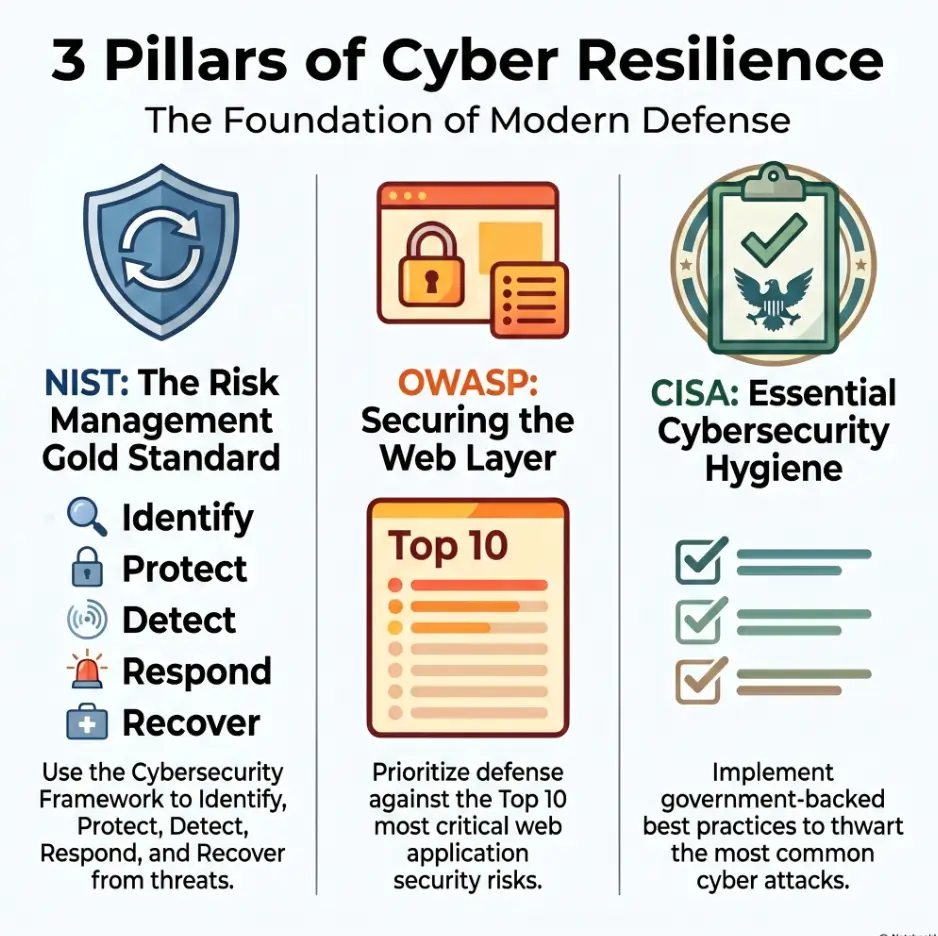
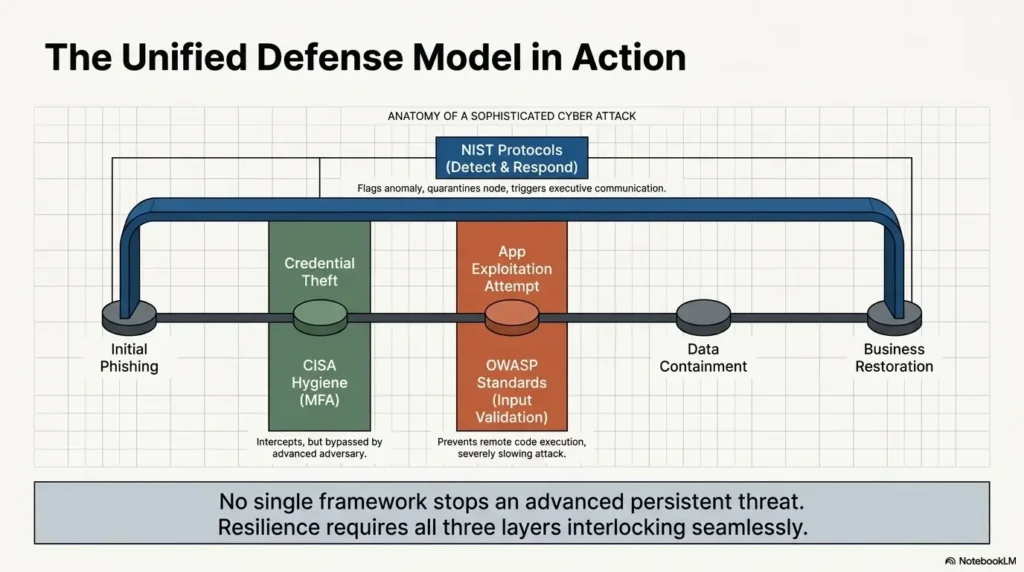
The CISA and OWASP projects both emphasize practical security controls and safer application practices in different ways. You do not need to turn a lab report into a policy textbook. Just prove you can connect attack to defense.
Score yourself on clarity, not just compromise
Give yourself a simple score after each revisit:
- Evidence clarity: Could another learner follow your proof?
- Decision clarity: Did you explain why you chose each path?
- Remediation clarity: Did you write realistic fixes?
- Transfer clarity: Did you connect the lesson to modern systems?
If you want a repeatable weekly structure, pair this with a Kioptrix weekly review template. It turns reflection into a habit instead of a heroic end-of-month cleanup.
- Write a six-sentence attack narrative.
- Add one defensive control per finding.
- Score your report for clarity.
Apply in 60 seconds: After your next root, write “What would I tell a sysadmin?” before closing the lab.
Ethical Scope Note: Keep the Lab Fence Bright
Cybersecurity practice needs a bright fence. Kioptrix, Hack The Box, TryHackMe, VulnHub, and similar environments are built for authorized learning. Public systems are not practice targets unless you have explicit permission through a legal program or contract.
This is not ceremonial finger-wagging. It protects you, the systems you might affect, and the credibility of your learning record.
Practice only on machines you own or are explicitly allowed to test
Use isolated VMs, approved lab platforms, or written authorization. If the scope is unclear, stop. Scope confusion is not a clever technical challenge. It is a risk with paperwork attached.
Do not reuse techniques against public systems
Lab techniques should stay in the lab unless you have permission. Even scanning can be unwelcome or prohibited depending on context. Keep your curiosity inside the fence.
Keep screenshots, notes, and writeups scrubbed of sensitive data
Even in labs, practice clean documentation habits. Remove tokens, passwords, personal details, and anything that does not belong in a public writeup. A good habit formed in a lab is easier to keep later under pressure.
Next Step: Re-Run One Level With a New Constraint
The cleanest way to make this article useful is not to admire it from a browser tab. Choose one Kioptrix level you already solved and re-run it under a new constraint. Small, sharp, done.
Pick one Kioptrix level you already solved
Do not pick the hardest one. Pick the one where your previous notes feel thin. Maybe you got root but never explained the web evidence. Maybe your privilege escalation notes are just a command and a little victory confetti.
If you need a structured restart, use a Kioptrix level restart guide to avoid wandering back into old shortcuts.
Complete it without a walkthrough, then write a one-page report
A one-page report forces compression. You must choose what matters. Include scope, summary, attack path, evidence, impact, remediation, and lessons learned.
For a practical writing frame, compare your draft with Kioptrix report writing tips before you call the session finished.
Add three columns: habit learned, modern equivalent, defensive lesson
This is the transfer engine. Those three columns keep the old box connected to current work. They also create better interview material because you can discuss not only what you did, but what you learned and how it applies.
- Pick a solved level with weak notes.
- Run it cold for 45 to 90 minutes.
- Write one page with attack path, fixes, and transfer lessons.
Apply in 60 seconds: Create a note titled “Kioptrix Revisit: Constraint, Evidence, Lesson.”
FAQ
Is Kioptrix still worth doing after Hack The Box?
Yes. Kioptrix is still useful after Hack The Box if you use it to strengthen fundamentals such as enumeration, evidence quality, exploit reasoning, privilege escalation logic, and reporting. Newer labs may be more current, but Kioptrix can reveal whether your method is steady or just held together with command history and hope.
Should beginners start with Kioptrix or newer labs?
Beginners can start with Kioptrix if they want classic Linux lab practice and are comfortable with less hand-holding. Newer beginner platforms may offer smoother guidance, hints, and scoring. A good path is to use guided rooms for orientation, then use Kioptrix to practice independent thinking.
Does Kioptrix prepare you for real pentesting?
Kioptrix helps with foundational thinking, but it does not fully represent modern enterprise pentesting. It can support habits like service enumeration, validation, note-taking, and remediation thinking. For real-world readiness, add newer labs covering Active Directory, cloud, web applications, APIs, Windows privilege escalation, and reporting.
How often should I revisit old Kioptrix levels?
Revisit one Kioptrix level after every few newer labs, or whenever your process feels rushed. Use a constraint each time: manual enumeration only, no walkthrough, required remediation notes, or a one-page report. The goal is not repetition for its own sake. The goal is calibration.
Is using Metasploit on Kioptrix a bad idea?
No, using Metasploit is not automatically bad. It becomes a problem only when it replaces understanding. Try a manual approach first, document your reasoning, then use Metasploit to compare validation speed and assumptions. That turns the framework into a learning tool rather than a button with dramatic lighting.
What should I write down after finishing a Kioptrix level?
Write the entry point, key evidence, failed paths, exploit reasoning, privilege escalation route, important commands, what you misunderstood, and how the vulnerability should be fixed. Add a modern equivalent and a defender-visible signal. Those two details make the writeup much more useful later.
When should I stop practicing Kioptrix?
Move on when you can explain each step without a walkthrough, identify why each weakness mattered, and connect the lesson to modern systems. You do not need to live inside old labs forever. Kioptrix is a whetstone, not a sofa.
Can Kioptrix help with cybersecurity job interviews?
Yes. Kioptrix can help with interviews if you turn your lab work into clear stories about methodology, uncertainty, evidence, mistakes, and remediation. A strong explanation of a simple box is often more impressive than a vague claim about a difficult one.
Conclusion
Kioptrix starts to feel small only when you ask it to be the whole mountain. Used correctly, it is a fundamentals gym: compact, honest, and just uncomfortable enough to show where your method bends.
The point is not to memorize old vulnerabilities. The point is to rehearse habits that still matter in newer labs and early security work: careful enumeration, clean evidence, tested assumptions, privilege escalation reasoning, ethical scope, and defensive explanation.
Within the next 15 minutes, choose one Kioptrix level you have already solved. Create three note columns: habit learned, modern equivalent, and defensive lesson. Then start a cold attempt with a no-peeking timer. That small constraint can turn an old VM into fresh practice again.
Last reviewed: 2026-05.