
Kioptrix: A Lab for Thinking, Not Just Rooting
Most beginners do not get lost in Kioptrix because they lack tools. They get lost because the tools start driving. You run a scan. You see open ports. You copy a few commands. The terminal fills with output, and suddenly your tidy little cybersecurity lab feels like a drawer full of unlabeled cables.
Kioptrix Level 1 is a classic beginner vulnerable machine, but its best lesson is not simply “get root.” Its deeper lesson is knowing when to pause, review your evidence, and reframe your next move before confusion becomes your co-pilot. That matters because guessing burns time, blurs ethics, and builds habits that do not belong outside an authorized lab.
“Small pause. Better question. Cleaner notes. That is where the learning starts.”
- ✓ Use Kioptrix as a controlled reasoning lab, not just a boot-to-root sprint.
- ✓ Separate facts from assumptions before choosing a path.
- ✓ Build a repeatable pause-and-review habit you can carry into future ethical hacking practice.
Quick Orientation: The Box Is Not the Teacher, Your Process Is
Kioptrix Level works best when you treat it as a decision lab. The VM gives you signals. Your job is to notice them, write them down, test one idea at a time, and stop when your reasoning turns muddy. Root access is the finish line. The repeatable method is the prize you keep.
Keep every action inside a local, authorized environment. If the target is not yours, the answer is no.
Table of Contents
Safety and Scope: Keep Curiosity Inside the Lab
Kioptrix is for authorized practice. That means a vulnerable VM, a lab network you control, and a target you have permission to test. No public IPs. No school networks. No employer systems. No “just checking.” Cybersecurity has enough fog machines without adding legal smoke.
The clean habit is simple: before any scan, identify the target, identify the network, and confirm that the machine belongs inside your lab. A beginner who learns boundaries early becomes a practitioner who can be trusted later.
Security learning is not dangerous because curiosity exists. It becomes dangerous when curiosity loses scope. NIST’s cybersecurity materials often emphasize risk management, asset understanding, and process discipline. Those ideas sound corporate, but they also belong on your home lab desk beside the coffee mug and the overconfident sticky note.
- Know your attacker VM IP.
- Know your target VM IP.
- Know which network range belongs to your lab.
Apply in 60 seconds: Write “authorized lab only” at the top of your notes before your first scan.
Why Kioptrix Teaches More Than “Get Root”
The Real Skill Is Not the Exploit
Kioptrix is often described as a beginner boot-to-root machine. That framing is useful, but incomplete. The exploit is not the whole education. The real training lives in the choices before the exploit: what you observed, what you ignored, what you tested, and what you misunderstood.
A walkthrough can show the winning route. Your notebook shows whether you learned anything portable.
That distinction matters. If a learner simply copies steps, they may finish the VM and still be helpless on the next one. If they document why each step was chosen, every box becomes a small apprenticeship in judgment.
Root Is the Ending, Not the Education
Root access feels dramatic. The prompt changes. The shoulders drop. The room briefly smells like victory and reheated coffee. But if the learner cannot explain the path, the win is thin.
The better question after each session is not “Did I finish?” It is “Can I defend my decisions?”
That is why a structured Kioptrix lab workflow matters. It turns the machine into a repeatable loop: observe, interpret, test, review, reframe.
The Pause Point Most Beginners Miss
The first important pause happens after enumeration, not after hours of failure. Once you have a service list, stop and ask: “What do I actually know?”
Not what you hope. Not what a forum hinted. Not what your tired brain thinks because one port “looks spicy.” What do you know?
This tiny pause separates evidence from vibes. Vibes belong in playlists. Evidence belongs in security notes.
Decision Card: Root Chase vs Learning Loop
| Approach | Best When | Trade-Off |
|---|---|---|
| Root chase | You are reviewing a known path after finishing. | Fast, but easy to forget. |
| Learning loop | You want skill that transfers to future labs. | Slower, but far more durable. |
Neutral action: Choose the learning loop for your first independent run, then review the fastest path later.
Who This Is For, and Who Should Slow Down First
Best Fit: The Curious Beginner With a Lab
This guide is for beginners who can move around Linux, understand basic IP addresses, and run tools inside a local VM setup. You do not need professional experience. You do need patience, clean scope, and the humility to write down things that feel obvious.
Obvious things are where future-you finds the bug. Future-you is tired, possibly hungry, and not amused by “I’ll remember.”
If you are working through Kioptrix for beginners, this article gives you the reflective layer: when to pause, when to review, and when to stop trying the same idea in a slightly different hat.
Also Useful For Note-Takers, Mentors, and Bootcamp Students
Mentors can use this framework to ask better questions. Bootcamp students can use it to turn a lab session into a report. Self-taught learners can use it to avoid the lonely spiral of “I ran ten tools and understood two outputs.”
The goal is not to be slow forever. The goal is to be deliberate now so speed later has bones.
Not For Unauthorized Testing or Copy-Paste Exploit Hunting
This is not a guide for attacking real systems. It is not a shortcut to scan someone else’s network. It is not a bag of commands to throw at the internet until something squeaks.
If your learning plan depends on touching systems you do not own or manage with written permission, stop. Build a lab first. A calm Kioptrix network setup is cheaper than a legal problem and much kinder to your blood pressure.
Start With the Lab Boundary Before the Scan
Build a Small, Boring, Legal Playground
The first move is not scanning. The first move is containment.
Your lab should be boring in the best possible way: known VMs, known network mode, known IP range, no accidental bridge into places you should not touch. If your lab is in VirtualBox, VMware, or another hypervisor, check whether you are using host-only, NAT, or bridged networking before you begin.
For many beginners, the “mysterious failure” is not a vulnerability issue. It is a network issue wearing a fake mustache. A thoughtful VirtualBox NAT, host-only, and bridged networking comparison can save a whole evening from becoming terminal confetti.
Confirm the Target Before You Touch It
Write these four lines before your first scan:
- Attacker machine IP:
- Target machine IP:
- Lab network range:
- Session start time:
This sounds plain because it is. Plain is good. Plain keeps you from scanning the wrong host and then building an entire theory on a mistake with excellent posture.
Eligibility Checklist: Are You Ready to Start?
Lab Readiness Checklist
- Yes / No: I own or control the lab environment.
- Yes / No: I know the target VM IP address.
- Yes / No: I know the attacker VM IP address.
- Yes / No: I know the network mode in my hypervisor.
- Yes / No: I have a notes file ready before scanning.
- Yes / No: I will stop if I cannot confirm scope.
One-line next step: If any answer is “No,” fix that item before running a scan.
A safe lab is not a ceremonial ribbon. It is the foundation under every useful thing you do next.
Enumeration Is Where the Story Starts
Scan Less Like a Slot Machine
Enumeration is not “run everything and hope.” It is a staged conversation with the target.
First, confirm the host. Then identify exposed ports. Then detect services and versions. Then run targeted checks based on what you found. A beginner often wants the machine to confess immediately. Kioptrix tends to reward the learner who listens first.
A good Kioptrix enumeration routine turns terminal output into questions instead of noise.
Turn Open Ports Into Questions
Every open port should become a question:
- What service is this likely running?
- What version evidence do I have?
- Is the service exposed by design, misconfiguration, or legacy behavior?
- What should I inspect next?
- What would disprove my first assumption?
This habit keeps you from treating all findings as equal. They are not. Some doors are locked. Some are decorative. Some are broom closets. One might be the path, but you still have to read the sign.
Record the Why, Not Just the Command
A command without a reason is a breadcrumb in the rain. It may help for five minutes, then vanish into the gray.
Use a four-part note pattern:
- Command or action: What did you run or inspect?
- Result: What came back?
- Interpretation: What does it suggest?
- Next decision: What will you test next?
This makes your lab notes useful after the adrenaline fades. For deeper organization, a dedicated Kioptrix lab notes structure helps keep evidence, hypotheses, and dead ends from forming one sad soup.
- Do not collect output just to feel busy.
- Translate ports and services into possible paths.
- Write the reason for each next step.
Apply in 60 seconds: Add an “Interpretation” line under your latest scan result.
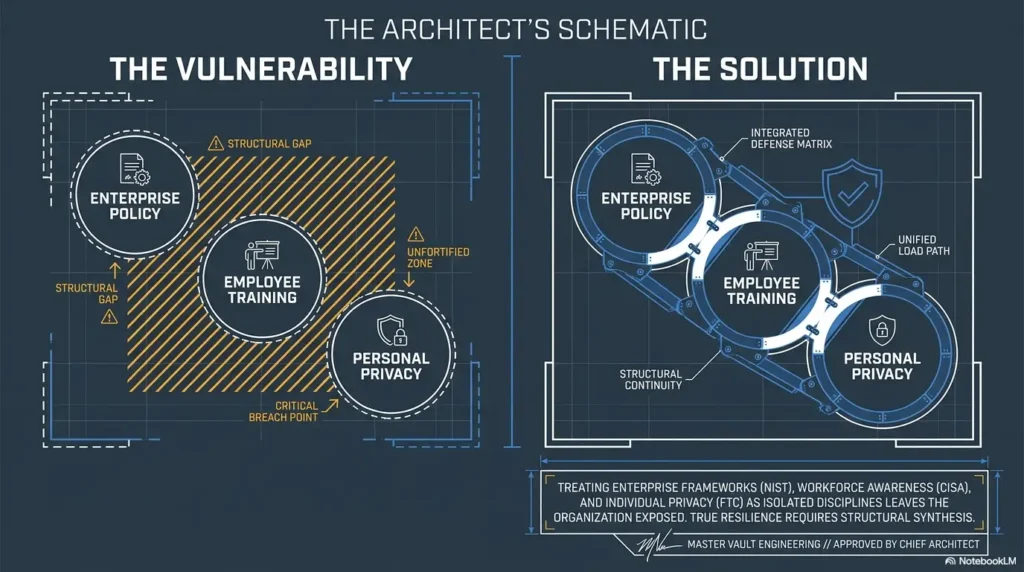
Pause After Enumeration: The First Reframe Moment
Ask “What Would I Test If Tools Disappeared?”
This question sounds strange, which is why it works. Imagine your scanner vanished. What would the service list still suggest?
A web service might suggest content discovery, headers, old application behavior, or default pages. SMB might suggest shares, anonymous access checks, name information, or permission boundaries. A database port might suggest exposure, but not automatically exploitation.
The mental move matters. Tools should support your hypothesis, not replace it.
Separate Evidence From Vibes
“Looks vulnerable” is not evidence. “The service reports a version associated with a known weakness in older lab environments” is closer. “I verified the service behavior and matched it to a documented vulnerability class” is better.
Beginners often skip this distinction because it feels slow. But the slowness is deceptive. Clean reasoning saves time because it prevents random pivots.
Build a Two-Column Hypothesis Board
Use a simple two-column board:
| Observed Facts | Possible Paths |
|---|---|
| Open services, versions, banners, accessible pages, confirmed behaviors. | Web enumeration, SMB checks, known vulnerability research, configuration review. |
| Only what you can defend from output or observation. | Ideas that need testing, ranked by evidence strength. |
This keeps assumptions from sneaking into the facts column wearing a tiny lab coat.
Collect scan and service evidence.
Ask what you truly know.
Name one likely path and why.
Run one controlled check.
Decide whether to continue or pivot.
Show me the nerdy details
A useful Kioptrix methodology treats each action as a state transition. You begin with unknown target behavior, gather observable service evidence, form a bounded hypothesis, test that hypothesis, and update your confidence. The key is not the tool name. The key is whether the output changes what you believe. If an action does not test a specific claim, it is probably noise. If a result cannot be reproduced or explained, it should not become the foundation for the next decision.
Common Mistakes That Turn Kioptrix Into Noise
Mistake 1: Jumping Straight to Metasploit
Metasploit can be useful in a lab, but using it too early can flatten the lesson. If the framework does the thinking, the beginner may get a shell and still have no idea why it worked.
A better pattern is to understand the service, version evidence, vulnerability class, and expected effect first. Then compare manual reasoning with framework behavior. That is why a balanced Metasploit vs manual Kioptrix approach is more useful than treating one side as a religion.
Mistake 2: Treating Every Open Port Equally
Not every port deserves the same attention. Some findings are more likely to lead somewhere because the service is exposed, versioned, interactive, or historically risky in the lab context.
Prioritize by evidence. If a service gives rich version detail and a clear attack surface, it may deserve more time than a vague finding with no behavior you can confirm.
Mistake 3: Copying a Walkthrough Before Getting Stuck Properly
A walkthrough is not forbidden fruit. It is a tool. But timing matters.
Reading the full solution before honest effort turns the lab into karaoke: familiar words, borrowed rhythm, little musicianship. Better to use hints in layers, then compare your notes afterward.
Mistake 4: Ignoring Failed Attempts
Failed attempts are not trash. They are diagnostic material. A failed result can tell you that the target is unreachable, the service is different than expected, the syntax is wrong, the payload does not match, or the assumption was borrowed from another Kioptrix level.
Good learners keep a Kioptrix dead ends log. Not because failure is romantic. Because failure is evidence with a bruised ego attached.
Short Story: The Three Failed Doors
Maya spent an entire Saturday trying to force one path through Kioptrix. The first attempt failed, so she changed a flag. The second failed, so she copied a slightly different command. The third failed, so she opened five browser tabs and began collecting answers that did not match her machine. At 3:40 p.m., she stopped and wrote three lines:
“What do I know? What did I assume? What result changed my mind?” The answer was embarrassing and useful. She had trusted a version guess without confirming the service behavior. After rebuilding her notes from the last known true result, she found a better path in twenty minutes. The lesson was not that persistence is bad. It was that persistence without review becomes a shopping cart with one bad wheel: loud, busy, and pointed at the cereal aisle for no reason.
Quote-Prep List: What to Gather Before Asking for Help
- Lab network mode and IP range.
- Attacker and target IP addresses.
- Scan summary, not a giant unedited paste.
- The hypothesis you tested.
- The exact failure message or behavior.
- What you already ruled out.
Neutral action: Prepare this list before posting in a forum, asking a mentor, or comparing your work to a walkthrough.
The Review Loop: How to Debug Your Own Thinking
Review the Chain, Not Just the Error
When something fails, do not stare only at the final error. Trace the chain backward.
- Is the target reachable?
- Is the port still open?
- Did you confirm the service?
- Are you testing the right version or behavior?
- Did your listener, shell, or session setup match your plan?
- Did you record the result cleanly?
This chain review catches simple issues before they become dramatic theories. Many “exploit problems” are actually note problems, network problems, or assumption problems wearing dark sunglasses.
Use “Last Known True” as Your Anchor
When confused, return to the last result you can defend. Maybe the target responded. Maybe a port was confirmed. Maybe a web page loaded. Maybe an anonymous access check failed in a specific way.
That is your anchor. Start there.
The Kioptrix session review habit is especially useful here because it forces you to name the last solid point before your notes became a thunderstorm.
Confusion Has Layers
A learner may think they are stuck on exploitation. The actual issue may be enumeration. Or shell handling. Or a copied assumption from a different VM. Or a local Kali problem. Or a typo so small it deserves its own tiny villain cape.
Layered confusion requires layered review. Do not ask, “Why does this not work?” Ask, “Which part of the chain have I actually verified?”
- Return to the last confirmed result.
- Check environment before exploit logic.
- Write why you are pivoting before you pivot.
Apply in 60 seconds: Mark one line in your notes as “last known true.”
Reframe the Box as a Decision Tree
From “What Exploit Works?” to “What Path Is Most Justified?”
The weaker question is “What exploit works?” It sends the mind hunting for answers like a raccoon in a vending machine.
The stronger question is “What path is most justified by the evidence right now?”
This shift is small but powerful. It moves you away from tool-chasing and toward disciplined testing. It also makes your learning portable. Every future lab, certification box, and internal practice environment will reward the same habit.
Mark Every Fork in the Road
At each major decision point, write the fork:
- Path A: Investigate web service further.
- Path B: Validate SMB behavior.
- Path C: Research service version carefully.
Then write why you picked one. The rejected options matter too. They show that you were not merely wandering. You were choosing.
A visual Kioptrix decision tree can help beginners see the lab as a series of evidence-based forks instead of one chaotic tunnel.
Build a Personal Pause Trigger List
Your pause triggers should be concrete. Try these:
- Three attempts fail without new information.
- You cannot explain why you are running the next command.
- Your notes no longer match your terminal history.
- You feel annoyed enough to start guessing.
- You are copying a command you do not understand.
- You are not sure whether your target is still inside the lab.
That last one is not a “pause.” It is a full stop.
Coverage Tier Map: How Deep Should You Review?
| Tier | Use When | Review Action |
|---|---|---|
| Tier 1 | One command fails once. | Check syntax and target. |
| Tier 2 | Same error repeats. | Return to last known true result. |
| Tier 3 | Hypothesis feels weak. | Separate facts from assumptions. |
| Tier 4 | You are jumping between paths. | Draw a decision tree. |
| Tier 5 | Scope is unclear. | Stop and rebuild the lab boundary. |
Neutral action: Use the lowest tier that honestly matches your situation.
When to Use Walkthroughs Without Stealing the Lesson
Use Hints in Layers
A walkthrough can be a teacher or a thief. It depends on when and how you use it.
Start with a light hint. Look for the general area: which service, which class of issue, which missed enumeration step. Avoid full commands until you have tried to reason through the gap.
If you need a complete guide after honest effort, use it as a comparison tool. The goal is not “I should have known.” The goal is “What signal did the author notice that I missed?”
Compare Your Notes Against the Walkthrough
After finishing, compare your notes to a trusted Kioptrix write-up. Look for differences in sequence, evidence, and interpretation.
Ask:
- Did I skip an obvious service?
- Did I overtrust a scan result?
- Did I fail to verify a version?
- Did I pivot too early?
- Did I keep enough evidence for a clean report?
This turns spoilers into calibration. Calibration is useful. Shame is just noise with teeth.
Turn Spoilers Into Study Cards
After the lab, create short study cards:
- Service clue I missed:
- Enumeration step I should repeat next time:
- Wrong assumption I made:
- Successful reasoning pattern:
- Privilege step or post-access lesson:
A personal Kioptrix knowledge base lets these lessons accumulate. One lab becomes ten future shortcuts, the honest kind.
A Simple Kioptrix Learning Workflow
Step 1: Set the Boundary
Confirm your lab. Write the target IP, attacker IP, network mode, and date. This takes less than a minute and prevents weirdness from entering the room wearing shoes.
Step 2: Enumerate in Stages
Move from broad to specific. Host discovery. Port scan. Service detection. Targeted enumeration. Evidence notes. The order matters because each stage should narrow your next question.
If your first session feels scattered, a repeatable Kioptrix session routine can create rhythm without turning your work robotic.
Step 3: Pause and Name the Hypothesis
Write one sentence:
“I think the likely path is ______ because ______.”
If you cannot fill both blanks, you are not ready to test. You are ready to review.
Step 4: Test One Path at a Time
One test. One expected result. One actual result. That is enough.
Beginners often stack attempts so quickly that they cannot tell which result mattered. Slow down. You are not defusing a movie bomb. The red wire can wait.
Step 5: Review Before Pivoting
Before leaving a path, explain why it failed or why another path is stronger. A pivot without a reason is wandering with a nicer jacket.
Step 6: Reframe and Continue
Change the question, not just the tool. Instead of “Why won’t this work?” ask, “What evidence would prove or weaken the next path?”
Mini Calculator: Your Pause Ratio
Use this tiny calculator to estimate whether your session is becoming command-heavy and review-light.
Output: Enter your session numbers, then calculate.
Neutral action: If your pause ratio is very low, add one review note before the next command.
- Set scope before scanning.
- Name one hypothesis before testing.
- Review before changing paths.
Apply in 60 seconds: Write your next hypothesis as one sentence before touching the terminal.
When to Pause and Get Help
Stop When You Leave the Lab Boundary
If you are unsure whether an action touches only your lab, stop. Do not “just see.” Do not “try quickly.” Rebuild the boundary first.
The FTC regularly warns businesses and consumers about security responsibilities, scams, and data protection expectations. For learners, the practical lesson is plain: responsible security work begins with permission, care, and restraint.
Ask for Help When the Same Error Repeats
Three repeated failures usually mean one of three things: your environment is wrong, your assumption is wrong, or your method is incomplete. None of these improve by adding random commands.
Ask a mentor, search for a targeted hint, or compare against your notes. Bring evidence. Helpers can do more with one clear error and one clear hypothesis than with a wall of terminal soup.
Get Guidance When Commands Become Random
Random commands feel productive because text moves on the screen. That is the trap. Motion is not progress.
When you feel the keyboard taking over, pause. Clean your notes. Rebuild your facts. Then choose one test.
A weekly Kioptrix weekly review template can help you spot repeated habits: rushing enumeration, ignoring failed attempts, skipping screenshots, or leaning on walkthroughs too early.
FAQ
Is Kioptrix Level good for complete beginners?
Yes, if you already understand basic Linux navigation, IP addresses, virtual machines, and command-line work. Kioptrix is beginner-friendly, but it is not passive. It expects you to enumerate, take notes, test carefully, and learn from wrong turns.
Should I use Metasploit on Kioptrix?
You can use Metasploit in an authorized lab, but do not make it your first teacher. Try to understand the service, version evidence, vulnerability class, and expected result before using a framework. The best learning often comes from comparing manual reasoning with framework automation.
How long should Kioptrix Level take?
It varies. A walkthrough-assisted run may be quick. A first independent attempt can take hours. The better measure is not speed. The better measure is whether you can explain each decision afterward without leaning on copied steps.
What should I write in my Kioptrix notes?
Record the lab scope, IP addresses, scan summaries, open ports, service versions, interesting findings, hypotheses, failed attempts, reasons for pivots, final path, and lessons learned. A strong Kioptrix documentation habit makes future review much easier.
Is Kioptrix still useful even though it is old?
Yes, as a fundamentals and reasoning lab. Some services and vulnerability patterns are dated, but the workflow still matters: enumerate, form a hypothesis, test carefully, review failures, and reframe when your assumptions stop matching the evidence.
What should I do after finishing Kioptrix?
Write a clean post-lab report. Include what you tried, where you got stuck, which assumptions failed, what worked, and what you will do differently next time. A Kioptrix lab report turns a solved box into a reusable learning asset.
What if I keep getting stuck before exploitation?
That usually means your enumeration or interpretation needs work. Return to the service list, confirm what you know, and build a two-column facts-versus-paths board. Stuck before exploitation is not failure. It is the lab pointing at the exact skill to train.
Can I write about Kioptrix on LinkedIn or in a portfolio?
Yes, if you frame it responsibly. Avoid posting sensitive-looking commands without context, do not imply unauthorized work, and focus on methodology, documentation, and lessons learned. A reflective Kioptrix Level LinkedIn summary is stronger than a vague “got root” trophy post.
Conclusion: The Small Lantern in Your Notes
The beginner’s temptation is to treat Kioptrix like a locked door and the internet like a ring of keys. That can work once. It does not build judgment.
The more useful approach is quieter: build the lab boundary, enumerate in stages, pause after evidence appears, write one hypothesis, test one path, review failure, and reframe before you pivot. That is how Kioptrix becomes more than an old vulnerable VM. It becomes a rehearsal space for careful thinking under uncertainty.
Your concrete next step for the next 15 minutes: open your latest Kioptrix notes and label three lines as Fact, Assumption, and Next Test. If a line cannot wear one of those labels honestly, stop there. That unlabeled spot is where the real lesson is waiting with a small lantern.
Last reviewed: 2026-05.