
A Certificate Says You Finished.
A Lab Project Shows How You Think.
A course certificate can sit on a resume like a clean little sticker. Nice, tidy, almost silent. But a Kioptrix Level project can speak. It can show how you set up a safe lab, found the target, investigated services, took notes, tested assumptions, hit dead ends, recovered, and turned a vulnerable machine into a portfolio-ready case file.
For beginners, career switchers, and junior cybersecurity learners, that difference matters. The market is crowded with “completed course” lines. Hiring managers, mentors, and technical interviewers need proof they can inspect. A well-written Kioptrix Level portfolio project gives them that proof without pretending you are already a senior penetration tester in a hoodie-shaped thundercloud.
That is the little lantern. And in entry-level cybersecurity, the lantern often matters more than the trophy.
Portfolio Signal Snapshot
Kioptrix Level projects are useful because they turn private practice into visible evidence. A strong write-up can show lab scope, methodology, screenshots, troubleshooting, findings, remediation thinking, and reflection. That evidence helps recruiters and interviewers understand how you work, not just what you claim to know.
- Best for: beginners, career switchers, help desk workers moving into security, and certificate-heavy resumes.
- Not for: scanning public targets, copying walkthroughs, or publishing reckless exploit theatrics.
- Core outcome: one ethical, readable, recruiter-friendly case file.
Table of Contents
Safety / Disclaimer Block
Kioptrix and similar vulnerable machines should be used only in isolated, authorized lab environments. The point is learning, documentation, and defensive career development, not testing systems you do not own or administer.
Keep the scope boring on purpose: your computer, your hypervisor, your lab network, your downloaded vulnerable VM, your notes, your screenshots. Boring scope is beautiful scope. It is the seatbelt of the whole project.
If you are unsure whether a target is authorized, stop. Do not scan companies, schools, neighbors, random IP ranges, cloud assets, employer networks, or “it was just curious” targets. Curiosity is useful in cybersecurity, but without permission it becomes a raccoon in a server room.
- Use isolated lab machines made for practice.
- Document your authorization and network setup.
- Do not test real public systems without written permission.
Apply in 60 seconds: Add one sentence at the top of your draft: “This project was completed in an isolated, authorized local lab.”
Proof Beats Paper: The Hiring Signal Certificates Often Miss
What a certificate says
A certificate can be useful. It may show that you completed a course, passed a quiz, followed a learning path, or invested time in a subject. For a beginner, that is not nothing. It tells a reviewer you were willing to start.
The problem is that a certificate often stops there. It rarely shows how you handled confusion, how you chose between tools, how you validated a finding, or how you communicated risk. Those are the muscles employers want to see flex under normal lighting.
On a crowded resume, “Completed Cybersecurity Fundamentals Course” can blur into every other line. It is not bad. It is just thin.
What a Kioptrix project shows
A Kioptrix Level project can show process. That is the magic door. It can show your lab setup, discovery phase, enumeration notes, vulnerability analysis, decision points, mistakes, screenshots, and cleanup.
Better yet, it can show your thinking in sequence. You noticed something. You formed a hypothesis. You tested it. You learned that the first idea was too neat. You adjusted. You kept notes instead of turning the keyboard into a fog machine.
That is useful evidence for entry-level roles. A SOC analyst, vulnerability management analyst, junior pentester, or security-minded help desk worker all need to reason from signals. A project write-up can make that reasoning visible.
The quiet difference: evidence
Hiring teams cannot inspect motivation. They cannot see your Saturday morning lab sessions, your coffee gone cold beside the terminal, or the moment you realized your network adapter was the actual villain. They can inspect artifacts.
That is why a project matters. It turns invisible effort into a record. The record does not need to be dramatic. In fact, restrained is better. A clean case file with scope, method, evidence, findings, and lessons feels more professional than a victory lap.
| Option | What it proves | Main weakness | Best use |
|---|---|---|---|
| Course certificate | Completion, exposure, structured study | May not show applied judgment | Resume credibility and learning sequence |
| Kioptrix case file | Hands-on method, notes, evidence, reflection | Can look reckless if written poorly | Portfolio proof and interview hooks |
| Both together | Structured learning plus applied proof | Requires time and careful documentation | Best entry-level signal stack |
Neutral action line: Keep the certificate, but attach a project that shows what the certificate helped you practice.
Kioptrix Gives Recruiters a Trail, Not Just a Trophy
Screenshots become breadcrumbs
Screenshots should not be confetti. They should be breadcrumbs. A recruiter may not read every technical detail, but a few selected images can show that you worked through a real lab flow.
Use screenshots for milestones: lab setup, target discovery, service overview, key finding, privilege context, and final learning summary. Avoid dumping every terminal screen. Nobody wants to scroll through a command-line snowstorm before breakfast.
A dedicated Kioptrix screenshot organization system can help you keep images named, ordered, and useful before your desktop becomes a tiny digital attic.
Notes reveal judgment
Notes are where your judgment shows up. A command tells the reader what happened. A note tells the reader why you tried it.
For example, “I checked the exposed service because the version looked old and the banner suggested a legacy stack” is stronger than a pasted scan result with no comment. You are not writing to impress a terminal. You are writing to help a human follow your reasoning.
If your note-taking feels scattered, build from a simple Kioptrix lab notes workflow so each session produces clean evidence rather than archaeological fragments.
Here’s what no one tells you…
A beginner-friendly write-up with honest mistakes often feels more credible than a flawless “I knew everything already” post. Perfect paths can look copied. Human paths have scuffs, pauses, and small corrections.
You do not need to dramatize failure. Just include it plainly: what you assumed, what did not work, what clue changed your mind, and what you would check earlier next time.
- Use screenshots for milestones only.
- Explain why each major step mattered.
- Include one or two honest dead ends.
Apply in 60 seconds: Add a “Why I checked this” note beside your first major finding.
The Lab Story: From Blank VM to Rooted Lesson
Set the scene without overexplaining
Introduce Kioptrix simply. It is a vulnerable VM series used by learners to practice security assessment in a controlled environment. For this portfolio angle, the technical point is not to show every exploit detail. The career point is to show disciplined learning.
Your opening should answer the practical questions first: What lab did you use? Where did it run? Was it isolated? What was your goal? What did you document?
A good sentence might read: “I completed Kioptrix Level 1 in a local host-only lab to practice enumeration, evidence tracking, vulnerability validation, and remediation-focused reporting.”
Turn steps into a narrative arc
Most weak write-ups feel like a grocery receipt: command, output, command, output, command, output. Useful, perhaps. Memorable, rarely.
Instead, structure the project like a case file:
- Scope: what you tested and why it was authorized.
- Setup: hypervisor, network mode, snapshots, and isolation.
- Discovery: how you found the lab machine.
- Enumeration: what services and clues appeared.
- Hypothesis: what you thought might matter.
- Validation: how you checked the idea safely inside the lab.
- Privilege path: what changed after initial access in the lab.
- Cleanup: notes, screenshots, and reset state.
- Lessons: what you would do differently next time.
That structure gives the reader a map. Without it, even a good project can feel like someone spilled a toolbox into a paragraph.
The “why” column matters
Use a two-column habit: “Action taken” and “Reason I took it.” This simple pattern turns a walkthrough into evidence of thinking.
| Action taken | Reason I took it | Evidence to save |
|---|---|---|
| Identify the VM inside the lab network | Needed a confirmed target inside authorized scope | Network diagram or discovery screenshot |
| Review exposed services | Services shape the next research path | Short service summary table |
| Write remediation notes | Shows defensive value, not just lab completion | Finding-to-fix mapping |
Neutral action line: Draft the project in columns first, then turn the best rows into paragraphs.
If you want a more complete structure, a Kioptrix lab report format can help you separate scope, findings, evidence, and lessons before publishing.
Show me the nerdy details
A portfolio case file works because it preserves chain-of-reasoning artifacts without exposing unnecessary attack detail. For each major phase, record the timestamp, tool category, observed signal, decision made, confidence level, and remediation idea. This creates a defensible learning record: the reviewer can see what you noticed, what you ignored, and how new evidence changed the next step. Keep raw logs private when they are noisy. Publish only the minimum evidence needed to prove method, scope, and learning.
Don’t Post a Walkthrough. Post a Case File.
Mistake: copying public write-ups
Public write-ups can help when you are stuck, but copying their phrasing makes your project look thin. A reviewer may not know which article you copied. They will still feel the air go flat.
Copied walkthroughs usually have the same smell: no personal setup notes, no false starts, no original screenshots, no explanation of why one path won over another. Everything arrives too smoothly, like a stage magician whose sleeves are full of Stack Overflow tabs.
Use public references for learning, not as a script. Your portfolio should show your lab, your notes, your mistakes, and your remediation thinking.
Better: document your decisions
Decision documentation is the heart of the case file. Include what you saw, what you suspected, what you checked, and what changed your mind.
For example, instead of writing, “Ran scan, found service, exploited,” write a calmer version: “The scan showed several exposed services. I prioritized the older-looking web stack because it offered visible application behavior and a clearer path for safe lab validation. I parked the other services in my notes for later review.”
That sentence says something important: you can prioritize. Cybersecurity work is partly the art of not chasing every shiny raccoon footprint.
Pattern interrupt: less wizard, more mechanic
Cybersecurity beginners sometimes think the write-up must sound like sorcery. It does not. In a professional portfolio, you want less wizard, more mechanic.
A mechanic does not say, “I conquered the engine.” A mechanic says, “The noise appeared under load, I checked the belt path, then I confirmed the failing pulley.” That is the tone you want. Calm. Specific. Useful.
Short Story: The Screenshot That Saved the Interview
Maya had two certificates and one quiet Kioptrix write-up on her portfolio. The certificates looked polished, but during a junior security interview, the manager skipped them and opened the lab post. He asked why she had investigated one service before another. Maya did not have a heroic answer. She had a practical one. She showed her notes:
the banner looked older, the web response gave more clues, and her first assumption had been wrong. She had crossed it out and written why. The manager smiled at that part, not because she was perfect, but because she had left tracks. Later, she said the crossed-out note felt embarrassing when she published it. In the interview, it became the best proof she had. The lesson is small but sturdy: do not polish away the evidence that you can think.
Who This Is For / Not For
Good fit: career switchers building first proof
If you are moving from retail, education, operations, help desk, military service, customer support, or another field into cybersecurity, you may not have security job experience yet. That is normal. A project can help bridge the proof gap.
A Kioptrix case file lets you show transferable skills: patience, documentation, troubleshooting, careful language, and learning under uncertainty. Those qualities matter. They are not glamorous, but neither are good backups until the day they save the kingdom.
For career switchers, the project should connect technical work to professional behavior. Mention how you scoped the lab, protected boundaries, documented findings, and translated technical results into plain English.
Good fit: students with certificate-heavy resumes
Students often have coursework, badges, and certificates. That can be a strong foundation, but it may still leave a reviewer wondering, “Can this person apply the material?”
A Kioptrix write-up can answer that question. It pairs well with a certificate because it shows how the concepts behaved when the lab got untidy. Theory is the sheet music. The lab is where you hear the missed notes and keep playing.
Not for: people chasing shortcuts
A Kioptrix project only helps if it is personal, ethical, and clear. If the goal is to copy a walkthrough, paste a root screenshot, and call it “advanced offensive security,” the project will probably hurt more than help.
Hiring teams are not looking for theatrical fog. They are looking for careful learners who can explain what they did without making legal counsel reach for chamomile tea.
Not for: public-target testing
This project is not a green light to scan public IP ranges, employers, schools, neighbors, SaaS products, or cloud assets. The lab boundary is the point. It is what makes the learning safe to publish and defend.
If you want real-world testing experience later, learn about written authorization, rules of engagement, scope, reporting, and disclosure. A good place to start is understanding the difference between a home lab, a bug bounty program, and a formal penetration test statement of work.
Eligibility Checklist: Should You Publish This Kioptrix Project?
- Yes/No: Was every test performed inside your own authorized lab?
- Yes/No: Can you explain the network setup without exposing a real third-party target?
- Yes/No: Did you write your own notes instead of copying another walkthrough?
- Yes/No: Did you include remediation lessons, not only the success moment?
- Yes/No: Would you feel comfortable discussing the tone in a job interview?
One-line next step: If any answer is “No,” revise the scope, notes, or tone before publishing.
Empty Certificate Problem: The Resume Line That Says Too Little
“Completed course” is not a story
“Completed course” is a line. It is not a story. It does not show which tools you used, what you misunderstood, how you solved a blocker, or whether you can explain risk to someone outside the terminal cave.
That does not make certificates worthless. It means they need context. A certificate can say, “I studied the topic.” A project can say, “Here is where I applied the topic, hit friction, and learned something real.”
That combination is stronger than either piece alone.
A portfolio project creates interview hooks
A Kioptrix case file gives interviewers something concrete to ask about. That is a gift. Without projects, you may get broad questions that feel like verbal fog. With projects, the conversation can become specific.
Useful interview hooks include:
- Why did you choose that service to investigate first?
- What failed before the successful path?
- How did you confirm the finding was relevant?
- What would you recommend fixing?
- What would you do differently if you repeated the lab?
- How did you keep the work inside authorized scope?
You can build these hooks intentionally. A Kioptrix interview answer should sound like a learning story, not a memorized chant from a command manual.
The small proof stack
The best approach is usually not “certificate versus project.” It is a small proof stack:
- Foundation: course, book, class, or guided learning.
- Practice: authorized lab work such as Kioptrix.
- Documentation: clear write-up with screenshots and notes.
- Reflection: what changed in your thinking.
- Role mapping: how the skills connect to entry-level work.
That stack gives the reader more than a claim. It gives them a trail from learning to application.
- Use certificates to show structured study.
- Use Kioptrix to show method and judgment.
- Use reflection to show growth.
Apply in 60 seconds: Add one portfolio link directly under the related certificate on your resume.
The Better Portfolio Format: What to Publish Without Looking Reckless
Start with scope and authorization
Before you write about tools, write about boundaries. This one move changes the tone of the whole post.
Open with the lab name, local setup, network isolation, and authorization language. Mention whether you used a host-only network or another safe lab configuration. If you used snapshots, say so. If you reset the VM after testing, say so.
For setup clarity, a guide to Kioptrix network setup can help you explain your lab boundary in terms a cautious reviewer can trust.
Show methodology before results
The final result is not the whole story. For a portfolio, methodology is often more valuable than the ending.
Put your process near the top. Explain how you moved from discovery to enumeration, from enumeration to hypothesis, from hypothesis to validation, and from validation to remediation notes.
That sequence tells a reviewer you are not simply chasing a screenshot. You are learning a method.
Keep exploit detail educational, not performative
You can discuss the lab path without turning the post into a copy-paste recipe. Keep the emphasis on reasoning, evidence, and defensive learning.
For example, instead of publishing long exploit command chains, summarize the validation at a conceptual level and explain the remediation: patch outdated software, remove unnecessary services, restrict access, apply least privilege, monitor suspicious behavior, and document ownership.
This is where your write-up can mature quickly. The defensive lesson is what makes the project useful beyond “I finished the box.”
Quote-Prep List: What to Gather Before Comparing Your Project to a Job Posting
- Target role title: SOC analyst, junior pentester, vulnerability analyst, or security support.
- Three skills the posting asks for, such as documentation, Linux, networking, or vulnerability triage.
- Two project moments that prove those skills.
- One remediation lesson tied to business impact.
- One short story about a blocker you solved.
Neutral action line: Match project evidence to role requirements before adding the link to your resume.
Common Mistakes That Make Kioptrix Write-Ups Look Amateur
Mistake: dumping every command
Endless terminal output makes the reader work too hard. It also hides your thinking under a pile of text gravel.
Use short snippets only when they clarify a decision or prove a milestone. Then explain the meaning in plain English. The goal is not to show that you can copy terminal output. The goal is to show that you understood what mattered.
Mistake: skipping failed attempts
Failed attempts are where judgment often appears. If every step works perfectly, a reviewer may wonder whether the write-up is borrowed or over-polished.
Include dead ends with restraint. You do not need a full diary of despair. One or two meaningful false starts are enough: what you tried, why it looked reasonable, why it failed, and what changed.
A simple habit of tracking Kioptrix dead ends can turn frustration into portfolio material instead of letting it vanish into the carpet.
Mistake: ignoring remediation
If your project ends at “root achieved,” it misses half the value. In the workplace, findings matter because someone has to reduce risk.
Add a remediation section after each major finding. Talk about patching, configuration hardening, least privilege, service exposure, logging, monitoring, and documentation ownership. You are not just proving that you can find a weak door. You are proving that you understand why doors need locks, hinges, labels, and someone responsible for the key.
Mistake: using edgy language
A job-seeking portfolio is not the place for bragging, “pwned” banners, real-world targeting jokes, or villain cosplay. Keep the tone steady.
Use professional verbs: identified, investigated, validated, documented, mapped, recommended, reviewed. They sound less dramatic because they are more useful.
Coverage Tier Map: How Strong Is Your Write-Up?
- Tier 1: Final screenshot only. Weak proof.
- Tier 2: Commands and screenshots. Better, but still thin.
- Tier 3: Commands, screenshots, and explanations. Useful for readers.
- Tier 4: Method, decisions, failed attempts, and remediation. Strong portfolio signal.
- Tier 5: Role mapping, plain-English impact, ethical scope, and reflection. Interview-ready.
Neutral action line: Aim for Tier 4 before publishing and Tier 5 before adding it to your resume.
Make the Project Recruiter-Friendly in 90 Seconds
Add a summary card at the top
Recruiters and busy hiring managers may skim your project before deciding whether to read deeply. Give them a summary card.
Include the target lab, skills demonstrated, tools used by category, time spent, major lesson, and ethical scope. Keep it short. Think of it as the museum plaque before the painting. Nobody wants the entire art history degree in the first paragraph.
Portfolio Summary Card Template
- Project: Kioptrix Level lab case file
- Scope: Authorized local VM in isolated lab network
- Skills shown: Discovery, enumeration, note-taking, validation, remediation thinking
- Evidence: Selected screenshots, service summary, decision notes, lessons learned
- Role fit: SOC analyst, junior security analyst, vulnerability management, help desk-to-security
Neutral action line: Place this card directly under the introduction so a skimmer can understand the project quickly.
Use plain-English captions
Captions are underrated. A screenshot without a caption is a window with no label. The reader can see something happened, but they may not know why it matters.
Good captions translate technical evidence into meaning:
- “This discovery step confirmed the VM was inside the authorized lab network.”
- “This service summary guided the next enumeration priority.”
- “This finding suggested a remediation path: patch the outdated component and restrict unnecessary exposure.”
Captions help technical and non-technical reviewers at the same time. That is rare little alchemy.
Put the best proof above the fold
Do not bury the strongest learning outcome after 2,000 words of setup. Put the best proof early: ethical scope, skills shown, major lesson, and the kind of role the project supports.
If you are building a resume page, pair the project with a Kioptrix resume entry that uses measured language and points directly to your case file.
Authorized VM, isolated lab, clear boundaries.
Screenshots, notes, findings, failed paths.
Method, decisions, remediation, reflection.
Resume link, interview hooks, role mapping.
From Offensive Lab to Defensive Insight
Add a remediation section
A great beginner project does not stop at “I found a weakness.” It asks, “What should a system owner do next?”
That question changes the project from a lab trophy into a security artifact. For each major finding, include a short remediation note:
- What configuration should change?
- What software should be patched or retired?
- What access should be limited?
- What logs or alerts might help detect similar behavior?
- Who should own the fix?
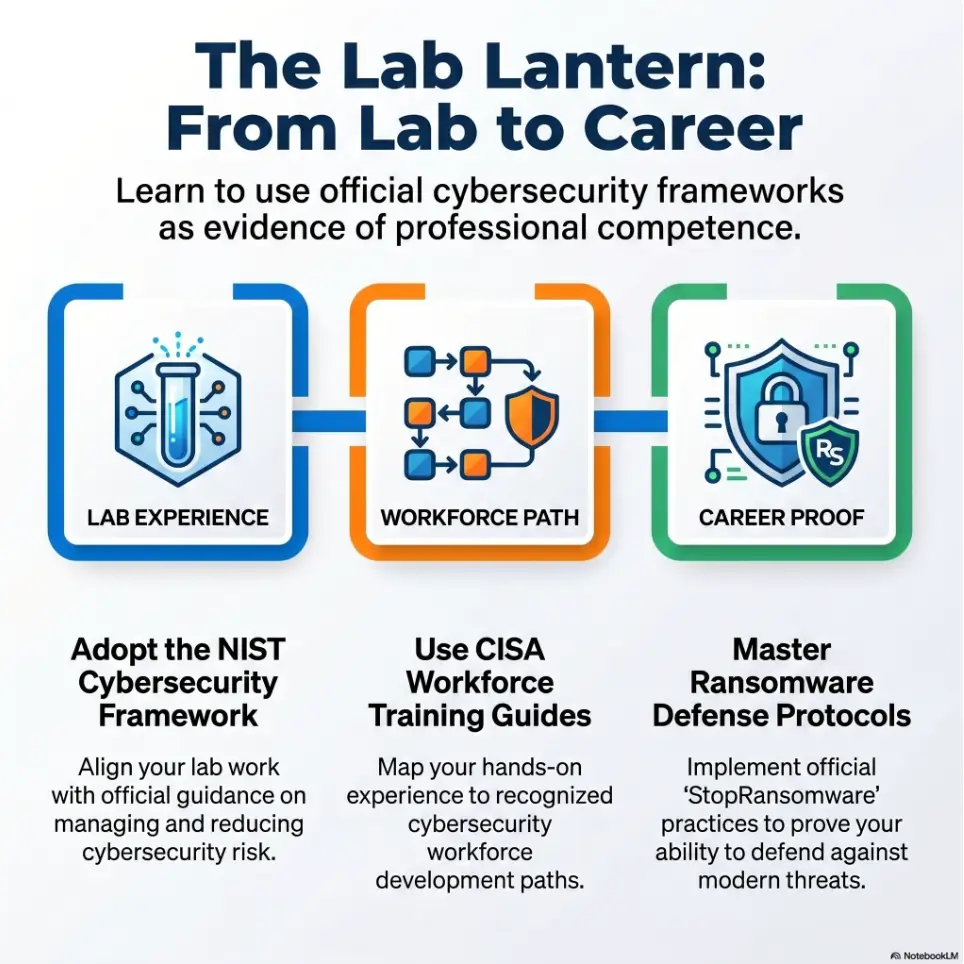
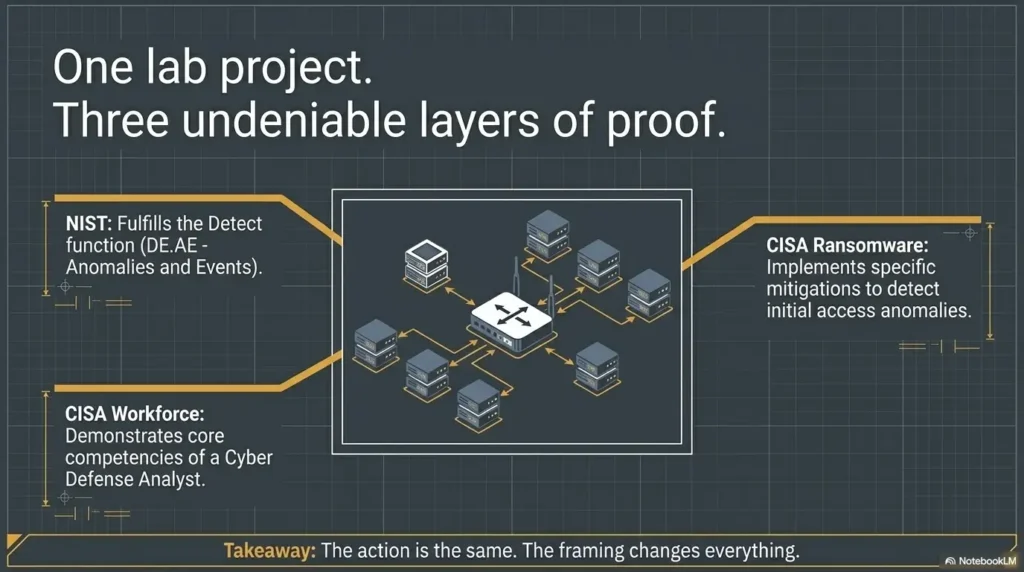
The National Institute of Standards and Technology publishes widely used cybersecurity guidance around identifying, protecting, detecting, responding, and recovering. You do not need to turn your beginner write-up into a policy manual, but borrowing that defensive mindset makes your project feel more job-ready.
Map skills to entry-level roles
Different readers will care about different parts of your project. Help them connect the dots.
| Role path | Project evidence to highlight | Plain-English value |
|---|---|---|
| SOC analyst | Signals, service review, notes, suspicious behavior framing | You can follow clues and explain them clearly. |
| Vulnerability management | Finding summaries, severity reasoning, remediation notes | You understand that findings need fixes. |
| Junior pentester | Methodology, scope, evidence, reporting discipline | You can test inside boundaries and document work. |
| Help desk to security | Troubleshooting, network setup, repeatable routine | You can move from tickets to security reasoning. |
Neutral action line: Add one role-mapping paragraph to the end of your project before sharing it with employers.
Let’s be honest…
Most entry-level applicants say they are passionate. Passion is nice. It is also impossible to verify from a sentence.
A documented lab says something sturdier: “I stayed with the problem when the room got quiet.” That matters. Cybersecurity work contains long stretches of uncertainty, repeated checks, humbling mistakes, and notes that only make sense after you clean them up. A project lets you show you can tolerate that process.
- Explain what should be fixed.
- Map each lesson to a real role.
- Use plain language for impact.
Apply in 60 seconds: Add one sentence after each finding that starts with “A system owner should…”
When to Seek Help or Stop
Stop if the target is not yours
If the target is not yours, stop. If the scope is unclear, stop. If someone says, “It is probably fine,” stop until you have real permission.
This is not fear. It is professionalism. Security work depends on trust. If your first public portfolio project suggests weak boundaries, that trust starts leaking before the interview begins.
Ask for help when lab setup becomes unsafe
Lab networking can be confusing at first. Host-only, NAT, bridged adapters, snapshots, imported VMs, Kali settings, local firewalls: the small gears can grind.
Ask for help when you are unsure whether your vulnerable VM is exposed beyond your intended lab. Use snapshots before major changes. Avoid bridged exposure unless you understand what it does. Keep testing inside the lab, not on networks full of devices that did not volunteer as tribute.
If you hit setup friction, a VirtualBox host-only troubleshooting guide for Kioptrix can help you solve common lab visibility problems without wandering outside safe scope.
Get mentorship before publishing sensitive content
Before publishing, ask a mentor, instructor, experienced practitioner, or trusted peer to review three things: scope, tone, and screenshots.
You are not asking them to make the project sound smarter. You are asking them to make sure the post sounds responsible. That is the difference between a portfolio asset and a tiny legal porcupine.
FAQ
Is Kioptrix still worth putting in a cybersecurity portfolio?
Yes, especially for beginners. The value is not that Kioptrix is new. The value is that your write-up can show clean reasoning, ethical scope, documentation, troubleshooting, and defensive lessons. Older labs can still be useful when the write-up focuses on method instead of novelty.
Is a Kioptrix write-up better than a cybersecurity certificate?
It can be more persuasive than a certificate alone because it shows applied work. The strongest option is usually both: structured learning plus a practical artifact. The certificate supports your study path. The Kioptrix case file shows what you did with that learning.
Should I include commands in my Kioptrix portfolio post?
Include enough to show your method, but do not dump every command. Use short snippets, selected screenshots, plain-English explanations, and lessons learned. Your goal is to prove judgment, not to make the reader climb a mountain of terminal output with a tiny spoon.
Can beginners do Kioptrix Level 1?
Yes. Kioptrix Level 1 is commonly treated as beginner-friendly, but beginners should expect friction with networking, scanning, enumeration, old services, and lab setup. That friction is not failure. It is often the part that creates the best learning notes.
What should I avoid in a Kioptrix portfolio project?
Avoid copying walkthroughs, attacking anything outside your lab, using reckless language, posting unnecessary exploit detail, skipping remediation, or presenting the project as real-world authorization. Keep the tone professional and the scope obvious.
Where should I publish my Kioptrix project?
A personal blog, GitHub Pages site, portfolio website, or LinkedIn article can work. The format matters less than clarity, ethics, and evidence. For a deeper portfolio habit, a Kioptrix documentation system can help you turn one lab into repeatable proof.
Should I mention failed attempts?
Yes. Failed attempts can make the project more believable and useful because they show how you troubleshoot, revise assumptions, and keep notes. Choose meaningful failures, not every tiny typo. The goal is learning evidence, not a blooper reel.
Can this help with an entry-level cybersecurity job?
Yes, if presented well. A strong project can create interview talking points and show initiative. It should be part of a broader profile that includes fundamentals, communication, ethical judgment, and responsible practice.
Next Step: Build One Publishable Case File This Week
Choose one Kioptrix level
Pick one authorized Kioptrix VM and complete it inside an isolated lab. Do not start with five machines. One clean project beats five half-written ghosts.
If you are brand new, begin with a simple path and focus on documenting the process. A beginner-oriented Kioptrix for beginners guide can help you frame the project as steady practice rather than a speedrun.
Use a five-part write-up skeleton
Write the first draft with five parts:
- Scope: what you tested and why it was authorized.
- Setup: your lab environment and isolation choices.
- Discovery: how you identified the target inside the lab.
- Key findings: what mattered and how you reasoned about it.
- Remediation lessons: what a system owner should improve.
For a repeatable publishing flow, use a Kioptrix write-up structure that keeps scope, evidence, and lessons in predictable places.
End with one honest reflection
Close with what you misunderstood at first, what fixed your thinking, and what you would do differently next time. That final paragraph is often where the portfolio stops sounding empty and starts sounding alive.
The opening promise was simple: proof beats paper when the proof is clean. A certificate can still help, but a Kioptrix Level case file gives a reviewer something richer to follow. It shows scope, method, evidence, defensive thinking, and the quiet discipline of finishing a small hard thing.
Your 15-minute next step: create a blank document titled “Kioptrix Case File,” then add five headings: Scope, Setup, Discovery, Findings, Remediation Lessons. Fill in one sentence under each. Small hinges swing heavy doors.
Last reviewed: 2026-05.