

Beyond the First Scan: Mastering Kioptrix Enumeration
The first scan is supposed to feel like progress. Instead, on a Kioptrix box, it often feels like standing in a room full of open ports, half-trustworthy banners, and twenty browser tabs breeding in the dark.
That is where many beginners lose the plot. Not during the scan itself, but in the minutes after, when enumeration stops being collection and starts demanding judgment. Open ports look like instructions. Version strings start sounding like promises. And before long, you are burning time on motion that feels technical but changes nothing.
This guide is built for the real bottleneck: what to do after the first Nmap scan on Kioptrix when the box goes quiet and the next move is not obvious. It helps you triage findings, separate confirmed evidence from scanner guesswork, and choose a smarter post-scan workflow without falling into exploit-first fog.
The method here is grounded, lab-safe, and deliberately evidence-based. No terminal theater. No shortcut worship. Just a calmer way to read clues before you chase them.
HERE IS THE HINGE.
Because this is where beginners usually start improving.
Not when they scan more.
When they decide better.
Table of Contents
Scope note: This article is for authorized labs, training environments, and defensive learning. It is not advice for unauthorized access or real-world intrusion. That line matters. It is the difference between learning a craft and borrowing trouble.

Start Here First: Who This Is For / Not For
This is for you if your first scan gave you ports, banners, and no clear path
A first scan can feel like someone dumped puzzle pieces onto the floor and left the room. You have numbers. You have service names. Maybe you have version guesses. What you do not have yet is meaning. This guide is for the moment after the scan, when the temptation is to confuse motion with progress.
This is for you if Kioptrix feels easy until the moment you have to choose what to do next
That moment is where many beginners wobble. The scan itself feels objective. The next move feels personal. Now you have to decide what matters, what is likely, and what deserves twenty focused minutes instead of six random experiments. That shift from collection to interpretation is the whole game.
This is for you if you keep opening new tabs instead of forming a working theory
I say this with affection because I have done it too. One tab for web screenshots. One tab for exploit databases. Three tabs for old forum posts. Two tabs that exist purely to worsen your posture. The browser becomes a museum of unresolved curiosity. The fix is not discipline in the abstract. The fix is a better framework for deciding, and if that early uncertainty feels familiar, first-lab anxiety on Kioptrix is more common than most people admit.
This is not for you if you want unauthorized real-world exploitation advice
No sleight of hand here. This article stays in the lane of legal lab workflow, version validation, surface analysis, and note quality. That is enough to make you better. In fact, it is usually the part people skip.
This is not for you if you are skipping enumeration and hoping for a lucky exploit match
Hope is a terrible search filter. Rapid7 describes Metasploit Framework as a modular platform for testing and executing exploit code, not a substitute for understanding the target. That distinction matters because the framework can amplify good judgment or magnify fog, depending on what you feed it. If you are tempted to jump too early, this companion piece on using Metasploit for Kioptrix with better timing fits neatly beside this section.
- Stop treating every open port as equal
- Separate what is confirmed from what is guessed
- Pick one lane before you multiply tools
Apply in 60 seconds: Write down the three services that look oldest, most exposed, or easiest to validate.
After the Scan, Pause the Panic: What Your Results Actually Mean
Open ports are clues, not instructions
An open port is not a command from heaven. It is a signpost. It tells you where a conversation might be possible, not whether that conversation will be useful. This sounds obvious until you have five services staring at you and your brain starts chanting “do everything, do everything, do everything.” That chant is how an hour disappears.
Service banners suggest possibilities, not certainty
Nmap’s own documentation is very clear that version detection works by probing discovered ports and matching responses against a service-probes database. That is powerful, but it is still matching behavior, not reading the target’s diary. A banner can be incomplete, masked, proxied, or simply misleading. Treat it as a lead that earns a follow-up, not a verdict. If banner output keeps seducing you into overconfidence, these banner grabbing mistakes in older Kioptrix labs are worth revisiting.
Version guesses can mislead you if you treat them like proof
This is one of those beginner bruises almost everybody collects. You see a familiar product string, search for old modules, and start planning the victory speech. Then nothing lines up. The service responds differently. The behavior does not match. The module name feels hauntingly right and practically useless. That gap between label and reality is where patient operators separate themselves from lucky ones.
Your real job is triage, not excitement
After a scan, your task is not “find the coolest path.” It is “rank the plausible paths.” Triage means you are looking for services that are old enough, exposed enough, and informative enough to reward deeper inspection. In a Kioptrix-style learning box, that often means slower, older, louder services matter more than the glamorous ones.
Good triage questions:
- Which service gives me the most information with the least guesswork?
- Which finding seems old, default, or weakly configured?
- Which service can I validate directly before I search anything else?
- What have I actually confirmed, versus inferred from a scanner’s best guess?
I once watched a beginner spend twenty-seven minutes massaging a version string into a search query because the number looked promising. Meanwhile, the plain little web service on the same box was practically waving semaphore flags. The lesson was not “always do web first.” The lesson was “the loudest clue is not always the most important one.”
Build a Shortlist First: Which Finding Deserves Your Next 20 Minutes?
Rank services by exposure, age, and likely misconfiguration
If you want a practical filter, start here. Ask which service is directly reachable, which one appears historically older, and which one is more likely to leak useful context through normal interaction. This is not glamorous. It is wonderfully boring. Boring is good. Boring gets you home.
Separate “interesting” from “actionable”
A service can be interesting without being the best next step. Beginners often confuse novelty with leverage. RPC output may look wonderfully mysterious. A web app may look plain as toast. But plain services often expose structure, defaults, file paths, headers, and server behavior you can verify quickly. Interesting makes you curious. Actionable makes you useful.
Put web, SMB, RPC, and outdated services into a simple priority stack
You do not need a cathedral-sized decision tree. A humble stack will do. On older lab boxes, I usually think in this order: what is easy to view, what is easy to list, what leaks identity, and what looks aged enough to deserve careful attention. That translates nicely to web content, share-related clues, RPC identity crumbs, and obviously dated services. If you want a sibling article focused purely on picking the first lane, which Kioptrix service to investigate first pairs naturally with this shortlist method.
Choose one path to deepen before you branch again
The phrase “before you branch again” is the hinge. Many people skip it. They inspect a page, list a share, peek at a header, run another scan, search a module, and call this thoroughness. In reality, they have created five shallow puddles where one deeper well would have helped. Pick a lane, deepen it, document what changed, then reassess.
Decision card: When A vs B
Choose web first when the service is accessible in a browser, returns visible content, or leaks application clues quickly.
Choose SMB/RPC first when identity, shares, naming, or legacy service exposure looks more promising than the web surface.
Time trade-off: A focused 15-minute deepening pass beats three 5-minute skims almost every time.
Neutral next action: Commit one service to a timed pass before opening any new search tabs.

Don’t Chase Every Port: The Fastest Way to Waste an Hour
Why scanning more is not the same as learning more
Nmap is excellent, and it can tell you a great deal. The official guide describes it as a tool for network exploration and security auditing, with options for service and OS detection among many others. That power becomes a trap when you use extra scans to postpone interpretation. More packets are not a personality. They will not choose for you.
How shallow enumeration creates fake complexity
There is a kind of complexity that is real, and a kind that is self-inflicted. Real complexity comes from ambiguous evidence. Fake complexity comes from grabbing more and more surface data while refusing to close any loop. That second kind feels productive because your terminal is busy. It is productivity in costume.
When a noisy result set hides the one clue that matters
Most training boxes do not require twenty paths. They usually reward one or two well-read clues. The trouble is that noise can make the useful thing feel too ordinary. You skim a header, shrug, and go hunting for fireworks. Meanwhile the default page, the hostname, the workgroup name, or the old application fingerprint is doing a tiny dance in the corner.
Here’s what no one tells you… the second scan often becomes procrastination with syntax
That line stings because it is true. I have absolutely run a fresh scan not because the first one was insufficient, but because deciding felt harder than typing. The terminal is seductive that way. It gives you the warm illusion of motion. Progress, sadly, is pickier.
Use a second scan only when at least one of these is true:
- You have a specific uncertainty to resolve
- You need to validate a service behavior more precisely
- Your first scan was too broad or too shallow for a known reason
- You are checking one hypothesis, not feeding general anxiety
💡 Read the official Kioptrix-style post-scan workflow guidance
Evidence Before Exploits: How to Test Your Assumptions Without Guessing
Confirm the service before you search for a module
This one habit will save beginners an astonishing amount of time. Before you search for a module, ask what you know firsthand about the service. Not what a banner hinted at. Not what a forum thread once suggested. What did you directly observe through normal interaction? Product family, response behavior, default page, headers, share names, authentication boundary, error pattern, naming conventions. Those are sturdier bricks than a version string floating alone in the wind.
Match operating system hints with service behavior
OS detection is helpful, but it is also probabilistic. Nmap’s documentation explains that remote OS detection compares observed responses against a large fingerprint database. Useful? Very. Infallible? Never. When a service’s behavior and the OS hint tell the same story, your confidence rises. When they disagree, that friction is information, not annoyance. For a close cousin of this problem, when CrackMapExec reports the wrong OS version captures the same lesson in a different costume.
Look for default content, shares, headers, and error messages that narrow the field
These details are not glamorous, but they are the carpentry of competent testing. Defaults tell you age and neglect. Headers tell you stack family. Error messages tell you how the app thinks. Share names tell you what the operator valued. You are not hunting for random oddities. You are building a consistent model of the box.
Treat every next move like a hypothesis to verify
Instead of saying, “I think this is exploitable,” say, “My current hypothesis is that this service belongs to X family, exposes Y behavior, and deserves Z validation next.” That language matters because it keeps you honest. It also makes your notes readable later, when your future self returns with coffee and less optimism.
Show me the nerdy details
Version detection, OS detection, and application fingerprinting are all inference layers. Good post-scan workflow reduces uncertainty by making independent observations agree: scanner output, direct response behavior, visible defaults, naming conventions, and authentication boundaries. When two or three of those align, your search space shrinks dramatically.
- Confirm product family before searching modules
- Cross-check service clues against OS hints
- Use visible behavior to narrow your search space
Apply in 60 seconds: Rewrite your next move as a hypothesis sentence instead of a tool command.
Web First, Sometimes: Why the Quietest Service Can Break the Box Open
Start with what the browser gives away for free
The browser is not a beginner crutch. It is a first-class instrument. A visible page can reveal naming, directory structure, application family, comments, forms, image paths, server behavior, and the general age of the thing. You are not “just looking.” You are collecting cheap truth.
Check source, directories, default pages, and old app fingerprints
OWASP’s Web Security Testing Guide organizes early web testing around information gathering and configuration-aware thinking. That is a useful mental model even in a lab box. Before you fantasize about deep magic, ask what the app reveals through ordinary observation: default landing pages, outdated wording, obvious paths, form names, inline comments, predictable assets, or behavior that suggests a particular family of older applications. If you want to go deeper on that kind of page-reading, both Kioptrix HTTP enumeration and legacy PHP reconnaissance clues fit naturally here.
Small wording quirks can reveal software family and era
I love this part because it feels like detective work rather than brute force. An oddly formal footer. A default admin phrase. A path naming habit that belongs to an older generation of apps. These tiny linguistic fossils matter. Old software often speaks with a slightly different accent. Once you hear it, the room changes.
Let’s be honest… many beginners ignore the web service because it looks “too normal”
Normal-looking web content has lured more beginners into neglect than any complicated protocol ever could. A plain page can feel boring next to legacy services with deliciously suspicious names. Yet plain pages often offer the cleanest validation path. They let you observe before you infer, which is the right order.
Short Story: Years ago, in a small training lab, I spent far too long orbiting an older network service because it felt like the “serious” path. The web page on the same host looked harmless, almost apologetic. Beige, sparse, and spiritually committed to 2003. I clicked around mostly to rule it out. The source was plain enough to read without squinting, and within a minute the application family started showing its age in tiny tells:
naming style, static asset structure, and a default phrase that had the scent of old documentation. Nothing dramatic happened. No fireworks. Just a quiet narrowing of possibilities. That was the lesson. Progress in labs often arrives dressed as boredom. If a service gives you verifiable clues with low friction, it deserves more respect than its aesthetics suggest.
Eligibility checklist
Yes or no:
- Can you load visible content in a browser?
- Does the page reveal headers, forms, comments, or directory hints?
- Does the app look dated, default, or minimally customized?
- Can you describe what changed after 10 minutes of inspection?
Neutral next action: If you answered “yes” to at least two, give the web lane a focused first pass.
SMB and RPC Without the Fog: Reading the Old-School Clues Correctly
Anonymous access, null sessions, and share listings each mean different things
One reason beginners get lost here is that everything starts to sound equally exciting. It is not. Anonymous access is not the same as a useful share. A share listing is not the same as meaningful permissions. A null-session style clue is not the same as a complete path. Your job is to distinguish visibility from leverage. For that exact confusion, SMB null sessions on port 139 vs 445 helps separate old-school noise from real signal.
Hostnames, workgroups, and account info can sharpen your model of the box
Identity crumbs matter because they turn a generic target into a shaped target. Hostnames can hint at role. Workgroups can hint at context. Account naming can hint at age, conventions, and whether the environment was built carelessly or predictably. None of this is an exploit. All of it sharpens your choices. Sometimes even something as small as a NetBIOS response changes the room, which is why what nmblookup results actually mean earns more respect than it first appears to.
Old Samba findings are only useful when the version story holds together
This is where beginners often overheat. They see an old service family, remember a famous historical issue, and mentally sprint ahead. Slow down. The value of any historical line of thought depends on whether the version story, the response behavior, and the surrounding evidence point in the same direction. Otherwise you are decorating uncertainty with nostalgia.
Enumeration should shrink uncertainty, not inflate your notes
Messy notes are sometimes a sign of enthusiasm, but they are not proof of progress. Good enumeration turns a cloudy picture into a narrower one. After each SMB or RPC pass, you should be able to say one of three things: “I ruled out X,” “I confirmed Y,” or “I need one specific clarification about Z.” Anything fuzzier than that is probably heat without light.
Show me the nerdy details
Legacy network services often feel rich because they produce lots of text. Resist the text-as-progress illusion. What matters is whether the output changes your model: access boundary, naming clues, service family, or likely configuration. Dense output that fails to reduce uncertainty is just decorative fog.
Stuck or Spinning? How to Tell the Difference Before You Burn Out
Stuck means you need a new angle
Being stuck is not a moral failure. It simply means the current lane is no longer paying rent. You gathered what that path could reliably give you, and the evidence stopped improving. That is when a new angle makes sense.
Spinning means you are repeating the same weak angle with new commands
Spinning is trickier because it wears the costume of diligence. You rerun related actions, tweak search phrases, or add fresh syntax to the same soft assumption. It feels industrious. It is often emotional bookkeeping. The inner monologue usually sounds like this: “Maybe I’m one flag away.” Sometimes you are. Most of the time you are one decision away.
Watch for copy-paste behavior masquerading as progress
If your workflow has become a parade of copied commands without a clear reason for each one, pause. Ask what changed after the last action. If the answer is “not much,” that is valuable. It means the lane may be exhausted, not that you are inadequate.
Your notes should answer “what changed?” after every step
This single question has rescued more lab sessions than any clever trick I know. What changed? Did you confirm a product family? Did you rule one out? Did you learn that a service was visible but not useful? Did the authentication boundary hold? If nothing changed, then the action was probably not the best next move. This is also where a tighter Kioptrix reconnaissance routine can keep you from wandering in concentric circles.
- Stuck means the lane stopped yielding
- Spinning means you keep feeding a weak assumption
- “What changed?” is your anti-chaos question
Apply in 60 seconds: Review your last three actions and label each as “changed evidence” or “repeated hope.”
Common Mistakes That Make Kioptrix Feel Harder Than It Is
Treating scan output like a to-do list instead of a decision tree
This is the classic beginner slip. You see ports and feel obligated to visit all of them like a very anxious museum patron. But scan output is not an itinerary. It is a branching structure. Some branches deserve attention first because they are older, richer, or easier to validate. Others can wait politely in the hallway.
Believing version detection too quickly
Nmap’s version detection is a superb starting point. It is not a blood oath. When you forget that, you start searching for things the target never promised to be. The result is frustration that feels technical but is really interpretive. This pitfall rhymes closely with Nmap service detection false positives in lab targets.
Searching exploits before validating exposure
This is where the brain gets greedy. A product name appears, and suddenly you are elsewhere, imagining the end of the story before the middle has even introduced itself. Validate exposure first. Validate behavior first. Otherwise you are reading the ending page of the wrong novel.
Ignoring low-drama services that deserve first attention
Low-drama services are my favorite teachers because they punish ego and reward patience. A simple page, a plain share, an old hostname, a header that tells a quiet truth. These do not sparkle. They do, however, tend to be real.
Taking messy notes that erase your reasoning trail
One of my older lab notebooks looked like a thunderstorm had learned YAML. I thought I was being thorough. In truth, I was storing fragments without preserving judgment. The fix was simple: stop writing everything and start writing why it mattered. If you want a wider map of these traps, common Kioptrix enumeration mistakes complements this section without breaking stride.
Quote-prep list: what to gather before comparing next paths
- Confirmed service family
- Visible behavior or content clues
- Authentication boundary notes
- Why this path outranks the others
- What would count as disconfirming evidence
Neutral next action: Do not compare possible next steps until these five items exist in your notes.
Don’t Do This Next: Five Moves That Usually Lead Nowhere
Don’t run exploit modules just because the name looks familiar
Familiarity is not validation. Sometimes a name is just a shiny hook for your memory. When beginners get stuck, the familiar thing feels safe. It is often a detour with better branding.
Don’t stack more scanners onto unanswered basics
Before you add another scanner, ask whether the first layer of evidence has been interpreted. If not, more scanning often becomes a sophisticated way of staying uncertain at higher resolution.
Don’t confuse enumeration breadth with enumeration depth
Breadth says, “I touched many things.” Depth says, “I learned something that changed the model.” Only one of these earns the next decision. The other mostly produces screenshots and self-respect issues.
Don’t abandon a promising lead because it lacks instant gratification
Some paths look dull right before they become useful. This is especially true in older lab boxes. If a service keeps yielding small, coherent clues, stay with it a little longer. Real progress often arrives as a trickle before it becomes a door.
Here’s what no one tells you… frustration often arrives one step before the useful clue
Not always, of course. Sometimes frustration means the lane is dead. But many beginners switch too early because they mistake the discomfort of uncertainty for proof of failure. Sit still long enough to ask whether the current lane is still producing evidence. If yes, do not leave just because the dopamine budget is low.
Turn Findings Into a Workflow: A Repeatable Post-Scan Decision Tree
Step 1: Group findings by service family
Take your first scan and organize it into service families. Web-like. File/share-like. Identity or remote-procedure-like. General infrastructure-like. This immediately reduces the sense that you have twelve unrelated mysteries. Usually you have three or four families, each with different validation paths.
Step 2: Mark what is confirmed versus inferred
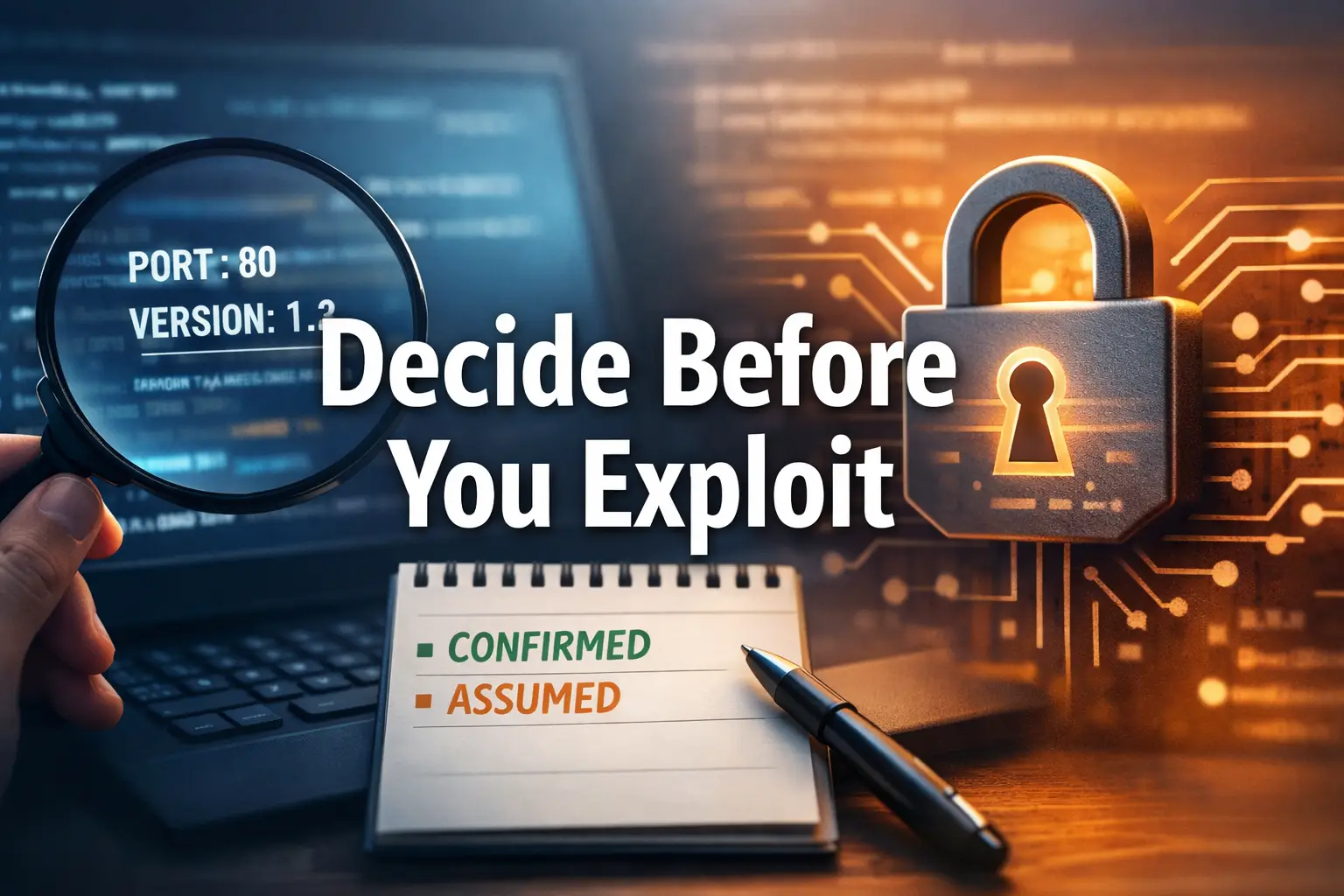
This may be the highest-return habit in the whole article. Create two columns: Confirmed and Assumed. Confirmed means you directly observed it. Assumed means it came from scanner inference, context, or tentative interpretation. The moment you do this, half the fog develops edges.
Step 3: Pick the most promising service and deepen only that lane
Not forever. Just for one focused pass. Fifteen to twenty minutes is enough. Choose the lane that appears oldest, most exposed, most informative, or easiest to validate. If it keeps producing coherent evidence, stay. If it stalls honestly, switch with a reason.
Step 4: Record what failed and why
Beginners often record successful outputs and skip failed reasoning. That is a mistake. Failed checks matter because they close doors. A closed door is not wasted time. It is map-making. Without it, you circle back later and repeat yourself like a haunted shell history.
Step 5: Reassess with fewer assumptions than before
This is the whole loop in one line. After each focused pass, you should have fewer assumptions than when you started. If you do not, the pass may have generated activity without clarity. A fuller guide to interpreting Kioptrix open ports can also help when you want a cleaner starting grid before this decision tree begins.
- Group findings by family
- Split confirmed from assumed
- Deepen one lane before branching
Apply in 60 seconds: Build your two-column note now and move every current finding into one side.
Show me the nerdy details
A reliable post-scan decision tree is less about tools and more about state changes. Each pass should reduce ambiguity, narrow product family possibilities, clarify access boundaries, or eliminate one branch entirely. That is why structured notes outperform heroic memory after even a short lab session.
When the Box Goes Quiet: What to Re-check Before You Change Strategy
Re-read banner details you skimmed the first time
Skimming is where useful nouns go to die. Go back and read the details as if someone else wrote them. Product strings, server names, odd phrasing, and formatting quirks often look more interesting on the second pass because your brain is no longer in acquisition mode.
Revisit web content with a stricter eye for defaults and age
Once you have a tentative model, the same page can suddenly look different. What once seemed plain may now look unpatched, uncustomized, or strongly tied to an older stack family. OWASP’s guidance around information gathering and testing methodology is a useful reminder that basic observation is not a lower form of testing. It is the front porch. This is also where Apache-focused Kioptrix enumeration or PHP reconnaissance on Kioptrix can sharpen the eye.
Re-check whether authentication boundaries were actually tested
Many people write “requires auth” in their notes when what they really mean is “I saw a login page and moved on.” Those are not the same thing. In a lab workflow, you are not trying to smash through walls. You are trying to accurately describe which walls are present, how they behave, and whether the surrounding context suggests a better path elsewhere.
Review whether your exploit search terms were too broad or too modern
Another quiet trap. If you search with modern shorthand or vague product labels, you may miss older terminology that better matches the box’s era. The fix is not to search more wildly. The fix is to search more accurately, based on what you have validated.
💡 Read the official Metasploit Framework guidance
💡 Read the official OWASP web testing guidance
Coverage tier map
Tier 1: You have only scan output and guesses.
Tier 2: You validated visible behavior on one service.
Tier 3: You linked behavior, product family, and context clues.
Tier 4: You ruled out one or more weak branches with notes.
Tier 5: You can explain, in plain English, why your next step outranks the others.
Neutral next action: Aim to move up one tier, not five.

FAQ
What should I do after my first Nmap scan on Kioptrix?
Do not rush into more tools. First, group the findings by service family, mark what is confirmed versus assumed, and choose one promising service to deepen. Your goal is to reduce uncertainty, not inflate output.
How do I know which open port matters most?
Look for the service that seems easiest to validate, most exposed, most dated, or richest in observable behavior. In beginner labs, the best next path is often the service that gives you cheap truth quickly, not the one that feels most dramatic.
Should I enumerate web or SMB first on an older Linux target?
There is no universal winner. Start with the lane that offers the clearest validation path. If the web service leaks application clues quickly, it may deserve first attention. If SMB or related identity clues are richer and more coherent, start there. The key is to pick one lane and deepen it.
Why do exploit results not match the version I found?
Because version detection is an informed inference, not absolute proof. Proxies, customizations, partial banners, and old terminology can all create mismatch. Validate behavior and product family before you put weight on a version string alone.
How long should I stay on one service before switching?
Long enough to produce a real change in evidence, usually around 15 to 20 focused minutes in a beginner workflow. If the lane yields nothing new and you can state why, switch. If it keeps producing coherent clues, stay a little longer.
What does it mean if enumeration gives information but no immediate entry point?
That is normal. Information without an immediate path is still progress because it narrows the model of the target. Many labs reward accumulation of context before any obvious opening appears.
Is it normal to feel stuck early in a beginner lab?
Very normal. The emotional dip often arrives right after the first scan because the task changes from collecting to deciding. That transition is uncomfortable even for smart people. Skill grows when you learn to interpret, not just collect.
Should I use Metasploit right after the first scan or later?
Later, unless you have already validated the service family and the evidence supports that direction. Metasploit is strongest when it is fed a good model of the target, not a hopeful one. Rapid7’s own material frames it as a modular testing platform, which works best when paired with disciplined enumeration.
Next Step: Do One Small Thing That Changes Everything
Create a two-column note: “Confirmed” and “Assumed,” then re-sort every scan finding before touching another tool
This is the small move that closes the loop we opened at the top. The reason people get stuck after the first scan is usually not lack of tools. It is lack of filtering. The two-column note forces filtering. It turns heat into shape.
Here is the 15-minute version:
- Copy your first-scan findings into a note
- Create two columns: Confirmed and Assumed
- Move every service clue into one of them
- Circle the service with the best mix of age, visibility, and verifiable behavior
- Give that lane one focused pass before you do anything else
If you do just that, you will already be working differently from a large share of beginners. Not louder. Better. That difference compounds. One honest note becomes a clearer next step. One clearer next step becomes a calmer session. And a calmer session is often what gets you through the box. If you want the broader map after this article, a full Kioptrix level walkthrough can serve as a later-stage companion rather than a first reflex.
Last reviewed: 2026-03.