
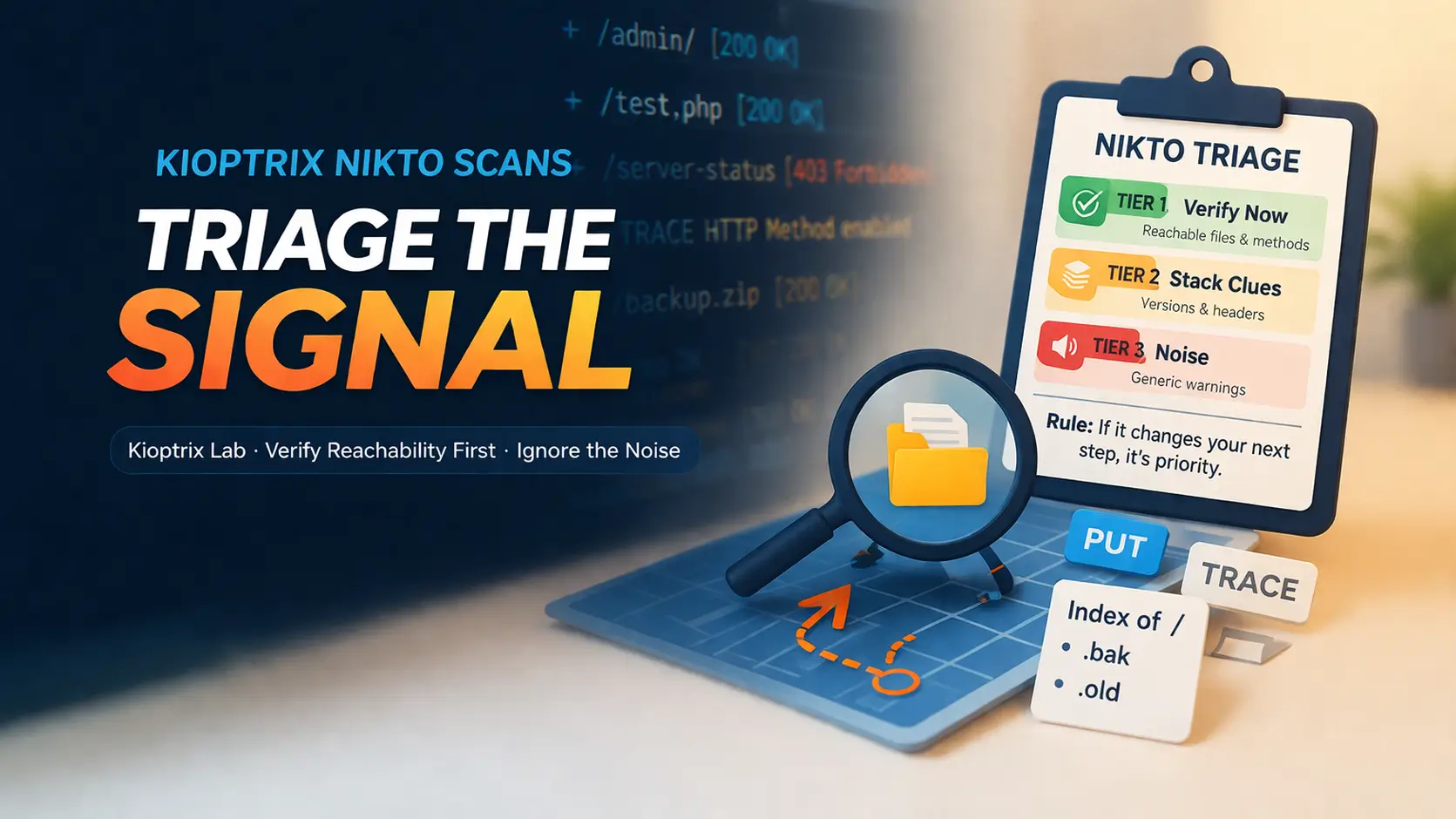
Mastering the Noise: Triaging Kioptrix Nikto Scans
A Nikto scan can hand you 40 lines of output and still leave you with exactly zero useful next moves. That is the trap with Kioptrix Level Nikto scan results: the tool feels busy, the screen feels authoritative, and yet the findings that actually matter are often the quietest ones in the pile.
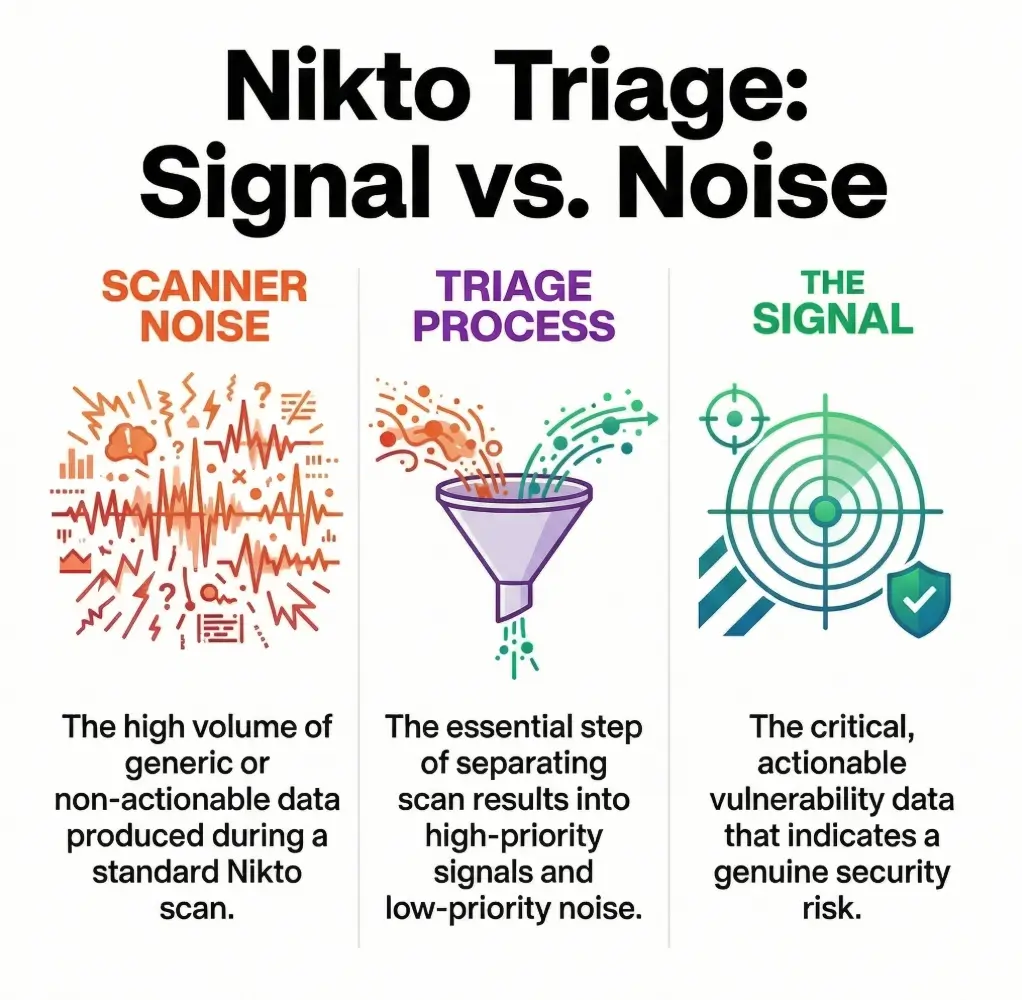
For beginners in legal lab environments, the real problem is not lack of data; it is too much unranked noise. Banner warnings, repeated signatures, and dramatic wording can pull you away from the paths, files, and disclosures that deserve immediate verification.
“The approach here is grounded in operator logic, not scanner worship: verify reachability first, connect findings to stack evidence second, and demote generic noise without apology.”
This guide helps you triage results with a calmer, sharper method. We focus on practical thinking around web enumeration, directory indexing, HTTP methods, and exposed files so you can decide whether the web tier deserves more time or a fast pivot.
- • Less Panic
- • Better Notes
- • Smarter Next Steps
Table of Contents
Rule: If it does not change your next verification step, it is probably a note, not a priority.
Start Here First: Who This Is For / Not For
This is for you if Nikto gave you a wall of findings and no clear priority
That feeling is common. A beginner sees forty lines and imagines forty doors. In reality, most of those doors are painted on the wall. A triage mindset keeps you from kicking fake doors for the next forty minutes.
This is for you if you are learning web enumeration in legal Kioptrix-style labs
Kioptrix boxes are good teachers because they often reward patient observation more than theatrical exploitation. They punish autopilot in a very educational way. One of my earliest lab mistakes was treating every scanner output like a treasure map. It was closer to a grocery receipt with attitude.
This is for you if you want report-friendly thinking, not random guesswork
A good lab workflow should produce notes you can explain later. “Nikto said something scary” is not an explanation. “This file was reachable, confirmed manually, and aligned with the stack fingerprint from Nmap” is an explanation.
This is NOT for unauthorized testing against live systems
Keep this methodology inside environments where you have clear permission. The point here is disciplined analysis, not wandering into places your keyboard was never invited.
This is NOT for treating every “interesting” line as instant compromise
Interesting is not the same thing as useful. Useful is the line that reveals a file, a method, a path, or a behavior you can validate and fold back into the rest of your enumeration.
- Use it to rank evidence, not to inflate anxiety
- Prefer findings you can verify in under two minutes
- Treat the rest as notes until proven useful
Apply in 60 seconds: Circle the first three Nikto lines that point to a real path, file, or method you can manually test.
First Question First: What Does “Actually Matter” Mean Here?
A finding matters when it changes your next enumeration step
That is the cleanest definition. If Nikto reports a backup file, that may send you to a direct request. If it reports allowed methods, that may push you to test with OPTIONS or a manual request. If it reports a directory listing, that immediately changes what you inspect next.
A finding matters when it confirms something another tool hinted at
Nmap, manual browsing, curl-based verification, and directory discovery each give you fragments. Nikto becomes more valuable when one of its lines agrees with something else. Consensus is not glamourous, but it is how you stop hallucinating importance into a single noisy tool.
A finding matters when it reveals reachable, testable exposure
Reachability is everything. A dramatic string tied to a dead path is mostly theater. A modest-looking disclosure on a live path is often gold. This is why tiny leaks often beat shiny warnings.
A finding matters less when it is generic, stale, or context-free
Version chatter with no supporting behavior belongs lower on your list. I have lost more time to “maybe vulnerable because old” than to any one real weakness in beginner labs. Banner worship is the hobby horse of tired operators.
- Yes if the path is reachable and returns meaningful content
- Yes if another tool or manual check supports it
- Yes if it exposes authentication, methods, files, or stack detail
- No if it is only a generic banner with no corroboration
- No if it points to a redirect loop, error page, or dead endpoint
Neutral next action: Promote only the “yes” items into your active notes.
Scanner Noise vs Signal: Why Nikto Feels Louder Than It Is
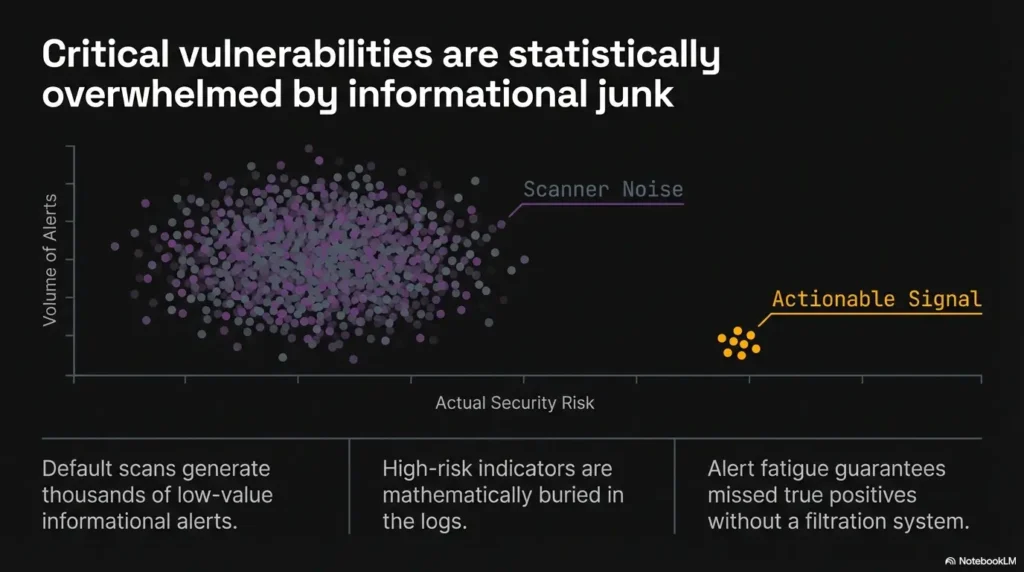
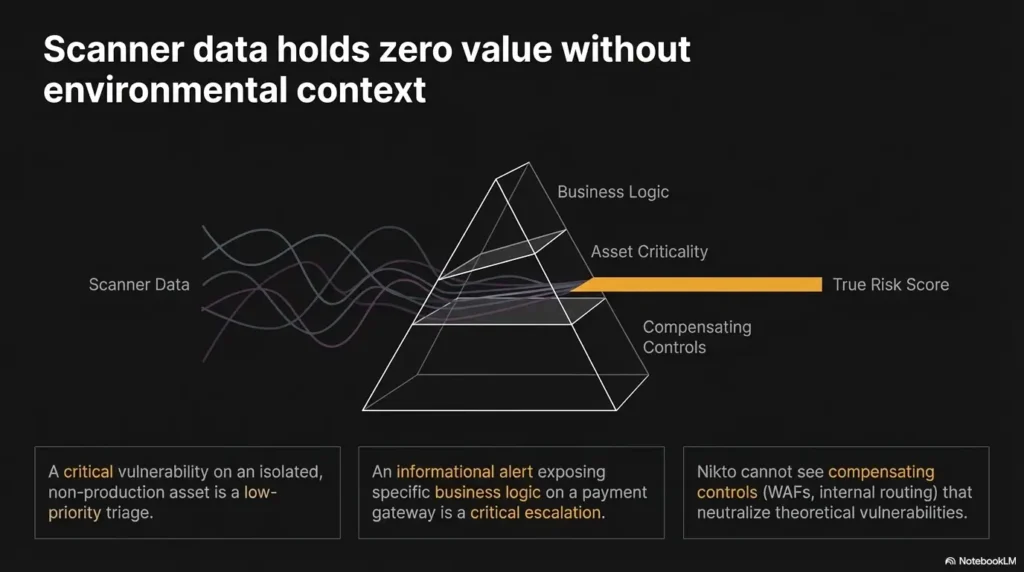
Informational output is not the same thing as exploitable risk
Nikto is designed to report a wide range of observations, not just confirmed exploitable flaws. The project documentation itself presents Nikto as a web server scanner with broad checks, not a guarantee machine that tells you what is exploitable by itself. That distinction matters more than most beginners realize.
Default banners can look dramatic while saying very little
The phrase “server may be outdated” has a cinematic quality. It sounds like thunder. But unless the banner matches real behavior and a real target path, it is only weather. In labs, thunder is cheap.
Repeated findings often create false urgency instead of clarity
A single issue can appear in multiple lines because the tool encountered it across several checks. That repetition can make one small clue feel like a chorus. It is still one clue. Count roots, not echoes.
Let’s be honest… a long scan output can make weak clues feel important
This is partly human psychology. Length suggests authority. Dense output feels expensive, and expensive feels correct. But long output is not proof. It is just long output wearing a trench coat.
On one Kioptrix session, I spent almost twenty minutes staring at a cluster of banner warnings because they looked heavy. The actual breakthrough was a boring file disclosure that would have taken thirty seconds to verify. The terminal had given me fireworks. The host had hidden the key under a potted plant.
Show me the nerdy details
Nikto’s usefulness comes from breadth. Breadth is excellent for discovery and terrible for prioritization unless you impose your own ranking model. Treat each line as an observation with a confidence level, a reachability test, and a likely next action. If any of those are missing, the line stays low priority.
High-Value Clues First: Which Nikto Findings Usually Deserve a Second Look
Exposed admin pages, test files, and backup files
If Nikto gives you a specific path to a login portal, sample app, backup artifact, or maintenance file, that deserves immediate manual verification. These are not abstract. They are doors with actual handles. Even when they do not lead to instant access, they reveal naming patterns, technologies, or forgotten structure.
Dangerous HTTP methods such as PUT, DELETE, or TRACE
OWASP’s testing guidance recommends discovering supported methods and manually validating how the server handles them. That does not mean every unusual method is immediately exploitable. It means it can materially change the shape of your next test, especially when you confirm it with a direct request. If you want a more focused branch for that exact moment, the workflow in PUT and WebDAV testing on Kioptrix fits naturally after method discovery.
Directory indexing and unintended file disclosure
Indexing is one of those findings beginners underrate because it lacks drama. But directory listings are often little confession booths. They reveal filenames, extensions, conventions, timestamps, and sometimes habits of the person who built the box.
Outdated server or application versions that align with other evidence
Outdated versions rise in priority when they are not alone. If Nmap, headers, default pages, and file names all suggest the same stack, a version clue becomes more than gossip. It becomes a fingerprint with edges.
Misconfigured headers and authentication gaps that reveal stack behavior
Headers rarely win applause, but they tell you what kind of house you are standing in. Authentication prompts, missing protections, and framework disclosures can help you decide whether to keep looking at the web tier or pivot elsewhere.
- Files and directories are usually faster to validate than version claims
- HTTP methods matter when the server truly allows them
- Header clues are support beams, not center stage
Apply in 60 seconds: Re-rank your Nikto findings by this order: reachable file, reachable directory, method behavior, version hint.
Version Banners Aren’t Enough: When “Outdated” Still Means “Not Actionable Yet”
Why version disclosure is a clue, not a conviction
A banner is a label on the box. It is not proof of what is inside the box, whether the box is patched, or whether the feature you care about is reachable. That is why the best operators treat version disclosure as a clue to verify, not a verdict to celebrate.
How to verify whether a banner matches the real service behavior
Check the headers yourself. Browse the site. Compare default pages. Look for application artifacts. If the server says one thing and the content behaves like another, your banner may be stale, masked, or incomplete. A mismatch is not failure. A mismatch is a clue with teeth. That is also why banner grabbing mistakes in older labs can quietly derail your whole interpretation.
When outdated Apache or PHP findings should move up your priority list
They move up when multiple signals converge. For example, a disclosed version, a default page, a changelog, and framework-specific files create a better story than any single line by itself. Stories matter in labs because they keep you from sprinting after a rumor. If you are sorting those clues by stack, the companion notes on Apache reconnaissance and PHP reconnaissance make that story easier to read.
When banner obsession wastes half your lab session
When the banner is the only thing you have, and you start shopping exploits before confirming paths, methods, or application behavior. That is where sessions go to die. Quietly. With three browser tabs open and no dignity left.
| Situation | Move | Time cost |
|---|---|---|
| Banner only | Keep in notes | Low |
| Banner + file/path evidence | Promote for manual verification | Medium |
| Banner + stack consensus across tools | Consider as a real branch in your plan | Worth it |
Neutral next action: Do not search exploit notes until at least two independent clues support the version story.
File Exposure Clues: The Tiny Findings That Open Bigger Doors
Backup extensions like .bak, .old, .swp, and why they matter
Because they are wonderfully human. They often exist because someone meant to clean up later and then did not. In labs, that kind of neglect can reveal source, credentials, routing, comments, or plain old embarrassing structure. Small files have started big days.
Readme, changelog, and sample files that leak environment detail
These files rarely look urgent. That is their trick. A changelog can tell you version history. A readme can expose install paths. A sample file can betray framework habits or distro defaults. The “boring” web artifacts are often the most honest ones.
Test scripts and default pages that reveal application structure
Default content acts like a half-open curtain. It may reveal virtual host assumptions, package origins, directory conventions, or unfinished deployment steps. One Kioptrix-style box once gave me more useful orientation from a forgotten sample page than from five lines of scanner severity labels combined.
Here’s what no one tells you… the quietest file leaks often beat the loudest warnings
Because they are grounded in reality. A reachable file is a fact. A scary banner is a maybe. Your lab notebook should be built on facts first. Let the maybes wait their turn.
Short Story: I remember one training session where I had written “possible outdated service” in large, hopeful letters at the top of my notes, like a child making a birthday list. Underneath it, almost as an afterthought, I had copied a tiny path Nikto found. It looked forgettable. Not a secret panel, not a magic incantation, just a file with the kind of extension people leave behind when they promise themselves they will tidy up after lunch. I checked it anyway.
That file did not hand me a win, which would have made the story less useful. What it handed me was structure: names, conventions, and proof of what the application really was. The rest of the session got calmer after that. Not easier, exactly. Just cleaner. The screen stopped feeling like a casino and started feeling like a map.
Show me the nerdy details
File disclosures are high-value because they reduce uncertainty. They can confirm stack type, naming conventions, package sources, environment drift, and path structure. That makes your next requests more targeted and your false positive rate lower.
Cross-Check or Regret It: How to Validate Nikto Results Before You Chase Them
Revisit findings manually in the browser or with curl
This should happen fast. A browser shows content and redirects. curl shows headers and method behavior without the makeup. Use both. They tell slightly different truths.
Compare Nikto output with Nmap service detection and directory discovery
If the web service fingerprint, headers, and content all align, confidence rises. If they fight each other, slow down and resolve the contradiction before you invent a storyline that the host never agreed to tell. A broader Kioptrix recon routine helps keep that cross-checking from turning into guesswork.
Check whether status codes and content lengths support the claim
A path that returns the same soft-404 page as everything else is not a real hit just because the scanner wrote it down with confidence. Soft-404s are the cardboard cutouts of enumeration. Smile, wave, move on.
Separate truly reachable content from redirects, errors, and dead ends
Not all 200s are equal. Not all redirects are useful. A result matters when the content is meaningful, differentiated, and consistent across repeat requests.
Give yourself 1 point for each:
- The path is reachable and unique
- Another tool supports the clue
- The finding suggests a concrete manual test
Score 0–1: note it and move on. Score 2: verify now. Score 3: make it a front-of-queue task.
Neutral next action: Use the score before you open any exploit references.
Nikto’s current documentation remains actively maintained, and OWASP’s testing guide still emphasizes manual validation for HTTP methods rather than trusting a scanner line at face value. That pairing tells you something important: scanners discover; humans verify.
Don’t Do This: Common Mistakes When Reading Nikto on Kioptrix
Treating every OSVDB-style entry as equally urgent
They are not equally urgent. Some are useful breadcrumbs. Some are decorative history. A flat reading of all findings is how you turn a short lab into an accidental all-day event.
Confusing disclosure with exploitability
Disclosure tells you something. Exploitability tells you much more. Do not collapse them into one idea because the wording feels intense.
Skipping manual verification because the scanner “already checked”
No. The scanner observed. You still need to interpret. It is the difference between hearing a rumor and actually knocking on the door yourself.
Ignoring how findings relate to the rest of the host
Web clues do not live in a jar. They matter more or less depending on SMB behavior, service banners, hostnames, directory structure, and what the application appears to be doing. Enumeration is a conversation between clues, not a monarchy where Nikto rules alone. If this failure pattern sounds familiar, you will probably recognize it in common Kioptrix enumeration mistakes and recon mistakes that waste time early.
- Disclosure is not exploitability
- One scan line is not confirmation
- Cross-tool agreement beats emotional wording
Apply in 60 seconds: Add a label beside each Nikto line: disclosure, behavior, version, or dead end.
Context Wins: How Nikto Findings Change Meaning on a Kioptrix Box
A weak web clue matters more when SMB, DNS, or Apache behavior supports it
This is the heart of lab-safe triage. A weak clue in isolation may deserve little attention. The same clue becomes interesting when it supports the broader host narrative. Enumeration is less like solving one giant equation and more like listening for instruments that are suddenly playing the same tune.
Old lab images can produce historically plausible but practically dead findings
That is part of what makes labs educational. Old images may contain clues that once mattered more than they do now in your exact instance. You still learn from them, but the learning is often about validation and drift, not about charging forward because a keyword looks familiar. That is also where Nikto false positives on older labs becomes a useful reality check.
Vulnerable-looking pages may matter less than simple enumeration leaks
In practice, the path that reveals the application layout often beats the page that merely looks dramatic. I have seen more students delayed by “this looks juicy” than helped by it.
Why “this exists” is often more useful than “this is vulnerable”
Existence is a firm foothold. Vulnerability is a hypothesis until tested. A reachable admin area, a directory listing, a sample page, a readable backup file: these are solid boards on the bridge.
Apache’s own documentation also adds an important nuance that many beginners miss: the TRACE method is not automatically a security vulnerability just because it is enabled. That does not make TRACE irrelevant. It makes it contextual, which is exactly the whole point of this article.
Prioritize Like an Operator: A Smarter Triage Framework
Tier 1 findings that expose real content or dangerous functionality
These are the findings you check first: exposed files, indexing, authenticated areas, odd methods you can confirm, meaningful redirects, and real application artifacts. They are close to the glass.
Tier 2 findings that strengthen your stack fingerprint
These include banners, headers, default files, and clues that make your picture of the host sharper. They matter because they make later decisions less stupid.
Tier 3 findings that belong in notes, not at the center of your session
Generic warnings, repeated entries, old signatures with no corroboration, and soft-404 style noise belong here. Keep them. Do not marry them.
Build a next-step list instead of a panic list
Your notes should end with actions, not just adjectives. “Check /test.php manually.” “Send OPTIONS request.” “Compare banner with default page.” Those are useful. “Looks old” is mood, not method.
| Tier | What it usually means | What you do |
|---|---|---|
| Tier 1 | Directly testable exposure | Verify immediately |
| Tier 2 | Context or fingerprint support | Use to guide choices |
| Tier 3 | Weak, generic, or stale signals | Keep in notes only |
Neutral next action: Limit yourself to one Tier 1, one Tier 2, and one Tier 3 note before moving to manual checks.
Common Mistakes: Where Beginners Burn Time Fast
Chasing headline severity instead of reachable evidence
Severity language is designed to summarize, not to think for you. In a lab, a low-drama reachable file often beats a high-drama speculative version issue.
Copying exploit ideas before confirming the target path exists
This one burns students fast. They find a product name or version string, then leap ahead. But if the path, module, or behavior is not present, they are rehearsing a fantasy. A technically themed fantasy, yes. Still a fantasy.
Overlooking robots.txt, indexing, and quiet file leaks
These are the vegetables of web enumeration. Nobody writes songs about them, but they keep the operation alive.
Mistaking enumeration momentum for actual progress
Movement is not progress. A dozen tabs can feel productive while giving you nothing. Progress is when uncertainty shrinks. That is a stricter standard, but it saves real time.
In one session, I caught myself opening tab number seven with the confidence of a person who had definitely not earned it. I stopped, closed most of them, and asked one rude question: “Which of these changed what I know?” The answer was two tabs. The rest were decorative panic.
Show me the nerdy details
Beginners often overweight novelty and urgency language. A better metric is “delta in understanding.” If a finding does not reduce ambiguity about stack, path, authentication, or reachability, its operational value is low regardless of how exciting it sounds.
Small But Dangerous: Findings People Dismiss Too Early
TRACE and unusual methods that hint at sloppy configuration
Again, context. OWASP treats method testing as worth validating, and Apache notes that TRACE being enabled is not automatically a vulnerability. Those two ideas are not fighting each other. Together, they teach the operator’s lesson: test the behavior, then decide the importance.
Default files that expose framework or distro habits
They tell you who installed what, and often how lazily. Default files are like receipts left in a shopping bag. They are not the groceries, but they tell you where the groceries came from.
Cookie and header oddities that reveal application age
Header details can support or contradict banner claims. They can also hint at frameworks, old defaults, or deployment patterns. On their own, they are side characters. In a chorus, they matter.
“Nothing critical found” can still hide your best pivot
Some of the best pivots do not look critical in scanner language at all. A file leak, a sample page, an index, a supported method, a redirect pattern. Many lab wins begin with something ordinary enough to be ignored by a rushed reader.
- Validate TRACE and unusual methods manually
- Respect default pages and sample files
- Let headers support a larger story, not replace it
Apply in 60 seconds: Review any finding you dismissed as “boring” and ask whether it reveals path, stack, or behavior.
FAQ
What does Nikto usually find on a Kioptrix-style target?
Usually a mix of real and noisy observations: headers, possible outdated banners, default files, unusual methods, indexing hints, and occasionally specific paths worth checking. The important part is not the quantity. It is which findings are reachable and meaningful.
Which Nikto findings are most important for beginners to verify first?
Start with exposed files, directory listings, specific admin or test paths, and unusual methods you can confirm manually. Those tend to produce the fastest reduction in uncertainty.
Does an outdated Apache version automatically mean the host is exploitable?
No. It means you have a clue that may deserve validation. You still need supporting evidence from real paths, real behavior, or corroborating fingerprints before it becomes operationally important.
Are Nikto results enough by themselves to choose an exploit path?
No. They are best used as one input among several. Manual browsing, curl, Nmap service detection, and other enumeration steps help you decide whether a Nikto line is real, relevant, and reachable.
How do I tell whether a Nikto finding is real or a false lead?
Revisit it manually. Check the path, status code, content body, headers, and repeatability. Compare the result with other tools. If it only survives inside the scanner output, it is not ready for the front of your plan.
Should I trust Nikto more than Nmap for web enumeration?
Trust neither tool blindly. Use them for different jobs. Nmap helps with service and port-level understanding. Nikto helps surface web-focused observations. Manual verification decides what actually matters.
What is the difference between informational output and actionable exposure?
Informational output tells you something about the environment. Actionable exposure gives you a reachable path, method, file, or behavior you can test right away. The second changes your next move.
Why do some Nikto findings look serious but lead nowhere in labs?
Because wording and signatures are not the same as reachable reality. Some lines are generic, duplicated, historically interesting, or weakly tied to your exact host instance. Labs teach that distinction very well, sometimes with a small amount of cruelty.
Next Step: Do One Clean Triage Pass Before Anything Else
Pull out three findings only: one exposed file, one config issue, and one version clue
This limit matters because it keeps your brain from becoming a crowded attic. One file clue gives you something concrete. One config clue gives you behavior. One version clue gives you context. That is enough to move forward without turning the session into a museum of maybe.
Manually verify each one before opening exploit notes
Open the path. Send the request. Check the headers. Compare the body. If the clue survives contact with reality, keep it. If it collapses, be grateful it collapsed early.
Write down what changed your understanding of the target
This is the moment most learners skip, and it is where skill gets built. Do not just note what the tool said. Note what you now believe about the host that you did not believe twenty minutes ago. That is the true output of good triage. If your notes tend to sprawl, pairing this step with a report-friendly way to read penetration test findings can make your documentation much cleaner.
Use that evidence to decide your next enumeration move
If the answer is “inspect files and app structure,” do that. If the answer is “test methods more carefully,” do that. If the answer is “the web lead is weak, pivot to another service,” do that. The point of triage is not to stay in triage forever. It is to create a cleaner next move. When that next move is still fuzzy, it often helps to zoom back out to which service to investigate first on Kioptrix or to a broader LAMP stack recon workflow.
- One verified path or file
- One verified behavior such as method handling or redirect pattern
- One cross-tool clue that supports the same stack story
- One dead end you can safely discard
Neutral next action: Once you have those four notes, choose the next branch in your enumeration and ignore the rest for now.
To close the loop from the opening: the reason a Nikto scan feels exhausting is not that it is too smart. It is that it is too generous. It gives you more observations than judgment. Your job is to bring the judgment. In the next 15 minutes, do one calm triage pass, verify just three findings, and let evidence decide whether the web tier deserves more time or whether it is time to pivot. That is how Nikto stops being a clutter machine and starts acting like a decision tool.
Last reviewed: 2026-03.