
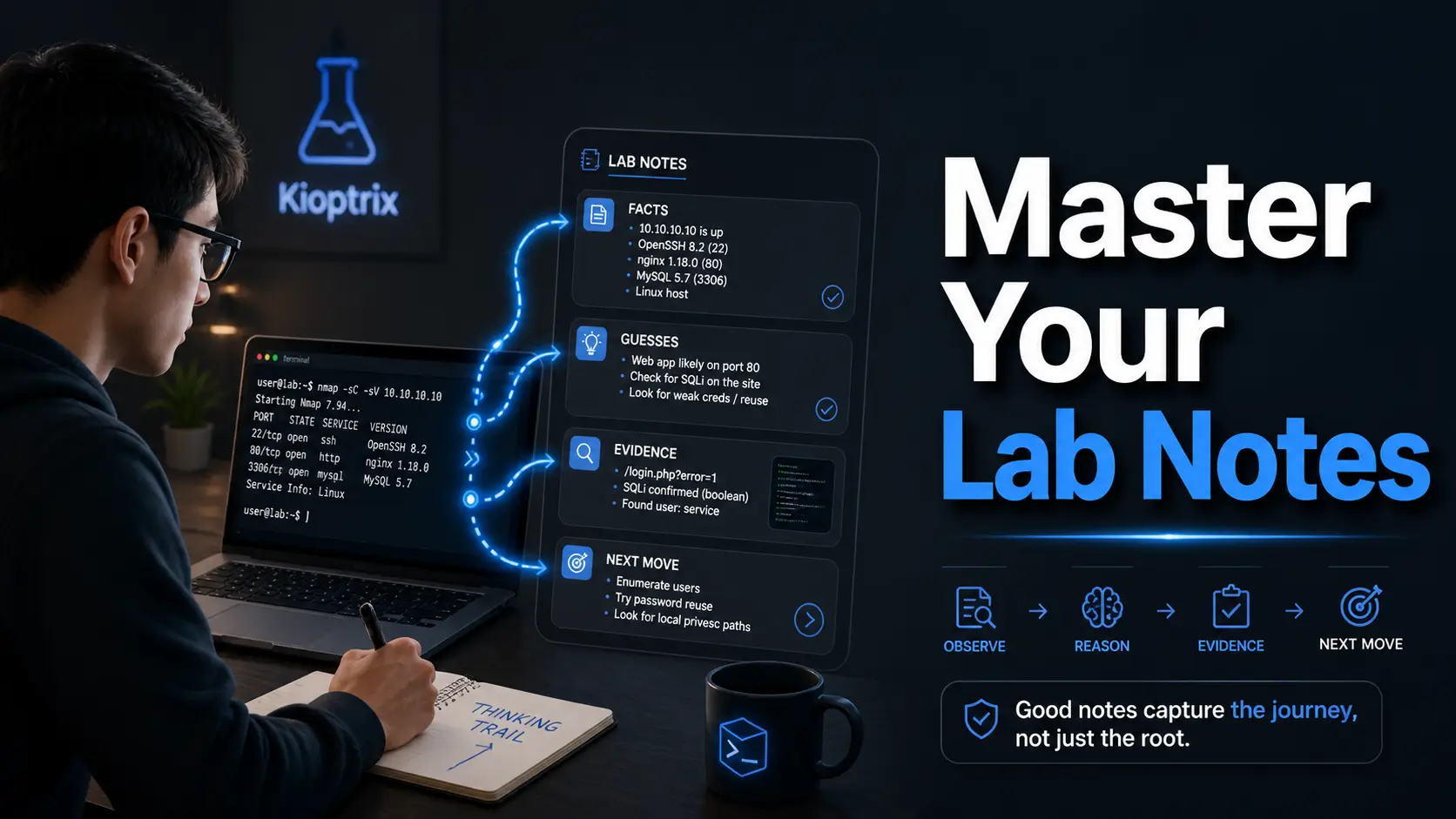
Mastering the Thinking Trail:
Beyond the Root Shell
You can solve Kioptrix, close the terminal feeling triumphant, and still lose the lesson by breakfast. That is the quiet problem with beginner security labs: the box may be rooted, but the thinking trail is gone.
Good Kioptrix lab notes turn a messy CTF session into evidence you can reuse, explain, and improve—instead of a folder of screenshots and one suspicious command you no longer recognize. When your notes are vague, you waste the next session rebuilding yesterday’s fog.
“A good lab note records what you observed, what you tested, and why you tested it. It separates confirmed facts from guesses, keeping failed paths useful.”
The Method
Three facts, two guesses, one next move.
The Goal
Inherit a map, not a mystery.
Table of Contents
Fast Answer: Good Kioptrix lab notes are not a messy victory diary. They show what you observed, what you tested, why you tested it, what changed, and what you would do next. The best notes help you repeat your process, explain your evidence, avoid lucky guessing, and turn a beginner CTF session into a professional habit.
Start Here: Good Lab Notes Are a Skill, Not a Screenshot Folder
Most beginners treat lab notes like a drawer full of spare cables. Everything important might be in there, but finding it requires courage, caffeine, and possibly a small flashlight.
Kioptrix is useful because it is not only a vulnerable VM. It is a mirror. It shows whether your process is calm, repeatable, and evidence-based, or whether you are chasing every shiny tab with the enthusiasm of a raccoon in a server room. If you are still building the foundation, a structured Kioptrix learning path can help turn that mirror into a map.
Why “I got root” is not enough
Getting root is a result. It is not the whole lesson. A professional wants to know how you got there, what you confirmed, what you ruled out, and whether another person could follow your reasoning without inheriting your panic.
In real work, a security finding must survive daylight. You may need to explain the affected service, the evidence, the risk, and the remediation path. A single victory screenshot cannot carry all that weight. It has little legs.
The real goal: rebuild your thinking after the adrenaline fades
I once opened old lab notes and found the phrase “Samba thing worked???” written like a tiny distress flare. It was honest, yes. Useful, not especially.
Your notes should let you rebuild the session after the emotional weather has changed. They should answer four questions:
- What did I observe?
- What did I test?
- What happened?
- What does that imply?
What Kioptrix teaches better than harder labs
Harder labs can bury beginners under tool output, exploit research, and theatrical rabbit holes. Kioptrix is smaller. That makes it an excellent place to practice note discipline because the environment is simple enough for your thinking to be visible.
VulnHub describes Kioptrix as a practice image meant for learning basic vulnerability assessment and exploitation techniques. That matters. The machine is not only a lock. It is a classroom with a slightly dusty keyboard.
- Capture observations before theories.
- Separate evidence from excitement.
- Write enough for tomorrow-you to continue calmly.
Apply in 60 seconds: Open a blank note and create four headings: setup, facts, guesses, next move.
The Note Shape: What a Useful Kioptrix Entry Actually Contains
A useful Kioptrix entry has a shape. Not a fancy shape. Not a consultant rectangle with vapor in the corners. More like a sturdy lunchbox: practical compartments, nothing leaking into the grapes.
Target context: date, lab name, network range, VM setup
Start with the dull facts. They feel too basic until you lose them. Record the lab name, date, host-only or NAT setup, attacker machine, target IP, and any snapshot state. If your setup itself still feels slippery, review your Kioptrix network setup before you start collecting evidence.
A simple context line might look like this:
2026-05-03 Lab: Kioptrix Level 1 Attacker: Kali VM Network: host-only lab network Target IP: discovered during enumeration Goal: practice evidence-based notes, not speedrunThat last line matters. Your goal changes your behavior. If the goal is speed, you grab. If the goal is evidence, you observe.
Evidence trail: commands, outputs, screenshots, and why they matter
Do not paste giant output oceans without a small lighthouse. Save the command. Save the important result. Then write one sentence explaining why the result matters.
For example, instead of dumping 200 lines, write:
Observation: TCP ports identified during scan include web and file-sharing related services. Why it matters: The web service may reveal application clues. The file-sharing service may expose version or configuration weaknesses.This is not less technical. It is more useful. Interpretation is the spoon that lets your future self eat the soup.
Decision trail: what you believed at each step
Professionals record decisions because decisions reveal process quality. If you tested a web path first, why? If you ignored one service temporarily, why?
Write tiny reasoning lines:
- Reason for test: Web server is visible and may expose version details.
- Expected result: Header, default page, or directory clue.
- Actual result: Service responded, but no obvious path yet.
- Next implication: Continue broad enumeration before exploit research.
Next-action line: the small sentence that saves tomorrow morning
The most underrated line in lab notes is the final one. It should be a plain next action, not a heroic prophecy.
Bad next action: “Own box.”
Better next action: “Check web headers and default paths, then compare service versions against known beginner-lab clues.”
Infographic: The 5-Part Kioptrix Lab Note
Lab, date, VM state, network.
Confirmed outputs and observations.
Possible paths that need proof.
Commands, reason, result.
One small action for the next session.
First Trap: Don’t Write Notes After You Solve the Box
The most charming lie in lab practice is “I’ll document it afterward.” This sentence wears a nice jacket and steals your wallet.
Memory edits the movie while you are still watching it
After you solve a box, your brain retrofits the story. Dead ends shrink. Lucky guesses start looking strategic. The final path glows so brightly that earlier uncertainty disappears.
That is dangerous because uncertainty is where learning happened. Your wrong turns are not clutter. They show how you evaluated the machine.
Capture before confidence starts decorating the story
Write as you go. Not every second. Not every blinking cursor. But after each meaningful test, pause for 20 seconds and capture the result.
Try this rhythm:
- Run one test.
- Save the command and important output.
- Write one sentence about what changed.
- Choose one next action.
I learned this after losing an entire exploit chain to a terminal scrollback accident. The machine had not defeated me. My note hygiene had quietly unplugged the bridge.
Let’s be honest: “I’ll remember this” is where notes go to die
You will not remember the exact version string. You will not remember which path returned a forbidden response. You will remember the thrill, which is emotionally satisfying and technically underpowered.
Think of notes as cooling racks for hot thinking. They let ideas settle into something you can inspect without burning your fingers.
- Write after each meaningful test.
- Capture failures before they vanish.
- Do not let the final shell rewrite the whole story.
Apply in 60 seconds: Add a line called “What changed?” after your next command result.
Who This Is For, and Who This Is Not For
This guide is for learners who want method over magic. It is not for anyone looking to paste exploit steps into systems they do not own or have explicit permission to test.
For beginners who want method over magic
If you are new, good. Beginners can build clean habits before speed becomes a costume. A Kioptrix lab note is not a performance review. It is a map of how you learned. For a gentler starting point, a Kioptrix for beginners guide can help you slow the room down before the terminals start multiplying.
For help desk and IT workers building security fluency
Help desk and IT support workers already know something precious: systems are specific. Users are specific. Error messages matter. Those instincts transfer beautifully into security notes.
When you write down service behavior, permissions, configuration clues, and user context, you are practicing the same disciplined attention that makes good troubleshooting work. That is why Kioptrix for help desk workers can be such a useful bridge from tickets to technical evidence.
For career switchers preparing for hands-on interviews
Career switchers often worry they need cinematic hacking stories. Usually, they need clearer explanations. A hiring manager is more likely to trust a candidate who says, “Here is what I confirmed, here is what I assumed, and here is how I tested it.”
Not for people looking for copy-paste exploit recipes
Copying a known Kioptrix path may get you a shell. It will not give you judgment. Judgment is built when you make small claims, test them, and correct yourself without drama.
Not for anyone practicing outside authorized environments
This article assumes an authorized local lab. That boundary is not decorative. It is the fence around the garden. Without permission, the same techniques become harmful and legally risky.
Eligibility Checklist: Is This Practice Setup Appropriate?
- Yes or no: Do you own or control the lab environment?
- Yes or no: Is the target intentionally vulnerable and isolated from real systems?
- Yes or no: Are you documenting for learning rather than reuse against unknown systems?
- Yes or no: Can you explain your network setup before running tools?
Neutral next step: If any answer is no, fix the lab boundary before practicing.
Enumeration Notes: The Place Where Beginners Usually Lose the Thread
Enumeration is where beginner notes often become spaghetti. Not elegant pasta. The other kind, where one noodle is connected to a screenshot, a half-memory, and a browser tab titled “maybe.”
Write down what is open, not what looks exciting
Start with service facts. Open ports. Protocols. Versions when available. Page titles. Server headers. Login prompts. Default files. Error behavior. A repeatable Kioptrix enumeration habit keeps that first pass from becoming a guessing festival.
Do not decide too early that one service is “the way in.” Write first. Interpret second. Attack third, if the evidence earns it.
Separate service facts from attack guesses
A service fact is confirmed. An attack guess is a theory. Your notes should make that difference visible.
| Note Type | Example | Next Step |
|---|---|---|
| Confirmed fact | A web service responds on the target. | Record headers, title, visible content. |
| Guess | The service might expose an outdated component. | Verify version and configuration evidence. |
| Dead end | A checked path returned nothing useful. | Mark it and move on. |
Keep one “possible paths” list instead of six chaotic browser tabs
Browser tabs multiply like mushrooms after rain. Instead, keep one list called “Possible Paths.” Give each item a status: untested, testing, confirmed, weak, or dead.
This one habit can save 15 minutes in a short session because you stop rediscovering your own confusion.
Here’s what no one tells you: boring ports often teach the most
The service that looks boring may teach enumeration discipline. The quiet web page, the plain login prompt, the old banner, the refused path. These details build the habit of noticing.
OWASP’s testing materials emphasize information gathering as a foundation for web security testing. That same principle fits lab work: gather carefully before forming grand theories with a cape.
Evidence Beats Vibes: How to Record Findings Without Fooling Yourself
A lab can feel obvious in the moment. That is the trap. “Feels vulnerable” is not evidence. “Looks old” is not evidence. “A walkthrough did it this way” is not evidence. Those are vibes wearing a hoodie.
Mark confirmed facts, guesses, and dead ends differently
Use labels. They are small, but they save your future report from becoming folklore.
FACT: The service responded and revealed a visible behavior. GUESS: This behavior may indicate a misconfiguration or outdated component. TEST: Run a targeted check to confirm the version or path. RESULT: The guess is supported, weakened, or dead.I like blunt labels because they prevent self-flattery. A guess remains a guess until evidence graduates it.
Save the exact command that produced the evidence
Commands are not decoration. They are provenance. Without the command, output floats in space like a mysterious receipt from a store you do not remember visiting.
Record commands in a consistent format:
- Command: what you ran
- Purpose: why you ran it
- Key output: only what matters
- Interpretation: what it means
Note what failed without turning the page into a confession booth
Failed commands are not moral events. They are data. You do not need to write, “I foolishly wasted time.” Write, “Path tested. No useful response. Marked dead for now.”
That tone matters. Shame makes notes vague. Calm makes notes precise.
The tiny habit: one reason per test
Before running a test, write one reason. Not a paragraph. One sentence.
Example: “Testing this path because the web service may expose default content.”
If you cannot write the reason, you may be clicking from nerves. Everyone does it. The fix is not self-scolding. The fix is a smaller next move. For learners who need a stronger decision scaffold, a Kioptrix decision process can keep each test tied to a reason instead of a mood.
Show me the nerdy details
Evidence quality improves when each note links a claim to an observable result. In beginner labs, the strongest notes usually include command provenance, minimal output excerpts, and interpretation. Avoid saving full tool output unless the full output contains multiple findings you plan to compare later. For screenshots, capture only moments that prove state: service response, authenticated access, permission level, or a configuration detail.
Common Mistakes That Make Kioptrix Notes Useless Later
Bad notes are not usually bad because the learner is lazy. They are bad because the learner is overloaded. The screen fills with ports, paths, versions, write-ups, forum hints, and one alarming number of open tabs. The notes become a weather report from inside a blender.
Mistake 1: copying walkthrough steps without your own observations
Walkthroughs can help after you are stuck, but copying them too early collapses the learning. You inherit the answer without earning the evidence.
Better: write your own observation first, then compare with a guide later. If a walkthrough mentions a service path, ask: “Did my enumeration reveal that, or did I import it?”
Mistake 2: screenshotting everything and explaining nothing
Screenshots feel productive. They are visual proof snacks. But without captions, they become a museum where every plaque is missing. A simple screenshot naming pattern can also prevent your evidence folder from turning into digital confetti.
Use screenshots sparingly and label each one:
- What does this prove?
- When was it captured?
- What changed after this?
- Does it support a finding or just decorate the page?
Mistake 3: hiding failed attempts because they feel embarrassing
Failed attempts show boundaries. They prevent you from retesting the same weak idea tomorrow. I have wasted entire sessions because I refused to write down a failed path. Pride is expensive. It charges by the hour.
Mistake 4: writing tool output with no interpretation
Raw output is not a note. It is an ingredient. Add interpretation. Even one sentence changes everything.
Weak: pasted scan output.
Strong: “Scan suggests multiple exposed services. Web and file-sharing services deserve manual enumeration before exploit research.”
Mistake 5: treating privilege escalation like a mysterious final boss
Beginners often document initial access carefully, then treat privilege escalation as a thunderclap. Suddenly the notes say “privesc worked.” That is not a lesson. That is a curtain drop.
Privilege escalation deserves the same discipline: current user, permissions, environment clues, writable paths, service context, and why a path was chosen.
Decision Card: Screenshot vs. Written Evidence
| Use a screenshot when | It proves state, access, service behavior, or a before-and-after change. |
| Use written notes when | You need reasoning, interpretation, failed tests, or next actions. |
| Use both when | The evidence may appear in a final write-up or interview explanation. |
Neutral next step: For every screenshot, add a one-sentence caption explaining what it proves.
The “Three Facts, Two Guesses, One Next Move” Lab Note Method
This is the method I recommend for beginners because it is small enough to use while tired and strong enough to stop the spiral-clicking goblin.
Three facts: what the machine has proven to you
Facts must be observable. If a service responds, that is a fact. If a version appears in a banner, that may be a fact. If you think it is exploitable, that is not yet a fact.
Example:
Three facts: 1. Target host is reachable in the isolated lab network. 2. Multiple TCP services are visible. 3. Web service responds to browser requests.Two guesses: what might be true, but needs testing
Guesses are useful when they are named honestly. They point the flashlight without pretending the room is already mapped.
Two guesses: 1. The web service may reveal useful default files or headers. 2. A non-web service may expose version-specific risk.One next move: the smallest useful action
The next move should be small enough to complete in one sitting. “Enumerate everything” is fog. “Check web headers and save key response details” is a path.
Why this format prevents beginner spiral-clicking
Spiral-clicking happens when the learner has too many guesses and too few facts. This method forces the ratio back into shape. Three facts. Two guesses. One move. A little triangle of sanity.
Mini Calculator: How Much Note Time Should You Budget?
Output: Budget about 6 minutes for notes, review, and a next-action line.
Neutral next step: Reserve the final 20 percent of each session for cleanup, not more clicking.
Privilege Escalation Notes: Don’t Let the Ending Eat the Lesson
Privilege escalation is where notes often get theatrical. The music swells. The terminal changes. The learner forgets to document the bridge between “I have access” and “I understand why this worked.”
Record your current user, permissions, kernel clues, and writable paths
After initial access, record your state before changing it. Current user. Groups. Hostname. Working directory. Writable locations. Service context. Any interesting permissions.
This does not require a novel. It requires enough breadcrumbs to avoid mythology.
Distinguish local enumeration from exploit selection
Local enumeration asks, “What is true about this system?” Exploit selection asks, “What can be done with those truths?” If your notes skip the first question, your final path looks like a magic trick with root privileges.
Explain why the final path worked
Do not stop at the winning command. Write why it fit the evidence. Was it a permission issue? A vulnerable version? A misconfiguration? A credential reuse pattern? A writable file path? A careful Kioptrix Level 1 privilege escalation checklist can help you record the bridge instead of only celebrating the ending.
The explanation is the part you can carry into future labs and interviews.
Pattern interrupt: the root shell is not the report
A root shell is a moment. A report is a translation. If you cannot explain the risk and evidence, you have not finished the learning loop.
- Record who you are before escalation.
- Document local enumeration separately.
- Explain why the final method matched the evidence.
Apply in 60 seconds: Add a “current access” line before any privilege escalation testing.
Clean Notes vs. Final Write-Up: Know the Difference
Raw lab notes and final write-ups are cousins, not twins. One wears work boots. The other has combed hair and a clean shirt.
Lab notes are messy but honest
Lab notes should capture reality as it happens. They can include dead ends, uncertainty, partial output, and rough reasoning. They are allowed to have elbows.
The only rule is that they must remain understandable. Messy is fine. Cryptic is expensive.
A write-up is polished and reader-safe
A final write-up should guide a reader through the scenario without dumping chaos into their lap. It should summarize setup, scope, evidence, steps taken, result, and lesson learned. For polishing that bridge from rough notes to readable evidence, Kioptrix report writing tips can keep the final artifact clear without sanding away the lesson.
For public posts, avoid turning the write-up into a copy-paste attack recipe. Focus on reasoning and authorized lab context.
Reports need chronology, impact, evidence, and remediation language
Even in a lab, practice report language. A professional security report often needs:
- Chronology: what happened in order.
- Impact: why the finding matters.
- Evidence: proof without unnecessary noise.
- Remediation: how the issue could be reduced or fixed.
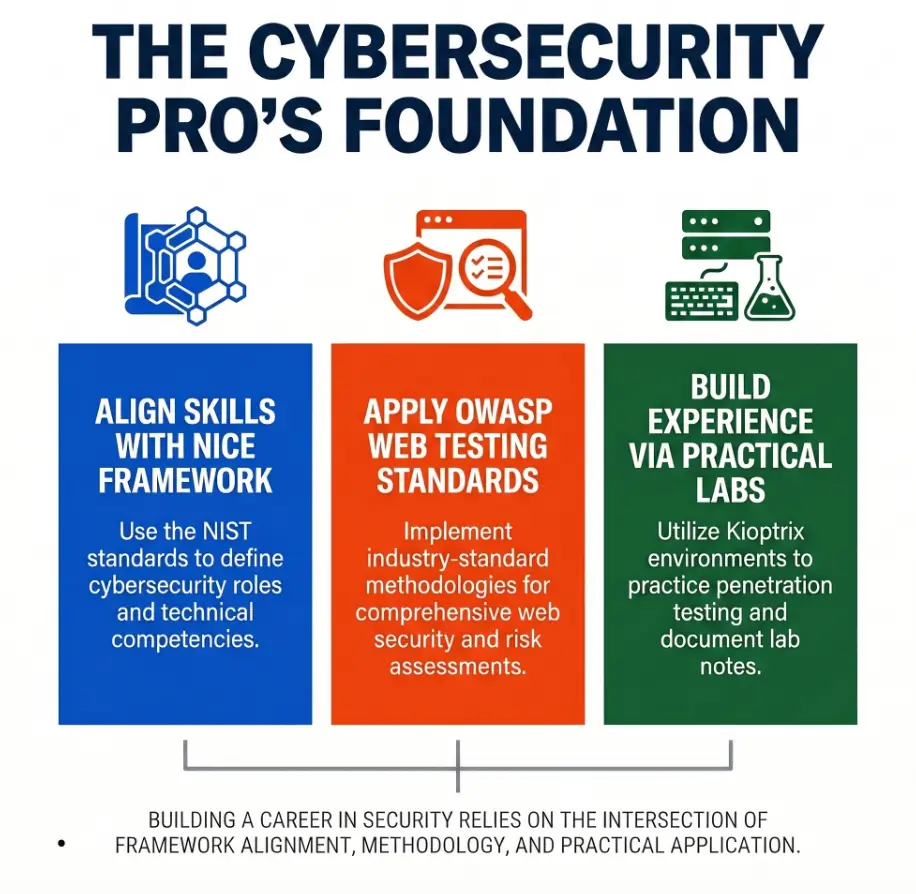
NIST’s NICE Framework is useful here because it emphasizes common language for cybersecurity work, knowledge, and skills. Good notes help you practice that language before a job interview asks for it.
When to translate raw notes into a professional artifact
Translate notes after the session, not during every tiny step. In a 30-minute lab block, spend roughly 24 minutes testing and 6 minutes cleaning. Then, if the session produced a meaningful milestone, turn it into a short write-up.
Write-Up Prep List: Gather Before You Polish
- Lab scope and authorization statement.
- Target context and environment notes.
- Top 3 confirmed findings.
- Evidence captions for screenshots or outputs.
- One lesson you would apply next time.
Neutral next step: Before writing a public post, remove unnecessary exploit detail and emphasize learning context.
Ethical Boundary: Keep the Lab Inside the Lab
Security learning has a boundary problem because the tools do not always know your intent. A scanner cannot tell whether you are practicing in a local VM or bothering someone else’s production system. You have to know.
Use Kioptrix only in an authorized local practice environment
Kioptrix belongs in an authorized lab. Keep it isolated. Know your network mode. Confirm the target. Do not point tools at unknown systems because a tutorial made the command look harmless.
One of the most professional habits you can build as a beginner is saying, “I will verify scope first.” It sounds plain. It prevents spectacular foolishness.
Do not reuse techniques against systems you do not own or have permission to test
A technique learned in a lab does not become permission elsewhere. Permission is explicit. Ownership matters. Written scope matters.
This is not legal gloom. It is craft discipline. A chef learns knife skills without waving the knife around the dining room.
Keep notes focused on learning, evidence, and safe reporting
Your notes should help you learn and explain, not create a portable harm manual. Avoid collecting real targets, real credentials, or anything outside the lab scope.
Why restraint is part of the skill
Restraint is not the opposite of skill. It is proof of skill. Anyone can run a noisy tool. Fewer people can define scope, collect evidence, and stop when the boundary says stop.
FAQ
What should I write down during a Kioptrix lab?
Write down the lab setup, target context, commands, key outputs, confirmed facts, guesses, failed tests, and one next move. The goal is not to preserve every character of output. The goal is to preserve evidence and reasoning.
Are screenshots enough for cybersecurity lab notes?
No. Screenshots can prove state, but they rarely explain thinking. Pair each screenshot with a caption that says what it proves, why it matters, and what you did next.
Should I record failed commands in my notes?
Yes. Failed commands are useful when you record them calmly. They show what you tested, what did not work, and what you can stop repeating. Keep the tone factual, not dramatic.
How detailed should beginner pentesting notes be?
Detailed enough that you can continue the session tomorrow without guessing. For most beginners, that means setup, facts, guesses, commands, important output, interpretation, and a next-action line.
What is the difference between lab notes and a walkthrough?
Lab notes capture your process while you work. A walkthrough explains a polished path for readers. Notes can be messy and uncertain. A walkthrough should be organized, safe, and clear.
How can Kioptrix notes help with OSCP-style study?
They build habits that matter in hands-on exams and interviews: enumeration discipline, evidence capture, clean reasoning, time management, and post-access documentation. Kioptrix itself is beginner-oriented, but the note habit scales.
What should I include in a final CTF write-up?
Include scope, environment, enumeration summary, key findings, evidence, successful path, failed paths worth mentioning, and lessons learned. Keep it authorized, educational, and careful with exploit detail.
How do I avoid copying someone else’s Kioptrix process?
Write your own observations before reading a guide. If you use a hint, label it. Then return to the machine and verify the evidence yourself. The point is not purity. The point is ownership of reasoning.
Next Step: Run One Kioptrix Session With a Note Template Open
The hook at the beginning was a small disaster: a solved lab with notes that could not survive morning. The cure is not a larger notebook. It is a smaller ritual.
Set a 30-minute timer before touching tools
Give the session a boundary. A beginner’s best lab session is often not longer. It is cleaner. Thirty minutes is enough to enumerate, record facts, form guesses, and stop before your attention starts chewing on the furniture. If you are unsure how long your blocks should be, this guide to Kioptrix session length pairs nicely with the note-budget habit above.
Create four note sections: setup, facts, guesses, next move
Open the note first. Not after the scan. Not after the first clue. First. The empty headings act like little rails for your thinking.
Setup: Facts: Guesses: Tests: Next Move:Stop after enumeration and write a five-sentence summary
This is the move that changes the whole practice. Stop before exploitation and summarize what you know. Five sentences. No heroics. A dedicated Kioptrix session summary habit can make that final five minutes feel less like homework and more like a handoff to tomorrow.
Example structure:
- The target is reachable in the isolated lab.
- Initial enumeration identified several visible services.
- The strongest evidence so far points toward manual service review.
- My main guesses are web clue discovery and version-specific weakness.
- Next session, I will test one path and record why it matters.
Your concrete action: document one service like a tiny case file
Pick one service. Treat it like a tiny case file. What is it? How did you identify it? What evidence supports that? What might it imply? What will you test next?
- Open the template before tools.
- Stop after enumeration at least once.
- Summarize facts, guesses, and next action.
Apply in 60 seconds: Create one note template and save it as “Kioptrix lab notes starter.”
Short Story: One Note That Saved the Next Session
A learner once told me he kept “losing the box” every time he returned after work. Not literally. The VM was still there, blinking patiently. But his mind had dropped the thread. He would rerun scans, reopen tabs, repeat old guesses, and spend 40 minutes rebuilding yesterday’s fog. If that sounds familiar, a calmer plan for Kioptrix practice after work can help protect the session from tired-brain drift.
So he tried one small rule: every session had to end with three facts, two guesses, and one next move. The first note felt embarrassingly simple. “Web service responds. File-sharing service visible. Need version confirmation.” No fireworks. No cinematic hacker rain.
The next morning, he opened the note and began in 30 seconds. That was the win. Not root. Not speed. Continuity. His lab stopped being a series of disconnected evenings and became a conversation with evidence.
Conclusion
Good Kioptrix notes do not make you slower. They make your learning less leaky.
The beginner who writes “I got root” has a memory. The beginner who writes facts, guesses, tests, evidence, failures, and next moves has a method. That method travels. It helps in interviews, reports, future labs, and the quiet middle of a session when confidence gets loud but evidence is still whispering.
Here is your 15-minute CTA: open a blank note, create the five headings from this article, run one authorized Kioptrix enumeration pass, and stop before exploitation. Write three facts, two guesses, and one next move. That is enough. Small hinges, big door.
Last reviewed: 2026-05.