


Mastering the Friction: The Kioptrix Philosophy
You run the scan, wait for clarity, and Kioptrix replies with just enough information to make you doubt your entire morning. That is the point.
A Kioptrix level for learning how to think under mild technical friction is not mainly about getting root as fast as possible. It is a controlled way to practice enumeration, hypothesis testing, lab discipline, troubleshooting, and note-taking when tools disagree, pages look empty, commands fail, and the next move is not glowing in neon.
For beginners, help desk workers, and self-taught cybersecurity learners, the real pain is not “I do not know enough tools.” It is not knowing how to think when the tool output gets noisy. Keep guessing, and you train panic, tab-hoarding, and copy-paste confidence.
This guide helps you turn Kioptrix into a calmer practice system: confirm the target, map the attack surface, form one testable question, write useful notes, and recover from stuck moments without spoiling the lab.
The method here comes from the habits that actually survive outside the VM: clean boundaries, patient observation, one-variable testing, and notes that future-you can trust.
Table of Contents
Fast Answer
A Kioptrix level for learning how to think under mild technical friction is less about “getting root fast” and more about building a steady troubleshooting mind. Beginners can use Kioptrix to practice enumeration, hypothesis testing, note-taking, tool restraint, and recovery from small errors. The real skill is learning how to stay curious when scans stall, pages mislead, commands fail, and the next step is not obvious.
- Start with authorized local lab practice only.
- Build the map before testing attacks.
- Write notes that explain your thinking, not just your commands.
Apply in 60 seconds: Before your next scan, create a blank note with three headings: Facts, Guesses, Next Action.
Start Here: Friction Is the Teacher, Not the Enemy
Why Kioptrix Works Better When It Annoys You a Little
Kioptrix is useful because it is not polished like a modern training dashboard. It does not always hand you a progress bar, a badge, or a cheerful confetti cannon. It gives you a machine, a network, a few clues, and a quiet dare.
That mild annoyance is where learning begins. When a command fails, you have to ask: Did I target the right IP? Did I misunderstand the service? Did I copy the syntax wrong? Did the tool answer a different question from the one I thought I asked?
I once watched a beginner spend 25 minutes blaming a vulnerable machine before realizing their attacking VM had the wrong network adapter. It was not glamorous. No cinematic hoodie moment. But that mistake taught more about lab discipline than an easy exploit ever could. If you are still building that foundation, a calm first Kioptrix lab setup can prevent the whole morning from turning into a haunted router séance.
The Goal Is Not Speed; It Is Better Technical Judgment
Speed is seductive because it feels measurable. Root in 30 minutes. Enumeration in 10. Exploit in 3. But beginners who race often develop a strange weakness: they can repeat a path they saw in a walkthrough, yet freeze when one detail changes.
Better judgment sounds quieter. It asks: “What do I know? What did I assume? What changed after the last command?” That is the kind of thinking that travels beyond Kioptrix into help desk tickets, incident triage, system administration, and security analysis.
Treat Every Small Blocker as a Thinking Drill
Small blockers are not interruptions. They are the gym equipment. A failed connection tests your network assumptions. A boring web page tests your patience. A version number tests your research discipline. A useless exploit result tests whether you can step back without sulking into the keyboard.
The first win is not root. The first win is knowing what you are looking at.
Mild Friction: The Missing Skill Beginners Skip
When a Failed Command Is Actually Useful Data
A failed command is not automatically a dead end. Sometimes it tells you the port is filtered, the service is not what you expected, your syntax is wrong, or your timing is off. The important move is to capture the failure clearly enough that it can teach you something.
Write the error down. Not the entire terminal novel, just the useful sentence. Then write what you think it means. Beginners often skip that second part, which is where the thinking muscle grows. When repeated failures come from copied syntax rather than real understanding, it helps to study why copy-paste commands fail in Kioptrix before adding more tools to the pile.
- Command failed: What exactly happened?
- Likely reason: What is your best guess?
- Next check: What would confirm or disprove that guess?
How Small Confusion Builds Real-World Security Patience
Real systems rarely introduce themselves politely. Logs are incomplete. Users describe symptoms in fog. Tools report partial truth. A ticket says “the internet is broken,” and the real cause is DNS, a bad cable, a proxy rule, expired credentials, or Tuesday being Tuesday.
Kioptrix gives beginners a safe miniature version of that ambiguity. The lab is not just a puzzle box. It is a patience forge. The little scrape of confusion teaches you how to stay useful when certainty has left the room wearing someone else’s jacket.
Let’s Be Honest: Most Beginners Want the Hint Too Early
There is no shame in wanting a hint. Everyone does. The problem is not looking for help. The problem is using help before you have formed your own question.
A good rule: do not search for a walkthrough until you can write one plain-English sentence that begins with, “I am stuck because…” If you cannot finish that sentence, you are probably not stuck yet. You are still gathering shape.
The Mild Friction Loop
What did the system actually show?
What might explain it?
What one action checks the guess?
What changed after the test?
Who This Is For, and Who It Is Not For
This Is For Beginners Who Need Method More Than Magic
This guide is for the learner who has watched enough videos to recognize the tools, but still feels a little lost when the lab does not match the tutorial. You may know what Nmap is. You may have opened Burp Suite. You may have run a directory brute-force tool once and felt like you had summoned a very noisy toaster.
That is normal. Tools are easier to collect than judgment. Method is what helps you decide which tool belongs in the moment. A broader Kioptrix guide for beginners can help you place this friction-based approach inside a gentler learning path.
This Is For Help Desk and IT Workers Building Security Instincts
If you come from help desk, desktop support, networking, or system administration, Kioptrix can be especially useful. You already know that computers rarely fail in poetic order. You have seen passwords expire at the worst possible time. You have heard the sacred office sentence: “Nothing changed.”
Security thinking builds on that same troubleshooting foundation. You observe. You narrow. You test. You document. You avoid declaring victory just because one symptom disappeared. For readers coming from ticket queues and user support, Kioptrix for help desk workers makes that bridge even more practical.
This Is Not for People Looking for Copy-Paste Exploits
If your only goal is to paste commands until the prompt changes, Kioptrix will still let you do that, but it will not teach you much. Copy-paste exploitation produces a hollow kind of confidence. It looks shiny until the next machine refuses to behave.
This Is Not for Testing Systems You Do Not Own or Have Permission to Use
This point matters. Practice belongs inside systems you own, control, or have explicit permission to test. A local Kioptrix VM in a contained lab is learning. Pointing tools at random public systems is not learning. It is risk wearing a cheap mustache.
- Do you own or control the lab environment?
- Is the target intentionally vulnerable and isolated?
- Can you explain what network your VM is attached to?
- Are you practicing for learning, not testing strangers?
Neutral next step: If any answer is no, fix the lab boundary before running tools.
Legal Lab First: Keep the Practice Clean
Use Kioptrix Only in an Authorized Local Lab
A clean lab keeps your learning boring in the best possible way. The target VM should be intentionally vulnerable. The attacking VM should be under your control. The network should be isolated enough that your scans do not wander into devices you did not mean to touch.
In practical terms, that usually means checking your virtualization settings before you start. Host-only or carefully configured internal networking can help keep your practice contained. The exact setting depends on your virtualization tool, but the principle is simple: know where your packets are going. If that sentence already made your shoulders tense, review a clean Kioptrix network setup before you begin.
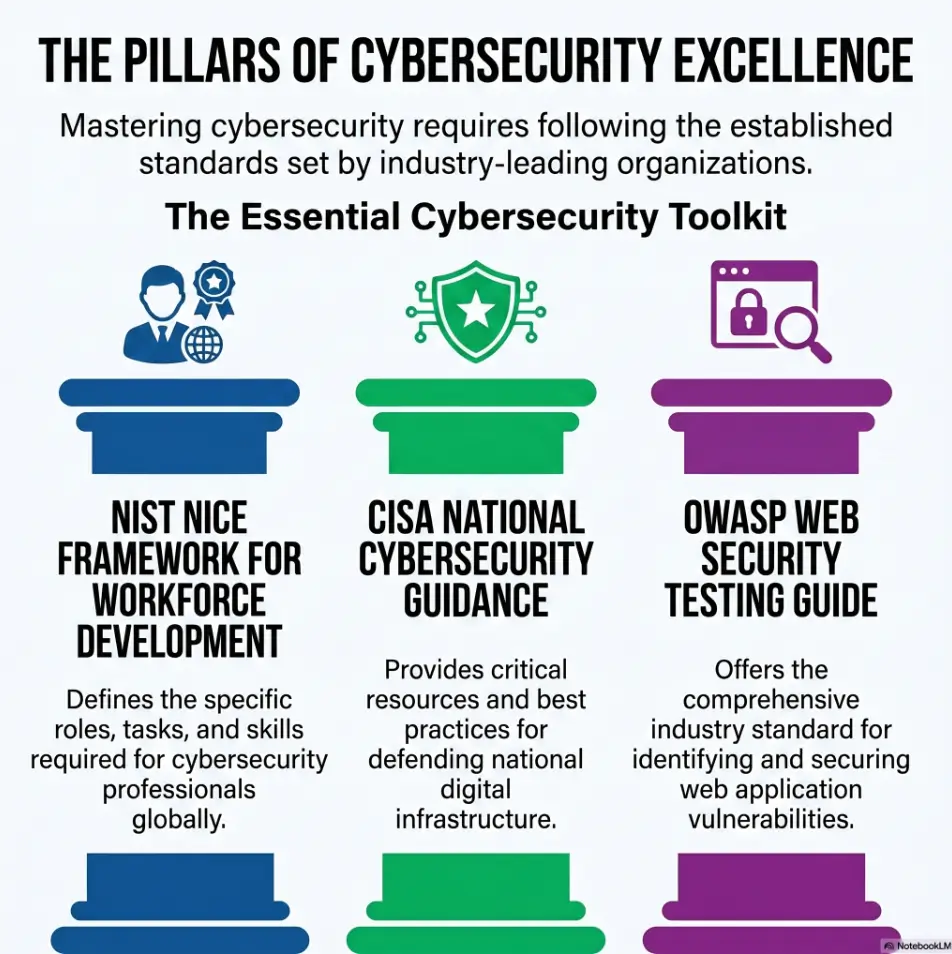
The Cybersecurity and Infrastructure Security Agency often frames basic security work around hygiene, preparation, and reducing avoidable risk. That same mindset applies to labs. Clean boundaries are part of the lesson, not paperwork sprinkled on top.
Separate Learning From Real-World Targeting
Beginners sometimes think, “I am only scanning.” But scanning can still create noise, trigger alerts, violate rules, or cause trouble on systems you do not own. A lab gives you permission to be curious without turning curiosity into someone else’s headache.
Keep a simple habit: before every session, say the target out loud or write it down. It sounds silly until it saves you from scanning the wrong IP. I have seen experienced people make this mistake. The keyboard does not care how sincere you are.
Document Your Setup So Mistakes Stay Contained
Your lab note should include the virtualization tool, network mode, attacking machine IP, target IP, and date. This takes 2 minutes. It can save 20 minutes of confusion later.
Good lab notes begin before the first scan. They start with the room, not the lock.
First 20 Minutes: Build the Map Before Touching the Lock
Confirm the Target Before You Chase Ghosts
The first 20 minutes should feel almost embarrassingly basic. Confirm your own IP. Confirm the target IP. Confirm the machines can reach each other. Confirm you are not scanning your router, printer, or that innocent smart TV blinking in the corner like a nervous witness.
Beginners lose a surprising amount of time to target confusion. The machine is not “being weird.” The learner is interrogating the wrong mailbox.
Record Services, Versions, Ports, and First Impressions
Once the target is confirmed, start mapping. Ports, services, versions, banners, web titles, directories, headers, robots.txt, default pages, login forms, and anything that feels oddly old or oddly plain.
Do not judge clues too early. In old vulnerable machines, boring details often matter. A default page may tell you the server stack. A version number may point to a known weakness. A login page may reveal naming conventions. A directory may whisper, “Someone forgot to clean the closet.” If your map feels thin, a focused Kioptrix enumeration routine can give your first pass more shape.
Do Not Exploit Before You Understand the Surface
Exploitation too early is like trying keys before you know how many doors the building has. It feels active, but it can narrow your attention too soon.
- Confirm target and lab boundaries.
- List visible services and versions.
- Write first impressions without forcing conclusions.
Apply in 60 seconds: Add a “Do not exploit yet” line to your first-page notes and honor it for one session.
Enumeration Under Friction: What to Do When the Scan Feels Boring
Slow Down Around Odd Service Details
Enumeration feels boring until you realize it is where most of the lab is quietly unfolding. A port is not just a port. It is a question. Why is this service present? Is the version old? Does the banner match the behavior? Does the web page support what the scan suggests?
One practical habit: circle anything that creates a mismatch. If a scan suggests one thing and the browser suggests another, do not rush past it. Mismatches are often where the useful learning hides. When your notes need to become more than scattered commands, a Kioptrix enumeration report gives those details a reader-friendly structure.
Compare What the Tool Says With What the Browser Shows
Tools report from their angle. Browsers report from another. Manual observation still matters. Click the site. View the source if appropriate. Notice titles, comments, default text, redirects, cookies, forms, error messages, and old-looking paths.
There is a special beginner trap here: trusting the loudest tool output. Loud is not the same as important. Some tools produce a buffet of possibilities, half of them stale sandwiches.
The Quiet Clue: Version Numbers, Headers, and Default Pages
Version numbers can guide research. Headers can reveal server behavior. Default pages can show software families. None of these automatically means “exploit this now.” They mean “form a better question.”
For example: “This service version appears old. Is it known for a remote issue, a misconfiguration, weak defaults, or nothing relevant in this lab?” That is better than: “Old thing found, launch everything.”
Show me the nerdy details
Enumeration is useful because it reduces uncertainty in layers. A port scan identifies exposed services. Version detection adds software context. Manual web review adds behavioral context. Notes connect those layers into a testable path. The mistake is treating any single layer as complete truth.
Hypothesis Thinking: Stop Throwing Tools at the Wall
Turn Each Clue Into One Testable Question
Tool-hopping is beginner caffeine. It feels like work, but it often creates more noise than knowledge. Hypothesis thinking slows you down just enough to save you from your own momentum. A simple Kioptrix decision process can help you choose the next test instead of throwing another scanner into the fog.
A clue becomes useful when you turn it into a testable question:
- “Port 80 is open” becomes “What web technology is exposed?”
- “There is a login page” becomes “Is this a default application or custom page?”
- “The version is old” becomes “What known issues match this exact version and context?”
- “My command failed” becomes “Did the failure come from syntax, network, permissions, or target behavior?”
Use “Because” Notes to Explain Why You Tried Something
One of the best note-taking upgrades is tiny: add the word “because.”
Do not write only, “Ran directory scan.” Write, “Ran directory scan because the homepage looked default and no obvious links were visible.” That one sentence records your reasoning. Future you can replay the path instead of reading your notes like a grocery receipt from a thunderstorm.
Here’s What No One Tells You: Random Activity Feels Productive
Random activity is emotionally comforting. It gives your hands something to do while your brain avoids uncertainty. But cybersecurity work rewards targeted curiosity, not frantic button pressing.
If you cannot explain why you are running a tool, pause before running it.
- Use a tool now when you have a specific question it can answer.
- Think first when you only feel vague pressure to “do something.”
- Write first when you have more than 3 open guesses competing for attention.
Neutral action: Choose the next command only after writing the question it should answer.
Common Mistakes: How Beginners Make Kioptrix Harder Than It Is
Mistake 1: Starting With Exploits Before Enumeration
The fastest way to make Kioptrix confusing is to skip the map and go hunting for exploits. You may get lucky. But luck does not scale, and it does not explain itself later.
Before exploitation, you should know the main exposed services, likely technologies, and at least one reason a path deserves testing. Otherwise, you are just shaking the vending machine.
Mistake 2: Keeping Messy Notes That Cannot Be Replayed
Messy notes feel harmless during the session. Later, they become archaeological fragments. A command here, a port there, a screenshot with no explanation, a line that says “maybe Samba???” with the emotional energy of a haunted sticky note.
Write so a tired version of you can continue tomorrow. If your notes keep collapsing into command scraps, use a Kioptrix technical journal to separate evidence, guesses, and next actions.
Mistake 3: Opening Too Many Tabs and Forgetting the Original Clue
Too many tabs can become a confidence costume. You look busy. You feel surrounded by information. But the original clue disappears under browser confetti.
Limit yourself. If you open a research tab, write why. If the tab does not answer the question, close it.
Mistake 4: Treating Every Error as Failure Instead of Feedback
An error is feedback with bad manners. It may still be useful. The discipline is to separate your emotional reaction from the technical signal.
Mistake 5: Using Walkthroughs as Navigation Instead of Reflection
A walkthrough can be helpful after you have struggled honestly. Used too early, it becomes a GPS that prevents you from learning the neighborhood.
When you do use one, read only enough to answer your current question. Then stop. Let the lab breathe again.
Don’t Do This: The Friction Habits That Train the Wrong Brain
Do Not Mistake Tool Output for Understanding
Tool output is not understanding. It is material for understanding. Beginners often paste output into notes and call the job done. That is like photographing ingredients and claiming dinner.
After important output, write one plain-English summary. “The target appears to expose a web service and file-sharing service.” That sentence is small, but it begins the act of interpretation.
Do Not Change Three Variables at Once
Changing three things at once creates fog. If a command suddenly works, you will not know why. If it fails, you will not know what mattered.
Change one variable. Test. Note. Then change the next. This is not slow. This is how you avoid making a spaghetti monster out of your own lab.
Do Not Celebrate Root If You Cannot Explain the Path
Getting root feels good. It should. But if you cannot explain the path from discovery to decision to action, the win is fragile. The better finish line is a short explanation a beginner could follow.
Tiny Disaster, Big Lesson
Short Story: The Night the Wrong IP Won
A learner once told me they had found a “mysterious hardened target” in their Kioptrix lab. The scans looked strange. The web page did not match the expected machine. Nothing in the walkthrough made sense. They spent an hour researching services, changing tools, and doubting their entire career plan. Then they checked the IP table again.
They had been scanning a different device on the network. The target had been sitting quietly one address away, probably sipping tea. It was embarrassing for 30 seconds, then useful forever. From that day on, their first note was always: “Confirmed target IP.” Not glamorous. Deeply professional.
- Confirm before assuming.
- Change one variable at a time.
- Explain wins before celebrating them.
Apply in 60 seconds: Add a “What changed?” line after every major command in your notes.
Notes That Think Back: Make Your Kioptrix Log Useful
Use Three Facts, Two Guesses, One Next Action
The best beginner note system is not fancy. It is durable. Try this after each session block:
- Three facts: What you know from direct observation.
- Two guesses: What might be true but needs testing.
- One next action: The next command, manual check, or research question.
This structure is small enough to use when tired. That matters. A note system that only works when you are fresh is a decorative umbrella in a basement. For a more repeatable closeout habit, use a Kioptrix session summary so each practice block ends with clarity instead of terminal dust.
Mark Dead Ends Without Deleting Them
Do not erase dead ends. Label them. A dead end can prevent repeat work later. It can also become useful when new evidence changes the context.
Use labels like “tested, no result,” “syntax issue,” “wrong assumption,” or “revisit later.” These tiny tags turn frustration into a searchable trail.
Write Commands So Future You Can Rebuild the Session
A useful command note includes the command, the purpose, and the result. You do not need to capture every line of output. Capture enough to reconstruct the reasoning.
- Target VM name and target IP.
- Attacking VM IP and network mode.
- Session goal, such as “enumerate only.”
- Blank notes with Facts, Guesses, Next Action.
- Stopping rule, such as 45 minutes or one clean question.
Neutral action: Save this as a reusable template before your next lab.
Stuck Moments: How to Recover Without Spoiling the Lab
Re-Read Your Notes Before Searching Online
When stuck, your first instinct may be to search. Resist for 5 minutes. Re-read your notes. You may find an untested clue, a contradiction, or a command you ran without recording the result.
I like to do a tiny “desk reset” here: close extra tabs, scroll to the top of the notes, and pretend someone just handed me the case. What would I ask first?
Restate the Problem in Plain English
Plain English exposes fuzzy thinking. Instead of writing, “Need exploit,” write, “I found an old web service, but I do not know whether the useful path is web content, credentials, or service version research.” Now you have direction.
Use Hints in Layers, Not as a Full Meal
If you need help, use it in layers:
- First, search the service or concept generally.
- Second, look for a hint about the phase, not the exact answer.
- Third, read only the next step if truly blocked.
- Fourth, return to your own notes and continue.
One Breath, One Clue
When frustration rises, reduce the problem. One breath. One clue. One test. This is not motivational wallpaper. It is operational hygiene for a noisy brain. When the noise comes from having restarted too many times, a Kioptrix level restart guide can help you reset without erasing what the lab already taught you.
Beginner Session Design: Practice Without Burning the Evening
Use 30–45 Minute Blocks Instead of Hero Marathons
Long sessions feel noble until your notes turn into soup. Beginners often learn more from a focused 30 or 45 minutes than from a 4-hour late-night grind powered by snacks and suspicion.
A short session creates pressure to choose one goal. Enumeration only. Web review only. Notes cleanup only. Hypothesis testing only. That narrowness is not a limitation. It is a lane marker. If you are trying to keep the habit sustainable, study Kioptrix practice sessions without burnout before turning the lab into another unpaid night shift.
Stop at a Clean Question, Not at Total Exhaustion
The best stopping point is not “I can no longer feel my eyebrows.” Stop when you have a clean next question. That makes returning easier.
For example: “Next time, verify whether the web service has hidden directories before researching service exploits.” That is a beautiful handoff to future you.
End Each Session With the Next Command Already Chosen
Do not leave your next self with fog. Leave a breadcrumb. Write the next command or manual check. Even if you change it later, it gives you a starting posture.
- 30 minutes: 20 minutes doing, 10 minutes notes.
- 45 minutes: 30 minutes doing, 15 minutes notes and next action.
- 60 minutes: Split into 2 blocks with a reset in the middle.
Neutral action: Pick one block length before opening the terminal.
Thinking Transfer: What Kioptrix Teaches Beyond the VM
Troubleshooting Under Ambiguity
Kioptrix teaches a professional pattern: act without pretending to know everything. That pattern matters in security jobs, IT support, cloud administration, network troubleshooting, and incident response.
Real work rarely says, “Here is the vulnerable service, please enjoy this clean path.” It says, “Something is slow,” “A user cannot log in,” “A service changed,” or “We saw weird traffic.” Kioptrix helps you practice moving from vague to specific.
Reading Systems Instead of Forcing Them
The beginner urge is to force the system. The operator habit is to read it. What is exposed? What is missing? What is old? What is default? What does the error reveal? What did the last test change?
The National Institute of Standards and Technology describes cybersecurity work in terms of tasks, knowledge, and skills across roles. Kioptrix will not make you job-ready by itself, but it can strengthen the underlying habits those roles keep asking for: analysis, documentation, testing, and careful judgment.
Building Confidence Without Becoming Reckless
Confidence should not mean “I run louder tools.” It should mean “I can explain my assumptions and adjust when evidence changes.” That kind of confidence is quieter, less theatrical, and far more useful.
It also keeps you safer. The same restraint that protects your lab boundaries protects your professional reputation later.
Next Step: Run One Small Friction Drill Today
Pick One Kioptrix Level and Do Only Enumeration
For your next session, do not aim for root. Do not even aim for exploitation. Aim for clean enumeration. Pick one Kioptrix level, confirm the lab boundary, identify the target, and map the visible surface. If you need a gentler calendar-shaped container, a Kioptrix weekend plan can turn one sitting into a realistic two-day practice rhythm.
This is where the hook closes: the machine that seemed rude at the beginning was not insulting you. It was asking you to slow down enough to hear what it was saying.
Write Three Facts, Two Guesses, and One Next Action
At the end of the session, write three observed facts, two guesses, and one next action. Keep it plain. Keep it testable. Keep it honest.
Stop Before Exploitation and Explain the Attack Surface in Plain English
Before you try anything aggressive, explain the attack surface as if teaching a friend over coffee. If you cannot explain it, you are not ready to exploit it yet. That is not failure. That is the lab doing its job.
FAQ
Is Kioptrix good for absolute beginners?
Yes, but it is better after you understand basic Linux commands, networking concepts, ports, services, and web requests. Kioptrix can teach beginners well, but it teaches through friction rather than hand-holding.
What does “technical friction” mean in a Kioptrix lab?
Technical friction means small obstacles: unclear scan results, unexpected errors, confusing web pages, outdated services, failed commands, or uncertainty about what to test next. These moments train judgment.
Should I use a walkthrough if I get stuck?
Use a walkthrough only after you have written down what you tried, what you observed, and what question you cannot answer. A walkthrough should confirm thinking, not replace it.
How long should a beginner spend on one Kioptrix session?
A focused 30–45 minute session is often better than a long, exhausted session. The goal is to leave with clearer notes and one better question, not just more terminal history. For learners who keep stretching sessions until the thinking goes blurry, choosing the right Kioptrix session length is part of the skill.
What should I write in my Kioptrix notes?
Write the target IP, scan results, service versions, interesting pages, commands used, errors, guesses, and next actions. Good notes turn confusion into a trail of breadcrumbs.
Is getting root the main point of Kioptrix?
Getting root is the visible finish line, but the deeper value is learning how to enumerate, test assumptions, recover from mistakes, and explain your reasoning.
Why do I keep getting stuck even when I know the tools?
Because tools answer narrow questions. Beginners often struggle because they have not yet learned how to ask the next useful question.
Can Kioptrix help with real cybersecurity jobs?
Yes, especially for troubleshooting habits, documentation, curiosity, and calm analysis. It is not a complete job-prep path by itself, but it can strengthen the thinking muscles behind security work. Career-switching readers may also find Kioptrix for career changers useful for translating lab practice into a more credible learning story.
Conclusion
Kioptrix is not only a vulnerable machine. It is a small room where your troubleshooting habits become visible. The scan that stalls, the page that says almost nothing, the command that fails, the clue you nearly miss: these are not annoyances to escape. They are the lesson wearing work boots.
The beginner who learns to stay calm under mild technical friction gains something better than a memorized exploit path. They gain a repeatable way to think: confirm the target, map the surface, form one hypothesis, test one thing, write what changed, and stop before confusion becomes theater.
Your next step is simple and honest. Within 15 minutes, open your lab notes and create one reusable Kioptrix template: Setup, Facts, Guesses, Next Action, Dead Ends, Final Explanation. Then run one enumeration-only session. No root chase. No tab storm. Just the quiet craft of learning how to see. If you want that craft to compound beyond a single afternoon, a 30-day Kioptrix practice routine can turn mild friction into a durable habit.
Last reviewed: 2026-04.