
Beyond the Root: Measuring Real Progress in Kioptrix Labs
You can root a Kioptrix box on Saturday night and still feel oddly empty on Sunday morning. The terminal says success. The shell says power. Your notes, however, may whisper something less glamorous: “I copied three commands, followed a walkthrough breadcrumb trail, and forgot why port 80 mattered.”
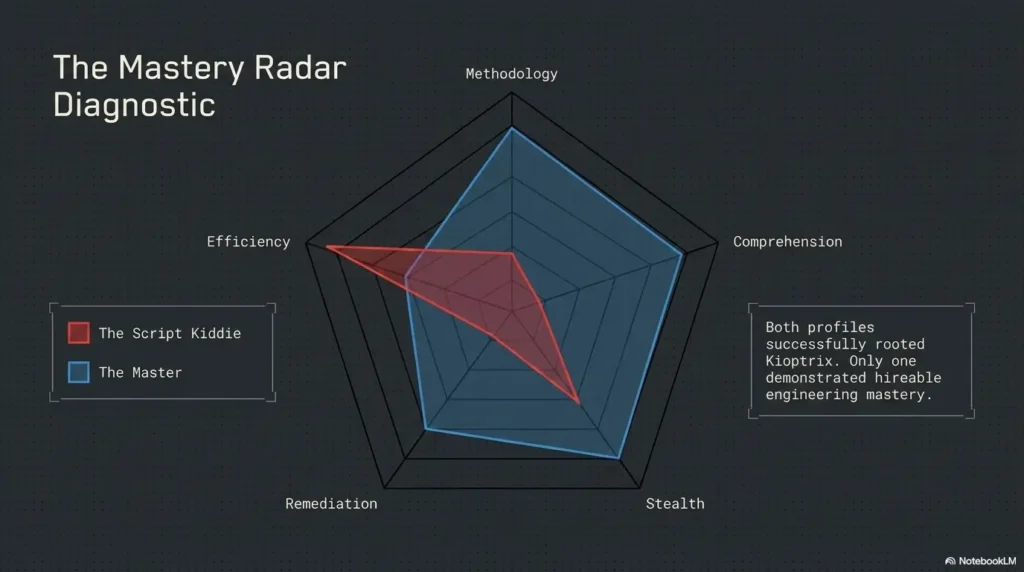
That is the central tension behind how to measure real progress with Kioptrix Level beyond “did I finish?” For beginner-to-intermediate cybersecurity learners, box completion is useful, but it is not the whole score. Real growth shows up in cleaner enumeration, better evidence, lower hint dependency, safer lab habits, and the ability to explain the exploit path without fog machines and heroic hand-waving.
Guessing feels fast. Method feels slow. But method compounds. And the box did not grade you.
This guide gives you a practical scoring system for legal Kioptrix lab practice. You will learn how to track repeatability, documentation, decision quality, privilege escalation reasoning, and safe self-assessment without turning your homelab into a chaos raccoon with a network adapter.
The Real Progress Frame
A Kioptrix run becomes meaningful when you can answer four plain questions:
- What did I find through structured enumeration?
- Why did I choose each path?
- Can I reproduce the result without a walkthrough?
- Can I explain the weakness in human language?
Root is the outcome. Reasoning is the asset.
Table of Contents
The “Rooted It” Trap: Why Finishing Kioptrix Can Fool You
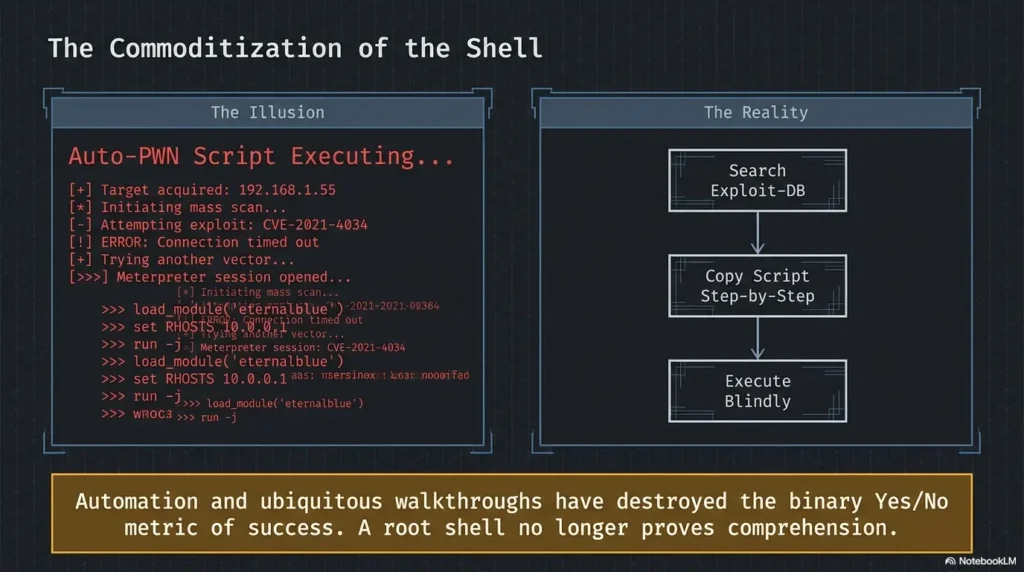
Finishing a vulnerable machine feels satisfying because it gives your brain a neat ending. There is a before, an after, and maybe a screenshot that looks suspiciously like victory. But cybersecurity skill does not always arrive with a dramatic shell prompt. Sometimes it arrives as a boring, well-labeled note that explains why one service mattered and three others did not.
Completion Is A Snapshot, Not A Skill Score
Getting root once may mean you solved the lab. It may also mean you recognized a familiar pattern, copied a command from memory, or got lucky while poking at a service. That is not shameful. Every learner begins with borrowed lanterns. The mistake is confusing borrowed light with eyesight.
A completion screenshot shows one moment. A skill score shows whether you can repeat the process, explain the weakness, avoid the same false trail, and adapt when the next box changes one small detail.
For a learner building a durable methodology, the better question is not, “Did I finish?” It is, “Can I show the path clearly enough that my future self would trust it?” That is why many learners benefit from maintaining a consistent Kioptrix progress tracking system instead of collecting loose victory screenshots like digital refrigerator magnets.
The Dangerous Comfort Of A Green Checkmark
A green checkmark can hide weak enumeration. It can hide poor notes. It can hide the fact that you never understood why a payload worked or why a privilege escalation path was available. It can even reward bad habits because the lab still “worked” despite them.
That is the quiet danger. If the outcome is the only measurement, the learner may optimize for speed, not understanding. The result is brittle confidence: shiny on top, hollow underneath, and prone to making tiny glass noises when challenged.
Pattern Interrupt: The Box Did Not Grade You
Kioptrix is not a professor with a red pen. It is a mirror. It reflects your habits: your patience, your note quality, your assumptions, your comfort with uncertainty, and your relationship with hints.
The box does not know whether you guessed or reasoned. It does not know whether your notes could become a report. It does not know whether you understood the vulnerable condition or simply performed a ritual that happened to open the door.
- Score your process, not only your final shell.
- Track reasoning, hint use, and repeatability after each run.
- Use completion as the beginning of review, not the end of learning.
Apply in 60 seconds: After your next run, write one sentence explaining why the first exploitable path was actually plausible.
Who This Is For, And Who Should Not Use This Method
This article is for legal lab learners. That boundary matters. Cybersecurity practice can teach disciplined thinking, but only when it stays inside permission, scope, and ethics. A lab fence may not look poetic, yet it is one of the most beautiful objects in security education.
Best For Ethical Lab Learners Building Real Methodology
This method fits students, junior analysts, CTF players, help desk workers moving toward security, homelab builders, and self-taught learners practicing on machines they own or have clear permission to test.
It works especially well for people using Kioptrix as a learning environment rather than a trophy cabinet. If you are building a repeatable rhythm, a resource like a Kioptrix practice routine can pair neatly with the scorecard below.
Not For Real-World Targets, Unapproved Testing, Or “Try Stuff And See”
This system is not for scanning public IP addresses, testing employer systems without written approval, probing neighbor networks, or turning lab techniques loose on systems you do not control. The phrase “I was just learning” is not a legal force field. It is closer to a paper umbrella in a thunderstorm.
Keep practice inside isolated labs, local virtual networks, training platforms, and authorized environments. When in doubt, do not test. Ask for written permission and defined scope.
If You Only Want A Walkthrough, This Will Feel Slow
A walkthrough can be helpful after honest effort. But if your goal is durable skill, you need more than answer-following. You need a way to notice your own habits.
This method will feel slower at first because it asks you to write down why you did something before the box rewards you. That small delay is useful. It turns a frantic run into a traceable decision trail.
Money Block: Ethical Lab Eligibility Checklist
Use this scorecard only if every answer is yes:
- Yes / No: I own the target machine or have explicit permission to test it.
- Yes / No: The target is isolated from public systems unless the platform authorizes access.
- Yes / No: I know the scope of what I am allowed to scan, enumerate, and test.
- Yes / No: I will not reuse lab exploits against real systems without authorization.
- Yes / No: My notes will not store real credentials, unrelated public IPs, or unauthorized scan data.
Neutral action: If any answer is no, pause and rebuild the practice environment before continuing.
The Progress Scorecard: Measure Five Things After Every Run
A good Kioptrix scorecard should be simple enough to use while tired, but honest enough to sting a little. The goal is not to punish yourself. The goal is to make progress visible before it becomes dramatic.
Score each category from 0 to 4 after every run:
- 0: I mostly guessed or copied.
- 1: I understood fragments after the fact.
- 2: I made some reasoned decisions but needed strong hints.
- 3: I built most of the path independently and documented it.
- 4: I can reproduce, explain, and teach the path clearly.
Enumeration Quality: Did You Find Or Guess?
Enumeration quality measures whether discoveries came from structured work or accidental poking. Did you identify services, versions, default pages, shares, web paths, or configuration clues through a repeatable routine? Or did you bounce from one command to another because a forum comment once made it sound cool?
A stronger learner can point to the exact observation that changed the next step. For example: “The web server exposed an older application pattern, so I checked common paths and version clues.” That is more valuable than “I ran the thing because the thing sometimes works.”
For deeper practice, a dedicated Kioptrix enumeration guide can help you compare your routine against a calmer baseline.
Decision Quality: Can You Explain Why You Chose That Path?
Decision quality is the spine of the run. Each move should have a reason: port, banner, version, credential clue, file permission, privilege boundary, or suspicious behavior.
You do not need to be perfect. You do need to be able to say why a path was worth testing. Good decision notes often look plain:
- “Port 80 showed an old web stack, so I reviewed default pages and source.”
- “SMB responded but access was limited, so I logged the denial and moved on.”
- “The first exploit idea lacked version confirmation, so I treated it as low confidence.”
Reproducibility: Could You Do It Again Next Week?
Reproducibility is the quiet gold standard. If you cannot repeat the path without a walkthrough, the skill is still wet cement. That does not mean you failed. It means the memory has not become method.
The best test is a clean second run. Reset your notes, keep only your own previous summary hidden nearby, and try to reconstruct the path. If you need a hint, log the level of hint. That honesty is not a bruise. It is a measuring tape.
Evidence Handling: Did Your Notes Preserve The Story?
Evidence handling is where learners start to sound like future analysts. You are not just collecting screenshots. You are preserving the story of how the target was understood.
Good evidence includes commands, outputs, timestamps, findings, screenshots, reasoning, and proof. A guide to Kioptrix evidence tracking can help you turn scattered fragments into a traceable chain.
Understanding Depth: Did You Learn The Weakness Or Just The Command?
Tool familiarity is helpful, but concept mastery lasts longer. If a command worked, ask what condition made it work. Was the software outdated? Was authentication weak? Was a service exposed? Were permissions unsafe? Was input handled poorly?
A learner who understands the weakness can explain it without naming the exact tool. That is the moment a lab lesson becomes portable.
Money Block: Kioptrix Progress Mini Calculator
Score each area from 0 to 4. This calculator stores nothing and runs only in your browser.
Neutral action: Improve the lowest category in your next session instead of trying to improve everything at once.
Hint Dependency: The Metric Nobody Likes To Admit
Hints are not moral failures. They are learning debt. The important question is whether you repay that debt by doing a second clean run, explaining the missing idea, and reducing the same dependency next time.
Level 0: No Hints, Full Reasoning
Level 0 means you built the path independently. You enumerated, formed hypotheses, tested carefully, documented evidence, exploited the weakness, escalated privileges, and explained the chain afterward.
This is the strongest score, but it should not become an ego statue. Some boxes expose gaps. That is their job. A lab that never humbles you is probably too small, too familiar, or too heavily perfumed by memory.
Level 1: Concept Hint Only
A concept hint nudges without revealing the path. For example: “Look closer at web enumeration” or “Review privilege boundaries.” This kind of hint can preserve learning because it points toward a category, not an answer.
When you use a Level 1 hint, write down what you missed. The point is to turn the hint into a future checklist item.
Level 2: Directional Hint
A directional hint is more specific. It might point to a service, file, web path, or class of vulnerability. It reduces independence, but it can still teach if you stop and reconstruct the reasoning.
After using a directional hint, ask: “What observation should have led me here?” That question turns embarrassment into curriculum.
Level 3: Walkthrough Following
Walkthroughs can be valuable, especially after a real attempt. They show one possible route, reveal missed clues, and help you compare your process against another person’s method.
They are poor steering wheels when used too early. If you start with the walkthrough, you may feel productive while outsourcing the very thinking you wanted to train.
Let’s Be Honest: Hints Are Not Failure
Every serious learner uses help. The difference is whether help becomes a crutch or a bridge. The bridge version looks like this: attempt, log the blocker, use the smallest hint, complete the run, write the missing lesson, repeat without that hint later.
- Use the smallest hint that gets you unstuck.
- Label hints by level, not by shame.
- Pay back hint debt with a clean repeat run.
Apply in 60 seconds: Add a “Hint Level Used” line to your next Kioptrix note template.
Enumeration Signals: What Better Kioptrix Learners Notice Earlier
Early learners often see ports as a list. Stronger learners see ports as a set of questions. That shift is small on paper and enormous in practice.
Services Become Clues, Not Just Port Numbers
A service is not just open or closed. It has behavior, history, configuration risk, and context. Web services suggest content review. SMB suggests shares, access boundaries, host naming, and negotiation behavior. SSH may be a login surface, but not every login surface deserves brute-force drama. Databases may matter only if exposed, misconfigured, or connected to another clue.
Progress appears when your notes change from “port 80 open” to “web service may reveal application version, paths, forms, and default content.” That is the difference between looking and reading.
Version Numbers Start Speaking
Version numbers are not magic keys. They are clues that need verification. A banner may be misleading, incomplete, or patched behind the scenes. A learner improves when they treat versions as evidence to research, not lottery tickets to exploit.
NIST’s National Vulnerability Database is one recognized public resource for vulnerability information, but lab learners should still verify target conditions before assuming a vulnerability applies.
Web Paths Stop Looking Random
Web enumeration becomes more meaningful when paths are treated as clues, not confetti. Default pages, robots files, old directories, login forms, error messages, source comments, backups, and hidden files can all suggest where to look next.
Tools help, but calm review matters. A directory scanner may return a list. You still need to decide what looks meaningful. If web enumeration is a recurring weak spot, comparing DIRB versus Gobuster for lab path discovery can help you choose tools based on the job rather than habit.
The Quiet Win: Fewer Blind Commands
Improvement often looks less dramatic than beginners expect. It may mean you run fewer commands, not more. It may mean you skip a tempting rabbit hole because the evidence is thin. It may mean you spend ten minutes reading output instead of making the terminal produce more output soup.
That is progress. It just wears sensible shoes.
Kioptrix Progress Loop
Find services, versions, paths, users, and boundaries.
Choose a path because evidence points there.
Confirm conditions before trusting an exploit idea.
Save commands, outputs, reasons, and proof.
Run it again with fewer hints and clearer reasoning.
Exploit Understanding: Can You Explain The Door You Opened?
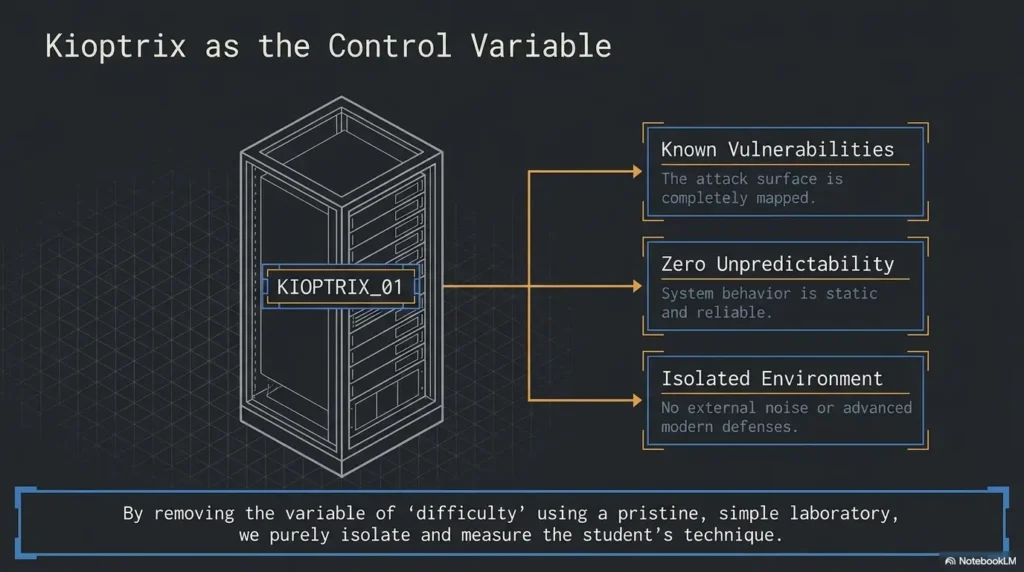
An exploit is not a spell. It is a test of a condition. The learner’s job is to understand that condition clearly enough to explain why the door opened.
Name The Vulnerability In Plain English
Plain English is the great revealer. If you cannot explain the weakness simply, you may not understand it yet.
Try this structure:
- The service exposed: What was reachable?
- The weakness: What was unsafe, outdated, misconfigured, or poorly controlled?
- The proof: What evidence showed the condition existed?
- The result: What access or effect did the weakness allow?
For example: “The target exposed an old service version. I verified the version and behavior, then used a lab-appropriate exploit path that worked because the service accepted an unsafe input pattern.” That sentence is not glamorous. It is useful.
Separate The Tool From The Weakness
A tool may trigger the issue, but it is not the root lesson. The underlying flaw might be outdated software, weak credentials, unsafe permissions, command injection, poor input validation, unnecessary exposure, or a default configuration.
This distinction matters because tools change. Weakness classes repeat. A learner who only knows the tool is stuck when the tool fails. A learner who understands the weakness can choose another way to verify it.
Track What You Verified Before Exploiting
Before exploiting, record what you confirmed. Service? Version? Target condition? Expected behavior? Safe lab scope? Possible impact? This does not need to become a novel. A few precise lines are enough.
That discipline keeps you from treating exploit selection like pulling levers in a gloomy arcade. It also prepares you for report writing, where evidence matters more than terminal enthusiasm.
Here’s What No One Tells You: Payloads Are Not The Lesson
Payloads are exciting because they move the story forward. But the deeper lesson is why the target accepted the path in the first place.
Once you understand that, you can talk about fixes: patching, configuration hardening, service removal, credential policy, least privilege, network isolation, validation, or monitoring. That is when lab learning starts to sound like professional reasoning.
Show me the nerdy details
A useful exploit-understanding note separates observation, hypothesis, verification, action, and result. Observation is what the system showed. Hypothesis is what you thought it might mean. Verification is the specific evidence that supported or weakened the idea. Action is the lab-safe test you performed. Result is what changed. This structure reduces false confidence because it forces you to show the bridge between scan output and exploit choice.
Privilege Escalation Growth: From “Try LinEnum” To Actual Reasoning
Privilege escalation is where many learners go from organized to feral. They get an initial shell, feel the room tilt toward victory, and start launching scripts like confetti cannons. Scripts can help. But output without judgment is just a haunted grocery receipt.
Baseline Checks Before Tooling
Before automated tooling, perform basic orientation. Who are you? What system are you on? What privileges exist? What files are writable? What processes are running? What scheduled jobs exist? What configurations look unusual?
A strong manual baseline might include checking current user context, kernel and distribution details, sudo rights, writable directories, cron jobs, SUID files, running processes, network connections, and interesting configuration files. The purpose is not to memorize a sacred list. The purpose is to learn how privilege boundaries are built and broken.
If this area feels blurry, a focused Kioptrix privilege escalation practice path can help you build the habit of reasoning before script output.
Tool Output Needs Human Sorting
Automated scripts are maps, not answers. They may highlight possible issues, false positives, low-value curiosities, or paths that require conditions you do not have. Your job is to sort findings by plausibility, evidence, and impact.
Ask three questions:
- Does this finding actually apply to this target?
- Can I verify the condition safely in the lab?
- Would this explain a real privilege boundary failure?
Root Cause Beats Root Shell
Root is a result. Root cause is the lesson. If you escalated privileges because of a misconfigured file permission, say that. If an unsafe SUID binary created the path, explain why. If a kernel issue mattered, explain the target condition and why it applied.
The strongest marker is whether you can teach the escalation in two minutes without hiding behind tool names.
Don’t Celebrate Too Early
Getting root without understanding the escalation path is a fragile victory, a glass trophy in a backpack. It may look impressive until the next box asks a slightly different question.
- Run baseline checks before automated scripts.
- Prioritize tool output with human judgment.
- Write the root cause in plain language.
Apply in 60 seconds: Add “Why did this escalate privileges?” beneath your next proof screenshot.
Documentation: Turn Your Kioptrix Run Into A Skill Artifact
Good notes are not decoration. They are the bridge between lab practice and professional communication. They also prevent that uniquely painful moment when you think, “I solved this three days ago,” and your notebook replies, “Did you, though?”
Write Notes Like A Future Analyst Will Read Them
Use a structure that survives tired eyes:
- Objective
- Scope
- Host discovery
- Enumeration
- Findings
- Exploit path
- Privilege escalation path
- Proof
- Lessons learned
A dedicated Kioptrix documentation workflow can make this easier by giving you a repeatable shape for each run.
Capture Failed Paths Without Shame
Failed paths are not trash. They are X-rays of your assumptions. Log them briefly: what you tried, why it looked plausible, what evidence weakened it, and when you stopped.
This keeps you from re-entering the same rabbit hole later wearing a different hat. It also helps you develop judgment, which is the part of security learning that rarely gets a celebratory screenshot.
For many learners, a separate habit of reviewing Kioptrix dead ends is where the most useful improvement appears.
Build A “Why I Did This” Column
One of the simplest upgrades is adding a “why” column to your notes.
| Action | Why I Did This | Result |
|---|---|---|
| Reviewed web service output | Port 80 was open and may reveal app clues | Found default page and possible version hints |
| Checked SMB access behavior | SMB may expose shares, names, or permissions | Access limited; logged and moved on |
| Reviewed privilege context | Initial shell needed escalation path | Identified next checks for permissions and processes |
The Best Notes Are Boring In The Right Way
Good notes are not theatrical. They are clear, repeatable, and dull enough to survive Monday morning brain fog. They help you reconstruct the path without trusting vibes, memory, or a screenshot named “final-final-root-REAL.png.”
Short Story: The Notebook That Beat The Shell
Maya finished a Kioptrix level late on a Thursday, took a triumphant screenshot, and closed the laptop with the soft pride of someone who had defeated a small dragon. On Saturday, she tried to explain the exploit path to a friend. The dragon returned wearing reading glasses. She remembered the shell. She remembered the thrill. She did not remember why the first service mattered, what evidence confirmed the weakness, or which failed path had wasted forty minutes.
So she reran the level with a notebook beside her. This time, every command had a reason. Every failed idea got one sentence. The second root shell felt less dramatic, but it meant more. By Sunday, she could explain the weakness, the proof, and the escalation path without opening a walkthrough. The lesson was not that notes are noble. The lesson was sharper: the shell showed she finished; the notebook showed she learned.
Common Mistakes That Make Progress Look Bigger Than It Is
Some habits make you feel advanced while quietly slowing your growth. They are easy to miss because they often produce results. That is what makes them sneaky little velvet traps.
Mistake 1: Copying A Walkthrough And Calling It Mastery
Walkthroughs can teach, but only when you use them as review, comparison, or recovery. If you copy a walkthrough line by line and call the result mastery, you trained imitation more than analysis.
A better pattern is: attempt first, log blockers, read only enough to move forward, finish, then repeat independently.
Mistake 2: Measuring Speed Before Accuracy
Speed is a tempting metric because it is visible. But fast exploitation with sloppy reasoning creates brittle confidence. First measure accuracy, understanding, and documentation. Speed can arrive later, carrying a lunchbox and better manners.
Mistake 3: Ignoring Dead Ends
Dead ends reveal weak assumptions. Maybe you overtrusted a banner. Maybe you chased a service because it looked familiar. Maybe you skipped web source review because the page looked boring.
When you log dead ends, you build a map of your thinking. That map is more valuable than pretending every path was elegant.
Mistake 4: Treating Tools As The Curriculum
Tools are useful. They are not the curriculum. The curriculum is methodology: scope, enumeration, verification, exploitation reasoning, privilege boundaries, evidence, reporting, and ethics.
If your notes are mostly tool names, add more “why” statements. If your notes are mostly explanations, you are getting warmer.
Mistake 5: Skipping The Second Run
The second run is where the truth walks in and takes off its coat. You learn whether you understood the first run or merely survived it. Repetition is not glamorous, but neither is brushing your teeth, and civilization appears to benefit.
Money Block: Decision Card For Walkthrough Use
| Situation | Better Choice | Trade-Off |
|---|---|---|
| Stuck after 10 minutes | Review notes and enumerate one more service | Slower, but protects reasoning |
| Stuck after 45 to 60 minutes | Use a concept hint | Keeps learning mostly independent |
| Completely blocked after honest effort | Read a small walkthrough segment | Reduces independence but fills a gap |
| Finished with help | Repeat without help later | Turns borrowed path into owned method |
Neutral action: Choose the smallest amount of help that moves learning forward.
A Practical Kioptrix Progress Rubric You Can Reuse
A rubric turns vague improvement into something you can actually see. It also prevents the two classic learner moods: “I am a genius” after one good run and “I know nothing” after one hard blocker. Both moods are noisy roommates.
Beginner Score: Finds The Path With Heavy Guidance
At the beginner stage, you may follow steps, recognize common services, and explain some commands after the fact. You may need walkthroughs or strong hints. That is fine.
Your goal is not independence yet. Your goal is vocabulary, safe lab setup, basic enumeration, and honest notes. A beginner-friendly overview such as Kioptrix for beginners can help you avoid building confidence on sand.
Developing Score: Builds A Partial Attack Chain Independently
At the developing stage, you can perform structured enumeration, identify promising services, use occasional hints, and explain more of the exploit path. Your notes begin to show reasons, not just outputs.
You still miss clues. Everyone does. The key improvement is that your misses become visible. You can say, “I skipped source review too early,” or “I trusted the first exploit match without verifying enough.” That is real growth.
Strong Score: Reproduces, Explains, And Documents Cleanly
At the strong stage, you use few hints, document evidence clearly, reproduce the path, and explain both initial access and privilege escalation in plain language. Your notes could support a basic lab report.
You are not just finishing. You are building an artifact. A structured Kioptrix lab report can help turn that run into something portfolio-adjacent without pretending a practice box is a professional engagement.
Advanced Signal: You Can Change The Lab And Still Adapt
Transfer is the advanced signal. If a different vulnerable machine, altered service, unfamiliar web app, or changed clue still allows you to reason calmly, your skill is becoming portable.
That does not mean you know everything. It means you have a method when novelty arrives wearing boots.
Money Block: Reusable Progress Rubric
| Level | Signs | Next Step |
|---|---|---|
| Beginner | Needs heavy guidance, recognizes basic services, explains commands after the fact | Write clearer notes and reduce one hint category |
| Developing | Enumerates with structure, builds partial chains, logs failed paths | Repeat the run without a walkthrough |
| Strong | Reproduces, explains, documents, and teaches the path clearly | Try a different legal vulnerable machine with the same rubric |
| Transfer-ready | Adapts when clues change and avoids tool-only thinking | Write a clean report and compare methodology gaps |
Neutral action: Score yourself against behavior, not mood.
Safety And Ethics: Keep The Lab Fence Brightly Painted
Ethics is not a decorative paragraph in cybersecurity. It is the floor. Without it, every technical lesson gets wobbly.
Practice Only On Machines You Own Or Have Permission To Test
Use Kioptrix-style practice only inside machines you own, isolated local networks, or authorized training environments. Do not assume that a system is fair game because it is old, exposed, interesting, or badly configured.
The Cybersecurity and Infrastructure Security Agency regularly emphasizes the importance of authorized security work and coordinated handling of vulnerabilities. That spirit belongs in beginner labs too: permission first, scope always, restraint as a skill.
Do Not Reuse Lab Exploits Against Public Systems
A lab exploit belongs in the lab. Moving it to a public target without permission can create legal and ethical problems, even if your intent is curiosity. Curiosity is wonderful. Unscoped testing is not. It is the raccoon of professional judgment: nimble, masked, and often found near trouble.
Keep your practice bounded. If you want real-world experience, use bug bounty programs with clear rules, formal training ranges, internships, authorized assessments, or internal labs with written permission.
Keep Notes Responsible
Practice notes should not include real credentials, unauthorized public IP addresses, unrelated scan data, or sensitive information from systems outside your scope. Even in a lab, build professional habits early.
A good rule: write notes as though a future mentor, employer, or teammate might read them. That does not mean performative polish. It means responsibility.
- Practice only where you have permission.
- Keep lab techniques inside the lab unless formally authorized.
- Write notes that respect scope and sensitive data.
Apply in 60 seconds: Add a “Scope and Permission” line at the top of every lab note.
Next Step: Do One Clean Re-Run With A Timer And A Notebook
The most practical next move is not a new tool. It is a clean replay. Pick one Kioptrix level you have already completed and run it again with a timer, a notebook, and no walkthrough open.
Your 60-Minute Replay Challenge
Set a 60-minute timer. Start from a fresh snapshot if your lab setup supports it. Write down every major command, reason, output, and decision point. Do not chase perfection. Chase clarity.
If you need help, use the smallest hint possible and record the level. A Kioptrix session review habit can help you turn the replay into a repeatable weekly practice instead of a one-time burst.
Score The Replay, Not Your Memory
Do not score whether the answer felt familiar. Score whether your process was clean:
- Did you enumerate consistently?
- Did each decision have a reason?
- Did you verify before exploiting?
- Did you explain the privilege escalation path?
- Did your notes preserve enough evidence to reproduce the run?
This is where progress becomes visible. You may discover that you remembered less than you thought. Good. That is not failure; that is the fog lifting.
End With One Sentence
Finish every run with this sentence:
“The main weakness was ___, I proved it by ___, and I got root because ___.”
If you can fill that in clearly, your progress is no longer just a shell. It is a lesson you own.
FAQ
Is Finishing Kioptrix Enough To Show I Am Good At Penetration Testing?
No. Finishing Kioptrix shows exposure to a lab scenario. It does not automatically prove transferable penetration-testing skill. Real progress requires repeatability, explanation, documentation, ethical scope control, and the ability to connect evidence to decisions.
How Many Times Should I Repeat A Kioptrix Level?
Repeat a Kioptrix level at least twice. The first run helps you solve. The second run shows whether you can reproduce the path cleanly without relying on a walkthrough. A third run can be useful if your notes were weak or your hint dependency was high.
Should I Use Walkthroughs When Learning Kioptrix?
Yes, but use them carefully. Make a serious independent attempt first, then use the smallest amount of walkthrough help needed to move forward. Afterward, write what you missed and repeat the level later without the walkthrough.
What Should I Write In Kioptrix Notes?
Write the objective, scope, host discovery, enumeration results, commands, reasons for each major step, outputs, findings, exploit path, privilege escalation path, proof, failed attempts, and lessons learned. Your notes should let you reproduce the run without depending on memory.
How Do I Know If I Actually Understand The Exploit?
You understand the exploit when you can explain the vulnerable condition, why the exploit worked, what evidence confirmed it, what access it created, and how the risk could be reduced or fixed. If you can only repeat the command, your understanding is still incomplete.
Is Kioptrix Still Useful For Beginners?
Yes. Kioptrix can still be useful for beginners because it teaches enumeration discipline, Linux basics, service research, documentation, and privilege escalation thinking. Its value increases when you treat it as methodology practice rather than a race to root.
What Is A Good Next Lab After Kioptrix?
A good next lab is another legal vulnerable machine or beginner-friendly training platform where you can reuse the same progress rubric. The important move is not just harder targets. It is carrying your method into unfamiliar conditions.
How Long Should A Kioptrix Practice Session Be?
For most learners, 45 to 90 minutes is enough for one focused session. Shorter sessions work if you define a narrow goal, such as enumeration only or privilege escalation review. Long sessions can help, but only if your notes remain clear.
Can I Put Kioptrix On My Resume Or LinkedIn?
You can mention Kioptrix as lab practice, but avoid overstating it. Stronger wording focuses on what you practiced: enumeration, documentation, exploit reasoning, Linux privilege escalation, and legal homelab methodology. A thoughtful write-up is more persuasive than a vague “rooted boxes” claim.
Conclusion: Make The Second Run Count
The opening problem was simple: a rooted Kioptrix box can feel like proof, while hiding whether you truly learned. The better answer is not to dismiss completion. It is to place completion inside a richer scoring system.
Measure enumeration quality. Measure decision quality. Measure hint dependency. Measure reproducibility. Measure documentation. Measure whether you can explain the weakness without hiding behind tools.
Your concrete next step is small: within the next 15 minutes, open your last Kioptrix notes and add three lines:
- The main weakness was:
- I proved it by:
- I got root because:
If those lines feel hard to complete, you have found your next practice target. Not a failure. A doorway.
Last reviewed: 2026-05.