

Beyond the Hall of Mirrors: Mastering Kioptrix Enumeration
Kioptrix Level enumeration errors rarely look dramatic at first. More often, they steal 30 to 45 minutes through something embarrassingly ordinary: the wrong IP, an overread banner, a noisy scan, or a service that looked important simply because it was familiar.
That is the real frustration in old-school lab work. You are not always failing because you found nothing. You are failing because you found enough to build the wrong story. In authorized environments, that difference matters. It affects your notes, your recovery time, and every step that follows.
This post helps you recover from common enumeration mistakes by rebuilding the chain that matters most: host identity, exposed services, version clues, web enumeration, and evidence quality.
The goal is not faster clicking. It is cleaner judgment. The method here is deliberately plain: separate what was observed from what was inferred, rank clues by decision value, and reset from verified facts when a path goes cold.
Because this is usually where the time leak begins. Once you see that, the whole box reads differently. Let’s start with the mistake that wastes the first half hour.
Table of Contents
Who this is for / not for
This is for readers working inside authorized lab environments who want better troubleshooting discipline. It is for the learner who can find ports, identify services, and still somehow end up with notes that read like a crime novel written during a power outage. It is also for junior operators on certification tracks who need report-friendly evidence instead of a pile of screenshots and vibes.
This is for readers who are working inside authorized labs and want cleaner evidence
Enumeration is not glamorous, which is exactly why it decides everything. In older training labs, small mistakes compound fast. One wrong IP, one stale assumption, one overeager interpretation of a banner, and suddenly you are solving the wrong puzzle with great confidence. I have watched this happen in my own practice notes: the output looked busy, but the story behind it was paper-thin.
This is for learners who keep finding services but lose the thread before exploitation
A common beginner pain point is not “I found nothing.” It is “I found too much and turned it into the wrong story.” That distinction matters. Recovery begins when you stop treating every open port like a promise and start treating it like a question.
This is not for unauthorized targeting, real-world intrusion, or copy-paste attack workflows
This article stays on the safe side of the line. No real-world targeting advice. No copy-paste intrusion playbooks. No shortcuts designed to transfer recklessness from a lab to a live environment. The whole point is slower thinking, better verification, and narrower next steps. If you are building your environment from scratch, a Kioptrix Kali setup checklist or a guide to a safe hacking lab at home helps keep the whole workflow inside clean boundaries.
- Confirm what you actually observed
- Separate guesses from evidence
- Choose one next check tied to one clue
Apply in 60 seconds: Open your last lab notes and mark each line as observed, inferred, or unproven.
Start here first: the “it’s alive” mistake that wastes 30 minutes
A host that pings is not the same thing as a host you have actually profiled
“It responds” is not a profile. It is barely an introduction. In Kioptrix-style labs, reachability can lull you into a false sense of progress. A ping reply or one open port feels like the room has lights on, so you walk in too quickly. Then you realize you never checked whether the furniture matches the floor plan.
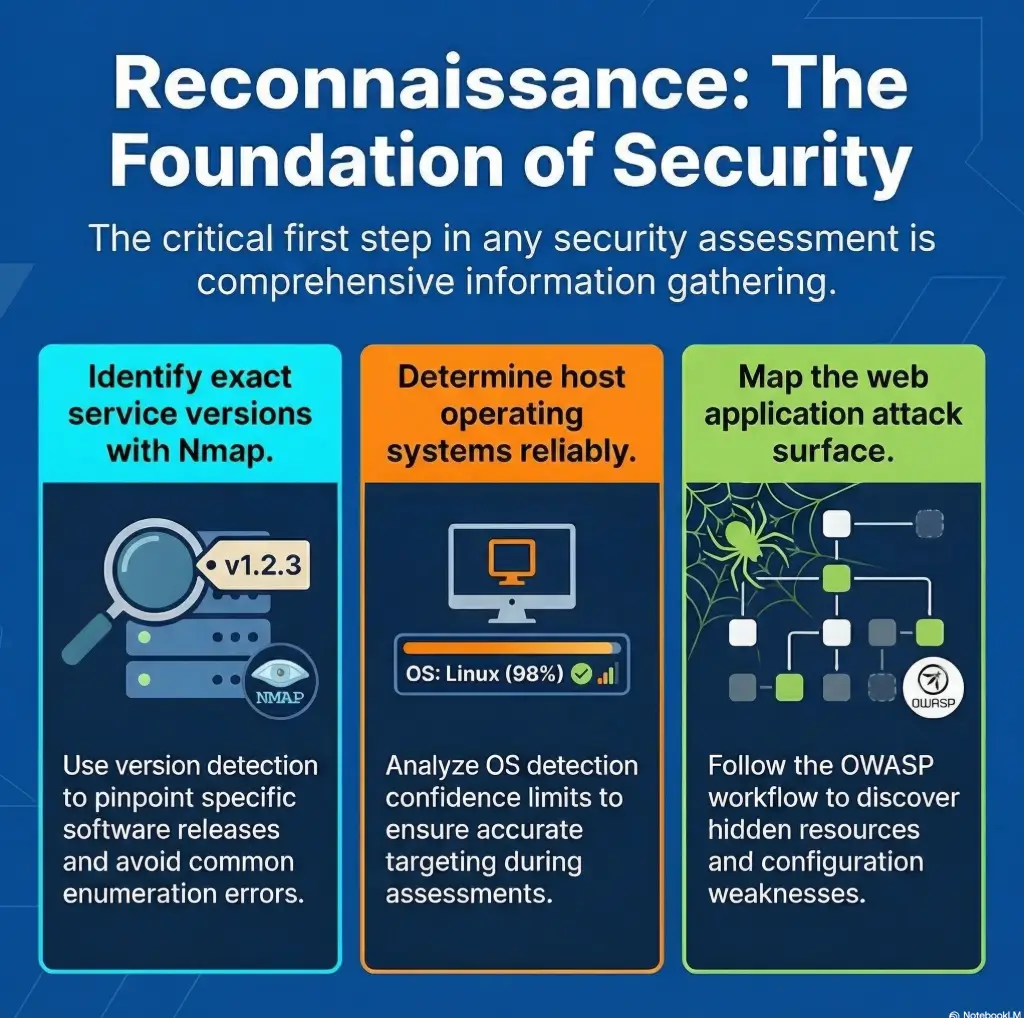
The recovery path is boring in the best possible way: confirm reachability, then exposed ports, then service behavior, then version hints, then cross-check those hints against each other. The official Nmap documentation makes this same distinction quietly but clearly. Service detection and OS detection are separate activities, and each has conditions and limits. That matters because many learners accidentally treat a single scan line as a full biography. If you want a steadier foundation before the fancy guesses begin, a Kioptrix recon routine or a primer on Nmap -Pn vs -sn can save you from mistaking reachability for understanding.
Service banners can disagree with your first assumption
A banner is evidence, but it is not a confession. Old lab boxes often present services that look obvious until you compare them with neighboring clues. A web server may hint at one era. SMB may hint at another. Headers, error pages, or directory behavior may contradict the first thing that felt familiar. When that happens, the right move is not to pick a favorite clue. It is to ask why the clues differ.
Recovery path: rebuild from reachability, then ports, then versions, then behavior
Whenever a session goes nowhere, restart your mental stack:
- Can I still confirm the same host identity?
- Are the exposed services the same as before?
- Which findings are measured versus inferred?
- What behavior changed my next decision?
I once lost 40 minutes to a lab note that said “web + SMB = probably X route.” That note looked tidy. It was also lazy. The host was reachable, yes. The narrative was not.

Wrong target, wrong day: when DHCP quietly rewrites your whole lab story
Kioptrix-style labs often break your confidence through simple address drift
Nothing crushes confidence quite like realizing your beautiful notes belong to yesterday’s address. In home-lab setups, DHCP drift and VM network mode changes are the sort of uncinematic problems that ruin cinematic ambitions. The machine is still there. Your assumptions are just attached to the wrong chair.
This is especially common after restarting VMs, reconfiguring host-only or NAT settings, or juggling multiple intentionally vulnerable boxes. The result is a subtle identity mix-up. You think the lab betrayed you. Usually the lab is innocent. Your environment quietly changed costumes.
ARP, routing, and VM network mode can make one machine impersonate another
When routing, subnetting, and virtualization settings go sideways, you can end up scanning something reachable that is not the thing you meant to study. The symptoms are annoying rather than dramatic: expected ports missing, strange TTL expectations, inconsistent banners, or a service mix that feels vaguely wrong. That “vaguely wrong” feeling deserves respect. It is often your best friend. For readers who keep tripping over that stage before any real enumeration begins, the guide on Kioptrix VirtualBox host-only with no IP pairs well with broader notes on VirtualBox NAT, host-only, and bridged networking.
Recovery path: verify IP, MAC, subnet, and virtualization network settings before deeper scans
Before you touch service theory, confirm the target identity. That means checking IP assignment, subnet alignment, VM network mode, and whether your notes still describe the same box. This takes minutes. It can save an hour.
Reliability checklist: are you even profiling the right machine?
Yes / No is enough here.
- Same IP as your last verified pass?
- Same subnet and virtualization mode?
- Service mix broadly consistent?
- Any evidence of address drift or duplicate assumptions?
Neutral next action: If any answer is “No,” stop deeper enumeration and re-verify target identity first.
Port open, clue closed: reading too much into the first scan result
An open port is only an invitation to ask better questions
Beginners often treat “open” as meaning “actionable.” It does not. It means “interesting enough to verify.” There is a difference, and it is big enough to swallow an entire evening. For a TCP scan, open means the scan observed acceptance of a connection or a SYN response. Keep filtered and open|filtered states separate; they are uncertainty states, not confirmed open ports. The service identity and access still need validation.
Version detection can sharpen or blur the truth depending on scan choices
Nmap’s own documentation notes that version detection is a distinct process, not a magic glow around every open port. Likewise, its OS detection guidance explains that reliability improves under specific conditions, including the presence of both open and closed ports. That is a useful humility check. The tool is not lying. It is telling you how much confidence it can honestly support.
That is why the best readers of scan output are not the fastest readers. They are the readers who can say, “This suggests,” instead of, “This proves.” Those two verbs are miles apart. When this specific habit goes wrong, the post on Nmap service detection false positives fits this section like a glove.
Let’s be honest… most bad exploitation attempts begin with thin enumeration notes
The exploit path is usually not the first mistake. The first mistake is upstream. It happens when your notes confuse labels with verified properties. A port label is not a service biography. A probable version is not a confirmed attack path. A familiar service is not permission to stop looking elsewhere.
Show me the nerdy details
Version detection and OS fingerprinting rely on probe responses, fingerprint databases, and conditions that affect confidence. When scan conditions are thin or contradictory, treat results as weighted hints. Cross-check service behavior, headers, protocol responses, and at least one manual observation before upgrading a scan result into a decision.
SMB tunnel vision: when one loud service blinds you to the rest
SMB is often useful, but not every useful clue lives in SMB
Older lab boxes train a reflex. You see SMB and your brain starts humming a familiar tune. That reflex is understandable. It is also dangerous. One loud service can become the lead singer in your notes while the quieter instruments do all the meaningful work.
The trouble is not interest in SMB itself. The trouble is disproportion. Once a familiar service appears, many learners stop ranking evidence and start ranking excitement. That is how FTP, HTTP, RPC, and odd little web artifacts get pushed into the wings. Meanwhile, the real path may be sitting behind a default page or a directory you glanced at once and never revisited.
FTP, HTTP, RPC, and old web content often tell the fuller story
OWASP’s testing guidance for information gathering is useful here, even in a lab context. It emphasizes content review, fingerprinting, and enumerating what the web surface actually reveals instead of assuming the first visible service deserves all the attention. That principle travels well. Good lab recovery often means asking which service changes your next decision, not which one gives you the most adrenaline. If your tunnel vision specifically starts at the Samba layer, a piece on SMB negotiation failing on Kali or the difference between a null session on port 139 vs 445 can help you separate signal from theater.
Recovery path: rank services by evidence, not by excitement
A practical rule I trust: if a service feels obvious, it deserves one extra layer of skepticism. Not because it is wrong, but because familiarity can seduce you into stopping early. Build a simple ranking:
- Services that reveal identity or structure
- Services that confirm version or behavior
- Services that merely look promising
- Interrogate all exposed services
- Reward clues that change your next decision
- Distrust the service you were hoping to see
Apply in 60 seconds: Reorder your service list by evidence value, not by familiarity.
Don’t do this: guessing the OS from vibes, not fingerprints
Banner hints, TTL guesses, and scan folklore can send you sideways
OS guessing is the part of lab work where folklore loves to dress up as wisdom. A TTL guess here, a banner there, one remembered forum comment from years ago, and suddenly the host becomes whatever your brain already wanted it to be. This is not analysis. It is costume design.
Mixed-service environments can mimic a different operating system family
Service mixes can mislead. A box can expose artifacts that suggest one operating system family while neighboring behavior complicates the picture. Nmap’s OS detection documentation is candid about fingerprint-based limits and confidence. That candor is useful. It invites restraint. If the signals disagree, your notes should disagree too. This is exactly the territory where posts like CrackMapExec reporting the wrong OS version or what nmblookup actually means become good antidotes to overconfident note-taking.
Recovery path: compare multiple indicators before treating OS ID as reliable
Use several indicators and rank them by confidence. If your conclusion begins with “probably,” keep it in the hypothesis bucket. Do not let it graduate into planning. I still remember a practice run where I wrote “likely Linux” in one section and built the next section as though “likely” meant “settled.” That tiny act of overconfidence wasted more time than any missing tool ever has.
Decision card: when to treat OS clues as usable
Useable now: multiple indicators align and service behavior is consistent.
Hold as hypothesis: banner hints, TTL impressions, or partial fingerprints disagree.
Time/cost trade-off: 5 extra minutes of verification can save 45 minutes of wrong-path testing.
Neutral next action: Keep OS notes in a separate “confidence” field until cross-checked.
Enumeration by noise: the scan was thorough, but the notes were useless
Bigger scans do not automatically produce better decisions
There is a special kind of false confidence that comes from long output. It feels industrious. It looks technical. It can also be a swamp. More data is only helpful if it changes judgment. Otherwise it is just a fog machine with excellent branding.
Overlapping tool output creates false confidence when no synthesis happens
One tool says a service is there. Another suggests a version. A third repeats the same fact with different punctuation. Beginners often stack these outputs and feel richer in evidence than they actually are. But duplicated hints are not independent confirmation. They are often the same clue in three hats.
Here’s what no one tells you… recovery usually starts with deleting half your assumptions, not adding new tools
When a lab attempt goes crooked, most people add another scan. The sharper move is often subtraction. Delete unsupported assumptions. Collapse duplicate notes. Mark contradictions. Rebuild a shorter timeline. The result feels less heroic than launching one more command. It is also far more productive.
Short Story: I once kept a practice notebook page that looked wonderfully serious. It had port lists, service guesses, arrows, timestamps, and one very confident box drawn around the “obvious” route. The page had the energy of a detective board in a television drama. What it did not have was disciplined separation between fact and theory. When I rewrote the page from scratch, the new version was almost embarrassingly plain:
target identity, exposed services, contradictions, unanswered questions, next one test. That second page solved the problem. The first page had only performed intelligence. The second one had actually practiced it. If you want that second-page discipline to become muscle memory, an Obsidian enumeration template or broader guidance on note-taking systems for pentesting is a surprisingly useful companion.
Web clue amnesia: the tiny HTTP detail that should have changed everything
Default pages, source comments, headers, and old directories often matter more than they look
Web enumeration gets underestimated because it often feels too ordinary. No fireworks. No movie soundtrack. Just pages, headers, comments, errors, and directories. Yet this is exactly where older labs often whisper their best secrets. Tiny differences in a default page, a generator string, a header pattern, or a forgotten directory can change your whole theory of the box.
“Nothing there” is often shorthand for “I only looked once”
That phrase has fooled many learners. “Nothing there” can mean you loaded the root page once, saw a bland response, and emotionally moved on. OWASP’s information-gathering guidance pushes against that laziness by reminding testers to review content, metadata, structure, and entry points methodically. That advice is almost offensively simple. It is also right. Readers who need a more deliberate web pass can pair this section with Kioptrix HTTP enumeration, Kioptrix Apache enumeration, or even wget mirroring for recon when a site rewards a more patient second look.
Recovery path: revisit web enumeration with a narrower, evidence-led checklist
When web clues are in play, revisit them with a narrower frame:
- What does the default page reveal?
- What do response headers imply?
- What comments, paths, or odd strings deserve a second look?
- What changed my next decision?
The trick is not to search harder. It is to look more honestly. Web surfaces reward patience the way old houses reward a second glance at the wallpaper.
Credential hopefulness: confusing anonymous access with meaningful access
Null sessions, guest behavior, and weak responses are not the same thing as confirmed footholds
One of the most common lab distortions is emotional inflation. A partial response can feel like a breakthrough, so the notes start speaking in a grander voice than the evidence deserves. Anonymous behavior, weak responses, or limited exposure may still be valuable. But value is not the same thing as foothold.
Partial access can still be valuable if you document exactly what it reveals
Good notes distinguish three layers:
- Exposure: what is visible
- Access: what is actually reachable
- Exploitability: what remains unproven
This separation sounds fussy until it saves you from chasing certainty you never had. In practice, partial access is often a clue, not a destination. Treat it kindly. Do not over-promote it. That is especially true with SMB, where a share list without real access, rpcclient access denied, or a read-only SMB share can all look more promising than they really are.
Recovery path: separate exposure, access, and exploitability in your notes
Make your notebook slightly more bureaucratic. It helps. Create separate labels for what you saw, what you could interact with, and what you only suspect. A surprising amount of lab confusion disappears once the page stops flattering your excitement.
Mini calculator: what is your wrong-path tax?
Inputs: minutes lost per repeated check × number of repeated checks. Count each interval once.
Output: your wasted-time estimate. Example: 15 minutes × 3 reused assumptions = 45 minutes gone.
Neutral next action: Eliminate the highest-cost unverified assumption first.
Common mistakes
Scanning before verifying the VM network mode
Classic. Painfully classic. It feels advanced to run tools before checking the room itself. It is not advanced. It is theatrical.
Treating one tool’s output as ground truth
Tools report. Analysts interpret. Trouble begins when those jobs swap hats.
Skipping manual checks after automated discovery
Automation is a map, not a verdict. A single manual confirmation often saves multiple bad branches.
Chasing a famous exploit before confirming the service version
Famous exploit paths are like neon signs in the rain. They look irresistible from a distance. Up close, half of them are reflections. That is one reason a troubleshooting guide for when Metasploit finds the target but no session opens belongs in the same mental shelf as this article.
Ignoring low-drama services because SMB or HTTP looked more interesting
Quiet services do not beg for attention. That is exactly why disciplined operators keep reading them.
Failing to timestamp and organize evidence during each pass
Untimestamped notes age like milk. You do not know which conclusion belonged to which pass, and recovery becomes archaeology.
Curiosity trap: why the obvious service is sometimes the decoy
Familiar services attract attention even when they are not the shortest path
Curiosity is useful, but curiosity without discipline is how you end up polishing the wrong doorknob for an hour. In older labs, the obvious service often functions like a spotlight. It illuminates itself so brightly that the quieter path disappears.
The quieter artifact often explains the louder symptom
A strange header, an outdated page clue, a mismatch in service expectations, or a contradiction between scan output and manual observation often matters more than the famous service everyone talks about. The right clue is not always the largest one. Sometimes it is the clue that explains the other clues.
Recovery path: ask which finding actually changes your next decision
That one question acts like a broom. It clears away clutter quickly. If a finding does not change your next careful step, it may be interesting but not central.
Infographic: The Recovery Ladder
Use it when: your notes feel busy but your confidence feels suspiciously loud.
Stop, rewind, recover: a practical reset sequence after bad enumeration
Pass one: confirm host identity and network placement
Do not negotiate with this step. If identity is shaky, everything downstream becomes decorative. Confirm the box, the network context, and whether your current notes still belong to the same target.
Pass two: validate exposed services with both automated and manual evidence
Use automation to discover, then use at least one manual check to steady the conclusion. A little friction here is healthy. Friction is not the enemy. Confusion is.
Pass three: rewrite hypotheses in order of confidence, not in order of excitement
Your notebook should read like a measured report, not like a trailer voice-over. Put the most supported theory first, even if it is less glamorous.
Pass four: choose one narrow next test tied to one verified clue
This is the part most people skip because it feels too small. Do it anyway. Narrow tests reduce chaos. Chaos is expensive.
- Reconfirm the target
- Cross-check service evidence
- Take one narrow next step
Apply in 60 seconds: Write your next action as a single sentence starting with “Because I verified…”
Notes that rescue you later: how to document enumeration so you can recover fast
Record what was observed, what was inferred, and what still needs proof
This one habit changes everything. A lab notebook with three columns, even simple ones, becomes a rescue rope. Observed. Inferred. Unproven. You do not need literary grace here. You need disciplined honesty.
Save negative findings so you do not repeat dead ends
Negative findings are not embarrassing. They are time insurance. If you already checked something and it did not support the path, write that down clearly. Otherwise tomorrow-you will repeat yesterday-you with the confidence of a person who has learned nothing.
Build a report-friendly trail that explains why you changed direction
Good documentation does not just preserve facts. It preserves reasoning. That matters if you are studying for exams, writing a lab report, or simply trying to build operator habits you can trust. A clean trail explains why you pivoted, what contradicted the prior theory, and why the new direction earned your attention.
Three real entities worth respecting in this broader workflow are Nmap for discovery discipline, OWASP for methodical web testing structure, and CISA as a reminder that security work lives best inside authorized, accountable boundaries. Even in a toy lab, professional habits age well. If your end goal is cleaner reporting rather than louder tooling, guides on how to read a penetration test report and a Kali pentest report template make this section more practical.
A focused recovery checklist
Patterns to avoid
When recovering a stalled lab session, avoid these habits that hide uncertainty rather than resolve it:
- Lead with exploitation excitement instead of enumeration discipline
- Use generic sections like overview, tools, and conclusion
- Treat scan output as story instead of evidence
- Offer broad checklists without showing recovery from specific mistakes
- Over-focus on one familiar service
- Skip documentation workflow even though recovery depends on it
What to keep in the next pass
This article puts recovery logic in the center. It keeps the reader in the messy middle where most real lab frustration happens. It separates observation, inference, and next action. It uses failure modes as headings because that is how people actually search when something goes wrong: not for grand theory, but for the exact place where confidence cracked.
Before the next test, record the verified target, one unresolved contradiction, and the smallest check that could resolve it.

FAQ
Why does Kioptrix show open services but nothing useful comes from them?
Because open does not mean actionable. It means you have a place to ask better questions. The service may be real but less important than a quieter clue, or your interpretation may have outrun the evidence.
How do I know whether I enumerated the right target in a VM lab?
Reconfirm identity before theory. Check IP, subnet, virtualization mode, and whether the service mix still matches your last verified pass. If those elements drifted, your notes may belong to a different machine state.
What is the most common enumeration mistake beginners make in old-school labs?
Turning partial evidence into a full narrative too early. The mistake is rarely “I saw nothing.” It is more often “I decided too much from too little.”
Should I trust automated service detection on its own?
No. Trust it as a strong hint, not a final verdict. Cross-check with manual observations and neighboring service behavior before basing your next decision on it.
Why does SMB look promising and still lead nowhere?
Because familiarity attracts attention. SMB may genuinely matter, but it may also be the service that steals time from web clues, FTP details, or contradictions elsewhere that better explain the box.
How much web enumeration is enough before moving on?
Enough to say you checked more than the root page once. Review headers, default content, comments, odd paths, and anything that changes your next step. Stop when your notes produce a narrower hypothesis, not when boredom arrives.
What should I do when every tool gives slightly different results?
Do not average them into fake certainty. Note the contradictions, identify which findings are directly observed, and use one manual check to resolve the highest-impact disagreement.
How do I recover after chasing the wrong exploit path for an hour?
Start over at identity, not at exploitation. Reconfirm the target, rewrite your notes into observed versus inferred, and choose one narrow next test tied to one verified clue.
Next step
Pick one prior Kioptrix attempt, throw away the exploit path, and rebuild a one-page enumeration timeline from verified evidence only
This is the honest close to the curiosity loop we opened at the top. The problem usually was not that the lab was too clever. The problem was that the evidence chain got diluted by speed, familiarity, or hope. The fix is smaller than people expect and harder in the way good things are hard. Within the next 15 minutes, pick one previous attempt and rebuild it as a single page with four blocks: target identity, observed services, contradictions, and one next narrow check. No exploit path. No grand theory. Just verified evidence and disciplined next movement.
If you do that once, carefully, you will feel the room change. The lab stops looking like a maze built to humiliate you. It starts looking like a quiet conversation you finally learned how to hear.
Original review: 2026-03.
Technical guidance updated: 2026-10-13. Corrected port-state distinctions and the time estimate, and replaced editorial planning text with a reader checklist.