
Level 1 reading works best when it addresses a specific question in your Kioptrix practice. Use four checks: name the blocked concept, identify the relevant reference section, note compatibility gaps and save your own explanation before choosing another book.
Open the practical working record for this guide’s task-specific fields and next action.
Use a short read-and-explain checkpoint
Write the question before opening a book, read the relevant section, then explain the concept using a harmless local example. Historical pentesting texts can teach reasoning while their package, browser and exploit instructions age. Verify current commands against maintained documentation. The listed books are learning references, not a tested ranking or confirmation of current price, stock or local purchase availability. Reference and scope.
Kioptrix Level 1: Match Your Reading Path to the Bottleneck
Kioptrix Level 1 has a peculiar talent for wasting exactly the wrong two hours. Not because the lab is unfair, but because beginners often bring the wrong companion books to the wrong friction point.
That is the real problem with learning from classic vulnerable Linux labs. You can run the scans, open the browser, and poke at the services, yet still feel as if the machine is speaking in fragments. The issue is rarely effort alone. More often, it is a mismatch between your current bottleneck and the book stack you are leaning on.
This guide helps you choose the best beginner books to read alongside the Kioptrix lab based on what is actually slowing you down: Linux basics, Nmap scanning, pentesting workflow, or web application thinking. Instead of building a shelf full of overlapping theory, you can build a smaller reading path that makes each lab session clearer, calmer, and more productive.
The method here is simple:
- ✔ Match the book to the bottleneck.
- ✔ Read in the order the lab punishes you.
- ✔ Keep the stack small enough to use.
Because once Kioptrix becomes legible, everything downstream gets lighter.
Table of Contents
Fast Answer: The best beginner books to read alongside a Kioptrix Level lab are the ones that map to the machine’s real learning friction: Linux/Kali basics, Nmap scanning, web app thinking, and first-pass pentest workflow. A smart beginner stack usually starts with Kali Linux Revealed, Nmap Network Scanning, and one broad pentesting intro before adding web-specific depth.

Start with fit, not hype: who this is for / not for
Who this is for
This article is for beginners working through Kioptrix Level or a similar vulnerable Linux VM in a home lab, classroom, or authorized practice environment. It is also for the person who has already run a scan, stared at the results, and felt the strange silence that follows. The terminal gave you data. It did not give you a story.
That is normal. A lot of first-time frustration in security labs has less to do with “hacking skill” and more to do with plain interpretation. Linux basics. Services. Web clues. Notes. Sequence. When those pieces are foggy, every command feels like a lottery ticket.
Who this is not for
This is not a shortcut list for readers looking to skip enumeration and jump straight into exploit roulette. It is also not for advanced operators who already know how to move from banner to hypothesis to validation without needing a guide rail. Kioptrix can still be fun for experienced people, but this article is built for the learner whose progress rises and falls on clarity.
I still remember a beginner telling me, “I know how to type commands, but I don’t know why I’m typing these commands.” That sentence is the whole reason this reading stack matters. The best beginner books answer the why, not just the how.
- Pick for your weakness: Linux, scanning, workflow, or web logic
- Avoid buying five books that all teach the same 30%
- Use books to sharpen observation, not replace it
Apply in 60 seconds: Write down the exact moment your last Kioptrix run became confusing. That moment decides your first book.
Read in the order the lab punishes you
Book #1: Linux first, because the terminal is the floor
Before Kioptrix becomes a security lesson, it is a systems lesson. The shell is not the glamorous part, but it is the floorboards under everything else. If you do not understand files, permissions, path behavior, services, or basic networking, the lab turns theatrical. Every clue looks exotic. None of it is exotic. It is just Linux wearing a trench coat.
This is why Kali Linux Revealed deserves such a high place for beginners. The official Kali training materials still present it as the foundational guide for installation, platform basics, and workflow. That matters because Kioptrix often punishes weak platform fluency long before it rewards cleverness. If your lab foundation is wobbling before the first useful scan, a Kioptrix Kali setup checklist can also help stabilize the environment before you start reading deeper.
Book #2: Nmap next, because “open ports” are only the prologue
Beginners often treat port scans like a receipt. They read the lines, nod solemnly, and move on. But Nmap output is not a shopping slip. It is closer to a weather report. It tells you what fronts are moving in, where pressure is building, and which route is likely to be miserable.
Nmap Network Scanning is still one of the best tools for transforming raw scan output into meaning. The official Nmap guide remains unusually strong because it teaches application, not just switches. That distinction is huge. A person who knows ten flags but cannot explain their results is wearing a cardboard helmet. If you want a tighter practical bridge between theory and the machine in front of you, compare it with a beginner Nmap workflow in Kali for Kioptrix or review how Kioptrix open ports tend to shape your first decisions.
Book #3: Pentest workflow after that, because tools need a story
The lab starts to feel random when your actions are not chained to a method. A broad workflow book such as Georgia Weidman’s Penetration Testing helps beginners understand where recon sits, why validation matters, and how not to leap emotionally from “interesting banner” to “surely root is near.”
In practice, methodology saves more time than tool accumulation. The person with three tools and a sequence often beats the person with twenty tools and a caffeine prophecy. This is also where a clean Kioptrix recon routine becomes more valuable than another tab full of disconnected commands.
The Linux book that saves the most time
Why Kali Linux Revealed is the least flashy but most useful companion
If you are choosing only one “not sexy but deeply useful” book, this is the one. Kali Linux Revealed earns its value because it covers the substrate under your tools. Kali’s documentation continues to frame its official training around the book, and that is not an accident. Beginners do not just need tool names. They need a mental map for the operating system beneath the tools.
That means understanding package behavior, interfaces, shell patterns, services, logs, filesystems, and permissions in a way that reduces friction. In a Kioptrix run, that fluency shows up everywhere. You notice where output is being written. You understand when a script depends on a path. You stop confusing a permission issue with a network issue. Those sound like tiny gains. Tiny gains are how labs stop feeling haunted. Readers who keep losing evidence between sessions often benefit from pairing this with better Kali lab logging habits.
Which chapters matter most before you touch Kioptrix
You do not need to read every page before opening the VM. For beginners, the highest-value chapters are the ones that cover installation logic, shell basics, package and system behavior, networking concepts, and core platform structure. The point is not to become a distro historian. The point is to stop tripping over the floor while admiring the wallpaper.
A personal rule I recommend: if you cannot explain where your scan output lives, how your shell is resolving a command, or why a network interface matters, pause the lab and read a small Linux section first. It feels slower in the moment. It is faster over a month.
What Linux command fluency prevents later confusion
It prevents the classic beginner spiral:
- Running a tool successfully but misreading the environment
- Assuming a service is absent when the issue is command syntax or routing
- Losing notes because file handling is sloppy
- Treating permissions like a supernatural event
- Use Kali reading to reduce friction before adding more tools
- Prioritize shell, networking, files, and permissions
- When confused, inspect environment before assuming advanced causes
Apply in 60 seconds: Make one cheat note with five shell commands you actually use in your lab, plus what each output means.
The Nmap book that turns noise into signal
Why Nmap Network Scanning earns its spot
There is a point in every beginner lab where “I found open ports” feels like both a victory and a trap. The port list is real progress, but it is also the moment where many learners stop reasoning and start collecting commands like refrigerator magnets.
The official Nmap Network Scanning guide remains valuable because it teaches how to interpret host discovery, service versions, scripts, and scan goals in context. The guide itself emphasizes solving real tasks, not just memorizing options. That is exactly why it pairs so well with Kioptrix. Kioptrix is not asking you to become a flag pianist. It is asking whether you can form a sane next question.
How service discovery becomes a reading skill, not just a command
When you read Nmap well, you stop asking, “What else can I run?” and start asking, “What does this environment invite me to validate?” That shift matters. An Apache banner might suggest a web-facing path, but it does not promise the whole route. SMB exposure might hint at old habits, but it does not hand you a trophy. Service and version information are clues, not convictions.
This is one reason the Nmap book outperforms countless blog posts for beginners. Many short tutorials teach the “what” of a scan. The official guide spends more time on the “so what.” That is where skill begins to harden. And when service detection feels slightly too neat, it helps to remember that Nmap service detection can produce false positives, especially when learners treat every version string as gospel.
The clue behind the clue
For Kioptrix-style learning, the real skill is often one layer behind the visible result:
- A port is open, but what human behavior or software habit does that suggest?
- A version string appears, but how confident should you be in it?
- A service responds oddly, but is that meaningful or just environmental texture?
These are reading questions. Good Nmap study helps you ask them without turning every machine into a conspiracy board with red string. Which is a pity, because the red string aesthetic is admittedly excellent.
| Your symptom | Better first move |
|---|---|
| You run scans but cannot explain the results | Start with Nmap reading |
| You know ports, but not priorities | Study service triage and scan purpose |
| You keep adding more scripts when confused | Pause and learn interpretation before escalation |
Neutral action: After your next scan, write one sentence for each exposed service explaining why it matters.
The broad pentesting book that gives the lab a spine
Why Penetration Testing by Georgia Weidman still works for beginners
Some books age out because their examples fossilize. Others remain useful because their real gift is not the exact tool version, but the sequence of thought. Georgia Weidman’s Penetration Testing is in the second category. No Starch still describes it as a practical, VM-based path through core pentesting skills, and that structure is exactly why beginners still benefit from it.
Kioptrix is the kind of lab where methodology pays rent. You need to know what comes first, what deserves validation, when web traffic matters, and how not to lose the plot. This book helps stitch those ideas together. It gives the lab a spine.
What to learn from the sequence: recon → validation → foothold
For Kioptrix-level work, that simple sequence is more valuable than an exploit catalog. First gather. Then confirm. Then pursue the most plausible route. This does two things. It improves skill, and it keeps your energy from leaking into ten shiny dead ends.
There is also a psychological benefit. A beginner with a method feels less personally judged by confusion. That matters more than it sounds. Labs can bruise the ego. Methodology makes the lab feel like a notebook instead of a courtroom.
Show me the nerdy details
Workflow literacy helps beginners avoid confirmation bias. Once you think a single service is “the answer,” you may over-read every later clue. Recon-first habits and explicit validation steps reduce that bias and make note-taking dramatically better.
The web book that explains why the obvious page is rarely the whole page
Why web application thinking matters even on an old Linux lab
Kioptrix often teaches a quiet but crucial lesson: the thing you see in the browser is rarely the whole thing you are meant to understand. Beginner labs with web-facing services are not only about “try obvious page, then panic.” They reward the ability to think about requests, responses, hidden paths, server behavior, and the relationship between app logic and system exposure.
That is why web testing depth becomes useful once enumeration basics are stable. A classic book like The Web Application Hacker’s Handbook still has conceptual value, but for a more current and openly maintained reference, the OWASP Web Security Testing Guide is excellent. OWASP continues to maintain it as a flagship testing resource, and its structure helps beginners see web testing as disciplined inquiry rather than theatrical clicking. Once readers start mapping the HTTP surface more deliberately, articles on Kioptrix HTTP enumeration and Apache enumeration in Kioptrix fit naturally as hands-on companions.
Which parts are useful for beginners and which parts can wait
Use the sections that improve observation: information gathering, configuration and deployment thinking, authentication and session ideas, and basic app-layer testing logic. Let the denser specialized material wait. You do not need to read every possible attack class to understand why a simple web clue can reshape your lab priorities.
One of the funniest beginner mistakes is treating the visible homepage like an entire universe. Sometimes the app is whispering from a side door while you are still complimenting the wallpaper.
Here’s what no one tells you…
A web security book is not only for “web people.” It teaches you how to think when ports stop being enough. It trains your eye to connect response behavior, application structure, and service exposure. In beginner labs, that often makes the difference between a stalled run and a promising one.
| Tier | What changes |
|---|---|
| Tier 1 | Notice pages, forms, headers, and basic behavior |
| Tier 2 | Understand requests, responses, and simple app mapping |
| Tier 3 | Correlate app behavior with system exposure |
| Tier 4 | Study testing categories and validation logic |
| Tier 5 | Deep app testing patterns once basics feel natural |
Neutral action: If a web service is visible in your lab, move yourself from Tier 1 to Tier 2 before buying another exploit book.
Don’t build a bookshelf that outruns your lab
Common mistake: reading exploit-heavy books too early
This is the most common shelf mistake in beginner security learning. Exploit-heavy content feels exciting. It also creates the illusion that the hard part is payload access rather than evidence interpretation. In beginner labs, the opposite is usually true. The difficult part is often figuring out what deserves attention at all.
When beginners read too much exploit material too early, two things happen. First, they start looking for dramatic doors when the lab is quietly pointing toward a side window. Second, they confuse memorized moves with actual reasoning. It feels like progress. It is often costume progress.
Common mistake: collecting five books that all solve the same problem
A stack full of Linux primers is not a strategy. A stack full of tool guides is not a strategy either. Breadth matters. Your first books should cover platform basics, scan interpretation, workflow, and eventually app logic. That spread is far more useful than owning four near-duplicates of the same beginner intro.
What understanding the surface should look like first
Before you chase sophistication, make sure you can do these well:
- Describe the attack surface without exaggeration
- Explain why a specific service is worth investigating
- Keep notes that let you recreate your own reasoning
- Separate evidence from hope
That last one is underrated. Hope is a sparkling beverage. Evidence is water. The lab runs on water.
- Exploit depth is secondary to interpretation
- Pick coverage breadth over duplicate beginner books
- Measure progress by clarity, not command volume
Apply in 60 seconds: Remove one “someday” book from your current plan and replace it with the category you are missing now.
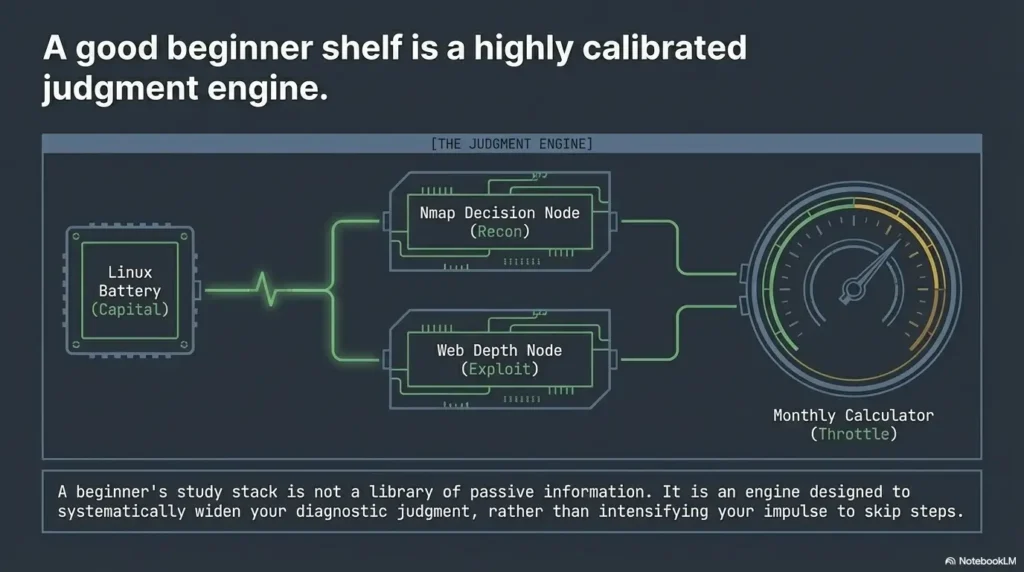
Choose your stack by your actual weakness, not your fantasy self
If Linux is the pain point
Start with Kali Linux Revealed. Pair it with a simple lab notebook where you record the commands you actually use, the directories you work in, and the outputs that matter. Do not try to become a command encyclopedia. That is how people end up memorizing seventeen flags and forgetting where they saved their scan results.
Your goal is comfort, not performance art. Once the shell stops feeling like a courtroom, Kioptrix gets friendlier fast.
If scanning output feels like static
Put Nmap Network Scanning first. Read with a pencil. After each chapter or section, rerun a small scan in your own lab and explain to yourself what changed and why. The magic of the Nmap book is not that it teaches commands. Plenty of places do that. Its strength is that it helps you interpret network discovery as a decision process.
A tiny habit works wonders here: explain every flag you use. If you cannot, remove it for now. Your scan should read like a sentence you understand, not a spell you borrowed. Readers who keep toggling discovery options without a clear reason may also want to compare when to use -Pn versus -sn in Nmap before adding more complexity.
If the lab feels disconnected and random
Choose a broad workflow book first, especially Penetration Testing. You need sequence more than depth. The moment the lab stops feeling random, your confidence improves for a good reason instead of a fragile one.
Method is especially helpful for time-poor learners. If you have only 30 or 45 minutes in an evening, a workflow mindset prevents you from spending the whole session in tool tab-chaos.
- Yes to “I lose track of files, shells, or permissions” → Lead with Kali Linux Revealed
- Yes to “I see ports but not priorities” → Lead with Nmap Network Scanning
- Yes to “My workflow feels random” → Lead with Penetration Testing
- Yes to “The browser looks simple but suspicious” → Add OWASP WSTG after the basics
Neutral action: Circle one sentence above that sounds most like your last lab session, then start there.
A three-book beginner path that actually matches Kioptrix
Minimal stack
If you want the leanest useful stack, use these three:
- Kali Linux Revealed
- Nmap Network Scanning
- Penetration Testing
This trio works because it maps to what Kioptrix tends to demand from beginners: platform fluency, network discovery literacy, and workflow discipline. Together, they cover the most common failure points without flooding you.
Slightly deeper stack
Once enumeration feels stable, add web-layer reading. Today, I would point most beginners to the OWASP Web Security Testing Guide as a practical companion because it is maintained, structured, and strongly aligned with disciplined web testing. If you later want a classic book for historical depth and mindset, a dedicated web app text still has value. Just do not let it outrun your actual lab stage.
The goal is not to own a perfect shelf. It is to finish the machine with better habits than you started with. That is the kind of progress that compounds.
Show me the nerdy details
This stack works because it aligns with the natural order of evidence. Operating system comfort supports tool execution. Scan literacy supports service triage. Workflow discipline supports prioritization. Web testing depth supports application-layer investigation once there is enough evidence to justify it.
Don’t do this: beginner traps that quietly waste a weekend
Mistake #1: reading walkthroughs before reading your own evidence
Walkthroughs are powerful, but they should arrive late, not early. If you check them too soon, you borrow certainty before you build perception. That feels efficient for one afternoon and expensive for the next six labs.
A much better habit is this: before you consult anything external, write down what you observed, what you think it suggests, and what you would validate next. Even if you are wrong, that moment builds the skill walkthroughs can never give you for free.
Mistake #2: treating Kioptrix like an exam instead of a notebook
Kioptrix should be a notebook. It should be a place where you test your ability to notice, correlate, and revise. If you treat it like an exam, every wrong turn feels like failure. That emotional shift is costly. It makes learners hide from the very confusion that could teach them.
I have a soft spot for ugly beginner notes. Messy arrows. Underlined ports. A scribbled “why does this matter?” in the margin. That is honest learning. Far better than a clean terminal screenshot with no memory attached. A simple note-taking system for pentesting often does more for progress than another exploit PDF.
What to write down before you check external help
- Which services stood out and why
- What assumptions you are currently making
- What evidence supports those assumptions
- Which single next validation step seems most reasonable
That little checklist does not just save time. It makes books more valuable, because now you are reading with a problem in hand instead of reading for ambient courage.
Safety / disclaimer
Lab boundary
Keep all practice inside systems you own or are explicitly authorized to test. Kioptrix and similar vulnerable VMs are training tools, not a template for real-world targeting. Books and guides should strengthen interpretation, methodology, and ethics, not shortcut hunting.
That boundary matters for two reasons. First, legality. Second, quality of learning. Authorized labs let you slow down, document carefully, and build durable judgment without the noise and risk of inappropriate experimentation. In other words, they let you learn like a craftsperson instead of a tourist. If someone is still building that foundation, a guide to creating a safe hacking lab at home is a better next step than any shortcut culture.
Why beginner-safe framing matters
A lot of cybersecurity media over-rewards speed, spectacle, and the final “got it” moment. Beginner learning needs almost the opposite. It needs restraint, note discipline, and evidence-first thinking. Those habits look quiet. Quiet habits are often the profitable ones, whether in labs, writing, or life.
Real entities worth recognizing here include Kali Linux, Nmap, OWASP, Burp Suite, and VulnHub. The names matter because they form part of the beginner map. But the map only helps if you stay inside legitimate roads.
FAQ
What is the best first book to read with Kioptrix Level?
If your biggest friction is terminal comfort, filesystem confusion, or basic Linux behavior, start with Kali Linux Revealed. If your main pain is scan output that feels unreadable, start with Nmap Network Scanning. The better first book is the one that solves the point where your last lab run actually stalled.
Is Kioptrix still good for beginners?
Yes. It remains a classic beginner Linux lab because it teaches foundational habits: enumeration, service interpretation, and the art of not assuming too much too early. Its age is part of the charm. It strips away some modern noise and lets you practice the bones of the workflow.
Do I need a web security book for Kioptrix?
Not on day one. Most beginners get more leverage by mastering Linux basics, scanning, and workflow first. But once the machine starts dropping web-facing clues, a web testing guide becomes extremely useful because it teaches how to think when the browser is no longer just decoration.
Is Penetration Testing too old for beginners now?
The publisher dates Georgia Weidman’s Penetration Testing to June 2014. Use its methodology, but check current official tool documentation before copying commands; older packages and VM setup instructions may need adaptation. You can use free official resources before deciding whether to buy it.
Should I read a web app classic before Nmap?
Usually no. Beginners tend to get more immediate value from understanding discovery first. Once you can read the surface well, web-layer depth becomes much more productive and much less abstract.
Can I learn Kioptrix with free official resources instead of buying every book?
Yes. Kali still offers official training around Kali Linux Revealed, Nmap provides its official guide online, and OWASP maintains the Web Security Testing Guide openly. A beginner can get a lot of mileage from a compact, mostly official reading path.
Which book helps most with “I found ports but don’t know what they mean”?
Nmap Network Scanning is the cleanest fit because it focuses on turning discovery output into actionable understanding. It helps you interpret, not just collect.
Do beginners need Metasploit books right away?
Usually not. For Kioptrix-level learning, Linux comfort, scan literacy, and workflow discipline deliver more value first. Framework depth is more useful once you already understand the evidence and the path you are trying to validate.
Is one book enough?
Usually no. Kioptrix tends to mix operating system comfort, network discovery, and application reasoning. A compact stack works better than a single giant text because each book solves a different layer of confusion.
Final thoughts: your best next step in the next 15 minutes
The curiosity loop at the start of this article was simple: why does Kioptrix feel almost readable and then suddenly impossible? Because labs like this do not merely test commands. They test whether your current reading stack matches the exact place your understanding breaks. When the stack matches the friction, the machine starts to speak in fuller sentences.
So here is the honest next step. Pick one bottleneck. Not three. If Linux confuses you, read a small section of Kali Linux Revealed and repeat one fresh lab action. If scan results feel like static, read a chapter or section from Nmap Network Scanning and rerun the smallest useful scan you can explain. If the whole lab feels random, read workflow first and rebuild your note discipline.
You do not need a heroic weekend. You need one good hour with the right companion book and a notebook that tells the truth. That is enough to change the texture of your next Kioptrix run.
Reading choice: turn a chapter into an explanation
Illustrative example — not a performed lab test.
- Observation
- A chapter explains subnets, but you still cannot explain why two isolated guests cannot communicate.
- Supported interpretation
- Completing reading did not yet resolve the blocked lab concept.
- Still unresolved
- Whether the problem is address selection, network attachment or another prerequisite.
- Next authorized check
- Choose the relevant section and draw the actual guest addresses and intended path. Explain which local observation would distinguish the remaining causes. Keep one focused reference open until that question is answered; resource count is not a readiness score.
One concrete action: Do a fresh Kioptrix run tonight, keep a notebook open, and force yourself to answer one question after every major step: why this, now? The right book will make that answer easier, calmer, and more honest.
Original review: 2026-03.
Final Thoughts: The Calm Path to Mastery
Stop treating your pentesting labs as a battle of endurance. By matching your reading to your specific bottlenecks, you turn a frustrating evening into a series of “aha!” moments. Start with one book, solve one problem, and watch the fragments of Kioptrix come together into a clear picture of security success.
Ready to start? Pick your current bottleneck and open the first chapter today.
Technical guidance updated: 2026-10-13. Added the publication date and practical compatibility limits for the historical pentesting book.
Reading-to-practice checkpoint
Use these fields to turn this guide into a record for your own task. Keep the actual scope, evidence and unresolved questions together.
Use the editable record below to retain the task context and unresolved questions.
Edit here, then select and copy the text to your own notes before leaving. This field has no submission or storage function; reloading resets it. Do not enter passwords, tokens or private client information. The 12,000-character limit applies to this working note.
Next action: Read the smallest relevant section and save your own explanation before adding another resource.
Related task: Use Kali Setup for Kioptrix: Network and Recovery Checks for that separate part of the workflow.
Worksheet change record — October 20, 2026
Added four task-specific fields, a next action and a related guide. This is a blank editorial working aid, not a completed test or validated assessment. Existing source-review dates retain their own scope; this addition is not a new verification of every statement.
Practice-aid update: October 20, 2026. Added the illustrative decision case and editable note. No new VM execution or full-article revalidation is claimed.