


The Best Beginner Mindset Reset for Kioptrix Level After a Frustrating Session
You close the VM, stare at your terminal, and somehow the blinking cursor feels personal. That is the odd little theater of beginner cybersecurity practice: one legal home-lab machine, one tired learner, and a mountain of output that suddenly looks like alphabet soup wearing steel-toed boots.
It is not “try harder.” It is learning how to stop treating the box like a verdict on your talent and start treating it like a lab notebook problem. Kioptrix, vulnerable VMs, enumeration, Nmap scans, SMB checks, web recon, and privilege escalation all become less chaotic when your evidence is visible.
Guessing costs energy. Wandering costs confidence. Copy-pasting without understanding can make a beginner feel busy while learning very little.
So we will reset the session.
Not with hype.
Not with shame.
- ✓ Recover from a bad Kioptrix session without quitting the lab.
- ✓ Restart from enumeration instead of emotion.
- ✓ Use walkthroughs without stealing the lesson from yourself.
- ✓ Build notes that help tomorrow’s brain, not just today’s panic.
The Reset in One Clean Sentence
A frustrating Kioptrix session is not proof that you are bad at cybersecurity. It is usually proof that your feedback loop became blurry.
Your job is to make the next step smaller, clearer, and legal: write the last clean fact, name the next thing to prove, then run one focused test inside your authorized home lab or CTF environment.
Table of Contents
Safety / Ethics Note: Keep the Box in the Box
Before we touch mindset, we need the fence line. Kioptrix practice belongs inside a legal lab, CTF, training range, or system where you have clear permission. The point is to learn vulnerability assessment, service enumeration, exploit reasoning, and documentation in a controlled environment. It is not a permission slip to scan strangers on the open internet.
Practice only where you have permission
Kioptrix-style vulnerable machines are intentionally breakable training targets. That is the whole charm: a small digital haunted house where the ghosts signed the waiver. Your home-lab machine, your isolated network, your CTF account, and your owned test systems are appropriate places to learn.
Random IPs, workplace systems without authorization, school networks, neighbor routers, and “just curious” public targets are not practice environments. They are risk magnets with blinking lights.
Frustration is normal; reckless testing is not
A bad lab session should lead to better notes, not wider scanning. When your mind starts muttering, “Maybe I should test this somewhere else,” that is your cue to step away and drink water. The legal and ethical line does not move because the box annoyed you.
The U.S. Computer Fraud and Abuse Act and related policies can make unauthorized access a serious legal problem. For beginners, the simplest rule is also the safest: if you cannot clearly explain your permission, do not test.
The beginner rule
If you cannot explain why you are running a scan, exploit, script, or command, pause and write the reason first. That sentence is a little seatbelt for your learning.
- Use only legal home-lab, CTF, or explicitly authorized targets.
- Do not let frustration push you into random scanning.
- Write the reason for a command before running it.
Apply in 60 seconds: Add “Target authorization confirmed: yes” to the top of your Kioptrix notes.
The Real Reset: You Are Not “Bad,” You Are Under-Instrumented
Beginner cybersecurity frustration often feels personal because the feedback is messy. A math problem says “wrong.” A Kioptrix session says “filtered, denied, timeout, no route, exploit failed, shell died, segmentation fault, try harder, traveler.” That noise can feel like a courtroom.
But most beginners are not failing because they lack talent. They are under-instrumented. Their thinking is happening in fog. Notes are scattered. Commands are half-remembered. Browser tabs multiply like anxious rabbits. Screenshots sit in a folder named “stuff,” which is where evidence goes to become furniture.
Replace “I failed” with “my feedback loop is blurry”
A feedback loop has four parts: action, result, interpretation, next move. If any part is vague, the whole session gets wobbly.
For example, “Nmap showed ports” is not a useful fact. “TCP 80 and 139 are open, and the web server banner suggests an older Apache stack” is a useful fact. It gives your next move a shape.
That is why a strong Kioptrix lab workflow matters. It does not make the box easier in a magical way. It makes your thinking easier to inspect.
What Kioptrix is actually measuring
Kioptrix is not measuring whether you were born with a black hoodie and dramatic background music. It is measuring whether you can move through a beginner security workflow without losing the thread:
- Find the target.
- Identify open ports and services.
- Read versions and banners carefully.
- Research likely weaknesses.
- Test one idea at a time.
- Document what happened.
- Escalate only inside the lab target.
That is less glamorous than movie hacking. It is also where real skill begins. The first time you understand why an exploit applies, not just that it worked, something quiet and durable clicks into place.
Pattern interrupt: The box is not angry at you
The machine has no opinion. It is not disappointed. It is not smirking. It is not leaning back in a leather chair whispering, “Interesting.”
Your nervous system has opinions. It notices uncertainty, fatigue, and status threat. Then it tries to protect you by declaring the whole session doomed. Useful? Not always. Understandable? Absolutely.
Money Block: Beginner Reset Eligibility Checklist
Use this reset if you answer “yes” to two or more:
- Yes / No: I ran several commands but cannot explain what changed.
- Yes / No: My notes do not show the last verified fact.
- Yes / No: I am switching tools because I feel stuck, not because evidence points there.
- Yes / No: I feel tempted to copy a walkthrough command without understanding it.
- Yes / No: I am measuring the whole session only by whether I got root.
Neutral action line: If two answers are “yes,” stop new testing for 10 minutes and rebuild your evidence trail.
First 15 Minutes Back: The Frustration Debrief That Saves the Session
The most important moment after a frustrating Kioptrix session is not the next scan. It is the first honest note. You are trying to separate technical confusion from emotional heat, because those two love wearing each other’s jackets.
The goal is not to write a perfect report. The goal is to recover the thread.
Write the “last clean fact”
The last clean fact is the final thing you know for sure. Not what you suspect. Not what a forum hinted. Not what you hope is true. A fact.
Examples:
- “The target IP responds on the host-only network.”
- “TCP 80 is open.”
- “SMB is reachable, but anonymous listing failed.”
- “Nikto returned possible findings, but I have not validated them.”
- “I got a shell once, but it died after I ran an interactive command.”
This is small, almost annoyingly small. That is why it works. Frustration loves giant statements. Learning loves small handles.
List attempts without judging them
Write commands, results, assumptions, and guesses in separate lines. Do not decorate them with “stupid,” “obvious,” or “I should have known.” Those words feel dramatic, but they do not debug anything.
A cleaner version looks like this:
- Command: nmap service scan against target IP.
- Result: Open ports found; service versions partly identified.
- Assumption: Older services may have known issues.
- Guess: Web or SMB may be the initial path.
- Next test: Validate service versions and inspect web output manually.
That structure turns a messy session into something you can re-enter. It is also a close cousin of strong Kioptrix evidence tracking, where your notes become a map instead of a junk drawer.
Mark the exact point where confidence dropped
Confidence often drops at a specific hinge. Find it.
- Scanning stuck: You do not know which Nmap options matter.
- Service stuck: You see ports but cannot turn them into next steps.
- Research stuck: Search results show many exploits and no obvious choice.
- Shell stuck: You got access but commands behave strangely.
- Privilege escalation stuck: You are local but do not know what to inspect.
Once you know the hinge, you can choose a smaller remedy. A tired beginner often says, “I do not understand Kioptrix.” A useful note says, “I do not understand why this Samba result matters.” That second sentence has a door.
- Write facts before guesses.
- Track where confidence dropped.
- Convert vague stuckness into a named stuck point.
Apply in 60 seconds: Write: “The last clean fact is ___.” Fill it in before running another command.
Don’t Start Over Blind: Restart From Enumeration, Not Emotion
When a beginner says, “I’m starting over,” they often mean “I’m going to rerun tools until something feels different.” That can become a slot machine with terminal fonts.
A better restart begins with enumeration. Enumeration is not a boring prelude. It is the part where the box tells you what kind of conversation it is willing to have.
The beginner-safe reset order
Use a repeatable order. Not because it is fancy, but because tired minds need rails.
- Host discovery: Confirm the target IP inside your legal lab network.
- Port scan: Identify open TCP ports.
- Service detection: Gather versions, banners, and service names.
- Web checks: Visit pages, inspect source, note headers, run cautious directory checks if appropriate.
- SMB checks: Confirm ports, shares, access behavior, and protocol clues.
- Vulnerability mapping: Match evidence to possible known issues.
- Exploit reasoning: Test only when prerequisites make sense.
You can connect this reset order with a dedicated Kioptrix enumeration routine so you are not rebuilding your process from scratch every time your patience evaporates.
Why “more tools” makes beginners slower
More tools can create more output, not more understanding. A beginner may run Nmap, Rustscan, Nikto, Gobuster, enum4linux, smbclient, searchsploit, Metasploit, and three browser tabs of questionable confidence, then have no idea which result matters.
The tool is not the enemy. The blur is.
A clean result you understand is worth more than a dazzling pile of screenshots you cannot explain. That principle is especially useful when comparing Nmap vs Rustscan for Kioptrix. Speed helps only after interpretation has somewhere to land.
Here’s what no one tells you…
Rerunning the same scan can be useful if you changed a parameter or corrected a network issue. Rerunning it because you feel accused by the terminal is usually just emotional refresh-clicking.
Before any repeated scan, write one sentence:
“I am rerunning this because ______ changed, and I expect to learn ______.”
If you cannot fill the blanks, you probably need to read your existing output instead.
No new commands. Let the emotional smoke clear.
Write the last clean fact and known outputs.
Pick one small thing to prove or disprove.
Run one focused command, then write the result.
Common Mistakes: The Tiny Habits That Make Kioptrix Feel Impossible
Kioptrix can feel impossible when the learner is not losing to the box, but to tiny habits. These habits look harmless in the moment. Together, they turn a lab into a fog machine with ports.
Mistake 1: Chasing exploits before confirming versions
An exploit search without service and version confidence is a slot machine wearing a hoodie. You may get lucky, but luck does not build skill you can reuse.
Before exploit research, confirm what you actually know:
- Which port is open?
- What service is running?
- What version, banner, or behavior supports that claim?
- Is the result from a reliable scan, a web page, a header, or a guess?
If Nmap gives you a fuzzy result, that does not mean “panic.” It means “verify another way.” A guide on Nmap service detection false positives can help beginners avoid treating every banner as gospel.
Mistake 2: Treating walkthroughs as failure
A walkthrough is not failure. It is a tool. The danger is not reading a hint. The danger is consuming the whole answer so quickly that your brain never has to build the missing bridge.
Use a walkthrough like a dimmer switch, not a floodlight. Reveal the next concept first. Then the tool. Then the command only if you truly need it.
Mistake 3: Copy-pasting commands without translation
Copy-paste is not evil. Copy-paste without translation is where learning goes soft.
For every command you borrow, add two sentences:
- “This checks ______ because ______.”
- “The result changes my next step by ______.”
That small translation habit prevents the classic beginner trap: getting root once and still feeling like the box solved itself while you watched.
Mistake 4: Ignoring boring output
The “boring” lines often contain the doorbell. Service names, versions, headers, default pages, path names, share names, permission errors, and old stack clues may seem dull until they become the entire path.
Beginner confidence grows when you stop looking only for fireworks and start reading the wiring.
Money Block: Decision Card for Your Next Move
| If your problem is… | Choose this next action | Trade-off |
|---|---|---|
| No clear target facts | Restart enumeration notes | Slower now, faster later |
| Too many possible exploits | Validate versions and prerequisites | Less exciting, more accurate |
| You used a hint and feel bad | Write what the hint revealed | Converts shame into skill |
| Your notes are chaos | Pause testing and clean the trail | Feels unproductive, prevents loops |
Neutral action line: Pick the row that matches your session and do only that action for the next 10 minutes.
The Walkthrough Rule: Use Hints Without Stealing the Lesson
Many beginners carry strange shame about walkthroughs. They imagine “real” learners never peek. That is not how most skill development works. Chefs read recipes. Musicians study scores. Mechanics consult manuals. Security learners can use hints responsibly.
The question is not whether you ever use a walkthrough. The question is whether you use it in a way that preserves the lesson.
The three-layer hint method
Use three layers, stopping as soon as you can continue:
- Concept hint: What category of step comes next? Web enumeration? SMB? Privilege escalation?
- Tool hint: What tool family might help? Nmap scripts? smbclient? Nikto? Manual browser checks?
- Command hint: What exact syntax is used?
Most of the learning lives in layers one and two. Layer three is useful, but it is also the easiest place to become a passenger.
Stop before the exploit payload
When possible, stop reading before the payload. Ask: “What evidence made this exploit reasonable?” That question trains your judgment. It also protects you from the beginner habit of treating exploit names like magic spells.
If you need a spoiler-heavy reference later, keep it separate from your learning notes. Your own Kioptrix write-up should explain why each move made sense, not just that it happened.
Curiosity gap: What did the author notice that you missed?
After using a hint, compare your notes with the walkthrough’s turning point. Did the author notice a version string? A web path? A default page? A share name? A permission error?
That gap is not embarrassment. It is your next practice target. Label it clearly: “I missed the clue because I did not inspect headers,” or “I saw SMB but did not test share listing correctly.”
Build a Beginner Lab Notebook That Actually Helps Tomorrow
A good lab notebook is not a diary of suffering. It is a working memory upgrade. It catches facts before they roll under the desk.
Beginners often think documentation is something professionals do after the real work. In labs, documentation is part of the work. It is how you notice patterns across sessions and stop making the same tiny mistakes in different hats.
Use four columns: Evidence, Guess, Test, Result
This format is simple enough to use while tired:
| Evidence | Guess | Test | Result |
|---|---|---|---|
| TCP 80 open | Web app may expose clues | Manual browser visit and headers | Default page, server clue noted |
| SMB ports reachable | Shares or version may matter | List shares with appropriate lab-safe command | Access denied; note behavior |
This prevents “I tried SMB” from becoming a dead end. Which SMB check? What result? What changed? The four columns force the answer into daylight.
Save “wrong turns” on purpose
Wrong turns are not clutter. They are future guardrails. If you tried a path and it failed, write why it failed or why you abandoned it.
That is especially useful when you revisit a level days later. Without notes, your brain may joyfully repeat the same dead end, wearing a fresh little hat. A page on Kioptrix dead ends can help you treat wrong turns as information instead of insult.
Add a “next time I will check” line
End each session with one sentence:
“Next time I will check ______ before I try ______.”
Examples:
- “Next time I will check service versions before I search exploits.”
- “Next time I will read Nikto findings manually before assuming they matter.”
- “Next time I will confirm shell stability before moving into privilege escalation.”
That sentence turns pain into procedure. Small sentence, big lantern.
Short Story: The Notebook That Saved Saturday
Marcus had been stuck on a Kioptrix level for two evenings. By Friday night, his notes looked like a ransom letter assembled from terminal fragments. He had three scans, four exploit searches, two screenshots named “final-final,” and no idea what he trusted. On Saturday morning, he did something painfully ordinary: he made coffee, opened a blank note, and wrote one line at the top: “Last clean fact: port 80 is open, but I did not inspect the web service carefully.”
That sentence changed the whole room. He stopped chasing every possible path and returned to the page, headers, and service clues. He still needed a hint later, but the hint landed differently. It connected to evidence he had written himself. By lunch, he had not just moved forward; he understood why. The lesson was not “never get stuck.” The lesson was that a clear note can be a handrail when the stairs feel slippery.
Show me the nerdy details
A strong beginner lab note separates observation from inference. “Port 80 is open” is an observation. “The web server is vulnerable” is an inference until you validate a version, behavior, file path, header, or known weakness. This matters because many tools report possibilities, not conclusions. A scanner finding may be useful, irrelevant, or false positive depending on configuration, version, and context. The four-column Evidence, Guess, Test, Result model reduces cognitive load by forcing each action to connect to a known fact. It also makes later review easier because you can see whether a failed path failed because the idea was wrong, the test was incomplete, or the result was misread.
Who This Is For / Not For
This reset is for learners who want to get better, not just get louder at the keyboard. It is especially useful if you are new enough that every tool output still arrives with the emotional tone of a tax letter.
This is for you if…
You are new to CTFs, VulnHub-style VMs, basic pentesting workflow, Linux commands, Nmap output, web enumeration, SMB enumeration, or privilege escalation thinking.
It is also for you if you are coming from help desk, IT support, system administration, software support, QA, networking basics, or pure curiosity. Your existing skills may help, but beginner labs still require a new kind of patience. A practical Kioptrix path for IT generalists can make that transition feel less like being dropped into a server closet at midnight.
This is also for you if…
You finished part of the box but feel worse because you used a hint, copied a command, or did not understand the exploit. That discomfort can be useful if you turn it into a question.
Ask:
- What part did I understand?
- What part did I merely perform?
- What evidence would help me explain it next time?
This is not for you if…
This is not a full Kioptrix walkthrough. It does not provide a spoiler-heavy exploit path or instructions for testing systems you do not own or have permission to assess.
It is also not a shortcut around learning fundamentals. If you want a fast root screenshot with no understanding, this article will feel annoyingly wholesome, like a gym coach handing you a notebook.
The “Stuck” Diagnosis: Which Kind of Stuck Are You?
“I’m stuck” is emotionally true, but technically imprecise. There are different flavors of stuck, and each one needs a different tool.
Naming the type of stuck turns one giant fog bank into a smaller weather report.
Tool stuck
You do not know what command to run or what option means. This is a knowledge gap, not a character flaw.
Good next step: read the tool help, find one beginner-friendly example, and write what the option is supposed to reveal. Do not add three new tools just because the first one made a face at you.
Output stuck
You ran the command, but the result looks like a soup can label in a thunderstorm. This is interpretation stuck.
Good next step: highlight service names, versions, paths, errors, and permission messages. Then search or review one term at a time. The output probably has too much information, not zero information.
Decision stuck
You have several possible paths and cannot choose the next test. This is prioritization stuck.
Good next step: ask which path has the strongest evidence and the lowest cost to test. A small manual check often beats a dramatic exploit attempt.
Confidence stuck
You know the next step but feel mentally cooked. This is nervous-system stuck.
Good next step: take a short physical break, then return with a tiny test. Not a heroic sprint. One test. One result. One note.
Money Block: Stuck-Type Mini Calculator
Score each item from 0 to 3. Use 0 for “not true” and 3 for “very true.”
How to read it: 0–2 means take one focused test. 3–6 means clean your notes first. 7–9 means step away, then rebuild from the last clean fact.
Neutral action line: Use the score to choose the next 10 minutes, not to judge your ability.
Don’t Do This: Three Frustration Traps That Quietly Burn Beginners Out
Burnout rarely arrives wearing a cape. It sneaks in through small choices: one more scan, one more random exploit search, one more comparison to someone’s polished writeup at 1:17 a.m.
These traps are common. They are also fixable.
Don’t compare your first attempt to someone’s polished writeup
Most writeups are edited victories. They rarely show the 47 minutes of confusion, the wrong exploit, the network adapter issue, the snack-based negotiations, or the moment someone muttered at VirtualBox like it owed them rent.
Compare your notes to your previous notes, not your first draft to someone else’s highlight reel.
Don’t measure progress only by root
Root is satisfying. It is the bell at the end of the hallway. But if root is your only measure of progress, you will miss quieter gains.
You made progress if you:
- Understood one new Nmap result.
- Confirmed one false lead.
- Improved your folder naming.
- Explained one borrowed command in plain English.
- Recognized a pattern you missed last time.
A simple system to track Kioptrix progress can make those quieter wins visible.
Don’t keep pushing after your notes collapse
When your commands become frantic, the session is no longer technical. It is fog management.
Signs your notes have collapsed:
- You cannot tell which scan result is current.
- You are not labeling screenshots.
- You are trying commands from memory without recording results.
- You keep saying, “Maybe this will work,” with no evidence attached.
At that point, stopping is not weakness. It is lab hygiene.
- Do not compare your raw attempt to edited writeups.
- Track learning gains beyond root access.
- Stop testing when your notes stop helping.
Apply in 60 seconds: Write one win from the session that is not “got root.”
The Better Goal: Learn the Workflow, Not the One Box
One Kioptrix level is a classroom. The workflow is the skill you carry out of the classroom.
If your only goal is to solve the specific box, every obstacle feels like a locked door. If your goal is to improve the workflow, every obstacle becomes a diagnostic instrument. Still annoying, yes. But useful.
Make each Kioptrix session teach one reusable skill
Pick one skill per session. Not twelve. One.
- Reading scan output carefully.
- Validating versions before exploit research.
- Checking web headers and source.
- Understanding SMB access errors.
- Writing better command notes.
- Documenting failed paths.
- Stabilizing a shell in a lab context.
- Reviewing privilege escalation clues.
For example, if your weak point is recon discipline, a Kioptrix recon routine can keep the session from becoming a tool parade.
Turn “I got stuck” into a repeatable question
The strongest repeatable question is:
“What evidence would narrow the next move?”
This question is boring in the best way. It pulls you out of drama and back into method. It also works across Kioptrix levels, other vulnerable machines, and later professional security work.
Curiosity gap: What would I do if the exploit did not exist?
This question separates tool usage from security thinking. If a known exploit vanished from search results, what would you still understand about the system?
You might still know:
- The service is old.
- The configuration exposes risky behavior.
- The permissions are strange.
- The web app reveals paths or versions.
- The local system has escalation clues.
That kind of reasoning is slower at first. Later, it becomes the difference between someone who runs tools and someone who can explain risk.
Recovery Routine: A 30-Minute Reset Before Your Next Attempt
When you return to Kioptrix after a bad session, do not restart with a heroic sprint. Use a 30-minute reset. The structure is intentionally plain because tired learners do not need a motivational opera. They need a rail.
Minute 0–5: Step away from the keyboard
Stand up. Water. Walk. Stretch. Wash a cup. Let your brain stop chewing glass.
This is not mystical. It is practical. Once frustration spikes, working memory gets noisy. A small physical reset gives your next decision a fighting chance.
Minute 5–15: Rewrite your evidence
No new commands. This rule matters.
Rewrite only what you know:
- Target IP and lab network status.
- Open ports.
- Service names and versions.
- Interesting web or SMB observations.
- Failed attempts and what they showed.
- The point where confidence dropped.
If your files are scattered, consider a consistent Kioptrix folder naming system. Future-you deserves better than “screenshots-new-new2.”
Minute 15–25: Choose one hypothesis
A hypothesis is a testable guess. Keep it small.
- “The web service may reveal a version clue.”
- “The SMB service may allow limited enumeration.”
- “My exploit choice failed because I did not confirm the version.”
- “My shell issue may be interaction-related, not access-related.”
One hypothesis is enough. Five hypotheses is a committee meeting with keyboards.
Minute 25–30: Run one focused test
Now run one test. Not a giant scan festival. One test attached to your hypothesis.
Then write the result immediately. If the result is confusing, your next note is “output stuck,” not “I am hopeless.”
Money Block: 30-Minute Reset Tier Map
| Tier | What you do | Why it helps |
|---|---|---|
| Tier 1 | Five-minute break | Lowers emotional noise |
| Tier 2 | Rewrite facts | Restores the thread |
| Tier 3 | Name one hypothesis | Prevents tool-chasing |
| Tier 4 | Run one focused test | Creates clean feedback |
| Tier 5 | Record next action | Protects tomorrow’s session |
Neutral action line: Complete the tiers in order; do not skip to Tier 4 while frustrated.
Next Step: One Concrete Action Before You Reopen Kioptrix
Before you reopen the VM, do one thing that gives your mind a handle. Create a “Last Clean Fact” note.
Create a “Last Clean Fact” note
Use this exact template:
“The last thing I know for sure is ______. The next thing I need to prove is ______. The smallest test I can run is ______.”
Fill it in before launching tools.
Example:
“The last thing I know for sure is that TCP 80 is open and the web server responds. The next thing I need to prove is whether the web stack reveals a useful version or path. The smallest test I can run is a manual browser check plus headers, then record what changed.”
Why this works
It gives your mind a handle. Frustration loves fog; learning loves handles.
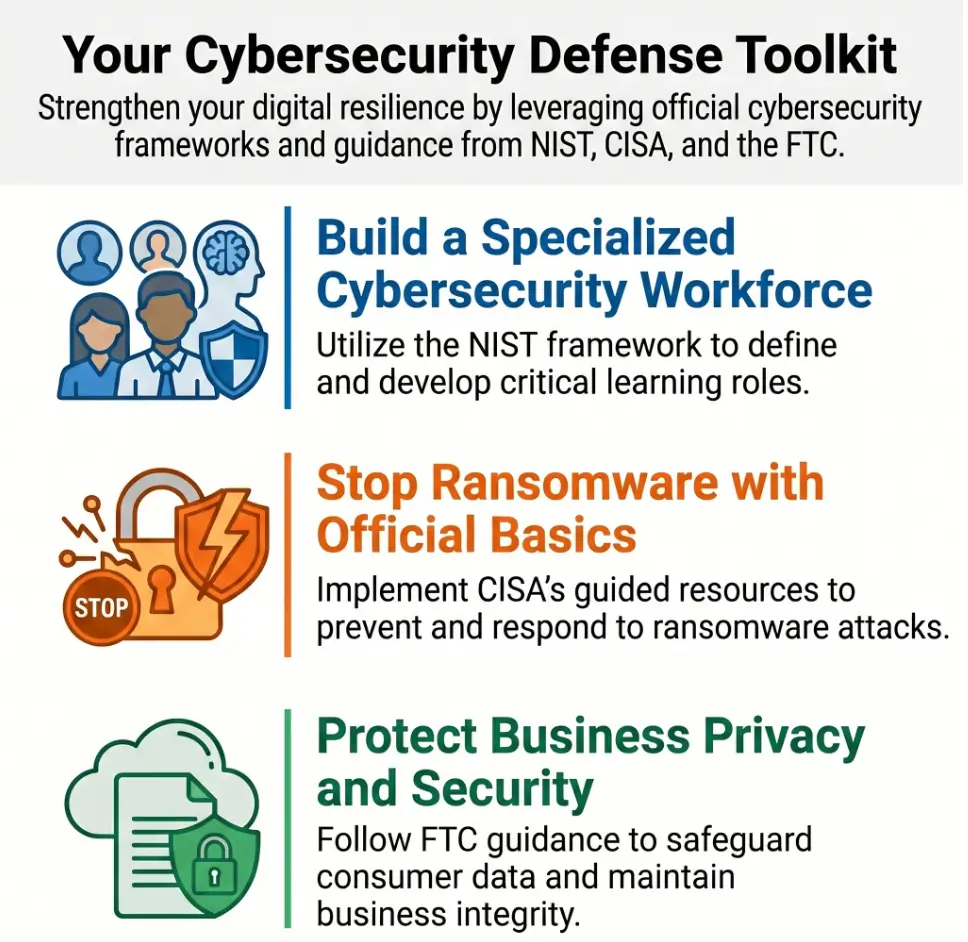
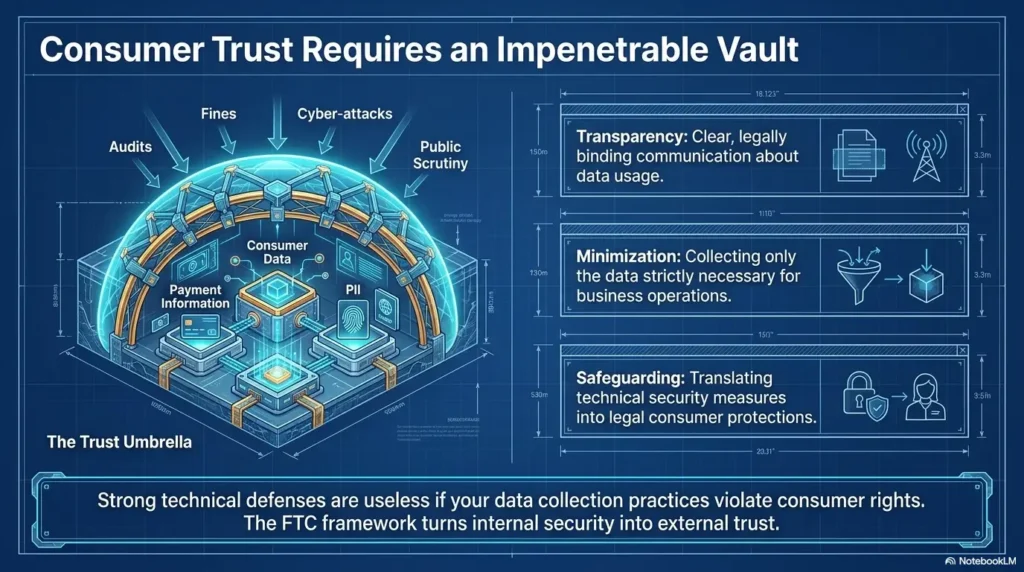
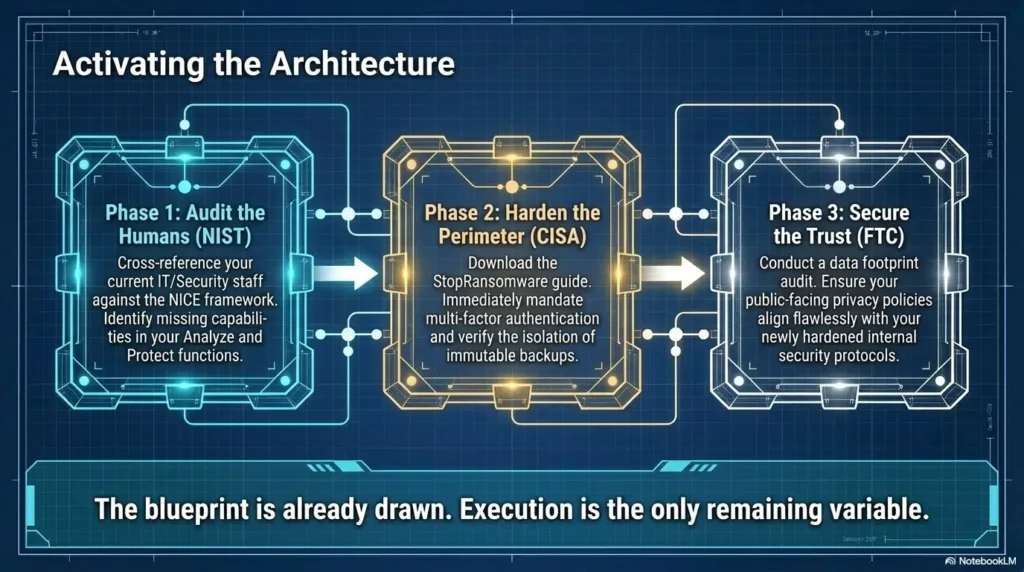
This habit also turns your Kioptrix practice into a portable professional skill. In real security work, teams care about evidence, scope, repeatability, and clear communication. The FTC, CISA, NIST, and other recognized bodies all emphasize structured security practices in different contexts because loose guessing does not scale.
Your lab note is not just a beginner crutch. It is the first sketch of professional judgment.
FAQ
Is Kioptrix good for complete beginners?
Yes, but “beginner” does not mean effortless. Kioptrix is useful because it forces you to practice scanning, enumeration, exploit reasoning, and documentation in a controlled lab. Complete beginners should expect confusion, especially around service versions, web checks, SMB behavior, and privilege escalation.
Should I use walkthroughs if I get stuck on Kioptrix?
Yes, but use walkthroughs in layers. Look for the next concept first, then the tool, then the command only if needed. After using a hint, write what you missed and how you would notice it next time. That preserves the learning instead of turning the walkthrough into a remote control.
How long should a beginner spend stuck before taking a hint?
A useful rule is 30 to 45 focused minutes. If you have written your evidence, tried a reasonable small test, and still cannot choose the next move, take a small hint. Do not sit in confusion for three hours and call it discipline. That is just marinating.
Is getting root the only sign I learned something?
No. Root is satisfying, but it is not the only measure. You learned something if you improved your enumeration, documented a false lead, understood one service better, explained a command, or found the exact point where your reasoning broke. Those gains compound across labs.
Why do I feel overwhelmed even when the box is labeled beginner?
Because beginner labs often combine many small skills at once: Linux comfort, networking basics, scanning, web inspection, SMB checks, exploit research, shell handling, privilege escalation, and notes. The label “beginner” usually means “early in the path,” not “emotionally frictionless.”
What should I do after a bad Kioptrix session?
Take a short break, rewrite your notes, identify the last verified fact, and restart from the smallest next test. Do not launch more tools until you know what you are trying to prove. Your first recovery goal is clarity, not speed.
Should I repeat the same Kioptrix level after finishing it?
Yes. A second pass without a walkthrough can turn fragile success into workflow memory. Try repeating the level with cleaner notes, fewer hints, and a short explanation after each major step. The second pass often teaches more than the first win.
How do I avoid copying commands without learning?
After every borrowed command, write one sentence explaining what it tests and one sentence explaining what the result changed. If you cannot explain either sentence, pause and look up the option or concept before continuing.
What if my problem is not technical but confidence?
Then treat confidence as part of the lab environment. Shorten the session, reduce the next step, and measure progress by evidence quality. You can also use a Kioptrix session review to notice improvement that your mood may be hiding.
Conclusion: Put a Handle on the Fog
The blinking cursor was never judging you. The Kioptrix box was never angry. The frustration came from a blurry loop: scattered evidence, fuzzy guesses, too many possible tools, and a tired brain trying to turn uncertainty into identity.
The better reset is calmer and more useful. Keep the box in the box. Write the last clean fact. Separate evidence from guesses. Restart from enumeration. Use walkthroughs in layers. Track wrong turns. Choose one hypothesis and run one focused test.
That is how a frustrating session becomes a teacher instead of a verdict.
Your next step, within 15 minutes: open your notes and write the sentence, “The last thing I know for sure is ______.” Do not reopen Kioptrix until that blank is filled. Small handle. Less fog. Better learning.
Last reviewed: 2026-05.
Tags: Kioptrix, cybersecurity beginners, CTF mindset, ethical hacking lab, enumeration workflow
Meta description: Reset after a frustrating Kioptrix session with safer notes, smarter enumeration, and a calmer beginner workflow.