


Building Real Workflow Over Pure CTF Wins
A beginner can spend three hours chasing a flag and still leave the keyboard with one uncomfortable question: “Did I actually learn penetration testing, or did I just solve a strange little puzzle?” That is where Kioptrix Level earns its old, dusty, surprisingly useful reputation.
Pure CTF practice is fast, bright, and rewarding. It gives you flags, dopamine, and the occasional “I am a wizard now” moment. Kioptrix is slower. It makes you find the target, scan services, read banners, question assumptions, keep notes, hit dead ends, and explain what happened. That slower pace is not a defect. For many beginner cybersecurity learners, it is the lesson.
The stakes are simple. If you only practice speed puzzles, you may get good at recognizing CTF clues while staying weak at real workflow: reconnaissance, evidence tracking, exploit selection, and writeup discipline.
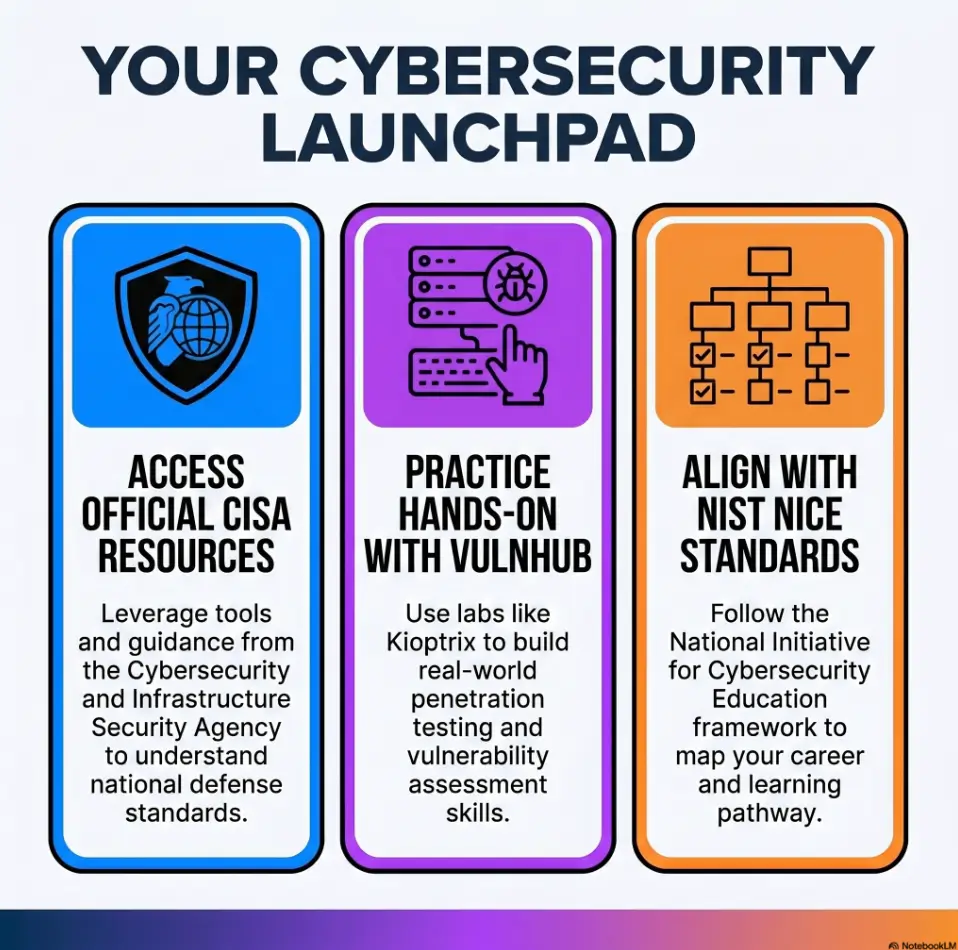
Kioptrix Level is often better than pure CTF practice for beginners who need penetration testing workflow, not just a win condition.
Small lab. Big habits. No hero cape required.
Quick Lab Map: What Kioptrix Teaches That Fast CTFs Often Skip
Kioptrix is a controlled vulnerable VM series used to practice basic vulnerability assessment and exploitation. The goal may be root access, but the durable value is the beginner loop: discover the machine, enumerate services, research evidence, test carefully, document decisions, and stay inside an authorized lab boundary.
- Best fit: beginners with basic Linux, networking, and terminal comfort.
- Not ideal: first-day learners who need guided lessons before local VM work.
- Main skill: turning scattered tool output into a defensible attack path.
- Safety rule: only practice on systems you own or have explicit permission to test.
Table of Contents
The Real Reason Kioptrix Feels Slower, And Why That Helps
Kioptrix feels slower because it refuses to hand you the thread already tied in a bow. You do not simply open a challenge page and stare at a clue. You build the room first: VM network settings, host discovery, service scanning, notes, screenshots, and a quiet suspicion that one open port is laughing at you.
That friction can be healthy. In practical cybersecurity work, the most valuable steps often look boring from the outside. Finding the target. Confirming the IP. Checking versions. Comparing tool output. Asking whether the machine is really reachable. These are not side quests. They are the floorboards.
Beginners need friction, not just flags
Pure CTFs often train speed. That is useful, especially for pattern recognition, web puzzles, cryptography basics, and timed events. But a beginner also needs the slower rhythm of a lab where the path is not glowing neon green.
Kioptrix forces the learner to notice things that matter later:
- Which IP address belongs to the vulnerable machine.
- Which services are open and which ones are likely distractions.
- What version strings suggest, and what they do not prove.
- Why old software can still teach modern reasoning.
- How to move from “interesting” to “testable.”
That is why a strong Kioptrix recon routine matters more than a dramatic exploit clip. The exploit may be the cymbal crash. Recon is the sheet music.
Pure CTFs can reward clever shortcuts
CTF design is often clue-driven. A file name looks odd. A string is encoded. A robots.txt entry whispers from the corner. A challenge title practically winks. You still need skill, but the environment often rewards puzzle instincts more than operational discipline.
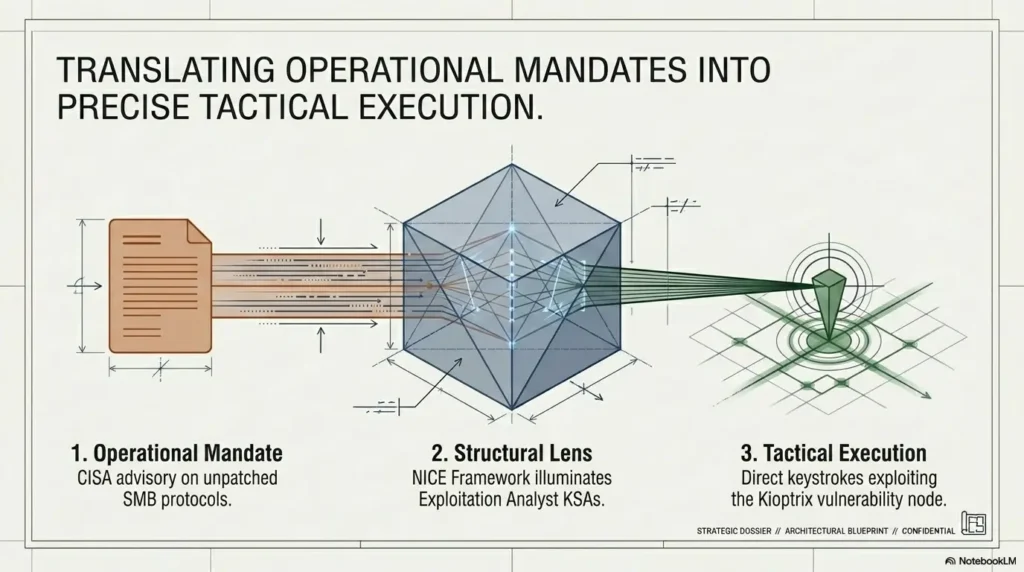
Boot-to-root labs like Kioptrix work differently. You build a chain. Recon leads to service enumeration. Enumeration leads to research. Research leads to a candidate exploit path. Exploitation leads to post-access checks. Post-access leads to privilege context. The machine does not care if your shortcut was elegant. It cares whether your assumptions match the evidence.
The “boring” steps become the lesson
A beginner might think, “I spent 40 minutes just finding the IP and scanning ports.” Good. That is not wasted time. That is how the nervous system learns the shape of real practice.
One of the best habits is to keep a small running case file from the first minute. A simple Kioptrix lab notes page can capture commands, outputs, guesses, failures, and next actions. Later, those notes become your writeup, your study guide, and sometimes your proof that you were not just clicking around in a terminal-shaped fog.
- Host discovery teaches environment awareness.
- Service scanning teaches prioritization.
- Failed paths teach diagnostic patience.
Apply in 60 seconds: Before running another tool, write one sentence describing what evidence you are trying to collect.
Kioptrix Builds a Penetration Testing Loop, Not Just a Win Condition
A flag is a finish line. A methodology is a reusable map. Beginners need both, but not in the same amount at the same time.
Kioptrix is valuable because it makes the learner repeat a small penetration testing loop: find, scan, research, test, verify, document. That loop transfers well to Hack The Box, TryHackMe, OSCP-style prep, home labs, and beginner security portfolios.
Find, scan, research, test, verify
The loop looks plain on paper:
- Find: Identify the vulnerable VM on your private lab network.
- Scan: Discover open ports and service versions.
- Research: Compare versions, configurations, and known weaknesses.
- Test: Try a controlled path that matches the evidence.
- Verify: Confirm access, privileges, and impact inside the lab.
- Document: Explain what happened in human language.
This is why a method-focused guide such as Kioptrix Level 1 methodology can be more useful than a command-only walkthrough. Commands are perishable. Reasoning compounds.
Root access is the ending, not the whole story
Root access is satisfying. Nobody is pretending otherwise. The little terminal prompt can feel like a door unlocking in a silent museum.
But root is not the whole story. A beginner who cannot explain the path may have completed the machine without completing the learning. The better question is not “Did I get root?” It is “Can I explain why each step made sense at the time?”
That difference matters if you ever want to write a report, discuss a lab in an interview, or compare two exploit paths without sounding like a random command generator wearing a hoodie.
Here’s what no one tells you…
A beginner may finish a pure CTF and still not know how they got there. The challenge gave just enough clues to keep movement happening. Kioptrix makes that gap harder to hide.
When you are stuck, the machine does not become kinder. It simply waits. That waiting teaches you to inspect your own process. Did you scan all relevant ports? Did you check UDP where appropriate? Did you confuse a banner with proof? Did you assume a web service was useless because the homepage looked boring?
Show me the nerdy details
Beginner lab progress improves when each action has an evidence target. For example, a basic TCP service scan is not “the Nmap step.” It is a hypothesis filter. It narrows the target surface from an entire host to specific services, versions, and protocol behaviors. A web directory scan is not “the Gobuster step.” It tests whether hidden routes, old files, or application structure reveal a stronger path. A privilege check is not “the privesc step.” It compares current user context against local misconfigurations, kernel age, service permissions, credentials, scheduled tasks, and file system clues. The loop matters because each tool output should change what you believe.
Who Kioptrix Is For, And Who Should Skip It For Now
Kioptrix is beginner-friendly, but that does not mean it is first-day friendly. Those are different animals. One is a calm dog by the fire. The other is a caffeinated raccoon in a server closet.
Best for beginners who know basic Linux
Kioptrix is a good fit if you already understand:
- Basic Linux terminal navigation.
- IP addresses and local networking at a simple level.
- How virtual machines generally work.
- How to copy command output into notes.
- How to search for technical error messages without panic.
You do not need to be advanced. You do need enough comfort to avoid mistaking every setup problem for a cybersecurity mystery. If VirtualBox networking breaks, that is a lab issue, not a villain monologue.
Not for learners who need a guided sandbox first
If you are brand new to cybersecurity, start with guided training first. A structured room on TryHackMe or a basic networking course may save you from discouragement. Kioptrix can be wonderfully educational, but it does not pause to explain every concept like a patient tutor with tea.
A simple rule works well: if you cannot explain what a port scan is trying to discover, spend a little time on fundamentals before starting the VM.
Good fit if you want portfolio depth
Kioptrix is excellent for portfolio practice because it produces evidence. You can show screenshots, decision notes, commands, failed assumptions, service prioritization, and final lessons.
That is stronger than “I completed a box.” A hiring reader, mentor, or study partner wants to see how you think. A well-written Kioptrix lab report can show maturity even if the machine is old.
Money Block: Beginner Fit Checklist
Answer yes or no. Be honest. The keyboard knows when you are bluffing.
- Can you use basic Linux commands? Yes: continue. No: take a Linux basics module first.
- Can you explain what an IP address is? Yes: continue. No: review networking basics.
- Can you run a VM safely on your computer? Yes: continue. No: learn VirtualBox or VMware setup first.
- Can you take notes while testing? Yes: continue. No: set up a notes template before starting.
- Do you understand authorization boundaries? Yes: continue. No: stop and learn lab ethics first.
Neutral action: If you answered “no” twice or more, use a guided platform for one week, then return to Kioptrix.
Don’t Start Kioptrix Like a Speedrun
Some beginners open Kioptrix and immediately search for a walkthrough. That is understandable. The internet has trained us to treat confusion like a bug. But in lab learning, confusion is often the raw material.
Mistake: copying walkthrough commands too early
Walkthroughs can turn Kioptrix into karaoke hacking. The words come out. The rhythm feels right. But the song was never learned.
Copying a command is not the problem. Copying it before you know why it belongs is the problem. If a walkthrough says to run a specific scan, pause and ask: what does this reveal that my earlier output did not?
If you need help building a cleaner note habit, a Kioptrix documentation workflow gives the walkthrough somewhere useful to land after you have made your own attempt.
Mistake: using Metasploit before understanding the bug
Metasploit is a useful tool. It is not forbidden magic. But for beginners, it can steal the mental map if used too early.
Before running an exploit module, try to identify:
- What software or service is involved.
- What version or behavior suggests vulnerability.
- What the exploit expects from the target.
- What success should look like.
- What failure might mean.
Then automation becomes a teaching assistant, not a black box with dramatic lighting. A balanced comparison like Kioptrix Metasploit vs manual practice can help you decide when to use the tool and when to slow down.
Try this instead
Use a three-pass method:
- Pass 1: Solo notes. Work for a fixed time with no walkthrough. Capture commands, outputs, and theories.
- Pass 2: Hints only. Look for a nudge, not a full solution. Compare the hint to your evidence.
- Pass 3: Walkthrough comparison. Read the full path after your attempt and mark what you missed.
This method keeps the learning alive. It also reduces the shame spiral that beginners sometimes feel when they get stuck. Stuck is not stupid. Stuck is where the invisible assumptions start making noise.
- Try the lab alone first.
- Use hints before full solutions.
- Compare your reasoning, not just your commands.
Apply in 60 seconds: Create three note headings now: “Tried,” “Evidence,” and “Next guess.”
Why Pure CTF Practice Can Make Beginners Overfit
Overfitting happens when you learn the shape of the practice environment too well and the underlying skill too lightly. In CTF practice, that can mean spotting flag formats, puzzle tropes, encoded strings, or hidden clues while missing broader assessment habits.
CTF logic can become a tiny glass maze
Pure CTFs are not bad. They are excellent for targeted skill building. Web puzzles sharpen request analysis. Crypto challenges teach patterns. Binary tasks build low-level patience. Timed events help with pressure.
But if all practice looks like a clue box, the beginner may start expecting every real target to behave like a puzzle designer is hiding behind the curtain.
Realistic labs are less theatrical. Sometimes an open port is boring. Sometimes a banner lies. Sometimes a tool produces a false positive. Sometimes the homepage is plain because the interesting thing is a service you have not properly enumerated yet.
Realistic labs punish assumption-hopping
Kioptrix pushes you to justify movement through evidence:
- Open ports.
- Service versions.
- Web directories.
- Credential behavior.
- Privilege context.
- Configuration clues.
This is where many beginners grow. They stop thinking, “What trick is the challenge hiding?” and start thinking, “What does the target prove?”
Let’s be honest…
Sometimes the beginner does not need a harder challenge. They need fewer neon arrows and more quiet evidence.
A pure CTF may give you quick wins. Kioptrix teaches you to sit with uncertainty long enough to build a path. That is not glamorous, but neither is carefully labeling screenshots at 11:47 p.m. while your coffee considers retirement.
Money Block: CTF Overfit Self-Test
| Signal | What it may mean | Next step |
|---|---|---|
| You search for hints within 10 minutes. | Your uncertainty tolerance needs training. | Timebox 30 minutes before hints. |
| You chase weird strings before scanning fully. | Puzzle instinct is outrunning methodology. | Complete basic enumeration first. |
| You cannot explain why a tool was used. | Command memory is replacing decision-making. | Write “I ran this because…” for each command. |
Neutral action: If two signals match, alternate one Kioptrix-style lab with two smaller CTF challenges.
The Portfolio Advantage: Kioptrix Writeups Show Your Thinking
A strong beginner portfolio does not need fireworks. It needs proof of careful thinking. Kioptrix writeups can do that beautifully because the machine gives you a whole story arc: setup, discovery, enumeration, confusion, path selection, exploitation, verification, and reflection.
Hiring readers want process, not fireworks
A hiring manager, mentor, or technical reviewer is not impressed by a wall of pasted commands. They want to know whether you can reason under uncertainty.
A good Kioptrix writeup shows:
- How you confirmed the target.
- Which services you prioritized and why.
- Which paths you rejected.
- How you verified exploit fit.
- What you learned from failure.
- How you would improve your process next time.
If you want your writeup to read like a real case file, start with a simple Kioptrix enumeration report rather than a victory diary.
Include failed paths without embarrassment
Beginners often hide dead ends because they feel messy. But dead ends are often the best evidence of diagnostic thinking.
For example, if you investigated an open service and later deprioritized it, document why. Was the version not vulnerable? Did access require credentials? Did the tool output look noisy? Did another service provide stronger evidence?
A clear dead-end note says, “I did not ignore this. I evaluated it.” That is a mature signal.
Turn commands into decisions
Weak writeup: “Ran Nmap. Ran Nikto. Ran exploit.”
Stronger writeup: “I used service detection to identify exposed services, then compared the web server findings against the scan results. I prioritized HTTP because the service returned browsable content and version clues, while the other services did not yet show an obvious path.”
The difference is not vocabulary. The difference is ownership.
Short Story: The Screenshot That Saved the Session
Maya, a help desk analyst studying after work, spent her first Kioptrix evening convinced she had broken the lab. Her scan results looked different from a walkthrough she peeked at too early. The old panic arrived: maybe her setup was wrong, maybe she was not “technical enough,” maybe everyone else had a secret keyboard. Then she opened her notes.
She had saved one screenshot from the first scan and one from after changing the VM network mode. The target IP had changed. The machine was fine. Her assumptions were not. That tiny screenshot turned a frustrating hour into a clean lesson: evidence beats mood. After that, she named every screenshot with time, target, and purpose. Her writeups improved because her memory stopped doing all the heavy lifting. The practical lesson is small but sturdy: capture the state of the lab before you interpret the story.
For a cleaner evidence trail, use a dedicated Kioptrix screenshot organization habit before the lab becomes a shoebox of unnamed PNGs.
Common Mistakes That Make Kioptrix Less Useful
Kioptrix is useful, but only if you practice it with care. The same machine can teach methodology or become a copy-paste treadmill. The difference is not talent. It is attention.
Treating every open port like a jackpot
Open does not mean vulnerable. Open means available for investigation. Prioritize based on evidence: service type, version, exposure, authentication, known weaknesses, and how the service behaves.
For example, an old-looking web server may deserve attention, but you still need to inspect it properly. A service banner may suggest a version, but banners can be incomplete or misleading. Your job is to gather enough evidence to make a reasonable next move.
Skipping note-taking until the end
End-of-session notes are usually fiction with timestamps. You remember the exciting parts and forget the little turns that actually explain the path.
Write notes while you work. Capture command, purpose, output summary, and next action. A tool-specific habit like Kioptrix evidence tracking turns the lab from a blur into a trail.
Ignoring lab isolation
Vulnerable VMs are intentionally unsafe. That is the point. Keep them in a private, authorized environment. Use host-only or isolated networking when appropriate. Avoid exposing vulnerable machines to public networks. Do not scan systems you do not own or have written permission to test.
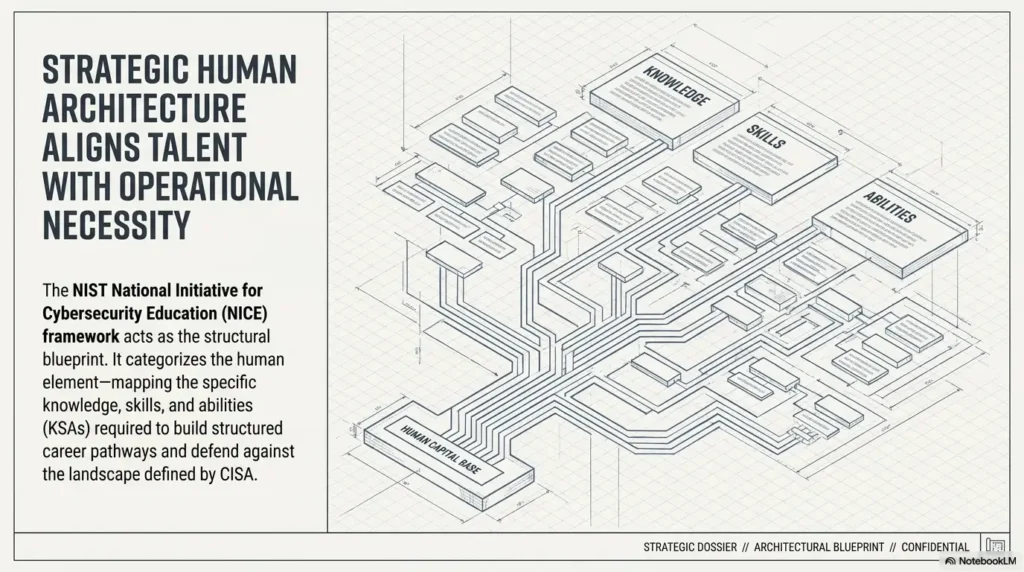
Organizations such as CISA and NIST regularly emphasize risk management, authorization, and responsible security practice. Beginner labs should honor the same principle in miniature: define the boundary before touching the keyboard.
Quitting after the first failed exploit
A failed exploit does not always mean the path is wrong. It may mean the target version differs, the architecture does not match, the exploit needs adjustment, a dependency is missing, or your assumption was too thin.
Before abandoning a path, verify:
- Target service and version.
- Exploit requirements.
- Network reachability.
- Payload compatibility.
- Privilege context.
- Whether the error message is telling you something useful.
When a path fails, do not just write “didn’t work.” Write why you think it failed. That sentence is where learning often hides.
- False lead means the evidence was weak.
- Bad fit means the exploit did not match the target.
- Setup issue means the lab needs repair before analysis continues.
Apply in 60 seconds: Add a “Why this failed” line under your last unsuccessful attempt.
Kioptrix vs Pure CTF: The Beginner Decision Matrix
The best answer is not “Kioptrix good, CTF bad.” That is too simple, and simple answers often wear cheap shoes.
Kioptrix and pure CTFs train different muscles. The smart beginner uses both, but not randomly.
Choose Kioptrix when you need workflow practice
Choose Kioptrix when your weak points are:
- Reconnaissance discipline.
- Service prioritization.
- Exploit research.
- Note-taking.
- Writeup structure.
- Patience during uncertainty.
If you are building a learning path, a broader Kioptrix learning path can help you sequence practice instead of bouncing between boxes like a pinball with sudo privileges.
Choose pure CTFs when you need puzzle fluency
Choose pure CTFs when your weak points are:
- Web challenge patterns.
- Encoding and decoding.
- Cryptography basics.
- Binary analysis foundations.
- Timed problem solving.
- Fast clue recognition.
These are real skills. They just do not replace full lab workflow.
Use both, but in the right order
A practical rhythm works well:
- One Kioptrix-style machine for depth.
- Two small CTF challenges for speed and variety.
- One review session to connect lessons across both formats.
Practice Choice Framework
Pick Kioptrix. Practice discovery, scanning, evidence, exploit reasoning, and documentation.
Pick pure CTFs. Practice clue recognition, short challenges, puzzle logic, and timed focus.
Pick Kioptrix writeups. Show decisions, screenshots, failed paths, and lessons learned.
Alternate both. Depth keeps you honest. Small challenges keep the gears moving.
Money Block: Beginner Decision Card
| Choose | When it fits | Trade-off |
|---|---|---|
| Kioptrix | You need end-to-end lab workflow and writeup practice. | Slower progress, deeper learning. |
| Pure CTF | You need fast reps on puzzle-like skills. | Faster wins, less real workflow. |
| Mixed plan | You want depth without losing variety. | Requires review discipline. |
Neutral action: Pick one format for your next session based on your weakest current skill, not your mood.
A Safe Beginner Lab Setup Before You Touch Anything
Security practice begins with boundaries. That may sound less exciting than exploitation, but it is the difference between learning and causing trouble.
Keep the vulnerable VM contained
Run Kioptrix only in a private lab, local virtual machine environment, or clearly authorized training setup. Use isolated or host-only networking when appropriate. Keep snapshots. Do not expose vulnerable VMs to public networks. Do not scan unknown systems because they “look lab-ish.” The internet is not a treasure map. It is someone else’s property.
If you are unsure how to structure the network, start with a Kioptrix network setup checklist and verify your attacker VM and target VM can talk only where intended.
Build a tiny tool bench
You do not need a cinematic hacker cave. You need a small bench that works:
- Kali Linux or another security-focused Linux VM.
- VirtualBox, VMware, or another trusted hypervisor.
- Nmap for scanning.
- A browser for web inspection.
- A notes app with timestamps.
- A screenshot tool.
- Snapshots before risky changes.
A guide to the best hypervisor for Kioptrix can help if your machine is older, shared, or already groaning like a laptop in a summer attic.
Make rollback boring
Snapshots make mistakes survivable. Take one before starting. Take another after a clean setup. If the machine breaks, revert instead of spending two hours debugging a lab you meant to use for learning.
That is not glamorous. Neither is rebuilding a broken VM at midnight while whispering apologies to VirtualBox.
- Use private or isolated VM networking.
- Keep vulnerable systems away from public exposure.
- Snapshot before experiments.
Apply in 60 seconds: Label your attacker VM, target VM, and network mode in your notes before scanning.
The 90-Minute Kioptrix Learning Session
Long study sessions can turn into heroic fog. Ninety minutes is enough to make progress without melting your judgment into keyboard soup.
First 20 minutes: map the room
Start with environment confirmation:
- Confirm both VMs are running.
- Identify the target IP.
- Run a basic service scan.
- Create a note page with time, target, and goal.
- Save your first scan output.
If you are unsure what to do after finding the IP, a focused resource like Kioptrix Level 1 after finding the IP can help without turning the session into a full spoiler bath.
Next 40 minutes: follow the evidence
Now research and test one or two promising paths. Do not chase every shiny object. Pick based on evidence.
Ask:
- Which services expose the largest attack surface?
- Which versions or configurations look worth researching?
- Which tool output is reliable, and which is noisy?
- What would prove this path is viable?
If your session turns chaotic, a Kioptrix session routine can provide a repeatable structure.
Final 30 minutes: reflect before walkthroughs
Stop before your brain is completely fried. Reflection is not a soft extra. It is where the next session becomes easier.
Write:
- What worked.
- What failed.
- What confused you.
- What evidence you trust.
- What you would test next.
Money Block: 90-Minute Session Plan
| Time | Focus | Output |
|---|---|---|
| 0-20 min | Map the lab and scan services. | Target IP, open ports, first notes. |
| 20-60 min | Research and test evidence-led paths. | One or two justified attack theories. |
| 60-90 min | Reflect before reading walkthroughs. | Failed paths, lessons, next actions. |
Neutral action: Schedule one 90-minute session and stop when the timer ends, even if curiosity is making opera noises.
When to Seek Help Without Spoiling the Lesson
Getting help is not failure. Getting full answers too early can be. The goal is to preserve the thinking while removing the blockage.
Ask for hints, not answers
A good help request asks for direction, not a finished map. Instead of “What is the exploit?” ask, “Based on these open services and versions, which area should I investigate next?”
That keeps the learning in your hands.
Share your evidence trail
When asking a community, mentor, or study partner for help, include:
- Target name and lab setup.
- Network mode, if relevant.
- Scan summary, not every raw line.
- What you tried.
- What failed.
- The exact point where you are stuck.
Your request becomes easier to answer, and you look more disciplined. A Kioptrix dead ends log can make this painless.
Stop if your lab boundary is unclear
If you are not sure whether a target is authorized, the next move is not another scan. The next move is clarification.
This is not just legal caution. It is professional identity. Security work depends on permission, scope, and restraint. If you learn that early, every future skill sits on a stronger foundation.
FAQ
Is Kioptrix Level good for complete beginners?
Kioptrix Level is good for early beginners who already have basic Linux, networking, and virtual machine comfort. It is not ideal as a first-ever cybersecurity lab. If terms like IP address, port scan, service banner, and VM network mode feel completely unfamiliar, start with guided fundamentals first.
Is Kioptrix better than Hack The Box or TryHackMe?
Not universally. Kioptrix is useful for foundational workflow and local lab discipline. Hack The Box and TryHackMe may be better for structured lessons, guided rooms, modern targets, and broader topic variety. The stronger choice depends on your current weakness.
Should beginners use walkthroughs for Kioptrix?
Yes, but after attempting the machine first. Work solo, write down what you tried, then use hints. Read a full walkthrough only after you have your own evidence trail. That way, the walkthrough corrects your thinking instead of replacing it.
Does Kioptrix still matter if it is old?
Yes, if your goal is learning enumeration, exploit reasoning, lab setup, and documentation. Older vulnerable machines may not represent current enterprise environments, but they still teach durable beginner habits. Treat them as training instruments, not as a perfect model of modern production systems.
Can Kioptrix help with cybersecurity portfolio projects?
Yes. A thoughtful Kioptrix writeup can show your process, notes, screenshots, failed paths, and decision-making. That is more useful than simply saying you got root. Portfolio readers want to see how you reason, not just whether you reached the ending.
Is Kioptrix legal to use?
Kioptrix is intended as a vulnerable lab VM, but legality depends on how you use it. Keep practice inside systems you own, control, or have explicit permission to test. Do not scan or exploit public systems or other people’s networks.
How long should a beginner spend on one Kioptrix session?
Ninety minutes is a strong starting point. It is long enough to perform discovery, run scans, research evidence, and write a reflection. It is short enough to prevent tired guessing. After the session, compare your notes with hints or a walkthrough.
Should I use Metasploit for Kioptrix?
You can, but try to understand the vulnerability first. Metasploit is useful for learning modules, payloads, and exploit workflow. Used too early, it can hide the reasoning. A good rule is to explain the bug, target fit, and expected result before launching automation.
Next Step: Run One Machine Like a Case File
The opening problem was simple: a beginner can win flags without building a testing workflow. Kioptrix helps because it slows the room down. It makes you notice setup, evidence, dead ends, service behavior, and documentation. That slower pace can feel old-fashioned, but it trains the part of cybersecurity learning that pure speed practice often leaves underfed.
Your next step is small. Within 15 minutes, create a fresh notes page for Kioptrix Level 1 with four headings: target setup, scan evidence, possible paths, and unanswered questions. Then write one rule at the top:
For every command, write one sentence: “I ran this because…”
That single habit turns button-click practice into real learning. It also gives your future writeup a spine.
If you want a gentle next structure, use a Kioptrix session review after each attempt, then track patterns over time with a Kioptrix progress tracker. The goal is not to become loud. The goal is to become clear.
Last reviewed: 2026-05.