
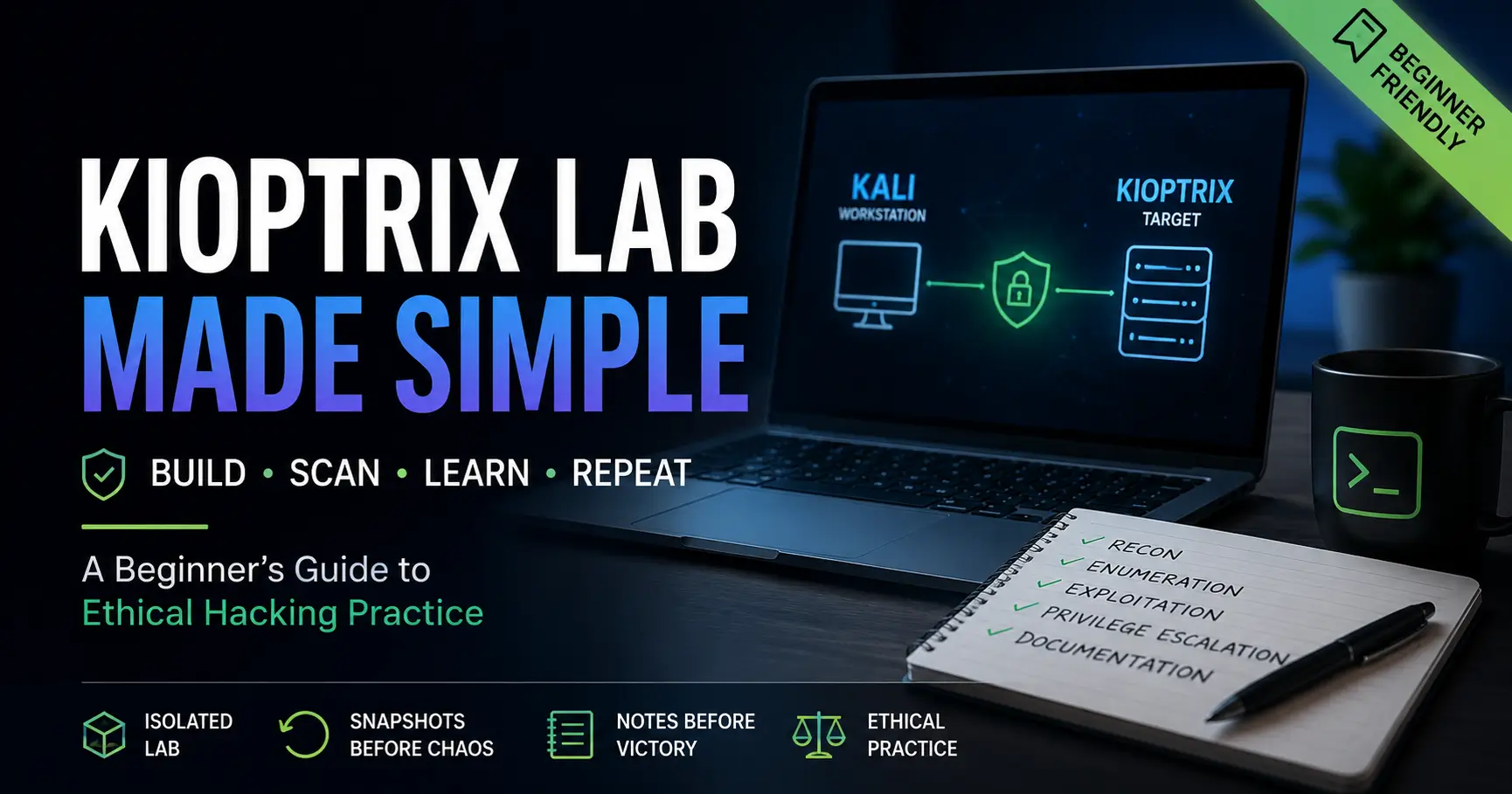
Building a Repeatable Methodology
One of the fastest ways to turn a beginner penetration-testing lab into fog is to treat it like a one-night treasure hunt. You import the VM, poke the network, run a scan, chase a clue, break something, forget what changed, and suddenly the lab feels less like training and more like a drawer full of tangled charger cables.
Kioptrix Level practice works best when it becomes a repeatable study environment: a small, legal, isolated lab where you can scan, pause, record, test, reset, and explain your choices. That matters because guessing teaches adrenaline. Repetition teaches method.
This guide helps you build a cleaner Kioptrix routine for beginner cybersecurity learning, ethical hacking practice, lab networking, enumeration, documentation, and troubleshooting. The goal is not to “get root once.” The goal is to become the kind of learner who can reproduce the path without borrowing someone else’s flashlight.
A Better Kioptrix Lab Starts Before the First Scan
Think of the lab like a small aquarium: contained, observable, and calm enough that you can see what each movement changes. Kali is your workstation. Kioptrix is your practice target. Your notes are the glass walls that keep the learning visible.
Best use: private, offline, authorized study where the same setup can be rebuilt, reviewed, and repeated without touching public systems.
Table of Contents
Safety and Disclaimer
This guide is for ethical cybersecurity education in a private lab only. Use Kioptrix, Kali Linux, scanners, exploit research, packet captures, and documentation workflows only on systems you own or have explicit written permission to test.
Do not scan public IP addresses, school networks, workplace systems, cloud accounts, apartment Wi-Fi, hotel networks, or a friend’s server because “it is just practice.” That tiny phrase has caused many large headaches. In security, permission is not decoration. It is the floor.
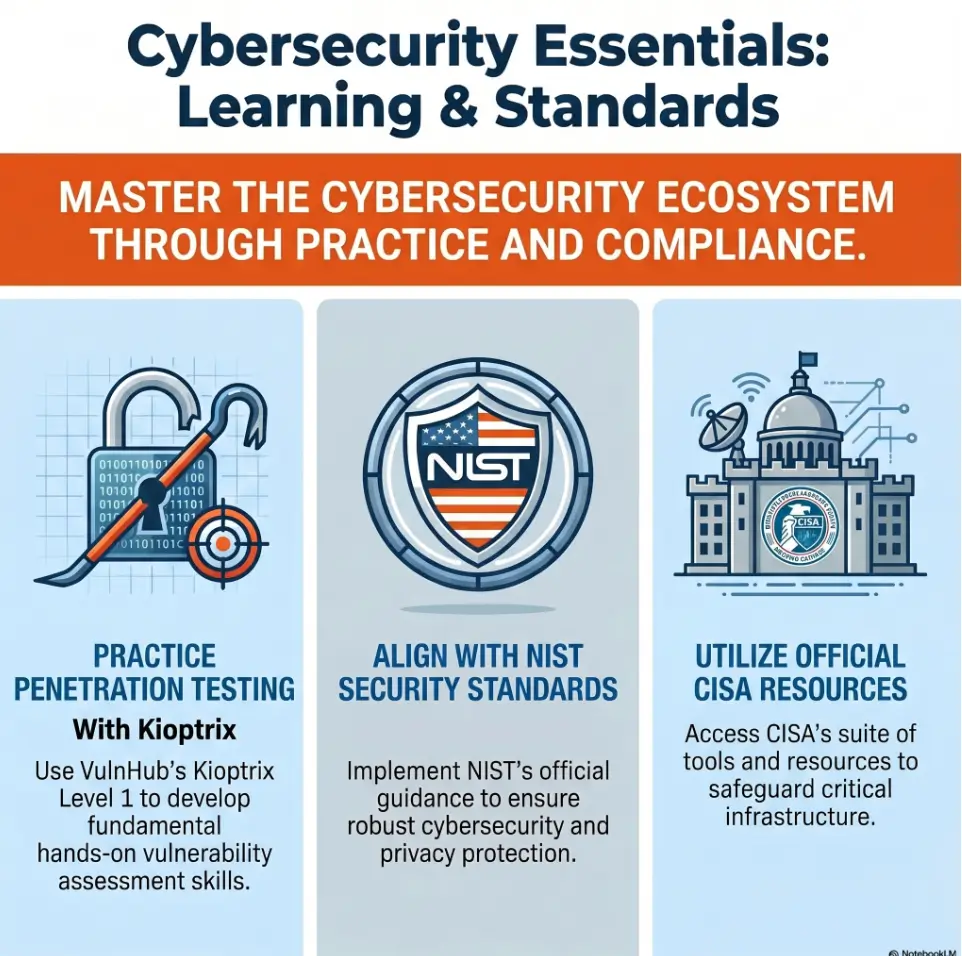
Kioptrix-style labs are useful because they let beginners practice vulnerability assessment and exploitation safely inside a controlled environment. VulnHub describes these machines as practice materials for learning basic tools and techniques in vulnerability assessment and exploitation. That learning purpose does not transfer to real systems without authorization.
- Use an isolated virtual network.
- Keep practice targets private and authorized.
- Do not test anything outside the lab without written permission.
Apply in 60 seconds: Write “Authorized target only” at the top of your lab notes before you begin.
Permission Is Part of the Skill
Beginner learners often think the hard part is the tooling. In reality, the first professional skill is scope control. NIST and CISA materials consistently treat cybersecurity as a disciplined practice involving governance, training, risk management, and clear boundaries. That starts with knowing what you are allowed to touch.
A private lab makes the boundary simple: your attacker VM, your vulnerable VM, your host machine, your notes. Nothing else gets invited to dinner.
What This Guide Will Not Do
This article will not give a copy-paste exploit path, bypass instructions for real systems, or advice for testing unknown networks. It focuses on setup, study process, safe enumeration habits, documentation, troubleshooting, and repeatability.
That is not less useful. It is more useful. Anyone can copy a command. Fewer people can explain why they ran it, what changed, and how to reproduce the result after a reset.
Why Kioptrix Still Works When Newer Labs Look Shinier
Kioptrix looks old because it is old. That is part of the charm and part of the lesson. A polished modern lab often has guardrails, hints, badges, dashboards, and progress meters. Kioptrix has a more wooden workbench feeling. It asks you to bring your own method.
For beginners, that can be a gift. The lab does not reward a dozen browser tabs and theatrical typing. It rewards calm enumeration, network sanity checks, version research, note quality, and the patience to ask, “What do I actually know?”
The Real Value: Repeatable Fundamentals, Not Novelty
Novelty is loud. Fundamentals are quiet. Kioptrix Level practice teaches the quiet things: finding the target, checking open services, researching old software, recognizing when scan output is incomplete, and separating evidence from guesses.
That matters if you are preparing for structured learning paths, OSCP-style study, PNPT-style reporting habits, help desk security growth, or a first home lab. You need a repeatable system, not just a screenshot of success.
Why Older Vulnerable Machines Teach Better Note-Taking
Older machines expose tooling friction. Service detection may be odd. Modern defaults may not fit old protocols neatly. A scanner might produce a result that looks obvious until you check again with a different flag or a focused probe.
That friction nudges you into better notes. You start writing down the command, the output, the assumption, the next test, and the reason. That is where the skill begins to take shape.
For a broader way to turn one lab into a repeatable operating rhythm, use a Kioptrix lab workflow that separates setup, recon, testing, reset, and review.
What Kioptrix Gives Learners That Random CTFs Often Do Not
Many beginner CTFs are fun but narrow. The riddle is often the product. Kioptrix is better used as a study system. You can return to the same target, rerun your process, compare your notes, and check whether you improved.
That repeatability is gold. A lab you can replay becomes a mirror. A lab you only solve once becomes a postcard.
Here’s What No One Tells You: Old Labs Expose Modern Bad Habits
Modern learners often have fast tools, fast writeups, and fast video walkthroughs. The danger is not speed itself. The danger is speed without observation.
Kioptrix punishes sloppy assumptions in a productive way. If your network mode is wrong, the target may disappear. If your notes are vague, your second run collapses. If you chase one service too early, you miss the wider map. The lab becomes a patient little mirror with a smirk.
Isolate network and label VMs.
Run broad, then focused checks.
Record output and assumptions.
Choose one testable idea.
Change one variable at a time.
Reset and reproduce from notes.
Pick the Right Kioptrix Level Before You Burn a Weekend
The wrong difficulty can make a good lab feel hostile. Too easy, and you learn little beyond confidence theater. Too hard, and your weekend turns into a tiny opera of sighs, snacks, and suspicious networking settings.
Start where your process can grow. A repeatable study environment is not built by proving you are tough. It is built by proving you can observe.
Level 1: Best for First Repeatable Workflow Practice
Kioptrix Level 1 is a sensible first stop because it gives beginners a full loop without requiring advanced lab gymnastics. Your job is to identify the target, enumerate services, research what you see, document your path, and reproduce your work.
If you are new, pair this with a Kioptrix Level 1 methodology rather than a pure walkthrough. Method first. Walkthrough later.
Level 2: Better Once Enumeration Feels Less Foggy
Move to Level 2 when you can explain your Level 1 process without staring at a guide. That means you understand your network mode, can find the target, can compare scan outputs, and can write a useful finding instead of a command scrapbook.
If you are considering the next step, compare your readiness against a focused Kioptrix Level 2 guide before you leap.
Level 3 and Beyond: Use After You Can Explain Your Method
Higher levels are not trophies to rush toward. They are better used when your study habits can survive uncertainty. Can you document dead ends? Can you separate web enumeration from SMB enumeration? Can you reset without grief? Can you explain why a test failed?
A learner who can answer those questions is ready for more complexity. A learner who cannot may just be collecting frustration in a hoodie-shaped jar.
Don’t Start Too High Just to Feel “Serious”
There is no professional prize for skipping the basics. In real security work, being methodical beats being dramatic. A stable Level 1 routine can teach more than a half-solved advanced lab with no notes and three mystery tabs still open at midnight.
Decision Card: Which Kioptrix Level Should You Start With?
| Choose this | When it fits | Trade-off |
|---|---|---|
| Level 1 | You need a complete beginner workflow. | Less novelty, more repetition. |
| Level 2 | Basic enumeration feels manageable. | More moving parts to document. |
| Level 3+ | You can explain and replay prior labs. | Better challenge, higher drift risk. |
Neutral action: Pick the lowest level that still forces you to write better notes.
Build the Lab Like a Small, Safe Aquarium
A good lab is boring in the best way. It has boundaries. It has labels. It has a reset point. It does not accidentally spray packets across the neighborhood like a garden hose with opinions.
Before you run a scan, create the environment you wish you had after everything breaks. Your future self deserves that kindness.
Use Host-Only or Isolated Networking First
For beginner practice, host-only or an isolated private virtual network is usually the safer starting point. The exact setting depends on your hypervisor, but the principle is simple: Kali and Kioptrix should see each other, while the broader internet and unrelated devices stay out of scope.
If networking has been your main source of pain, use a dedicated Kioptrix network setup reference to compare host-only, NAT, and bridged behavior before you keep poking at scans.
Keep Kali and Kioptrix on the Same Private Virtual Network
Your attacker VM and target VM need to share a private segment. If they are not on the same segment, your scan results may look empty even when the target is healthy. That is not a vulnerability. That is a seating chart problem.
Record the adapter name, network mode, expected IP range, and whether DHCP is involved. Those four details solve a surprising number of beginner mysteries.
Snapshot Before the First Scan, Not After the Mess Begins
A snapshot is a time machine with fewer philosophical consequences. Take it before your first scan. Name it clearly: “clean-import-before-scan” is better than “snapshot1,” which is the lab equivalent of a drawer labeled “stuff.”
For a stronger reset habit, build your routine around a Kioptrix snapshot strategy that captures clean import, post-network-confirmation, and post-session states separately.
Label Everything: VM Name, IP Range, Date, and Goal
Labels prevent future detective work. Name your VMs clearly. Write the date. Write the study goal. Write the expected network range. When you return three days later, you should not need to re-solve your own desk.
Eligibility Checklist: Is Your Kioptrix Lab Safe Enough to Start?
- Yes/No: Is the target VM downloaded from a legitimate lab source?
- Yes/No: Are Kali and Kioptrix isolated from public systems?
- Yes/No: Did you take a clean snapshot before scanning?
- Yes/No: Did you record the network mode and expected IP range?
- Yes/No: Can you clearly name what you are authorized to test?
One-line next step: If any answer is “No,” fix that item before running tools.
The Repeatable Study Loop: Scan, Pause, Prove, Reset
A repeatable study loop keeps your lab from becoming a pile of disconnected commands. The rhythm is simple: find the target, scan broadly, follow up narrowly, write what each result suggests, test one idea, reset, and replay.
This is where beginners become operators. Not by typing faster. By thinking in loops.
Step 1: Identify the Target Without Guessing
Before you scan services, identify the target host. Confirm the VM is running. Confirm the network mode. Confirm your Kali IP. Confirm the expected subnet. Then use a local discovery method appropriate to your private lab.
Write down how you identified the target. “I found it somehow” is not a method. It is a fog machine wearing shoes.
Step 2: Run One Broad Scan and One Focused Follow-Up
A broad scan gives you the first map. A focused follow-up gives you better detail. Beginners often run one command and treat the result as complete. That is risky because different tools, timing, flags, and protocol behavior can change what you see.
Use one broad pass to discover likely services. Then focus on specific ports and service versions. Keep the work inside your lab. Record what changed between passes.
Step 3: Write What Each Open Service Suggests
Do not jump from “open port” to “exploit.” Write the plain-English meaning first. A web service suggests web enumeration. SMB suggests share and version questions. SSH suggests authentication boundaries. A database port suggests access-control questions.
For a more structured approach to turning output into meaning, build a Kioptrix findings page instead of scattering clues across screenshots.
Step 4: Test One Hypothesis at a Time
A hypothesis sounds like this: “This service version may be old enough to require extra research,” or “This web server may reveal useful directories,” or “This error suggests my tool settings are wrong.”
Testing one idea at a time keeps your notes clean. If you change five things and something works, you do not know what worked. You only know the confetti cannon fired.
Step 5: Reset and Reproduce the Path From Notes
The replay is the test. After solving or reaching a meaningful checkpoint, restore the snapshot and reproduce your path from notes. If the notes work, you built skill. If the notes fail, you found the real homework.
- Write what you observed before acting.
- Test one theory at a time.
- Reset and reproduce from your own notes.
Apply in 60 seconds: Add a “Replay Result” line to your lab template today.
Show me the nerdy details
A repeatable lab process reduces hidden variables. In virtualized Kioptrix practice, common variables include adapter mode, DHCP assignment, stale ARP cache, scanner timing, service banners, VM import quirks, and tool version differences. A clean snapshot plus a fixed note template lets you compare sessions across time. That comparison is more useful than a single successful command because it shows whether your result depends on method, luck, environment, or a fragile assumption.
Who This Is For, and Who Should Skip It
Kioptrix is not for everyone at every moment. That is fine. Good learning systems have a door and a doormat. You should know whether you are walking in for the right reason.
Good Fit: Learners Who Need Structure Before Speed
If your biggest problem is not intelligence but mess, Kioptrix can help. Maybe your scans end up in random terminal history. Maybe your screenshots have names like “Screenshot 2026-05-25 at 11.48.02 PM.” Maybe your notes are beautiful but impossible to use.
This lab rewards structure. If that is what you need, welcome aboard. The aquarium has room.
Good Fit: PNPT, OSCP-Style, or Home-Lab Beginners
Kioptrix can fit learners building toward report writing, enumeration habits, and a more disciplined home lab. It can also help IT generalists, help desk workers, and career changers practice technical observation without the pressure of a live environment.
If your study time is limited, use a Kioptrix practice after work plan or a Kioptrix weekend plan so your lab work has edges.
Not For: People Looking for Copy-Paste Exploitation
If your goal is to paste commands until something dramatic happens, Kioptrix will still let you do that. But it will not give you much in return. Copying without understanding is a cardboard ladder: upright for a moment, regrettable under weight.
Not For: Anyone Testing Systems They Do Not Own
This cannot be softened. If you do not own the system or have explicit permission to test it, do not test it. Beginner curiosity is not a legal shield. Keep the lab private, local, and authorized.
Don’t Chase Root Before You Understand the Map
Root access is exciting. It is also a terrible teacher when it arrives before understanding. The better question is not “Did I get root?” The better question is “Can I explain the path, reproduce it, and identify what I would test if this route failed?”
Why “I Got Root” Can Still Mean “I Learned Little”
A learner can get root by following a walkthrough and still not understand the target, the services, the failure points, or the reason a particular path worked. That is not shameful. It is common. But it is not the end state you want.
After every lab, write three sentences: what you found, what mattered, and what you would do differently. This simple ritual turns victory into memory.
Track Decisions, Not Just Commands
Commands are the footprints. Decisions are the route. Your notes should show both.
Instead of writing only a command, add a reason line: “I ran this focused scan because the broad scan showed a web service and I needed version detail.” That single sentence teaches your future self how you were thinking.
Separate Discovery Notes From Exploitation Notes
Keep discovery notes clean. Put host details, ports, banners, service versions, directories, and errors in one area. Put testing attempts in another. Mixing them too early creates a soup. Not the comforting kind.
A Kioptrix recon log template can help you keep discovery separate from later testing.
Pattern Interrupt: The Trophy Is the Replay
If you can reset the VM and reproduce the path from your notes, you have something sturdier than a trophy. You have a skill loop. That is the point of a repeatable Kioptrix environment.
Short Story: The Second Run That Finally Taught the First One
A beginner once finished Kioptrix Level 1 late on a Sunday, took a screenshot, and felt victorious enough to make tea. The next evening, they restored the VM and tried to repeat the path without the walkthrough. The first scan made sense. The second step did not. Their notes said “checked web stuff,” which is a sentence with the nutritional value of packing peanuts.
So they rebuilt the notes from scratch: target IP, scan command, ports, service guesses, research trail, failed idea, next test. The second solve took longer than the first, but it felt different. Less fireworks. More carpentry. By the third run, the commands were not magic words anymore. They were tools with handles. The practical lesson is plain: your first solve shows what happened. Your second run shows what you actually learned.
Common Mistakes That Make Kioptrix Feel Harder Than It Is
Most beginner Kioptrix pain is not caused by elite technical difficulty. It is caused by small setup and process errors stacked into a leaning tower of nope.
Mistake 1: Using Bridged Networking Without Thinking
Bridged networking may expose your VM to the broader local network depending on your setup. That can create safety, scope, and confusion problems. Beginners should usually start with an isolated arrangement and only change network modes when they understand the consequences.
If you are comparing network choices, review VirtualBox NAT, host-only, and bridged networking before treating adapter settings like a slot machine.
Mistake 2: Scanning Once and Treating Results as Complete
One scan is a beginning, not a verdict. Scan output depends on timing, options, target behavior, network settings, and tool version. A broad scan should lead to focused follow-up, not immediate certainty.
Mistake 3: Skipping Service Version Research
Beginner learners often see an open port and search for the port number alone. That is too broad. The service name, version, protocol behavior, and context matter. Old labs are especially good at teaching that details are not sprinkles. They are the cake.
Mistake 4: Copying a Walkthrough Before Forming a Theory
A walkthrough is best used as a mirror after your own attempt. If you read it too early, it gives you an answer before your brain has built the question. That feels efficient but leaves the shelf empty.
Mistake 5: Forgetting Snapshots and Breaking the Lab Silently
Without snapshots, a broken lab becomes archaeology. You start asking whether the VM changed, the network changed, the tool changed, or your memory changed. Save yourself. Snapshot early.
Mini Timebox Calculator: Is This a Rabbit Hole?
Use this tiny calculator to decide when to pause, reset, or ask for help. It stores nothing.
Result: Enter your numbers and check your next move.
Neutral action: Use the result as a pause signal, not a commandment carved into stone.
Make Your Notes Reusable, Not Just Pretty
Pretty notes are pleasant. Reusable notes are powerful. The difference is whether your notes can guide a second run after the original excitement has cooled.
A reusable Kioptrix note system should be plain enough to maintain and structured enough to replay.
Create a One-Page Lab Template Before Starting
Start with a fixed template. Include lab name, date, VM source, hypervisor, network mode, attacker IP, target IP, snapshot name, goal, scan summary, findings, hypotheses, failed attempts, successful path, and replay result.
If you prefer a dedicated structure, start from Kioptrix lab notes or a more formal Kioptrix documentation process.
Record Commands, Outputs, Assumptions, and Dead Ends
Dead ends are not waste. They are decision data. A failed idea can prevent you from repeating the same mistake next week. Write it down with the reason it failed or the evidence that weakened it.
When you hit a confusing path, store it in a Kioptrix dead ends log rather than deleting it from memory like an embarrassed raccoon.
Add a “Why This Mattered” Line Under Each Finding
This is the small sentence that turns raw output into learning. Example: “This mattered because the service version changed my research direction,” or “This mattered because the empty result showed my network setup was likely wrong.”
Let’s Be Honest: Screenshots Are Not a Methodology
Screenshots are useful evidence. They are not a substitute for explanation. A folder full of images can prove you saw something. It cannot always prove you understood it.
Use screenshots intentionally with Kioptrix screenshot organization and pair each image with a short note explaining what it shows and why it matters.
Quote-Prep List: What to Gather Before Comparing Tools or Study Options
- Your hypervisor: VirtualBox, VMware, UTM, Proxmox, or another option.
- Your host system: operating system, RAM, CPU, and storage limits.
- Your target lab level and file format.
- Your preferred notes tool: Markdown, Obsidian, Notion, plain text, or a Git repo.
- Your weekly time budget for scanning, writing, and replay.
Neutral action: Gather these details before asking for setup advice or choosing a workflow.
Use Walkthroughs Without Letting Them Steal the Lesson
Walkthroughs are not villains. They are just powerful medicine. Take them too early and they numb the part of learning that needs to feel confusion, form a theory, and test it.
Read Hints Only After Your Own Enumeration Pass
Give yourself a first pass. Find the host. Run the basic scans. Write what the services suggest. Research versions. Attempt a focused direction. Only then use hints.
If you need structure for that first pass, follow a Kioptrix recon routine that keeps discovery from becoming a tool parade.
Compare Your Path Against the Walkthrough, Not Your Ego
A walkthrough may use a different route. That does not automatically mean you failed. Compare evidence, assumptions, and decision points. Ask what the author noticed that you missed. Ask what you noticed that they skipped.
Turn Each Borrowed Step Into a Repeatable Checklist Item
If a walkthrough teaches you a useful step, do not just paste it into your final notes. Convert it into a checklist item you understand. For example: “When a service version appears old, check multiple sources and confirm applicability before testing.”
Save Full Walkthrough Reading for the Post-Lab Review
The best time to read the full walkthrough is after your own attempt or after a defined timebox. Then the walkthrough becomes comparison material instead of a steering wheel.
For ethical comparison, use a Kioptrix write-up only after your own notes have enough detail to critique.
- Try your own enumeration first.
- Use hints before full answers.
- Convert borrowed ideas into reusable checklist items.
Apply in 60 seconds: Add a “Walkthrough comparison” heading to your post-lab review.
Troubleshooting the Setup Without Spiraling
Setup problems are where many beginners quietly quit. The target does not appear. The scan looks empty. The exploit research gets confusing. The VM acts haunted. Usually, the solution is less supernatural: network mode, IP range, adapter selection, stale assumptions, or a broken import.
Debug from the outside inward. Calmly. With snacks, if needed.
If the Target Does Not Appear, Check Network Mode First
Confirm both VMs are attached to the intended private network. Confirm they are powered on. Confirm Kali has an IP in the expected range. Confirm the target has not been assigned to a different adapter.
If you are using VirtualBox and the target has no IP, compare your symptoms against Kioptrix VirtualBox host-only no IP troubleshooting.
If Scans Look Empty, Verify IP Range and Adapter Settings
An empty scan can mean the host is down. It can also mean you scanned the wrong range, used the wrong interface, or isolated the VMs from each other. Do not jump to exotic explanations until the basics have been checked.
If an Exploit Fails, Confirm Architecture, Version, and Dependency Issues
In a legal lab, failed testing can be useful, but it should not become random tool thrashing. Confirm the target version, architecture, preconditions, and whether your test actually applies. Many failures teach you that your assumption was too broad.
If you are comparing assisted and manual testing, use Kioptrix Metasploit vs manual methods as a study comparison rather than a shortcut.
If the VM Breaks, Restore the Snapshot Instead of Improvising Surgery
There is no medal for manually repairing a practice VM you meant to learn from. Restore the snapshot. Reproduce the issue. Write what caused it. Move forward.
When to Seek Help
Asking for help is not failure. It is part of technical work. The trick is asking with enough detail that someone can help you instead of guessing from a cloud of vibes.
Ask for Help When Networking Blocks All Progress
If the target never appears after you verify adapters, IP ranges, VM state, and hypervisor settings, ask for help. Include your hypervisor, host OS, network mode, Kali IP, target expectation, and what you already checked.
Ask for Help When Exploit Code Requires Unsafe Modifications
If research leads you toward code you do not understand, unsafe downloads, or changes that could affect systems outside your lab, pause. Do not run mystery code because a forum comment sounds confident. Confidence is cheap. Cleanup is expensive.
Ask for Help Before Testing Anything Outside the Lab
If your curiosity points beyond the VM, stop. Ask a mentor, instructor, manager, or legal authority in your organization what is in scope. Written permission matters.
Ask for Help If You Cannot Explain Whether Your Target Is Authorized
If you cannot explain authorization in one plain sentence, you are not ready to test. A safe sentence sounds like: “I am testing this Kioptrix VM inside my isolated local lab.”
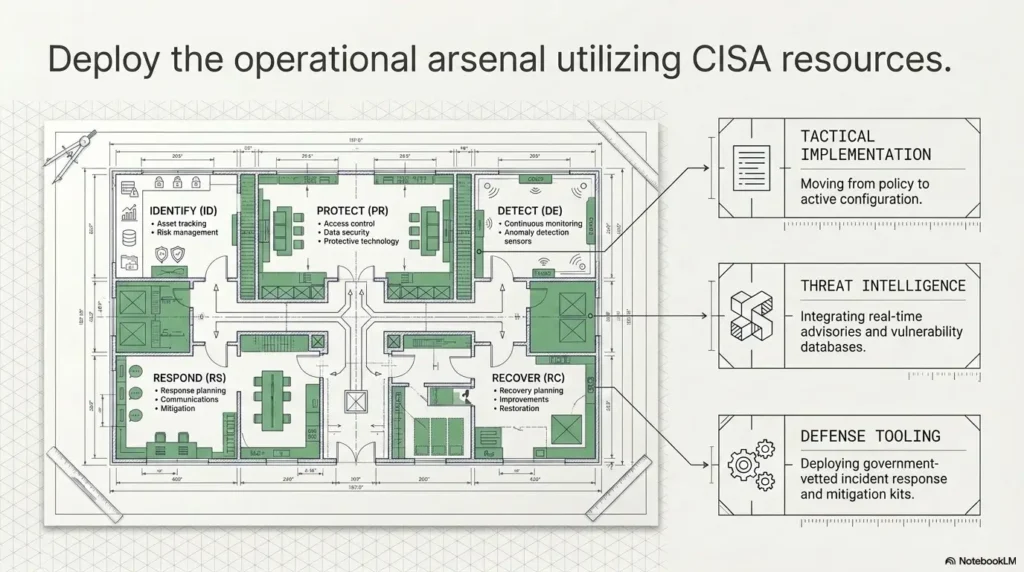
CISA offers public cybersecurity resources and training materials that can help learners understand safer security practice at a higher level, especially when moving from hobby labs toward workplace responsibilities.
FAQ
Is Kioptrix Level 1 still good for beginners?
Yes. Kioptrix Level 1 is still useful for beginners because it teaches a complete workflow: find the target, scan services, research versions, form hypotheses, document findings, test safely, and replay the path. Its age is part of the lesson because older labs expose assumptions that polished platforms often hide.
Which Kioptrix level should I start with?
Start with Kioptrix Level 1 if your goal is repeatability. Move to Level 2 only after you can rebuild the lab, identify the target, explain your scan choices, and reproduce your findings without leaning on a walkthrough.
Do I need Kali Linux for Kioptrix?
Kali Linux is common because it includes many security tools by default, but the more important requirement is a controlled virtual lab. A beginner should understand network isolation, VM snapshots, target authorization, and documentation before worrying about having every tool preinstalled.
Should I use Metasploit or manual methods?
Use both as learning lenses, but do not blur them together. First understand what the vulnerability appears to be and why it matters. Then compare manual research, tool-assisted testing, and your post-lab notes. The goal is understanding, not button pressing in a hoodie-shaped fog bank.
How do I make Kioptrix practice more repeatable?
Use snapshots, fixed lab notes, consistent scan commands, clearly named VMs, and a reset routine. After solving, restore the VM and repeat the path from memory. If your notes cannot guide a second run, they are souvenirs, not study material.
Is it legal to practice with Kioptrix?
Practicing in your own isolated lab is the safer path. Problems begin when learners scan, test, or exploit systems they do not own or do not have permission to assess. Keep the work private, local, and authorized.
How many times should I repeat one Kioptrix level?
Repeat it until you can explain the path without copying commands. A strong learner can say what they checked, what each result meant, why the next step followed, and what they would try if the obvious route failed.
What should I write in my Kioptrix notes?
Write the target IP, network mode, scan commands, service versions, important findings, hypotheses, failed attempts, successful path, cleanup steps, and a short reflection. The reflection is the quiet gold because it turns one lab into a reusable skill.
What if my Kioptrix VM does not show up on the network?
Check the boring things first: VM power state, adapter mode, Kali IP, expected subnet, target adapter, and whether both VMs are on the same private network. Most “invisible VM” problems are setup mismatches, not deep security mysteries.
Conclusion
The messy version of Kioptrix is a weekend puzzle. The repeatable version is a training instrument. That is the quiet turn this guide has been making from the start: the goal is not to sprint toward root, screenshot the moment, and leave the lab smoldering behind you. The goal is to build a small, legal, stable environment where your method gets better each time you return.
Start with containment. Use an isolated virtual network. Take a clean snapshot. Run broad and focused scans. Write what each result suggests. Test one hypothesis at a time. Reset. Replay. Improve the note.
Your next 15-minute step: create a folder named kioptrix-level-1-repeatable-lab. Inside it, add setup-notes.md, scan-notes.md, and replay-checklist.md. Before running a single scan, write your network mode, attacker VM name, target VM name, expected IP range, snapshot name, and one study goal.
That small ritual turns the lab from a one-night puzzle into a skill-building instrument.
Last reviewed: 2026-05.