Building Consistency Before the Lab: Your Kioptrix Launchpad
The first time a beginner opens a Kioptrix level, the screen can feel less like a lab and more like a foggy basement with blinking lights. The machine is legal, local, and intentionally vulnerable, yet the pressure still arrives fast: scan something, find something, break something, prove something. That is exactly why a Kioptrix level for building consistency before joining study groups is useful.
The real problem is not that beginners lack intelligence. It is that cybersecurity practice often turns into scattered terminal wandering: one scan here, one copied command there, three browser tabs, a vague panic, and suddenly the evening has evaporated. If that pattern follows you into a study group, you may feel behind even when you are simply unstructured.
The Consistency Lab: What You Are Really Training
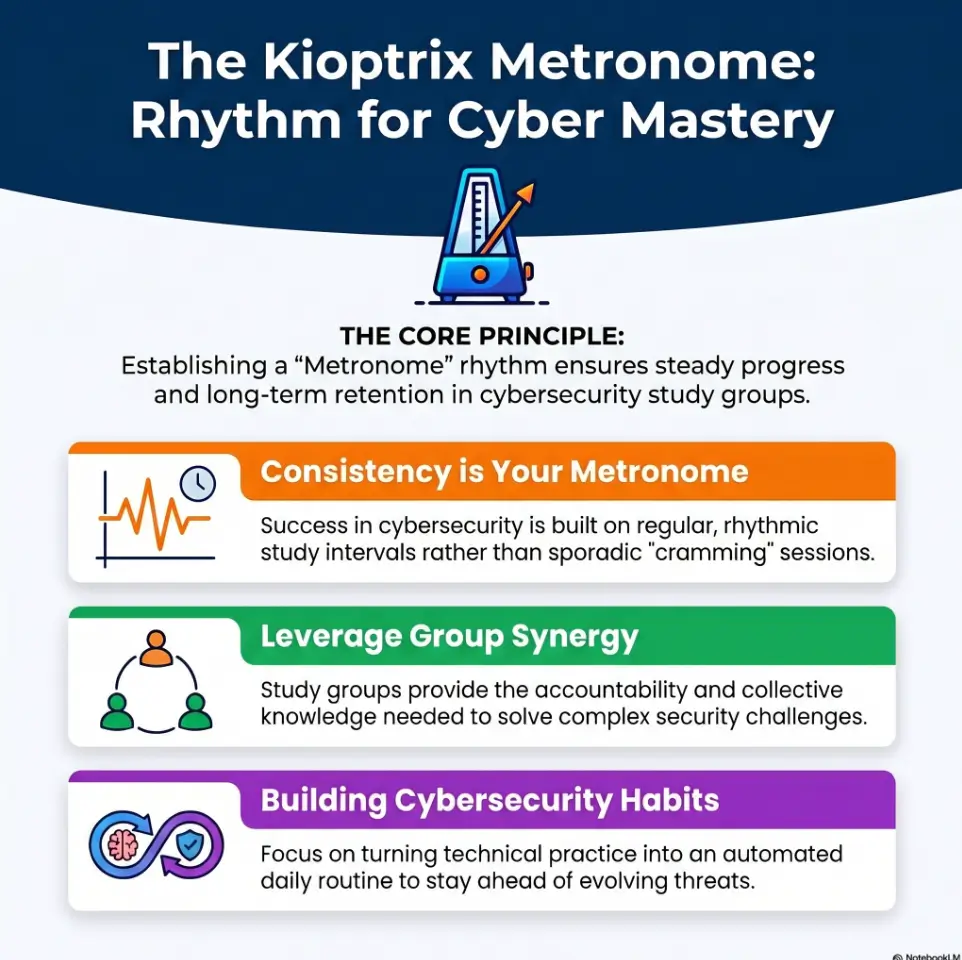
Kioptrix is not just a vulnerable machine. Used well, it becomes a practice metronome for beginner cybersecurity habits.
Find what exists before guessing what matters.
Capture observations before memory edits the story.
Change one variable at a time, like a patient lab cook.
Turn one messy session into one reusable lesson.
Table of Contents
Safety and Lab-Only Ground Rules
Kioptrix practice belongs inside a legal, isolated lab that you own or have explicit permission to test. That means local virtual machines, host-only networks, private ranges you control, and training platforms with clear authorization. Do not scan, probe, exploit, or “just check” public IPs, school networks, workplace systems, neighbors’ routers, coffee shop Wi-Fi, or random targets that looked lonely on the internet.
Cybersecurity learning becomes valuable when it is ethical, documented, and controlled. The same skill that teaches you to read a service banner in a lab can cause real harm if aimed at systems without permission. Boundaries are not decorative tape. They are the fence that keeps practice from becoming trouble.
For beginner structure, keep your lab network isolated, snapshot your virtual machines, and write down exactly what machines are in scope before every session. If you cannot explain why a target is authorized, do not touch it.
- Use only machines you own or are explicitly allowed to test.
- Keep Kioptrix practice inside an isolated local lab.
- Write the scope before opening your tools.
Apply in 60 seconds: Create a note titled “Authorized Kioptrix Scope” and list your local lab IP range before starting.
The Real Goal: Consistency Before Confidence
Why Kioptrix works as a “practice metronome”
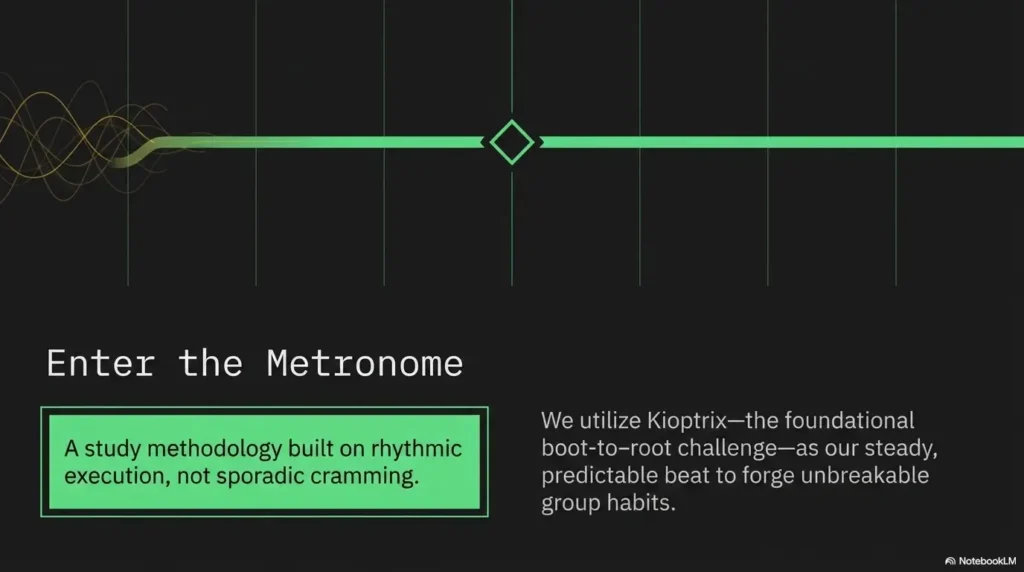
A metronome is boring until your timing improves. Then it becomes magic with a tiny click. Kioptrix works the same way for cybersecurity beginners. It gives you a repeatable beat: identify the target, inspect exposed services, form theories, test carefully, document results, and review what happened.
The lesson is not “run this one heroic command.” The lesson is rhythm. Study groups reward rhythm because group work exposes your process. If you can show what you found, what you think it means, and what you tried next, people can help you faster. You are no longer tossing a tangled ball of yarn into the room.
Root is not the only win
Getting root feels great. It is the little trophy at the end of the tunnel. But if you reach it with copy-paste steps and no notes, the win may dissolve by Tuesday. A better win is being able to explain your path without rewatching a walkthrough.
That is where consistency grows. Can you repeat your recon? Can you identify the clue that changed your direction? Can you say why a service mattered? Can you explain why one guess was reasonable and another was just terminal confetti?
The beginner trap: measuring progress only by shells
Beginners often think no shell means no progress. That is false, and it burns people out. A careful service map is progress. A clear failed hypothesis is progress. A better notes template is progress. Recognizing that you changed too many variables at once is progress with a small frown attached.
If you are preparing for a study group, your goal is not to arrive as a secret wizard. Your goal is to arrive with working habits, enough humility to learn, and enough structure to not vanish under pressure.
Who This Is For, And Who Should Wait
Best fit: beginners who know basic Linux but lack rhythm
This routine fits learners who can navigate a terminal, edit a file, read basic command output, and recover when a virtual machine sulks. You do not need to be advanced. You need enough Linux comfort to avoid turning every session into a search for the Downloads folder.
If your main struggle is consistency, Kioptrix can be excellent. It is contained, repeatable, and old enough that its rough edges teach troubleshooting without pretending to be a glossy training arcade.
Good fit: self-taught learners preparing for group labs
Self-taught learners often have scattered skill islands. You may know a little scanning, a little web testing, a little Linux, and a little privilege escalation, but no bridge between them. A study group can help build that bridge, but only if you can bring your materials to the table.
Before joining, spend a week creating a personal method. A guide like a repeatable Kioptrix lab workflow can help you turn isolated actions into a session pattern that other people can understand.
Not for: anyone looking for real-world targets or shortcut hacking
If your goal is to aim tools at live systems you do not own, stop. Kioptrix is a learning lab, not a permission slip. Study groups worth joining will care about ethics, legal boundaries, documentation, and restraint. If a group rewards reckless behavior, that is not mentorship. That is a smoke alarm with a chat room.
Let’s be honest: study groups expose sloppy habits fast
In solo learning, sloppy habits can hide. In a group, they become visible. Someone will ask what you scanned. Someone will ask why you chose that service. Someone will ask what changed between attempt one and attempt two.
That is not cruelty. That is collaboration doing its job. The sooner you prepare for those questions, the less intimidating the room feels.
Money Block: Study Group Readiness Checklist
Answer yes or no. No judgment. The terminal has already judged us all at least once.
| Question | Yes/No | Next step |
|---|---|---|
| Can you explain your lab scope? | Yes / No | Write authorized targets before practice. |
| Can you summarize recon in one minute? | Yes / No | Create a service summary, not a tool dump. |
| Can you show failed tests? | Yes / No | Track dead ends with timestamps. |
| Can you ask one specific question? | Yes / No | Use the pattern: found X, tried Y, got Z. |
Neutral action: Confirm authorization before testing, regardless of the number of “No” answers. Missing notes or setup skills are preparation gaps, not a reason to avoid a beginner-friendly group: bring a specific question or try a solo practice pass if useful.
Pick the Right Kioptrix Level Without Bruising Your Motivation
Kioptrix Level 1 as the consistency baseline
For most beginners, Kioptrix Level 1 is the right baseline. Not because it is the fanciest, newest, or most dramatic. It is useful because it gives enough structure to practice the basics: finding the machine, mapping services, investigating likely entry points, keeping notes, and moving from initial access thinking toward privilege escalation thinking.
If you want a narrower starting path, use a Kioptrix Level 1 methodology as a framing guide, then write your own notes instead of copying a finished answer. The difference matters. One teaches recognition. The other teaches recall.
When Level 2 makes sense before a group
Kioptrix Level 2 can make sense once you can repeat your Level 1 process without chaos. The goal is not to “graduate” as quickly as possible. The goal is to see whether your method travels to a slightly different target.
Move to Level 2 when your notes include clear observations, a service list, reasoning for each test, and a final review. If your Level 1 notes look like a drawer full of cables, stay with Level 1 and organize the drawer.
Why harder is not always better before collaboration
A harder lab may feel more impressive, but study group readiness is not measured by pain. If a level is too difficult, beginners often lean heavily on walkthroughs and lose the habit-building benefit. You want friction, not a wall.
Think of it like lifting weights. The right weight makes you focus. Too much weight makes your form collapse and your face write a complaint letter.
The “just enough friction” rule
Choose a Kioptrix level where you can make partial progress alone but still encounter blocks. That is the sweet spot. You want a machine that forces you to slow down, ask better questions, and record evidence.
Money Block: Kioptrix Level Decision Card
| Choose this | When it fits | Trade-off |
|---|---|---|
| Level 1 | You need rhythm, notes, and recon discipline. | Less novelty, more habit-building. |
| Level 2 | You can explain Level 1 without a walkthrough. | More friction, higher note-taking demand. |
| Repeat same level | Your first pass worked but felt messy. | Less excitement, stronger recall. |
Neutral action: Pick the lowest level that still forces you to explain your reasoning.
Build a 5-Session Routine Instead of One Chaotic Weekend
Session 1: setup, snapshot, and network sanity check
The first session is not for heroics. It is for making sure the lab works. Confirm your virtualization settings, isolate the network, snapshot your machines, and write down your attacker machine, target machine, and lab range.
If your lab cannot find the target, do not sprint into advanced guesses. Fix the plumbing first. A surprising amount of beginner pain is really network setup wearing a scary mask. For extra support, review Kioptrix network setup basics before assuming the lab is haunted.
Session 2: recon without rushing to exploit
Recon is where beginners often become impatient. The machine exposes clues, but only if you slow down enough to see them. In this session, your goal is to identify what services are available, what versions appear, and which paths deserve deeper inspection.
Do not jump at the first shiny clue. Write down all visible doors before choosing one to knock on.
Session 3: enumeration notes that future-you can read
Future-you is tired, mildly suspicious, and holding coffee. Write notes for that person. Include observations, commands or tools used in general terms, results, hypotheses, and next tests. Avoid mystery fragments like “maybe apache thing???” unless you enjoy sending riddles to yourself.
A clean Kioptrix lab notes habit is one of the fastest ways to become easier to help in a group.
Session 4: exploitation attempts with timestamps
In a legal lab, exploitation attempts should be controlled, documented, and tied to a reason. Write what you were testing and why. Capture the result. If something fails, record the exact error or behavior.
The timestamp matters because it reconstructs your thinking. Without timestamps, a long session becomes soup. With timestamps, you can see when a path became stale, when a new clue appeared, and when your brain quietly left the building.
Session 5: write-up, cleanup, and repeatable lessons
The final session is where learning hardens. Write the path in plain English. Summarize what mattered, what did not, and what you would do first next time. Clean screenshots. Label evidence. Save your notes in a consistent folder.
If you need a model for turning practice into a durable artifact, use a Kioptrix write-up structure after you have completed your own reasoning.
Scope, snapshot, network check
Map visible services
Turn clues into hypotheses
Try one reasoned path at a time
Write one reusable lesson
Don’t Do This: Speedrunning Root With No Notes
Why copy-paste walkthroughs create fake confidence
Walkthroughs can be helpful when used carefully. They are dangerous when used as steering wheels. If you copy every step without understanding the clue behind it, you may finish the lab and still not know what happened. That is fake confidence: shiny on the outside, hollow inside, and likely to crack in public.
A better rule is to use hints only after you document your own attempt. Write what you saw, what you thought it meant, what you tried, and where the reasoning broke. Then use a walkthrough as a small lamp, not a taxi.
The missing artifact: your personal attack path
The most useful artifact is not the root screenshot. It is your personal attack path: the sequence of observations and decisions that moved you from unknown target to confirmed result. That path is what study partners can discuss.
Without it, you can only say, “I followed a guide and it worked.” With it, you can say, “I saw this service, formed this hypothesis, tested it, and changed direction because the result contradicted my guess.” That sentence has bones.
Better rule: no command without a reason
Before running a tool or command, write one short reason. Not a novel. Just a sentence. “I am checking whether this web service exposes common directories.” “I am comparing detected service versions with likely lab-era behavior.” “I am confirming whether this path is a dead end.”
This one habit reduces tool worship. Tools become instruments, not vending machines where you insert hope and demand root.
Short Story: The Screenshot That Saved the Session
Maya joined her first cybersecurity study group with a half-finished Kioptrix lab and a nervous smile. She had no shell, no grand discovery, and exactly one screenshot she almost deleted because it looked boring. It showed a service version, a timestamp, and a tiny error message from a failed test. When the group asked what she had tried, she expected the room to drift away. Instead, someone leaned in.
The screenshot showed that her first assumption had been reasonable, but her next test had skipped a needed verification step. Ten minutes later, the group was not solving the lab for her. They were helping her improve the path. Maya left without root that night, but with a better notebook and a calmer brain. The lesson was simple: proof is not decoration. Proof lets other people enter your reasoning without walking through fog in socks.
Enumeration First: The Skill Study Groups Notice Immediately
Port scanning as a question, not a fireworks show
Port scanning is not a celebration of noise. It is a question: what is listening, and what might that imply? In an authorized Kioptrix lab, scanning helps you map possible entry points. But the scan itself is not the answer. The interpretation is.
When you document scan results, avoid dumping raw output with no context. Translate it. Which services appear? Which ones are expected for the lab style? Which ones deserve deeper inspection? Which ones are likely distractions?
Service versions: tiny clues with loud consequences
Service versions are small strings with big consequences. They can suggest age, configuration patterns, or known categories of weakness in intentionally vulnerable labs. But they are not magic keys. Version detection can be incomplete or misleading, especially in older lab environments.
Write versions as clues, not verdicts. A clue says, “This deserves testing.” A verdict says, “This must be vulnerable.” Beginners get into trouble when they treat every banner as a confession.
Web enumeration without clicking yourself into a maze
Web enumeration can become a maze quickly. One path leads to another, then another, then six tabs later you are reading a 2008 forum post and wondering whether dinner happened. Use a simple structure: page, observation, evidence, possible meaning, next test.
For web-heavy practice, resources such as Kioptrix HTTP enumeration can help you think in categories without turning the browser into a carnival ride.
Here’s what no one tells you: boring notes save the room
In study groups, boring notes are heroic. They prevent repeated questions, reduce confusion, and help others locate the exact point where you got stuck. A tidy table of observations may not feel exciting, but it can save twenty minutes of collective guessing.
Show me the nerdy details
A useful enumeration method separates discovery from interpretation. Discovery records what the target exposes in the authorized lab. Interpretation asks what each service, version, route, or error might imply. Testing then validates one hypothesis at a time. This prevents a common beginner failure mode: collecting many tool outputs, mixing facts with guesses, and then losing track of which result actually changed the plan.
Create a Kioptrix Notebook That Makes You Useful in a Group
Use three columns: observation, guess, next test
A strong Kioptrix notebook does not need to be fancy. It needs to be usable. Start with three columns: observation, guess, next test. That tiny structure keeps you from melting facts and theories into one sticky puddle.
Observation: what you saw. Guess: what it may mean. Next test: how you will check. This turns your notebook into a thinking tool instead of a graveyard of pasted output.
Separate facts from theories before they tangle
Facts are things the lab showed you. Theories are your interpretation. Keep them separate. “Port X is open” is a fact. “This service is the likely entry point” is a theory. Both matter, but confusing them can push you into stubborn testing long after the evidence says to change direction.
If you use a structured knowledge base, connect your practice to a Kioptrix knowledge base so repeated lessons do not vanish into old files named final-final-real-final.txt.
Track failed paths because they teach faster than wins
Failed paths are not embarrassing. They are educational receipts. When a test fails, record what you expected, what happened, and whether the failure closes the path or simply demands a better test.
This helps study partners avoid repeating your work. It also helps you notice patterns. Maybe you rush web directories. Maybe you ignore SMB clues. Maybe you trust version output too quickly. Failed paths are mirrors with timestamps.
The screenshot rule: capture proof, not decoration
Capture screenshots for evidence, not wallpaper. A useful screenshot proves a service, result, error, path, permission, or final state. Label it with date, machine, finding, and sequence. If you later write up the lab, your screenshots should tell the story without needing a séance.
For more order, connect your workflow to Kioptrix screenshot organization and evidence tracking habits.
- Write observations separately from theories.
- Record failed paths with the reason they failed.
- Capture screenshots that prove a meaningful step.
Apply in 60 seconds: Add three headings to your notes now: Observation, Hypothesis, Next Test.
Money Block: Note Template for Study Group Help
| Field | What to write | Why it helps |
|---|---|---|
| Observation | The specific service, page, response, or behavior. | Keeps facts visible. |
| Hypothesis | Your best explanation of what it may mean. | Shows your reasoning. |
| Next test | The smallest safe test that could confirm or reject the guess. | Prevents random tool hopping. |
Neutral action: Use this template for one session before changing tools or joining a group call.
Common Mistakes That Make Beginners Feel “Bad at Cybersecurity”
Mistake 1: changing five variables at once
If you change the tool, target path, option set, wordlist, and assumption at the same time, you cannot learn from the result. You may get lucky, but you will not know why. Change one variable. Record the result. Then adjust.
This is not slow. It is scientific. It is also less likely to make your notes look like raccoons edited them at midnight.
Mistake 2: ignoring error messages because they look rude
Error messages are often blunt, but they are not insults. They are clues wearing bad manners. A permission error, connection refusal, timeout, redirect, or unexpected status code can tell you what the system allowed, denied, or never received.
Copy the exact error into your notes. Then translate it into plain English. What happened? Where did it fail? What would a smaller test clarify?
Mistake 3: treating tools like vending machines
Tools are helpful, but they do not replace judgment. If you run a tool because a walkthrough used it, you have borrowed someone else’s reasoning. In group settings, that becomes obvious quickly.
Before using any tool, write the job you expect it to do. If you cannot name the job, pause. The tool may still be useful, but your thinking is not ready yet.
Mistake 4: skipping privilege escalation methodology
Initial access is not the end of a lab. Privilege escalation requires a new round of calm observation. What user are you? What permissions exist? What services, files, configurations, or scheduled tasks matter inside the authorized lab? What evidence supports the next move?
If this area feels foggy, revisit Kioptrix privilege escalation fundamentals as a methodology topic rather than a bag of tricks.
Mistake 5: asking vague study group questions
“I am stuck” is honest but incomplete. “I found X, tested Y, got Z, and my current hypothesis is W” is much easier to answer. The second version gives people a place to stand.
Most study group frustration is not caused by beginners needing help. It is caused by missing context. Help others help you. Bring a map, even if the map has coffee stains.
The Study Group Readiness Test: Can You Explain Your Path?
Explain recon in one minute
Before joining a study group, practice a one-minute recon summary. Mention the target scope, main services, and the two or three findings that seem most relevant. Do not worship the tool. Focus on meaning.
A good summary sounds like: “In my local Kioptrix lab, I confirmed the target, mapped exposed services, and found one web service and one file-sharing clue worth deeper testing.” That gives structure without drowning the room.
Explain your top three findings without tool worship
Study partners do not need every line of output. They need your top findings and why you care. Turn raw output into human sentences.
Instead of “I ran the scanner and it said many things,” try “The result suggests this older service deserves review because it may influence the entry path.” That is clearer, calmer, and less likely to summon the group’s collective thousand-yard stare.
Explain where you got stuck without hiding the gap
Do not hide the gap. Name it. “I do not know whether this error means my assumption is wrong or my test is malformed.” That is a strong beginner sentence. It invites teaching at the right level.
Trying to sound advanced usually slows the room down. Accurate confusion is useful. Vague confidence is fog with shoes.
Explain what you tried, what changed, and what stayed weird
The best troubleshooting summaries include three parts: what you tried, what changed, and what stayed weird. This tells the group whether your test produced signal.
If nothing changed, say that too. No change is still a result. It may mean the wrong path, wrong assumption, wrong setup, or a test that did not touch the thing you thought it touched.
- Summarize recon in plain English.
- Bring your top findings, not a wall of output.
- Name the exact point where your reasoning breaks.
Apply in 60 seconds: Write one sentence beginning, “My current hypothesis is…”
A Simple Weekly Kioptrix Schedule for Busy Learners
Monday: lab reset and goal setting
Monday is for setting the table. Reset snapshots if needed, confirm the lab network, and choose one goal. Not five goals. One. A clean goal might be “produce a service map” or “write an enumeration table for the web service.”
If you practice after work, keep the first session gentle. The brain that survived meetings, errands, and a mysterious fridge noise does not need a four-hour battle.
Wednesday: focused enumeration block
Wednesday is for focused enumeration. Pick one service category and inspect it with care. Record observations and avoid switching paths too quickly. If you are working web, stay web. If you are working SMB, stay SMB. Give the clue a fair trial.
For busy adults, after-work Kioptrix practice works best when the session has a small finish line.
Friday: exploitation and privilege escalation attempts
Friday is when you test the strongest hypothesis inside your authorized lab. Keep attempts controlled. Document expected result, actual result, and next adjustment. If you gain a foothold, start a fresh notes area for post-access enumeration rather than mixing everything together.
Sunday: write-up and “one lesson only” review
Sunday is review day. Write one concise summary of what happened. Then pick one lesson. Only one. Beginners often try to extract twenty lessons and end with a motivational smoothie that tastes like cardboard.
One lesson repeated is stronger than twenty lessons forgotten.
Keep it small enough to repeat when life gets noisy
The best routine is not the most ambitious. It is the one that survives laundry, work, fatigue, family plans, and the strange gravitational pull of the couch. A 60-minute focused session repeated weekly beats an eight-hour sprint followed by three weeks of avoidance.
To support repeatability, connect this plan with a weekly Kioptrix review template and a simple way to track Kioptrix progress.
Money Block: 60-Minute Session Mini Planner
Neutral action: Use the result to trim your session before you open the terminal.
Ask Better Questions Before You Join the Room
Weak question: “How do I hack this?”
This question is too broad. It gives no target context, no scope, no findings, no attempt history, and no sign of your current thinking. In a healthy study group, people may still help, but they will need to ask many setup questions first.
Worse, broad phrasing can sound careless. In cybersecurity spaces, precision and authorization matter. Use lab-specific, ethical language.
Strong question: “I found X, tested Y, and got Z”
This pattern works because it shows effort and gives helpers a starting point. “I found an HTTP service, tested common directories, and got repeated redirects I do not understand” is a much stronger request than “web is broken.”
It also respects everyone’s time. Good study groups are not answer vending machines. They are rooms where people improve each other’s thinking.
Include environment details without dumping your whole terminal
Include enough environment detail to reproduce the situation: local lab, Kioptrix level, virtualization tool, network mode, attacker machine, target IP within the lab, and the exact symptom. Do not paste your entire terminal history unless asked.
If your issue is setup-related, VirtualBox host-only no-IP troubleshooting may save the group from diagnosing a learning problem that is really a network mode problem wearing a fake mustache.
The golden sentence: “My current hypothesis is…”
This sentence changes everything. It tells the group where your mind is. It also gives others permission to correct the hypothesis without dismissing your effort.
Try: “My current hypothesis is that this service deserves deeper enumeration, but I am not sure whether the version clue is reliable.” That is a sturdy question. It shows curiosity, caution, and structure.
Next Step: Run One Clean Kioptrix Pass This Week
Choose one level and one objective
Pick one Kioptrix level, preferably Level 1 if you are building consistency. Choose one objective for the week. A good objective might be “produce a clean recon summary” or “write a beginner-friendly explanation of my attack path.”
Keep the objective measurable. “Become good at cybersecurity” is noble but too foggy. “Explain my top three findings in plain English” is useful by Sunday.
Create a fresh notes template before touching tools
Open your notebook before opening your tools. That order matters. It puts thinking before clicking. Use headings for scope, setup, recon, enumeration, hypotheses, tests, evidence, dead ends, and final review.
If you need a stronger documentation base, use Kioptrix documentation habits to make your notes easier to review and share.
Stop after 90 minutes and write what you actually learned
A 90-minute stop is not weakness. It is quality control. Past that point, beginners often stop learning and start flailing. End the session with a short review: what did I find, what did I test, what changed, and what is my next question?
This review is the bridge between solo practice and group learning. Without it, every session starts from scratch.
Bring one clear question to your first study group
Do not bring ten questions. Bring one strong one. Include scope, finding, attempted test, result, and current hypothesis. That single well-shaped question can open a better discussion than a dozen vague worries.
Your first study group does not need your perfection. It needs your participation. Consistency makes that possible.
- Choose one level.
- Choose one objective.
- Leave with one clear question.
Apply in 60 seconds: Write your next session objective in one sentence before launching the VM.
FAQ
Which Kioptrix level should beginners start with before joining a study group?
Most beginners should start with Kioptrix Level 1 if the goal is consistency. It gives enough friction to practice lab setup, recon, enumeration, note-taking, exploitation reasoning, and privilege escalation review without making the first week feel like a morale bonfire.
Is Kioptrix still useful for cybersecurity beginners?
Yes. Kioptrix remains useful because it trains fundamentals, not novelty. Its value comes from repetition, troubleshooting, documentation, service interpretation, and the discipline of explaining what happened in a legal lab environment.
How many times should I repeat a Kioptrix level?
Repeat a level at least twice. The first pass teaches survival. The second pass teaches structure. A third pass can be useful if your goal is to explain the attack path clearly without relying on a walkthrough.
Should I read a walkthrough if I get stuck?
Use a walkthrough only after you have documented what you tried, what failed, and what clue you are missing. Treat it as a hint library, not a taxi to the finish line. The goal is to repair your reasoning, not outsource it.
What should I know before joining a cybersecurity study group?
You should know basic Linux navigation, virtual machine setup, IP discovery inside a lab, simple scanning concepts, and how to write down findings clearly. You do not need to be advanced. You need enough structure to participate.
Can Kioptrix help with OSCP preparation?
Kioptrix can support early OSCP-style habits, especially enumeration, documentation, persistence, and privilege escalation thinking. It is not a complete OSCP substitute, but it can help beginners stop treating labs like random tool experiments.
How long should one Kioptrix practice session be?
A useful session can be 60 to 90 minutes. Longer sessions often become foggy command soup. Short, consistent blocks usually build better habits than one exhausted all-night sprint.
What should I bring to a cybersecurity study group after practicing Kioptrix?
Bring your notes, current hypothesis, a short list of tests you tried, exact errors or unexpected results, screenshots that prove key findings, and one specific question. That makes you easier to help and more useful to the group.
Is it okay to use automated tools in Kioptrix practice?
Yes, inside an authorized lab, but use them with purpose. Write why you are using the tool, what result you expect, and what the output means. Automation without interpretation is just noise with a progress bar.
What if I feel embarrassed because everyone else seems faster?
Speed is not the main signal of beginner growth. Clear notes, careful reasoning, and specific questions matter more. Many fast learners are simply repeating paths they already know. Your job is to build a method you can carry into the next lab.
Conclusion: Bring a Lantern, Not a Lightning Bolt
The opening fog of a Kioptrix lab never fully disappears. That is part of the training. But with a repeatable routine, the fog becomes workable. You stop waiting for a lightning bolt of confidence and start carrying a small lantern: scope, recon, enumeration, notes, testing, evidence, and review.
That is what makes a Kioptrix level useful before joining study groups. It gives you habits that travel well. You can explain what you saw. You can show what you tried. You can ask for help without handing the room a puzzle box full of missing pieces.
Your concrete next step: spend 15 minutes creating a fresh notes template with these headings: Scope, Setup, Recon, Enumeration, Hypotheses, Tests, Evidence, Dead Ends, Review, and One Question. Then choose one Kioptrix level and one objective for your next 60-minute session.
Consistency first. Confidence will hear the footsteps and catch up.
Last reviewed: 2026-05.
Technical guidance updated: 2026-10-13. Separated mandatory authorization from optional preparation for beginner study groups.